2016 LINCOLN NAVIGATOR ignition
[x] Cancel search: ignitionPage 291 of 419

CLEANING THE ENGINE
Engines are more efficient when they are
clean because grease and dirt buildup keep
the engine warmer than normal.
When washing:
•
Take care when using a power washer
to clean the engine. The high-pressure
fluid could penetrate the sealed parts
and cause damage.
• Do not spray a hot engine with cold water
to avoid cracking the engine block or
other engine components.
• Spray Motorcraft Engine Shampoo and
Degreaser on all parts that require
cleaning and pressure rinse clean. In
Canada, use Motorcraft Engine Shampoo.
• Never wash or rinse the engine while it
is hot or running; water in the running
engine may cause internal damage. •
Never wash or rinse any ignition coil,
spark plug wire or spark plug well, or the
area in and around these locations.
• Cover the battery, power distribution box,
and air filter assembly to prevent water
damage when cleaning the engine.
CLEANING THE WINDOWS AND
WIPER BLADES
Car wash chemicals and environmental
fallout can result in windshield and wiper
blade contamination. Dirty windshield and
wipers will result in poor windshield wiper
operation. Keep the windshield and wiper
blades clean to maintain windshield wiper
performance. To clean the windshield and wiper blades:
•
Clean the windshield with a non-abrasive
glass cleaner. When cleaning the interior
of the windshield, avoid getting any glass
cleaner on the instrument panel or door
panels. Wipe any glass cleaner off these
surfaces immediately.
• For windshields contaminated with tree
sap, chemicals, wax or bugs, clean the
entire windshield using steel wool (no
greater than 0000 grade) in a circular
motion and rinse with water.
• Clean the wiper blades with isopropyl
rubbing alcohol or windshield washer
concentrate.
Note: Do not use razor blades or other
sharp objects to clean or remove decals from
the inside of the heated rear window. The
vehicle warranty does not cover damage
caused to the heated rear window grid lines.
288
Navigator (TB5) Canada/United States of America, enUSA, First Printing Vehicle Care
Page 321 of 419

If the low tire pressure warning light is on,
visually check each tire to verify that no tire
is flat. If one or more tires are flat, repair as
necessary. Check the air pressure in the road
tires. If any tire is under-inflated, carefully
drive the vehicle to the nearest location
where air can be added to the tires. Inflate
all the tires to the recommended inflation
pressure.
Tire Pressure Monitoring System Reset
Procedure
WARNING
To determine the required pressure(s)
for your vehicle, see the Safety
Compliance Certification Label (affixed to
either the door hinge pillar, door-latch post,
or the door edge that meets the door-latch
post, next to the driver's seating position), or
Tire Label located on the B-Pillar or the edge
of the driver's door. Note:
You need to perform the tire pressure
monitoring system reset procedure after
each tire rotation on vehicles that require
different recommended tire pressures in the
front tires as compared to the rear tires. Overview
To provide the vehicle's load carrying
capability, some vehicles require different
recommended tire pressures in the front tires
as compared to the rear tires. The tire
pressure monitoring system equipped on
these vehicles is designed to illuminate the
low tire pressure warning light at two
different pressures; one for the front tires
and one for the rear tires.
Since tires need to be rotated to provide
consistent performance and maximum tire
life, the tire pressure monitoring system
needs to know when the tires are rotated to
determine which set of tires are on the front
and which are on the rear. With this
information, the system can detect and
properly warn of low tire pressures.
System reset tips:
•
To reduce the chances of interference
from another vehicle, perform the system
reset procedure at least three feet (one
meter) away from another Ford Motor
Company vehicle undergoing the system
reset procedure at the same time.
• Do not wait more than two minutes
between resetting each tire sensor or the
system will time-out and the entire
procedure will have to be repeated on
all four wheels.
• A double horn will sound indicating the
need to repeat the procedure.
Performing the System Reset Procedure
Read the entire procedure before attempting.
1. Drive the vehicle above 20 mph (32 km/h) for at least two minutes, then park
in a safe location where you can easily
get to all four tires and have access to
an air pump.
2. Place the ignition in the off position and keep the key in the ignition.
3. Cycle the ignition to the on position with
the engine off.
318
Navigator (TB5) Canada/United States of America, enUSA, First Printing Wheels and Tires
Page 322 of 419

4.
Turn the hazard flashers on then off three
times. You must accomplish this within
10 seconds. If the reset mode has been
entered successfully, the horn will sound
once, the system indicator will flash and
a message is shown in the information
display. If this does not occur, please try
again starting at Step 2. If after repeated
attempts to enter the reset mode, the
horn does not sound, the system
indicator does not flash and no message
is shown in the information display, seek
service from your authorized dealer.
5. Train the tire pressure monitoring system
sensors in the tires using the following
system reset sequence starting with the
left front tire in the following clockwise
order: Left front (driver's side front tire),
Right front (passenger's side front tire),
Right rear (passenger's side rear tire), Left
rear (driver's side rear tire). 6. Remove the valve cap from the valve
stem on the left front tire. Decrease the
air pressure until the horn sounds. Note:
The single horn chirp confirms that the
sensor identification code has been
learned by the module for this position.
If a double horn is heard, the reset
procedure was unsuccessful, and you
must repeat it.
7. Remove the valve cap from the valve stem on the right front tire. Decrease the
air pressure until the horn sounds.
8. Remove the valve cap from the valve stem on the right rear tire. Decrease the
air pressure until the horn sounds.
9. Remove the valve cap from the valve stem on the left rear tire. Decrease the
air pressure until the horn sounds.
Training is complete after the horn
sounds for the last tire trained (driver's
side rear tire), the system indicator stops
flashing, and a message is shown in the
information display. 10. Turn the ignition off. If two short horn
beeps are heard, the reset procedure
was unsuccessful and you must repeat
it. If after repeating the procedure and
two short beeps are heard when the
ignition is turned to off, seek assistance
from your authorized dealer.
11. Set all four tires to the recommended air pressure as indicated on the Safety
Compliance Certification Label (affixed
to either the door hinge pillar,
door-latch post, or the door edge that
meets the door-latch post, next to the
driver's seating position) or Tire Label
located on the B-Pillar or the edge of
the driver's door.
319
Navigator (TB5) Canada/United States of America, enUSA, First Printing Wheels and Tires
Page 331 of 419

ENGINE SPECIFICATIONS
3.5L Ecoboost
Engine
214
Cubic inches
1-4-2-5-3-6
Firing order
Coil on plug
Ignition system
10.0:1
Compression ratio
0.030 in (0.75 mm) - 0.033 in (0.85 mm)
Spark plug gap
Drivebelt Routing 328
Navigator (TB5) Canada/United States of America, enUSA, First Printing Capacities and SpecificationsE167467
Page 349 of 419

For more information on extended
subscription terms (a service fee is required),
the online media player and a complete list
of SIRIUS satellite radio channels, and other
features, please visit www.siriusxm.com in
the United States, www.siriusxm.ca in
Canada, or call SIRIUS at 1-888-539-7474.
Satellite Radio Electronic Serial
Number (ESN)
You need your ESN to activate, modify or
track your satellite radio account. When in
satellite radio mode, tune to channel 0.
Troubleshooting Action
Condition
Message
No action required. This message should
disappear shortly.
Radio requires more than two seconds to
produce audio for the selected channel.
Acquiring\b
If this message does not clear shortly, or with
an ignition key cycle, your receiver may have
a fault. See an authorized dealer for service.
There is an internal module or system failure
present.
Satellite antenna fault
SIRIUS system failure
Tune to another channel or choose another
preset.
The channel is no longer available.
Invalid Channel
Contact SIRIUS at 1-888-539-7474 to subscribe
to the channel, or tune to another channel.
Your subscription does not include this
channel.
Unsubscribed Channel
The signal is blocked. When you move into an
open area, the signal should return.
The signal is lost from the SIRIUS satellite or
SIRIUS tower to your vehicle antenna.
No Signal
No action required. The process may take up
to three minutes.
Update of channel programming in progress.
Updating\b
346
Navigator (TB5) Canada/United States of America, enUSA, First Printing Audio System
Page 408 of 419

4
4WD
See: Four-Wheel Drive.......................................176
A
A/C See: Climate Control..........................................125
About This Manual............................................7
Protecting the Environment..................................7
ABS See: Brakes...........................................................184
ABS driving hints See: Hints on Driving With Anti-Lock
Brakes................................................................184
Accessories....................................................348 Exterior Style........................................................348
Interior Style.........................................................348
Lifestyle.................................................................348
Peace of Mind.....................................................348
Accessories See: Replacement Parts Recommendation.....12
Adaptive Headlamps
.....................................90
Adjusting the Headlamps...........................279 Horizontal Aim Adjustment..............................280
Vertical Aim Adjustment...................................279
Adjusting the Pedals
......................................83 Adjusting the Steering Wheel......................77
Easy Entry and Exit Feature................................77
End of Travel Position...........................................77
Memory Feature....................................................77
AFS See: Adaptive Headlamps..................................90
Airbag Disposal...............................................48
Air Conditioning See: Climate Control..........................................125
Air Filter See: Changing the Engine Air Filter..............284
Alarm See: Anti-Theft Alarm...........................................74
Ambient Lighting
............................................92
Anti-Theft Alarm..............................................74 Arming the Alarm..................................................74
Disarming the Alarm.............................................74
Appendices....................................................385
Audible Warnings and Indicators
..............104
Direction Indicator Chime.................................104
Headlamps On Warning Chime.......................104
Key in Ignition Warning Chime.........................104
Parking Brake On Warning Chime..................104
Audio Control
...................................................78
Media.......................................................................80
Seek, Next or Previous........................................80
Type One.................................................................79
Type Two.................................................................80 Audio System................................................340
General Information...........................................340
Audio Unit........................................................341 Rear Seat Audio Controls.................................343
Autolamps.........................................................88 Windshield Wiper Activated Headlamps........89
Automatic Climate Control
.........................125
Automatic Transmission................................171 Brake-Shift Interlock...........................................174
If Your Vehicle Gets Stuck In Mud or
Snow...................................................................175
Selector Lever Positions.....................................171
Understanding your SelectShift Automatic ™
Transmission.....................................................173
Automatic Transmission Fluid Check............................................................274
Autowipers.......................................................84
Auxiliary Power Points.................................153 110 Volt AC Power Point.....................................153
12 Volt DC Power Point......................................153
Locations...............................................................153
B
Battery See: Changing the 12V Battery.......................276
405
Navigator (TB5) Canada/United States of America, enUSA, First Printing Index
Page 413 of 419
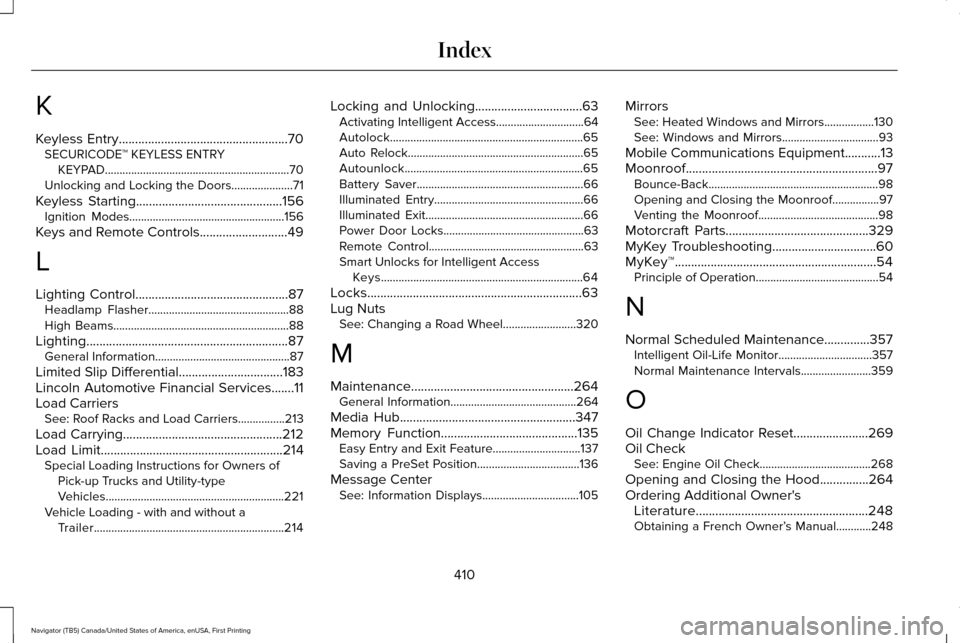
K
Keyless Entry....................................................70
SECURICODE™ KEYLESS ENTRY
KEYPAD...............................................................70
Unlocking and Locking the Doors.....................71
Keyless Starting.............................................156 Ignition Modes.....................................................156
Keys and Remote Controls...........................49
L
Lighting Control
...............................................87
Headlamp Flasher................................................88
High Beams............................................................88
Lighting
..............................................................87
General Information..............................................87
Limited Slip Differential
................................183
Lincoln Automotive Financial Services.......11
Load Carriers See: Roof Racks and Load Carriers................213
Load Carrying.................................................212
Load Limit
........................................................214
Special Loading Instructions for Owners of
Pick-up Trucks and Utility-type
Vehicles.............................................................221
Vehicle Loading - with and without a Trailer.................................................................214 Locking and Unlocking
.................................63
Activating Intelligent Access..............................64
Autolock..................................................................65
Auto Relock............................................................65
Autounlock.............................................................65
Battery Saver.........................................................66
Illuminated Entry...................................................66
Illuminated Exit......................................................66
Power Door Locks................................................63
Remote Control.....................................................63
Smart Unlocks for Intelligent Access
Keys.....................................................................64
Locks..................................................................63
Lug Nuts See: Changing a Road Wheel.........................320
M
Maintenance..................................................264 General Information...........................................264
Media Hub
......................................................347
Memory Function..........................................135
Easy Entry and Exit Feature..............................137
Saving a PreSet Position...................................136
Message Center See: Information Displays.................................105 Mirrors
See: Heated Windows and Mirrors.................130
See: Windows and Mirrors.................................93
Mobile Communications Equipment...........13
Moonroof...........................................................97 Bounce-Back..........................................................98
Opening and Closing the Moonroof................97
Venting the Moonroof.........................................98
Motorcraft Parts
............................................329
MyKey Troubleshooting................................60
MyKey™..............................................................54 Principle of Operation..........................................54
N
Normal Scheduled Maintenance..............357 Intelligent Oil-Life Monitor................................
357
Normal Maintenance Intervals........................359
O
Oil Change Indicator Reset.......................269
Oil Check See: Engine Oil Check......................................268
Opening and Closing the Hood
...............264
Ordering Additional Owner's Literature
.....................................................248
Obtaining a French Owner’ s Manual............248
410
Navigator (TB5) Canada/United States of America, enUSA, First Printing Index