Page 110 of 419
•
Fuel Economy - Shows your
instantaneous fuel usage as a bar graph
and average mpg. •
Fuel History - Shows your fuel usage
based on time. The graph is updated
each minute with the fuel economy that
you achieved during 30 minutes of
driving. Towing
Use the arrow buttons to configure different
towing setting choices.
Note:
Some options may appear slightly
different or not at all if the items are optional. Towing
Trailer disconnected
Trailer Status
Active trailer name or Default Trailer
Accumulated trailer miles
Trailer brake gain
Trailer Sway Control - check enabled or uncheck disabled
Trailer Options
Elect. Surge, None or Elec. Over Hydraulic
Trailer Brake Mode
Trailers Created
Change Trailer Selected
Default Trailer
No active trailer
Press OK to change the selected trailer
Rename Trailer
Change Trailer Settings
Reset Trailer Mileage
107
Navigator (TB5) Canada/United States of America, enUSA, First Printing Information Displays
Page 113 of 419
Autounlock - check enabled or uncheck disabled
All Doors or Driver
Remote Unlock
Remaining Life XXX% - Hold OK to reset
Oil Life
Enable or Disable switch
Power Liftgate
Auto, Off or Out
Pwr Running Boards
Auto or Last Setting
Climate Control
Remote Start
Auto or Off
Seats
5, 10 or 15 minutes
Duration
System - check enabled or uncheck disabled
Courtesy Wipe - check enabled or uncheck disabled
Wipers
Rain Sensing - check enabled or uncheck disabled
Number of Admin Keys, MyKeys and MyKey Mileage
MyKey Status
MyKey*
Hold OK to Create MyKey
Create MyKey
Always On or User Selectable
911 Assist
Always On or User Selectable
Do Not Disturb
Always On or User Selectable
Traction Control
110
Navigator (TB5) Canada/United States of America, enUSA, First Printing Information Displays
Page 118 of 419
Brake System Messages
Action
Message
Indicates the brake fluid level is low and the brake system should be inspected immediately.
Brake Fluid Level Low
Displays when the brake system needs servicing. If the warning stays on or continues to comeon, contact an authorized dealer as soon as possible.
Check Brake System
Displays when the parking brake is set, the vehicle is in ready to drive and the vehicle is drivenmore than 3 mph (5 km/h). If the warning stays on after you release th\
e parking brake, contact an authorized dealer as soon as possible.
Park Brake Engaged
Door Messages Action
Message
Displays when the door listed is not completely closed.
X Door Ajar
Displays when the liftgate or liftglass is not completely closed.
Liftgate Ajar
Displays the factory keypad code after the keypad resets.
Factory Keypad Code XXXXX
115
Navigator (TB5) Canada/United States of America, enUSA, First Printing Information Displays
Page 138 of 419

The control is located on the outboard side
of the seat. Move the switch in the direction
of the arrow to raise or lower the seat
cushion or to move the seat forward,
backward, up or down.
Power Recline Move the control to recline the seatback
forward or rearward.
Note:
On vehicles with memory seats, to
prevent damage to the seat, the power seats
are designed to set a stopping position just
short of the end of the seat track. If the seat
encounters an object while moving forward
or backward, a new stopping position will
be set.
To reset the seat to its normal stopping
position:
1. After encountering the new stopping position, press the power seat control
again to override.
2. Continue pressing the control until it reaches the end of the seat track.
3. Continue pressing the control for about two seconds. You will feel the seat
bounce back slightly. Power Lumbar
The control is located on the outboard side
of the seat. Press the forward or rearward
side of the control for more or less support.
MEMORY FUNCTION
WARNINGS
Before activating the seat memory,
make sure that the area immediately
surrounding the seat is clear of obstructions
and that all occupants are clear of moving
parts.
135
Navigator (TB5) Canada/United States of America, enUSA, First Printing SeatsE181777 E162731 E164101
Page 139 of 419

WARNINGS
Do not use the memory function when
your vehicle is moving.
This feature automatically recalls the position
of the following:
•
Driver seat.
• Power mirrors.
• Power steering column.
• Power adjustable foot pedals.
The memory control is located on the left
side of the driver seat. Saving a PreSet Position
1. Switch the ignition on.
2. Adjust the memory features to your
desired position.
3. Press and hold the desired preset button
until you hear a single tone.
You can save up to two preset memory
positions.
You can save a memory preset at any time.
Recalling a PreSet Position
Switch the ignition on.
Press and release the preset button
associated with your desired driving position.
The memory features will move to the
position stored for that preset.
Note: You can only recall preset memory
position when you switch the ignition off, or
when you place the transmission in park (P)
or neutral (N) if you switch the ignition on.
Note: If you enable Easy Exit, a memory
recall when the ignition is off will move to
the easy exit position. You can also recall a preset memory position
by:
•
Pressing the unlock button on your
remote control if it is linked to a preset
position.
• Unlocking the intelligent driver door
handle if a linked key fob is present.
• Entering a personal entry code on the
Securicode keypad. See Locks (page
63).
Note: Using a linked key fob to recall your
memory position when the ignition is off
moves the seat and steering column to the
Easy Entry position.
Note: Pressing any active memory feature
control - power seat, mirror (or steering
column switch) (or any memory button)
during a memory recall cancels the
operation.
Linking a PreSet Position to your Remote
Control or Intelligent Access Key Fob
Your vehicle can save the preset memory
positions for up to two remote controls.
136
Navigator (TB5) Canada/United States of America, enUSA, First Printing Seats21
E205043
Page 140 of 419

1. With the ignition on, move the memory
positions to the desired positions.
2. Press and hold the desired preset button
for about five seconds. A tone will sound
after about two seconds. Continue
holding until a second tone is heard.
3. Within three seconds, press the lock button on the remote control you are
linking.
To unlink a remote control, follow the same
procedure – except in step 3, press the
unlock button on the remote control.
Note: If more than one linked remote control
or intelligent access key is in range, the
memory function moves to the settings of
the first key to initiate a memory recall.
Easy Entry and Exit Feature (If Equipped)
This feature adjusts the position of the seat
and steering column to allow easier exit and
entry to the vehicle. The driver seat automatically moves 2 inches
(5 centimeters) rearward when the
transmission is in park (P) and you remove
the key from the ignition or you switch the
ignition off.
The driver seat returns to the previous
position when you put the key in the ignition
or switch the ignition on.
You can enable or disable this feature in the
information display.
See Information
Displays (page 105).
REAR SEATS
Folding Down the Second Row 40%
Seat WARNINGS
Use caution when folding the seatback
to the flat back position as the system
will move forward when you lift the release
handle. WARNINGS
Before returning the seatback to its
original position, make sure that cargo
or any objects are not trapped behind the
seatback. After returning the seatback to its
original position, pull on the seatback to
make sure that it has fully latched. An
unlatched seat may become dangerous in
the event of a sudden stop or crash. Make sure that the head restraint is in the
down position and no objects such as books,
purses or briefcases are on the floor in front
of the second row seats before folding them
down.
Move the front passenger seat forward so
that the second row seat head restraint
clears the front seat.
137
Navigator (TB5) Canada/United States of America, enUSA, First Printing Seats
Page 148 of 419

Do not do the following:
•
Place heavy objects on the seat.
• Operate the seat heater if water or any
other liquid is spilled on the seat. Allow
the seat to dry thoroughly.
• Operate the heated seats unless the
engine is running. Doing so can cause
the battery to lose charge.
The rear seat heat controls are located on
the rear of the center console. Press the heated seat symbol to cycle
through the various heat settings and off.
More indicator lights indicate warmer
settings. The heated seat module resets at every
ignition run cycle. While the ignition is on,
press the high or low heated seat switch to
enable heating mode. When activated, they
will turn off automatically when you turn the
engine off.
CLIMATE CONTROLLED SEATS
Heated Seats WARNING
Persons who are unable to feel pain to
the skin because of advanced age,
chronic illness, diabetes, spinal cord injury,
medication, alcohol use, exhaustion, or other
physical conditions, must exercise care when
using the seat heater. The seat heater may
cause burns even at low temperatures,
especially if used for long periods of time.
Do not place anything on the seat that
insulates against heat, such as a blanket or
cushion, because this may cause the seat
heater to overheat. Do not puncture the seat
with pins, needles, or other pointed objects
because this may damage the heating
element which may cause the seat heater to
overheat. An overheated seat may cause
serious personal injury. Note:
Do not do the following:
• Place heavy objects on the seat.
• Operate the seat heater if water or any
other liquid spill on the seat. Allow the
seat to dry thoroughly.
The heated seats will only function when the
engine is running.
145
Navigator (TB5) Canada/United States of America, enUSA, First Printing SeatsE146322
Page 157 of 419
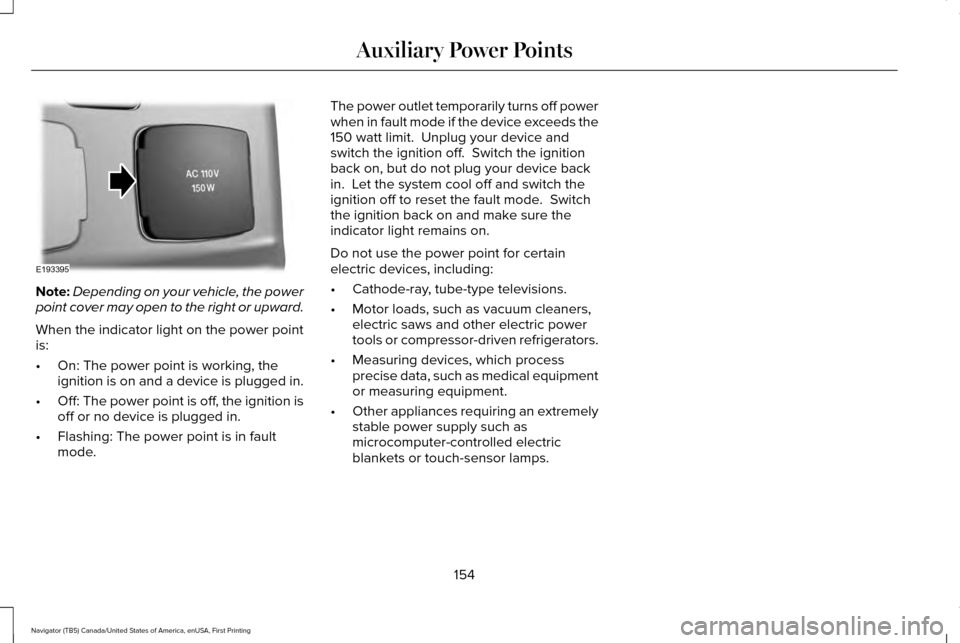
Note:
Depending on your vehicle, the power
point cover may open to the right or upward.
When the indicator light on the power point
is:
• On: The power point is working, the
ignition is on and a device is plugged in.
• Off: The power point is off, the ignition is
off or no device is plugged in.
• Flashing: The power point is in fault
mode. The power outlet temporarily turns off power
when in fault mode if the device exceeds the
150 watt limit. Unplug your device and
switch the ignition off. Switch the ignition
back on, but do not plug your device back
in. Let the system cool off and switch the
ignition off to reset the fault mode. Switch
the ignition back on and make sure the
indicator light remains on.
Do not use the power point for certain
electric devices, including:
•
Cathode-ray, tube-type televisions.
• Motor loads, such as vacuum cleaners,
electric saws and other electric power
tools or compressor-driven refrigerators.
• Measuring devices, which process
precise data, such as medical equipment
or measuring equipment.
• Other appliances requiring an extremely
stable power supply such as
microcomputer-controlled electric
blankets or touch-sensor lamps.
154
Navigator (TB5) Canada/United States of America, enUSA, First Printing Auxiliary Power PointsE193395


