2016 LINCOLN NAVIGATOR key battery
[x] Cancel search: key batteryPage 173 of 419

You can correct these temporary
malfunctions by filling the fuel tank with good
quality fuel, properly closing the fuel fill inlet
or letting the electrical system dry out. After
three driving cycles without these or any
other temporary malfunctions present, the
service engine soon indicator should stay off
the next time you start the engine. A driving
cycle consists of a cold engine startup
followed by mixed city/highway driving. No
additional vehicle service is required.
If the service engine soon indicator remains
on, have your vehicle serviced at the first
available opportunity. Although some
malfunctions detected by the OBD-II may not
have symptoms that are apparent, continued
driving with the service engine soon indicator
on can result in increased emissions, lower
fuel economy, reduced engine and
transmission smoothness, and lead to more
costly repairs.
Readiness for Inspection/Maintenance
(I/M) Testing
Some state/provincial and local governments
may have Inspection/Maintenance (I/M)
programs to inspect the emission control
equipment on your vehicle. Failure to pass
this inspection could prevent you from
getting a vehicle registration. If the service engine soon indicator
is on or the bulb does not work,
you may need to have the vehicle
serviced. See On-Board Diagnostics (OBD-II).
Your vehicle may not pass the I/M test if the
service engine soon indicator is on or not
working properly (bulb is burned out), or if
the OBD-II system has determined that some
of the emission control systems have not
been properly checked. In this case, your
vehicle is not ready for I/M testing.
If the vehicle ’s engine or transmission has
just been serviced, or the battery has
recently run down or been replaced, the
OBD-II system may indicate that the vehicle
is not ready for I/M testing. To determine if
the vehicle is ready for I/M testing, turn the ignition key to the on position for 15 seconds
without cranking the engine. If the service
engine soon indicator blinks eight times, it
means that the vehicle is not ready for I/M
testing; if the service engine soon indicator
stays on solid, it means that the vehicle is
ready for I/M testing.
The OBD-II system monitors the emission
control system during normal driving. A
complete check may take several days. If the
vehicle is not ready for I/M testing, you may
need to perform the following driving cycle
consisting of mixed city and highway driving:
Drive on an expressway or highway for a
steady 15 minutes, followed by 20 minutes
of stop-and-go driving with at least four
30-second idle periods.
Allow the vehicle to sit for at least eight hours
without starting the engine. Then, start the
engine and complete the above driving
cycle. The engine must warm up to its normal
operating temperature. Once started, do not
turn off the engine until the above driving
cycle is complete. If the vehicle is still not
ready for I/M testing, you will have to repeat
the above driving cycle.
170
Navigator (TB5) Canada/United States of America, enUSA, First Printing Fuel and Refueling
Page 241 of 419

ROADSIDE ASSISTANCE
Vehicles Sold In the United States:
Getting Roadside Assistance
If you ever need help on the road, the Lincoln
Motor Company is there for you with
nationwide, 24-hours-a-day,
seven-days-a-week assistance.
The service is available:
•
Throughout the life of the vehicle for
original owners.
• For six years or 70,000 mi
(112,654.08 km) (whichever comes first)
within the extended powertrain warranty
coverage period for subsequent owners.
• For the coverage period listed on the
Roadside Assistance Card included in
your Owner's Manual portfolio.
This complimentary Roadside Assistance
program is separate from the New Vehicle
Limited Warranty, and includes:
• A flat tire change with a good spare
(except vehicles supplied with a tire
inflation kit).
• Battery jump start. •
Lock-out assistance (key replacement
cost is the client's responsibility).
• Fuel delivery — independent service
contractors, if not prohibited by state,
local or municipal law shall deliver up to
2.0 gal (7.5 L)
of gasoline or 5.0 gal
(18.9 L) of diesel fuel to a disabled
vehicle. Roadside Assistance limits fuel
delivery service to two no-charge
occurrences within a 12-month period.
• Winch out — available within
100 ft
(30.48 m) of a paved or county
maintained road, no recoveries.
• Towing — independent service
contractors, if not prohibited by state,
local or municipal law shall tow Lincoln
eligible vehicles to the client's selling or
preferred dealer within 100 mi (161 km) of
the disablement location or to the nearest
Lincoln dealer. If a client requests a tow
to a selling or preferred dealer that is
more than
100 mi (161 km) from the
disablement location, the client shall be
responsible for any mileage costs in
excess of
100 mi (161 km). Roadside Assistance includes up to $200
coverage for a towed trailer if the disabled
eligible vehicle requires service at the
nearest authorized dealer. If the towing
vehicle is operational but the trailer is not,
then the trailer does not qualify for any
roadside services.
Vehicles Sold In the United States:
Using Roadside Assistance
United States Lincoln vehicle clients who
require Roadside Assistance, call
1-800-521-4140.
If you need to arrange roadside assistance
for yourself, Ford Motor Company will
reimburse a reasonable amount for towing
to the nearest Lincoln dealership within
100 mi (161 km)
. To obtain reimbursement
information, United States Lincoln vehicle
clients, call 1-800-521-4140. Ford Motor
Company will ask you to submit your original
receipts.
238
Navigator (TB5) Canada/United States of America, enUSA, First Printing Roadside Emergencies
Page 243 of 419

Should your vehicle shut off after a collision,
you may restart your vehicle. For vehicles
equipped with a key system:
1. Switch off the ignition.
2. Switch on the ignition.
3. Repeat Steps 1 and 2 to re-enable the
fuel pump.
For vehicles equipped with a push button
start system:
1. Press the START/STOP button to switch
off the ignition.
2. Press the brake pedal and press the START/STOP button to switch on the
ignition.
3. Remove your foot from the brake pedal and press the
START/STOP button to
switch off the ignition.
4. You can either attempt to start the engine
by pressing the brake pedal and the
START/STOP
button, or switch on the
ignition only by pressing the
START/STOP
button without pressing
the brake pedal. Both ways re-enable the
fuel system. Note:
When you try to restart your vehicle
after a fuel shutoff, the vehicle makes sure
that various systems are safe to restart.
Once your vehicle determines that the
systems are safe, then the vehicle will allow
you to restart.
Note: In the event that your vehicle does not
restart after your third attempt, contact an
authorized dealer.
JUMP STARTING THE VEHICLE WARNINGS
Batteries normally produce explosive
gases which can cause personal injury.
Therefore, do not allow flames, sparks or
lighted substances to come near the battery.
When working near the battery, always shield
your face and protect your eyes. Always
provide correct ventilation. WARNINGS
Keep batteries out of reach of children.
Batteries contain sulfuric acid. Avoid
contact with skin, eyes or clothing. Shield
your eyes when working near the battery to
protect against possible splashing of acid
solution. In case of acid contact with skin or
eyes, flush immediately with water for a
minimum of 15 minutes and get prompt
medical attention. If acid is swallowed, call a
physician immediately. Use only adequately sized cables with
insulated clamps.
Preparing Your Vehicle
Do not attempt to push-start your automatic
transmission vehicle.
Note:
Attempting to push-start a vehicle with
an automatic transmission may cause
transmission damage.
Note: Use only a 12-volt supply to start your
vehicle.
Note: Do not disconnect the battery of the
disabled vehicle as this could damage the
vehicle electrical system.
240
Navigator (TB5) Canada/United States of America, enUSA, First Printing Roadside Emergencies
Page 408 of 419

4
4WD
See: Four-Wheel Drive.......................................176
A
A/C See: Climate Control..........................................125
About This Manual............................................7
Protecting the Environment..................................7
ABS See: Brakes...........................................................184
ABS driving hints See: Hints on Driving With Anti-Lock
Brakes................................................................184
Accessories....................................................348 Exterior Style........................................................348
Interior Style.........................................................348
Lifestyle.................................................................348
Peace of Mind.....................................................348
Accessories See: Replacement Parts Recommendation.....12
Adaptive Headlamps
.....................................90
Adjusting the Headlamps...........................279 Horizontal Aim Adjustment..............................280
Vertical Aim Adjustment...................................279
Adjusting the Pedals
......................................83 Adjusting the Steering Wheel......................77
Easy Entry and Exit Feature................................77
End of Travel Position...........................................77
Memory Feature....................................................77
AFS See: Adaptive Headlamps..................................90
Airbag Disposal...............................................48
Air Conditioning See: Climate Control..........................................125
Air Filter See: Changing the Engine Air Filter..............284
Alarm See: Anti-Theft Alarm...........................................74
Ambient Lighting
............................................92
Anti-Theft Alarm..............................................74 Arming the Alarm..................................................74
Disarming the Alarm.............................................74
Appendices....................................................385
Audible Warnings and Indicators
..............104
Direction Indicator Chime.................................104
Headlamps On Warning Chime.......................104
Key in Ignition Warning Chime.........................104
Parking Brake On Warning Chime..................104
Audio Control
...................................................78
Media.......................................................................80
Seek, Next or Previous........................................80
Type One.................................................................79
Type Two.................................................................80 Audio System................................................340
General Information...........................................340
Audio Unit........................................................341 Rear Seat Audio Controls.................................343
Autolamps.........................................................88 Windshield Wiper Activated Headlamps........89
Automatic Climate Control
.........................125
Automatic Transmission................................171 Brake-Shift Interlock...........................................174
If Your Vehicle Gets Stuck In Mud or
Snow...................................................................175
Selector Lever Positions.....................................171
Understanding your SelectShift Automatic ™
Transmission.....................................................173
Automatic Transmission Fluid Check............................................................274
Autowipers.......................................................84
Auxiliary Power Points.................................153 110 Volt AC Power Point.....................................153
12 Volt DC Power Point......................................153
Locations...............................................................153
B
Battery See: Changing the 12V Battery.......................276
405
Navigator (TB5) Canada/United States of America, enUSA, First Printing Index
Page 409 of 419

Blind Spot Information System.................202
Switching the System Off and On..................204
System Errors......................................................204
Using the System...............................................202
Bonnet Lock See: Opening and Closing the Hood............264
Booster Seats..................................................26
Types of Booster Seats.......................................26
Brake Fluid Check........................................274
Brakes..............................................................184 General Information............................................184
Breaking-In.....................................................235
Bulb Specification Chart
.............................282
C
California Proposition 65................................11
Capacities and Specifications - 3.5L Ecoboost™....................................................332
Specifications......................................................334
Capacities and Specifications...................328
Car Wash See: Cleaning the Exterior...............................286
Center Console.............................................155 Changing a Bulb...........................................280
Central High-mounted Brake Lamp...............
281
HID Headlamp Bulbs.........................................280
LED Lamps............................................................281
License Plate Lamp Bulbs.................................281
Changing a Fuse..........................................263 Fuses.....................................................................263
Changing a Road Wheel............................320 Dissimilar Spare Wheel and Tire Assembly
Information......................................................320
Location of the Spare Tire and Tools.............321
Tire Change Procedure....................................
322
Changing the 12V Battery..........................276 Battery Management System..........................277
Changing the Engine Air Filter.................284
Changing the Wiper Blades.......................278
Checking MyKey System Status.................58
Checking the Wiper Blades.......................278
Childminder Mirror
.........................................95
Child Restraint and Seatbelt Maintenance..................................................39
Child Restraint Positioning
...........................29
Child Safety.......................................................16
General Information..............................................16
Child Safety Locks..........................................30
Cleaning Leather Seats...............................291
Cleaning Products.......................................286
Cleaning the Alloy Wheels........................292 Cleaning the Engine....................................288
Cleaning the Exterior..................................286
Exterior Chrome Parts.......................................287
Exterior Plastic Parts..........................................287
Stripes or Graphics.............................................287
Underbody...........................................................287
Cleaning the Instrument Panel and Instrument Cluster Lens............................291
Cleaning the Interior...................................289 Cleaning Black Label or Presidential
Interior..............................................................289
Cleaning the Windows and Wiper Blades...........................................................288
Clearing All MyKeys.......................................56
Climate Control
..............................................125
Climate Controlled Seats............................145
Cooled Seats........................................................146
Coolant Check See: Engine Coolant Check............................269
Crash Sensors and Airbag Indicator..........47
Creating a MyKey...........................................55 Programming/Changing Configurable
Settings...............................................................55
406
Navigator (TB5) Canada/United States of America, enUSA, First Printing Index
Page 412 of 419

Hints on Controlling the Interior
Climate..........................................................127
Cooling the Interior Quickly..............................127
General Hints........................................................127
Heating the Interior Quickly..............................127
Recommended Settings for Cooling .............127
Recommended Settings for Heating..............127
Side Window Defogging in Cold Weather.............................................................127
Hints on Driving With Anti-Lock Brakes............................................................184
Hood Lock See: Opening and Closing the Hood............264
I
In California (U.S. Only)...............................244
Information Display Control
.........................82
Information Displays.....................................105
General Information............................................105 Information Messages....................................111
AdvanceTrac ™ / Traction Control
Messages...........................................................112
Alarm Messages...................................................113
Battery and Charging System Messages.......113
Blind Spot Information System Messages...........................................................114
Brake System Messages....................................115
Door Messages.....................................................115
Engine Messages.................................................116
Fuel Messages......................................................116
Keys and Intelligent Access Messages..........
117
Maintenance Messages......................................118
MyKey™ Messages...............................................119
Off Road Messages............................................120
Park Aid Messages..............................................121
Power Steering Messages.................................
121
Remote Start Messages....................................122
Suspension System Messages........................122
Tire Messages......................................................123
Trailer Messages..................................................123
Transmission Messages.....................................124 Installing Child Restraints
..............................18
Child Seats...............................................................18
Combining Safety Belt and LATCH Lower
Anchors for Attaching Child Safety
Seats....................................................................22
Using Lap and Shoulder Belts ...........................18
Using Lower Anchors and Tethers for CHildren (LATCH)..............................................21
Using Tether Straps..............................................23
Instrument Cluster
..........................................99
Instrument Lighting Dimmer........................89
Interior Lamps
...................................................91
Front Map Lamps (If equipped)..........................91
Rear Dome and Map Lamps..............................92
Interior Mirror...................................................95 Auto-Dimming Mirror...........................................95
Introduction
.........................................................7
J
Jump Starting the Vehicle..........................240 Connecting the Jumper Cables.......................241
Jump Starting.......................................................241
Preparing Your Vehicle.....................................240
Removing the Jumper Cables.........................242
409
Navigator (TB5) Canada/United States of America, enUSA, First Printing Index
Page 413 of 419
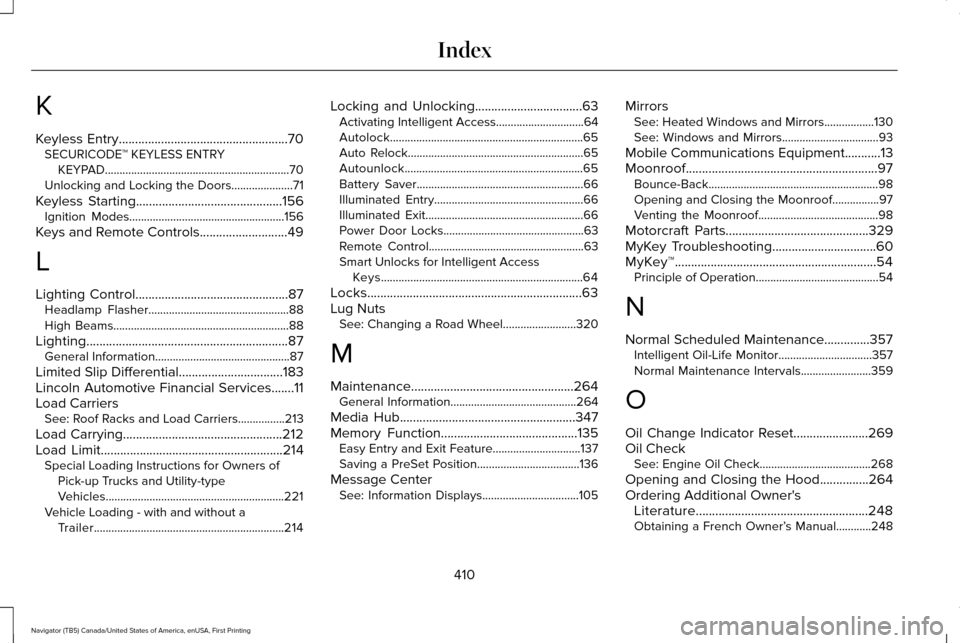
K
Keyless Entry....................................................70
SECURICODE™ KEYLESS ENTRY
KEYPAD...............................................................70
Unlocking and Locking the Doors.....................71
Keyless Starting.............................................156 Ignition Modes.....................................................156
Keys and Remote Controls...........................49
L
Lighting Control
...............................................87
Headlamp Flasher................................................88
High Beams............................................................88
Lighting
..............................................................87
General Information..............................................87
Limited Slip Differential
................................183
Lincoln Automotive Financial Services.......11
Load Carriers See: Roof Racks and Load Carriers................213
Load Carrying.................................................212
Load Limit
........................................................214
Special Loading Instructions for Owners of
Pick-up Trucks and Utility-type
Vehicles.............................................................221
Vehicle Loading - with and without a Trailer.................................................................214 Locking and Unlocking
.................................63
Activating Intelligent Access..............................64
Autolock..................................................................65
Auto Relock............................................................65
Autounlock.............................................................65
Battery Saver.........................................................66
Illuminated Entry...................................................66
Illuminated Exit......................................................66
Power Door Locks................................................63
Remote Control.....................................................63
Smart Unlocks for Intelligent Access
Keys.....................................................................64
Locks..................................................................63
Lug Nuts See: Changing a Road Wheel.........................320
M
Maintenance..................................................264 General Information...........................................264
Media Hub
......................................................347
Memory Function..........................................135
Easy Entry and Exit Feature..............................137
Saving a PreSet Position...................................136
Message Center See: Information Displays.................................105 Mirrors
See: Heated Windows and Mirrors.................130
See: Windows and Mirrors.................................93
Mobile Communications Equipment...........13
Moonroof...........................................................97 Bounce-Back..........................................................98
Opening and Closing the Moonroof................97
Venting the Moonroof.........................................98
Motorcraft Parts
............................................329
MyKey Troubleshooting................................60
MyKey™..............................................................54 Principle of Operation..........................................54
N
Normal Scheduled Maintenance..............357 Intelligent Oil-Life Monitor................................
357
Normal Maintenance Intervals........................359
O
Oil Change Indicator Reset.......................269
Oil Check See: Engine Oil Check......................................268
Opening and Closing the Hood
...............264
Ordering Additional Owner's Literature
.....................................................248
Obtaining a French Owner’ s Manual............248
410
Navigator (TB5) Canada/United States of America, enUSA, First Printing Index
Page 415 of 419

Reduced Engine Performance..................235
Refueling.........................................................165
Easy Fuel™ Capless Fuel System.....................166
Remote Control...............................................50
Car Finder................................................................51
Intelligent Access Key.........................................50
Memory Feature....................................................53
Remote Start...........................................................51
Replacing the Battery..........................................50
Sounding the Panic Alarm...................................51
Remote Start
...................................................130
Automatic Settings...............................................131
Repairing Minor Paint Damage
.................292
Replacement Parts Recommendation........12 Collision Repairs....................................................12
Scheduled Maintenance and Mechanical
Repairs.................................................................12
Warranty on Replacement Parts........................12
Replacing a Lost Key or Remote Control............................................................53
Reporting Safety Defects (Canada Only)..............................................................249
Reporting Safety Defects (U.S. Only)......248 Roadside Assistance
...................................238
Vehicles Sold In Canada: Getting Roadside
Assistance.......................................................239
Vehicles Sold In Canada: Using Roadside Assistance.......................................................239
Vehicles Sold In the United States: Getting Roadside Assistance.....................................238
Vehicles Sold In the United States: Using Roadside Assistance.....................................238
Roadside Emergencies
...............................238
Roof Racks and Load Carriers...................213 Adjusting the Crossbar......................................213
Running-In See: Breaking-In.................................................235
Running Out of Fuel
.....................................164
Adding Fuel From a Portable Fuel
Container..........................................................164
Filling a Portable Fuel Container.....................
164
S
Safety Canopy™...............................................45
Safety Precautions
........................................162 Satellite Radio
...............................................344
Satellite Radio Electronic Serial Number
(ESN)..................................................................346
Satellite Radio Reception Factors..................345
SIRIUS® Satellite Radio Service......................345
Troubleshooting..................................................346
Scheduled Maintenance Record
..............365
Scheduled Maintenance............................353
Seatbelt Height Adjustment.........................35 Second Row Comfort Guide..............................36
Seatbelt Reminder
..........................................38
Belt-Minder™...........................................................38
Seatbelts...........................................................32 Principle of Operation..........................................32
Seatbelt Warning Lamp and Indicator Chime..............................................................37
Conditions of operation.......................................37
Seats
.................................................................132
Security..............................................................73
Self-Leveling Suspension.............................211
Side Airbags
.....................................................44
Sitting in the Correct Position....................132
Snow Chains See: Using Snow Chains...................................312
Special Notices
.................................................13
New Vehicle Limited Warranty...........................13
On-board Diagnostics (OBD-II)...........................13
Special Instructions...............................................13
412
Navigator (TB5) Canada/United States of America, enUSA, First Printing Index