2016 LINCOLN MKZ light
[x] Cancel search: lightPage 392 of 544
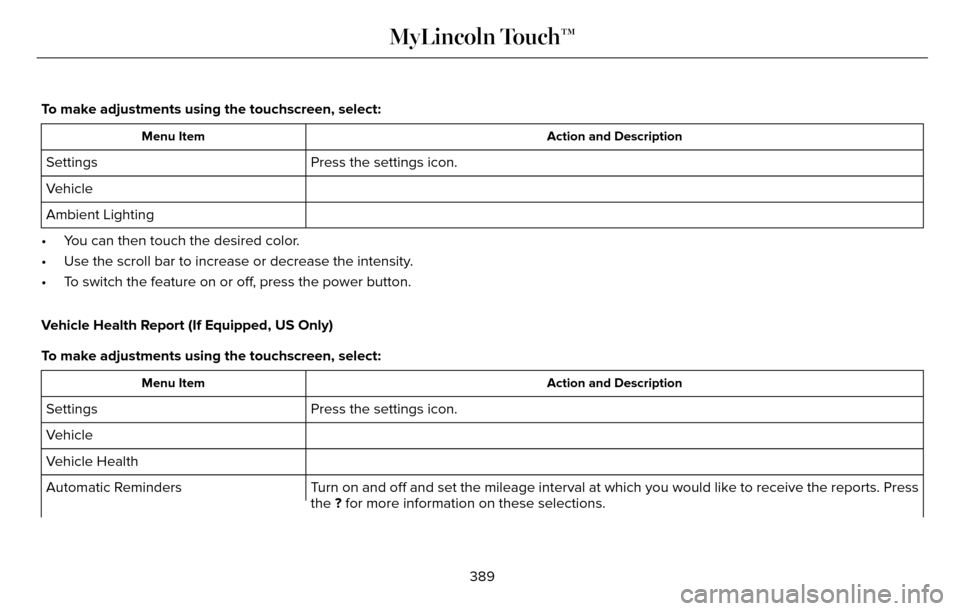
To make adjustments using the touchscreen, select:
Action and Description
Menu Item
Press the settings icon.
Settings
Vehicle
Ambient Lighting
• You can then touch the desired color.
• Use the scroll bar to increase or decrease the intensity.
• To switch the feature on or off, press the power button.
Vehicle Health Report (If Equipped, US Only)
To make adjustments using the touchscreen, select:
Action and Description
Menu Item
Press the settings icon.
Settings
Vehicle
Vehicle Health
Turn on and off and set the mileage interval at which you would like to r\
eceive the reports. Press
the ? for more information on these selections.
Automatic Reminders
389
MyLincoln Touch™
Page 408 of 544

Action and Description
Item
Touch either tab to listen to the radio. To change between AM and FM presets, just touch the AM or FM
tab.
AM
FM
Save a station by pressing and holding one of the memory preset areas. T\
here is a brief mute while the
radio saves the station. Sound returns when finished.
Presets
Touch this button to turn HD Radio on. The light on the button illuminates when the feature is on. HD
Radio allows you to receive radio broadcasts digitally, where available, providing free, crystal-clear sound.
See HD Radio information later in this chapter.
HD Radio
Touch this button to go to the next strong AM or FM radio station. The li\
ght on the button illuminates
when the feature is on.
Scan
Touch this button to manually enter the desired station number. Touch Enter when you are done.
Direct Tune
Options
You can make adjustments to the following options:
Action and Description
Menu Item
Touch this button to adjust settings for:
Sound Settings
Bass
Midrange
405
MyLincoln Touch™
Page 410 of 544
HD Radio™ Information (If Available)
Note:HD Radio broadcasts are not available
in all markets.
HD Radio technology is the digital evolution
of analog AM/FM radio. Your system has a
special receiver that allows it to receive
digital broadcasts (where available) in
addition to the analog broadcasts, it already
receives. Digital broadcasts provide a better
sound quality than analog broadcasts with
free, crystal-clear audio and no static or
distortion. For more information, and a guide
to available stations and programming,
please visit www.hdradio.com.
When HD Radio is on and you tune to a
station broadcasting HD Radio technology,
you may notice the following indicators on
your screen:
E142616
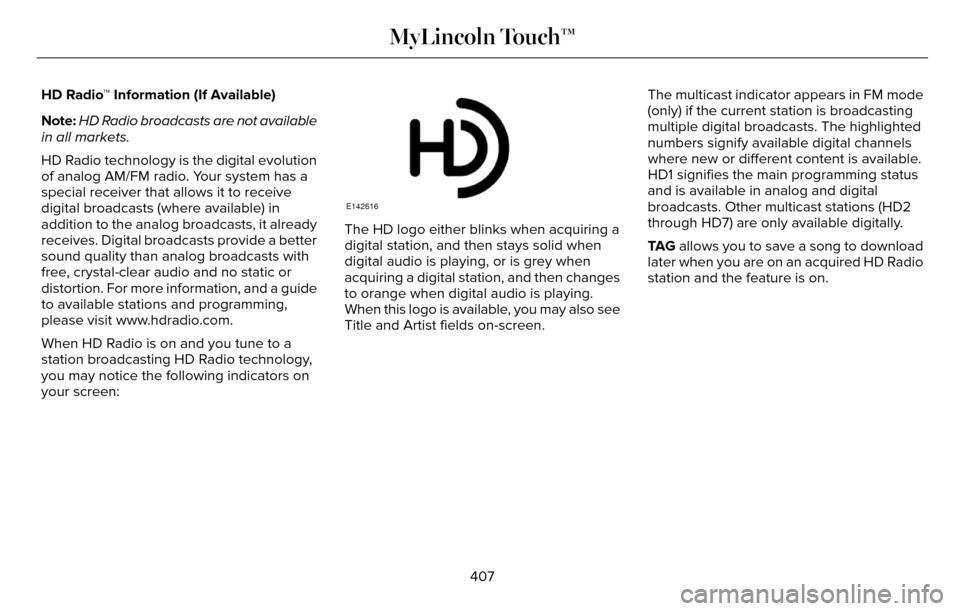
The HD logo either blinks when acquiring a
digital station, and then stays solid when
digital audio is playing, or is grey when
acquiring a digital station, and then changes
to orange when digital audio is playing.
When this logo is available, you may also see
Title and Artist fields on-screen. The multicast indicator appears in FM mode
(only) if the current station is broadcasting
multiple digital broadcasts. The highlighted
numbers signify available digital channels
where new or different content is available.
HD1 signifies the main programming status
and is available in analog and digital
broadcasts. Other multicast stations (HD2
through HD7) are only available digitally.
TA G
allows you to save a song to download
later when you are on an acquired HD Radio
station and the feature is on.
407
MyLincoln Touch™
Page 413 of 544

HD Radio Reception and Station Troubleshooting
Potential reception issues
If you are listening to a multicast station and you are on the fringe of\
the reception area, the station may
mute due to weak signal strength.
Reception area
If you are listening to HD1, the system switches back to the analog broa\
dcast until the digital broadcast
is available again. However, if you are listening to any of the possible HD2-HD7 multicast channels\
, the
station mutes and stays muted unless it is able to connect to the digita\
l signal again.
When the system first receives a station (aside from HD2-HD7 multicast \
stations), it first plays the station
in the analog version. Once the receiver verifies the station is an HD R\
adio station, it shifts to the digital
version. Depending on the station quality, you may hear a slight sound change when the station changes
from analog to digital. Blending is the shift from analog to digital sou\
nd or digital back to analog sound.
Station blending
In order to provide the best possible
experience, use the contact form to report
any station issues found while listening to a
station broadcasting with HD Radio
technology. Independent entities own and
operate each station. These stations are
responsible for ensuring all audio streams
and data fields are accurate.
410
MyLincoln Touch™
Page 457 of 544

Voice commands
Climate On
Climate OffAdjust the temperature to between 15.0 - 30.0°C or 59 - 86°F.
Set temperature
NAVIGATION
Note: The navigation SD card must be in the
SD card slot to operate the navigation
system. If you need a replacement SD card,
see an authorized dealer.
Note: The SD card slot is spring-loaded. To
remove the SD card, just push the card in
and release it. Do not attempt to pull the
card out to remove it; this could cause
damage.
Your navigation system is comprised of two
main features, destination mode and map
mode.
Destination Mode
To set a destination press the green corner
of your touchscreen, then the press:
Menu Item
Dest.
Choose any of the following:
My Home
Favorites
Previous Destinations
Point of Interest
Emergency
Street Address
Menu Item
Intersection
City Center
Map
Edit Route
Cancel Route
To set your destination, enter the necessary
information into the highlighted text fields (in
any order).
454
MyLincoln Touch™
Page 466 of 544

E174016
Change the appearance of the map display
by repeatedly pressing the arrow button in
the upper left corner of the screen. It toggles
between three different map modes:
Heading up, North up and 3D.
E142642
Heading up (2D map) always shows
the direction of forward travel to be
upward on the screen. This view is
available for map scales up to 2.5 miles (4
kilometers). The system remembers this
setting for larger map scales, but shows the
map in North up only. If the scale returns
below this level, the system restores Heading
up.
E142643
North up (2D map) always shows
the northern direction to be upward
on the screen.
E142644
3D map mode provides an elevated
perspective of the map. This viewing
angle can be adjusted and the map
can be rotated 180 degrees by
touching the map twice, and then dragging
your finger along the shaded bar with arrows
at the bottom of the map. You can also select the following options:
Description
Menu Items
Switches between
full map, street list
and exit view in
route guidance.
View
Displays a pop-up
box that allows
direct access to
navigation settings.
Menu
E174017
Press the speaker button on the
map to mute route guidance. When
the light on the button illuminates,
the feature is on. The speaker button
appears on the map only when route
guidance is active.
E146188
Re-center the map by pressing this
icon whenever you scroll the map
away from your vehicle’s current
location.
463
MyLincoln Touch™
Page 485 of 544

Make sure to change your vehicle’s oils and
fluids at the specified intervals or in
conjunction with a repair. Flushing is a viable
way to change fluid for many vehicle
sub-systems during scheduled maintenance.It is critical that systems are flushed only with
new fluid that is the same as that required
to fill and operate the system or using a
Ford-approved flushing chemical.Owner Checks and Services
Make sure you perform the following basic
maintenance checks and inspections every
month or at six-month intervals.
Check every month
Engine oil level.
Function of all interior and exterior lights.
Tires (including spare) for wear and proper pressure. Windshield washer fluid level.
Check every six months
Battery connections. Clean if necessary.
Body and door drain holes for obstructions. Clean if necessary. Cooling system fluid level and coolant strength.
Door weatherstrips for wear. Lubricate if necessary.
Hinges, latches and outside locks for proper operation. Lubricate if necessary. Parking brake for proper operation.
482
Scheduled Maintenance
Page 534 of 544

A
A/CSee: Climate Control..........................................135
About This Manual............................................7Protecting the Environment..................................7
ABSSee: Brakes...........................................................18\
7
ABS driving hintsSee: Hints on Driving With Anti-LockBrakes................................................................187
Accessories....................................................475Exterior style........................................................47\
5
Interior style.........................................................4\
75
Lifestyle.................................................................475
Peace of mind......................................................475
AccessoriesSee: Replacement Parts Recommendation.....12
ACCSee: Using Adaptive Cruise Control..............207
Active Park Assist..........................................198Automatic Steering into Parking Space........199
Deactivating the Park Assist Feature...........200
Troubleshooting the System............................201
Using Active Park Assist....................................198
Adaptive Headlamps......................................91 Adjusting the Headlamps..........................299
Horizontal Aim Adjustment...............................301
Vertical Aim Adjustment...................................299
Adjusting the Steering Wheel.....................80Power Tilt and Telescope Steering
Column................................................................80\
AFSSee: Adaptive Headlamps...................................91
Airbag Disposal...............................................53
Air Conditioning
See: Climate Control..........................................135
AlarmSee: Anti-Theft Alarm...........................................78
All-Wheel Drive...............................................181
Ambient Lighting.............................................94
Anti-Theft Alarm..............................................78
Arming the Alarm..................................................79
Disarming the Alarm.............................................79
Appendices...................................................503
Audible Warnings and Indicators..............107
Headlamps On Warning Chime.......................108
Key in Ignition Warning Chime.........................107
Keyless Warning Alert........................................108
Parking Brake On Warning Chime..................108
Audio Control....................................................81Seek, Next or Previous.........................................81
Audio System................................................369General Information...........................................369
Audio Unit - Vehicles With: Premium AM/FM/CD...........................................................370
Autolamps.........................................................87
Windshield Wiper Activated Headlamps........88
Automatic Climate Control..........................135
Automatic High Beam Control....................90
Activating the System...........................................91
Manually Overriding the System.......................91
Automatic Transmission...............................175Automatic Transmission Adaptive
Learning.............................................................179
Brake-Shift Interlock Override..........................178
If Your Vehicle Gets Stuck In Mud or Snow..................................................................180
Push Button Shift Transmission.......................175
SelectShift Automatic™ Transmission..............177
Automatic Transmission Fluid Check...........................................................292
6F35/HF35 transmission..................................292
6F50/6F55 Transmission.................................292
Autowipers.......................................................85
Auxiliary Power Points..................................157
110 Volt AC Power Point and Twisting Auxiliary
Cover..................................................................157
12 Volt DC Power Point......................................157
Locations................................................................\
157
AWDSee: All-Wheel Drive............................................181
531
Index