2016 LINCOLN MKX information system
[x] Cancel search: information systemPage 138 of 563

Remote Start
Action
Message
Displays as a reminder to apply the brake and push the gear shift button to drive the vehicle after a remote start.
To Drive: Press Brake and Gear Shift
Button
Seats Action
Message
Displays as a reminder that memory seats are not available while driving\
.
Memory Recall Not Permitted While Driving
Displays to show where your memory setting has been saved.
Memory X Saved
Starting System Action
Message
Displays when starting the vehicle as a reminder to apply the brake.
Press Brake to Start
Displays when the starter has exceeded its cranking time in attempting to start the vehicle.
Cranking Time Exceeded
Displays when the starter is attempting to start the vehicle.
Engine Start Pending Please Wait
Displays when the pending start has been cancelled.
Pending Start Cancelled
135
MKX (CD9) Canada/United States of America, enUSA, ASO/OGC Review Information Displays
Page 139 of 563

Tire Pressure Monitoring System
Action
Message
Displays when one or more tires on your vehicle have low tire pressure. See Tire Pressure
Monitoring System (page 359).
LOW Tire Pressure
Displays when the tire pressure monitoring system is malfunctioning. If \
the warning stays on or
continues to come on, contact an authorized dealer. See Tire Pressure Monitoring System (page 359
).
Tire Pressure Monitor Fault
Displayed when a tire pressure sensor is malfunctioning, or your spare t\
ire is in use. For more
information on how the system operates under these conditions, See Tire Pressure Monitoring
System (page 359). If the warning stays on or continues to come on, contact\
an authorized dealer as soon as possible.
Tire Pressure Sensor Fault
Traction Control Action
Message
Displays when the traction control system has been switched off or on.
See Using Traction
Control (page 200).
Traction Control Off / Traction Control On
Displays when a spinout has occurred and your vehicle has activated the \
hazard warning flashers.
Spinout Detected Hazards Activated
136
MKX (CD9) Canada/United States of America, enUSA, ASO/OGC Review Information Displays
Page 141 of 563

Action
Message
Displays when the brake pedal needs to be depressed.
Press Brake Pedal
Displays when the brake pedal needs to be depressed to enable the transmission to shift from park.
Depress Brake to Shift from Park
Displays when the neutral button N needs to be pressed again to enter ne\
utral hold. See Auto-matic Transmission (page 182).
Press N again to Enter Stay in Neutral
Mode
Displays when neutral hold is active.
See Automatic Transmission (page 182).
Stay in Neutral Mode Engaged
Displays when neutral hold is active.
See General Information (page 114).
Stay in Neutral Tow Engaged See Manual
to Disable
Displays when there is a system fault and the park brake needs to be depressed before exiting the vehicle. See an authorized dealer.
SHIFT SYS FAULT Confirm Park Brake
Apply Before Exiting the Vehicle
Displays when there is a system fault and the park brake needs to be depressed before exitingthe vehicle. See an authorized dealer.
SHIFT SYS FAULT Cannot Shift Trans Use
Park Brake to Secure Vehicle
See an authorized dealer.
SHIFT SYS FAULT Service Required
Displays when there is a system fault while the vehicle is shifting to p\
ark. See an authorized dealer.
SHIFT SYS FAULT Vehicle is Shifting to
Park
Displays when there is a system fault while the vehicle is shifting to r\
everse. See an authorized dealer.
SHIFT SYS FAULT Reverse Unavailable
Service Required
See an authorized dealer.
SHIFT SYS FAULT Drive Unavailable Select
S for Drive Service Required
138
MKX (CD9) Canada/United States of America, enUSA, ASO/OGC Review Information Displays
Page 147 of 563

Note:
Make sure you have a cabin air filter
installed at all times. This prevents foreign
objects from entering the system. Running
the system without a filter in place could
result in degradation or damage to the
system.
Replace the filter at regular intervals. See
Scheduled Maintenance (page 499).
For additional cabin air filter information, or
to replace the filter, see an authorized dealer.
REMOTE START
The remote start feature allows you to
pre-condition the interior of your vehicle. The
climate control system works to achieve
comfort according to your pre-selected
settings.
Note: You cannot adjust the system during
remote start operation. You cannot switch
on the displays or indicators during remote
start. Switch the ignition on to return the system
to its pre-selected settings. You can now
make adjustments normally, but you need to
switch certain vehicle-dependent features
back on, such as:
•
Heated seats.
• Cooled seats.
• Heated steering wheel.
• Heated mirrors.
• Heated rear window.
You can adjust the default remote start
settings using the information display
controls.
See Information Displays (page
114).
Automatic Settings
In hot weather, the system is set to 72°F
(22°C). The cooled seats are set to high (if
available, and selected to AUTO in the
information display).
In moderate weather, the system either heats
or cools (based on pre-selected settings).
The rear defroster, heated mirrors and
heated seats do not automatically switch on. In cold weather, the system is set to 72°F
(22°C). The heated seats are set to high (if
available, and selected to AUTO in the
information display). The rear defroster and
heated mirrors automatically switch on.
144
MKX (CD9) Canada/United States of America, enUSA, ASO/OGC Review Climate Control
Page 161 of 563
HomeLink Wireless Control System
WARNINGS
Make sure that the garage door and
security device are free from
obstruction when you are programming. Do
not program the system with the vehicle in
the garage. Do not use the system with any garage
door opener that does not have the
safety stop and reverse feature as required
by U.S. Federal Safety Standards (this
includes any garage door opener
manufactured before April 1, 1982). A garage
door opener which cannot detect an object,
signaling the door to stop and reverse, does
not meet current federal safety standards.
Using a garage door opener without these
features increases the risk of serious injury
or death. Note:
Make sure you keep the original
remote control transmitter for use in other
vehicles as well as for future system
programming. Note:
We recommend that upon the sale or
lease termination of your vehicle, you erase
the programmed function buttons for security
reasons. See Erasing the Function Button
Codes.
Note: You can program a maximum of three
devices. To change or replace any of the
three devices after it has been initially
programmed, you must first erase the current
settings. See
Erasing the Function Button
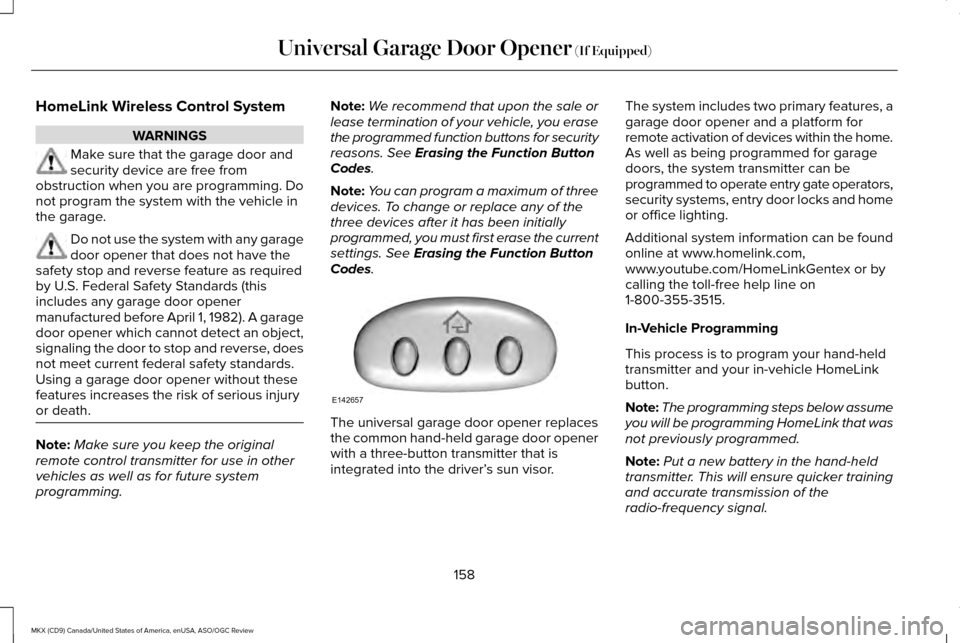
Codes. The universal garage door opener replaces
the common hand-held garage door opener
with a three-button transmitter that is
integrated into the driver’
s sun visor.The system includes two primary features, a
garage door opener and a platform for
remote activation of devices within the home.
As well as being programmed for garage
doors, the system transmitter can be
programmed to operate entry gate operators,
security systems, entry door locks and home
or office lighting.
Additional system information can be found
online at www.homelink.com,
www.youtube.com/HomeLinkGentex or by
calling the toll-free help line on
1-800-355-3515.
In-Vehicle Programming
This process is to program your hand-held
transmitter and your in-vehicle HomeLink
button.
Note:
The programming steps below assume
you will be programming HomeLink that was
not previously programmed.
Note: Put a new battery in the hand-held
transmitter. This will ensure quicker training
and accurate transmission of the
radio-frequency signal.
158
MKX (CD9) Canada/United States of America, enUSA, ASO/OGC Review Universal Garage Door Opener
(If Equipped)E142657
Page 170 of 563

GENERAL INFORMATION
WARNINGS
Extended idling at high engine speeds
can produce very high temperatures
in the engine and exhaust system, creating
the risk of fire or other damage. Do not park, idle or drive your vehicle
on dry grass or other dry ground cover.
The emission system heats up the engine
compartment and exhaust system, creating
the risk of fire. Do not start the engine in a closed
garage or in other enclosed areas.
Exhaust fumes can be toxic. Always open
the garage door before you start the engine. If you smell exhaust fumes inside your
vehicle, have your vehicle checked by
an authorized dealer immediately. Do not
drive your vehicle if you smell exhaust fumes. If you disconnect the battery, your vehicle
may exhibit some unusual driving
characteristics for approximately 5 miles (8
kilometers) after you reconnect it. This is
because the engine management system
must realign itself with the engine. You can
disregard any unusual driving characteristics
during this period.
The powertrain control system meets all
Canadian interference-causing equipment
standard requirements regulating the
impulse electrical field or radio noise.
When you start the engine, avoid pressing
the accelerator pedal before and during
operation. Only use the accelerator pedal
when you have difficulty starting the engine.
KEYLESS STARTING
Note:
The keyless starting system may not
function if the key is close to metal objects
or electronic devices such as cellular
phones.
Note: A valid key must be located inside
your vehicle to switch the ignition on and
start the engine. Ignition Modes
The keyless starting system has three
modes:
Off: Turns the ignition off.
• Without applying the brake pedal, press
and release the button once when the
ignition is in the on mode, or when the
engine is running but the vehicle is not
moving.
On:
All electrical circuits are operational and
the warning lamps and indicators illuminate.
• Without applying the brake pedal, press
and release the button once.
Start:
Starts the engine.
167
MKX (CD9) Canada/United States of America, enUSA, ASO/OGC Review Starting and Stopping the EngineE191075
Page 171 of 563

•
Press the brake pedal, and then press
the button for any length of time. An
indicator light on the button illuminates
when then ignition is on and when the
engine starts.
STARTING A GASOLINE ENGINE
When you start the engine, the idle speed
increases. This helps to warm up the engine.
If the engine idle speed does not slow down
automatically, have your vehicle checked by
an authorized dealer. Note:
You can crank the engine for a total
of 60 seconds without the engine starting
before the starting system temporarily
disables. The 60 seconds does not have to
be all at once. For example, if you crank the
engine three times for 20 seconds each time,
without the engine starting, you reached the
60-second time limit. A message appears
in the information display alerting you that
you exceeded the cranking time. You
cannot attempt to start the engine for at
least 15 minutes. After 15 minutes, you are
limited to a 15-second engine cranking time.
You need to wait 60 minutes before you can
crank the engine for 60 seconds again.
Before starting the engine check the
following:
• Make sure all occupants have fastened
their safety belts.
• Make sure the headlamps and electrical
accessories are off.
• Make sure the parking brake is on.
• Make sure the transmission is in park (P)
or neutral. Vehicles with Keyless Start
Note:
Do not touch the accelerator pedal.
Note: A valid passive key must be located
inside your vehicle to switch the ignition on
and start your vehicle.
1. Fully depress the brake pedal.
2. Briefly press the push button ignition switch.
The system does not function if:
• The passive key frequencies are jammed.
• The key battery has no charge.
If you are unable to start the engine, do the
following:
168
MKX (CD9) Canada/United States of America, enUSA, ASO/OGC Review Starting and Stopping the Engine
Page 174 of 563

Guarding Against Exhaust Fumes
WARNING
If you smell exhaust fumes inside your
vehicle, have your vehicle checked by
your authorized dealer immediately. Do not
drive your vehicle if you smell exhaust fumes.
Carbon monoxide is present in exhaust
fumes. Take precautions to avoid its
dangerous effects. Important Ventilating Information
If you stop your vehicle and then leave the
engine idling for long periods, we
recommend that you do one of the following:
•
Open the windows at least 1 in (2.5 cm).
• Set your climate control to outside air.
ENGINE BLOCK HEATER
(If Equipped) WARNINGS
Failure to follow engine block heater
instructions could result in property
damage or serious personal injury. WARNINGS
Do not use your heater with
ungrounded electrical systems or
two-pronged adapters. There is a risk of
electrical shock. Note:
The heater is most effective when
outdoor temperatures are below
-0.4°F
(-18°C).
The heater acts as a starting aid by warming
the engine coolant. This allows the climate
control system to respond quickly. The
equipment includes a heater element
(installed in the engine block) and a wire
harness. You can connect the system to a
grounded 120-volt AC electrical source. We recommend that you do the following for
a safe and correct operation:
•
Use a 16-gauge outdoor extension cord
that is product certified by Underwriter’ s
Laboratory (UL) or Canadian Standards
Association (CSA). This extension cord
must be suitable for use outdoors, in cold
temperatures, and be clearly marked
Suitable for Use with Outdoor
Appliances. Do not use an indoor
extension cord outdoors. This could
result in an electric shock or become a
fire hazard.
• Use as short an extension cord as
possible.
• Do not use multiple extension cords.
• Make sure that when in operation, the
extension cord plug and heater cord plug
connections are free and clear of water.
This could cause an electric shock or fire.
• Make sure your vehicle is parked in a
clean area, clear of combustibles.
• Make sure the heater, heater cord and
extension cord are firmly connected.
171
MKX (CD9) Canada/United States of America, enUSA, ASO/OGC Review Starting and Stopping the Engine