2016 LINCOLN MKT mirror
[x] Cancel search: mirrorPage 206 of 452
REAR VIEW CAMERA
WARNINGS
The rear view camera system is a
reverse aid supplement device that still
requires the driver to use it in conjunction
with the interior and exterior mirrors for
maximum coverage. Objects that are close to either corner
of the bumper or under the bumper,
might not be seen on the screen due to the
limited coverage of the camera system. Back up as slow as possible since
higher speeds might limit your reaction
time to stop your vehicle. Use caution when using the rear video
camera and the luggage compartment
door is ajar. If the luggage compartment door
is ajar, the camera will be out of position and
the video image may be incorrect. All
guidelines disappear when the luggage
compartment door is ajar. Use caution when turning camera
features on or off. Make sure your
vehicle is not moving. The rear view camera system provides a
video image of the area behind your vehicle.
During operation, lines appear in the display
which represent your vehicle
’s path and
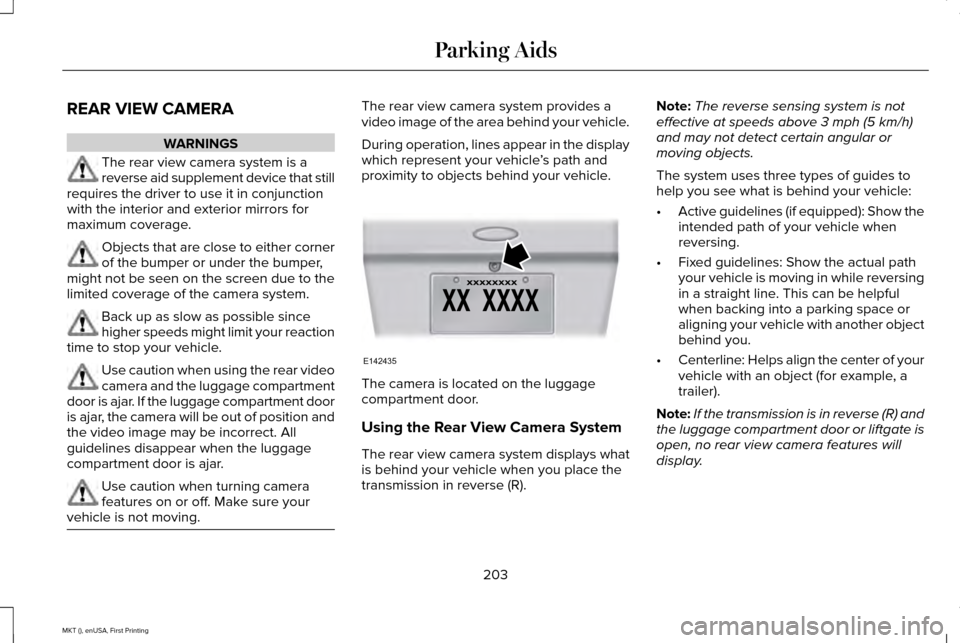
proximity to objects behind your vehicle. The camera is located on the luggage
compartment door.
Using the Rear View Camera System
The rear view camera system displays what
is behind your vehicle when you place the
transmission in reverse (R).Note:
The reverse sensing system is not
effective at speeds above 3 mph (5 km/h)
and may not detect certain angular or
moving objects.
The system uses three types of guides to
help you see what is behind your vehicle:
• Active guidelines (if equipped): Show the
intended path of your vehicle when
reversing.
• Fixed guidelines: Show the actual path
your vehicle is moving in while reversing
in a straight line. This can be helpful
when backing into a parking space or
aligning your vehicle with another object
behind you.
• Centerline: Helps align the center of your
vehicle with an object (for example, a
trailer).
Note: If the transmission is in reverse (R) and
the luggage compartment door or liftgate is
open, no rear view camera features will
display.
203
MKT (), enUSA, First Printing Parking AidsE142435
Page 207 of 452

Note:
When towing, the camera only sees
what you are towing. This might not provide
adequate coverage as it usually provides in
normal operation and some objects might
not be seen. In some vehicles, the guidelines
may disappear when you connect the trailer
tow connector.
The camera may not operate correctly under
the following conditions:
• Nighttime or dark areas if one or both
reverse lamps are not operating.
• Mud, water or debris obstructs the
camera's view. Clean the lens with a soft,
lint-free cloth and non-abrasive cleaner.
• The rear of your vehicle is hit or
damaged, causing the camera to become
misaligned.
Camera Guidelines
Note: Active guidelines are only available
when the transmission is in reverse (R). Active guidelines (If equipped)
A
Centerline
B
Fixed guideline: Green zone
C Fixed guideline: Yellow zone
D
Fixed guideline: Red zone
E
Rear bumper
F
Active guidelines are only shown with fixed
guidelines. To use active guidelines, turn the
steering wheel to point the guidelines toward
an intended path. If you change the steering
wheel position while reversing, your vehicle
might deviate from the original intended
path.
The fixed and active guidelines fade in and
out depending on the steering wheel
position. The active guidelines do not display
when the steering wheel position is straight.
Always use caution while reversing. Objects
in the red zone are closest to your vehicle
and objects in the green zone are farther
away. Objects are getting closer to your
vehicle as they move from the green zone
to the yellow or red zones. Use the side view
mirrors and rear view mirror to get better
coverage on both sides and rear of the
vehicle.
204
MKT (), enUSA, First Printing Parking AidsABCD
F
E
E142436
Page 220 of 452

Note:
The system may not function if the
camera is blocked or there is damage to the
windshield.
Note: When Aid mode is on and the system
detects no steering activity for a short period,
the system will alert you to put your hands
on the steering wheel. The system may
detect a light grip or touch on the steering
wheel as hands off driving.
The system notifies you to stay in your lane
through the steering system and the
instrument cluster display when the front
camera detects an unintentional drift out of
your lane is likely to occur. The system
automatically detects and tracks the road
lane markings using a camera mounted
behind the interior rear view mirror.
Switching the System On and Off
Note: The system on or off setting is stored
until it is manually changed, unless a MyKey
is detected. If the system detects a MyKey
it defaults to on and the mode is set to Alert.
Note: If a MyKey is detected, pressing the
button will not affect the on or off status of
the system. Press the button located on the
center console to switch the
system on or off.
System Settings
The system has optional setting menus
available. To view or adjust the settings, See
General Information (page 108). The system
stores the last-known selection for each of
these settings. You do not need to readjust
your settings each time you turn on the
system.
Mode (if equipped): This setting allows you
to select which of the system features you
can enable. Alert only – Provides a steering wheel
vibration when the system detects an
unintended lane departure.
Note:
Some vehicles are equipped with the
alert function only. Aid only (if equipped) – Provides an
assistance steering torque input toward the
lane center when the system detects an
unintended lane departure.
217
MKT (), enUSA, First Printing Driving AidsE144813 E165515 E165516
Page 224 of 452

Why does the vehicle not come back toward the middle of the lane, as expected, in the Aid or Aid + Alert mode?
High cross winds
Large road crown
Rough roads, grooves, shoulder drop-offs
Heavy uneven loading of the vehicle or improper tire inflation pressure
If the tires have been exchanged (including snow tires), or the suspension has been modified
BLIND SPOT INFORMATION
SYSTEM (If Equipped) WARNING
To help avoid injuries, NEVER use the
Blind Spot Information System as a
replacement for using the interior and
exterior mirrors or looking over your shoulder
before changing lanes. The Blind Spot
Information System is not a replacement for
careful driving. The Blind Spot Information System is
designed to aid you in detecting vehicles
that may have entered the blind spot zone
(A). The detection area is on both sides of
your vehicle, extending rearward from the
exterior mirrors to approximately
13 ft (4 m)
beyond the bumper. The system is designed
to alert you if certain vehicles enter the blind
spot zone while driving.
Note: The Blind Spot Information System
does not prevent contact with other vehicles
or objects; nor detect parked vehicles,
people, animals or infrastructure (fences,
guardrails, trees). It’ s only designed to alert
you to vehicles in the blind spot zones.
221
MKT (), enUSA, First Printing Driving AidsA
A
E124788
Page 225 of 452

Note:
When a vehicle passes quickly through
the blind spot zone, typically fewer than two
seconds, the system does not trigger.
Using the System
The Blind Spot Information System turns on
when you start the engine and you drive your
vehicle forward above 5 mph (8 km/h).
For automatic transmissions, the Blind Spot
Information System remains on while the
transmission is in drive (D). If shifted into
reverse (R) or park (P) the Blind Spot
Information System turns off. Once shifted
back into drive (D), the Blind Spot Information
System turns back on when you drive your
vehicle above
5 mph (8 km/h).
For manual transmissions, the Blind Spot
Information System is on for all gears except
the reverse (R).
Note: The Blind Spot Information System
does not function in reverse (R) or park (P). System Lights and Messages
The Blind Spot Information System
illuminates an amber alert indicator in the
outside mirror on the side of your vehicle the
approaching vehicle is coming from.
The alert indicator dims when the system
detects nighttime darkness.System Sensor Blockage WARNING
To help avoid injuries, NEVER use the
Blind Spot Information System as a
replacement for using the interior and
exterior mirrors or looking over your shoulder
before changing lanes. The Blind Spot
Information System is not a replacement for
careful driving. 222
MKT (), enUSA, First Printing Driving AidsE142442
Page 227 of 452

Switching the System Off and On
You can temporarily switch the Blind Spot
Information System off in the information
display. See General Information (page 108).
When the Blind Spot Information System
switches off, you will not receive alerts and
the information display shows a system off
message. The telltale in the cluster also
illuminates. When you switch the Blind Spot
Information System on or off, the alert
indicators flash twice.
Note:
The system switches back on every
time you start your vehicle. You can also have the Blind Spot Information
System switched off permanently at an
authorized dealer. Once switched off
permanently, the system can only be
switched back on at an authorized dealer.
CROSS TRAFFIC ALERT (If Equipped) WARNING
To help avoid personal injury, NEVER
use the Cross Traffic Alert system as a
replacement for using the interior and
exterior mirrors and looking over your
shoulder before backing out of a parking
space. Cross Traffic Alert is not a
replacement for careful driving. Cross Traffic Alert is designed to warn you
of vehicles approaching from the sides when
the transmission is in reverse (R).
Using the System
Cross Traffic Alert turns on when you start
the engine and you shift into reverse (R).
Once shifted out of reverse (R), Cross Traffic
Alert turns off.
Note:
Cross Traffic Alert only functions while
your transmission is in reverse (R).
Cross Traffic Alert is designed to alert the
driver of certain collision risks. Coverage
decreases when the sensors are partially,
mostly or fully obstructed. Reversing slowly
helps increase the coverage area and
effectiveness.
224
MKT (), enUSA, First Printing Driving Aids
Page 230 of 452

System Lights, Messages and Audible
Alerts
The Cross Traffic Alert illuminates an amber
alert indicator in the outside mirror on the
side of your vehicle the approaching vehicle
is coming from. Cross Traffic Alert also
sounds an audible alert and a message
appears in the information display indicating
a vehicle is coming from the right or left.
Cross Traffic Alert works with the reverse
sensing system that sounds its own series
of tones. See Rear Parking Aid (page 197). The system uses radar sensors that are
located behind the bumper fascia on each
side of your vehicle. Do not allow mud, snow
or bumper stickers to obstruct these areas,
this can cause degraded system
performance.
See Blind Spot Information
System (page 221). If the Blind Spot
Information System is blocked, Cross Traffic
Alert is also blocked. A corresponding
message appears in the information display
as soon as you shift the transmission into
reverse (R).
System Limitations
Cross Traffic Alert has its limitations;
situations such as severe weather conditions
or debris build-up on the sensor area may
limit vehicle detection.
The following are other situations that may
limit the Cross Traffic Alert performance:
• Stationary or slow moving vehicles.
• Pedestrians or objects in the roadway.
• Oncoming vehicles in the same lame.
• Severe weather conditions.
227
MKT (), enUSA, First Printing Driving AidsE142442 E205199
Page 275 of 452

Protected components
Fuse amp rating
Fuse or relay number
Vacuum pump relay (limousine only).
40A **
Not used.
-
25
Rear window defroster.
40A **
26
Heated mirrors.
Cargo power point.
20A **
27
Front climate controlled seats.
30A **
28
Rear climate controlled seats.
30A **
29
Rear heated seats.
20A **
30
Electric fan relay 3.
25A **
31
Auxiliary blower motor relay.
Relay
32
Cooling fan #1 relay.
Relay
33
Front blower motor relay.
Relay
34
Cooling fan (series) relay.
Relay
35
Not used.
-
36
272
MKT (), enUSA, First Printing Fuses