Page 438 of 660
4385-5. Using the other interior features
RX450h_U_OM0E013U
WARNING
■Caution while driving
When charging a portable device while driv ing, for safety reasons, the driver should
not operate the portable device.
■Caution regarding interference with electronic devices
People with implantable card iac pacemakers, cardiac resynchronization therapy pace-
makers or implantable cardioverter defibrilla tors, as well as any other electrical medi-
cal device, should consult their physician about the usage of the wireless charger.
Operations of the wireless charger may have an affect on medical devices.
■To prevent damage or burns
Observe the following precautions.
Failure to do so may result in the possibi lity of fire, equipment failure or damage, or
burns due to heat.
●Do not put any metallic objects between th e charging area and the portable device
while charging.
●Do not attach metallic objects, such as aluminum stickers, to the charging area.
●Do not cover the wireless charger with a cloth or other object while charging.
●Do not attempt to charge portable devi ces which are not compatible with the Qi
wireless charging standard.
●Do not disassemble, modify or remove the wireless charger.
●Do not apply force or impact to the wireless charger.
Page 439 of 660
4395-5. Using the other interior features
5
Interior features
RX450h_U_OM0E013U
NOTICE
■Conditions in which the wireless charger may not operate correctly
In the following situations, the wireless charger may not operate correctly:
●When a portable device is fully charged
●When there is a foreign object between the charging area and portable device
●When a portable device becomes hot while charging
●When a portable device is placed on the wireless area with its charging surface fac-
ing up
●When a portable device is not centered on the charging area
●When the vehicle is near a TV tower, electric power plant, gas station, radio station,
large display, airport or other facility that generates strong radio waves or electrical
noise
●When the portable device is in contact with, or is covered by any of the following
metallic objects
• Cards to which aluminum foil is attached
• Cigarette boxes that have aluminum foil inside
• Metallic wallets or bags
• Coins
• Metal hand warmers
• Media such as CDs and DVDs
●When wireless keys (that emit radio waves) other than those of your vehicle are being
used nearby.
If in situations other than above the wirele ss charger does not operate properly or the
operation indicator light is blinking, the wireless charger may be malfunctioning. Con-
tact your Lexus dealer.
■To prevent failure or damage to data
●Do not bring magnetic cards, such as a cr edit card, or magnetic recording media,
close to the wireless charger while charging. Otherwise, data may be erased due to
the influence of magnetism.
Additionally, do not bring pr ecision instruments such as wrist watches, close to the
wireless charger, as such objects may malfunction.
●Do not leave portable devices in the cab in. The temperature inside the cabin may
become high when parked in the sun, and cause damage to the device.
■To prevent 12-volt battery discharge
Do not use the wireless charger for a long pe riod of time with the hybrid system is
stopped.
Page 440 of 660
4405-5. Using the other interior features
RX450h_U_OM0E013U
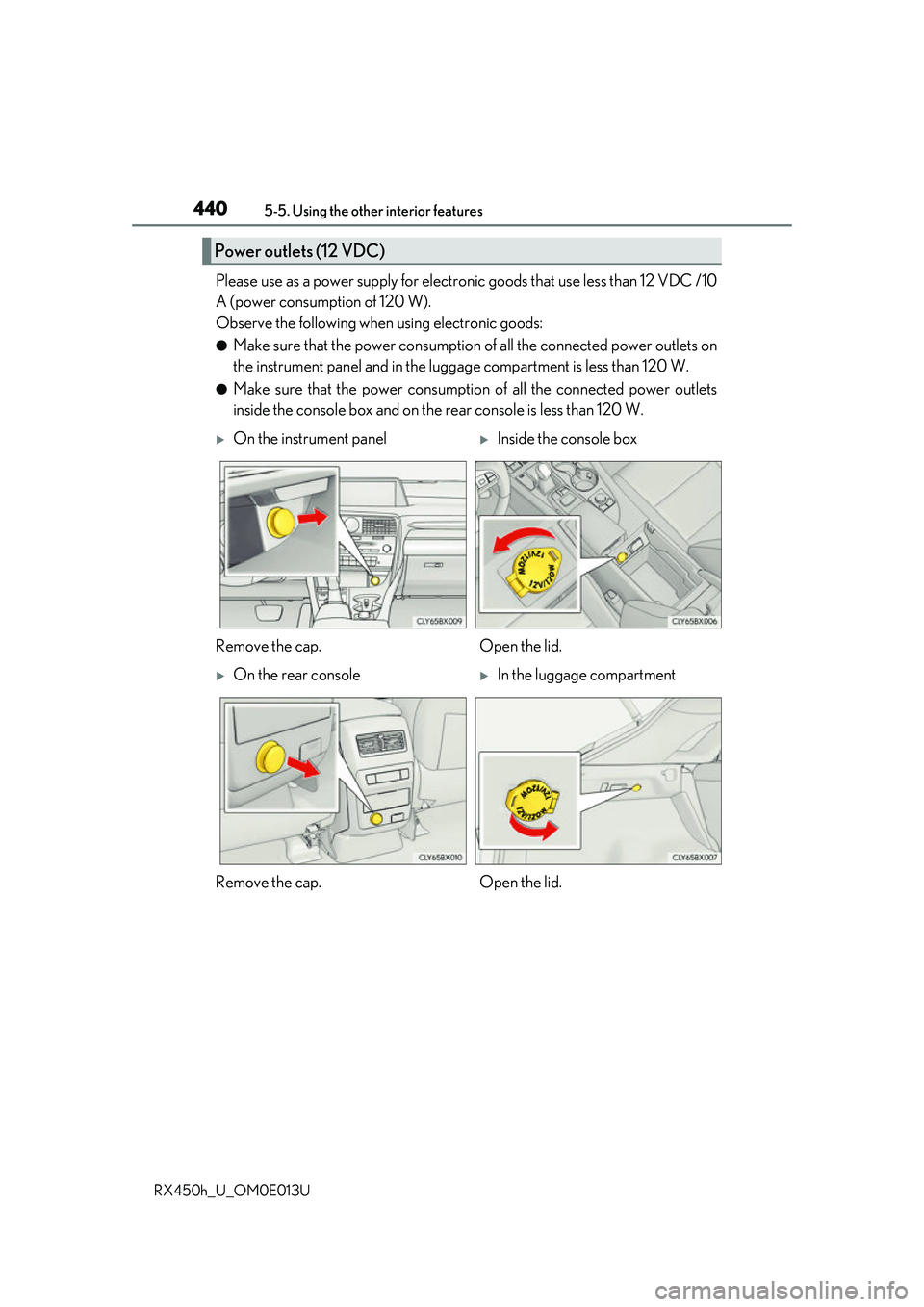
Please use as a power supply for electronic goods that use less than 12 VDC /10
A (power consumption of 120 W).
Observe the following when using electronic goods:
●Make sure that the power consumption of all the connected power outlets on
the instrument panel and in the lugg age compartment is less than 120 W.
●Make sure that the power consumptio n of all the connected power outlets
inside the console box and on the rear console is less than 120 W.
Power outlets (12 VDC)
On the instrument panelInside the console box
Remove the cap. Open the lid.
On the rear consoleIn the luggage compartment
Remove the cap. Open the lid.
Page 441 of 660
4415-5. Using the other interior features
5
Interior features
RX450h_U_OM0E013U
●The power outlets can be used when the power switch is in ACCESSORY or ON
mode.
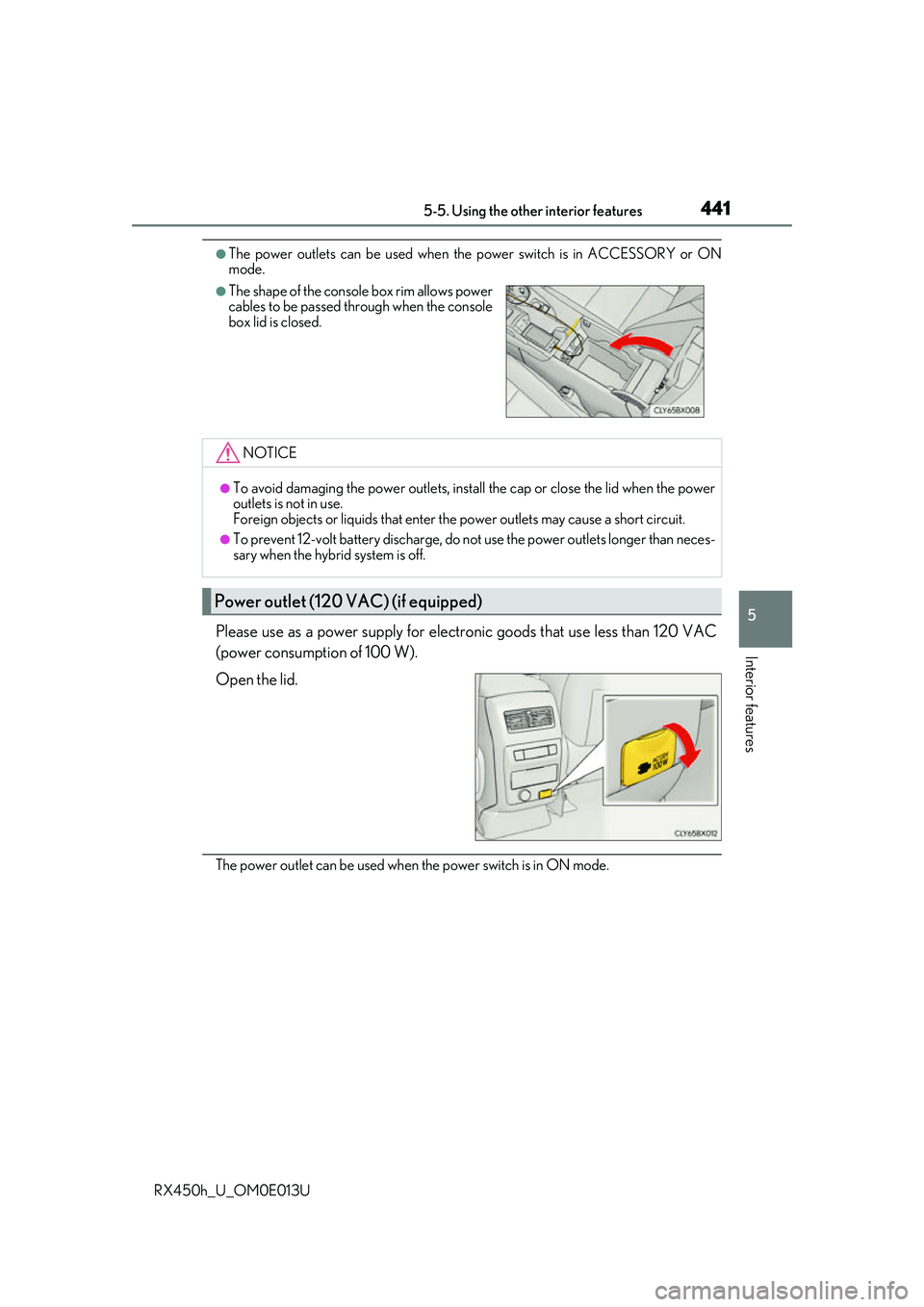
Please use as a power supply for electronic goods that use less than 120 VAC
(power consumption of 100 W).
Open the lid.
The power outlet can be used when the power switch is in ON mode.
●The shape of the console box rim allows power
cables to be passed through when the console
box lid is closed.
NOTICE
●To avoid damaging the power outlets, install the cap or close the lid when the power
outlets is not in use.
Foreign objects or liquids that enter the power outlets may cause a short circuit.
●To prevent 12-volt battery discharge, do not use the power outlets longer than neces-
sary when the hybrid system is off.
Power outlet (120 VAC) (if equipped)
Page 442 of 660
4425-5. Using the other interior features
RX450h_U_OM0E013U
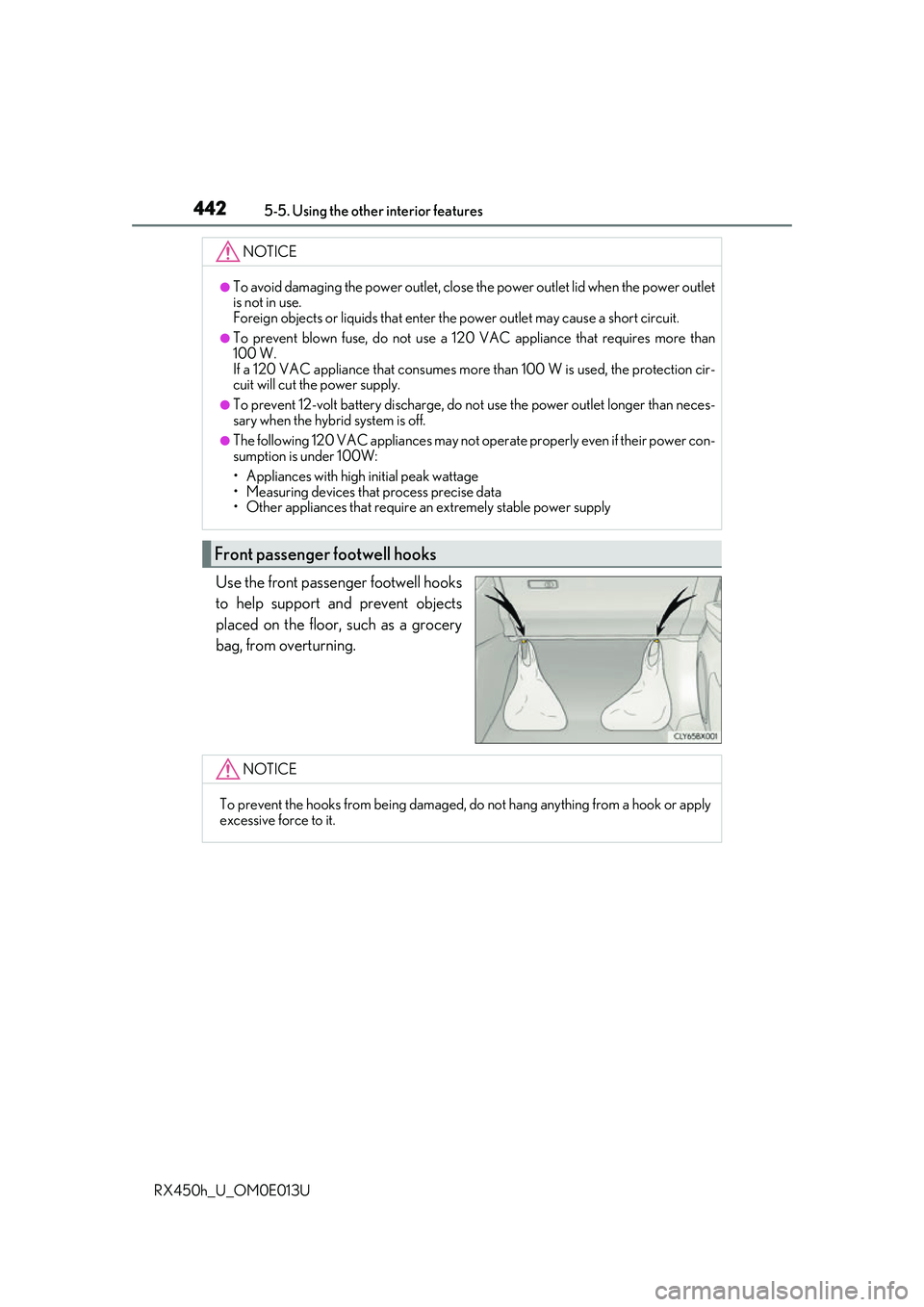
Use the front passenger footwell hooks
to help support and prevent objects
placed on the floor, such as a grocery
bag, from overturning.
NOTICE
●To avoid damaging the power outlet, close the power outlet lid when the power outlet
is not in use.
Foreign objects or liquids that enter the power outlet may cause a short circuit.
●To prevent blown fuse, do not use a 120 VAC appliance that requires more than
100 W.
If a 120 VAC appliance that consumes more than 100 W is used, the protection cir-
cuit will cut the power supply.
●To prevent 12-volt battery discharge, do not use the power outlet longer than neces-
sary when the hybrid system is off.
●The following 120 VAC appliances may not operate properly even if their power con-
sumption is under 100W:
• Appliances with high initial peak wattage
• Measuring devices that process precise data
• Other appliances that require an extremely stable power supply
Front passenger footwell hooks
NOTICE
To prevent the hooks from being damaged, do not hang anything from a hook or apply
excessive force to it.
Page 443 of 660
4435-5. Using the other interior features
5
Interior features
RX450h_U_OM0E013U
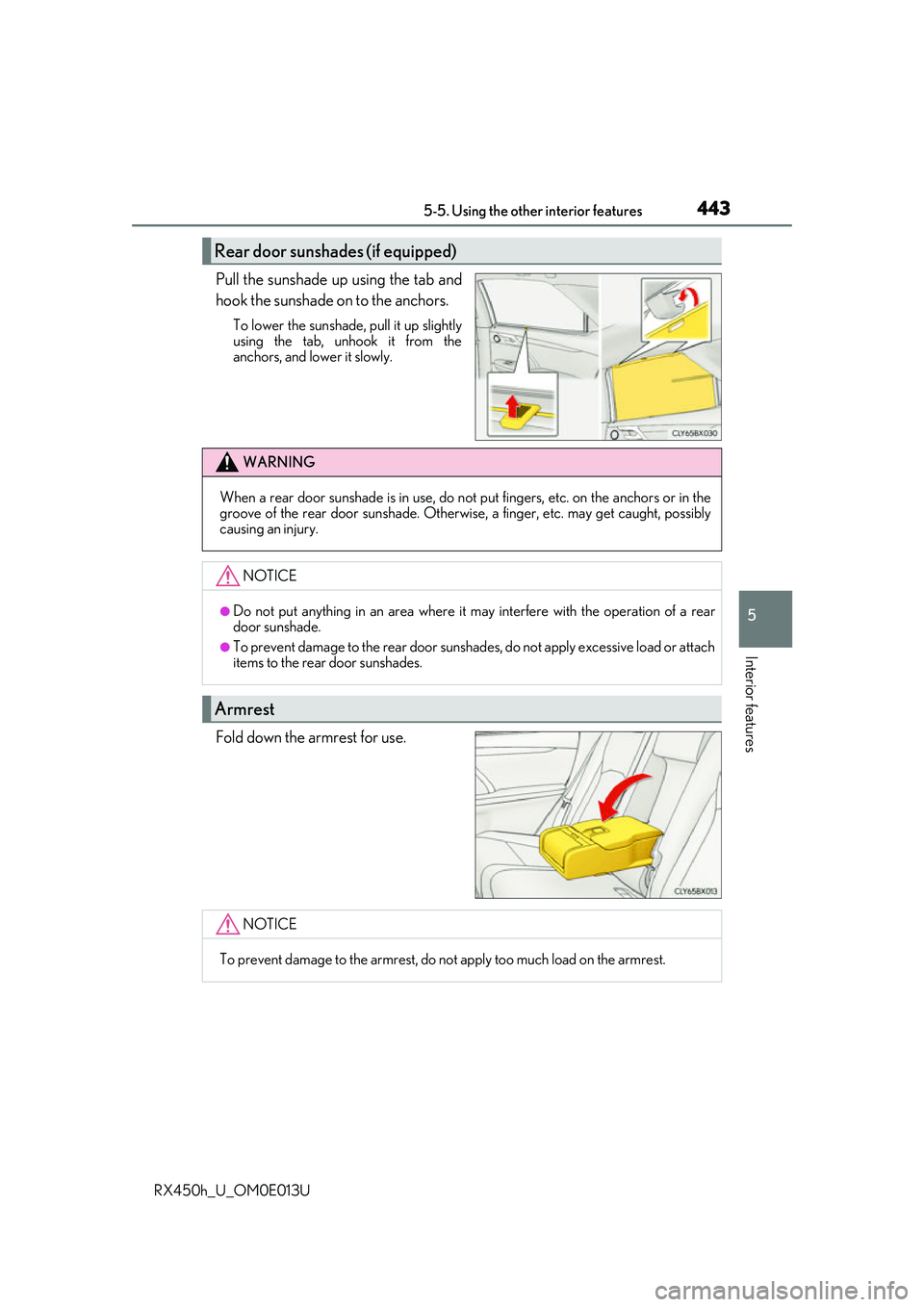
Pull the sunshade up using the tab and
hook the sunshade on to the anchors.
To lower the sunshade, pull it up slightly
using the tab, unhook it from the
anchors, and lower it slowly.
Fold down the armrest for use.
Rear door sunshades (if equipped)
WARNING
When a rear door sunshade is in use, do not put fingers, etc. on the anchors or in the
groove of the rear door suns hade. Otherwise, a finger, etc. may get caught, possibly
causing an injury.
NOTICE
●Do not put anything in an area where it may interfere with the operation of a rear
door sunshade.
●To prevent damage to the rear door sunshades, do not apply excessive load or attach
items to the rear door sunshades.
Armrest
NOTICE
To prevent damage to the armrest, do not apply too much load on the armrest.
Page 445 of 660
4455-5. Using the other interior features
5
Interior features
RX450h_U_OM0E013U
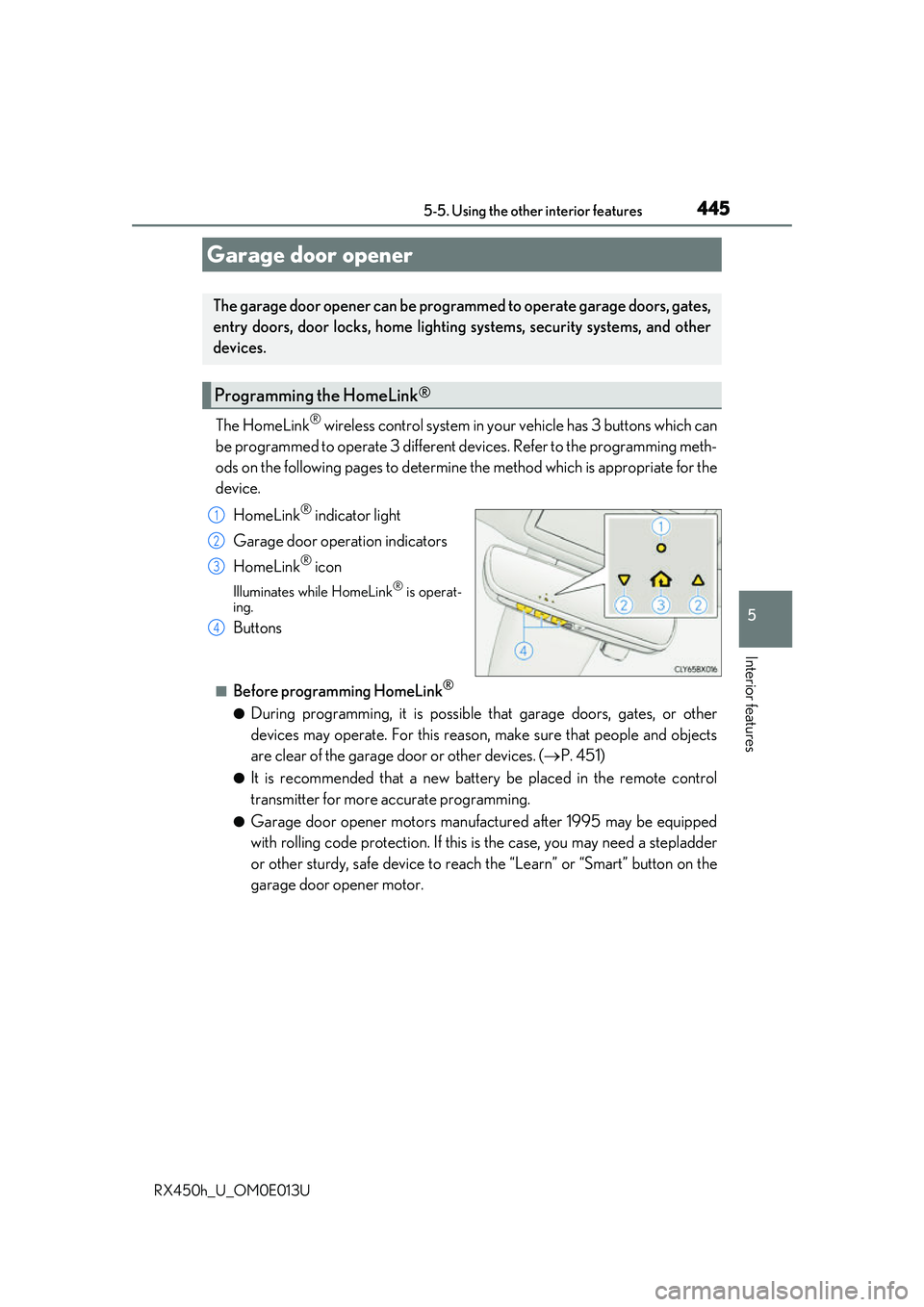
The HomeLink® wireless control system in your vehicle has 3 buttons which can
be programmed to operate 3 different de vices. Refer to the programming meth-
ods on the following pages to determine the method which is appropriate for the
device.
HomeLink
® indicator light
Garage door operation indicators
HomeLink
® icon
Illuminates while HomeLink® is operat-
ing.
Buttons
■Before programming HomeLink®
●During programming, it is possible that garage doors, gates, or other
devices may operate. For this reason, make sure that people and objects
are clear of the garage door or other devices. ( P. 451)
●It is recommended that a new batter y be placed in the remote control
transmitter for more accurate programming.
●Garage door opener motors manufa ctured after 1995 may be equipped
with rolling code protection. If this is the case, you may need a stepladder
or other sturdy, safe device to reach the “Learn” or “Smart” button on the
garage door opener motor.
Garage door opener
The garage door opener can be programmed to operate garage doors, gates,
entry doors, door locks, home lightin g systems, security systems, and other
devices.
Programming the HomeLink®
1
2
3
4
Page 446 of 660
4465-5. Using the other interior features
RX450h_U_OM0E013U
■Programming HomeLink®
Press and release the HomeLink® button you want to program and check
that the HomeLink® indicator light flashes (orange).
Perform within 60 seconds of , or the indicator light will stop flashing and
programming will not be able to be completed.
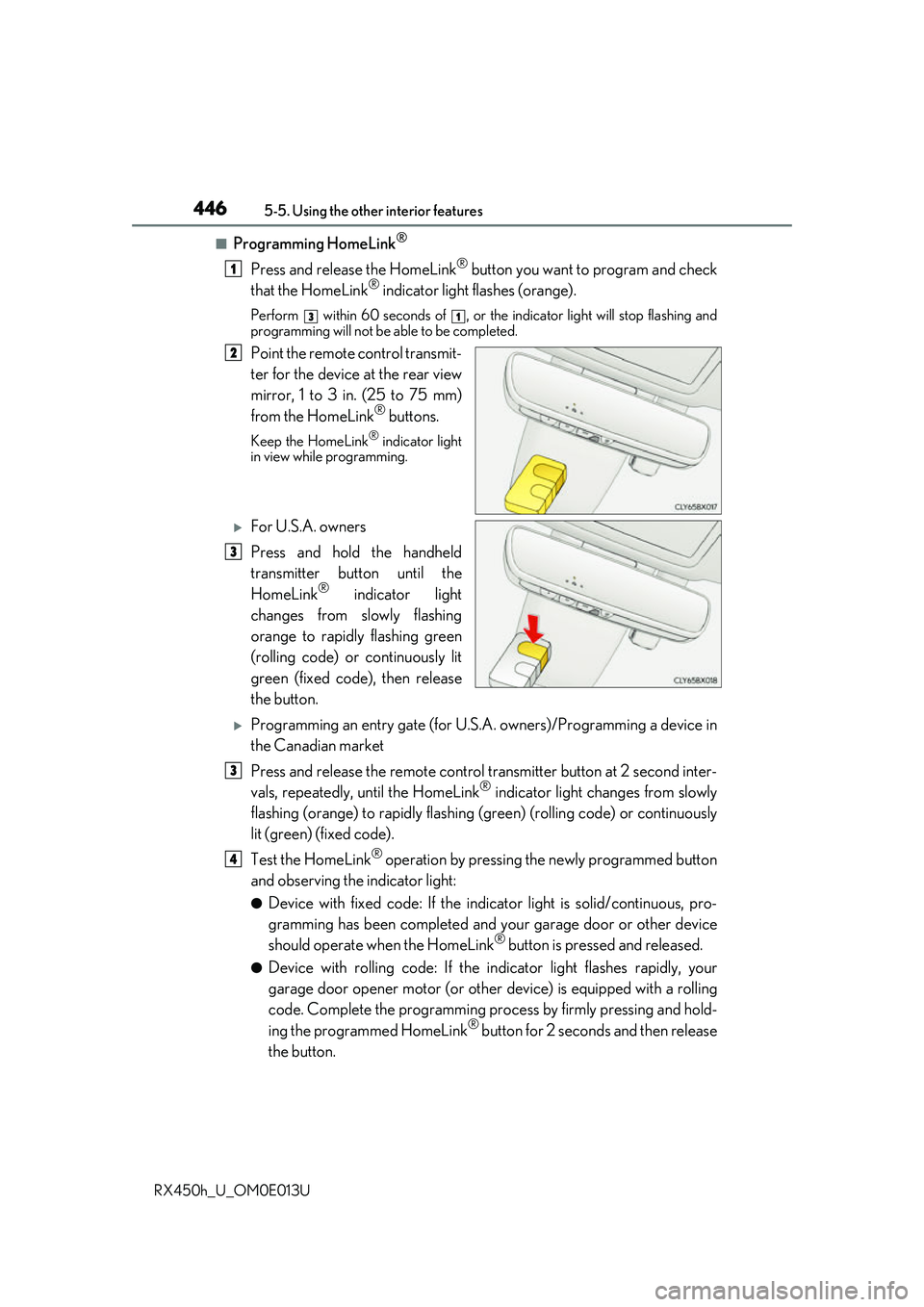
Point the remote control transmit-
ter for the device at the rear view
mirror, 1 to 3 in. (25 to 75 mm)
from the HomeLink
® buttons.
Keep the HomeLink® indicator light
in view while programming.
For U.S.A. owners
Press and hold the handheld
transmitter button until the
HomeLink
® indicator light
changes from slowly flashing
orange to rapidly flashing green
(rolling code) or continuously lit
green (fixed code), then release
the button.
Programming an entry gate (for U.S. A. owners)/Programming a device in
the Canadian market
Press and release the remote control transm itter button at 2 second inter-
vals, repeatedly, until the HomeLink
® indicator light changes from slowly
flashing (orange) to rapidly flashing (green) (rolling code) or continuously
lit (green) (fixed code).
Test the HomeLink
® operation by pressing the newly programmed button
and observing the indicator light:
●Device with fixed code: If the indicator light is solid/continuous, pro-
gramming has been completed and your garage door or other device
should operate when the HomeLink
® button is pressed and released.
●Device with rolling code: If the in dicator light flashes rapidly, your
garage door opener motor (or other device) is equipped with a rolling
code. Complete the programming process by firmly pressing and hold-
ing the programmed HomeLink
® button for 2 seconds and then release
the button.
1
31
2
3
3
4