2016 LEXUS RX450H warning light
[x] Cancel search: warning lightPage 93 of 660

932. Instrument cluster
2
Instrument cluster
RX450h_U_OM0E013U Warning lights inform the driver of malfun ctions in any of the vehicle’s systems.
Warning lights * 1
(U.S.A.)
Brake system warning light
( P. 5 3 6 )
* 1
(Canada)
ABS warning light
( P. 5 3 7 )
* 1
(Canada)
Brake system warning light
( P. 5 3 6 )
* 2
(U.S.A.)
Parking brake indicator
( P. 5 3 7 )
* 1
Brake system warning light
( P. 5 3 6 )
* 2
(Canada)
Parking brake indicator
( P. 5 3 7 )
* 1
(if equipped)
Charging system warning
light ( P. 5 3 6 ) * 1, 2
Brake hold operated
indicator ( P. 5 3 7 )
* 1
(U.S.A.)
Malfunction indicator lamp
( P. 5 3 6 ) * 1
Electric power steering
system warning light
( P. 5 3 7 )
* 1
(Canada)
Malfunction indicator lamp
( P. 5 3 6 ) * 1
Electric power steering
system warning light
( P. 5 3 7 )
* 1
SRS warning light
( P. 5 3 6 ) (if equipped)
LDA indicator ( P. 5 3 7 )
LKA indicator ( P. 5 3 7 )
* 1
(U.S.A.)
ABS warning light
( P. 5 3 7 ) * 1
Slip indicator ( P. 5 3 7 )
Page 94 of 660

94 2. Instrument cluster
RX450h_U_OM0E013U * 1
: These lights turn on when the power switch is turned to ON mode to indicate that a
system check is being performed. They will turn off after the hybrid system is on, or
after a few seconds. There may be a malfunctio n in a system if the lights do not turn on,
or turn off. Have the vehicle inspected by your Lexus dealer.
* 2
: The light flashes to indicate a malfunction.
The indicators inform the driver of the op erating state of the vehicle’s various sys-
tems. * 1, 2
(if equipped)
PCS warning light
( P. 5 3 8 )
* 1
Tire pressure warning light
( P. 5 3 8 )
Low fuel level warning light
( P. 5 3 8 )
* 1
Master warning light
( P. 5 3 8 )
Seat belt reminder light
( P. 5 3 8 )
Indicators Turn signal indicator
( P. 2 4 4 ) Cruise control indicator
( P. 311, 323, 335)
(U.S.A.)
Headlight indicator
( P. 2 5 1 ) (if equipped)
Radar cruise control
indicator ( P. 311, 323)
(Canada)
Tail light indicator
( P. 2 5 1 ) Cruise control “SET”
indicator
( P. 311, 323, 335)
Headlight high beam
indicator ( P. 252) (if equipped)
LDA indicator ( P. 3 0 2 )
LKA indicator ( P. 2 9 2 )
* 1
(if equipped) Automatic High Beam
indicator ( P. 2 5 5 ) (if equipped)
LDA indicator ( P. 3 0 2 )
LKA indicator ( P. 2 9 2 )
Fog light indicator
( P. 2 5 9 ) * 4
(if equipped)LDA indicator ( P. 3 0 2 )
LKA indicator ( P. 2 9 2 )
Page 95 of 660

952. Instrument cluster
2
Instrument cluster
RX450h_U_OM0E013U ●
Drive mode indicators
Except F SPORT models Intuitive parking assist
indicator ( P. 3 3 9 ) (Canada)
Parking brake indicator
( P. 2 4 5 )
“BSM” indicator ( P. 363)
* 1
Brake hold standby
indicator ( P. 2 4 9 )
“RCTA” indicator
( P. 363)
* 1
Brake hold operated
indicator ( P. 2 4 9 )
* 2, 3
BSM outside rear view
mirror indicators ( P. 363) EV indicator ( P. 7 8 )
* 1, 4
Slip indicator ( P. 383)
* 6
Security indicator
( P. 8 5 , 8 7 )
* 1, 5
VSC OFF indicator
( P. 3 8 4 ) “READY” indicator
( P. 232)
* 1, 5
(if equipped)
PCS warning light
( P. 2 8 3 ) * 7
Low outside temperature
indicator ( P. 9 7 )
(U.S.A.)
Parking brake indicator
( P. 245, 246) * 1, 6
“A I R B A G O N / O F F ”
indicator ( P. 51)
Eco drive mode indicator
( P. 377) “SPORT” indicator
( P. 377)
EV drive mode indicator
( P. 2 3 7 )
Page 96 of 660

96 2. Instrument cluster
RX450h_U_OM0E013U
F SPORT models
* 1
: These lights turn on when the power switch is turned to the ON mode to indicate that
a system check is being performed. They will turn off after the hybrid system is on, or
after a few seconds. There may be a malfunctio n in a system if the lights do not turn on,
or turn off. Have the vehicle inspected by your Lexus dealer.
* 2
: In order to confirm operation, the BSM outside rear view mirror indicators illuminate
in the following situations:
• When the BSM function is enabled on of the multi-information display, the
power switch is turned to ON mode.
• When the power switch is in ON mode, th e BSM function is enabled on of the
multi-information display.
If the system is functioning correctly, the BSM outside rear view mirror indicators will
turn off after a few seconds.
If the BSM outside rear view mirror indica tors do not illuminate or do not turn off,
there may be a malfunction in the system.
If this occurs, have the vehicle inspected by your Lexus dealer.
* 3
: This light illuminates on the outside rear view mirrors.
* 4
: The light flashes to indicate that the system is operating.
* 5
: The light comes on when the system is turned off.
* 6
: This light illuminates on the center panel.
* 7
: When the outside temperature is approximately 37 F (3 C) or lower, the indicator
will flash for approximately 10 seconds, then stay on.Eco drive mode indicator
( P. 377) “SPORT S” indicator
( P. 377)
“SPORT S+” indicator
( P. 377) “CUSTOMIZE” indicator
( P. 377)
EV drive mode indicator
( P. 2 3 7 )
WA R N I N G ■
If a safety system warning light does not come on
Should a safety system light such as the ABS and SRS warning light not come on when
you start the hybrid system, this could mean that these systems are not available to help
protect you in an accident, which could result in death or serious injury. Have the vehi-
cle inspected by your Lexus dealer immediately if this occurs.
Page 116 of 660
116 2. Instrument cluster
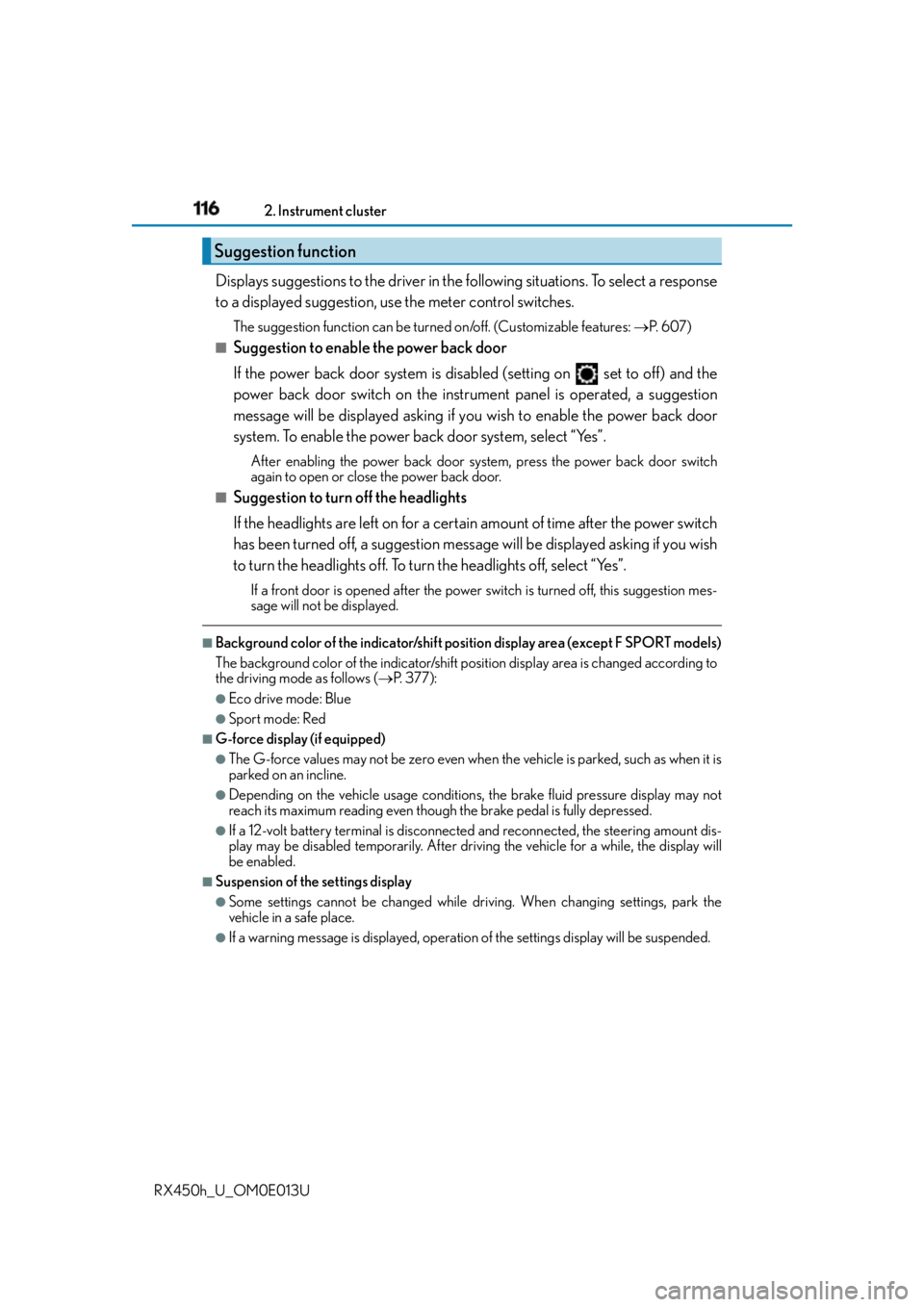
RX450h_U_OM0E013U Displays suggestions to the driver in the following situations. To select a response
to a displayed suggestion, use the meter control switches. The suggestion function can be turn ed on/off. (Customizable features: P. 6 0 7 )■
Suggestion to enable the power back door
If the power back door system is disabled (setting on set to off) and the
power back door switch on the instru ment panel is operated, a suggestion
message will be displayed asking if yo u wish to enable the power back door
system. To enable the power back door system, select “Yes”. After enabling the power back door syst em, press the power back door switch
again to open or close the power back door.■
Suggestion to turn off the headlights
If the headlights are left on for a certain amount of time after the power switch
has been turned off, a suggestion message will be displayed asking if you wish
to turn the headlights off. To turn the headlights off, select “Yes”.If a front door is opened after the power sw itch is turned off, this suggestion mes-
sage will not be displayed.■
Background color of the indicator/shift position display area (except F SPORT models)
The background color of the indicator/shift position display area is changed according to
the driving mode as follows ( P. 377):●
Eco drive mode: Blue ●
Sport mode: Red ■
G-force display (if equipped) ●
The G-force values may not be zero even when the vehicle is parked, such as when it is
parked on an incline. ●
Depending on the vehicle usage conditions, the brake fluid pressure display may not
reach its maximum reading even though the brake pedal is fully depressed.●
If a 12-volt battery terminal is disconnected and reconnected, the steering amount dis-
play may be disabled temporarily. After driv ing the vehicle for a while, the display will
be enabled. ■
Suspension of the settings display ●
Some settings cannot be changed while driv ing. When changing settings, park the
vehicle in a safe place. ●
If a warning message is displayed, operation of the settings displa y will be suspended.Suggestion function
Page 140 of 660

140 3-2. Opening, closing and locking the doors
RX450h_U_OM0E013U ■
Switching the door unlock function
It is possible to set which doors the entry fu nction unlocks using the wireless remote con-
trol.
Turn the power switch off.
When the indicator light on the key surface is not on, press and hold , or
for approximately 5 seconds while pressing and holding .
The setting changes each time an operatio n is performed, as shown below. (When
changing the setting continuously, release the buttons, wait for at least 5 seconds, and
repeat step .)
To prevent unintended triggering of the alarm, unlock the doors using the wireless
remote control and open and close a door once after the settings have been changed. (If
a door is not opened within 60 seconds after is pressed, the doors will be locked
again and the alarm will automatically be set.)
In a case that the alarm is triggered, immediately stop the alarm. ( P. 8 7 )■
Impact detection door lock release system
In the event that the vehicle is subject to a strong impact, all the doors are unlocked.
Depending on the force of the impact or the type of accident, however, the system may
not operate. ■
Using the mechanical key
The doors can also be locked and unlocked with the mechanical key. ( P. 5 6 4 )■
Open door warning buzzer
If the vehicle speed reaches 3 mph (5 km/h), the master warning light flashes and a
buzzer sounds to indicate that door (s) or the hood in not fully closed.
The open door(s) or hood is displa yed on the multi-information display.1
2
2
Multi-information
display Unlocking function Beep
Holding the driver’s door handle
unlocks only the driver’s door.
Exterior: Beeps 3 times
Interior: Pings onceHolding any of the passenger
door handles unlocks all the
doors.
Holding a door handle unlocks
all the doors. Exterior: Beeps twice
Interior: Pings once
Page 195 of 660

1953-5. Opening, closing the windows and moon roof
3
Operation of each component
RX450h_U_OM0E013U ■
When the moon roof does not close normally
Perform the following procedure: ●
If the moon roof closes but then re-opens slightly
Stop the vehicle.
Press and hold the “CLOSE” switch.
* 1
The moon roof will close, reopen and pause for approximately 10 seconds.
* 2
Then it
will close again, tilt up and pause for approx imately 1 second. Finally, it will tilt down,
open and close.
Check to make sure that the moon roof is completely closed and then release the
switch. ●
If the moon roof tilts down but then tilts back up
Stop the vehicle.
Press and hold the “UP” switch
* 1
until the moon roof moves into the tilt up position
and stops.
Release the “UP” switch once and then press and hold the “UP” switch again.
* 1
The moon roof will pause for approximatel y 10 seconds in the tilt up position.
* 2
Then it will adjust slightly and pause for approximately 1 second. Finally, it will tilt
down, open and close.
Check to make sure that the moon roof is completely closed and then release the
switch.
* 1
: If the switch is released at the incorrec t time, the procedure will have to be per-
formed again from the beginning.
* 2
: If the switch is released after the above mentioned 10 second pause, automatic
operation will be disabled. In that case, press and hold the “CLOSE” or “UP” switch,
and the moon roof will tilt up and pause fo r approximately 1 second . Then it will tilt
down, open and close. Check to make sure that the moon roof is completely closed
and then release the switch.
If the moon roof does not fully close even after performing the above procedure cor-
rectly, have the vehicle inspected by your Lexus dealer. ■
Alarm
The alarm may be triggered if the alarm is se t and the moon roof is closed using the door
lock linked moon roof operation function. ( P. 88) ■
Moon roof open warning buzzer
The buzzer sounds and a message is shown on the multi-information display in the instru-
ment cluster when the power switch is turned off and the driver’s door is opened with the
moon roof open. ■
Customization
Some functions can be customized. ( P. 6 0 7 )1
2
3
1
2
3
4
Page 247 of 660
2474-2. Driving procedures
4
Driving
RX450h_U_OM0E013U ■
Parking brake operation sound
When the parking brake operates, a motor sound (whirring sound) may be heard. This
does not indicate a malfunction. ■
Parking brake indicator light and parking brake lamp ●
Depending on the power switch mode, the parking brake indicator light and parking
brake lamp will turn on and stay on as described below:
ON mode: Comes on until the parking brake is released.
Not in ON mode: Stays on for approximately 15 seconds. ●
When the power switch is turned off with th e parking brake set, the parking brake indi-
cator light and parking brake lamp will stay on for about 15 seconds. This does not indi-
cate a malfunction. ■
Changing the mode
When changing the automatic mode on/off , the message will be shown on the multi-
information display and the buzzer sounds. ■
Parking brake engaged warning buzzer
A buzzer will sound if the vehicle is driven with the parking brake engaged. “Release
Parking Brake” is displayed on the multi-information display. ■
Warning messages and buzzers
Warning messages and buzzers are used to indicate a system malfunction or to inform
the driver of the need for caution. If a warn ing message is shown on the multi-information
display, read the message and follow the instructions.■
If the brake system warning light comes on
P. 5 3 6 ■
Usage in winter time
P. 3 9 1