Page 1 of 82
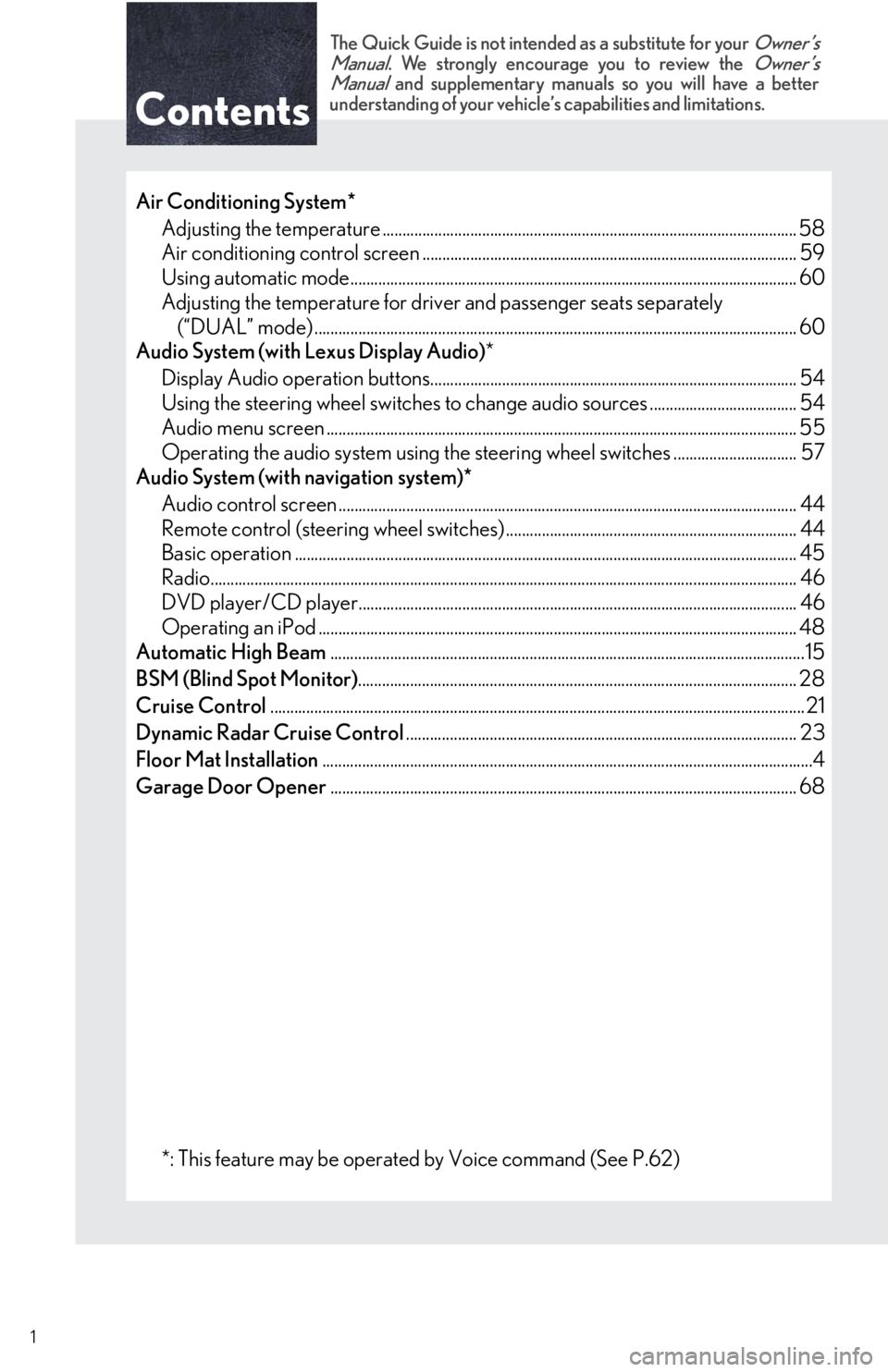
Contents
The Quick Guide is not intended as a substitute for your Owner’s
Manual. We strongly encourage you to review the Owner’s
Manual and supplementary manuals so you will have a better
understanding of your vehicle’s capabilities and limitations.
1
Air Conditioning System*
Adjusting the temperature ........................................................................................................ 58
Air conditioning control screen .............................................................................................. 59
Using automatic mode................................................................................................................ 60
Adjusting the temperature for driver and passenger seats separately
(“DUAL” mode) ......................................................................................................................... 60
Audio System (with Lexus Display Audio)*
Display Audio operation buttons............................................................................................ 54
Using the steering wheel switches to change audio sources ..................................... 54
Audio menu screen ...................................................................................................................... 55
Operating the audio system using the steering wheel switches ............................... 57
Audio System (with navigation system)*
Audio control screen ................................................................................................................... 44
Remote control (steering wheel switches) ......................................................................... 44
Basic operation .............................................................................................................................. 45
Radio................................................................................................................................................... 46
DVD player/CD player.............................................................................................................. 46
Operating an iPod ........................................................................................................................ 48
Automatic High Beam.......................................................................................................................15
BSM (Blind Spot Monitor).............................................................................................................. 28
Cruise Control...................................................................................................................................... 21
Dynamic Radar Cruise Control.................................................................................................. 23
Floor Mat Installation...........................................................................................................................4
Garage Door Opener..................................................................................................................... 68
*: This feature may be operated by Voice command (See P.62)
Page 10 of 82
10
OverviewRoof
: If equipped
*: Refer to “OWNER’S MANUAL”. Moon roof switches
*
“SOS” button P.70
Garage door opener switches P.68
Interior light*
Personal lights*
Vanity lights*
Page 27 of 82
27
Intuitive Parking Assist (if equipped)
■Turning the system on and off
Turns the intuitive parking assist on/off
When on, the indicator light comes on to
inform the driver that the system is oper-
ational.
The distance from your vehicle to nearby obstacles when parallel parking or maneuver-
ing into a garage is measured by the sensors and communicated via the multi-informa-
tion display, Lexus Display Audio screen (if equipped) and a buzzer. Always check the
surrounding area when using this system.
Page 68 of 82
68
Portable Audio Device Ports
Open the cover and connect the portable
audio device.
Garage Door Opener
The garage door opener (HomeLink® Universal Transceiver) is manufactured under
license from HomeLink
®.
■Programming the HomeLink®
The HomeLink® compatible transceiver in your vehicle has 3 buttons which can be pro-
grammed to operate 3 different devices. Refer to the programming method below appro-
priate for the device.
Indicator light
Buttons
These ports can be used to connect a portable audio device and listen to it through the
vehicle’s speakers.
The garage door opener can be programmed to operate garage doors, gates, entry
doors, door locks, home lighting systems, security systems, and other devices.
1
2
Page 69 of 82
69
■Programming HomeLink®
Hold your hand-held transmitter 1 to 3
in. (25 to 75 mm) of the HomeLink
®
buttons.
Press and hold down the desired
HomeLink
® button.
For U.S.A. owners:
While pressing the HomeLink
® but-
ton, press and hold down the button
on the hand-held transmitter until the
indicator light changes from a slow to
a rapid flash.
For Canadian owners:
While pressing the HomeLink
® but-
ton, repeatedly press and release
(cycle) the button on the hand-held
transmitter every 2 seconds until the
indicator light changes from a slow to
a rapid flash.
If your garage door is of the rolling code
type:
Press the training button on the motor-
head unit in your garage.
Press and hold the vehicle’s pro-
grammed HomeLink
® button for 2
seconds and release it. Repeat this step
once again.
If the door does not open, press and
release the same button once again.
1
2
3
4
5
Page 70 of 82
70
■Programming other devices
For U.S.A. owners:
To program an entry gate, see the Owner’s Manual.
To program other devices, contact your Lexus dealer.
For Canadian owners:
To program all other devices, follow the same procedure as for garage door programming.
■Operating HomeLink®
Press the appropriate HomeLink® button.
The indicator light should come on.
Lexus Enform Safety Connect
(for U.S.A., if equipped)
■System components
“SOS” button
LED light indicators
Microphone
Safety Connect is a subscription-based telematics service that uses Global Positioning
System (GPS) data and embedded cellular technology to provide safety and security
features to subscribers. Safety Connect is supported by Lexus’ designated response
center, which operates 24 hours per day, 7 days per week.
Safety Connect service is available by subscription on select, telematics hardware-
equipped vehicles.
1
2
3


