Page 115 of 544
115
GS450h_OM_OM30E99U_(U)
3
Operation of
each component
3-1. Key information
Keys .................................................... 116
3-2. Opening, closing and locking the doors and trunk
Doors ............................................... 120
Trunk ..................................................126
Smart access system with push-button start ............ 133
3-3. Adjusting the seats Front seats ........................................ 141
Driving position memory ......... 143
Head restraints ............................ 148
3-4. Adjusting the steering wheel and mirrors
Steering wheel ............................... 151
Inside rear view mirror...............152
Outside rear view mirrors ....... 154
3-5. Opening, closing the windows and moon roof
Power windows ............................ 158
Moon roof ........................................ 161
Page 143 of 544

143
GS450h_OM_OM30E99U_(U)3-3. Adjusting the seats
3
Operation of each component
Driving position memory
The seat and steering wheel are automati cally adjusted to allow the driver or
front passenger to enter and exit the vehicle easily.
■Driver’s seat
When all of the following have been
performed, the driver’s seat and
steering wheel are automatically
adjusted to a position that allows
driver to enter and exit the vehicle
easily. • The shift lever has been shifted to P.
• The power switch has been turned off.
• The driver’s seat belt has been unfastened.
When any of the following has been perf ormed, the driver’s seat and steering
wheel automatically return to their original positions. • The power switch has been turned to ACCESSORY mode or ON mode.
• The driver’s seat belt has been fastened.
■Front passenger’s seat (if equipped)
If the front passenger’s door is opened while the vehicle is stopped, the
adjusted lumbar support, side support (if equipped), et c. will return to its orig-
inal position.
■Operation of the power easy access system
When exiting the vehicle, the power easy acc ess system may not operate if the seat is
already close to the rearmost position, etc.
■Customization
The seat movement amount settings of the power easy access system can be custom-
ized. (Customizable features: P. 4 9 1 )
This feature automatically adjusts the front seats, steering wheel and outside
rear view mirrors to make entering and exiting the vehicle easier or to suit
your preferences.
Power easy access system
Page 144 of 544
![Lexus GS450h 2016 Owners Manual / LEXUS 2016 GS450H OWNERS MANUAL (OM30E99U) 144
GS450h_OM_OM30E99U_(U)
3-3. Adjusting the seats
Your preferred driving position (the position of the driver’s seat, steering wheel,
outside rear view mirrors and HUD [hea d-up display] [if equip](/manual-img/36/15331/w960_15331-143.png "Lexus GS450h 2016 Owners Manual / LEXUS 2016 GS450H OWNERS MANUAL (OM30E99U) 144
GS450h_OM_OM30E99U_(U)
3-3. Adjusting the seats
Your preferred driving position (the position of the driver’s seat, steering wheel,
outside rear view mirrors and HUD [hea d-up display] [if equip")
144
GS450h_OM_OM30E99U_(U)
3-3. Adjusting the seats
Your preferred driving position (the position of the driver’s seat, steering wheel,
outside rear view mirrors and HUD [hea d-up display] [if equipped]) can be
recorded and recalled by pressing a button.
Three different driving positions can be recorded into memory.
■Recording procedure
Check that the shift lever is in P.
Turn the power switch to ON mode.
Adjust the driver’s seat, steering wheel, outside rear view mirrors and HUD
(head-up display) (if equipped) to the desired positions.
While pressing the “SET” button,
or within 3 seconds after the
“SET” button is pressed, press
button “1”, “2” or “3” until the
buzzer sounds.
If the selected button has already
been preset, the previously recorded
position will be overwritten.
Vehicles with the driving position memory for the front passenger’s seat: To
record the position of the front passenger’s seat, adjust the front passenger’s
seat to the desired position and perform step using the buttons on the front
passenger’s side.
■Recall procedureCheck that the shift lever is in P.
Turn the power switch to ON mode.
Press one of the buttons for the
driving position you want to recall
until the buzzer sounds.
Driving position memory
1
2
3
4
4
1
2
3
Page 146 of 544

146
GS450h_OM_OM30E99U_(U)
3-3. Adjusting the seats
While pressing the recalled but-
ton, press and hold the door lock
switch (either lock or unlock) until
the buzzer sounds.
If the button could not be registered,
the buzzer sounds continuously for
approximately 3 seconds.
■Recall procedureCarry the electronic key that has been registered to the driving position,
and then unlock and open the driver’s door using the smart access system
with push-button start or wireless remote control.
The driving position will move to the reco rded position (not including the steering
wheel and HUD [head-up display] [if equipp ed]). However, the seat will move to a
position slightly behind the recorded positi on in order to make entering the vehicle
easier.
If the driving position is in a position th at has already been recorded, the seat and
outside rear view mirrors will not move.
Turn the power switch to ACCESSORY mode or ON mode, or fasten a
seat belt.
The seat, steering wheel and HUD (head-up display) (if equipped) will move to the
recorded position.
■Cancelation procedure
Carry only the key you want to cancel and then close the driver’s door.
If 2 or more keys are in the vehicle, the driving position cannot be canceled
properly.
Turn the power switch to ON mode.
While pressing the “SET” button, press and hold the door lock switch
(either lock or unlock) unt il the buzzer sounds twice.
If the button could not be canceled, the buzzer sounds continuously for approxi-
mately 3 seconds.
■Recalling the driving position using the memory recall function
●Different driving positions can be registered for each electronic key. Therefore, the
driving position that is recalled may be different depending on the key being carried.
●If a door other than the driver’s door is unlocked with the smart access system with
push-button start, the driving position cannot be recalled. In this case, press the driving
position button which has been set.
■Customization
The unlock door settings of the memory recall function can be customized.
(Customizable features: P. 4 9 1 )
4
1
2
1
2
Page 152 of 544
1523-4. Adjusting the steering wheel and mirrors
GS450h_OM_OM30E99U_(U)
Inside rear view mirror
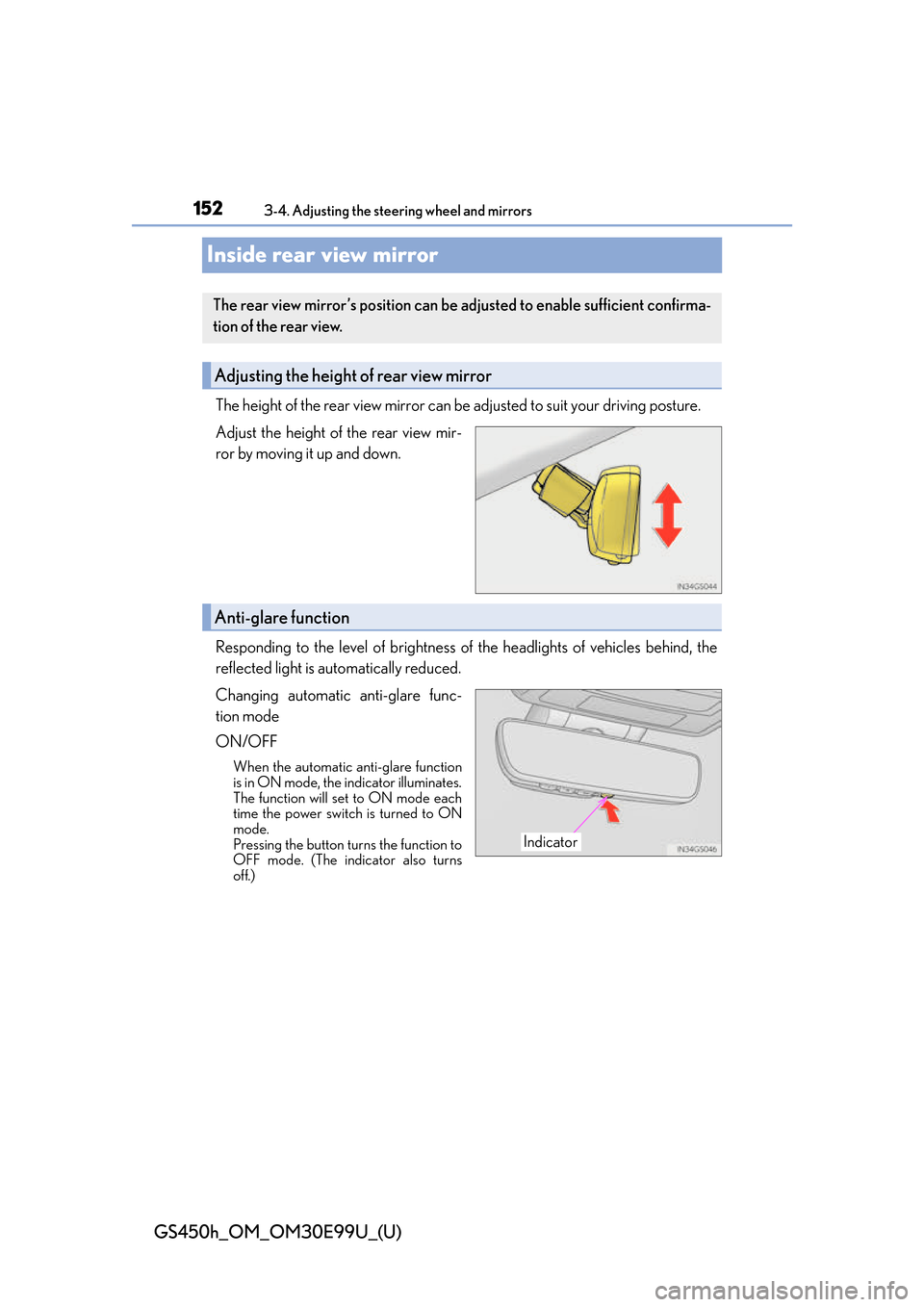
The height of the rear view mirror can be adjusted to suit your driving posture.
Adjust the height of the rear view mir-
ror by moving it up and down.
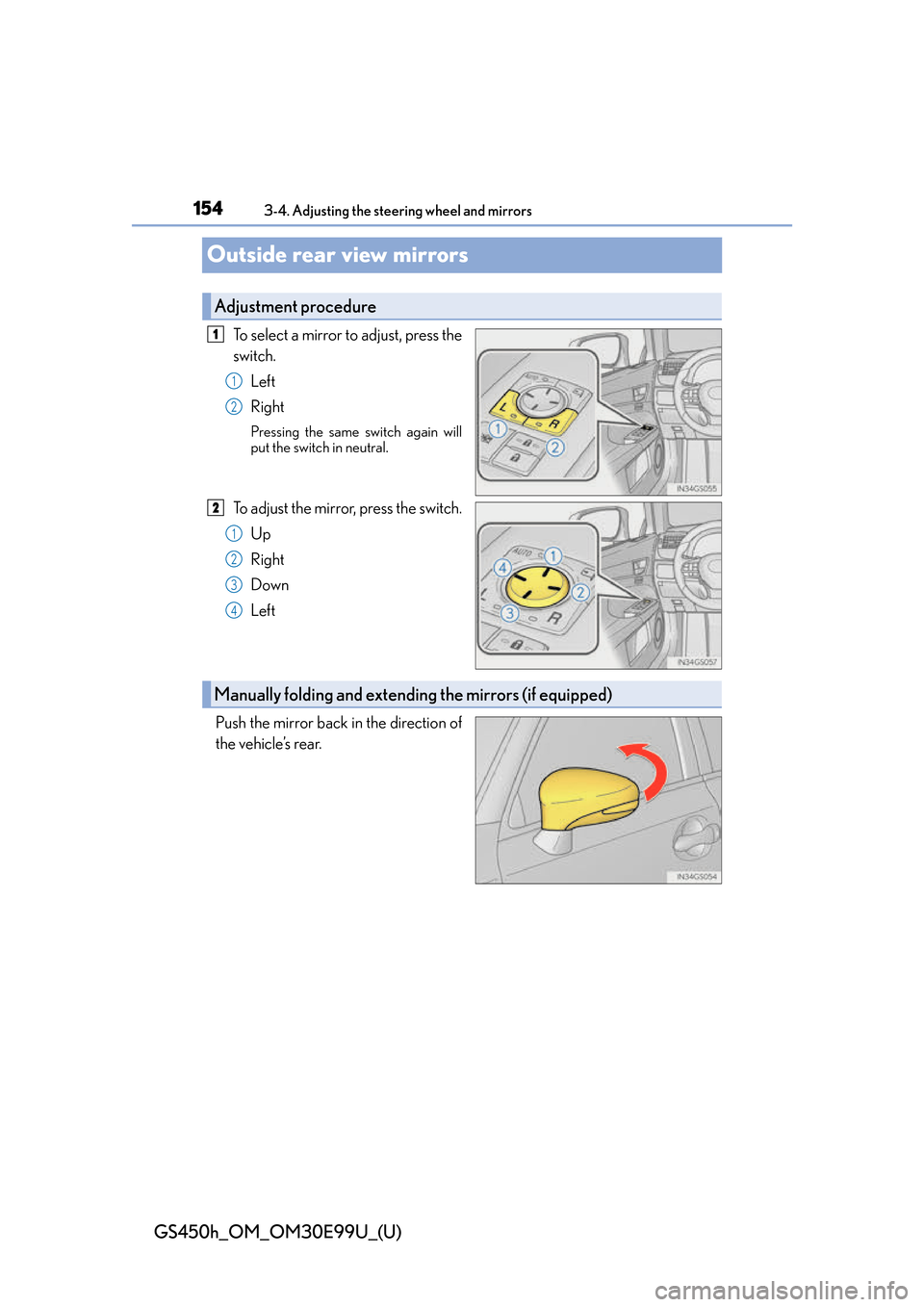
Responding to the level of brightness of the headlights of vehicles behind, the
reflected light is automatically reduced.
Changing automatic anti-glare func-
tion mode
ON/OFF
When the automatic anti-glare function
is in ON mode, the indicator illuminates.
The function will set to ON mode each
time the power switch is turned to ON
mode.
Pressing the button turns the function to
OFF mode. (The indicator also turns
off.)
The rear view mirror’s position can be adjusted to enable sufficient confirma-
tion of the rear view.
Adjusting the height of rear view mirror
Anti-glare function
Indicator
Page 154 of 544
1543-4. Adjusting the steering wheel and mirrors
GS450h_OM_OM30E99U_(U)
Outside rear view mirrors
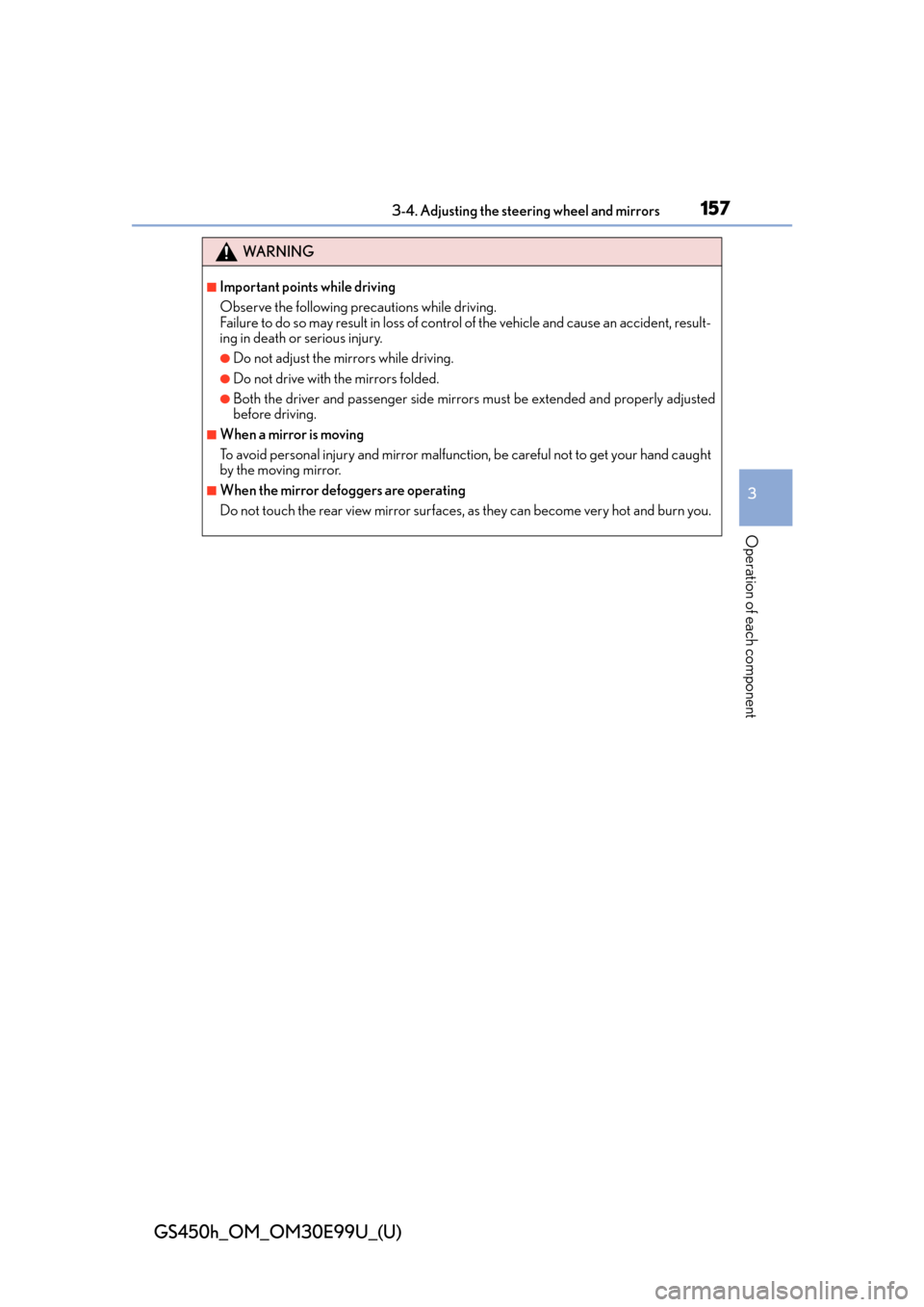
To select a mirror to adjust, press the
switch.Left
Right
Pressing the same switch again will
put the switch in neutral.
To adjust the mirror, press the switch.
Up
Right
Down
Left
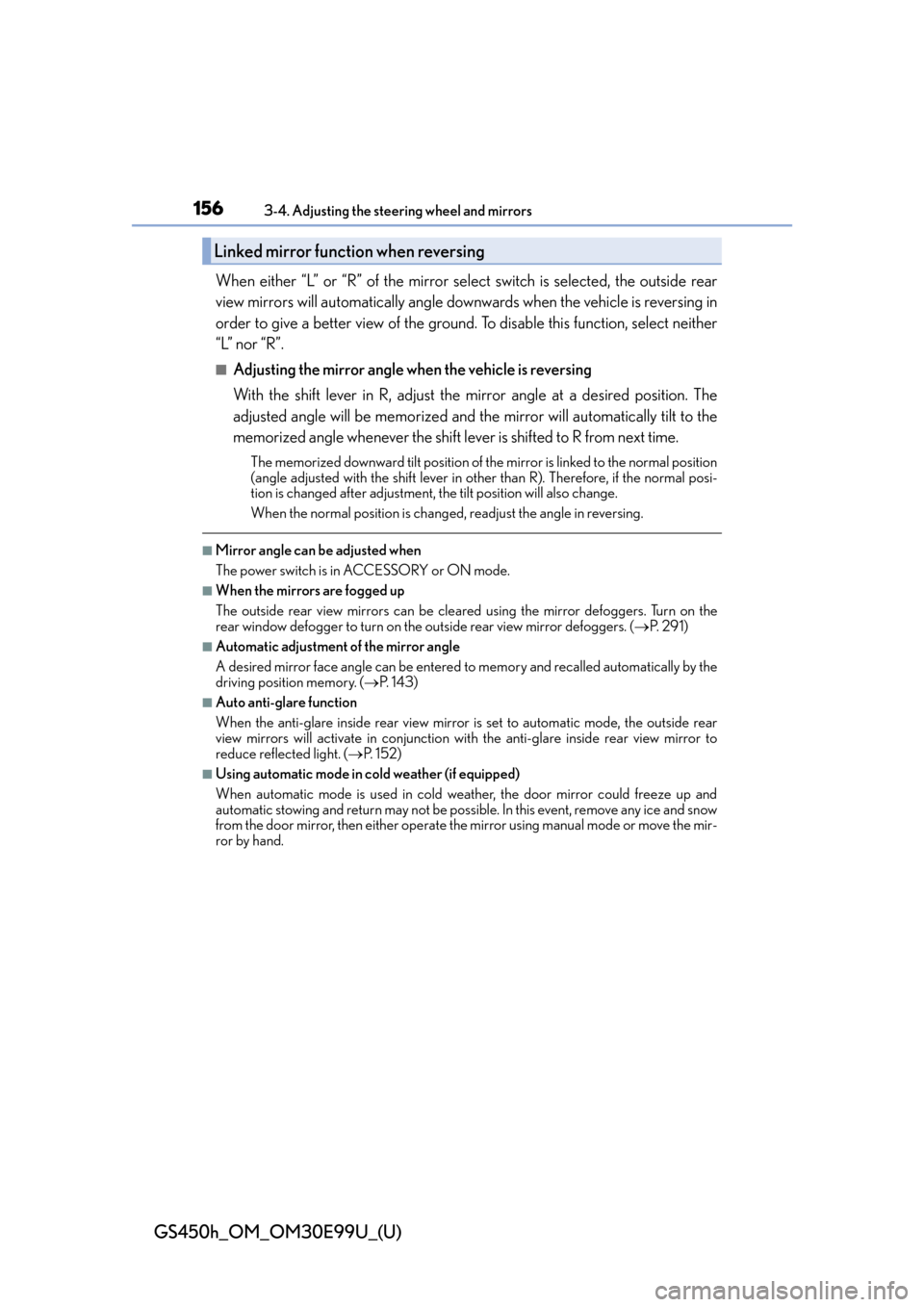
Push the mirror back in the direction of
the vehicle’s rear.
Adjustment procedure
1
1
2
2
1
2
3
4
Manually folding and extending the mirrors (if equipped)
Page 156 of 544
1563-4. Adjusting the steering wheel and mirrors
GS450h_OM_OM30E99U_(U)
When either “L” or “R” of the mirror select switch is selected, the outside rear
view mirrors will automatically angle downwards when the vehicle is reversing in
order to give a better view of the ground. To disable this function, select neither
“L” nor “R”.
■Adjusting the mirror angle when the vehicle is reversing
With the shift lever in R, adjust the mirror angle at a desired position. The
adjusted angle will be memorized and the mirror will automatically tilt to the
memorized angle whenever the shift lever is shifted to R from next time.
The memorized downward tilt position of the mirror is linked to the normal position
(angle adjusted with the shif t lever in other than R). Therefore, if the normal posi-
tion is changed after adjustment, th e tilt position will also change.
When the normal position is chang ed, readjust the angle in reversing.
■Mirror angle can be adjusted when
The power switch is in ACCESSORY or ON mode.
■When the mirrors are fogged up
The outside rear view mirrors can be cleare d using the mirror defoggers. Turn on the
rear window defogger to turn on the outside rear view mirror defoggers. ( P. 2 9 1 )
■Automatic adjustment of the mirror angle
A desired mirror face angle can be entered to memory and recalled automatically by the
driving position memory. ( P. 1 4 3 )
■Auto anti-glare function
When the anti-glare inside rear view mirror is set to automatic mode, the outside rear
view mirrors will activate in conjunction with the anti-glare inside rear view mirror to
reduce reflected light. ( P. 1 5 2 )
■Using automatic mode in cold weather (if equipped)
When automatic mode is used in cold weather, the door mirror could freeze up and
automatic stowing and return may not be possib le. In this event, remove any ice and snow
from the door mirror, then either operate th e mirror using manual mode or move the mir-
ror by hand.
Linked mirror function when reversing
Page 157 of 544
1573-4. Adjusting the steering wheel and mirrors
3
Operation of each component
GS450h_OM_OM30E99U_(U)
WA R N I N G
■Important points while driving
Observe the following precautions while driving.
Failure to do so may result in loss of control of the vehicle and cause an accident, result-
ing in death or serious injury.
●Do not adjust the mirrors while driving.
●Do not drive with the mirrors folded.
●Both the driver and passenger side mirrors must be extended and properly adjusted
before driving.
■When a mirror is moving
To avoid personal injury and mirror malfunct ion, be careful not to get your hand caught
by the moving mirror.
■When the mirror defoggers are operating
Do not touch the rear view mirror surfaces, as they can become very hot and burn you.