2016 Lexus GS350 warning light
[x] Cancel search: warning lightPage 80 of 624

80
GS350_200t_GS F_OM_OM30E86U_(U)2. Instrument cluster
Warning lights inform the driver of malfun
ctions in the indicated vehicle systems.
Warning lights
*1
(U.S.A.)
Brake system warning light
( P. 4 5 2 )
*1, 3
(If equipped)
PCS (Pre-Collision
System) warning light
( P. 4 5 3 )
*1
(Canada)
Brake system warning light
( P. 4 5 2 )*1
Slip indicator ( P. 4 5 3 )
*1, 2Charging system warning
light ( P. 4 5 2 )*1, 3, 4
(If equipped)
“AFS OFF” indicator
( P. 4 5 3 )
*1
(U.S.A.)
Malfunction indicator lamp
( P. 4 5 2 )*1, 3, 4Brake hold operated
indicator ( P. 4 5 3 )
*1
(Canada)
Malfunction indicator lamp
( P. 4 5 2 )*3
(U.S.A.)
Parking brake indicator
( P. 4 5 4 )
*1SRS warning light
( P. 4 5 2 )*3
(Canada)
Parking brake indicator
( P. 4 5 4 )
*1
(U.S.A.)
ABS warning light
( P. 4 5 2 )*1Brake system warning light
( P. 4 5 4 )
*1
(Canada)
ABS warning light
( P. 4 5 2 )*5Open door warning light
( P. 4 5 4 )
*1Electric power steering
system warning light
( P. 4 5 3 )Low fuel level warning light
( P. 4 5 4 )
Page 81 of 624

GS350_200t_GS F_OM_OM30E86U_(U)
812. Instrument cluster
2
Instrument cluster
*1: These lights turn on when the engine switch is turned to IGNITION ON mode toindicate that a system check is being perfor med. They will turn off after the engine is
started, or after a few seconds. There may be a malfunction in a system if a light does
not come on, or turn off. Have the vehicle inspected by your Lexus dealer.
*2:On some models
*3: The light flashes to indicate a malfunction.
*4:GS350/GS200t
*5:GS F
The indicators inform the driver of the operating state of the vehicle’s various sys-
tems.
Seat belt reminder light
( P. 4 5 4 )*1Tire pressure warning light
( P. 4 5 4 )
*1Master warning light
( P. 4 5 4 )
Indicators
Turn signal indicator
( P. 2 0 9 )
(If equipped)
Dynamic radar cruise
control indicator
( P. 2 6 6 , 2 7 8 )
(U.S.A.)
Headlight indicator
( P. 2 1 5 ) Cruise control
“SET” indicator
(
P. 266, 278, 290)
(Canada)
Tail light indicator
( P. 2 1 5 )
(If equipped)
LDA indicator ( P. 2 5 8 ) /
LKA indicator ( P. 2 4 9 )
Headlight high beam
indicator ( P. 2 1 5 )
*1
(If equipped)
Intuitive parking assist
indicator
(If equipped)
Automatic High Beam
indicator ( P. 2 1 8 )*2, 3
(If equipped)
“AFS OFF” indicator
( P. 2 1 6 )
Cruise control indicator
( P. 274, 286, 290)
*2, 4
Slip indicator ( P. 3 1 0 )
Page 82 of 624

82
GS350_200t_GS F_OM_OM30E86U_(U)2. Instrument cluster
●Drive mode indicators
GS350/GS200t (except F SPORT models)
*2VSC OFF indicator
(
P. 3 1 0 )*9Security indicator
( P. 7 2 , 74 )
*2, 5TRAC OFF indicator
( P. 3 1 0 )*10Low outside temperature
indicator ( P. 8 7 , 9 4 )
*2, 6
(If equipped)
PCS (Pre-Collision
System) warning light
( P. 2 4 0 ) *2Eco Driving Indicator Light
( P. 8 5 )
*7, 8
(If equipped)
BSM (Blind Spot Monitor)
outside rear view mirror
indicators ( P. 2 9 8 )
(U.S.A.)
Parking brake indicator
( P. 2 1 0 )
(If equipped)
BSM (Blind Spot Monitor)
indicator ( P. 2 9 8 )
(Canada)
Parking brake indicator
( P. 2 1 0 )
*2, 3Brake hold standby
indicator ( P. 212)*2, 9“AIR BAG ON/OFF”
indicator ( P. 5 2 )
*2, 3Brake hold operated
indicator ( P. 212)
Eco drive mode indicator
( P. 2 9 3 )
(If equipped)
“SPORT” indicator
( P. 2 9 3 )
(If equipped)
“SPORT S” indicator
( P. 2 9 3 )
(If equipped)
“SPORT S+” indicator
( P. 2 9 3 )
(If equipped)
“Customize” indicator
( P. 2 9 3 ) Snow mode indicator
(
P. 2 0 3 )
Page 85 of 624

GS350_200t_GS F_OM_OM30E86U_(U)
852. Instrument cluster
2
Instrument cluster
■Eco Driving Indicator
GS350/GS200t
Eco Driving Indicator will not operat e under the following conditions:
●The shift lever is in any position other than D.
●A paddle shift switch is operated.
●Neither normal mode nor Eco drive mode is selected. (P. 2 9 3 )
●The vehicle speed is approximately 80 mph (130 km/h) or higher.
GS F
Eco Driving Indicator will not operat e under the following conditions:
●The shift lever is in any position other than D.
●A paddle shift switch is operated.
●Neither normal mode nor Eco drive mode is selected. (P. 2 9 3 )
●The vehicle speed is approximately 80 mph (130 km/h) or higher. Eco Driving Indicator Light
During Eco-friendly acceleration (Eco driv-
ing), the Eco Driving Indicator Light will turn
on. When the acceleration exceeds the Zone
of Eco driving, or when the vehicle is stopped,
the light turns off.
Eco Driving Indicator Zone Display
Suggests the Zone of Eco driving with current
Eco driving ratio based on acceleration.
Eco driving ratio based on acceleration
If the acceleration exceeds the Zone of Eco
driving, the right side of the Eco Driving Indi-
cator Zone Display will illuminate.
Zone of Eco driving
During Eco-friendly acceleration (Eco driving),
the Eco Driving Indicator Light will turn on.
When the acceleration exceeds the Zone of
Eco driving, or when the vehicle is stopped, the
light turns off.
WA R N I N G
■If a safety system warning light does not come on
Should a safety system light such as the ABS and SRS warning light not come on when
you start the engine, this could mean that these systems are not available to help pro-
tect you in an accident, which could result in death or serious injury. Have the vehicle
inspected by your Lexus dealer immediately if this occurs.
1
2
3
4
Page 104 of 624

104
GS350_200t_GS F_OM_OM30E86U_(U)2. Instrument cluster
■Tire inflation pressure
Displays inflation pressure of each tire.
The inflation pressure of the compact
spare tire will not be displayed.
■LKA (Lane-Keeping Assist) vehicle sway warning (if equipped)
P. 2 4 9
■Display off
A blank screen is displayed
*1: Displayed when the item is set in “Drive In fo 1”, “Drive Info 2” or “Drive Info 3”.
( P. 5 6 9 )
*2: The function can be reset by pressing th e of the meter control switches for longer
than 1 second when the item to reset is displayed.
If there is more than one item that can be reset, the item selection screen will appear.
The settings of the following items can be changed, refer to P. 568
For functions that can be enabled or disabled, the function switches between on and
off each time is pressed.
■(Lane-Keeping Assist) (if equipped) ( P. 2 4 9 )
■(Pre-Collision System) (if equipped) ( P. 2 3 7 )
■(Adaptive Front-lighting System) (if equipped) ( P. 2 1 6 )
■(Blind Spot Monitor) (if equipped) ( P. 2 9 8 )
■
Select to set the display mode of the clock.
Settings display
Page 105 of 624

GS350_200t_GS F_OM_OM30E86U_(U)
1052. Instrument cluster
2
Instrument cluster
■●
Scheduled Maintenance (P. 3 8 6 )
●Oil Maintenance ( P. 4 0 4 )
●TPMS (Tire pressure warning system) ( P. 4 1 5 )
■
●
Language
Select to change the la nguage on the display.
●Units
Select to change the unit of measure.
●Eco Driving Indicator Light
Select to activate/deactivate the Eco Driving Indicator Light.
● switch
Displays a procedure to register a desired screen to .
You can register 1 screen as a shortcut , which can be displayed by pressing .
●Drive information 1 /2 /3
Select to select up to 2 items that will be displayed on a Drive information screen,
up to 3 Drive information screens can be set.
●Pop-up display
Select to set the following pop-up displa ys, which may appear in some situations,
on/off. • Route guidance of the navigation system-linked display (if equipped)
• Incoming call display of the hands-free phone system
• Instrument panel brightne ss adjustment display
●Accent color (except F SPORT models)
Select to change the accent colors on the screen, such as the cursor color.
●Needle (F SPORT models)
Select to change the needle color for the tachometer.
●Rev indicator (F SPORT models)
Select to set the rev indicator on/off.
When set to on, proceed to set the engine speed at which the rev indicator will be
displayed.
Selectable engine speed range:
GS350: 2000 rpm to 6800 rpm
GS200t: 2000 rpm to 6100 rpm
●Rev peak (F SPORT models)
Select to set the rev peak on/off.
●Default settings
Registered or changed meter settings will be deleted or returned to their default
setting.
Page 116 of 624
116
GS350_200t_GS F_OM_OM30E86U_(U)2. Instrument cluster
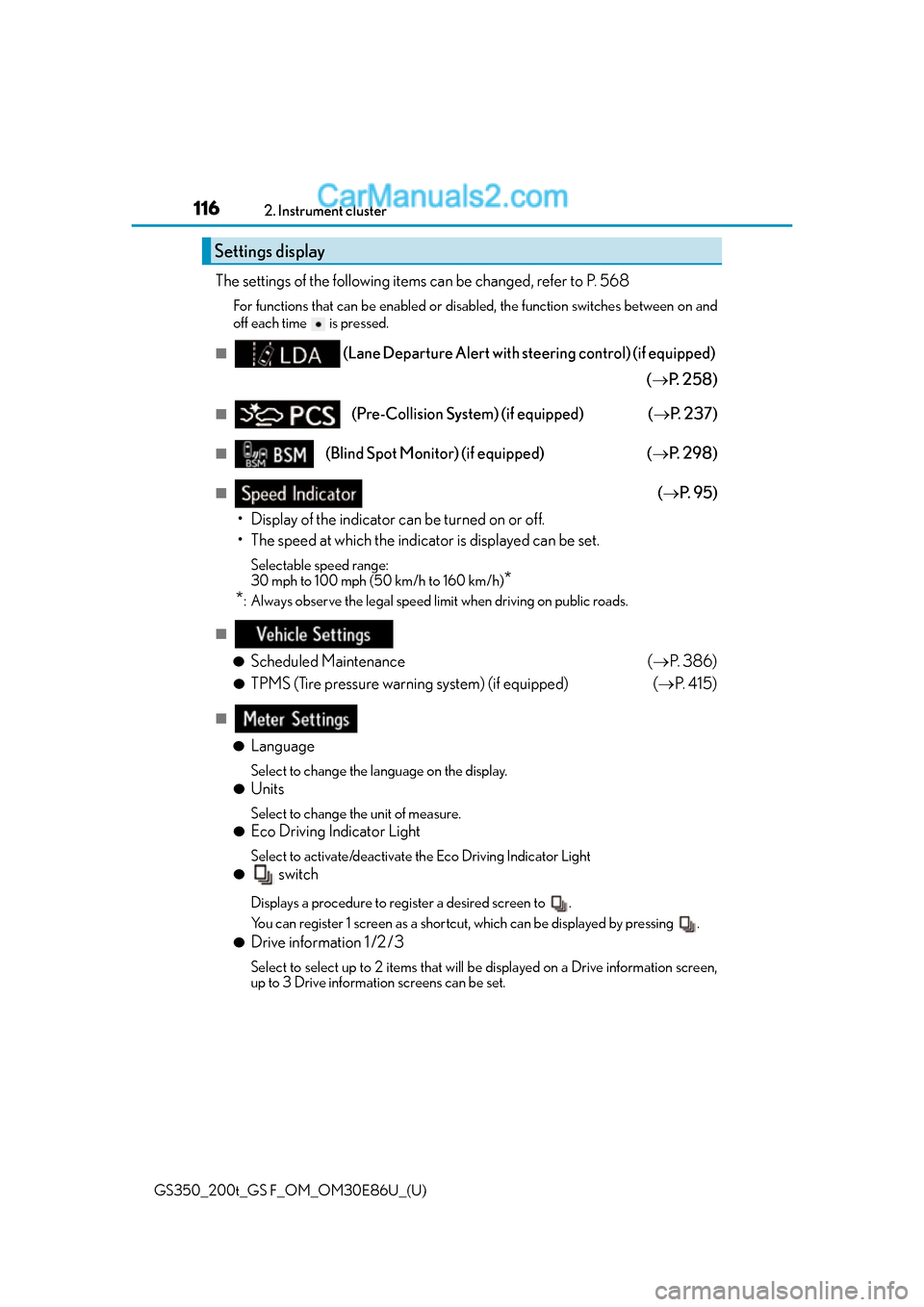
The settings of the following items can be changed, refer to P. 568
For functions that can be enabled or disabled, the function switches between on and
off each time is pressed.
■(Lane Departure Alert with steering control) (if equipped)
( P. 2 5 8 )
■(Pre-Collision System) (if equipped) ( P. 2 3 7 )
■(Blind Spot Monitor) (if equipped) ( P. 2 9 8 )
■( P. 9 5 )
• Display of the indicator can be turned on or off.
• The speed at which the indicator is displayed can be set.
Selectable speed range:
30 mph to 100 mph (50 km/h to 160 km/h)
*
*
: Always observe the legal speed limit when driving on public roads.
■
●
Scheduled Maintenance (P. 3 8 6 )
●TPMS (Tire pressure warning system) (if equipped) ( P. 4 1 5 )
■
●
Language
Select to change the la nguage on the display.
●Units
Select to change the unit of measure.
●Eco Driving Indicator Light
Select to activate/deactivate the Eco Driving Indicator Light
● switch
Displays a procedure to register a desired screen to .
You can register 1 screen as a shortcut , which can be displayed by pressing .
●Drive information 1 /2 /3
Select to select up to 2 items that will be displayed on a Drive information screen,
up to 3 Drive information screens can be set.
Settings display
Page 211 of 624

GS350_200t_GS F_OM_OM30E86U_(U)
2114-2. Driving procedures
4
Driving
■Parking brake operation
●When the engine switch is not in IGNITION ON mode, the parking brake cannot be
released using the parking brake switch.
●When the engine switch is not in IGNI TION ON mode, automatic mode (automatic
brake setting and releas ing) is not available.
●If the parking brake is operated repeatedly over a short period of time, the system may
restrict operation to prevent overheating. If this happens, refrain from operating the
parking brake. Normal operation will return after about 1 minute.
●In situations such as when parking on a steep slope*, the maximum amount of braking
force can be used by pressing the parking brake switch with the parking brake already
set.
*: Use wheel chocks when parking on a steep slope.
■Parking brake operation sound
When the parking brake operates, a motor sound (whirring sound) may be heard. This
does not indicate a malfunction.
■Parking brake indicator light
●Depending on the engine switch mode, the parking brake indicator light will come on
and stay on as described below:
IGNITION ON mode: Comes on until the parking brake is released.
Not in IGNITION ON mode: Stays on for approximately 15 seconds.
●When the engine switch is turned off with the parking brake set, the parking brake indi-
cator light will stay on for about 15 seco nds. This does not indicate a malfunction.
■When there is a malfunction in the system
Warning lights and/or warning message will turn on or flash. ( P. 4 5 4 , 4 6 0 )
Depending on the condition, the par king brake indicator light may flash.
■Parking brake engaged warning buzzer
P. 4 6 3
■Usage in winter time
P. 3 1 7
NOTICE
■When parking the vehicle
Before you leave the vehicle, set the parking brake, shift the shift lever to P and make
sure that the vehicle does not move.
■When the system malfunctions
Stop the vehicle in a safe place and check the warning messages.
■When the parking brake cannot be released due to a malfunction
Use the parking brake release tool to manually release the parking brake. (P. 5 1 8 )
Driving the vehicle with the parking brake set will lead to brake components overheat-
ing, which may affect braking perf ormance and increase brake wear.