2016 KIA Sportage smart
[x] Cancel search: smartPage 104 of 501
417
Features of your vehicle
D030000AEN
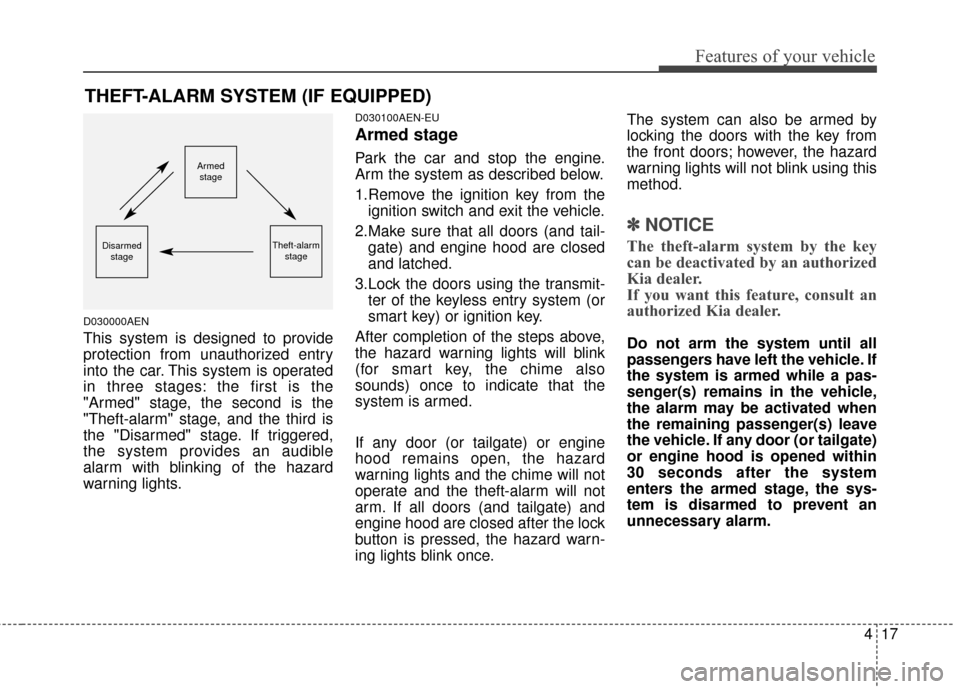
This system is designed to provide
protection from unauthorized entry
into the car. This system is operated
in three stages: the first is the
"Armed" stage, the second is the
"Theft-alarm" stage, and the third is
the "Disarmed" stage. If triggered,
the system provides an audible
alarm with blinking of the hazard
warning lights.
D030100AEN-EU
Armed stage
Park the car and stop the engine.
Arm the system as described below.
1.Remove the ignition key from theignition switch and exit the vehicle.
2.Make sure that all doors (and tail- gate) and engine hood are closed
and latched.
3.Lock the doors using the transmit- ter of the keyless entry system (or
smart key) or ignition key.
After completion of the steps above,
the hazard warning lights will blink
(for smart key, the chime also
sounds) once to indicate that the
system is armed.
If any door (or tailgate) or engine
hood remains open, the hazard
warning lights and the chime will not
operate and the theft-alarm will not
arm. If all doors (and tailgate) and
engine hood are closed after the lock
button is pressed, the hazard warn-
ing lights blink once. The system can also be armed by
locking the doors with the key from
the front doors; however, the hazard
warning lights will not blink using this
method.
✽ ✽
NOTICE
The theft-alarm system by the key
can be deactivated by an authorized
Kia dealer.
If you want this feature, consult an
authorized Kia dealer.
Do not arm the system until all
passengers have left the vehicle. If
the system is armed while a pas-
senger(s) remains in the vehicle,
the alarm may be activated when
the remaining passenger(s) leave
the vehicle. If any door (or tailgate)
or engine hood is opened within
30 seconds after the system
enters the armed stage, the sys-
tem is disarmed to prevent an
unnecessary alarm.
THEFT-ALARM SYSTEM (IF EQUIPPED)
Armed
stage
Theft-alarm stageDisarmedstage
Page 105 of 501
Features of your vehicle
18
4
D030200AEN-EU
Theft-alarm stage
The alarm will be activated if any of
the following occurs while the system
is armed.
A front or rear door is opened with-
out using the ignition key or trans-
mitter (or smart key).
The tailgate is opened without using the transmitter (or smart
key).
The engine hood is opened.
The horn will sound and the hazard
warning lights will blink continuously
for approximately 27 seconds, and
repeat the horn 3 times unless the
system is disarmed. To turn off the
system, unlock the doors with the
ignition key or transmitter (or smart
key).
D030400BEN-EU
Disarmed stage
The system will be disarmed when
the doors (and tailgate) are unlocked
with the transmitter (or smart key) or
the ignition key.
After depressing the unlock button,
the hazard warning lights will blink
and the chime will sound twice to
indicate that the system is disarmed.
After depressing the unlock button, if
any door (or tailgate) is not opened
within 30 seconds, the system will be
rearmed.
✽ ✽ NOTICE
• Avoid trying to start the engine
while the alarm is activated. The
vehicle starting motor is disabled
during the theft-alarm stage.
If the system is not disarmed with
the transmitter, insert the key into
the ignition switch, turn the igni-
tion switch to the ON position and
wait for 30 seconds. Then the sys-
tem will be disarmed. (if
equipped)
• If you lose your keys, consult your authorized Kia dealer.
✽ ✽ NOTICE
Malfunctions caused by improper
alterations, adjustments or modifi-
cations to the theft-alarm system are
not covered by your vehicle manu-
facturer warranty.
CAUTION - Adjusting
alarm system
Do not change, alter or adjust
the theft-alarm system becauseit could cause the theft-alarmsystem to malfunction andshould only be serviced by anauthorized Kia dealer.
Page 107 of 501
Features of your vehicle
20
4
Operating door locks from
inside the vehicle
D050201AHM-EU
With the door lock button
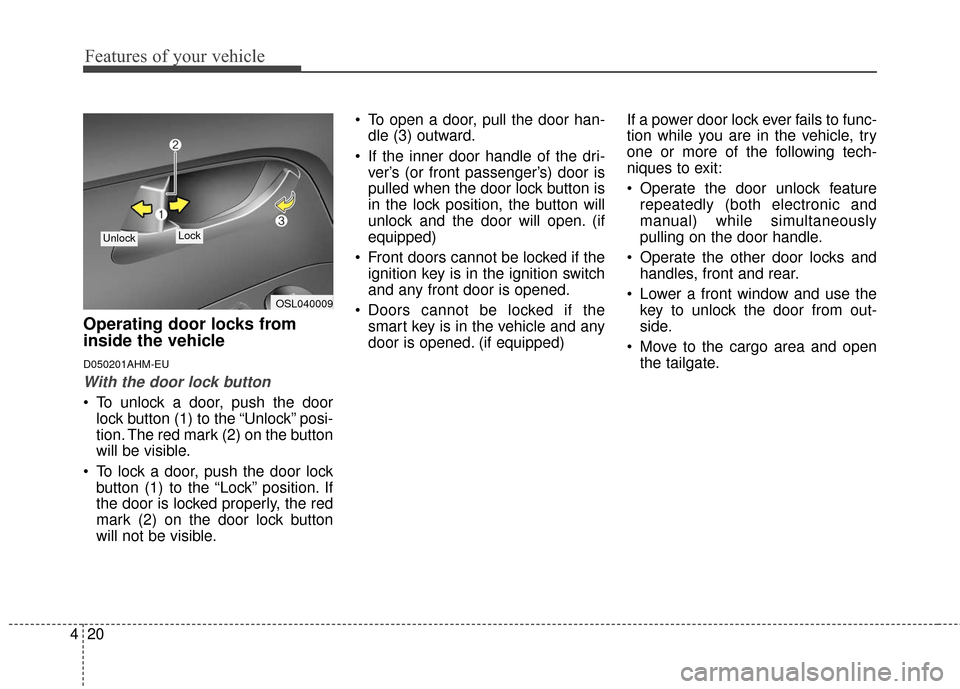
To unlock a door, push the door
lock button (1) to the “Unlock” posi-
tion. The red mark (2) on the button
will be visible.
To lock a door, push the door lock button (1) to the “Lock” position. If
the door is locked properly, the red
mark (2) on the door lock button
will not be visible. To open a door, pull the door han-
dle (3) outward.
If the inner door handle of the dri- ver’s (or front passenger’s) door is
pulled when the door lock button is
in the lock position, the button will
unlock and the door will open. (if
equipped)
Front doors cannot be locked if the ignition key is in the ignition switch
and any front door is opened.
Doors cannot be locked if the smart key is in the vehicle and any
door is opened. (if equipped) If a power door lock ever fails to func-
tion while you are in the vehicle, try
one or more of the following tech-
niques to exit:
Operate the door unlock feature
repeatedly (both electronic and
manual) while simultaneously
pulling on the door handle.
Operate the other door locks and handles, front and rear.
Lower a front window and use the key to unlock the door from out-
side.
Move to the cargo area and open the tailgate.
OSL040009
Lock Unlock
Page 108 of 501
421
Features of your vehicle
D050202AAM-EU
With central door lock switch (if equipped)
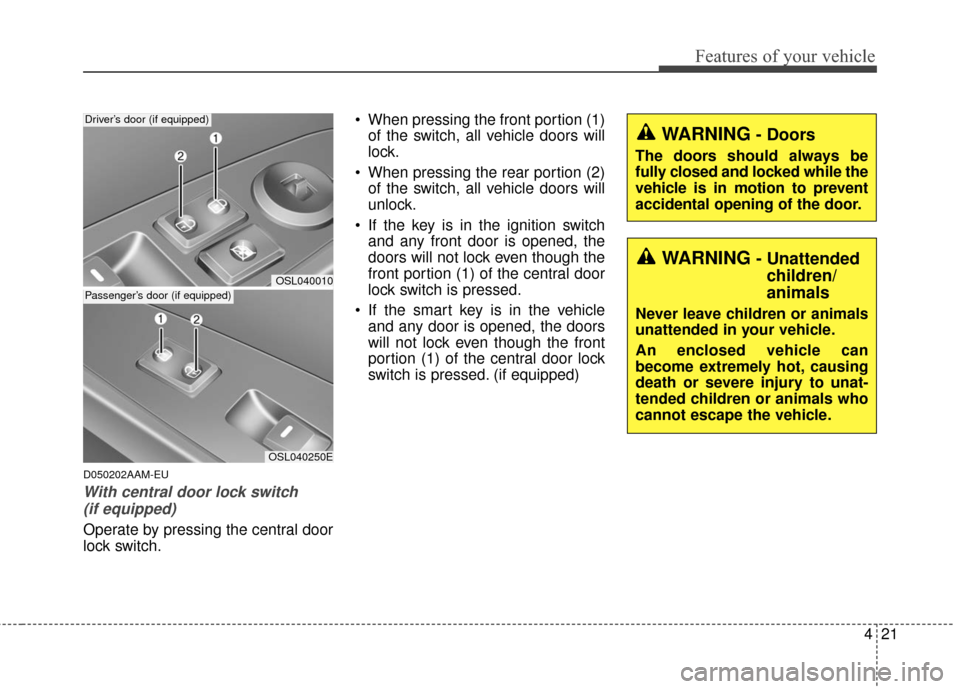
Operate by pressing the central door
lock switch. When pressing the front portion (1)
of the switch, all vehicle doors will
lock.
When pressing the rear portion (2) of the switch, all vehicle doors will
unlock.
If the key is in the ignition switch and any front door is opened, the
doors will not lock even though the
front portion (1) of the central door
lock switch is pressed.
If the smart key is in the vehicle and any door is opened, the doors
will not lock even though the front
portion (1) of the central door lock
switch is pressed. (if equipped)
OSL040010
Driver’s door (if equipped)
OSL040250E
Passenger’s door (if equipped)
WARNING- Doors
The doors should always be
fully closed and locked while the
vehicle is in motion to prevent
accidental opening of the door.
WARNING- Unattendedchildren/
animals
Never leave children or animals
unattended in your vehicle.
An enclosed vehicle can
become extremely hot, causing
death or severe injury to unat-
tended children or animals who
cannot escape the vehicle.
Page 111 of 501
Features of your vehicle
24
4
D070100AAM-EE
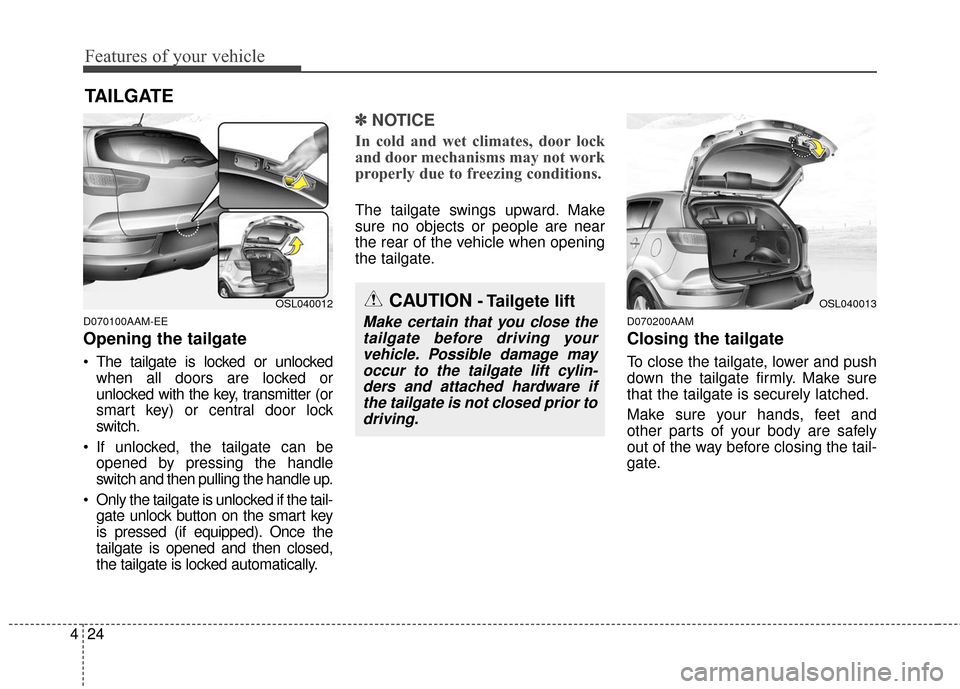
Opening the tailgate
The tailgate is locked or unlocked
when all doors are locked or
unlocked with the key, transmitter (or
smart key) or central door lock
switch.
If unlocked, the tailgate can be opened by pressing the handle
switch and then pulling the handle up.
Only the tailgate is unlocked if the tail- gate unlock button on the smart key
is pressed (if equipped). Once the
tailgate is opened and then closed,
the tailgate is locked automatically.
✽ ✽ NOTICE
In cold and wet climates, door lock
and door mechanisms may not work
properly due to freezing conditions.
The tailgate swings upward. Make
sure no objects or people are near
the rear of the vehicle when opening
the tailgate.
D070200AAM
Closing the tailgate
To close the tailgate, lower and push
down the tailgate firmly. Make sure
that the tailgate is securely latched.
Make sure your hands, feet and
other parts of your body are safely
out of the way before closing the tail-
gate.
TAILGATE
CAUTION- Tailgete lift
Make certain that you close the
tailgate before driving yourvehicle. Possible damage mayoccur to the tailgate lift cylin-ders and attached hardware ifthe tailgate is not closed prior todriving.
OSL040012OSL040013
Page 124 of 501
437
Features of your vehicle
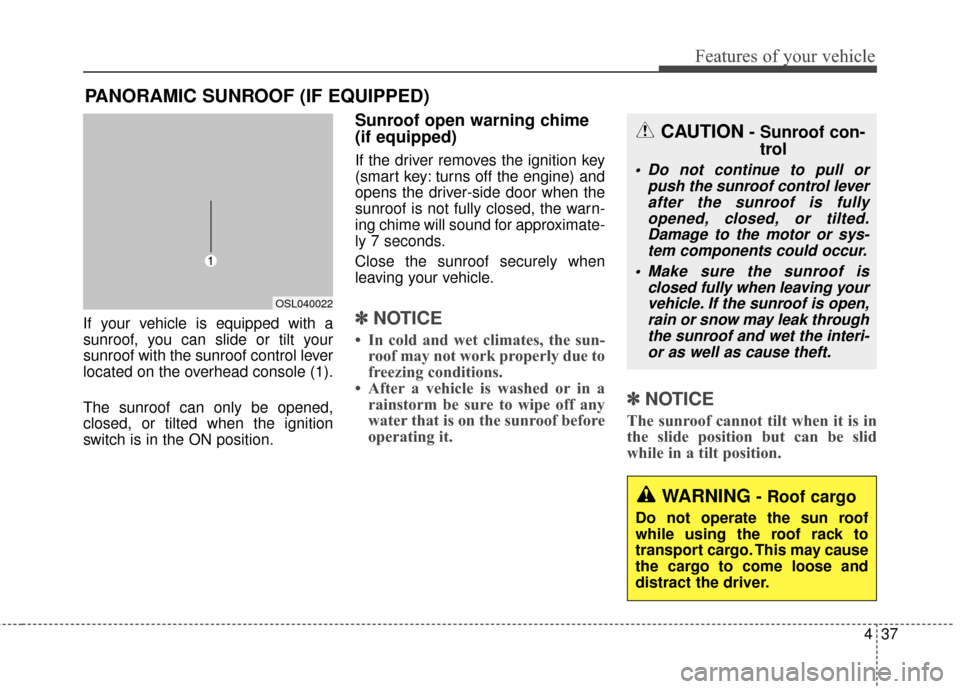
If your vehicle is equipped with a
sunroof, you can slide or tilt your
sunroof with the sunroof control lever
located on the overhead console (1).
The sunroof can only be opened,
closed, or tilted when the ignition
switch is in the ON position.
Sunroof open warning chime
(if equipped)
If the driver removes the ignition key
(smart key: turns off the engine) and
opens the driver-side door when the
sunroof is not fully closed, the warn-
ing chime will sound for approximate-
ly 7 seconds.
Close the sunroof securely when
leaving your vehicle.
✽ ✽NOTICE
• In cold and wet climates, the sun-
roof may not work properly due to
freezing conditions.
• After a vehicle is washed or in a rainstorm be sure to wipe off any
water that is on the sunroof before
operating it.
✽ ✽ NOTICE
The sunroof cannot tilt when it is in
the slide position but can be slid
while in a tilt position.
PANORAMIC SUNROOF (IF EQUIPPED)
OSL040022
CAUTION- Sunroof con-
trol
Do not continue to pull or
push the sunroof control leverafter the sunroof is fullyopened, closed, or tilted.Damage to the motor or sys-tem components could occur.
Make sure the sunroof is closed fully when leaving yourvehicle. If the sunroof is open,rain or snow may leak throughthe sunroof and wet the interi-or as well as cause theft.
WARNING- Roof cargo
Do not operate the sun roof
while using the roof rack to
transport cargo. This may cause
the cargo to come loose and
distract the driver.
Page 138 of 501
451
Features of your vehicle
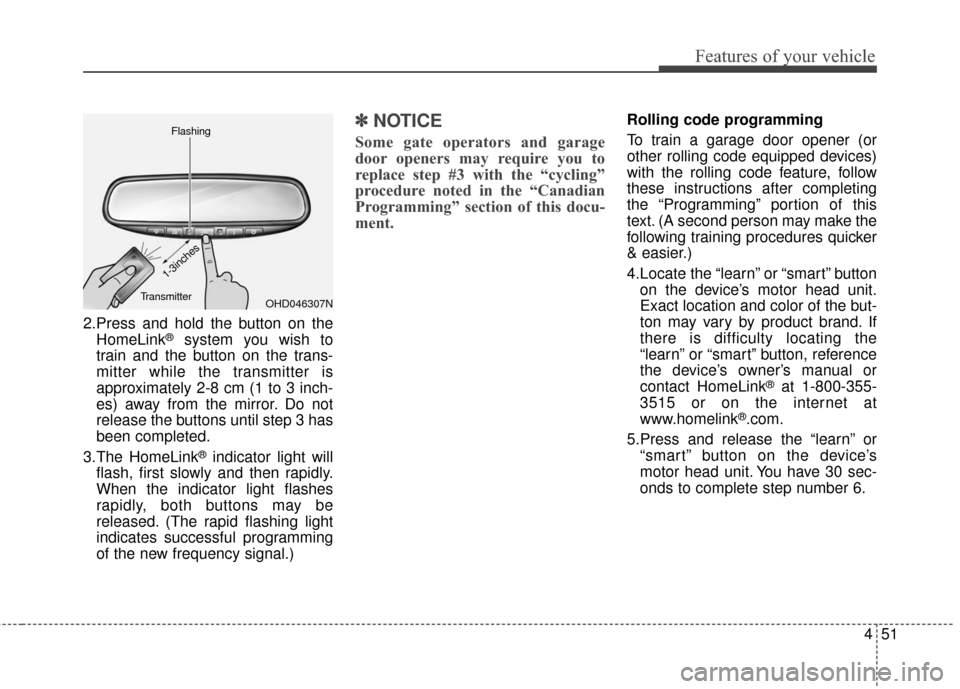
2.Press and hold the button on theHomeLink®system you wish to
train and the button on the trans-
mitter while the transmitter is
approximately 2-8 cm (1 to 3 inch-
es) away from the mirror. Do not
release the buttons until step 3 has
been completed.
3.The HomeLink
®indicator light will
flash, first slowly and then rapidly.
When the indicator light flashes
rapidly, both buttons may be
released. (The rapid flashing light
indicates successful programming
of the new frequency signal.)
✽ ✽ NOTICE
Some gate operators and garage
door openers may require you to
replace step #3 with the “cycling”
procedure noted in the “Canadian
Programming” section of this docu-
ment.
Rolling code programming
To train a garage door opener (or
other rolling code equipped devices)
with the rolling code feature, follow
these instructions after completing
the “Programming” portion of this
text. (A second person may make the
following training procedures quicker
& easier.)
4.Locate the “learn” or “smart” button
on the device’s motor head unit.
Exact location and color of the but-
ton may vary by product brand. If
there is difficulty locating the
“learn” or “smart” button, reference
the device’s owner’s manual or
contact HomeLink
®at 1-800-355-
3515 or on the internet at
www.homelink
®.com.
5.Press and release the “learn” or “smart” button on the device’s
motor head unit. You have 30 sec-
onds to complete step number 6.
OHD046307N
Flashing
1-3inches
Transmitter
Page 159 of 501
Features of your vehicle
72
4
Electric power steering
(EPS) system warninglight
This indicator light comes on after
the ignition key is turned to the ON
position and then it will go out after
the engine is started.
This light also comes on when the
EPS has some troubles. If it comes
on while driving, have your vehicle
inspected by an authorized Kia deal-
er.
Immobilizer indicator
With smart key system
If any of the following occurs in a
vehicle equipped with the smart key,
the immobilizer indicator illuminates,
blinks or goes off.
When the smart key is in the vehicle, if the ENGINE START/STOP button
is in the ACC or ON position, the
indicator will illuminate for approxi-
mately 30 seconds to indicate that
you are able to start the engine.
However, when the smart key is not
in the vehicle, if the ENGINE
START/STOP button is pressed, the
indicator will blink for a few seconds
to indicate that you are not be able to
start the engine.
If the indicator illuminates only for 2 seconds and goes out when the
ENGINE START/STOP button is
turned to ON position with the smart
key in the vehicle, have the system
checked by an authorized Kia dealer. When the battery is weak, if the
ENGINE START/STOP button is
pressed, the indicator will blink and
you are not able to start the
engine. However, you can start the
engine if you press the Engine
Start/Stop Button with the smart
key. Also, if the smart key system
related parts have a problem, the
indicator will blink.
EPS