2016 KIA Soul EV charge door
[x] Cancel search: charge doorPage 119 of 524
449
Features of your vehicle
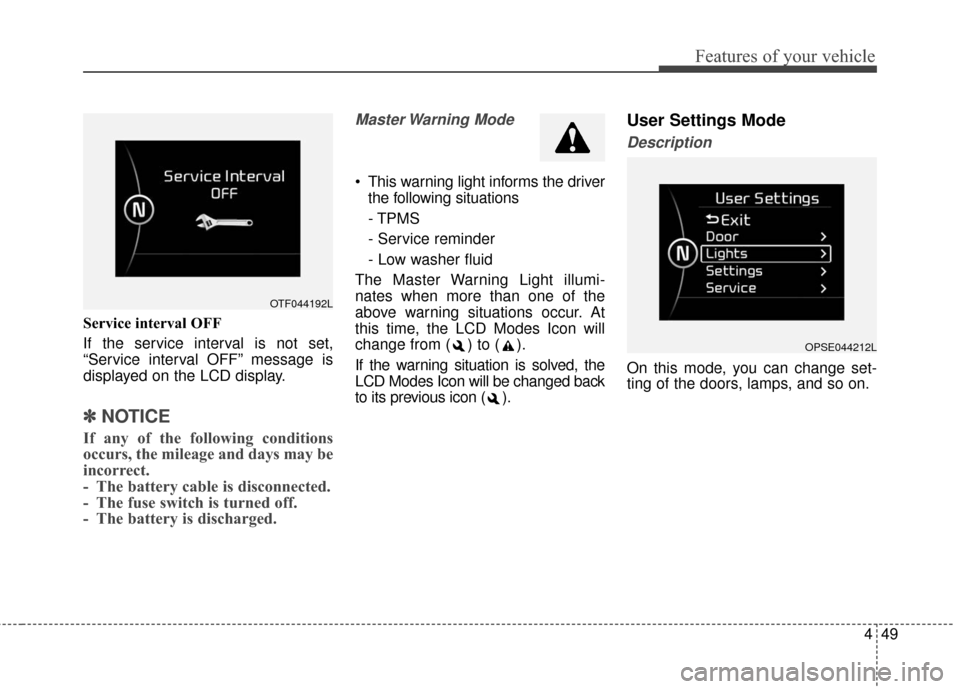
Service interval OFF
If the service interval is not set,
“Service interval OFF” message is
displayed on the LCD display.
✽ ✽NOTICE
If any of the following conditions
occurs, the mileage and days may be
incorrect.
- The battery cable is disconnected.
- The fuse switch is turned off.
- The battery is discharged.
Master Warning Mode
This warning light informs the driver
the following situations
- TPMS
- Service reminder
- Low washer fluid
The Master Warning Light illumi-
nates when more than one of the
above warning situations occur. At
this time, the LCD Modes Icon will
change from ( ) to ( ).
If the warning situation is solved, the
LCD Modes Icon will be changed back
to its previous icon ( ).
User Settings Mode
Description
On this mode, you can change set-
ting of the doors, lamps, and so on.
OPSE044212L
OTF044192L
Page 123 of 524
453
Features of your vehicle
When this warning message is dis-
played, do not accelerate or start the
vehicle suddenly.
Charge the battery immediately
when the high voltage battery level is
not enough.Unplug vehicle to start
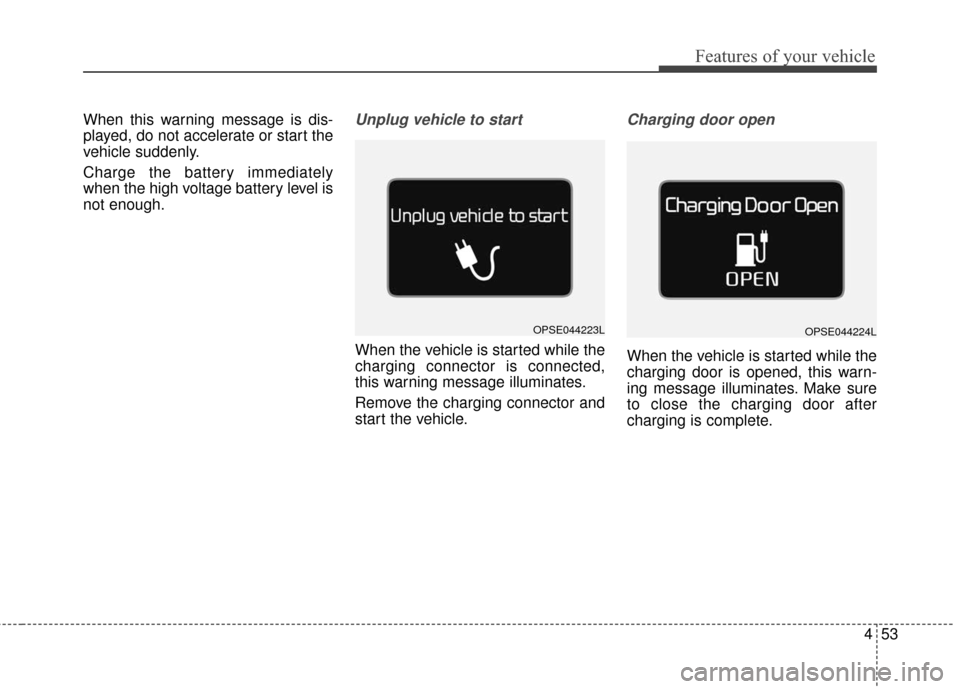
When the vehicle is started while the
charging connector is connected,
this warning message illuminates.
Remove the charging connector and
start the vehicle.
Charging door open
When the vehicle is started while the
charging door is opened, this warn-
ing message illuminates. Make sure
to close the charging door after
charging is complete.
OPSE044224LOPSE044223L
Page 151 of 524

481
Features of your vehicle
Headlamp escort (if equipped)
If you turn the POWER button to the
ACC or OFF position with the head-
lights ON, the headlights remain on
for about 5 minutes. However, if the
driver’s door is opened and closed,
the headlights are turned off after 15
seconds.
The headlights can be turned off by
pressing the lock button on the smart
key twice or turning the light switch to
the OFF or Auto position. However, if
you turn the light switch to the Auto
position when it is dark outside, the
headlights will not be turned off
immediately.
Battery saver function
The purpose of this feature is toprevent the battery from being dis-
charged. The system automatically
turns off the parking lights when
the driver turns the vehicle off and
opens the driver-side door (in that
order).
With this feature, the parking lights will turn off automatically if the driv-
er parks on the side of the road at
night.
If necessary, to keep the lights on
when the vehicle is turned off, per-
form the following:
1) Open the driver-side door.
2) Turn the parking lights OFF and ON again using the light switch
on the steering column.
Daytime running light
Daytime Running Lights (DRL) may
help make it easier for others to see
the front of your vehicle during the
day. DRL can be helpful in many dif-
ferent driving conditions, and it is
especially helpful after dawn and
before sunset.
The DRL system turns OFF when:
1. The front fog light or headlight (lowbeam) switch is ON.
2. The POWER button is OFF.
3. The parking brake is applied.
LIGHTING
Page 199 of 524
4129
Features of your vehicle
Speaker lights (if equipped)
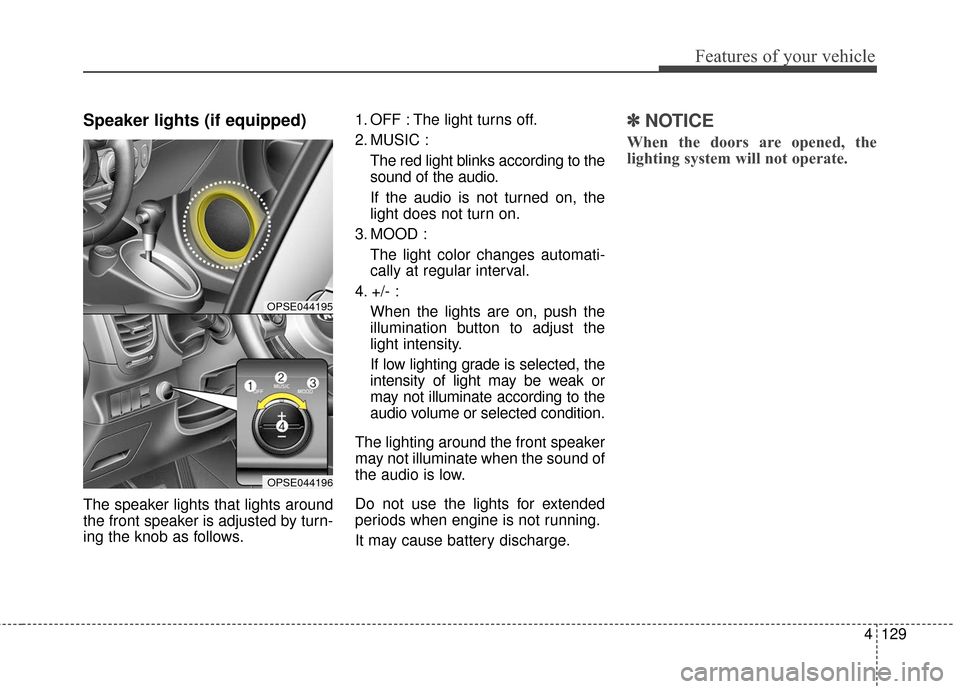
The speaker lights that lights around
the front speaker is adjusted by turn-
ing the knob as follows.1. OFF : The light turns off.
2. MUSIC :
The red light blinks according to the
sound of the audio.
If the audio is not turned on, the
light does not turn on.
3. MOOD : The light color changes automati-
cally at regular interval.
4. +/- : When the lights are on, push the
illumination button to adjust the
light intensity.
If low lighting grade is selected, the
intensity of light may be weak or
may not illuminate according to the
audio volume or selected condition.
The lighting around the front speaker
may not illuminate when the sound of
the audio is low.
Do not use the lights for extended
periods when engine is not running.
It may cause battery discharge.
✽ ✽ NOTICE
When the doors are opened, the
lighting system will not operate.
OPSE044195
OPSE044196
Page 305 of 524
55
Driving your vehicle
Illuminated POWER button
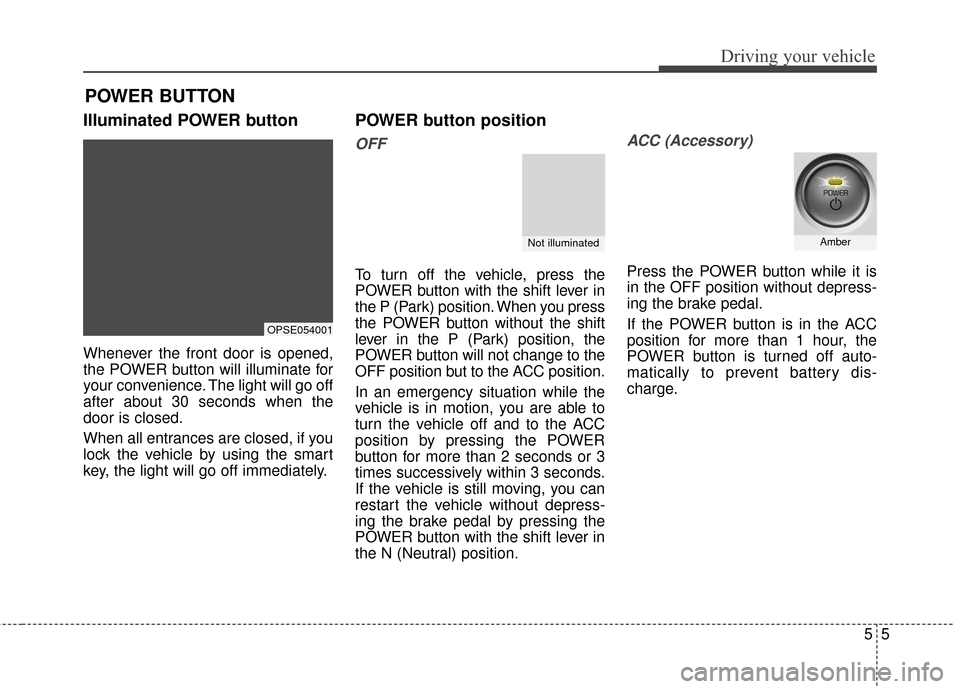
Whenever the front door is opened,
the POWER button will illuminate for
your convenience. The light will go off
after about 30 seconds when the
door is closed.
When all entrances are closed, if you
lock the vehicle by using the smart
key, the light will go off immediately.
POWER button position
OFF
To turn off the vehicle, press the
POWER button with the shift lever in
the P (Park) position. When you press
the POWER button without the shift
lever in the P (Park) position, the
POWER button will not change to the
OFF position but to the ACC position.
In an emergency situation while the
vehicle is in motion, you are able to
turn the vehicle off and to the ACC
position by pressing the POWER
button for more than 2 seconds or 3
times successively within 3 seconds.
If the vehicle is still moving, you can
restart the vehicle without depress-
ing the brake pedal by pressing the
POWER button with the shift lever in
the N (Neutral) position.
ACC (Accessory)
Press the POWER button while it is
in the OFF position without depress-
ing the brake pedal.
If the POWER button is in the ACC
position for more than 1 hour, the
POWER button is turned off auto-
matically to prevent battery dis-
charge.
POWER BUTTON
OPSE054001
Not illuminatedAmber
Page 466 of 524

Electric Vehicle Guide
❈This is an electric vehicle guide to assist drivers with
understanding their vehicle.
Refer to the following content for electric vehicle details
and precautions
Review of Electric Vehicle ........................................................2
Main Components of Electric Vehicle.......................................4
High voltage battery .................................................................5
EV Mode ........................................................................\
..........7
■ Available Range .................................................................7■ Near by stations .................................................................8■ Energy Information. ............................................................8■ ECO Driving .......................................................................9\
■ Setting Charging Times .....................................................9■ Setting Climate Times ......................................................10■ EV Setting ........................................................................\
11
Charge Types for Electric Vehicle...........................................12
Charge Indicator Lamp for Electric Vehicle ............................14
Reserved Charging ................................................................15
Reserved Climate Control. .....................................................17
Precautions for Charging Electric Vehicle ..............................18
Charging Electric Vehicle (Normal Charge) ...........................21
■ How to Connect Normal Charger .....................................21■ Unlock Charging Door in Emergency ...............................24■ Emergency Release of the Charging connector
lock system .......................................................................2\
5
■ Checking Charging Status................................................25■ How to Disconnect Normal Charger ................................26
Charging Electric Vehicle (Quick Charge) ..............................27
■ How to Connect Quick Charger .......................................27■ Unlock Charging Door in Emergency ...............................30■ Checking Charging Status................................................30■ How to Disconnect Quick Charger ...................................31
Charging Electric Vehicle (Trickle Charge) .............................33
■ How to Connect Portable Charging Cable .......................33■ Unlock Charging Door in Emergency ...............................37■ Emergency Release of the Charging connector
lock system .......................................................................3\
8
■ Checking Charging Status................................................38■ Charging Status Indicator Lamp for Portable Charging
Cable ........................................................................\
........39
■ How to Disconnect Portable Charging Cable ..................40■ Precautions for Portable Charging Cable .........................42
Driving Electric Vehicle ...........................................................43
■ How to Start the Vehicle ...................................................43■ How to Stop the Vehicle ...................................................44■ Pedestrian Warning System .............................................45■ Active ECO system ..........................................................45■ Range ........................................................................\
.......46■ Tips for Improving Distance to Empty ..............................47■ Motor Operation Gauge....................................................47■ State of charge (SOC) gauge for high voltage battery.....48■ Warning Message on LCD Display (related to charge)....49■ Warning Lamp and Indicator Lamp
(related to electric vehicle) ...............................................52
Safety Precautions for Electric Vehicle...................................55
■ Service Plug .....................................................................58
Environmental Friendliness Mark ...........................................58
Page 486 of 524
21
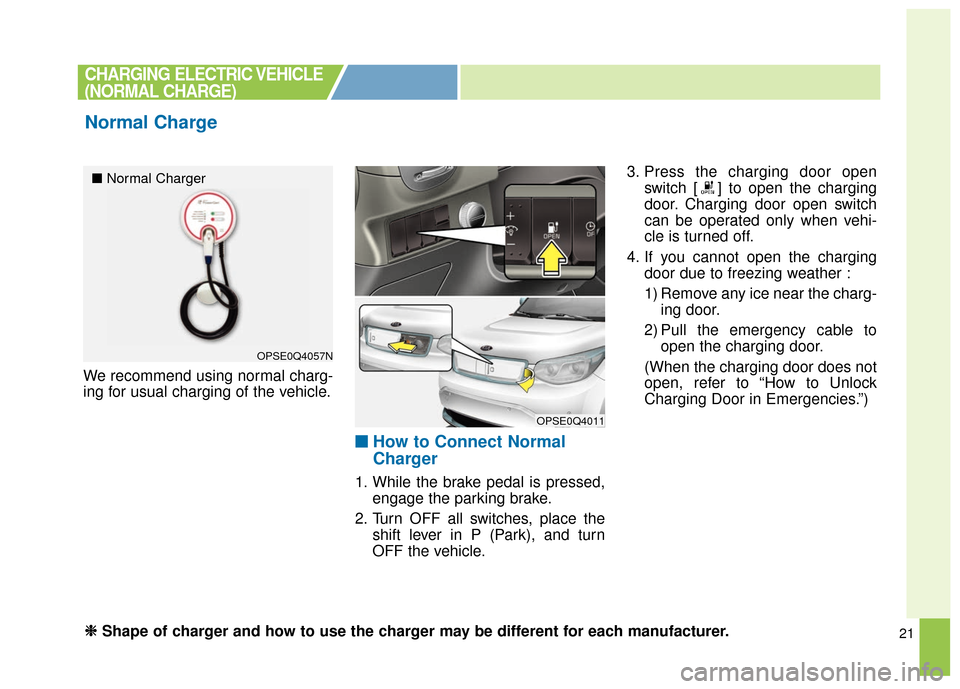
We recommend using normal charg-
ing for usual charging of the vehicle.
■ ■How to Connect Normal
Charger
1. While the brake pedal is pressed,
engage the parking brake.
2. Turn OFF all switches, place the shift lever in P (Park), and turn
OFF the vehicle. 3. Press the charging door open
switch [ ] to open the charging
door. Charging door open switch
can be operated only when vehi-
cle is turned off.
4. If you cannot open the charging door due to freezing weather :
1) Remove any ice near the charg-ing door.
2) Pull the emergency cable to open the charging door.
(When the charging door does not
open, refer to “How to Unlock
Charging Door in Emergencies.”)
CHARGING ELECTRIC VEHICLE
(NORMAL CHARGE)
Normal Charge
OPSE0Q4057N
OPSE0Q4011
■ Normal Charger
❈ ❈
Shape of charger and how to use the charger may be different for each manufacturer.
Page 487 of 524
22
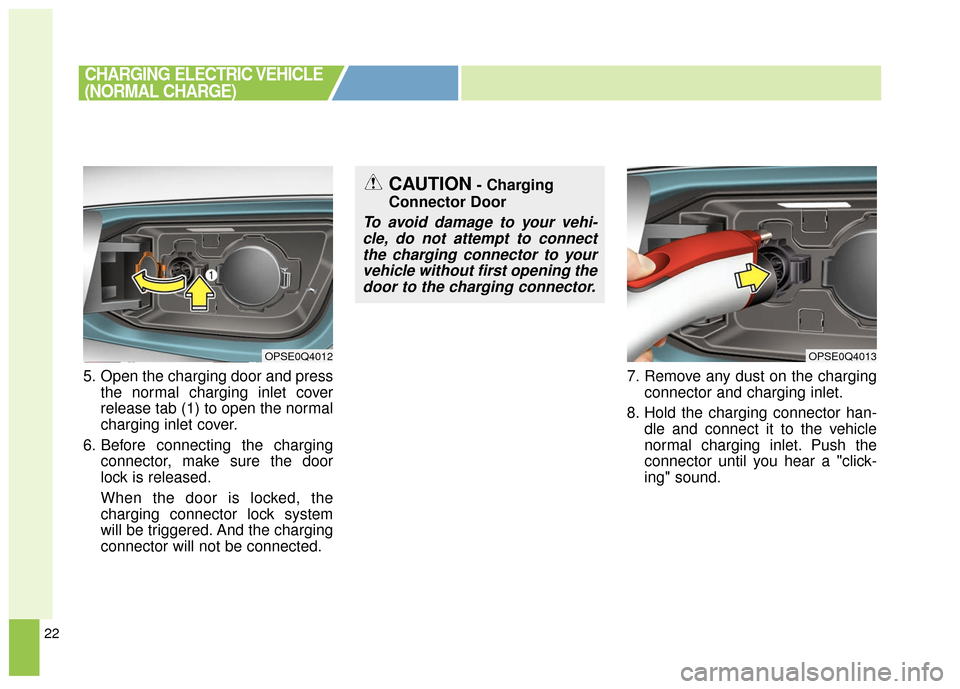
5. Open the charging door and pressthe normal charging inlet cover
release tab (1) to open the normal
charging inlet cover.
6. Before connecting the charging connector, make sure the door
lock is released.
When the door is locked, the
charging connector lock system
will be triggered. And the charging
connector will not be connected. 7. Remove any dust on the charging
connector and charging inlet.
8. Hold the charging connector han- dle and connect it to the vehicle
normal charging inlet. Push the
connector until you hear a "click-
ing" sound.
CHARGING ELECTRIC VEHICLE
(NORMAL CHARGE)
OPSE0Q4013OPSE0Q4012
CAUTION- Charging
Connector Door
To avoid damage to your vehi- cle, do not attempt to connectthe charging connector to yourvehicle without first opening thedoor to the charging connector.