2016 KIA Sorento mirror
[x] Cancel search: mirrorPage 384 of 565

573
Driving your vehicle
BSD (Blind Spot Detection) /
LCA (Lane Change Assist)
Operating conditions
The indicator on the switch will illumi-
nate when the Blind Spot Detection
System (BSD) switch is pressed with
the Engine Start/Stop Button ON.
If vehicle speed exceeds 30 km/h
(18.6 mph), the system will activate.
If you press the switch again, the
switch indicator and system will be
turned off.
If the ignition switch is turned OFF
and ON the system returns to the
previous state.When the system is not used turn the
system off by turning off the switch.
When the system is turned on the
warning light will illuminate for 3 sec-
onds on the outside rearview mirror.
Warning type
The system will activate when:
1.The system is on.
2.Vehicle speed is above 30 km/h
(18.6 mph).
3.Other vehicles are detected in the rear side.
WARNING
The Blind Spot Detection
System with Lane Change
Assist and Rear Cross Traffic
Alert is not a substitute for
proper and safe lane changing
procedures. Always drive safely
and use caution when changing
lanes. The Blind Spot Detection
System may not detect every
object alongside the vehicle.
OUMA054027
UM CAN (ENG) 5.QXP 12/1/2014 1:06 PM Page 73
Page 385 of 565
Driving your vehicle
74
5
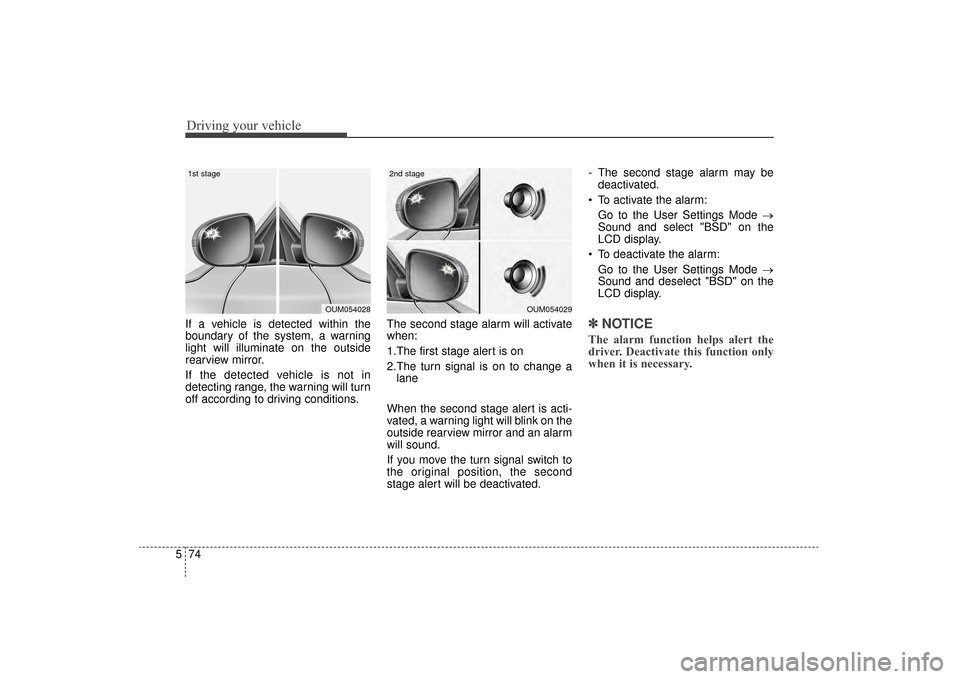
If a vehicle is detected within the
boundary of the system, a warning
light will illuminate on the outside
rearview mirror.
If the detected vehicle is not in
detecting range, the warning will turn
off according to driving conditions. The second stage alarm will activate
when:
1.The first stage alert is on
2.The turn signal is on to change a
lane
When the second stage alert is acti-
vated, a warning light will blink on the
outside rearview mirror and an alarm
will sound.
If you move the turn signal switch to
the original position, the second
stage alert will be deactivated. - The second stage alarm may be
deactivated.
To activate the alarm: Go to the User Settings Mode →
Sound and select "BSD" on the
LCD display.
To deactivate the alarm: Go to the User Settings Mode →
Sound and deselect "BSD" on the
LCD display.✽ ✽
NOTICE
The alarm function helps alert the
driver. Deactivate this function only
when it is necessary.
OUM054029
2nd stage
OUM054028
1st stage
UM CAN (ENG) 5.QXP 12/1/2014 1:06 PM Page 74
Page 388 of 565
577
Driving your vehicle
The system operates when thevehicle speed is below 10 km/h
(6.2 mph) with the shift lever in R
(Reverse).
The RCTA (Rear Cross Traffic Alert) detecting range is 0.5m ~
20m based on the side direction. If
the approaching vehicle speed is
4 km/h (2.5 mph) ~ 36 km/h (22
mph) within sensing range, it is
detected. However, the system
sensing range is different based on
conditions. Always pay attention to
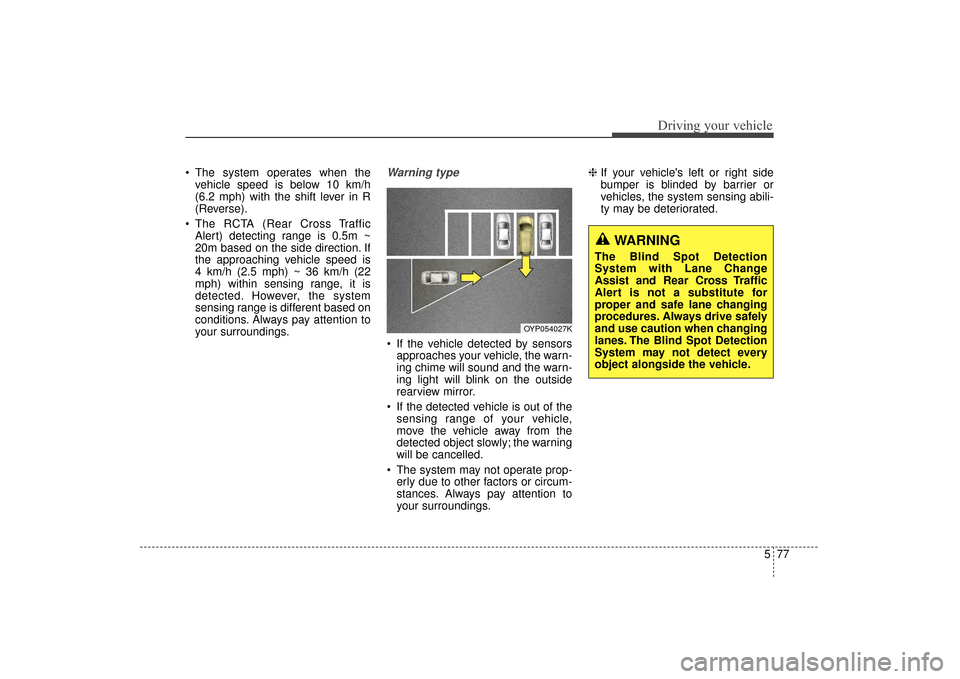
your surroundings.Warning type
If the vehicle detected by sensorsapproaches your vehicle, the warn-
ing chime will sound and the warn-
ing light will blink on the outside
rearview mirror.
If the detected vehicle is out of the sensing range of your vehicle,
move the vehicle away from the
detected object slowly; the warning
will be cancelled.
The system may not operate prop- erly due to other factors or circum-
stances. Always pay attention to
your surroundings. \b
If your vehicle's left or right side
bumper is blinded by barrier or
vehicles, the system sensing abili-
ty may be deteriorated.
OYP054027K
WARNING
The Blind Spot Detection
System with Lane Change
Assist and Rear Cross Traffic
Alert is not a substitute for
proper and safe lane changing
procedures. Always drive safely
and use caution when changing
lanes. The Blind Spot Detection
System may not detect every
object alongside the vehicle.
UM CAN (ENG) 5.QXP 12/1/2014 1:06 PM Page 77
Page 390 of 565

579
Driving your vehicle
- When the temperature of rearbumper is high.
- When parking structure covers the sensor.
- When reversing from a parking space with pillars or metal struc-
tures.
- When you are reversing and if the detected vehicle is simultaneously
reversing.
- If there are small objects like shop- ping carts and baby carriages.
- If there is a vehicle with decreased ride height (lowered).
- When the vehicle is close to anoth- er vehicle.Outside rearview mirror may not
alert the driver when:
- The outside rearview mirror hous- ing is severely polluted.
- The window is severely polluted.
- The windows are severely tinted.
- When driving through a narrow road with many trees or bushes. This device complies with
Industry Canada licence-exempt
RSS standard(s).
Operation is subject to the following
two conditions:
(1) This device may not cause inter-
ference, and
(2) This device must accept any
interference, including interfer-
ence that may cause undesired
operation of the device.
UM CAN (ENG) 5.QXP 12/1/2014 1:06 PM Page 79
Page 394 of 565

583
Driving your vehicle
The LDWS may not warn you
even if the vehicle leaves the
lane, or may warn you even if
the vehicle does not leave the
lane when;
The lane is not visible due to snow,rain, stain, a puddle or other envi-
ronmental conditions.
The brightness of the outside changes suddenly such as tunnel
enter/exit.
The headlights are off at night or in a tunnel.
The color of the lane marking from the road is difficult to distinguish.
Driving on a steep grade or a curve.
Light such as street light, sunlight or oncoming vehicle light reflects
from water on the road.
The lens or windshield is stained with foreign matter.
The sensor cannot detect the lane because of fog, heavy rain or
heavy snow. The surrounding of the inside rear
view mirror temperature is high
due to a direct ray of light.
The lane is very wide or narrow.
The lane line is damaged or indis- tinct.
The windshield is fogged by humid air in the vehicle.
The shadow is on the lane line by a median strip.
The sensor cannot distinguish the lane from the road due to the
dust/dirt.
There is a mark similar to a lane line.
There is a boundary structure.
The distance from vehicle ahead is very short or the vehicle ahead
drives hiding the lane line.
The vehicle vibrates heavily due to road conditions.
The lane number increases or decreases or the lane lines are
crossing.
Putting something on the dash- board.
Driving with the sun in front of you. Driving in areas under construc-
tion.
The lane line is more than two in either side (Left/Right)
This device complies with
Industry Canada licence-exempt
RSS standard(s).
Operation is subject to the following
two conditions:
(1) This device may not cause inter- ference, and
(2) This device must accept any
interference, including interfer-
ence that may cause undesired
operation of the device.
UM CAN (ENG) 5.QXP 12/1/2014 1:07 PM Page 83
Page 403 of 565
Driving your vehicle
92
5
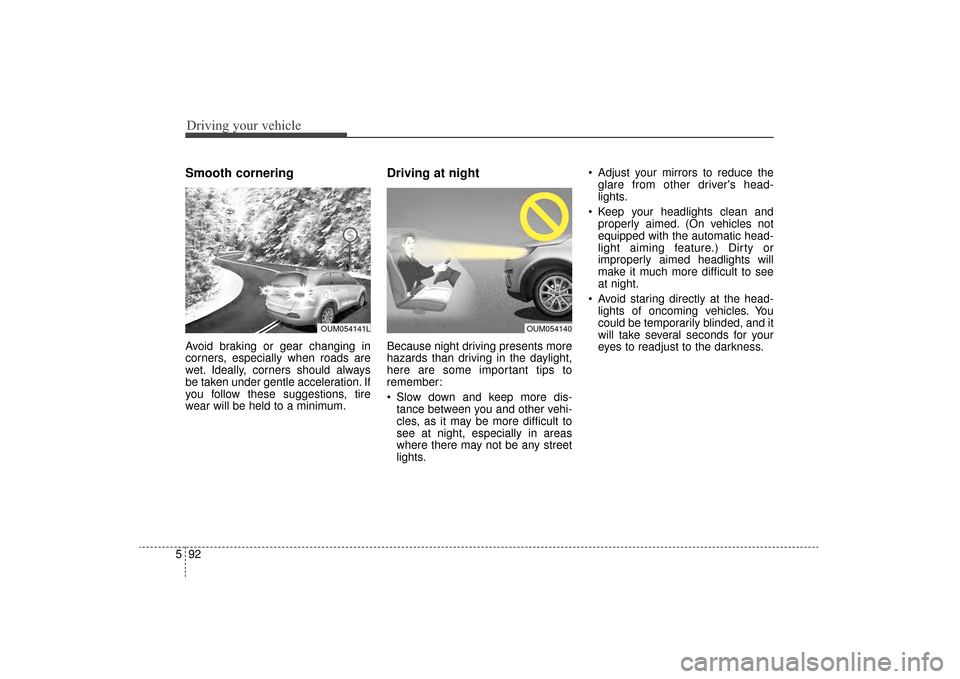
Smooth cornering
Avoid braking or gear changing in
corners, especially when roads are
wet. Ideally, corners should always
be taken under gentle acceleration. If
you follow these suggestions, tire
wear will be held to a minimum.
Driving at night
Because night driving presents more
hazards than driving in the daylight,
here are some important tips to
remember:
Slow down and keep more dis-
tance between you and other vehi-
cles, as it may be more difficult to
see at night, especially in areas
where there may not be any street
lights. Adjust your mirrors to reduce the
glare from other driver's head-
lights.
Keep your headlights clean and properly aimed. (On vehicles not
equipped with the automatic head-
light aiming feature.) Dirty or
improperly aimed headlights will
make it much more difficult to see
at night.
Avoid staring directly at the head- lights of oncoming vehicles. You
could be temporarily blinded, and it
will take several seconds for your
eyes to readjust to the darkness.
OUM054140OUM054141L
UM CAN (ENG) 5.QXP 12/1/2014 1:07 PM Page 92
Page 411 of 565

Driving your vehicle
100
5
Driving with a trailer
Towing a trailer requires a certain
amount of experience. Before setting
out for the open road, you must get to
know your trailer. Acquaint yourself
with the feel of handling and braking
with the added weight of the trailer.
And always keep in mind that the
vehicle you are driving is now a good
deal longer and not nearly so respon-
sive as your vehicle is by itself.
Before you start, check the trailer
hitch and platform, safety chains,
electrical connector(s), lights, tires
and mirror adjustment. If the trailer
has electric brakes, start your vehicle
and trailer moving and then apply the
trailer brake controller by hand to be
sure the brakes are working. This lets
you check your electrical connection
at the same time.
During your trip, check occasionally
to be sure that the load is secure,
and that the lights and any trailer
brakes are still working.
Following distance
Stay at least twice as far behind the
vehicle ahead as you would when
driving your vehicle without a trailer.
This can help you avoid situations
that require heavy braking and sud-
den turns.
Passing
You’ll need more passing distance
up ahead when you’re towing a trail-
er. And, because of the increased
vehicle length, you’ll need to go
much farther beyond the passed
vehicle before you can return to your
lane. Due to the added load to the
engine when going uphill the vehicle
may also take longer to pass than it
would on flat ground.
Backing up
Hold the bottom of the steering
wheel with one hand. Then, to move
the trailer to the left, just move your
hand to the left. To move the trailer to
the right, move your hand to the
right. Always back up slowly and, if
possible, have someone guide you.
Making turns
When you’re turning with a trailer,
make wider turns than normal. Do
this so your trailer won’t strike soft
shoulders, curbs, road signs, trees,
or other objects near the edge of the
road. Avoid jerky or sudden maneu-
vers. Signal well in advance before
turning or lane changes.
UM CAN (ENG) 5.QXP 12/1/2014 1:07 PM Page 100
Page 514 of 565

Maintenance
70
7
DescriptionFuse ratingProtected component
AIR BAG IND.10ACluster, A/C Control Module
A/CON 3 30AFuse - A/CON 2, Blower Motor
A/CON 2 7.5AA/C Control Module (Auto)
START 7.5AE/R Junction Block (Start Relay), Transaxle Range Switch
AIR BAG 15ASRS Control Module, Passenger Occupant Detection Sensor
MODULE 2 10ACrash Pad Switch, 4WD ECM, Lane Departure Warning Module, Console Switch, Rear Parking Assist
Sensor LH/RH, Rear Parking Assist Buzzer, Rear Parking Assist Sensor LH/RH (Center), Blind Spot
Detection Radar LH/RH, Electric Parking Brake Module
ACC 10APCB Block (PDM (ACC) Relay, Power Outlet Relay), BCM, Audio, A/V & Navigation Head Unit,
360° camera monitoring Unit, Smart Key Control Module, AMP, USB Charger, Telematics Unit
MODULE 4 10AAuto Head Lamp Leveling Device Module, Head Lamp Leveling Device Actuator LH/RH
BRAKE SWITCH 7.5ASmart Key Control Module, Stop Lamp Switch
MODULE 3 10AA/C Control Module, A/V & Navigation Head Unit, Electro Chromic Mirror, Driver IMS Control Module, ATM
Shift Lever Indicator, Rear Seat Warmer LH, Front Air Ventilation Control Module, Front Seat Warmer
Control Module, Telematics Unit
MODULE 1 10ABCM, Stop Lamp Switch, Driver/Passenger Doormodule
UM CAN (ENG) 7.qxp 12/1/2014 1:19 PM Page 70