Page 235 of 644

4133
Features of your vehicle
Auto light position (if equipped)
When the light switch is in the AUTO
light position, the taillights and head-
lights will turn ON or OFF automati-
cally depending on the amount of
light outside the vehicle.
Never place anything over the sen-sor (1) located on the instrument
panel. This will ensure better auto-
light system control.
Don’t clean the sensor using a win- dow cleaner. The cleaner may
leave a light film which could inter-
fere with sensor operation. If your vehicle has window tint or
other types of metallic coating on
the front windshield, the Auto light
system may not work properly.
High beam operation
To turn on the high beam headlights,
push the lever away from you. Pull it
back for low beams. The high beam
indicator will light when the headlight
high beams are switched on. To prevent
the battery from being discharged, do
not leave the lights on for a prolonged
time while the engine is not running.
OKH042194OKH042190
WARNING - High beams
Do not use high beam when
there are other vehicles. Using
high beam could obstruct the
other driver’s vision.
Page 240 of 644

Features of your vehicle
138
4
A : Wiper speed control (front)
· MIST – Single wipe
· OFF – Off
· INT – Intermittent wipe
· LO – Low wiper speed
· HI – High wiper speed
B : Intermittent control wipe time adjustment
C : Wash with brief wipes (front)* D : Rear wiper/washer control*
· HI – Continuous wipe
· LO – Intermittent wipe*
· OFF – Off
E : Wash with brief wipes (rear)*
* if equipped
Windshield wipers
Operates as follows when the igni-
tion switch is turned ON.
MIST : For a single wiping cycle,
move the lever to this
(MIST/ ) position and
release it. The wipers will
operate continuously if the
lever is held in this position.
OFF : Wiper is not in operation
INT : Wiper operates intermittently at the same wiping intervals. Use
this mode in light rain or mist.
To vary the speed setting, turn
the speed control knob.
LO : Normal wiper speed
HI : Fast wiper speed
✽ ✽ NOTICE
If there is heavy accumulation of
snow or ice on the windshield, defrost
the windshield for about 10 minutes,
or until the snow and/or ice is
removed before using the windshield
wipers to ensure proper operation.
WIPERS AND WASHERS
Windshield wiper/washer Rear window wiper/washer
OYP044181K OYP044182N
Page 248 of 644
Features of your vehicle
146
4
MANUAL CLIMATE CONTROL SYSTEM (IF EQUIPPED)
OYP044202K
1. Front fan speed control knob
2. Front window defroster button
3. Rear window defroster button
4. Air conditioning button
5. Air intake control button 6. Front temperature control knob
7. Front mode selection button
8. Rear fan speed control knob
9. Rear temperature control knob
10. Rear control lock button
11. Rear control on button
■ ■
Front
Page 249 of 644
4147
Features of your vehicle
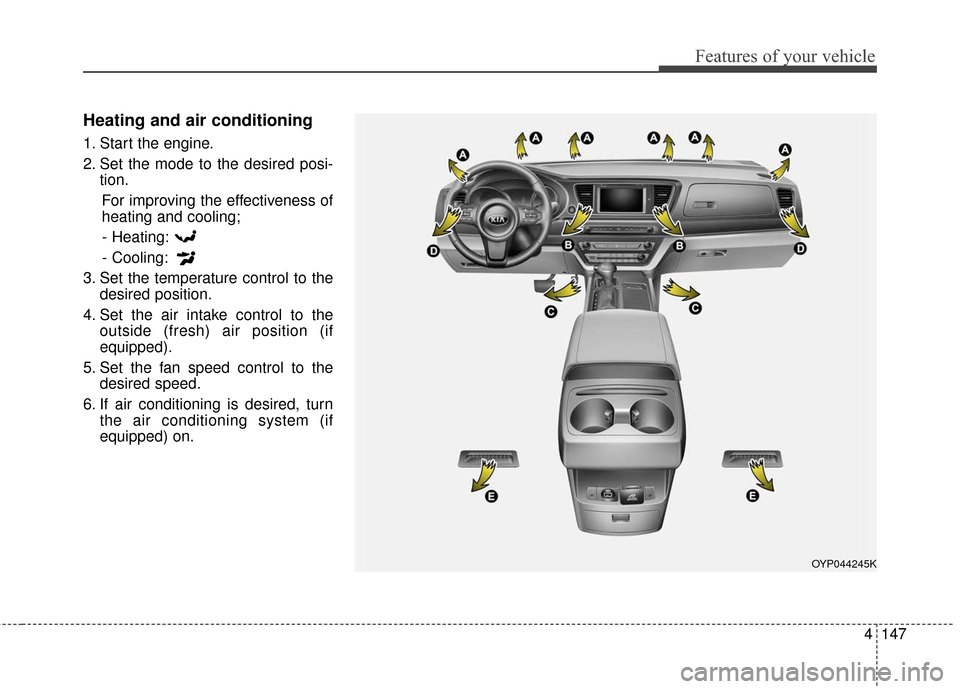
Heating and air conditioning
1. Start the engine.
2. Set the mode to the desired posi-tion.
For improving the effectiveness of
heating and cooling;- Heating:
- Cooling:
3. Set the temperature control to the desired position.
4. Set the air intake control to the outside (fresh) air position (if
equipped).
5. Set the fan speed control to the desired speed.
6. If air conditioning is desired, turn the air conditioning system (if
equipped) on.
OYP044245K
Page 250 of 644
Features of your vehicle
148
4
Mode selection
The mode selection button controls
the direction of the air flow through
the ventilation system.
Air can be directed to the floor, dash-
board outlets, or windshield. Six
symbols are used to represent MAX
A/C, Face, Bi-Level, Floor, Floor-
Defrost and Defrost air position.
The MAX A/C mode is used to cool
the inside of the vehicle faster. Face-Level (A, B, D)
Air flow is directed toward the upper
body and face. Additionally, each
outlet can be controlled to direct the
air discharged from the outlet.
Bi-Level (A, B, C, D, E)
Air flow is directed towards the face
and the floor. Floor-Level (A, C, D, E)
Most of the air flow is directed to the
floor, with a small amount of the air
being directed to the windshield and
side window defrosters. Floor/Defrost-Level
(A, C, D, E)
Most of the air flow is directed to the
floor and the windshield with a small
amount directed to the side window
defrosters.
OYP044204K
Page 251 of 644
4149
Features of your vehicle
Instrument panel vents
The outlet vents can be opened or
closed separately using the thumb-
wheel (if equipped).
Also, you can adjust the direction of
air delivery from these vents using
the vent control lever as shown.
Temperature control
The temperature control knob allows
you to control the temperature of the
air flowing from the ventilation system.
To change the air temperature in the
passenger compartment, turn the
knob to the right position for warm and
hot air or left position for cooler air.
Air intake control
The air intake control is used to
select the outside (fresh) air position
or recirculated air position.
To change the air intake control posi-
tion, press the control button.
OYP044207K
OYP044206K
OYP044208K
■Type A
■ Type B
Page 253 of 644

4151
Features of your vehicle
Fan speed control
The ignition switch must be in the ON
position for fan operation.
The fan speed control knob allows
you to control the fan speed of the air
flowing from the ventilation system.
To change the fan speed, turn the
knob to the right for higher speed or
left for lower speed.
WARNING- Reducedvisibility
Continued use of the climate
control system in the recirculat-
ed air position may allow
humidity to increase inside the
vehicle which may fog the glass
and obscure visibility.
WARNING- Sleepingwith AC on
Do not sleep in a vehicle with
the air conditioning or heating
system on as this may cause
serious harm or death due to a
drop in the oxygen level and/or
body temperature.
WARNING- Recirculatedair
Continued use of the climate
control system in the recirculat-
ed air position can cause
drowsiness or sleepiness, and
loss of vehicle control. Set the
air intake control to the outside
(fresh) air position as much as
possible while driving.
OYP044209K
Page 255 of 644
4153
Features of your vehicle
OYP044212K
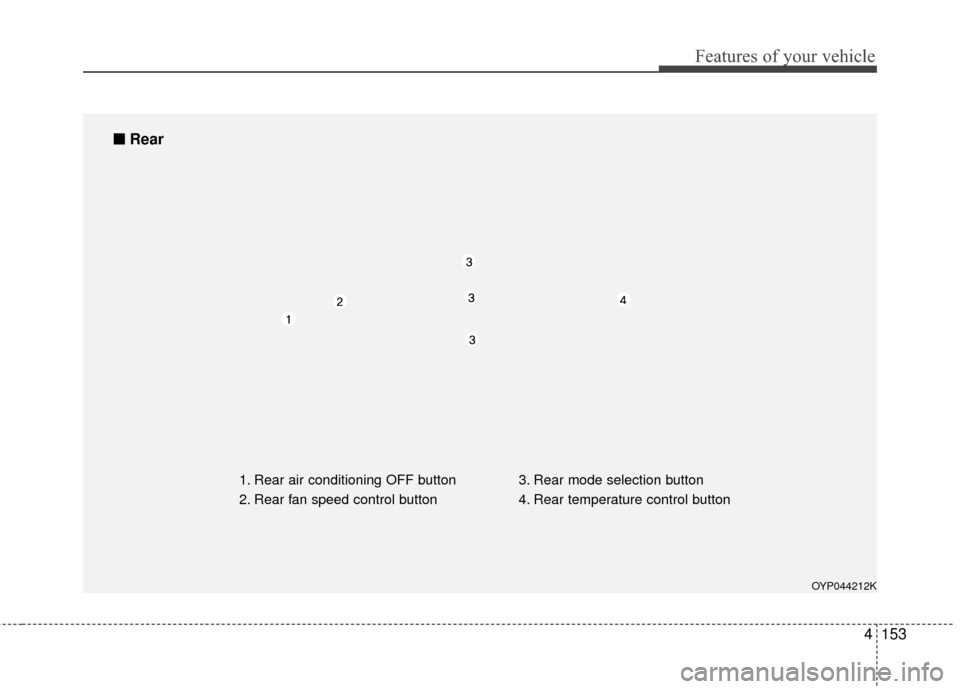
1. Rear air conditioning OFF button
2. Rear fan speed control button3. Rear mode selection button
4. Rear temperature control button
■ ■
Rear