2016 KIA Rondo service
[x] Cancel search: servicePage 229 of 586

4133
Features of your vehicle
Checking the amount of air
conditioner refrigerant and
compressor lubricant
When the amount of refrigerant is
low, the performance of the air con-
ditioning is reduced. Overfilling also
has a negative influence on the air
conditioning system.
Therefore, if abnormal operation is
found, have the system inspected by
an authorized Kia dealer.
WARNING - Vehicles
equipped with R-134a
Because this refriger-
ant has a very high
pressure, the air con-
ditioning system
should only be serv-
iced by trained and certified
technicians. It is important that
the correct type and amount of
oil and refrigerant is used.
Improper service may result in
damage to the vehicle and per-
sonal injury.
Page 240 of 586

Features of your vehicle
144
4
Air conditioning
Kia Air Conditioning Systems are
filled with refrigerant*.
1. Start the engine. Push the air con-
ditioning button.
2. Set the mode to the position.
3. Set the air intake control to the outside air or recirculated air posi-
tion.
4. Adjust the fan speed control and temperature control to maintain
maximum comfort.
✽ ✽NOTICE
• When using the air conditioning
system, monitor the temperature
gauge closely while driving up
hills or in heavy traffic when out-
side temperatures are high. Air
conditioning system operation
may cause engine overheating.
Continue to use the blower fan but
turn the air conditioning system
off if the temperature gauge indi-
cates engine overheating.
• When opening the windows in humid weather air conditioning
may create water droplets inside
the vehicle. Since excessive water
droplets may cause damage to
electrical equipment, air condi-
tioning should only be used with
the windows closed.CAUTION
The refrigerant system should
only be serviced by trainedand certified technicians toinsure proper and safe opera-tion.
The refrigerant system should be serviced in a well-ventilat-ed place.
The air conditioning evapora- tor (cooling coil) shall neverbe repaired or replaced withone removed from a used orsalvaged vehicle and newreplacement MAC evaporatorsshall be certified (and labeled)as meeting SAE StandardJ2842.
Page 276 of 586
Features of your vehicle
180
4
(Continued)
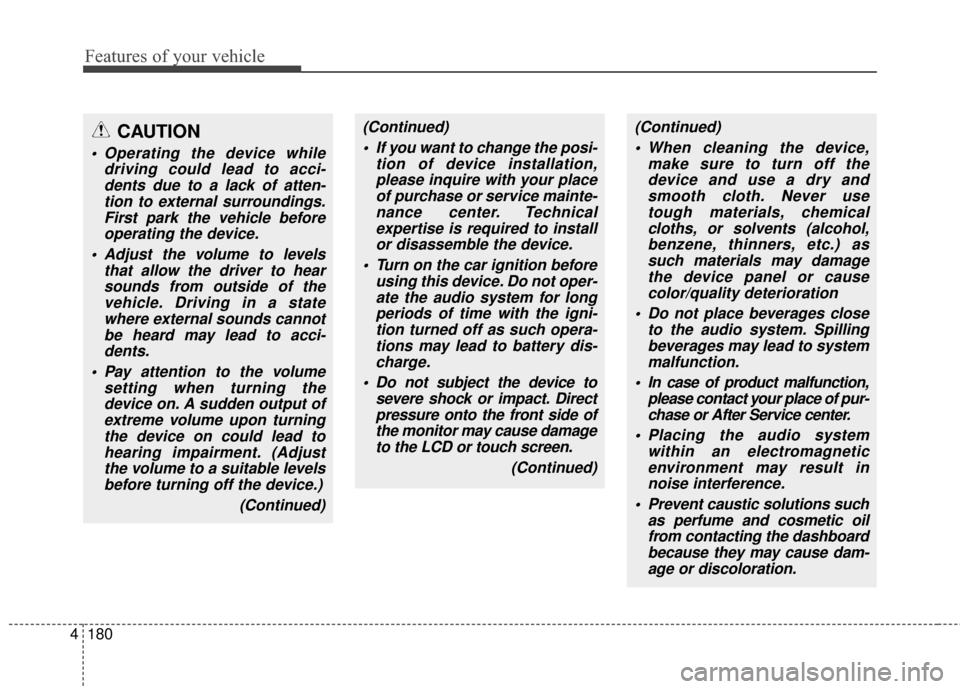
When cleaning the device, make sure to turn off thedevice and use a dry andsmooth cloth. Never usetough materials, chemicalcloths, or solvents (alcohol,benzene, thinners, etc.) assuch materials may damagethe device panel or causecolor/quality deterioration
Do not place beverages close to the audio system. Spillingbeverages may lead to systemmalfunction.
In case of product malfunction, please contact your place of pur-chase or After Service center.
Placing the audio system within an electromagneticenvironment may result innoise interference.
Prevent caustic solutions such as perfume and cosmetic oilfrom contacting the dashboardbecause they may cause dam-age or discoloration.CAUTION
Operating the device while driving could lead to acci-dents due to a lack of atten-tion to external surroundings.First park the vehicle beforeoperating the device.
Adjust the volume to levels that allow the driver to hearsounds from outside of thevehicle. Driving in a statewhere external sounds cannotbe heard may lead to acci-dents.
Pay attention to the volume setting when turning thedevice on. A sudden output ofextreme volume upon turningthe device on could lead tohearing impairment. (Adjustthe volume to a suitable levelsbefore turning off the device.)
(Continued)
(Continued) If you want to change the posi- tion of device installation,please inquire with your placeof purchase or service mainte-nance center. Technicalexpertise is required to installor disassemble the device.
Turn on the car ignition before using this device. Do not oper-ate the audio system for longperiods of time with the igni-tion turned off as such opera-tions may lead to battery dis-charge.
Do not subject the device to severe shock or impact. Directpressure onto the front side ofthe monitor may cause damageto the LCD or touch screen.
(Continued)
Page 293 of 586

Features of your vehicle
4197
SiriusXM®Satellite Radio
information
Satellite Radio channels:
Enjoy SiriusXM Satellite Radio with a 3-
month trial subscription to the Sirius
Select package. You’ll get over 140
channels, including commercial-free
music, plus all your favorite sports,
exclusive talk, entertainment, and a
selection of premium programming. For
more information and a complete list of
SiriusXM channels, visit siriusxm.com
in the United States, siriusxm.ca in
Canada, or call SiriusXM at 1-888-539-
7474.
Satellite Radio reception factors:
To receive the satellite signal, your
vehicle has been equipped with a
satellite radio antenna located on the
roof of your vehicle. The vehicle roof
provides the best location for an unob-
structed, open view of the sky, a
requirement of a satellite radio sys-
tem. Like AM/FM, there are several
factors that can affect satellite radio
reception performance:
Antenna obstructions: For optimal reception performance, keep the
antenna clear of snow and ice build- up and keep luggage and other
material as far away from the anten-
na as possible.
Terrain: Hills, mountains, tall build- ings, bridges, tunnels, freeway over-
passes, parking garages, dense
tree foliage and thunderstorms can
interfere with your reception.
SiriusXM Satellite Radio serv-
ice:
SiriusXM is a subscription-based
satellite radio service that broadcasts
music, sports, news and entertain-
ment programming to radio receivers,
which are available for installation in
motor vehicles or factory installed, as
well as for the home, portable and
wireless devices, and through an
Internet connection on personal com-
puter.
Vehicles that are equipped with a fac-
tory installed SiriusXM Satellite Radio
system include:
Hardware and an introductory trialsubscription term, which begins on
the date of sale or lease of the vehi-
cle.
For a small upgrade fee, access to SiriusXM music channels, and other
select channels over the Internet
using any computer connected to
the Internet (U.S. customers only). For information on extended sub-
scription terms, contact SiriusXM at
1-888-539-7474.
NOTE:
SiriusXM services require a sub-
scription sold separately, or as a
package, by Sirius XM Radio Inc. If
you decide to continue service
after your trial, the subscription
plan you choose will automatical-
ly renew thereafter and you will be
charged according to your chosen
payment method at then-current
rates. Fees and taxes apply. To
cancel you must call SiriusXM at
1-866-635-2349. See SiriusXM
Customer Agreement for com-
plete terms at www.siriusxm.com.
SiriusXM U.S. satellite and data
services are available only in the
48 contiguous USA, DC and PR
(with coverage limitations).
SiriusXM satellite service is also
available in Canada; see www.sir-
iusxm. ca. All fees and program-
ming subject to change. Sirius,
XM and all related marks and
logos are trademarks of Sirius XM
Radio Inc.
Page 326 of 586

Features of your vehicle
230
4
Command Function
PlayPlays the currently paused song.
PausePauses the current song.
Bluetooth®Wireless Technology A udio Commands:
Commands available during
Bluetooth®Wireless
Technology audio streaming from mobile phone oper-
ation Command Operation iPod
®is a registered trademark of Apple Inc. iPod®
mobile digital device sold separately. The
Bluetooth®word mark and logos are registered
trademarks owned by Bluetooth SIG, Inc. and any
use of such marks by Kia is under license.
SiriusXM services require a subscription sold sep-
arately, or as a package, by Sirius XM Radio Inc. If
you decide to continue service after your trial, the
subscription plan you choose will automatically
renew thereafter and you will be charged according
to your chosen payment method at then-current
rates. Fees and taxes apply. To cancel you must call
SiriusXM at 1-866-635-2349. See SiriusXM
Customer Agreement for complete terms at
www.siriusxm.com. SiriusXM U.S. satellite and data
services are available only in the 48 contiguous
USA, DC and PR (with coverage limitations).
SiriusXM satellite service is also available in
Canada; see www.siriusxm.ca. All fees and pro-
gramming subject to change. Sirius, XM and all
related marks and logos are trademarks of Sirius
XM Radio Inc. Android™ is a trademark of Google,
Inc. BlackBerry is a registered trademark of
Research In Motion Limited (RIM). All other marks,
channel names and logos are the property of their
respective owners. All rights reserved.
Page 338 of 586

Features of your vehicle
242
4 Satellite Radio channels:
SIRIUS
TMSatellite Radio has over 130
channels, including 69 channels of
100% commercial-free music, plus
sports, news, talk and entertainment
available nationwide in your vehicle.
For more information and a complete
list of SIRIUS
TMSatellite Radio chan-
nels, visit sirius.com in the United
States, sirius-canada.ca in Canada, or
call SIRIUS
TMat 1-888-539-7474.
Satellite Radio reception factors:
To receive the satellite signal, your
vehicle has been equipped with a
satellite radio antenna located on the
roof of your vehicle. The vehicle roof
provides the best location for an unob-
structed, open view of the sky, a
requirement of a satellite radio sys-
tem. Like AM/FM, there are several
factors that can affect satellite radio
reception performance:
Antenna obstructions: For optimal reception performance, keep the
antenna clear of snow and ice build-
up and keep luggage and other
material as far away from the anten-
na as possible. Terrain: Hills, mountains, tall build-
ings, bridges, tunnels, freeway over-
passes, parking garages, dense
tree foliage and thunderstorms can
interfere with your reception.
SIRIUS
TMSatellite Radio service:
SIRIUSTMSatellite Radio is a subscrip-
tion-based satellite radio service that
broadcasts music, sports, news and
entertainment programming to radio
receivers, which are available for
installation in motor vehicles or factory
installed, as well as for the home,
portable and wireless devices, and
through an Internet connection on per-
sonal computer.
Vehicles that are equipped with a fac-
tory installed SIRIUS
TMSatellite Radio
system include:
Hardware and an introductory trial
subscription term, which begins on
the date of sale or lease of the vehi-
cle.
For a small upgrade fee, access to SIRIUS
TMmusic channels, and other
select channels over the Internet
using any computer connected to
the Internet (U.S. customers only). For information on extended sub-
scription terms, contact SIRIUS
TMat
1-888-539-7474.
NOTE:
SiriusXM service requires a sub-
scription, sold separately, after 3-
month trial included with vehicle
purchase. If you decide to continue
your SiriusXM service at the end of
your trial subscription, the plan you
choose will automatically renew
and bill at then-current rates until
you call Sirius XM at 1-866-635-
2349 to cancel. See our Customer
Agreement for complete terms at
www.siriusxm.com. Programming
subject to change. Sirius satellite
service is available only to those at
least 18 and older in the 48 con-
tiguous USA, D.C., and PR (with
coverage limitations). Traffic infor-
mation not available in all markets.
See siriusxm.com/traffic for details.
Sirius, XM and all related marks and
logos are trademarks of Sirius XM
Radio Inc.
SIRIUSTMSatellite Radio information
Page 371 of 586

Features of your vehicle
4275
CommandFunction
PlayPlays the currently paused song.
PausePauses the current song.
Bluetooth®Wireless Technology A udio Commands:
Commands available during
Bluetooth®Wireless
Technology audio streaming from mobile phone oper-
ation Command Operation iPod
®is a registered trademark of Apple Inc. iPod®
mobile digital device sold separately. The
Bluetooth®word mark and logos are registered
trademarks owned by Bluetooth SIG, Inc. and any
use of such marks by Kia is under license. A
Bluetooth®enabled cell phone is required to use
Bluetooth®wireless technology. SiriusXM™ service
requires a subscription, sold separately, after 3-
month trial included with vehicle purchase. If you
decide to continue your SiriusXM™ service at the
end of the trial subscription, the plan you choose
will automatically renew and bill at the current rates
until you call SiriusXM™ at 1-866-635-2349 to can-
cel. See our Customer Agreement for complete
terms at www.siriusxm.com. Sirius satellite service
is available only to those at least 18 and older in the
48 contiguous United States, D.C., and P.R. (with
coverage limitations). SiriusXM™ Traffic available
in select markets. See siriusxm.com/traffic for more
information. Sirius, XM and all related marks and
logos are trademarks of Sirius XM Radio Inc.
Page 391 of 586

519
Driving your vehicle
For smooth operation, depress thebrake pedal and the lock release but-ton when shifting from N (Neutral) toa forward or reverse gear. Transaxle ranges
The indicator in the instrument clus-
ter displays the shift lever position
when the ignition switch is in the ON
position.
P (Park)
Always come to a complete stop
before shifting into P (Park). This
position locks the transaxle and pre-
vents the drive wheels from rotating.
WARNING- Automatic
transaxle
Always check the surrounding
areas near your vehicle for
people, especially children,
before shifting the shift lever
into D (Drive) or R (Reverse).
Before leaving the driver’s seat, always make sure the
shift lever is in the P (Park)
position; then set the parking
brake fully and shut the
engine off. Unexpected and
sudden vehicle movement
can occur if these precautions
are not followed in the order
identified.
CAUTION
To avoid damage to your transaxle, do not acceleratethe engine in R (Reverse) orany forward gear position withthe brakes on.
When stopped on an incline, do not hold the vehicle withthe engine power. Use theservice brake or the parkingbrake.
Do not shift from N (Neutral) or P (Park) into D (Drive), or R(Reverse) when the engine isabove idle speed.
WARNING
Shifting into P (Park) while the vehicle is in motion will cause
the drive wheels to lock which
will cause you to lose control
of the vehicle.
Do not use the P (Park) posi- tion in place of the parking
brake. Always make sure the
shift lever is latched in the P
(Park) position and set the
parking brake fully.
Never leave a child unattend- ed in a vehicle.