Page 225 of 449

Features of your vehicle
154
4
PHONE
Before using the Bluetooth®Wireless
Technology phone features
Bluetooth®Wireless
Technology phone, you must first pair
and connect the
Bluetooth®Wireless
Technology mobile phone.
If the mobile phone is not paired or con- nected, it is not possible to enter Phone
mode. Once a phone is paired or con-
nected, the guidance screen will be dis-
played.
(IGN/ACC ON), the
Bluetooth®
Wireless Technology phone will be
automatically connected. Even if you
are outside, the
Bluetooth®Wireless
Technology phone will be automatically
connected once you are in the vicinity
of the vehicle. If you do not want auto-
matic
Bluetooth®Wireless Technology
phone connection, set the Bluetooth®
Wireless Technology power to OFF
Making a call using the Steering-
wheel mount controls
(1) VOLUME button/scroll wheel : Raises
or lowers speaker volume.
(2) button : Places and transfers calls.
(3) button : Ends calls or cancels functions.
(4) MUTE button : Mutes the microphone during a call.
(5) button : Activates voice recogni- tion.
❈ The actual feature in the vehicle may
differ from the illustration.
➀
Shortly press (under 0.8 seconds) the
key on the steering remote con-
troller.
➁ The call history list will be displayed
on the screen.
\b Press the key again to connect a
call to the selected number.
ber
➀ Press and hold (over 0.8 seconds) the
key on the steering remote con-
troller.
➁ The most recently called number is
redialed.
Page 227 of 449
![KIA Rio 2016 3.G Owners Manual Features of your vehicle
156
4
2. Select [OK] button to enter the Pair
Phone screen.
1) Car Name : Name of device as shown when searching from your
Bluetooth®
Wireless Technology device
2) Passkey :](/manual-img/2/2975/w960_2975-226.png "KIA Rio 2016 3.G Owners Manual Features of your vehicle
156
4
2. Select [OK] button to enter the Pair
Phone screen.
1) Car Name : Name of device as shown when searching from your
Bluetooth®
Wireless Technology device
2) Passkey :")
Features of your vehicle
156
4
2. Select [OK] button to enter the Pair
Phone screen.
1) Car Name : Name of device as shown when searching from your
Bluetooth®
Wireless Technology device
2) Passkey : Passkey used to pair the device
3. From your
Bluetooth®Wireless
Technology device (i.e. Mobile Phone),
search and select your car audio sys-
tem.
[Non SSP supported device]
(SSP: Secure Simple Pairing)
4. After a few moments, a screen is dis- played where the passkey is entered.
Hear, enter the passkey "0000" to pair
your
Bluetooth®Wireless Technology
device with the car audio system. [SSP supported device]
4. After a few moments, a screen is dis-
played 6 digits passkey. Hear, check
the passkey on your
Bluetooth®
Wireless Technology device and con-
firm.
5. Once pairing is complete, the following screen is displayed.
Some phones (i.e., iPhone
®, Android TMand
Blackberry®phones) may offer an option
to allow acceptance of all future
Bluetooth connection requests
by default."
and "Visit http://www.kia.com/
#/bluetooth for additional information on
pairing your Bluetooth-enabled mobile
phone, and to view a phone compatibility
list.
Bluetooth®Wireless Technology
devices are paired but none are cur-
rently connected, pressing the
key or the key on the
steering wheel displays the following
screen. Select [Pair] button to pair a new
device or select [Connect] to connect a
previously paired device.
PHONE
Page 232 of 449

Features of your vehicle
4161
USING Bluetooth®Wireless
Technology
Phone Menu Screen
Phone Menus
With a Bluetooth®Wireless Technology
device connected, press the
key to display the Phone menu screen.
1) Fav : Up to 20 frequently used con- tacts can be saved for easy access.
2) History : Displays the call history list screen
3) Contacts : Displays the Contacts list screen
4) Setup : Displays Phone related set- tings. If you select the [History] button but
there is no call history data, a prompt is
displayed which asks to download call
history data.
If you select the [Contacts] button but there is no contacts data stored, a
prompt is displayed which asks to
download contacts data.
This feature may not be supported in some mobile phones. For more infor-
mation on download support, refer to
your mobile phone user’s manual.
Answering Calls
Answering a Call
Answering a call with a Bluetooth®
Wireless Technology device connected
will display the following screen.
To accept the call, press key on the
steering wheel while the call is incoming.
1) Caller : Displays the other party’s name when the incoming caller is
saved within your contacts
2) Incoming Number : Displays the incoming number
PHONE
Page 238 of 449
![KIA Rio 2016 3.G Owners Manual Features of your vehicle
4167
VOICE RECOGNITION
Using Voice Recognition
Starting Voice Recognition
Shortly press the key on the steer-
ing wheel .Say a command
If prompt feedback is in [ON], then t](/manual-img/2/2975/w960_2975-237.png "KIA Rio 2016 3.G Owners Manual Features of your vehicle
4167
VOICE RECOGNITION
Using Voice Recognition
Starting Voice Recognition
Shortly press the key on the steer-
ing wheel .Say a command
If prompt feedback is in [ON], then t")
Features of your vehicle
4167
VOICE RECOGNITION
Using Voice Recognition
Starting Voice Recognition
Shortly press the key on the steer-
ing wheel .Say a command
If prompt feedback is in [ON], then the
system will say “Please say a command
after the beep (BEEP)”
If prompt feedback is in [OFF] mode,then the system will only say “(BEEP)”
To change Prompt Feedback [On]/[Off], go to
[System] [Prompt Feedback]
For proper recognition, say the com- mand after the voice instruction and
beep tone.
Contact List Best Practices
1) Use full names vs. short or singlesylla- ble names (“John Smith” vs. “Dad”,
“Smith Residence” vs. “Home”)
2) Avoid using special characters or hyphens (@, &, #, /, -, *, +, etc.)
3) Avoid using acronyms (“In Case Emergency” vs. “ICE”)
4) Spell words completely, no abbrevia- tions (“Doctor Goodman” vs. “Dr.
Goodman”)
Skipping Prompt Messages
While prompt message is being stated
Shortly press the key on the steer-
ing remote controller
The prompt message is immediately
ended and the beep tone will sound.
After the “beep”, say the voice command.
Re-starting Voice Recognition
While system waits for a command
Shortly press the key on the steer-
ing remote controller
The command wait state is immediately
ended and the beep tone will sound.
After the “beep”, say the voice command.
SETUP/CLOCK
Page 239 of 449
Features of your vehicle
168
4
ENDING VOICE RECOGNITION
While Voice Recognition is operating
Press and hold the key on the steer-
ing remote controller
any steering wheel control or a different
key will end voice command.
command, say “cancel” or “end” to end
voice command.
command, press and hold the key
on the steering wheel to end voice com-
mand.
Voice Recognition and Phone
Contact Tips:
The Kia Voice Recognition System may
have difficulty understanding some accents
or uncommon names. When using Voice
Recognition to place a call, speak in a mod-
erate tone, with clear pronunciation.
To maximize the use of Voice Recognition,
consider these guidelines when storing
contacts :
Use full names vs. short or single syl- lable names (“John Smith” vs. “Dad”,
“Smith Residence” vs. “Home”)
Avoid using special characters or hyphens (@, &, #, /, -, *, +, etc.)
Avoid using acronyms (“In Case Emergency” vs. “ICE”)
Spell words completely, no abbrevia- tions (“Doctor Goodman” vs. “Dr.
Goodman”)
Page 251 of 449
Driving your vehicle
45
WARNING - Fire risk
When you intend to park or stop the
vehicle with the engine on, be care-
ful not to depress the accelerator
pedal for a long period of time. It
may overheat the engine or exhaust
system and cause fire.
WARNING - Driving whileintoxicated
Do not drive while intoxicated.
Drinking and driving is dangerous.
Even a small amount of alcohol will
affect your reflexes, perceptions
and judgment. Driving while under
the influence of drugs is as danger-
ous as or more dangerous than
driving drunk.
WARNING - Loose object
Securely store items in your vehi-
cle. When you make a sudden stop
or turn the steering wheel rapidly,
loose objects may drop on the floor
and it could interfere with the oper-
ation of the foot pedals, possibly
causing an accident.
Page 253 of 449
Driving your vehicle
65
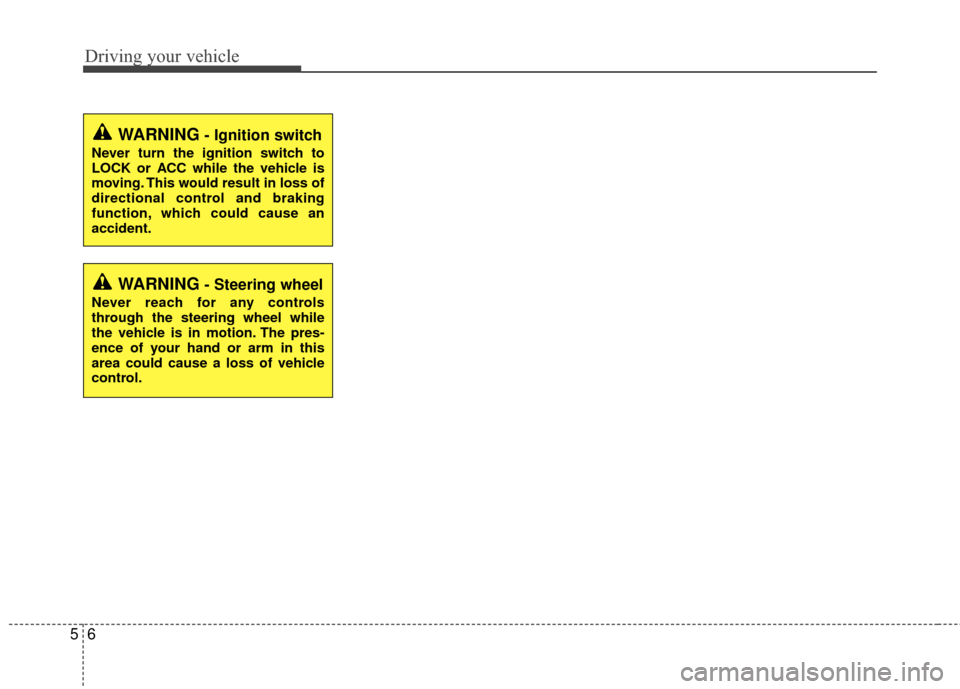
WARNING- Ignition switch
Never turn the ignition switch to
LOCK or ACC while the vehicle is
moving. This would result in loss of
directional control and braking
function, which could cause an
accident.
WARNING- Steering wheel
Never reach for any controls
through the steering wheel while
the vehicle is in motion. The pres-
ence of your hand or arm in this
area could cause a loss of vehicle
control.
Page 262 of 449

515
Driving your vehicle
Good driving practices
Never take the vehicle out of gear andcoast down a hill. This is extremely
hazardous. Always leave the vehicle in
gear.
Don't "ride" the brakes. This can cause them to overheat and malfunction.
Instead, when you are driving down a
long hill, shift to a lower gear. When
you do this, engine braking will help
slow down the vehicle.
Slow down before shifting to a lower gear. This will help avoid over-revving
the engine, which can cause damage.
Slow down when you encounter cross winds. This gives you much better con-
trol of your vehicle.
Be sure the vehicle is completely stopped before you attempt to shift into
R (Reverse). The transaxle can be
damaged if you do not. Exercise extreme caution when driving
on a slippery surface. Be especially
careful when braking, accelerating or
shifting gears. On a slippery surface,
an abrupt change in vehicle speed can
cause the drive wheels to lose traction
and the vehicle to go out of control.
Always buckle-up! In a collision, an unbelted occupant is significantly more
likely to be seriously injured or killed
than a properly belted occupant.
Never exceed posted speed limits.
Avoid high speeds when cornering or turning. High speed cornering and turn-
ing increases the risk of vehicle rollover
due to loss of vehicle control. Rollover
accidents are extremely violent and
unpredictable.