147
Features of your vehicle
4
(8)
Each time the button is shortly pressed (under 0.8 seconds), sets screen Off
➟
Screen On ➟Screen Off
❈ Audio operation is maintained and
only the screen will be turned Off. In
the screen Off state, press any key to
turn the screen On again. (9)
- Press the key (under 0.8 seconds):
Previews each broadcast for 5 sec- onds each
- Press and hold the key (over 0.8 sec- onds): Previews the broadcasts saved
in Preset ~ for 5 secondseach.
- Press the key (under 0.8 seconds): Previews each song (file) for 10 sec- onds each
❈ Press the key again to continue listen- ing to the current song (file).
(10)
- Shortly press the key (under 0.8 sec- onds) : Moves to the Display, Sound,
Clock, Phone, System setting modes
- Press and hold the key (over 0.8 sec- onds) : Move to the Time setting screen (11)
Displays menus for the current mode. ❈
iPod ®
List : Move to parent category
(12)
CD MP3, USB mode : Folder Search
(13) TUNE knob
Radio mode : Changes frequency by
turning the knob left/right
CD, USB, iPod ®
, My Music mode:
Searches .songs (files) by turning the
knob left/right. ❈ When the desired song is displayed,
press the knob to play the song.
Moves focus in all selection menus and
selects menus
FOLDER
MENU
SETUP CLOCK
61
SCAN
DISP
Page 223 of 488
Features of your vehicle
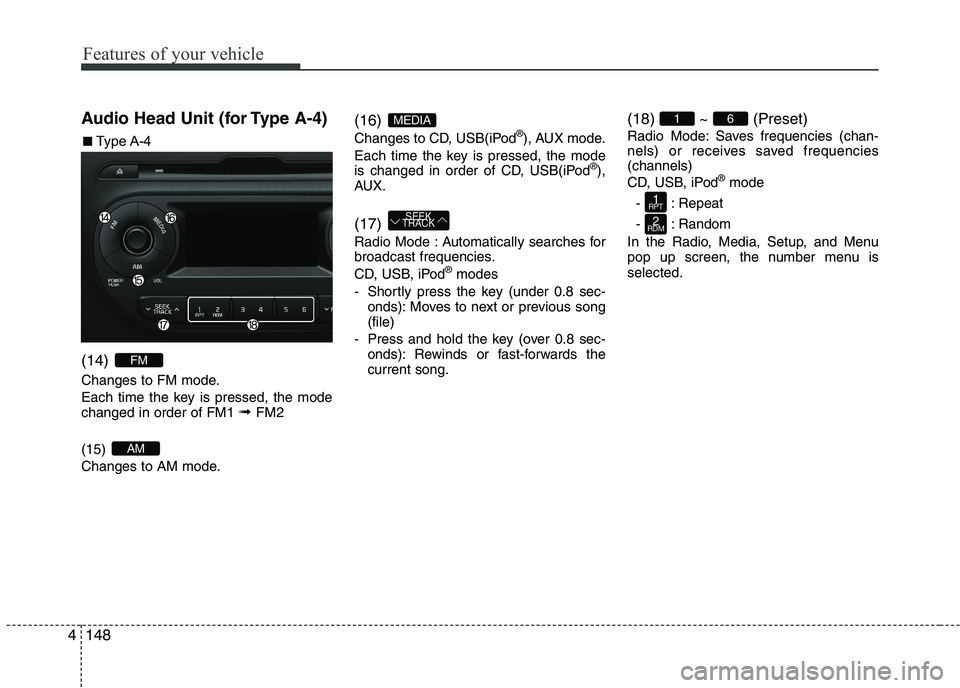
1484Audio Head Unit (for Type A-4) (14)
Changes to FM mode.
Each time the key is pressed, the mode changed in order of FM1
➟ FM2
(15)
Changes to AM mode. (16)
Changes to CD, USB(iPod
®
), AUX mode.
Each time the key is pressed, the mode
is changed in order of CD, USB(iPod ®
),
AUX. (17)
Radio Mode : Automatically searches for
broadcast frequencies.
CD, USB, iPod ®
modes
- Shortly press the key (under 0.8 sec- onds): Moves to next or previous song (file)
- Press and hold the key (over 0.8 sec- onds): Rewinds or fast-forwards thecurrent song. (18) ~ (Preset)
Radio Mode: Saves frequencies (chan-
nels) or receives saved frequencies(channels)
CD, USB, iPod
®
mode
- : Repeat
- : Random
In the Radio, Media, Setup, and Menu
pop up screen, the number menu isselected.
2
RDM
1
RPT
61
SEEK
TRACK
MEDIA
AM
FM
■■ Type A-4
Page 224 of 488
149
Features of your vehicle
4
(19)
- Shortly press the key (under 0.8 sec-
onds) : Moves to the Display, Sound,
Clock, Phone, System setting modes
- Press and hold the key (over 0.8 sec- onds) : Move to the Time settingscreen (20) TUNE knob
Radio mode : Changes frequency by
turning the knob left/right
CD, USB, iPod
®
mode: Searches songs
(files) by turning the knob left/right.❈ When the desired song is displayed,
press the knob to play the song.
Moves focus in all selection menus and
selects menus
SETUP CLOCK
Page 255 of 488
Features of your vehicle
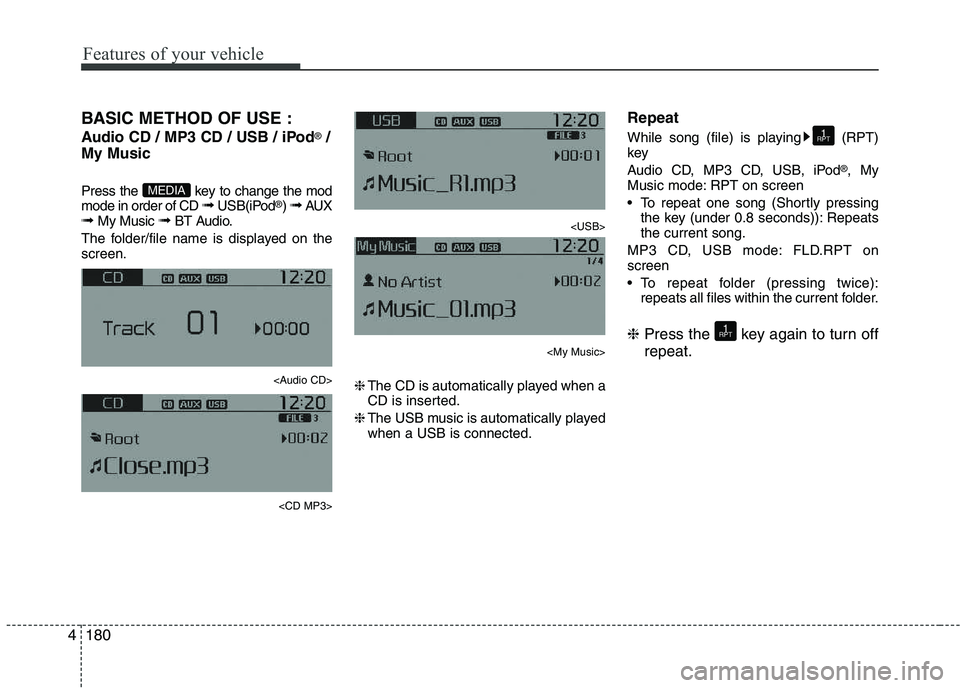
1804BASIC METHOD OF USE :
Audio CD / MP3 CD / USB / iPod
®
/
My Music
Press the key to change the mod mode in order of CD ➟ USB(iPod ®
) ➟ AUX
➟ My Music ➟ BT Audio.
The folder/file name is displayed on thescreen.
Page 256 of 488
181
Features of your vehicle
4
Random
While song (file) is playing (RDM) key
Audio CD, My Music mode: RDM on screen
Random (Shortly pressing the key):
Plays all songs in random order.
MP3 CD, USB mode: FLD.RDM on screen
Folder Random (Shortly pressing the key): Plays all files within the current
folder in random order.
MP3 CD, USB mode: ALL RDM onscreen
Plays all files in random order.
iPod ®
mode: RDM on screen
Random (Shortly pressing the key): Plays all files in random order.
❈ Press the key again to turn off ran- dom. Changing Song/File
While song (file) is playing key
Plays the cur-
rent song from the beginning.
❈ If the key is pressed again
within 1 second, the previous song is
played.
Pressing and holding the key (over 0.8 seconds): Rewinds the song.
While song (file) is playingkey
Shortly pressing the key : Plays the next song.
Pressing and holding the key (over 0.8 seconds): Fast forwards the song. Scan (for RDS model)
Pressing and holding the key
(over 0.8 seconds) : Scans all songs
for 10 seconds starting from the nextsong.
❈ Pressing and holding the key
again to turn off.
Scan
Shortly pressing the the key : Scans all songs from the next song for 10 seconds each.
❈ Press the key again to turn
off.
❈ The SCAN function is not supported in
iPod ®
mode.
SCAN
SCAN
TA
SCAN
TA
SCAN
SEEK
TRACK
SEEK
TRACK
SEEK
TRACK
2
RDM
2
RDM
Page 257 of 488
Features of your vehicle
1824Folder Search : MP3 CD, USB Mode
While file is playing (Folder
Up) key
While file is playing (Folder
Down) key
❈
If a folder is selected by pressing the
TUNE knob, the first file within the
selected folder will be played.
Searching Songs (File)
TUNE knob : Searches for songs (files)
TUNE knob : Plays select- ed song (file). MENU : Audio CD
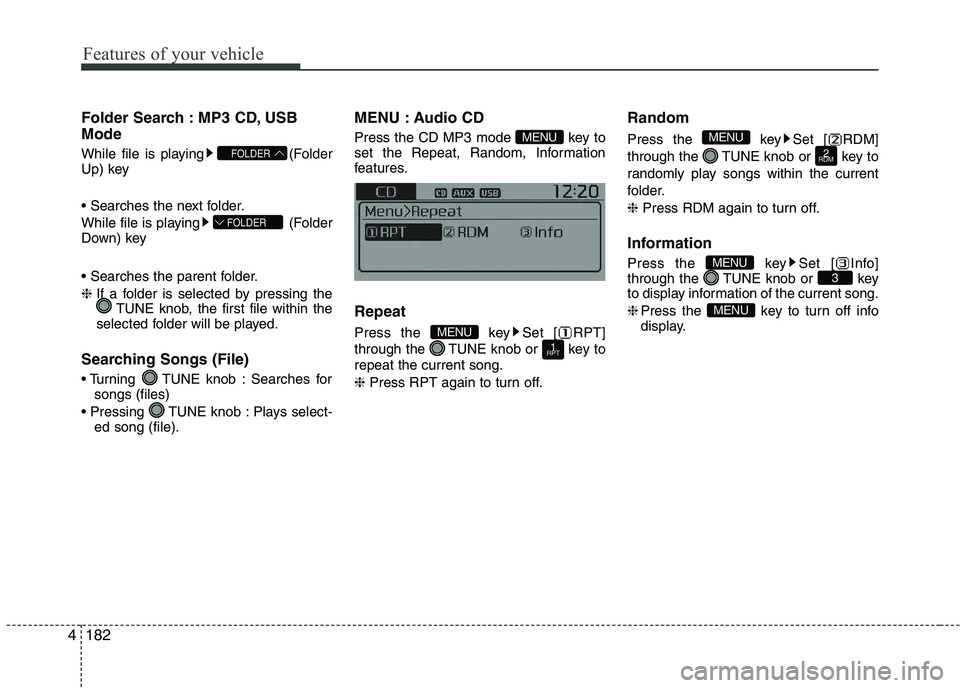
Press the CD MP3 mode key to
set the Repeat, Random, Information
features. Repeat
Press the key Set [ RPT]
through the TUNE knob or key torepeat the current song. ❈
Press RPT again to turn off. Random
Press the key Set [ RDM]
through the TUNE knob or key to
randomly play songs within the current
folder. ❈
Press RDM again to turn off.
Information
Press the key Set [ Info]
through the TUNE knob or key
to display information of the current song. ❈ Press the key to turn off info
display.
MENU
3MENU
2
RDM
MENU
1
RPTMENU
MENU
FOLDER
FOLDER
Page 258 of 488
183
Features of your vehicle
4
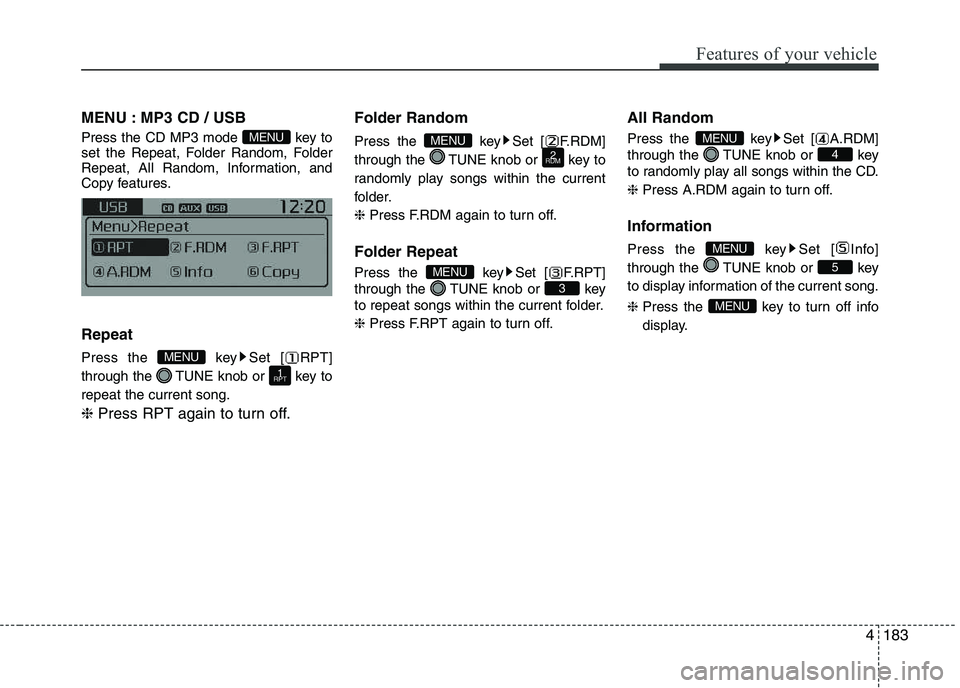
MENU : MP3 CD / USB
Press the CD MP3 mode key to
set the Repeat, Folder Random, Folder
Repeat, All Random, Information, and
Copy features. Repeat
Press the key Set [ RPT]
through the TUNE knob or key torepeat the current song. ❈
Press RPT again to turn off. Folder Random
Press the key Set [ F.RDM]
through the TUNE knob or key to
randomly play songs within the current
folder. ❈
Press F.RDM again to turn off.
Folder Repeat
Press the key Set [ F.RPT]
through the TUNE knob or key
to repeat songs within the current folder. ❈ Press F.RPT again to turn off. All Random
Press the key Set [ A.RDM]
through the TUNE knob or key
to randomly play all songs within the CD. ❈
Press A.RDM again to turn off.
Information
Press the key Set [ Info]
through the TUNE knob or key
to display information of the current song. ❈ Press the key to turn off info
display.
MENU
5
MENU
4
MENU
3
MENU
2
RDMMENU
1
RPT
MENU
MENU
Page 259 of 488
Features of your vehicle
1844Copy (if equipped)
Press the key Set [ Copy]
through the TUNE knob or key.
This is used to copy the current song into
My Music. You can play the copied Music
in My Music mode. ❈
If another key is pressed while
copying is in progress, a pop up
asking you whether to cancel
copying is displayed.
❈ If another media is connected or
inserted (USB, CD, iPod ®
, AUX)
while copying is in progress, copy-ing is canceled.
❈ Music will not be played while
copying is in progress. MENU : iPod
®
In iPod ®
mode, press the key to
set the Repeat, Random, Information and
Search features. Repeat
Press the key Set [ RPT]
through the TUNE knob or key torepeat the current song. ❈ Press RPT again to turn repeat off. Random
Press the key Set [ RDM]
through the TUNE knob or key.
Plays all songs within the currently play-
ing category in random order. ❈
Press RDM again to turn off.
Information
Press the key Set [ Info]
through the TUNE knob or key.
Displays information of the current song. ❈ Press the key to turn off
info display.
Search
Press the key Set [ Search]
through the TUNE knob or key.
Displays iPod ®
category list.
❈ Searching iPod ®
category is
key pressed, move to par-
ent category.
MENU
4MENU
MENU
3MENU
2
RDM
MENU
1
RPT
MENU
MENU6MENU


![KIA PICANTO 2016 Owners Manual Features of your vehicle
1844Copy (if equipped)
Press the key Set [ Copy]
through the TUNE knob or key.
This is used to copy the current song into
My Music. You can play the copied Music
in My](/manual-img/2/40383/w960_40383-258.png "KIA PICANTO 2016 Owners Manual Features of your vehicle
1844Copy (if equipped)
Press the key Set [ Copy]
through the TUNE knob or key.
This is used to copy the current song into
My Music. You can play the copied Music
in My")