2016 KIA Optima Air
[x] Cancel search: AirPage 417 of 623

661
Driving your vehicle
Recognizing pedestrians
- The pedestrian is not fully capturedby the camera sensor, or the
pedestrian does not walk in the
upright position.
- The pedestrian moves very fast.
- The pedestrian abruptly appears in front.
- The pedestrian wears clothes sim- ilar in color to the background.
- Conditions outside are too bright or too dark.
- The vehicle drives at night or in the darkness.
- There is an item similar in shape a person’s body structure.
- The pedestrian is small.
- The pedestrian has impaired mobility.
- The pedestrian blends in with their surroundings.
- Sensor recognition is limited by rain, snow, fog, etc.
- There is a group of pedestrians.
✽ ✽ NOTICE
The system may temporarily cancel
due to the strong electric waves.
Pay great caution to the vehicle in
front, when it has heavy loading
extended rearward, or when it has
higher ground clearance.
The sensor only detects pedestri- an, not carts, bicycles, motorcy-
cles, luggage bags, or strollers.
WARNING - Testing the
AEB
The AEB does not operate in
certain situations. Thus, never
test-operate the AEB against a
person or an object. It may
cause a severe injury or even
death.
WARNING - AEB and
Towing
Cancel the AEB in the User
Settings on the LCD display,
before towing another vehicle.
While towing, the brake applica-
tion may adversely affect your
vehicle safety.
JF CAN (ENG) 6.qxp 11/5/2015 6:38 PM Page 61
Page 439 of 623

683
Driving your vehicle
ECO mode (Active ECO)
Active ECO helps improve
fuel efficiency by control-
ling certain engine and
transaxle system operat-
ing parameters. Fuel effi-
ciency depends on the
driver's driving habit and
road condition.
button is pressed and
the ECO mode is select-
ed, the ECO indicator
(green) will illuminate to
show that the Active
ECO is operating.
activated, it does not
turn off even though the
engine is restarted
again. To turn off the
system, press the
DRIVE MODE button
again. When Active ECO is activated:
The acceleration may slightly be
reduced even though you depress
the accelerator fully.
The air conditioner performance may be limited
The shift pattern of the automatic transaxle may change.
The engine noise may get louder.
The above situations are normal
conditions when the Active Eco
System is activated to improve fuel
efficiency. Limitation of Active ECO opera-
tion:
If the following conditions occur while
Active ECO is operating, the system
operation is limited even though
there is no change in the ECO indi-
cator.
When the coolant temperature is
low:
The system will be limited until
engine performance becomes nor-
mal.
When driving up a hill: The system will be limited to gain
power when driving uphill because
the engine torque is restricted.
When using manual mode: The system will be limited accord-
ing to the shift location.
When the accelerator pedal is deeply depressed for a few sec-
onds:
The system will be limited, judging
that the driver wants to speed up.
ECO
JF CAN (ENG) 6.qxp 11/5/2015 6:39 PM Page 83
Page 447 of 623

691
Driving your vehicle
✽
✽
NOTICE
• The system may not work proper-
ly if the bumper has been replaced
or if repair work has been done
near the sensor.
• The detection area differs according to the roads road's width. If the road
is narrow the system may detect
other vehicles in the next lane.
• If the road is very wide the system may not detect other vehicles.
• The system may turn off due to strong electromagnetic interfer-
ence.
Limitations condition
Driver's Attention
The driver must be cautious in the
below situations for the system may
not assist the driver and may not
work properly.
- Curved roads, tollgates, etc.
- The surrounding of the sensor
cover is dirty with rain, snow, mud,
etc.
- The rear bumper near the sensor is covered or obstructed with foreign
matter such as a sticker, bumper
guard, bicycle racks etc.
- The rear bumper is damaged or the sensor is out of place.
- The height of the vehicle has signif- icantly changed such as when the
trunk is loaded with heavy objects,
abnormal tire pressure etc.
- Due to bad weather such as heavy rain or snow. - A fixed object is near such as a
guardrail, etc.
- A substantial amount of metallic objects such as a construction
area.
- A large vehicle is nearby such as a bus or truck.
- A motorcycle or bicycle is near.
- A flat trailer is near.
- If two vehicles near each other accelerate together.
- When another vehicle passes by at a high rate of speed.
- When changing lanes.
- When going down or up a steep road where the height of the lane is
different.
- When another vehicle drives very close the back bumper/trunk.
- When a trailer or carrier is installed.
WARNING
The Blind Spot Detection
System with Lane Change
Assist and Rear Cross Traffic
Alert is not a substitute for
proper and safe lane changing
procedures. Always drive safely
and use caution when changing
lanes. The Blind Spot Detection
System may not detect every
object alongside the vehicle.
JF CAN (ENG) 6.qxp 11/5/2015 6:39 PM Page 91
Page 452 of 623

Driving your vehicle
96
6
Conditions that cause missed
warnings and false warnings:
The lane is not visible due to snow,
rain, debris, puddles or other envi-
ronmental conditions.
The brightness outside changes suddenly such as when
entering/exiting a tunnel.
The headlights are off at night or in a tunnel.
The color of the lane marking from the road is difficult to distinguish.
Driving on a steep grade or a curve.
Light such as street lights, sunlight or oncoming vehicle lights reflect
off of water on the road.
The lens or windshield is obscured by debris.
The sensor cannot detect the lane because of fog, heavy rain or
heavy snow.
The rear view mirror housing has overheated from exposure to direct
sunlight.
The lane is very wide or narrow. The lane line is damaged or indis-
tinct.
The windshield is fogged up by humidity.
Objects in the median or along the side of the road cast shadows over
the lane markings
The sensor cannot distinguish the lane from the road due to the
dust/dirt.
There are other markings similar to lane lines.
There are lane boundaries instead of markings.
The vehicle ahead is very close, obscuring the view of the lane
markings, or the vehicle ahead is
driving over the lane markings.
The vehicle vibrates heavily due to poor road conditions.
The lanes are merging, expanding, or otherwise overlapping
Something reflective is placed on the dashboard. Driving with the sun in front of you.
Driving in areas under construc-
tion.
Lanes are marked by more than two sets of lines.
The windshield is fogged by humid air in the vehicle.
This device complies with
Industry Canada licence-exempt
RSS standard(s).
Operation is subject to the following
two conditions:
(1) This device may not cause inter- ference, and
(2) This device must accept any interference, including interfer-
ence that may cause undesired
operation of the device.
JF CAN (ENG) 6.qxp 11/5/2015 6:39 PM Page 96
Page 453 of 623

697
Driving your vehicle
Your vehicle's fuel economy depends
mainly on your style of driving, where
you drive and when you drive.
Each of these factors affects how
many kilometers (miles) you can get
from a liter (gallon) of fuel. To operate
your vehicle as economically as pos-
sible, use the following driving sug-
gestions to help save money in both
fuel and repairs:
Drive smoothly. Accelerate at amoderate rate. Don't make "jack-
rabbit" starts or full-throttle shifts
and maintain a steady cruising
speed. Don't race between stop-
lights. Try to adjust your speed to
the traffic so you don't have to
change speeds unnecessarily.
Avoid heavy traffic whenever pos-
sible. Always maintain a safe dis-
tance from other vehicles so you
can avoid unnecessary braking.
This also reduces brake wear.
Drive at a moderate speed. The faster you drive, the more fuel your
vehicle uses. Driving at a moderate
speed, especially on the highway,
is one of the most effective ways to
reduce fuel consumption. Don't "ride" the brake pedal. This
can increase fuel consumption and
also increase wear on these com-
ponents. In addition, driving with
your foot resting on the brake pedal
may cause the brakes to overheat,
which reduces their effectiveness
and may lead to more serious con-
sequences.
Take care of your tires. Keep them inflated to the recommended pres-
sure. Incorrect inflation, either too
much or too little, results in unnec-
essary tire wear. Check the tire
pressures at least once a month.
Be sure that the wheels are aligned correctly. Improper align-
ment can result from hitting curbs
or driving too fast over irregular
surfaces. Poor alignment causes
faster tire wear and may also result
in other problems as well as
greater fuel consumption. Keep your vehicle in good condi-
tion. For better fuel economy and
reduced maintenance costs, main-
tain your vehicle in accordance
with the maintenance schedule in
chapter 8. If you drive your vehicle
in severe conditions, more frequent
maintenance is required (see
chapter 8 for details).
Keep your vehicle clean. For maxi- mum service, your vehicle should
be kept clean and free of corrosive
materials. It is especially important
that mud, dirt, ice, etc. not be
allowed to accumulate on the
underside of the vehicle. This extra
weight can result in increased fuel
consumption and also contribute to
corrosion.
Travel lightly. Don't carry unneces- sary weight in your vehicle. Weight
reduces fuel economy.
Don't let the engine idle longer than necessary. If you are waiting
(and not in traffic), turn off your
engine and restart only when
you're ready to go.
ECONOMICAL OPERATION
JF CAN (ENG) 6.qxp 11/5/2015 6:39 PM Page 97
Page 454 of 623

Driving your vehicle
98
6
Remember, your vehicle does not
require extended warm-up. After
the engine has started, allow the
engine to run for 10 to 20 seconds
prior to placing the vehicle in gear.
In very cold weather, however, give
your engine a slightly longer warm-
up period.
Don't "lug" or "over-rev" the engine. Lugging is driving too slowly in a
very high gear resulting in engine
bucking. If this happens, shift to a
lower gear. Over-revving is racing
the engine beyond its safe limit.
This can be avoided by shifting at
the recommended speed. Use your air conditioning sparingly.
The air conditioning system is
operated by engine power so your
fuel economy is reduced when you
use it.
Open windows at high speeds can reduce fuel economy.
Fuel economy is less in crosswinds and headwinds. To help offset
some of this loss, slow down when
driving in these conditions.
Keeping a vehicle in good operating
condition is important both for econ-
omy and safety. Therefore, have an
authorized Kia dealer perform
scheduled inspections and mainte-
nance.
WARNING - Engine off
during motion
Never turn the engine off to
coast down hills or anytime the
vehicle is in motion. The power
steering and power brakes will
not function properly without
the engine running. In addition,
turning off the ignition while
driving could engage the steer-
ing wheel lock resulting in loss
of vehicle steering. Keep the
engine on and downshift to an
appropriate gear for an engine
braking effect.
JF CAN (ENG) 6.qxp 11/5/2015 6:39 PM Page 98
Page 466 of 623
Driving your vehicle
110
6
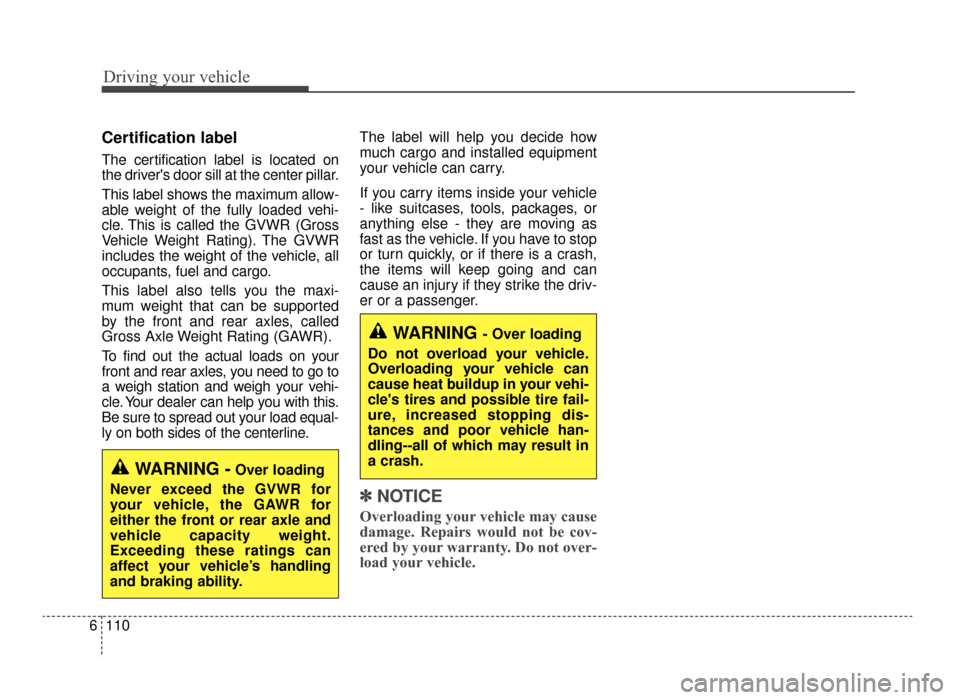
Certification label
The certification label is located on
the driver's door sill at the center pillar.
This label shows the maximum allow-
able weight of the fully loaded vehi-
cle. This is called the GVWR (Gross
Vehicle Weight Rating). The GVWR
includes the weight of the vehicle, all
occupants, fuel and cargo.
This label also tells you the maxi-
mum weight that can be supported
by the front and rear axles, called
Gross Axle Weight Rating (GAWR).
To find out the actual loads on your
front and rear axles, you need to go to
a weigh station and weigh your vehi-
cle. Your dealer can help you with this.
Be sure to spread out your load equal-
ly on both sides of the centerline. The label will help you decide how
much cargo and installed equipment
your vehicle can carry.
If you carry items inside your vehicle
- like suitcases, tools, packages, or
anything else - they are moving as
fast as the vehicle. If you have to stop
or turn quickly, or if there is a crash,
the items will keep going and can
cause an injury if they strike the driv-
er or a passenger.
✽ ✽
NOTICE
Overloading your vehicle may cause
damage. Repairs would not be cov-
ered by your warranty. Do not over-
load your vehicle.
WARNING -Over loading
Never exceed the GVWR for
your vehicle, the GAWR for
either the front or rear axle and
vehicle capacity weight.
Exceeding these ratings can
affect your vehicle’s handling
and braking ability.
WARNING - Over loading
Do not overload your vehicle.
Overloading your vehicle can
cause heat buildup in your vehi-
cle's tires and possible tire fail-
ure, increased stopping dis-
tances and poor vehicle han-
dling--all of which may result in
a crash.
JF CAN (ENG) 6.qxp 11/5/2015 6:39 PM Page 110
Page 469 of 623

What to do in an emergency
27
ROAD WARNING
Hazard warning flasher
The hazard warning flasher serves
as a warning to other drivers to exer-
cise extreme caution when
approaching, overtaking, or passing
your vehicle.
It should be used whenever emer-
gency repairs are being made or
when the vehicle is stopped near the
edge of a roadway.Depress the flasher switch with the
ignition switch in any position. The
flasher switch is located in the center
facia panel. All turn signal lights will
flash simultaneously.
• The hazard warning flasher oper-
ates whether your vehicle is run-
ning or not.
The turn signals do not work when the hazard flasher is on.
Care must be taken when using the hazard warning flasher while
the vehicle is being towed.
OJF065001
JF CAN (ENG) 7.qxp 11/5/2015 4:24 PM Page 2