Page 354 of 688

NOTE:
•In order to ensure proper operation, the Electronic
Speed Control System has been designed to shut down
if multiple Speed Control functions are operated at the
same time. If this occurs, the Electronic Speed Control
System can be reactivated by pushing the Electronic
Speed Control ON/OFF button and resetting the de-
sired vehicle set speed.
•The Electronic Speed Control function will not work in
4WD Low Range.
Activation
Push the ON/OFF button to activate the Electronic Speed
Control. The Cruise Indicator Light in the Electronic
Vehicle Information Center (EVIC) or Driver Information
Display (DID) will illuminate. To turn the system off,
push the ON/OFF button a second time. The CruiseIndicator Light will turn off. The system should be
turned off when not in use.
WARNING!
Leaving the Electronic Speed Control system on
when not in use is dangerous. You could accidentally
set the system or cause it to go faster than you want.
You could lose control and have an accident. Always
leave the system OFF when you are not using it.
Setting A Desired Speed
Turn the Electronic Speed Control ON.
NOTE:The vehicle should be traveling at a steady speed
and on level ground before pushing the SET (+) or SET (-)
button.
352 STARTING AND OPERATING
Page 357 of 688

Accelerating For Passing
Push the accelerator as you would normally. When the
pedal is released, the vehicle will return to the set speed.
FOUR WHEEL DRIVE — JEEP ACTIVE DRIVE
(4WD) AND JEEP ACTIVE DRIVE LOW (4WD
LOW)
Your vehicle may be equipped with a Power Transfer
Unit (PTU). This system is automatic with no driver
inputs or additional driving skills required. Under nor-
mal driving conditions, the front wheels provide most of
the traction. If the front wheels begin to lose traction,
power is shifted automatically to the rear wheels. The
greater the front wheel traction loss, the greater the
power transfer to the rear wheels.Additionally, on dry pavement under heavy throttle
input (where one may have no wheel spin), torque will be
sent to the rear in a preemptive effort to improve vehicle
launch and performance characteristics.
CAUTION!
All wheels must have the same size and type tires.
Unequal tire sizes must not be used. Unequal tire
size may cause failure of the power transfer unit.
7
STARTING AND OPERATING 355
Page 358 of 688
Four Wheel Drive (4x4)
The four wheel drive (4WD) is fully automatic in normal
driving mode.
NOTE:It is not possible to carry out the change of mode
when the vehicle exceeds the speed of 75 mph
(120 km/h).
Enabling Four Wheel Drive (4x4)
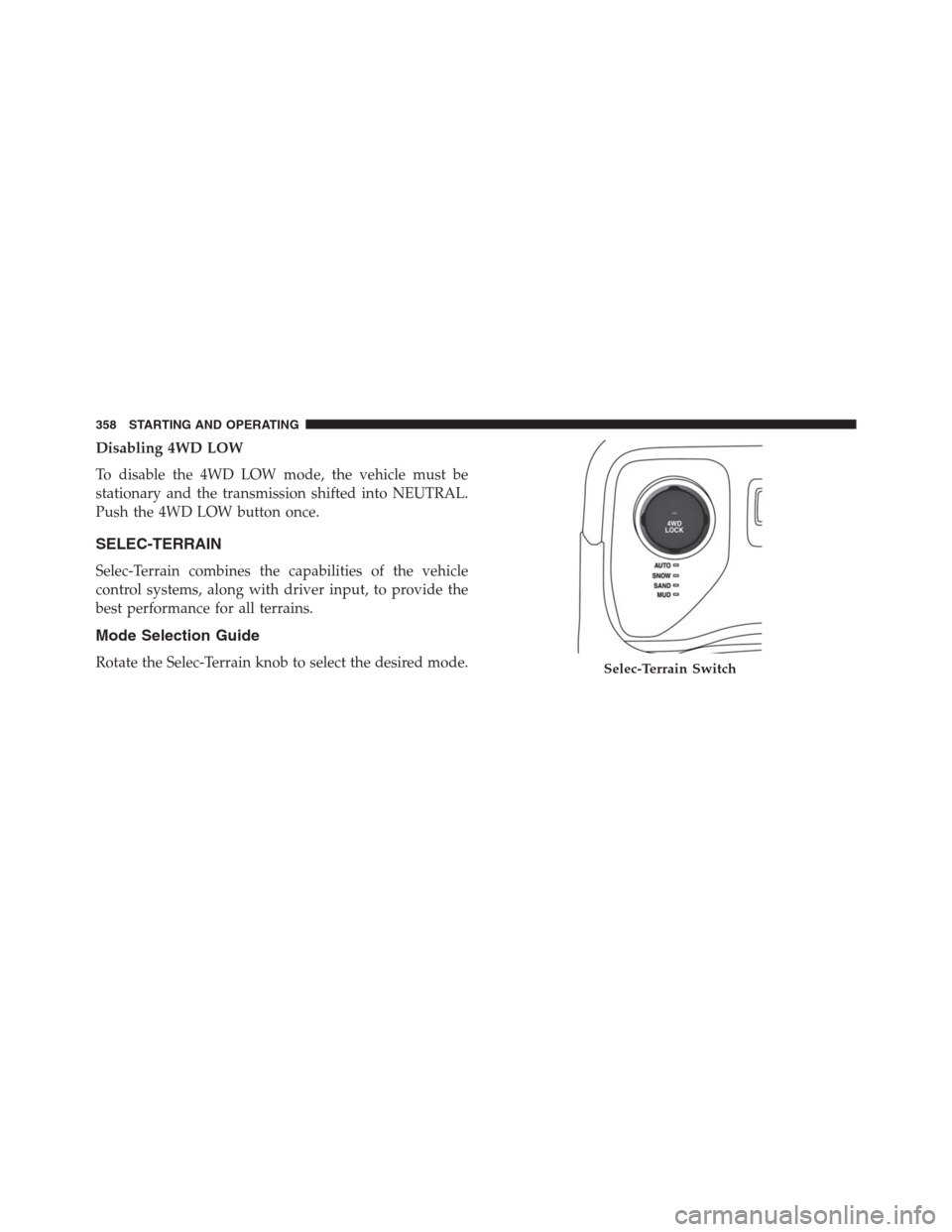
The buttons for the activation of four wheel drive are
located on the device Selec-Terrain and allow you to
select the following:
•4WD LOCK
•4WD LOW — (Trailhawk models only)Active Drive Control — If Equipped
The Power Transfer Unit (PTU) is locked to ensure
immediate availability of torque to the rear drive axles.
This feature is selectable in AUTO mode and automatic in
the other driving mode. 4WD LOCK can be enabled by
the following ways:
•When the 4WD LOCK button is pushed.
Selec-Terrain Switch
356 STARTING AND OPERATING
Page 359 of 688
•When the Selec-Terrain switch is rotated from AUTO
to any other off-road modes.
Active Drive With Low Control — (Trailhawk models
only)The 4WD LOW mode helps to improve the off-road
performance in all modes. To enable 4WD Low please
follow the steps below:
Enabling 4WD LOW
With the vehicle stationary, the ignition in the MAR/
RUN or with the engine running, shift the transmission
into DRIVE, REVERSE or NEUTRAL and push the but-
ton once 4WD LOW. The EVIC/DID will display the
message�4WD LOW�once the shift is complete.
NOTE:
•Both LOCK and LOW LEDs will blink and then
become active on the Selec-Terrain switch until the
shift is complete.
•The EVIC display will illuminate the�4WD Low�icon.
Selec-Terrain Switch (Trailhawk)
7
STARTING AND OPERATING 357
Page 360 of 688
Disabling 4WD LOW
To disable the 4WD LOW mode, the vehicle must be
stationary and the transmission shifted into NEUTRAL.
Push the 4WD LOW button once.
SELEC-TERRAIN
Selec-Terrain combines the capabilities of the vehicle
control systems, along with driver input, to provide the
best performance for all terrains.
Mode Selection Guide
Rotate the Selec-Terrain knob to select the desired mode.Selec-Terrain Switch
358 STARTING AND OPERATING
Page 362 of 688

•ROCK(Trailhawk only): This mode is only available
in 4WD LOW range. The device sets the vehicle to
maximize traction and allow the highest steering ca-
pacity for off-road surfaces. This mode gives you the
maximum performance off-road. Use for low speed
obstacles such as large rocks, deep ruts, etc.
NOTE:
•Rock mode is only available on the vehicles equipped
with the Off-Road package.
•Activate the Hill Descent Control or Selec Speed
Control for steep downhill control. See “Electronic
Brake Control System” in this section for further
information.FORWARD COLLISION WARNING (FCW) WITH
MITIGATION — IF EQUIPPED
Forward Collision Warning (FCW) With Mitigation
Operation — If Equipped
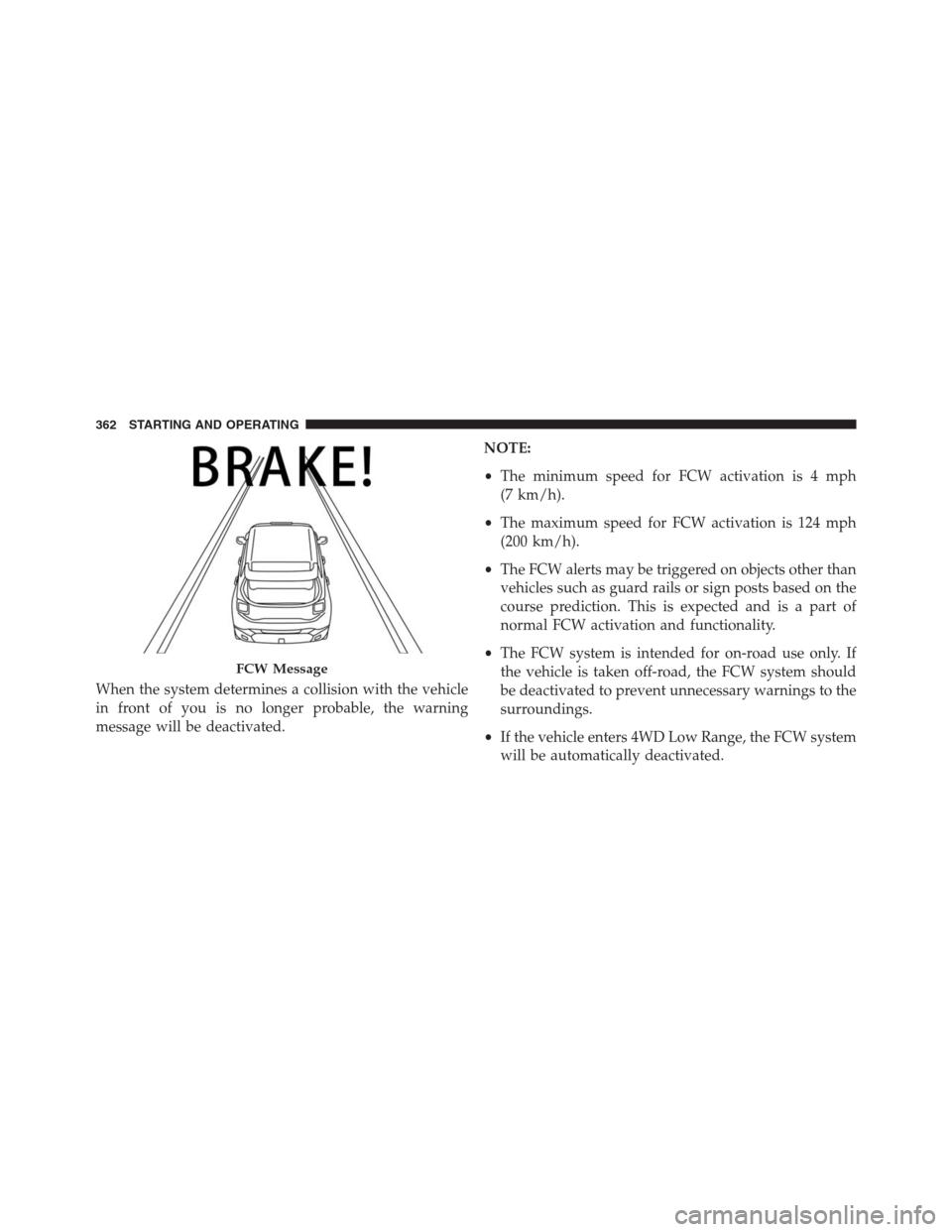
The Forward Collision Warning (FCW) system with
mitigation provides the driver with audible warnings,
visual warnings (within the EVIC/DID), and may apply
a brake jerk to warn the driver when it detects a potential
frontal collision. The warnings and limited braking are
intended to provide the driver with enough time to react,
avoid or mitigate the potential collision.
360 STARTING AND OPERATING
Page 364 of 688
When the system determines a collision with the vehicle
in front of you is no longer probable, the warning
message will be deactivated.NOTE:
•The minimum speed for FCW activation is 4 mph
(7 km/h).
•The maximum speed for FCW activation is 124 mph
(200 km/h).
•The FCW alerts may be triggered on objects other than
vehicles such as guard rails or sign posts based on the
course prediction. This is expected and is a part of
normal FCW activation and functionality.
•The FCW system is intended for on-road use only. If
the vehicle is taken off-road, the FCW system should
be deactivated to prevent unnecessary warnings to the
surroundings.
•If the vehicle enters 4WD Low Range, the FCW system
will be automatically deactivated.
FCW Message
362 STARTING AND OPERATING
Page 414 of 688

OFF-ROAD DRIVING TIPS
When To Use 4WD LOW Range
When off-road driving, shift to 4WD LOW for additional
traction and control on slippery or difficult terrain,
ascending or descending steep hills, and to increase
low-speed pulling power (refer to “All Wheel Drive and
Four-Wheel Drive Operation” in this section for further
details). This range should be limited to extreme situa-
tions such as deep snow, mud, or sand where additional
low speed pulling power is needed. Vehicle speeds in
excess of 25 mph (40 km/h) should be avoided when in
4WD LOW range.
Driving Through Water
Although your vehicle is capable of driving through
water, there are a number of precautions that must be
considered before entering the water:
CAUTION!
When driving through water, do not exceed 5 mph
(8 km/h). Always check water depth before entering
as a precaution, and check all fluids afterward. Driv-
ing through water may cause damage that may not be
covered by the New Vehicle Limited Warranty.
Driving through water more than a few inches/
centimeters deep will require extra caution to ensure
safety and prevent damage to your vehicle. If you must
drive through water, try to determine the depth and the
bottom condition (and location of any obstacles) prior to
entering. Proceed with caution and maintain a steady
controlled speed less than 5 mph (8 km/h) in deep water
to minimize wave effects.
412 STARTING AND OPERATING