2016 INFINITI QX60 speed
[x] Cancel search: speedPage 23 of 40

21
Intelligent Cruise Control (ICC) (if so equipped)
VEHICLE-TO-VEHICLE DISTANCE CONTROL MODE
To set Vehicle-To-Vehicle Distance Control mode,
press the CRUISE ON/OFF button 1 on the steering
wheel for less than 1.5 seconds. The CRUISE indicator
light
2 will illuminate.
Accelerate to the desired speed.
Push down on the COAST/SET switch 3 on the
steering wheel and release it. Intelligent Cruise
Control will be set to the desired speed.
Press the distance button 4 on the steering wheel
repeatedly to change the set distance between long,
middle and short.
When a vehicle is not detected ahead of you in the lane, the set distanc\
e
and set vehicle speed indicator lights will illuminate 5 in set mode.
When a vehicle is detected ahead of you in the lane, the vehicle ahead
detection, set distance and set vehicle speed indicator lights will illu\
minate 6 in set mode.
To reset at a faster cruising speed, push and hold the ACCEL/RES switch 7 on the steering
wheel. When the vehicle attains the desired speed, release the switch.
To reset at a slower cruising speed, push and hold the COAST/SET switch 3 on the steering
wheel. Release the switch when the vehicle slows to the desired speed.
To cancel the preset speed, push the CANCEL switch 8 on the steering wheel or tap the
brake pedal. The set vehicle speed indicator 5 will extinguish.
To turn off Intelligent Cruise Control, press the CRUISE ON/OFF button 1 on the steering
wheel. The CRUISE indicator light 2 in the instrument panel will extinguish.
1
43
7
8
25
6
To activate the cruise control, push the CRUISE ON/OFF switch 1 on the steering wheel.
The CRUISE indicator light in the instrument panel will illuminate.
To set a cruising speed, accelerate the vehicle to the desired speed, pu\
sh the COAST/SET
switch 2 on the steering wheel and release. The SET indicator light in the instrument panel
will illuminate. Take your foot off the accelerator pedal. Your vehicle \
will
maintain the set speed.
To reset at a faster cruising speed, push and hold the ACCEL/RES switch 3 on the
steering wheel. When the vehicle attains the desired speed, release the \
switch.
To reset at a slower cruising speed, push and hold the COAST/SET switch 2 on the
steering wheel. Release the switch when the vehicle slows to the desired\
speed.
To cancel the preset speed, push the CANCEL switch 4 on the steering wheel.
To turn off cruise control, push the CRUISE ON/OFF switch 1 on the steering wheel. Both
the CRUISE indicator light and the SET indicator light in the instrument panel will extinguish.
For more information, refer to the “Starting and driving (section 5)” of your Owner’s Manual.
2460934_16b_Infiniti_QX60_QRG_031716_b.indd 213/17/16 2:21 PM
Page 24 of 40

22
Power Outlets
12V OUTLETS
The power outlets are for powering electrical
accessories such as cellular phones. They are rated
at 12V, 120W (10A) maximum.
To use a power outlet, open the cap.
The power outlets below the control panel 1,
inside the center console
2, and in the
cargo area
3 are powered only when the
ignition switch is in the ACC or ON position.
120V OUTLET (if so equipped)
The 120V outlet 4 is located on the back of the
center console.
To use the outlet for devices that require 120V
power, place the ignition switch in the ON position
and push the power inverter switch
5.
The switch will illuminate when enabled.
For more information, refer to the “Instruments and controls (section 2)” of your Owner’s Manual.
1
3
4
5
2
first drive features
To set conventional (fixed speed) cruise control mode:
While Intelligent Cruise Control is off, press the CRUISE ON/OFF button 1 on the steering
wheel and hold it down for more than 1.5 seconds. The CRUISE indicator light will illuminate.
Accelerate to the desired speed.
Push down on the COAST/SET switch on the steering wheel and release it. The SET indicator
light will illuminate. Cruise control will be set to the desired speed.
To switch between the two cruise control modes:
When one of the two cruise modes is in use, you must turn the system off\
, and then turn it
on again to select the other cruise control mode.
For more information, refer to the “Starting and driving (section 5)” of your Owner’s Manual.
2460934_16b_Infiniti_QX60_QRG_031716_b.indd 223/17/16 2:22 PM
Page 26 of 40
 Main Menu Selection Body Color Maintenance")
24 SETTINGS
The setting mode allows you to change the information displayed in the v\
ehicle
information display:
Driver Assistance (if so equipped) Main Menu Selection Body Color Maintenance Alarms
Vehicle Settings Language Unit Welcome Effects
For more information, refer to the “Instruments and controls (section 2)” of your Owner’s Manual.
Vehicle Information Display
The vehicle information display 1 displays items such as:
Vehicle settings
Trip computer information
Drive system warnings and settings (if so equipped)
Cruise control system
Intelligent Cruise Control (ICC) system
(if so equipped) information
Intelligent Key operation information
Indicators and warnings
Tire pressure information
USING THE VEHICLE INFORMATION DISPLAY
The vehicle information display modes can be changed
using the
button 2 and ENTER button 3 located on
the steering wheel.
1.
Press
the
button 2 on the steering wheel to
enter the vehicle information display menu items.
2.
Press
the
button 4 on the steering wheel to navigate through the items in the vehicle
information display.
3.
Press
the ENTER button
3 on the steering wheel to change or select an item in the vehicle
information display.
4. Press the button 5 on the steering wheel to go back to the previous menu.
START-UP DISPLAY
When the ignition switch is placed in the ON or ACC position, the screen\
s that display in the
vehicle information display include:
Active system status (if so equipped)
Trip computer
Tire pressure information
Fuel economy
Warnings (displays when a warning is present)
RESETTING THE TRIP COMPUTER
1.
Press
the
button 2 on the steering wheel until
you reach the trip computer mode 6.
2. Press
the
button 2 on the steering wheel again for more than 1.5 seconds to reset
average fuel consumption, average speed, distance to empty and journey t\
ime.
1
system guide
3
2
4
5
6
2460934_16b_Infiniti_QX60_QRG_031716_b.indd 243/17/16 2:22 PM
Page 27 of 40
25
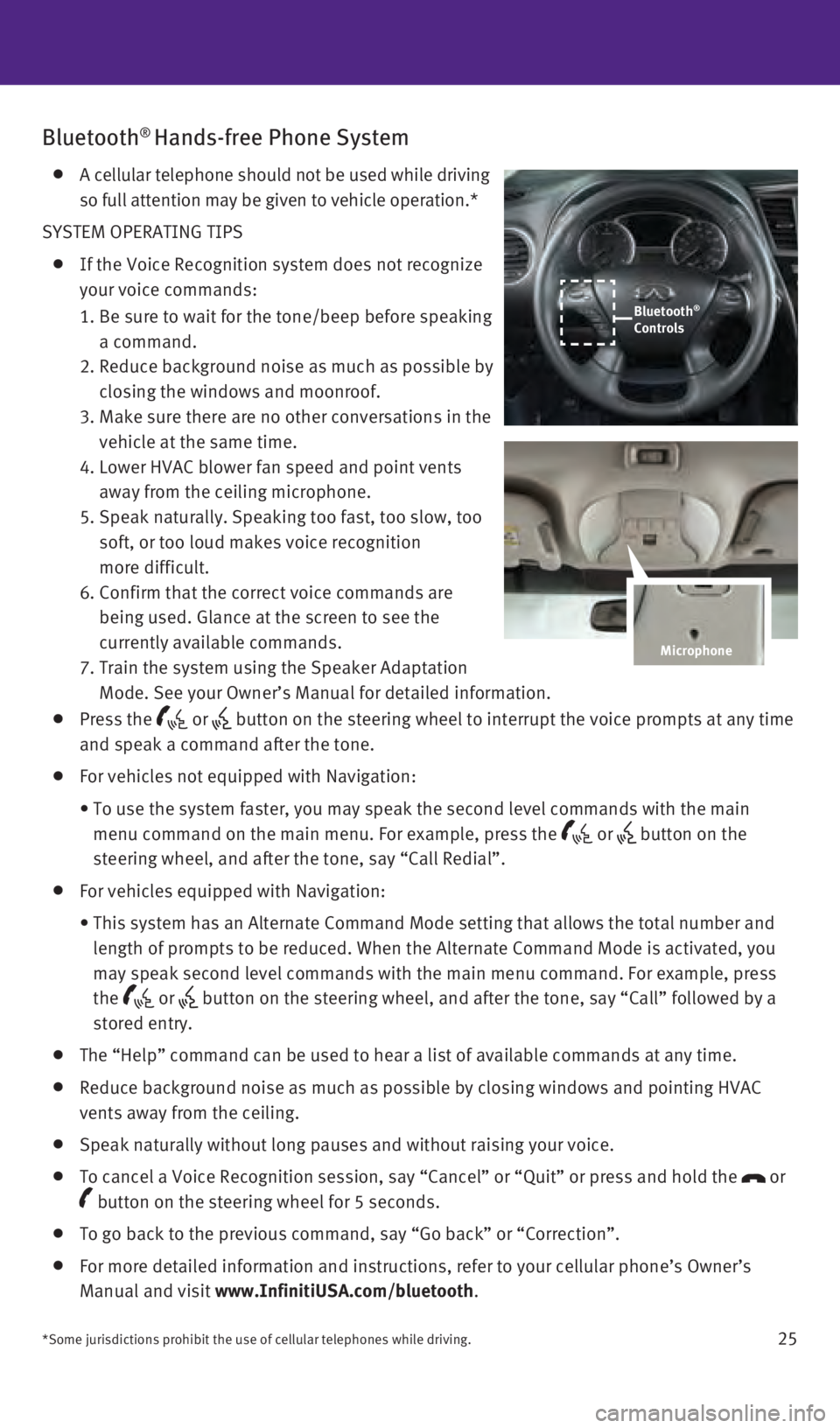
Bluetooth® Hands-free Phone System
A cellular telephone should not be used while driving
so full attention may be given to vehicle operation.*
SYSTEM OPERATING TIPS
If the Voice Recognition system does not recognize
your voice commands:
1. Be sure to wait for the tone/beep before speaking
a command.
2. Reduce background noise as much as possible by
closing the windows and moonroof.
3. Make sure there are no other conversations in the
vehicle at the same time.
4. Lower HVAC blower fan speed and point vents
away from the ceiling microphone.
5. Speak naturally. Speaking too fast, too slow, too
soft, or too loud makes voice recognition
more difficult.
6. Confirm that the correct voice commands are
being used. Glance at the screen to see the
currently available commands.
7. Train the system using the Speaker Adaptation
Mode. See your Owner’s Manual for detailed information.
Press the or button on the steering wheel to interrupt the voice prompts at any time\
and speak a command after the tone.
For vehicles not equipped with Navigation:
• To use the system faster, you may speak the second level commands with t\
he main
menu command on the main menu. For example, press the
or button on the
steering wheel, and after the tone, say “Call Redial”.
For vehicles equipped with Navigation:
• This system has an Alternate Command Mode setting that allows the total \
number and
length of prompts to be reduced. When the Alternate Command Mode is acti\
vated, you
may speak second level commands with the main menu command. For example,\
press
the
or button on the steering wheel, and after the tone, say “Call” foll\
owed by a
stored entry.
The “Help” command can be used to hear a list of available command\
s at any time.
Reduce background noise as much as possible by closing windows and point\
ing HVAC
vents away from the ceiling.
Speak naturally without long pauses and without raising your voice.
To cancel a Voice Recognition session, say “Cancel” or “Quit”\
or press and hold the or
button on the steering wheel for 5 seconds.
To go back to the previous command, say “Go back” or “Correctio\
n”.
For more detailed information and instructions, refer to your cellular p\
hone’s Owner’s
Manual and visit www.InfinitiUSA.com/bluetooth .
*Some jurisdictions prohibit the use of cellular telephones while drivin\
g.
Bluetooth®
Controls
Microphone
2460934_16b_Infiniti_QX60_QRG_031716_b.indd 253/17/16 2:23 PM