2016 HYUNDAI TUCSON roof
[x] Cancel search: roofPage 250 of 642
3-152
Convenient features of your vehicle
CCLLIIMM AATTEE CC OO NNTTRR OO LL AA DDDDIITT IIOO NNAALL FF EE AA TTUU RREESS
Automatic Ventilation
When the ignition is ON or when the
engine is running and the outside
temperature is below 59°F (15°C),
the automatic ventilation feature will
activate if the recirculated air intake
position is selected for more than 5
minutes while A/C is off and floor
mode is selected. In this condition
the air intake position will automati-
cally switch to the outside (fresh) air
intake position.
To cancel or reset the Automatic
Ventilation
When the air conditioning system is
on, select Face Level mode and
while pressing the A/C button, press
the recirculated air position button
five times within three seconds.
Sunroof Inside Air
Recirculation
When the heater or air conditioning system is on with the sunroofopened, the outside (fresh) air posi-
tion will be automatically selected. At
this time, if you press the recirculated
air position button, the recirculated
air position will be selected but will
change back to the outside (fresh) air
position after 3 minutes. When the sunroof is closed, the air
intake position will return to the orig-
inal position that was selected.
Page 263 of 642

3-165
Convenient features of your vehicle
3
EEXX TTEERR IIOO RR FF EE AA TTUU RREESS
Roof rack (if equipped)
If the vehicle has a roof rack, you can
load cargo on top of your vehicle.
If the vehicle is equipped with a
sunroof or a panorama roof, be
sure not to position cargo onto
the roof rack in such a way that it
could interfere with sunroof or a
panorama roof operation. When carrying cargo on the roof
rack, take the necessary precau-
tions to make sure the cargo
does not damage the roof of the
vehicle.
When carrying large objects on the roof rack, make sure they do
not exceed the overall rooflength or width.
NOTICE
NOTICE
OTL045502L
The following specification is
the maximum weight that can
be loaded onto the roof rack.
Distribute the load as evenly
as possible onto the roof rack
and secure the load firmly.
Loading cargo or luggage in
excess of the specified weight
limit on the roof rack may
damage your vehicle.
(Continued)
(Continued)
The vehicle center of gravity will be higher when items are
loaded onto the roof rack.
Avoid sudden starts, braking,
sharp turns, abrupt maneuvers
or high speeds that may result
in loss of vehicle control or
rollover resulting in an accident.
Always drive slowly and turn
corners carefully when carry-
ing items on the roof rack.
Severe wind updrafts, caused
by passing vehicles or natural
causes, can cause sudden
upward pressure on items
loaded on the roof rack. This
is especially true when carry-
ing large, flat items such as
wood panels or mattresses.This could cause the items to
fall off the roof rack and cause
damage to your vehicle or
others around you.
To prevent damage or loss of
cargo while driving, check fre-
quently before or while drivingto make sure the items on the
roof rack are securely fastened.
WARNING
ROOF 220 lbs. (100 kg)
RACK EVENLY DISTRIBUTED
Page 265 of 642
4-2
• If you install an aftermarket HIDhead lamp, your vehicle’s audio
and electronic device may mal-function.
Use caution to keep chemicals such as perfumes, cosmetics,
sun screen lotions, hand sanitiz-
ers, or air fresheners from con-
tacting any interior components.
These chemicals may cause
damage or discoloration to theinterior materials.
AUX, USB and iPod ®
Por t
You can use the AUX port to connect
audio devices and the USB port to
plug in a USB device or iPod
®.
Information
When using a portable audio device
connected to the power outlet, noise
may occur during playback. If this
happens, use the power source of the
portable audio device. ❈iPod
®is a trademark of Apple Inc.
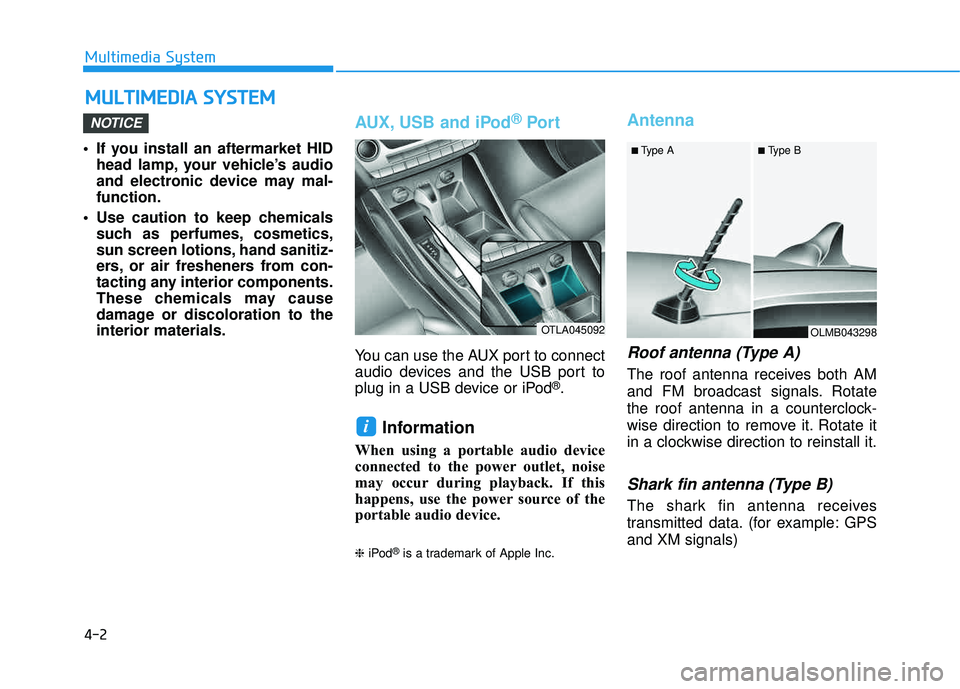
Antenna
Roof antenna (Type A)
The roof antenna receives both AM
and FM broadcast signals. Rotate
the roof antenna in a counterclock-
wise direction to remove it. Rotate it
in a clockwise direction to reinstall it.
Shark fin antenna (Type B)
The shark fin antenna receives
transmitted data. (for example: GPS and XM signals)
i
NOTICE
MM UULLTT IIMM EEDD IIAA SS YY SSTT EEMM
Multimedia System
OTLA045092OLMB043298
■
Type A ■ Type B
Page 279 of 642
4-16
(Continued)
Park the vehicle when connectingthe head unit with the mobile phone.
Bluetooth
®connection may become
intermittently disconnected in some
mobile phones. Follow these steps to
try again.
1. Within the mobile phone, turn the Bluetooth
®function off/on and try
again.
2. Turn the mobile phone power Off/On and try again.
3. Completely remove the mobile phone battery, reboot, and then
again.
4. Reboot the Audio System and try again.
5. Delete all paired devices, pair and try again.
Handsfree call quality and volume may differ depending on the model
of your mobile phone.
Information - Using the voicerecognition
When using the voice recognition feature, only commands listed with-
in the user's manual are supported.
Be aware that during the operation of the voice recognition system,
pressing any key other than the
key terminate voice recognition
mode.
For superior voice recognition per- formance, position the microphone
used for voice recognition above the
head of the driver’s seat and main-
tain a proper position when saying
commands.
Within the following situations, voice recognition may not function
properly due to external sound.
- When the windows and sunroof are open
- When the wind of the cooling / heating device is strong
- When entering and passing through tunnels
(Continued)(Continued)
- When driving on rugged anduneven roads
- During severe rain (heavy rains, windstorms)
Phone related voice commands can be used only when a Bluetooth
®
Wireless Technology device is con-
nected.
When making calls by stating a name, the corresponding contact
must be downloaded and stored
within the audio system.
After downloading the Bluetooth
®
Wireless Technology phone book, it
takes some times to convert the
phone book data into voice informa-
tion. During this time, voice recogni-
tion may not properly operate.
Pronounce the voice commands nat- urally and clearly as if in a normal
conversation.
i
Multimedia System
Page 287 of 642
4-24
Multimedia System
SiriusXM®Satellite Radio
information
Satellite Radio channels:
Enjoy SiriusXM Satellite Radio with a
3-month trial subscription to the
Sirius Select package. You’ll get over
140 channels, including commercial-
free music, plus all your favorite
sports, exclusive talk, entertainment,
and a selection of premium program-
ming. For more information and a
complete list of SiriusXM channels,
visit siriusxm.com in the United
States, siriusxm.ca in Canada, or call
SiriusXM at 1-888-539-7474.
Satellite Radio reception fac-
tors:
To receive the satellite signal, your
vehicle has been equipped with a
satellite radio antenna located on the
roof of your vehicle. The vehicle roof
provides the best location for an
unobstructed, open view of the sky, a
requirement of a satellite radio sys-
tem. Like AM/FM, there are several
factors that can affect satellite radio
reception performance:
Antenna obstructions: For optimal reception performance, keep the
antenna clear of snow and ice
build-up and keep luggage and
other material as far away from the
antenna as possible.
Terrain: Hills, mountains, tall build- ings, bridges, tunnels, freeway
overpasses, parking garages,
dense tree foliage and thunder-
storms can interfere with your reception.
SiriusXM Satellite Radio serv-
ice:
SiriusXM is a subscription-based
satellite radio service that broad-
casts music, sports, news and enter-
tainment programming to radio
receivers, which are available for
installation in motor vehicles or facto-
ry installed, as well as for the home,
portable and wireless devices, and
through an Internet connection on
personal computer.
Vehicles that are equipped with a
factory installed SiriusXM SatelliteRadio system include:
Hardware and an introductory trial subscription term, which begins on the date of sale or lease of the
vehicle.
For a small upgrade fee, access to SiriusXM music channels, and
other select channels over the
Internet using any computer con-
nected to the Internet (U.S. cus- tomers only).
For information on extended sub-
scription terms, contact SiriusXMat 1-888-539-7474.
Page 467 of 642
5-83
Driving your vehicle
5
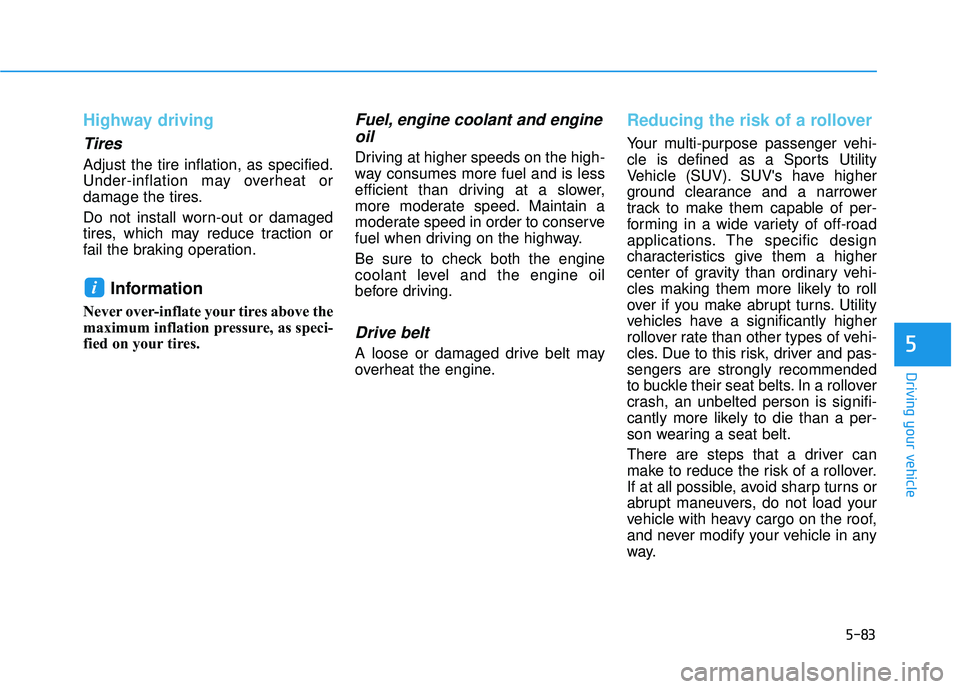
Highway driving
Tires
Adjust the tire inflation, as specified.
Under-inflation may overheat or
damage the tires.
Do not install worn-out or damaged
tires, which may reduce traction or
fail the braking operation.
Information
Never over-inflate your tires above the
maximum inflation pressure, as speci-
fied on your tires.
Fuel, engine coolant and engineoil
Driving at higher speeds on the high-
way consumes more fuel and is less
efficient than driving at a slower,
more moderate speed. Maintain a
moderate speed in order to conserve
fuel when driving on the highway.
Be sure to check both the engine
coolant level and the engine oil
before driving.
Drive belt
A loose or damaged drive belt may
overheat the engine.
Reducing the risk of a rollover
Your multi-purpose passenger vehi-
cle is defined as a Sports Utility
Vehicle (SUV). SUV's have higher
ground clearance and a narrower
track to make them capable of per-
forming in a wide variety of off-road
applications. The specific design
characteristics give them a higher
center of gravity than ordinary vehi-
cles making them more likely to roll
over if you make abrupt turns. Utility
vehicles have a significantly higher
rollover rate than other types of vehi-
cles. Due to this risk, driver and pas-sengers are strongly recommended
to buckle their seat belts. In a rollover
crash, an unbelted person is signifi-
cantly more likely to die than a per-
son wearing a seat belt.
There are steps that a driver can
make to reduce the risk of a rollover.
If at all possible, avoid sharp turns or
abrupt maneuvers, do not load your
vehicle with heavy cargo on the roof,
and never modify your vehicle in any
way.
i
Page 468 of 642
5-84
Driving your vehicle
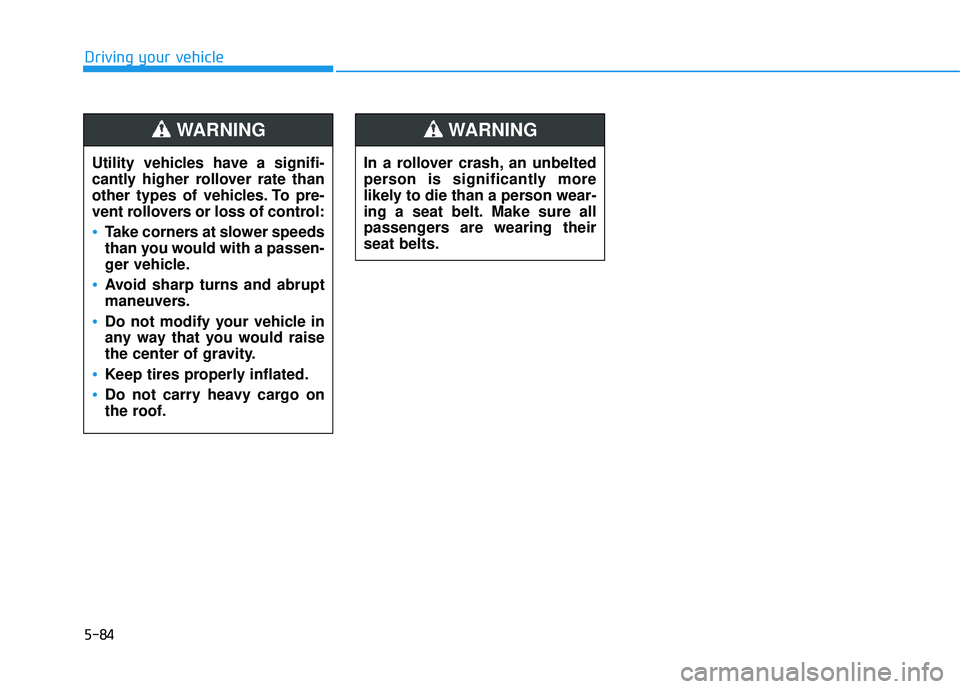
Utility vehicles have a signifi-
cantly higher rollover rate than
other types of vehicles. To pre-
vent rollovers or loss of control:
Take corners at slower speeds
than you would with a passen-
ger vehicle.
Avoid sharp turns and abrupt
maneuvers.
Do not modify your vehicle in
any way that you would raise
the center of gravity.
Keep tires properly inflated.
Do not carry heavy cargo on
the roof.
WARNING
In a rollover crash, an unbelted
person is significantly more
likely to die than a person wear-
ing a seat belt. Make sure all
passengers are wearing theirseat belts.
WARNING
Page 538 of 642
7-25
7
Maintenance
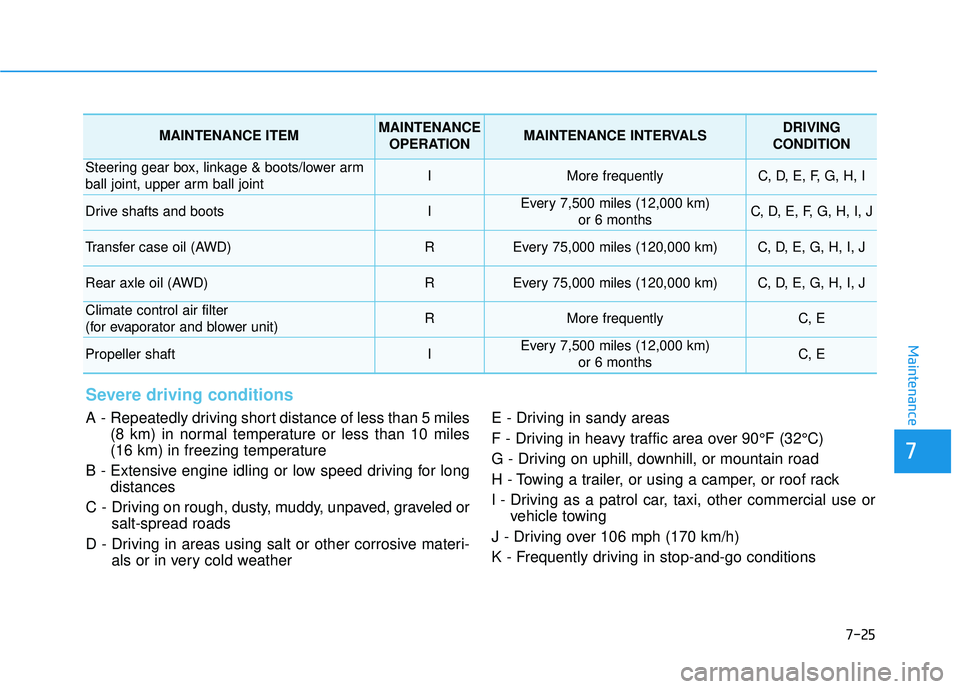
Severe driving conditions
A - Repeatedly driving short distance of less than 5 miles(8 km) in normal temperature or less than 10 miles
(16 km) in freezing temperature
B - Extensive engine idling or low speed driving for long distances
C - Driving on rough, dusty, muddy, unpaved, graveled or salt-spread roads
D - Driving in areas using salt or other corrosive materi- als or in very cold weather E - Driving in sandy areas
F - Driving in heavy traffic area over 90°F (32°C)
G - Driving on uphill, downhill, or mountain road
H - Towing a trailer, or using a camper, or roof rack
I - Driving as a patrol car, taxi, other commercial use or
vehicle towing
J - Driving over 106 mph (170 km/h)
K - Frequently driving in stop-and-go conditions
MAINTENANCE ITEMMAINTENANCE OPERATIONMAINTENANCE INTERVALSDRIVING
CONDITION
Steering gear box, linkage & boots/lower arm
ball joint, upper arm ball jointIMore frequentlyC, D, E, F, G, H, I
Drive shafts and bootsIEvery 7,500 miles (12,000 km) or 6 monthsC, D, E, F, G, H, I, J
Transfer case oil (AWD) REvery 75,000 miles (120,000 km)C, D, E, G, H, I, J
Rear axle oil (AWD)REvery 75,000 miles (120,000 km)C, D, E, G, H, I, J
Climate control air filter
(for evaporator and blower unit)RMore frequentlyC, E
Propeller shaftIEvery 7,500 miles (12,000 km) or 6 monthsC, E