Page 146 of 708
3-51
Convenient features of your vehicle
3
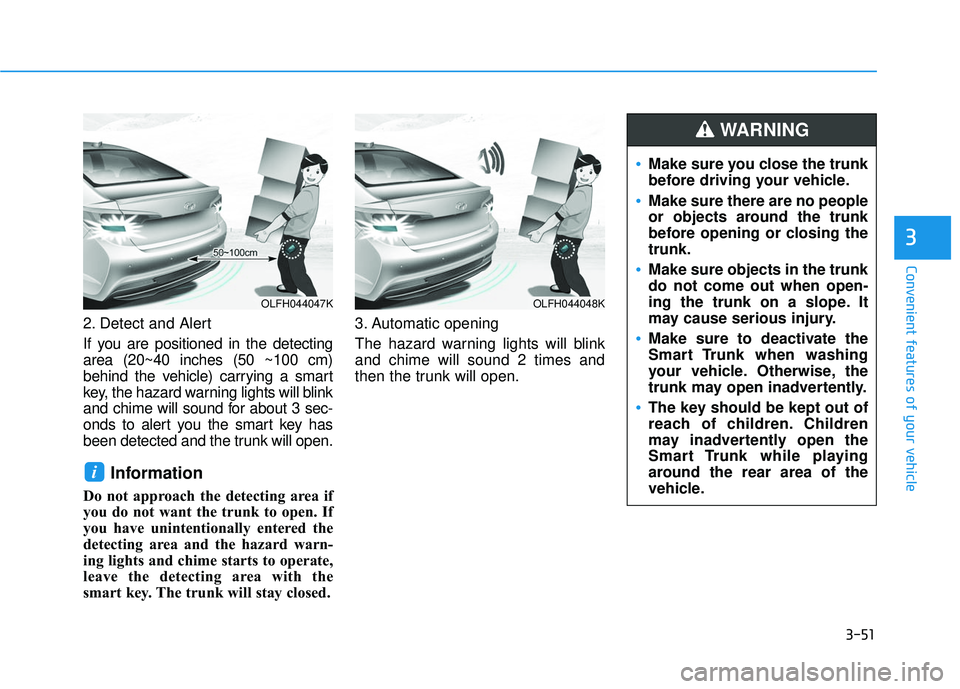
2. Detect and Alert
If you are positioned in the detecting
area (20~40 inches (50 ~100 cm)
behind the vehicle) carrying a smart
key, the hazard warning lights will blink
and chime will sound for about 3 sec-
onds to alert you the smart key has
been detected and the trunk will open.
Information
Do not approach the detecting area if
you do not want the trunk to open. If
you have unintentionally entered the
detecting area and the hazard warn-
ing lights and chime starts to operate,
leave the detecting area with the
smart key. The trunk will stay closed.3. Automatic opening
The hazard warning lights will blink
and chime will sound 2 times and
then the trunk will open.
i
OLFH044047KOLFH044048K
Make sure you close the trunk
before driving your vehicle.
Make sure there are no people
or objects around the trunk
before opening or closing the
trunk.
Make sure objects in the trunk
do not come out when open-
ing the trunk on a slope. It
may cause serious injury.
Make sure to deactivate the
Smart Trunk when washing
your vehicle. Otherwise, the
trunk may open inadvertently.
The key should be kept out of
reach of children. Children
may inadvertently open the
Smart Trunk while playing
around the rear area of the
vehicle.
WARNING
Page 147 of 708
3-52
Convenient features of your vehicle
How to deactivate the SmartTrunk function using the smartkey
If you press any button of the smart
key during the Detect and Alert
stage, the Smart Trunk function will
be deactivated.
Make sure to be aware of how to
deactivate the Smart Trunk function
for emergency situations.
Information
• If you press the door unlock button
(2), the Smart Trunk function will
be deactivated temporarily. But, if
you do not open any door for 30 sec-
onds, the smart trunk function will
be activated again.
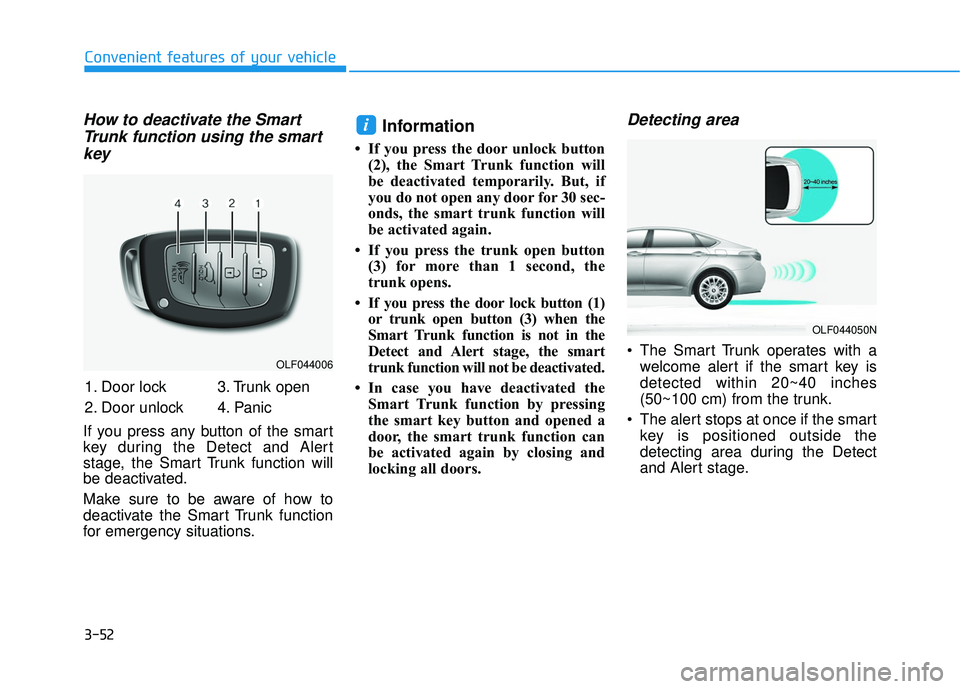
• If you press the trunk open button (3) for more than 1 second, the
trunk opens.
• If you press the door lock button (1) or trunk open button (3) when the
Smart Trunk function is not in the
Detect and Alert stage, the smart
trunk function will not be deactivated.
• In case you have deactivated the Smart Trunk function by pressing
the smart key button and opened a
door, the smart trunk function can
be activated again by closing and
locking all doors.
Detecting area
The Smart Trunk operates with awelcome alert if the smart key is
detected within 20~40 inches
(50~100 cm) from the trunk.
The alert stops at once if the smart key is positioned outside the
detecting area during the Detect
and Alert stage.
i
OLF044006
OLF044050N
1. Door lock
2. Door unlock 3. Trunk open
4. Panic
Page 148 of 708
3-53
Convenient features of your vehicle
3
Information
• The Smart Trunk function will notwork if any of the following occurs:
- The smart key is close to a radiotransmitter such as a radio station
or an airport which can interfere
with normal operation of the
transmitter.
- The smart key is near a mobile two way radio system or a cellular
phone.
- Another vehicle ’s smart key is being
operated close to your vehicle.
• The detecting range may decrease or increase when :
- One side of the tire is raised toreplace a tire or to inspect the vehi-
cle.
- The vehicle is parked on a slope or unpaved road, etc.
Fuel Filler Door
Opening the fuel filler door
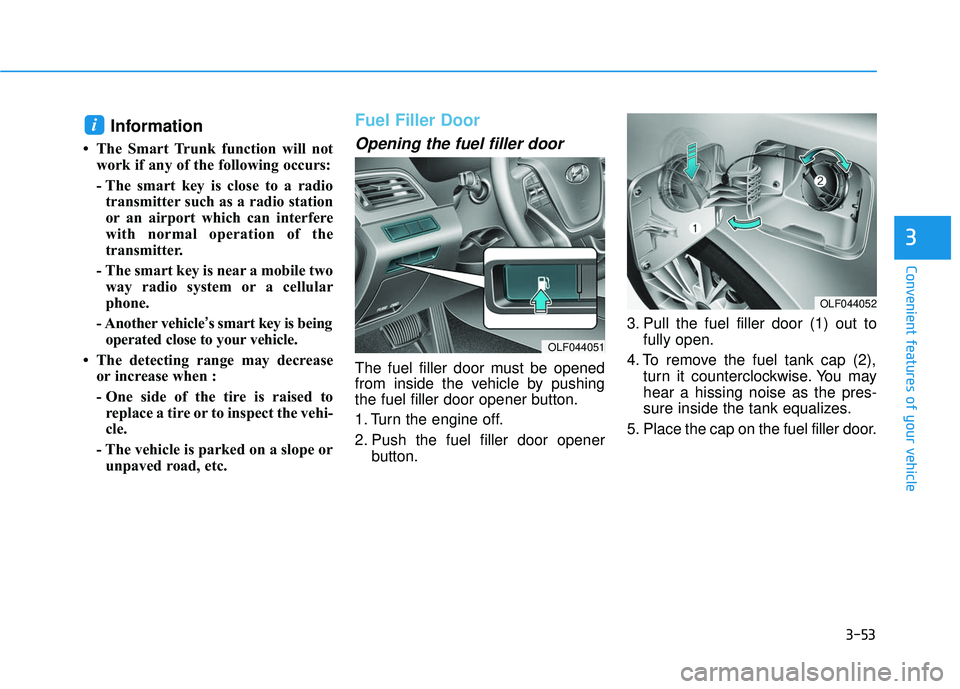
The fuel filler door must be opened
from inside the vehicle by pushing
the fuel filler door opener button.
1. Turn the engine off.
2. Push the fuel filler door opener button. 3. Pull the fuel filler door (1) out to
fully open.
4. To remove the fuel tank cap (2), turn it counterclockwise. You may
hear a hissing noise as the pres-
sure inside the tank equalizes.
5. Place the cap on the fuel filler door.
i
OLF044052
OLF044051
Page 167 of 708
3-72
Convenient features of your vehicle
Immobilizer Indicator
This indicator illuminates up to 30
seconds:
When the vehicle detects thesmart key in the vehicle properly
while the Engine Start/Stop button
is in the ACC or ON position.
- You can start the vehicle.
- The indicator light goes off afterstarting the vehicle.
This indicator blinks for a few sec-
onds:
When the smart key is not in the vehicle.
- You cannot start the vehicle.
This indicator illuminates for 2 sec-
onds and goes off:
When the Smart Key is not detect-ed inside the vehicle, when the
Engine Start/Stop button is in the
ON position.
In this case, have the vehicle
inspected by an authorized
HYUNDAI dealer.
This indicator blinks:
When the Smart Key battery isweak.
- In this case, you cannot start theengine. However, by pressing the
Engine Start/Stop button with the
smart key, you may start the
engine. (For more information,
refer to “Starting the Engine” in
the chapter 5).
When there is a malfunction with the immobilizer system.
In this case, have the vehicle
inspected by an authorized
HYUNDAI dealer.
Automatic Transaxle ShiftIndicator
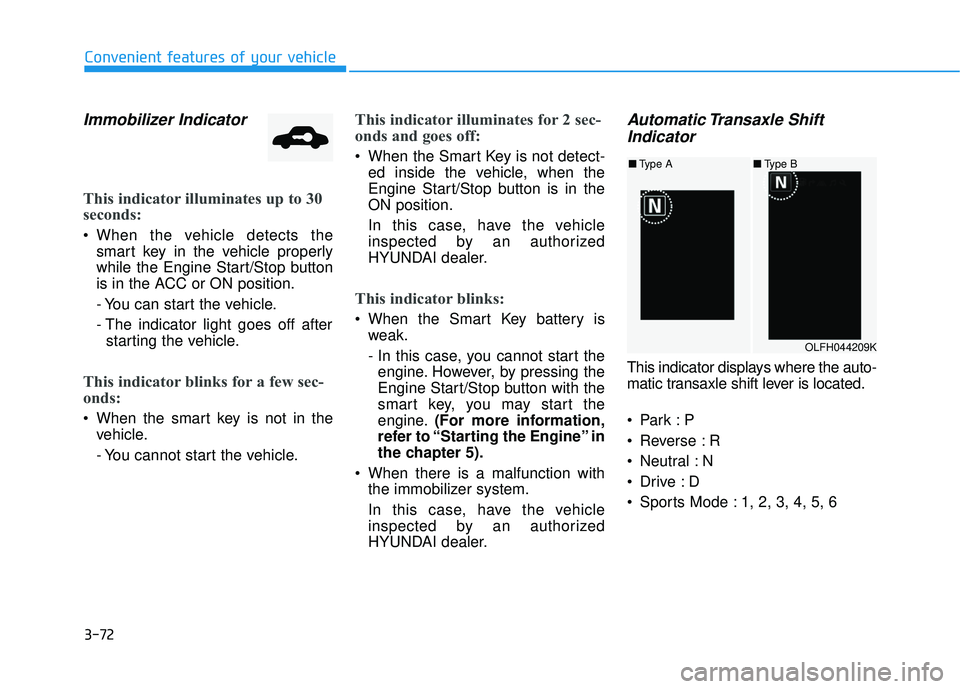
This indicator displays where the auto-
matic transaxle shift lever is located.
Reverse : R
Neutral : N
Sports Mode : 1, 2, 3, 4, 5, 6
OLFH044209K
■ Type A ■Type B
Page 171 of 708
3-76
Convenient features of your vehicle
Warning messages
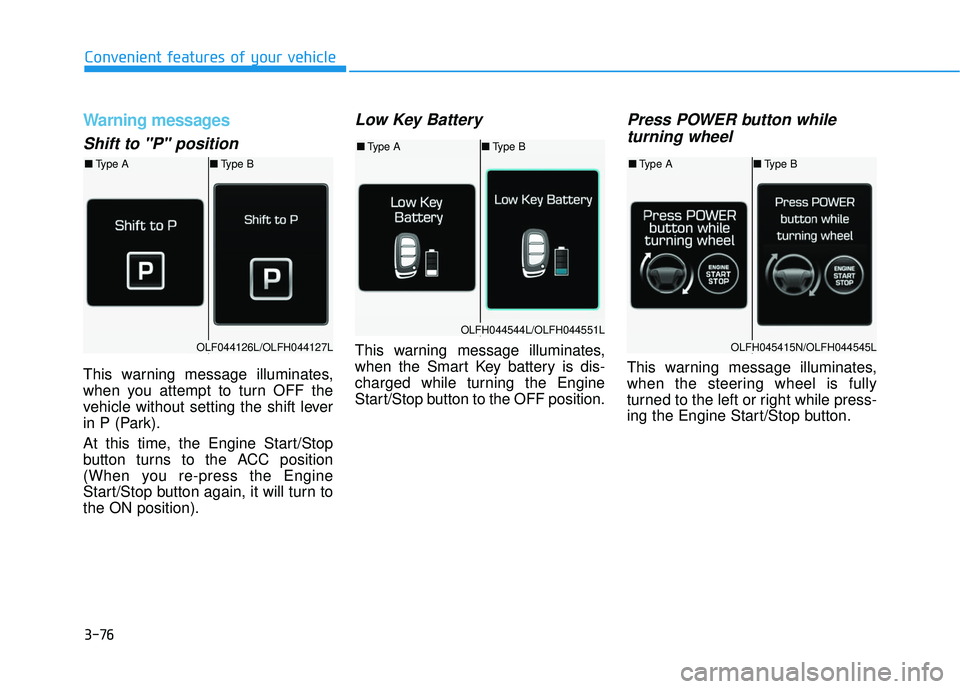
Shift to "P" position
This warning message illuminates,
when you attempt to turn OFF the
vehicle without setting the shift lever
in P (Park).
At this time, the Engine Start/Stop
button turns to the ACC position
(When you re-press the Engine
Start/Stop button again, it will turn to
the ON position).
Low Key Battery
This warning message illuminates,
when the Smart Key battery is dis-
charged while turning the Engine
Start/Stop button to the OFF position.
Press POWER button whileturning wheel
This warning message illuminates,
when the steering wheel is fully
turned to the left or right while press-
ing the Engine Start/Stop button.
OLF044126L/OLFH044127L
OLFH044544L/OLFH044551L
OLFH045415N/OLFH044545L
■ Type A ■Type B
■Type A ■Type B
■Type A ■Type B
Page 173 of 708
3-78
Convenient features of your vehicle
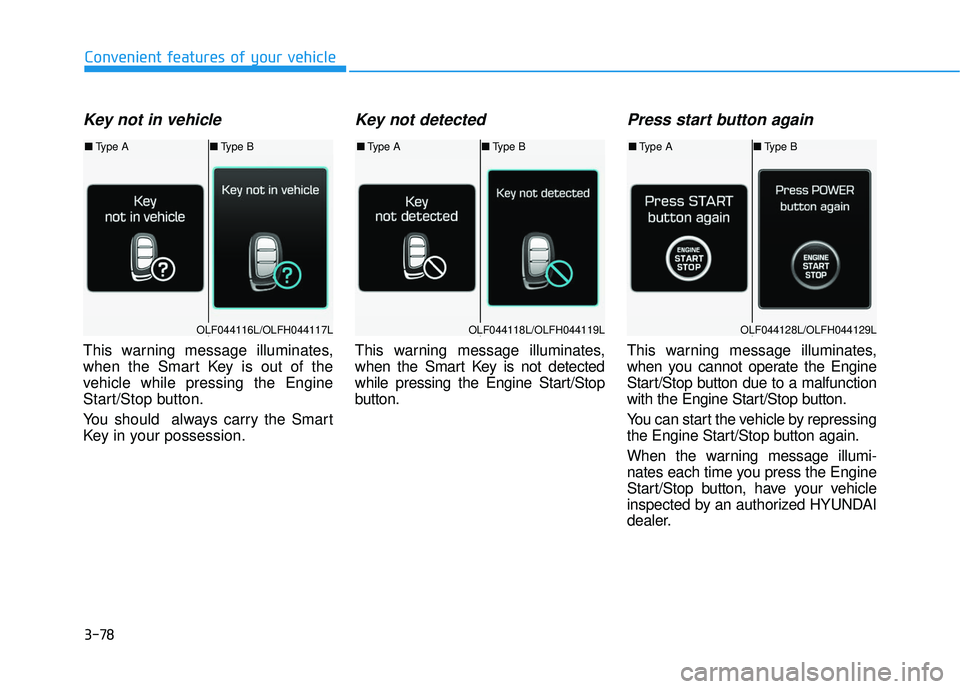
Key not in vehicle
This warning message illuminates,
when the Smart Key is out of the
vehicle while pressing the Engine
Start/Stop button.
You should always carry the Smart
Key in your possession.
Key not detected
This warning message illuminates,
when the Smart Key is not detected
while pressing the Engine Start/Stop
button.
Press start button again
This warning message illuminates,
when you cannot operate the Engine
Start/Stop button due to a malfunction
with the Engine Start/Stop button.
You can start the vehicle by repressing
the Engine Start/Stop button again.
When the warning message illumi-
nates each time you press the Engine
Start/Stop button, have your vehicle
inspected by an authorized HYUNDAI
dealer.
OLF044116L/OLFH044117LOLF044118L/OLFH044119LOLF044128L/OLFH044129L
■Type A ■Type B■Type A ■Type B■Type A ■Type B
Page 174 of 708
3-79
Convenient features of your vehicle
3
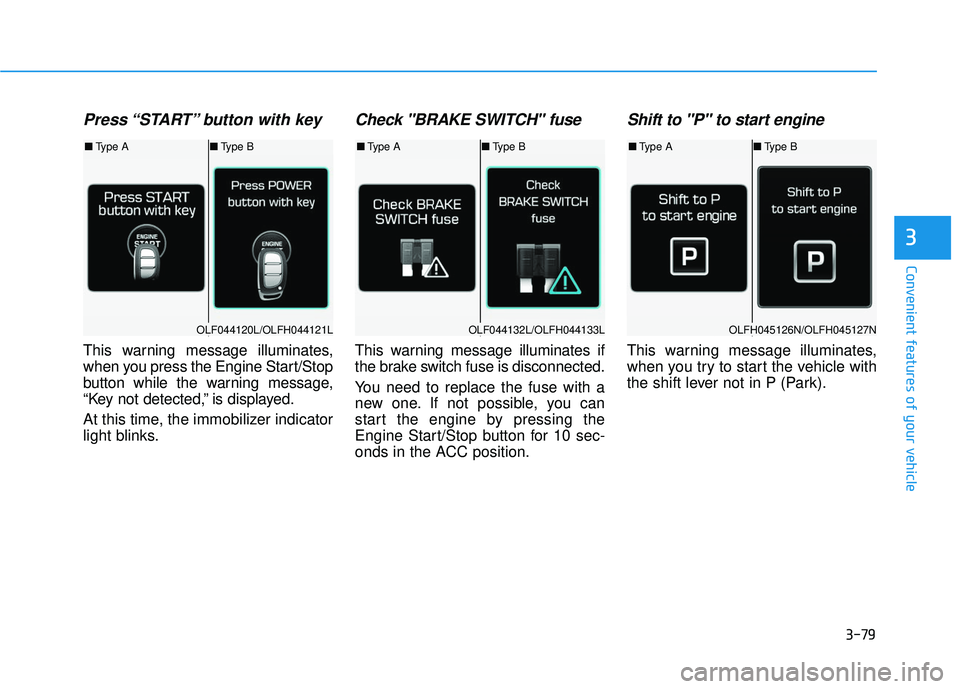
Press “START” button with key
This warning message illuminates,
when you press the Engine Start/Stop
button while the warning message,
“Key not detected,” is displayed.
At this time, the immobilizer indicator
light blinks.
Check "BRAKE SWITCH" fuse
This warning message illuminates if
the brake switch fuse is disconnected.
You need to replace the fuse with a
new one. If not possible, you can
start the engine by pressing the
Engine Start/Stop button for 10 sec-
onds in the ACC position.
Shift to "P" to start engine
This warning message illuminates,
when you try to start the vehicle with
the shift lever not in P (Park).
OLF044120L/OLFH044121LOLF044132L/OLFH044133LOLFH045126N/OLFH045127N
■Type A ■Type B■Type A ■Type B■Type A ■Type B
Page 208 of 708
3-113
Convenient features of your vehicle
3
Battery saver function
The purpose of this feature is to pre-
vent the battery from being dis-
charged. The system automatically
turns off the parking lamp when the
driver turns the engine off and opens
the driver-side door.
With this feature, the parking lamps
will turn off automatically if the driver
parks on the side of road at night.
If necessary, to keep the lamps on
when the engine is turned off, perform
the following:
1) Open the driver-side door.
2) Turn the parking lamps OFF andON again using the light switch on
the steering column.
Headlamp delay function (if equipped)
If engine Start/Stop button is in the
ACC or OFF position with the head-
lamps ON, the headlamps (and/or
parking lamps) remain on for about 5
minutes. However, if the driver’s door
is opened and closed, the headlamps
are turned off after 15 seconds.
However, with the engine off if the dri-
ver’s door is opened and closed, the
headlamps (and/or parking lamps)
are turned off after 15 seconds.
The headlamps (and/or parking
lamps) can be turned off by pressing
the lock button on the smart key
twice or turning the light switch to the
OFF or AUTO position. However, if
you turn the light switch to the AUTO
position when it is dark outside, the
headlamps will not be turned off.
You can activate or deactivate the
Headlamp Delay function from the
User Settings Mode (Light) on the
LCD display.
For more information, refer to the
"LCD Display" section in this
chapter. If the driver gets out of the vehicle
through other doors (except dri-
ver’s door), the battery saver func-
tion does not operate and the
headlamp delay function does not
turn off automatically. Therefore, It
causes the battery to be dis-
charged. In this case, make sure
to turn off the lamp before getting
out of the vehicle.
NOTICE