2016 Hyundai Santa Fe Sport fog light
[x] Cancel search: fog lightPage 15 of 763
Your vehicle at a glance
22
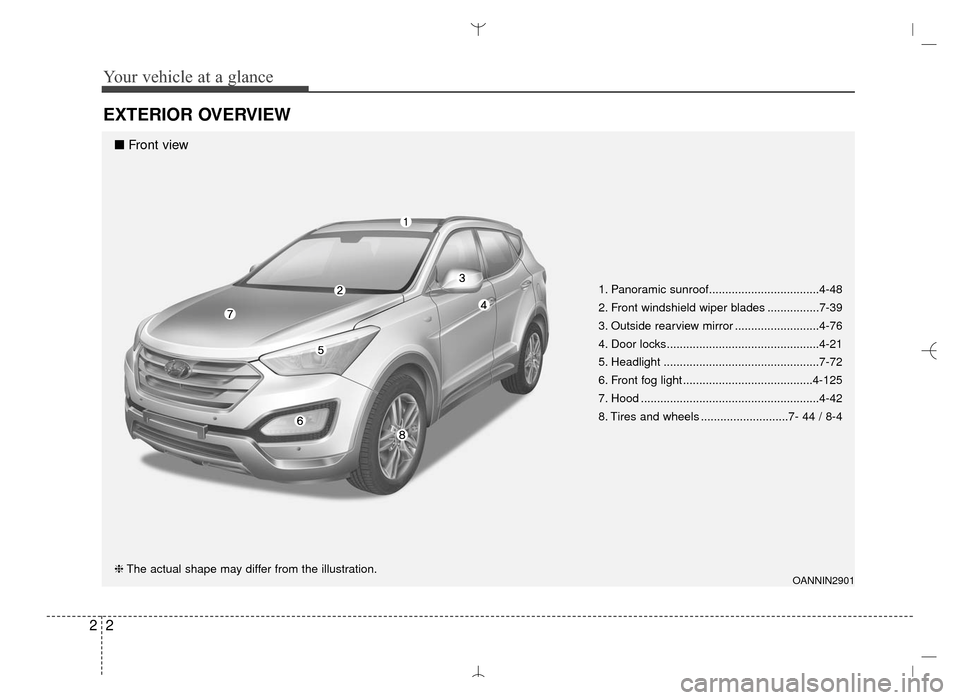
EXTERIOR OVERVIEW
1. Panoramic sunroof..................................4-48
2. Front windshield wiper blades ................7-39
3. Outside rearview mirror ..........................4-76
4. Door locks...............................................4-21
5. Headlight ................................................7-72
6. Front fog light ........................................4-125
7. Hood .......................................................4-42
8. Tires and wheels ...........................7- 44 / 8-4
OANNIN2901❈The actual shape may differ from the illustration.
■ Front view
AN HMA 2.QXP 6/10/2015 11:21 AM Page 2
Page 94 of 763

Mirrors . . . . . . . . . . . . . . . . . . . . . . . . . . . . . . . . . . 4-60\
• Inside rearview mirror . . . . . . . . . . . . . . . . . . . . . . . . 4-60
• Outside rearview mirror. . . . . . . . . . . . . . . . . . . . . . . 4-76
• Blind zone mirror (BZM) . . . . . . . . . . . . . . . . . . . . . . 4-78
Instrument cluster . . . . . . . . . . . . . . . . . . . . . . . . . 4-79
• Instrument Cluster Control . . . . . . . . . . . . . . . . . . . . 4-80
• LCD Display Control . . . . . . . . . . . . . . . . . . . . . . . . . 4-80
• Gauges . . . . . . . . . . . . . . . . . . . . . . . . . . . . . . . . . . . . \
. 4-81
• Transaxle Shift Indicator . . . . . . . . . . . . . . . . . . . . . . 4-84
LCD display . . . . . . . . . . . . . . . . . . . . . . . . . . . . . . 4-85
• LCD Modes . . . . . . . . . . . . . . . . . . . . . . . . . . . . . . . . . 4-85
• Service Mode . . . . . . . . . . . . . . . . . . . . . . . . . . . . . . . . 4-86
• User Settings Mode . . . . . . . . . . . . . . . . . . . . . . . . . . . 4-87
• A/V Mode . . . . . . . . . . . . . . . . . . . . . . . . . . . . . . . . . . . 4-\
90
• Turn By Turn Mode . . . . . . . . . . . . . . . . . . . . . . . . . . 4-90
• Warning Messages . . . . . . . . . . . . . . . . . . . . . . . . . . . . 4-91
Trip computer . . . . . . . . . . . . . . . . . . . . . . . . . . . . . 4-98
• Overview . . . . . . . . . . . . . . . . . . . . . . . . . . . . . . . . . . . 4-\
98
• Trip A/B . . . . . . . . . . . . . . . . . . . . . . . . . . . . . . . . . . . . \
4-99
• Fuel Economy . . . . . . . . . . . . . . . . . . . . . . . . . . . . . . 4-100
Warning and indicator lights . . . . . . . . . . . . . . . 4-102
• Warning lights . . . . . . . . . . . . . . . . . . . . . . . . . . . . . . 4-102
• Indicator Lights . . . . . . . . . . . . . . . . . . . . . . . . . . . . . 4-110
Rear parking assist system . . . . . . . . . . . . . . . . . 4-114
• Operation . . . . . . . . . . . . . . . . . . . . . . . . . . . . . . . . . . 4-114• Non-operational conditions . . . . . . . . . . . . . . . . . . . 4-115
• Self-diagnosis . . . . . . . . . . . . . . . . . . . . . . . . . . . . . . . 4-117
Rearview camera . . . . . . . . . . . . . . . . . . . . . . . . . 4-118
Hazard warning flasher . . . . . . . . . . . . . . . . . . . . 4-119
Lighting . . . . . . . . . . . . . . . . . . . . . . . . . . . . . . . . . 4-120
• Battery saver function. . . . . . . . . . . . . . . . . . . . . . . . 4-120
• Headlamp delay function . . . . . . . . . . . . . . . . . . . . . 4-120
• Lighting control . . . . . . . . . . . . . . . . . . . . . . . . . . . . . 4-121
• Daytime running light . . . . . . . . . . . . . . . . . . . . . . . . 4-123
• High - beam operation . . . . . . . . . . . . . . . . . . . . . . . 4-123
• Turn signals and lane change signals . . . . . . . . . . . 4-124
• Front fog light . . . . . . . . . . . . . . . . . . . . . . . . . . . . . . 4-125
Wipers and washers . . . . . . . . . . . . . . . . . . . . . . . 4-126
• Windshield wipers (front) . . . . . . . . . . . . . . . . . . . . . 4-126
• Windshield washers (front) . . . . . . . . . . . . . . . . . . . 4-128
• Rear window wiper and washer switch. . . . . . . . . . 4-129
Interior light . . . . . . . . . . . . . . . . . . . . . . . . . . . . . 4-130
• Automatic turn off function . . . . . . . . . . . . . . . . . . . 4-130
• Map lamp . . . . . . . . . . . . . . . . . . . . . . . . . . . . . . . . . . 4-13\
0
• Room lamp . . . . . . . . . . . . . . . . . . . . . . . . . . . . . . . . . 4-131
• Luggage room lamp . . . . . . . . . . . . . . . . . . . . . . . . . 4-132
• Vanity mirror lamp . . . . . . . . . . . . . . . . . . . . . . . . . . 4-132
Welcome system . . . . . . . . . . . . . . . . . . . . . . . . . . 4-133
• Headlamp welcome . . . . . . . . . . . . . . . . . . . . . . . . . . 4-133
• Interior light. . . . . . . . . . . . . . . . . . . . . . . . . . . . . . . . 4-133
4
AN HMA 4A.QXP 3/5/2015 3:17 PM Page 2
Page 204 of 763
Features of your vehicle
112
4
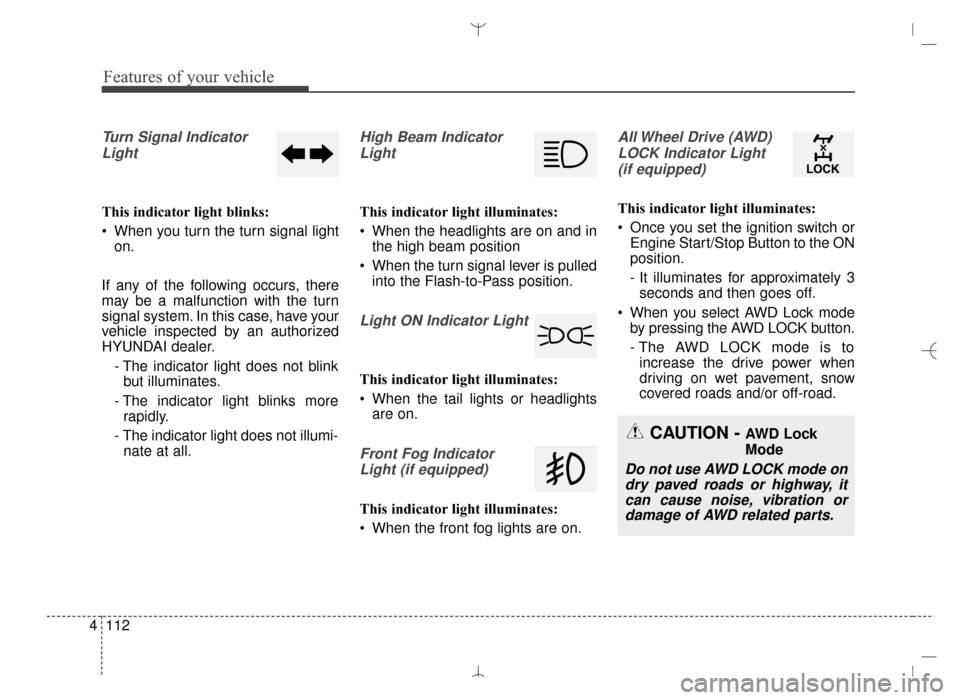
Turn Signal Indicator
Light
This indicator light blinks:
When you turn the turn signal light on.
If any of the following occurs, there
may be a malfunction with the turn
signal system. In this case, have your
vehicle inspected by an authorized
HYUNDAI dealer. - The indicator light does not blinkbut illuminates.
- The indicator light blinks more rapidly.
- The indicator light does not illumi- nate at all.
High Beam Indicator
Light
This indicator light illuminates:
When the headlights are on and in the high beam position
When the turn signal lever is pulled into the Flash-to-Pass position.
Light ON Indicator Light
This indicator light illuminates:
When the tail lights or headlightsare on.
Front Fog Indicator
Light (if equipped)
This indicator light illuminates:
When the front fog lights are on.
All Wheel Drive (AWD)LOCK Indicator Light (if equipped)
This indicator light illuminates:
Once you set the ignition switch or Engine Start/Stop Button to the ON
position.
- It illuminates for approximately 3seconds and then goes off.
When you select AWD Lock mode by pressing the AWD LOCK button.
- The AWD LOCK mode is toincrease the drive power when
driving on wet pavement, snow
covered roads and/or off-road.
CAUTION - AWD Lock
Mode
Do not use AWD LOCK mode ondry paved roads or highway, itcan cause noise, vibration ordamage of AWD related parts.
AN HMA 4A.QXP 3/5/2015 3:18 PM Page 112
Page 214 of 763
Features of your vehicle
122
4
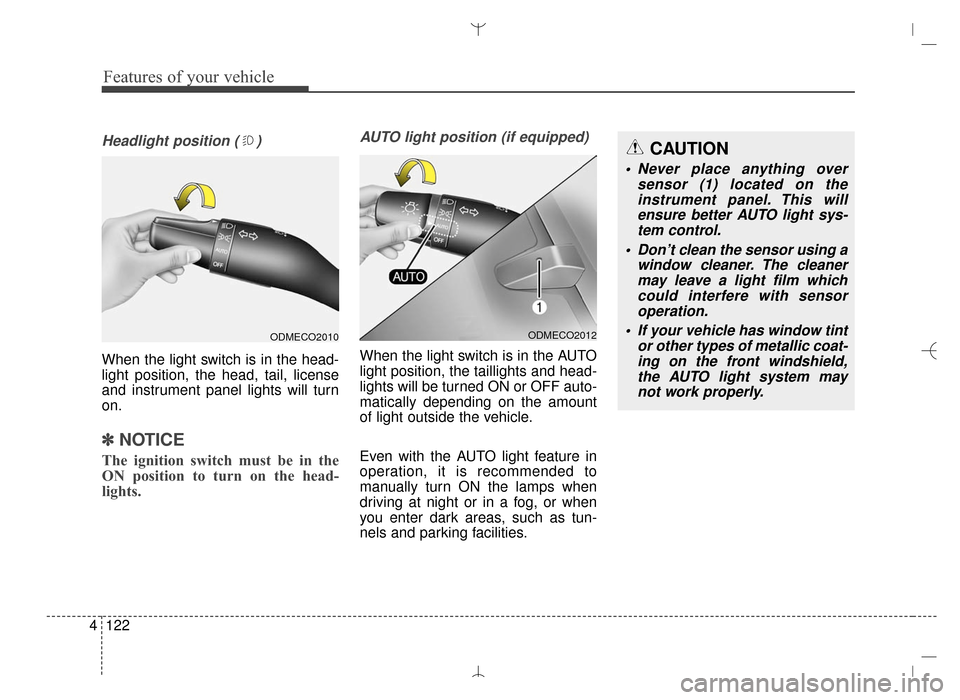
Headlight position ( )
When the light switch is in the head-
light position, the head, tail, license
and instrument panel lights will turn
on.
✽ ✽
NOTICE
The ignition switch must be in the
ON position to turn on the head-
lights.
AUTO light position (if equipped)
When the light switch is in the AUTO
light position, the taillights and head-
lights will be turned ON or OFF auto-
matically depending on the amount
of light outside the vehicle.
Even with the AUTO light feature in
operation, it is recommended to
manually turn ON the lamps when
driving at night or in a fog, or when
you enter dark areas, such as tun-
nels and parking facilities.
ODMECO2012
CAUTION
• Never place anything over
sensor (1) located on theinstrument panel. This willensure better AUTO light sys-tem control.
Don’t clean the sensor using a window cleaner. The cleanermay leave a light film whichcould interfere with sensoroperation.
If your vehicle has window tint or other types of metallic coat-ing on the front windshield,the AUTO light system maynot work properly.
ODMECO2010
AN HMA 4B.QXP 3/5/2015 3:22 PM Page 122
Page 217 of 763
4125
Features of your vehicle
One-touch triple turn signal (One Touch Turn Signal)
To activate the one-touch lane
change function, move the turn sig-
nal lever slightly and then release it.
The lane change signals will blink 3
(5 or 7, if equipped) times.
You can activate/deactivate the One
Touch Turn Signal function or choose
the number of blinking (3, 5, or 7)
from the User Settings Mode on the
LCD display (if equipped).
✽ ✽ NOTICE
If an indicator flash is abnormally
quick or slow, a bulb may be burned
out or have a poor electrical connec-
tion in the circuit.
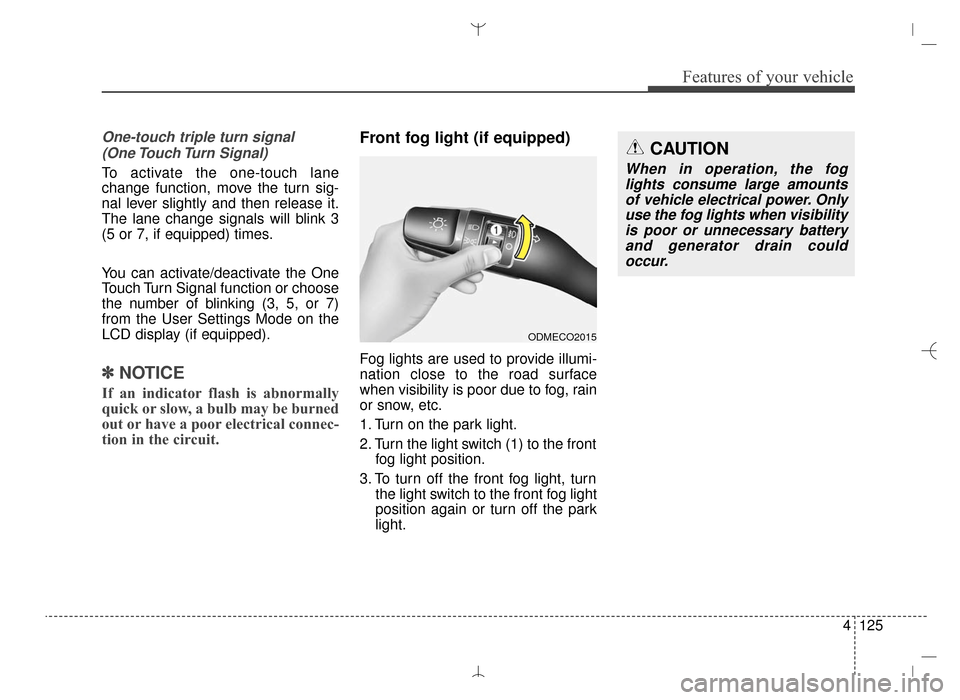
Front fog light (if equipped)
Fog lights are used to provide illumi-
nation close to the road surface
when visibility is poor due to fog, rain
or snow, etc.
1. Turn on the park light.
2. Turn the light switch (1) to the front
fog light position.
3. To turn off the front fog light, turn the light switch to the front fog light
position again or turn off the park
light.
ODMECO2015
CAUTION
When in operation, the foglights consume large amountsof vehicle electrical power. Onlyuse the fog lights when visibilityis poor or unnecessary batteryand generator drain couldoccur.
AN HMA 4B.QXP 3/5/2015 3:22 PM Page 125
Page 231 of 763
4139
Features of your vehicle
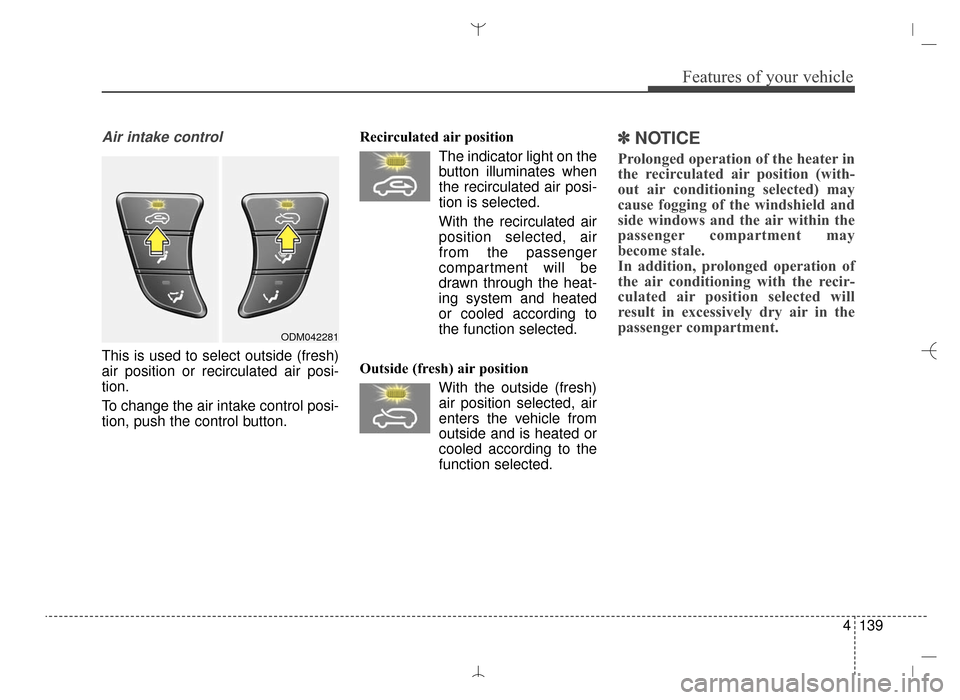
Air intake control
This is used to select outside (fresh)
air position or recirculated air posi-
tion.
To change the air intake control posi-
tion, push the control button.Recirculated air position
The indicator light on the
button illuminates when
the recirculated air posi-
tion is selected.
With the recirculated air position selected, air
from the passenger
compartment will be
drawn through the heat-
ing system and heated
or cooled according to
the function selected.
Outside (fresh) air position With the outside (fresh)air position selected, air
enters the vehicle from
outside and is heated or
cooled according to the
function selected.
✽ ✽ NOTICE
Prolonged operation of the heater in
the recirculated air position (with-
out air conditioning selected) may
cause fogging of the windshield and
side windows and the air within the
passenger compartment may
become stale.
In addition, prolonged operation of
the air conditioning with the recir-
culated air position selected will
result in excessively dry air in the
passenger compartment.
ODM042281
AN HMA 4B.QXP 3/5/2015 3:22 PM Page 139
Page 233 of 763
4141
Features of your vehicle
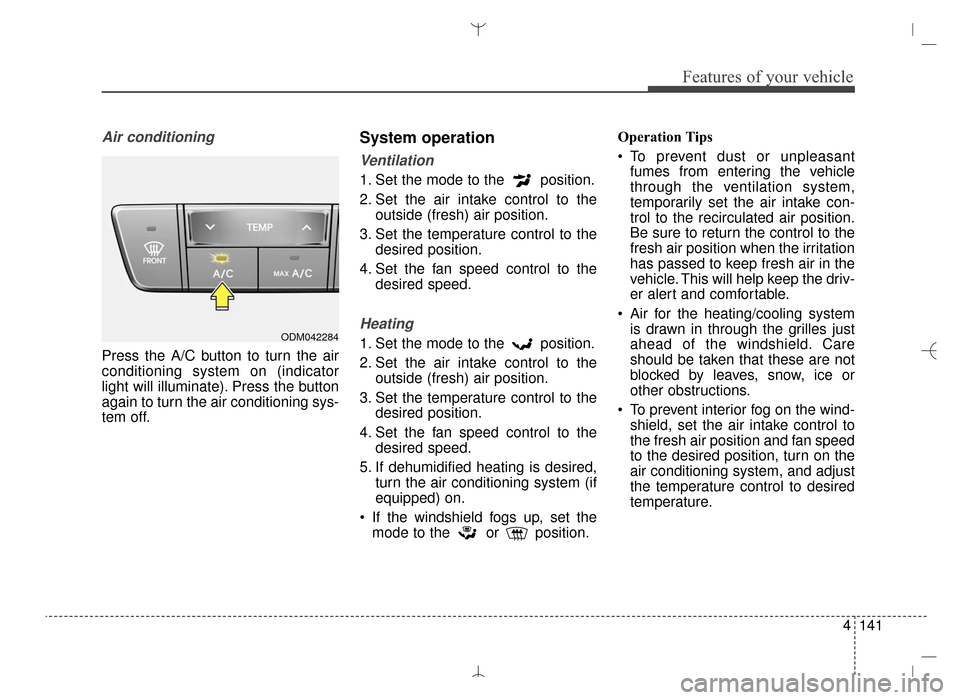
Air conditioning
Press the A/C button to turn the air
conditioning system on (indicator
light will illuminate). Press the button
again to turn the air conditioning sys-
tem off.
System operation
Ventilation
1. Set the mode to the position.
2. Set the air intake control to theoutside (fresh) air position.
3. Set the temperature control to the desired position.
4. Set the fan speed control to the desired speed.
Heating
1. Set the mode to the position.
2. Set the air intake control to theoutside (fresh) air position.
3. Set the temperature control to the desired position.
4. Set the fan speed control to the desired speed.
5. If dehumidified heating is desired, turn the air conditioning system (if
equipped) on.
If the windshield fogs up, set the mode to the or position. Operation Tips
To prevent dust or unpleasant
fumes from entering the vehicle
through the ventilation system,
temporarily set the air intake con-
trol to the recirculated air position.
Be sure to return the control to the
fresh air position when the irritation
has passed to keep fresh air in the
vehicle. This will help keep the driv-
er alert and comfortable.
Air for the heating/cooling system is drawn in through the grilles just
ahead of the windshield. Care
should be taken that these are not
blocked by leaves, snow, ice or
other obstructions.
To prevent interior fog on the wind- shield, set the air intake control to
the fresh air position and fan speed
to the desired position, turn on the
air conditioning system, and adjust
the temperature control to desired
temperature.ODM042284
AN HMA 4B.QXP 3/5/2015 3:22 PM Page 141
Page 242 of 763
Features of your vehicle
150
4
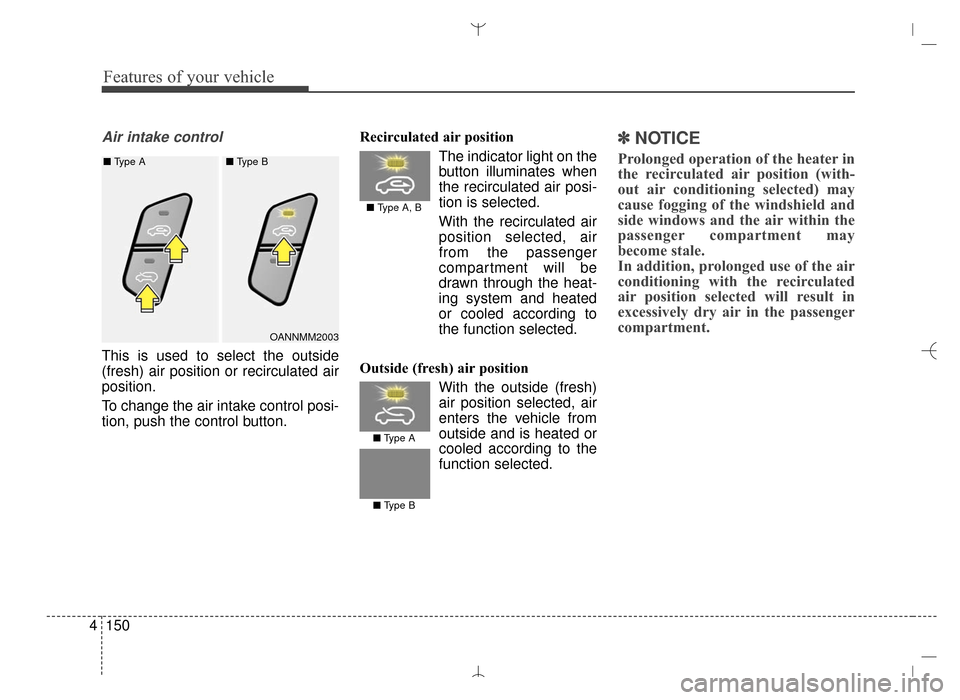
Air intake control
This is used to select the outside
(fresh) air position or recirculated air
position.
To change the air intake control posi-
tion, push the control button. Recirculated air position
The indicator light on the
button illuminates when
the recirculated air posi-
tion is selected.
With the recirculated air position selected, air
from the passenger
compartment will be
drawn through the heat-
ing system and heated
or cooled according to
the function selected.
Outside (fresh) air position With the outside (fresh)
air position selected, air
enters the vehicle from
outside and is heated orcooled according to the
function selected.
✽ ✽ NOTICE
Prolonged operation of the heater in
the recirculated air position (with-
out air conditioning selected) may
cause fogging of the windshield and
side windows and the air within the
passenger compartment may
become stale.
In addition, prolonged use of the air
conditioning with the recirculated
air position selected will result in
excessively dry air in the passenger
compartment.
OANNMM2003
■ Type A, B
■ Type A
■
Type A ■ Type B
■ Type B
AN HMA 4B.QXP 3/5/2015 3:22 PM Page 150