Page 133 of 699
435
Features of your vehicle
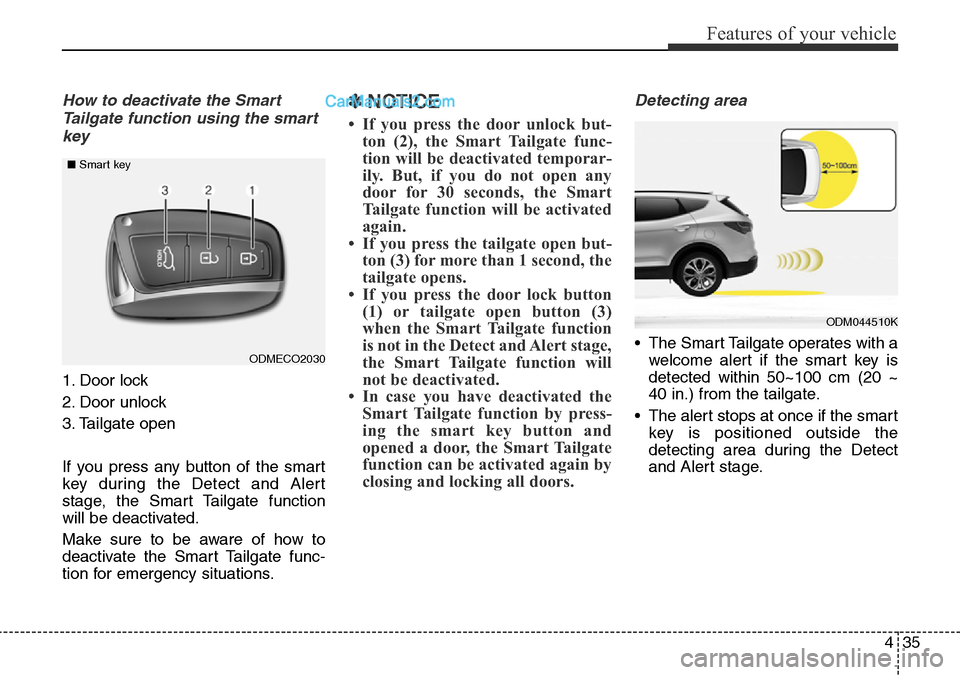
How to deactivate the Smart
Tailgate function using the smart
key
1. Door lock
2. Door unlock
3. Tailgate open
If you press any button of the smart
key during the Detect and Alert
stage, the Smart Tailgate function
will be deactivated.
Make sure to be aware of how to
deactivate the Smart Tailgate func-
tion for emergency situations.
✽NOTICE
• If you press the door unlock but-
ton (2), the Smart Tailgate func-
tion will be deactivated temporar-
ily. But, if you do not open any
door for 30 seconds, the Smart
Tailgate function will be activated
again.
• If you press the tailgate open but-
ton (3) for more than 1 second, the
tailgate opens.
• If you press the door lock button
(1) or tailgate open button (3)
when the Smart Tailgate function
is not in the Detect and Alert stage,
the Smart Tailgate function will
not be deactivated.
• In case you have deactivated the
Smart Tailgate function by press-
ing the smart key button and
opened a door, the Smart Tailgate
function can be activated again by
closing and locking all doors.
Detecting area
• The Smart Tailgate operates with a
welcome alert if the smart key is
detected within 50~100 cm (20 ~
40 in.) from the tailgate.
• The alert stops at once if the smart
key is positioned outside the
detecting area during the Detect
and Alert stage.ODMECO2030 ■Smart key
ODM044510K
Page 134 of 699
Features of your vehicle
36 4
✽NOTICE
• The Smart Tailgate function will
not work if any of the following
occurs:
- The smart key is close to a radio
transmitter such as a radio sta-
tion or an airport which can
interfere with normal operation
of the transmitter.
- The smart key is near a mobile
two way radio system or a cellu-
lar phone.
- Another vehicle's smart key is
being operated close to your
vehicle.
• The detecting range may decrease
or increase when :
- One side of the tyre is raised to
replace a tyre or to inspect the
vehicle.
- The vehicle is slantingly parked
on a slope or unpaved road, etc.
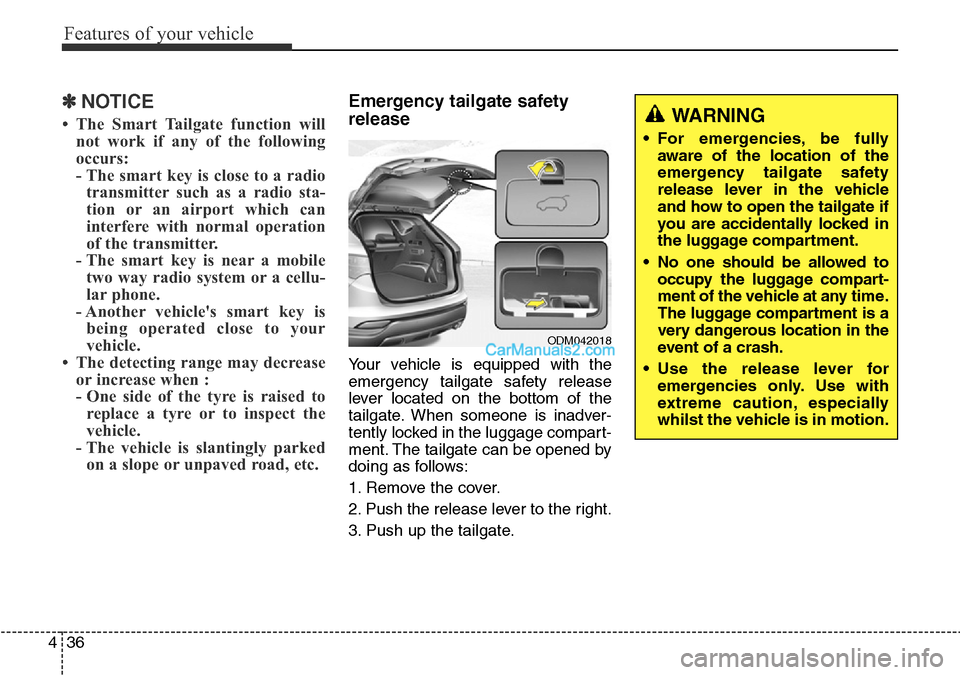
Emergency tailgate safety
release
Your vehicle is equipped with the
emergency tailgate safety release
lever located on the bottom of the
tailgate. When someone is inadver-
tently locked in the luggage compart-
ment. The tailgate can be opened by
doing as follows:
1. Remove the cover.
2. Push the release lever to the right.
3. Push up the tailgate.
ODM042018
WARNING
• For emergencies, be fully
aware of the location of the
emergency tailgate safety
release lever in the vehicle
and how to open the tailgate if
you are accidentally locked in
the luggage compartment.
• No one should be allowed to
occupy the luggage compart-
ment of the vehicle at any time.
The luggage compartment is a
very dangerous location in the
event of a crash.
• Use the release lever for
emergencies only. Use with
extreme caution, especially
whilst the vehicle is in motion.
Page 136 of 699
Features of your vehicle
38 4
Power windows
The ignition switch must be in the ON
position for power windows to oper-
ate. Each door has a power window
switch that controls the door’s win-
dow. The driver’s door has a master
power window switch that controls all
the windows in the vehicle. Also, the
driver has a power window lock
switch which can block the operation
of rear passenger windows.
The power windows can be operated
for approximately 30 seconds after
the ignition key is removed or turned
to the ACC or LOCK position.
However, if the front doors are
opened, the power windows cannot
be operated even within the 30 sec-
onds period.
✽NOTICE
Whilst driving with the rear win-
dows down or with the sunroof (if
equipped) in an open (or partially
open position), your vehicle may
demonstrate a wind buffeting or
pulsation noise. This noise is a nor-
mal occurrence and can be reduced
or eliminated by taking the follow-
ing actions. If the noise occurs with
one or both of the rear windows
down, partially lower both front
windows approximately one inch.
If you experience the noise with the
sunroof open, slightly reduce the
size of the sunroof opening.
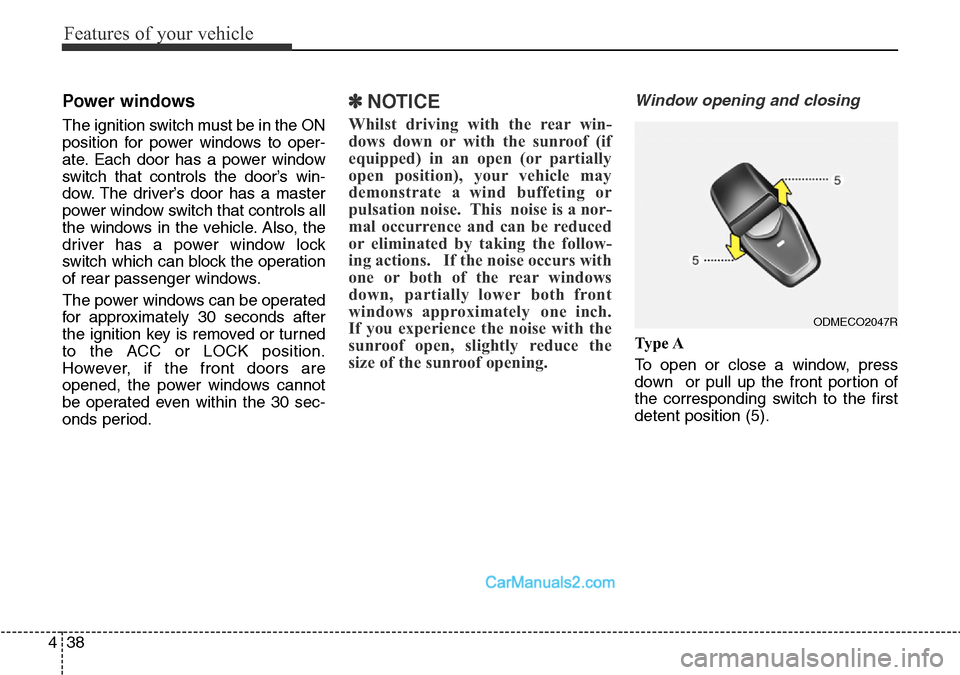
Window opening and closing
Ty p e A
To open or close a window, press
down or pull up the front portion of
the corresponding switch to the first
detent position (5).
ODMECO2047R
Page 139 of 699
441
Features of your vehicle
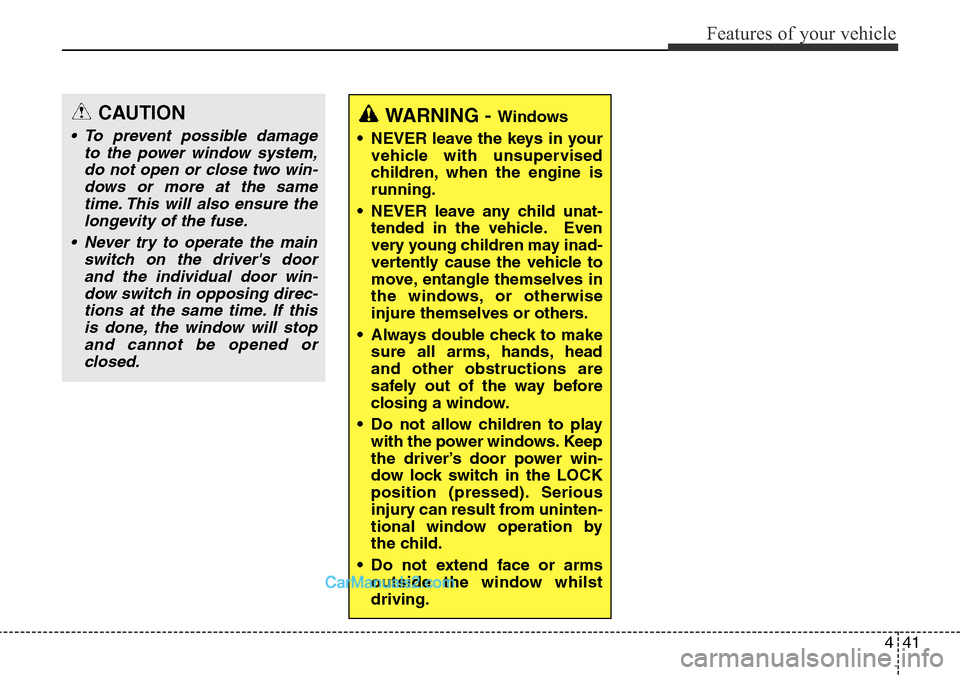
WARNING - Windows
• NEVER leave the keys in your
vehicle with unsupervised
children, when the engine is
running.
• NEVER leave any child unat-
tended in the vehicle. Even
very young children may inad-
vertently cause the vehicle to
move, entangle themselves in
the windows, or otherwise
injure themselves or others.
• Always double check to make
sure all arms, hands, head
and other obstructions are
safely out of the way before
closing a window.
• Do not allow children to play
with the power windows. Keep
the driver’s door power win-
dow lock switch in the LOCK
position (pressed). Serious
injury can result from uninten-
tional window operation by
the child.
• Do not extend face or arms
outside the window whilst
driving.CAUTION
• To prevent possible damage
to the power window system,
do not open or close two win-
dows or more at the same
time. This will also ensure the
longevity of the fuse.
• Never try to operate the main
switch on the driver's door
and the individual door win-
dow switch in opposing direc-
tions at the same time. If this
is done, the window will stop
and cannot be opened or
closed.
Page 145 of 699
447
Features of your vehicle
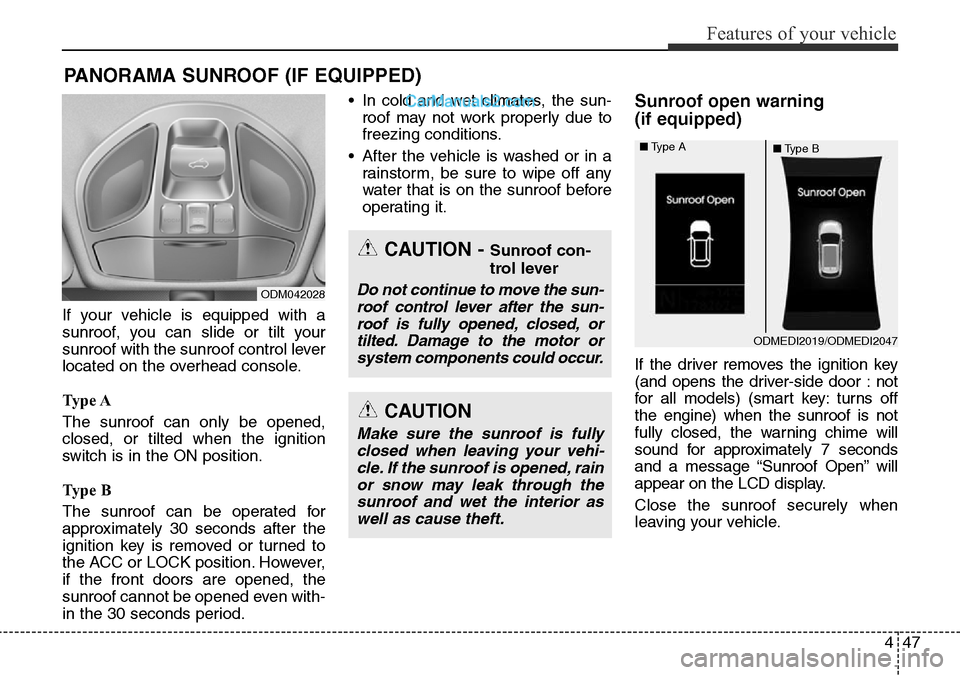
If your vehicle is equipped with a
sunroof, you can slide or tilt your
sunroof with the sunroof control lever
located on the overhead console.
Ty p e A
The sunroof can only be opened,
closed, or tilted when the ignition
switch is in the ON position.
Ty p e B
The sunroof can be operated for
approximately 30 seconds after the
ignition key is removed or turned to
the ACC or LOCK position. However,
if the front doors are opened, the
sunroof cannot be opened even with-
in the 30 seconds period.• In cold and wet climates, the sun-
roof may not work properly due to
freezing conditions.
• After the vehicle is washed or in a
rainstorm, be sure to wipe off any
water that is on the sunroof before
operating it.
Sunroof open warning
(if equipped)
If the driver removes the ignition key
(and opens the driver-side door : not
for all models) (smart key: turns off
the engine) when the sunroof is not
fully closed, the warning chime will
sound for approximately 7 seconds
and a message “Sunroof Open” will
appear on the LCD display.
Close the sunroof securely when
leaving your vehicle.
PANORAMA SUNROOF (IF EQUIPPED)
ODM042028
CAUTION - Sunroof con-
trol lever
Do not continue to move the sun-
roof control lever after the sun-
roof is fully opened, closed, or
tilted. Damage to the motor or
system components could occur.
CAUTION
Make sure the sunroof is fully
closed when leaving your vehi-
cle. If the sunroof is opened, rain
or snow may leak through the
sunroof and wet the interior as
well as cause theft.
ODMEDI2019/ODMEDI2047 ■Type A
■Type B
Page 162 of 699
Features of your vehicle
64 4
Left or Right: When the outside
rearview mirror con-
trol switch is in the L
(Left) or R (Right)
position, both outside
rearview mirrors will
move downward.
Neutral: When the outside rearview
mirror control switch is in
the neutral (centre) posi-
tion, the outside rearview
mirrors will not operate.
✽NOTICE
The outside rearview mirrors will
automatically revert to their original
positions under the following condi-
tions:
• When the ignition switch or engine
start/stop button is set to the ACC
or OFF position.
• When the shift lever is moved to
any position except the R
(Reverse) position.
Folding the outside rearview mirror
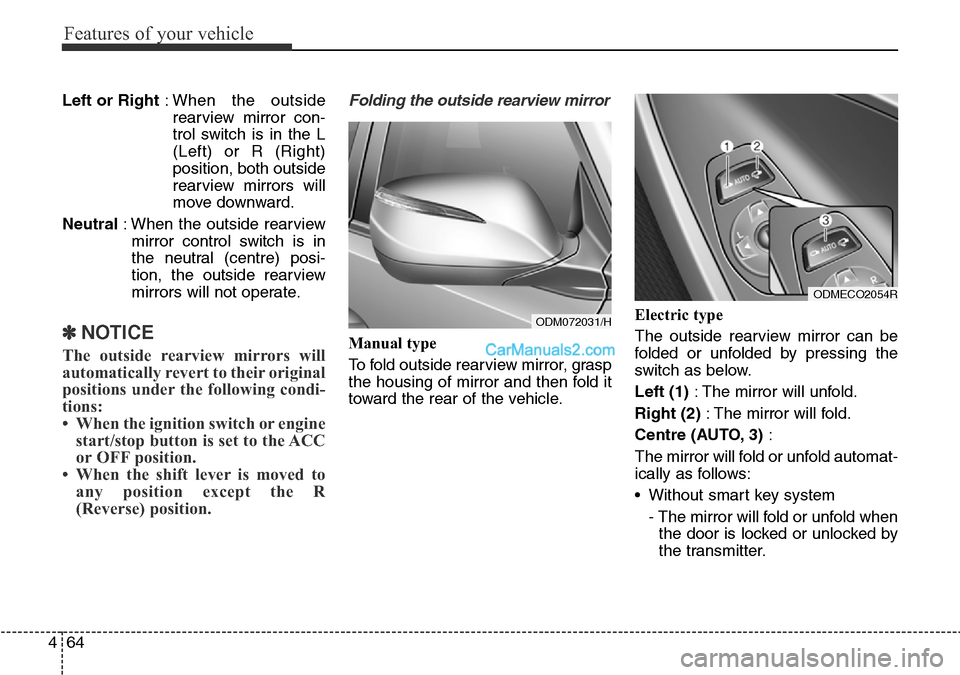
Manual type
To fold outside rearview mirror, grasp
the housing of mirror and then fold it
toward the rear of the vehicle.Electric type
The outside rearview mirror can be
folded or unfolded by pressing the
switch as below.
Left (1): The mirror will unfold.
Right (2): The mirror will fold.
Centre (AUTO, 3):
The mirror will fold or unfold automat-
ically as follows:
• Without smart key system
- The mirror will fold or unfold when
the door is locked or unlocked by
the transmitter.
ODM072031/H
ODMECO2054R
Page 163 of 699
465
Features of your vehicle
• With smart key system
- The mirror will fold or unfold when
the door is locked or unlocked by
the smart key.
- The mirror will fold or unfold when
the door is locked or unlocked by
the button on the outside door
handle.
- The mirror will unfold when you
approach the vehicle (all doors
closed and locked) with a smart
key in possession. (if equipped)
CAUTION
In case it is an electric type out-
side rearview mirror, don’t fold it
by hand. It could cause motor
failure.
CAUTION
The electric type outside
rearview mirror operates even
though the ignition switch is in
the OFF position. However, to
prevent unnecessary battery
discharge, do not adjust the
mirrors longer than necessary
whilst the engine is not running.
Page 177 of 699
479
Features of your vehicle
Auto Door Unlock (if equipped)
• Off:
The auto door unlock operation will
be canceled.
• Key Out or Power Off:
All doors will be automatically
unlocked when the ignition key is
removed from ignition switch or
Engine Start/Stop Button is set to
the OFF position.
• Driver Door Unlock:
All doors will be automatically
unlocked if the driver's door is
unlocked.
• Shift Lever:
All doors will be automatically
unlocked if the automatic transaxle
shift lever is shifted to the P (Park)
position.Power Tailgate (if equipped)
If this item is checked, the power tail-
gate function will be activated.
Smart Tailgate (if equipped)
If this item is checked, the smart tail-
gate function will be activated.
Horn Feedback (if equipped)
If this item is checked, the horn feed-
back operation will be activated.
After locking the door by pressing the
lock button on the transmitter, if you
press the lock button again within 4
seconds, the warning sound will
operate once to indicate that all
doors are locked.Lamp
Head Lamp Delay (if equipped)
If this item is checked, the headlamp
delay and headlamp welcome func-
tion will be activated.
Welcome Light (if equipped)
If this item is checked, the welcome
light function of the puddle lamp will
be activated.
Auto Triple Turn
(One-touch triple turn signal)
(if equipped)
If this item is checked, the lane
change signals will blink 3 times
when the turn signal lever is moved
slightly.
One Touch Turn Signal (if equipped)
• Off:
The one touch turn signal function
will be deactivated.
• 3, 5, 7 Flashing :
The lane change signals will blink
3, 5, or 7 times when the turn sig-
nal lever is moved slightly.
For more details, refer to ''Light'' in
this chapter.