Features of your vehicle248
4
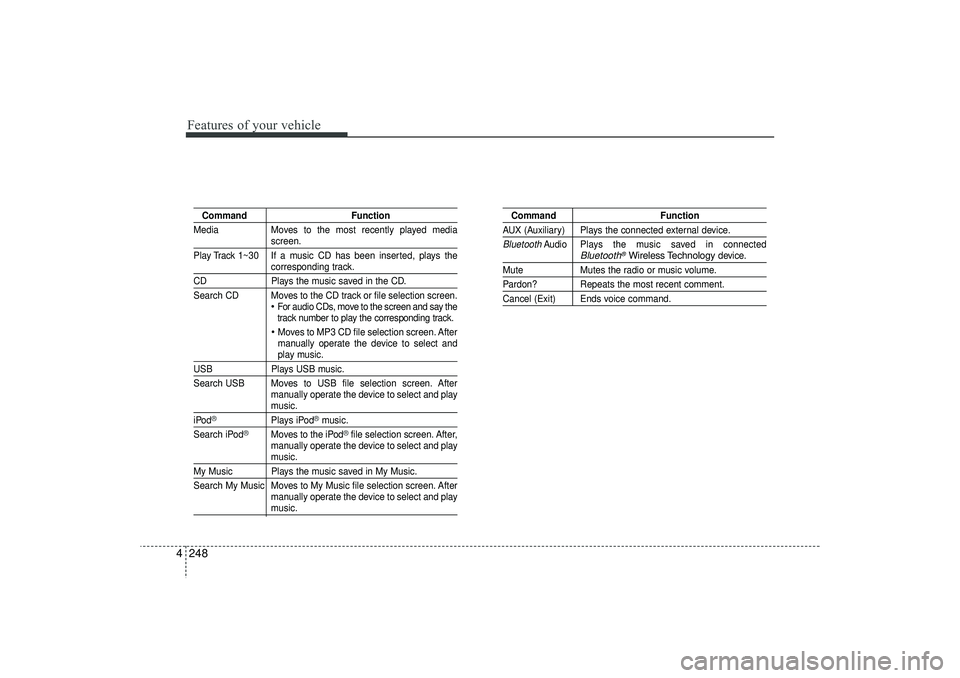
Command Function
Media Moves to the most recently played media
screen.
Play Track 1~30 If a music CD has been inserted, plays thecorresponding track.
CD Plays the music saved in the CD.
Search CD Moves to the CD track or file selection screen.
For audio CDs, move to the screen and say the
track number to play the corresponding track. Moves to MP3 CD file selection screen. After
manually operate the device to select andplay music.
USB Plays USB music.
Search USB Moves to USB file selection screen. After manually operate the device to select and play
music.
iPod
®
Plays iPod
®music.
Search iPod
®
Moves to the iPod
®file selection screen. After,
manually operate the device to select and play
music.
My Music Plays the music saved in My Music.
Search My Music Moves to My Music file selection screen. After manually operate the device to select and play
music.
Command FunctionAUX (Auxiliary) Plays the connected external device.Bluetooth
Audio Plays the music saved in connected
Bluetooth
®Wireless Technology
device.
Mute Mutes the radio or music volume.Pardon? Repeats the most recent comment.Cancel (Exit) Ends voice command.
EL(FL) UK 4B AUDIO.QXP 3/13/2015 4:19 PM Page 248
4 263
Features of your vehicle
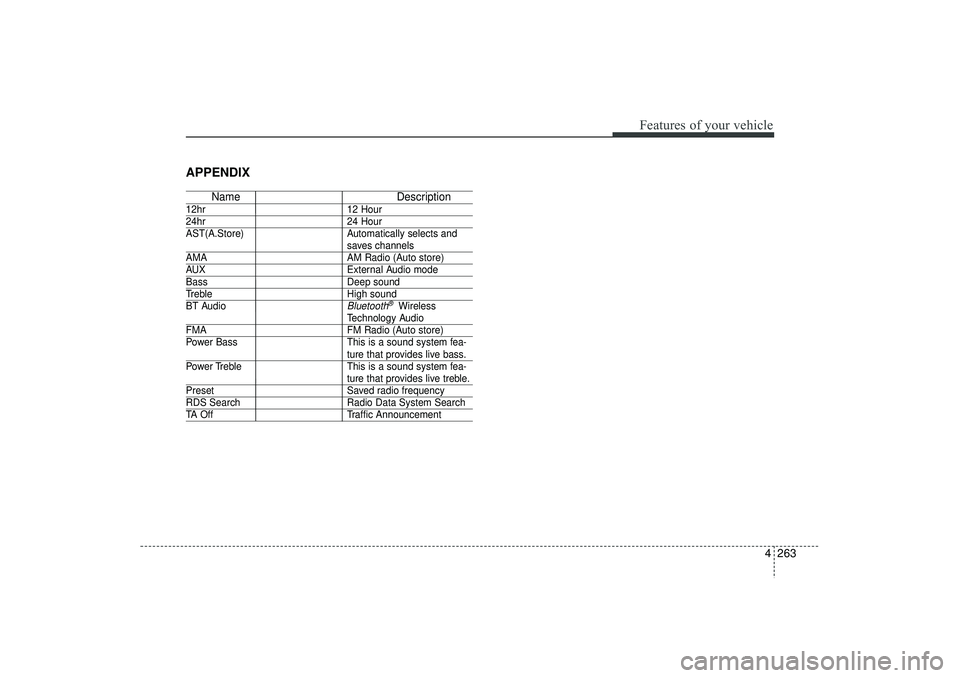
APPENDIX
NameDescription
12hr12 Hour24hr24 Hour
AST(A.Store) Automatically selects and
saves channels
AMA AM Radio (Auto store)AUXExternal Audio modeBassDeep soundTrebleHigh sound
BT Audio
Bluetooth
®Wireless
Technology Audio
FMA FM Radio (Auto store)
Power Bass This is a sound system fea-
ture that provides live bass.
Power Treble This is a sound system fea-ture that provides live treble.
Preset Saved radio frequencyRDS SearchRadio Data System SearchTA OffTraffic Announcement
EL(FL) UK 4B AUDIO.QXP 3/13/2015 4:19 PM Page 263