Page 138 of 473

3-76
Convenient features of your vehicle
Door ajar warning light
This warning light illuminates when a
door and the electrical step (for bus)are not closed securely with the igni-
tion in any position.
Fuel filter warning light
This warning light illuminates for 3
seconds after the ignition switch isset to the ON position and then it will
go out. If it lights up while the engine
is running, it indicates that water has
accumulated inside the fuel filter. If
this happens, remove the water from
the fuel filter. For more information,
refer to “Fuel filter” in section 7.
Diesel preheat indica-tor light
The indicator light illuminates amber
when the ignition switch is placed at
the "ON" position. The engine can be
started after the preheat indicator
light goes off. The illuminating time
varies with the water temperature, air
temperature and battery condition.
If the engine were not started within 10 seconds after the pre-
heating is completed, turn the
ignition key once more to the
"LOCK" position, and then to the
"ON" position, in order to preheat
again.
NOTICE
When the fuel filter warning
light is illuminated, engine
power (vehicle speed & idle
speed) may decrease. If youkeep driving with the warning
light on, you can damage your
vehicle's engine parts and
injection system. If this occurs,we recommend that the system
be checked by an authorized
HYUNDAI dealer.
CAUTION
Before driving, make sure that
all doors and the electrical
step are securely closed, andthat all warning lights are
turned OFF.
While any warning light illumi-
nates, turning OFF the engine
may discharge the battery and
fail the engine starting.
Before leaving the vehicle,
securely close all doors and
lock them.
WARNING
Page 152 of 473

3-90
Convenient features of your vehicle
Types of warning sound
When an object is 120 cm to 61 cm(47.2 in. to 24 in.) from the rear
bumper:
Buzzer beeps intermittently.
When an object is 60 cm to 31 cm (23.6 in. to 12.2 in.) from the rear
bumper:
Buzzer beeps more frequently.
When an object is within 30 cm (11.8 in.) of the rear bumper:
Buzzer sounds continuously.
Non-operational conditions
The rear parking assist system may
not operate properly when:
1. Moisture is frozen to the sensor. (It will operate normally when the moisture has been cleared.)
2. The sensor is covered with foreign matter, such as snow or water, or
the sensor cover is blocked. (It will
operate normally when the materi-
al is removed or the sensor is no
longer blocked.)
3. Driving on uneven road surfaces. (unpaved roads, gravel, bumps,
gradient)
4. Objects generating excessive noise (vehicle horns, loud motor-
cycle engines, or truck air brakes)
are within range of the sensor.
5. Heavy rain or water spray exists.
6. Wireless transmitters or mobile phones are within range of the
sensor.
7. The sensor is covered with snow.
8. Trailer towing.
9. The place light the fluorescent lamp. The detecting range may decrease when:
1. The sensor is stained with foreign
matter such as snow or water.
(The sensing range will return to
normal when removed.)
2. Outside air temperature is extremely hot or cold.
The following objects may not be rec-
ognized by the sensor:
1. Sharp or slim objects such as ropes, chains or small poles.
2. Objects which tend to absorb the sensor frequency such as clothes,
spongy material or snow.
3. Undetectable objects smaller than 1 m (40 in.) in height and narrower
than 14 cm (6 in.) in diameter.
Page 172 of 473
3-110
Convenient features of your vehicleC
C LLIIMM AATTEE CC OO NNTTRR OO LL SS YY SSTT EEMM (( IIFF EE QQ UUIIPP PPEEDD ))
OEU044165
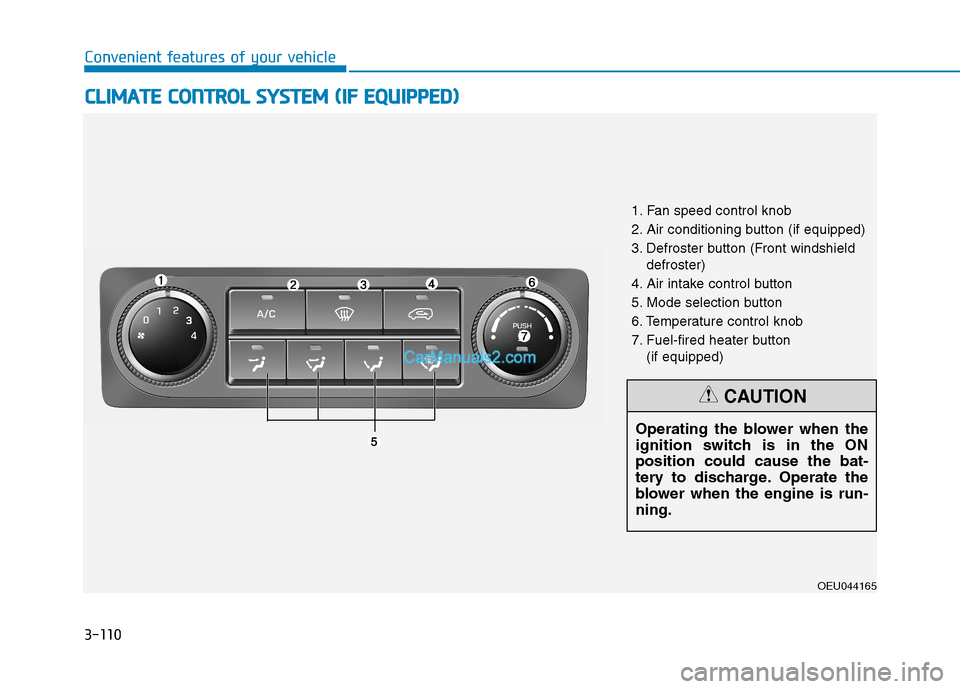
1. Fan speed control knob
2. Air conditioning button (if equipped)
3. Defroster button (Front windshield
defroster)
4. Air intake control button
5. Mode selection button
6. Temperature control knob
7. Fuel-fired heater button (if equipped)
Operating the blower when the
ignition switch is in the ONposition could cause the bat-
tery to discharge. Operate the
blower when the engine is run-ning.
CAUTION
Page 173 of 473
3-111
Convenient features of your vehicle
3
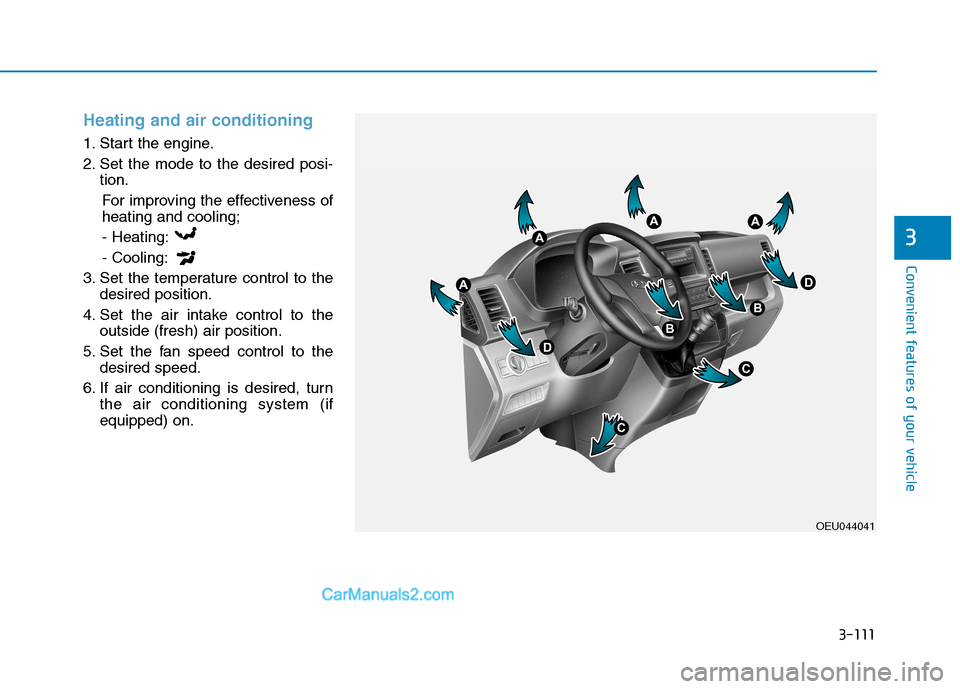
Heating and air conditioning
1. Start the engine.
2. Set the mode to the desired posi-tion.
For improving the effectiveness of heating and cooling;
- Heating: - Cooling:
3. Set the temperature control to the desired position.
4. Set the air intake control to the outside (fresh) air position.
5. Set the fan speed control to the desired speed.
6. If air conditioning is desired, turn the air conditioning system (if equipped) on.
OEU044041
Page 176 of 473
3-114
Convenient features of your vehicle
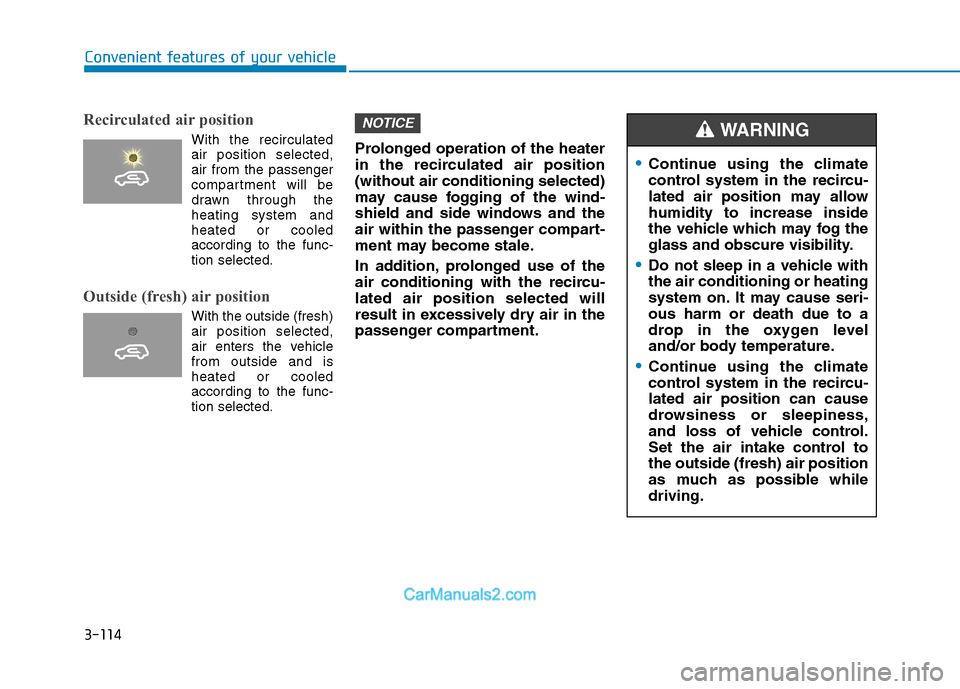
Recirculated air position
With the recirculatedair position selected, air from the passenger
compartment will be
drawn through theheating system andheated or cooled
according to the func-tion selected.
Outside (fresh) air position
With the outside (fresh) air position selected,
air enters the vehiclefrom outside and isheated or cooledaccording to the func-tion selected. Prolonged operation of the heater
in the recirculated air position(without air conditioning selected)
may cause fogging of the wind-
shield and side windows and the
air within the passenger compart-
ment may become stale.
In addition, prolonged use of the
air conditioning with the recircu-lated air position selected will
result in excessively dry air in the
passenger compartment.
NOTICE
Continue using the climate
control system in the recircu-
lated air position may allowhumidity to increase inside
the vehicle which may fog the
glass and obscure visibility.
Do not sleep in a vehicle with the air conditioning or heating
system on. It may cause seri-ous harm or death due to a
drop in the oxygen level
and/or body temperature.
Continue using the climate
control system in the recircu-lated air position can cause
drowsiness or sleepiness,
and loss of vehicle control.
Set the air intake control tothe outside (fresh) air position
as much as possible whiledriving.
WARNING
Page 177 of 473
3-115
Convenient features of your vehicle
3
Fan speed control
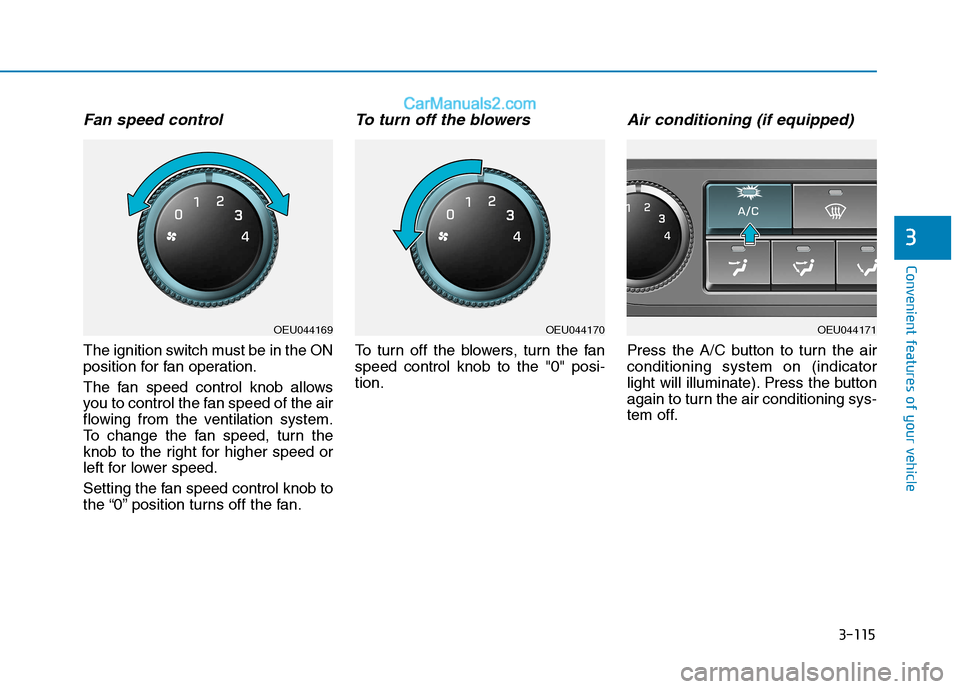
The ignition switch must be in the ON
position for fan operation.
The fan speed control knob allows
you to control the fan speed of the air
flowing from the ventilation system.
To change the fan speed, turn the
knob to the right for higher speed or
left for lower speed.
Setting the fan speed control knob to
the “0” position turns off the fan.
To turn off the blowers
To turn off the blowers, turn the fanspeed control knob to the "0" posi-tion.
Air conditioning (if equipped)
Press the A/C button to turn the airconditioning system on (indicator
light will illuminate). Press the button
again to turn the air conditioning sys-
tem off.
OEU044169OEU044170OEU044171
Page 178 of 473
3-116
Convenient features of your vehicle
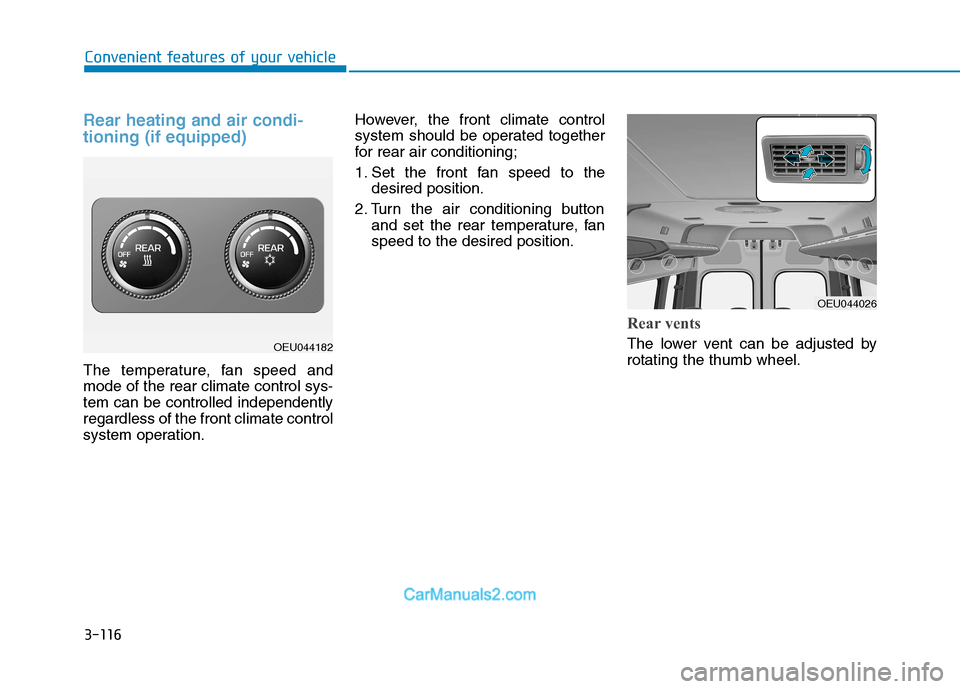
Rear heating and air condi- tioning (if equipped)
The temperature, fan speed and mode of the rear climate control sys-tem can be controlled independentlyregardless of the front climate control
system operation.However, the front climate control
system should be operated together
for rear air conditioning;
1. Set the front fan speed to the
desired position.
2. Turn the air conditioning button and set the rear temperature, fan speed to the desired position.
Rear vents
The lower vent can be adjusted by rotating the thumb wheel.OEU044182
OEU044026
Page 179 of 473
3-117
Convenient features of your vehicle
3
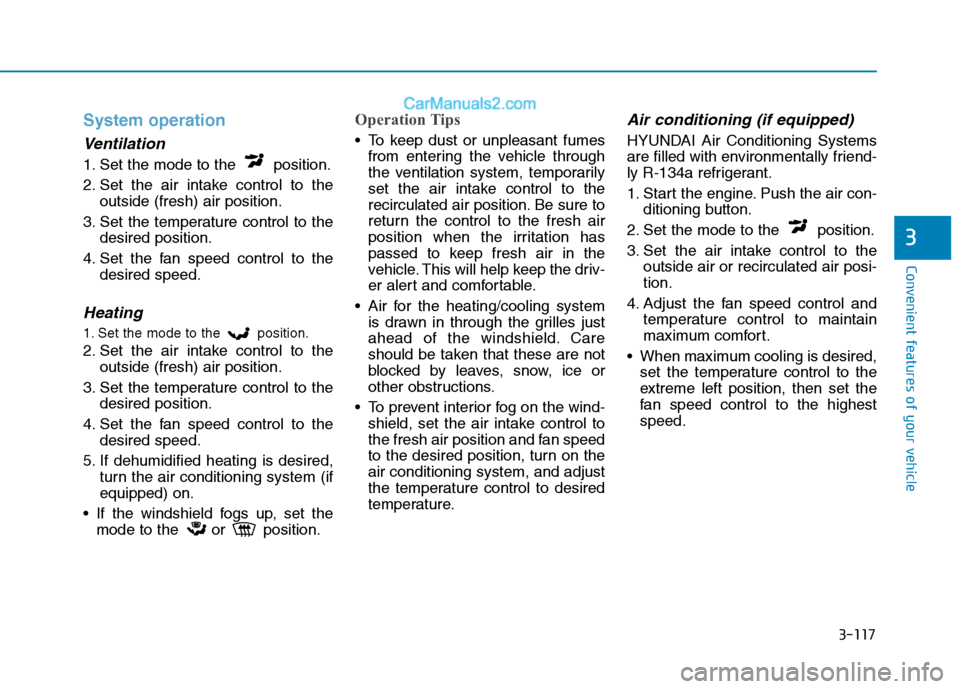
System operation
Ventilation
1. Set the mode to the position.
2. Set the air intake control to theoutside (fresh) air position.
3. Set the temperature control to the desired position.
4. Set the fan speed control to the desired speed.
Heating
1. Set the mode to the position.
2. Set the air intake control to theoutside (fresh) air position.
3. Set the temperature control to the desired position.
4. Set the fan speed control to the desired speed.
5. If dehumidified heating is desired, turn the air conditioning system (if equipped) on.
If the windshield fogs up, set the mode to the or position.
Operation Tips
To keep dust or unpleasant fumesfrom entering the vehicle through
the ventilation system, temporarily
set the air intake control to the
recirculated air position. Be sure to
return the control to the fresh air
position when the irritation has
passed to keep fresh air in the
vehicle. This will help keep the driv-
er alert and comfortable.
Air for the heating/cooling system is drawn in through the grilles just
ahead of the windshield. Care
should be taken that these are not
blocked by leaves, snow, ice or
other obstructions.
To prevent interior fog on the wind- shield, set the air intake control to
the fresh air position and fan speed
to the desired position, turn on theair conditioning system, and adjust
the temperature control to desired
temperature.
Air conditioning (if equipped)
HYUNDAI Air Conditioning Systems
are filled with environmentally friend-
ly R-134a refrigerant.
1. Start the engine. Push the air con- ditioning button.
2. Set the mode to the position.
3. Set the air intake control to the outside air or recirculated air posi- tion.
4. Adjust the fan speed control and temperature control to maintain
maximum comfort.
When maximum cooling is desired, set the temperature control to the
extreme left position, then set the
fan speed control to the highestspeed.