Page 92 of 669

Features of your vehicle
64
This device complies with Part 15
of the FCC rules.
Operation is subject to the following
two conditions:
1. This device may not cause harm-ful interference, and
2. This device must accept any inter- ference received, including inter-
ference that may cause undesired
operation.
✽ ✽NOTICE
Changes or modifications not
expressly approved by the party
responsible for compliance could
void the user's authority to operate
the device.
Battery replacement
If the remote key is not working prop-
erly, try replacing the battery with a
new one.
Battery Type: CR2032
To replace the battery:
1. Insert a slim tool into the slot and
gently pry open the cover.
2. Remove the old battery and insert the new battery. Make sure the
battery position is correct.
3. Reinstall the rear cover of the remote key. If you suspect your remote key might
have sustained some damage, or
you feel your remote key is not work-
ing correctly contact an authorized
HYUNDAI dealer.
✽ ✽
NOTICE
An inappropriately disposed
battery can be harmful to
the environment and human
health. Dispose the battery
according to your local
law(s) and regulation.
OLM049200
CAUTION
Keep the remote key away from
electromagnetic materials thatblocks electromagnetic wavesto the key surface.
Page 97 of 669

411
Features of your vehicle
Smart key precautions
The smart key will not work if any of
the following occur:
The smart key is close to a radiotransmitter such as a radio station
or an airport which can interfere
with normal operation of the trans-
mitter.
The smart key is near a mobile two way radio system or a cellular
phone.
Another vehicle’s smart key is being operated close to your vehicle.
When the smart key does not work
correctly, open and close the door
with the mechanical key. If you have
a problem with the smart key, contact
an authorized HYUNDAI dealer. (Continued)(Continued)
If the smart key is in close proximity
to your mobile phone, the signal
could be blocked by your mobile
phones normal operational signals.
This is especially important when the
phone is active such as making and
receiving calls, text messaging,
and/or sending/receiving emails.
Avoid placing the smart key and your
mobile phone in the same pants or
jacket pocket and always try to main-
tain an adequate distance between
the two devices.
This device complies with Part 15
of the FCC rules.
Operation is subject to the following
two conditions:
1. This device may not cause harm-
ful interference, and
2. This device must accept any inter- ference received, including inter-
ference that may cause undesired
operation.
✽ ✽NOTICE
Changes or modifications not
expressly approved by the party
responsible for compliance could
void the user's authority to operate
the device.
CAUTION
Keep the smart key away from
electromagnetic materials thatblocks electromagnetic wavesto the key surface.
Page 99 of 669

413
Features of your vehicle
Do not attempt to alter this system or
add other devices to it. Electrical
problems could result that may make
your vehicle inoperable.This device complies with Part 15
of the FCC rules.
Operation is subject to the following
two conditions:
1. This device may not cause harm-
ful interference, and
2. This device must accept any inter- ference received, including inter-
ference that may cause undesired
operation.
✽ ✽NOTICE
Changes or modifications not
expressly approved by the party
responsible for compliance could
void the user's authority to operate
the device.
WARNING
In order to prevent theft of your
vehicle, do not leave spare keys
anywhere in your vehicle. Your
immobilizer password is a cus-
tomer unique password and
should be kept confidential.
CAUTION
The transponder in your key is
an important part of the immobi-lizer system. It is designed togive years of trouble-free serv-ice, however you should avoidexposure to moisture, staticelectricity and rough handling.Immobilizer system malfunctioncould occur.
Page 124 of 669

Features of your vehicle
38
4
Electric power steering (EPS)
The system assists you with steering
the vehicle. If the engine is off or if
the power steering system becomes
inoperative, the vehicle may still be
steered, but it will require increased
steering effort.
Also, the steering effort becomes
heavier as the vehicle’s speed
increases and becomes lighter as
the vehicle’s speed decreases for
better control of the steering wheel.
Should you notice any change in the
effort required to steer during normal
vehicle operation, we recommend
that the system be checked by an
authorized HYUNDAI dealer.
✽ ✽
NOTICE
The following symptoms may occur
during normal vehicle operation:
• The steering effort may be high
immediately after placing the igni-
tion switch in the ON position.
This happens as the system per-
forms the EPS system diagnostics.
When the diagnostics is complet-
ed, the steering wheel will return
to its normal condition.
• A click noise may be heard from the EPS relay after the ignition
switch is placed to the ON or
LOCK/OFF position.
• A motor noise may be heard when the vehicle is at stop or at a low
driving speed.
• When you operate the steering wheel in low temperature, abnor-
mal noise may occur. If tempera-
ture rises, the noise will disappear.
This is a normal condition.
STEERING WHEEL
CAUTION
If the Electric Power Steering
System does not operate nor-mally, the warning light ( ) willilluminate on the instrumentcluster. The steering wheel maybecome difficult to control oroperate. Take your vehicle to anauthorized HYUNDAI dealer andhave the system checked assoon as possible.
Page 126 of 669
Features of your vehicle
40
4
When the steering mode button is
pressed, the selected steering mode
will appear on the cluster.
If the steering mode button is pressed
within 4 seconds, the steering mode
will change as above pictures.
If the steering wheel mode button is
not pressed for about 4 seconds, the
cluster will change to the previous
screen.
NORMAL mode
The NORMAL mode offers medium
steering effort.
SPORT mode
The steering effort becomes heavier.
OMD044723
OMD044721
OMD044722
Page 127 of 669
441
Features of your vehicle
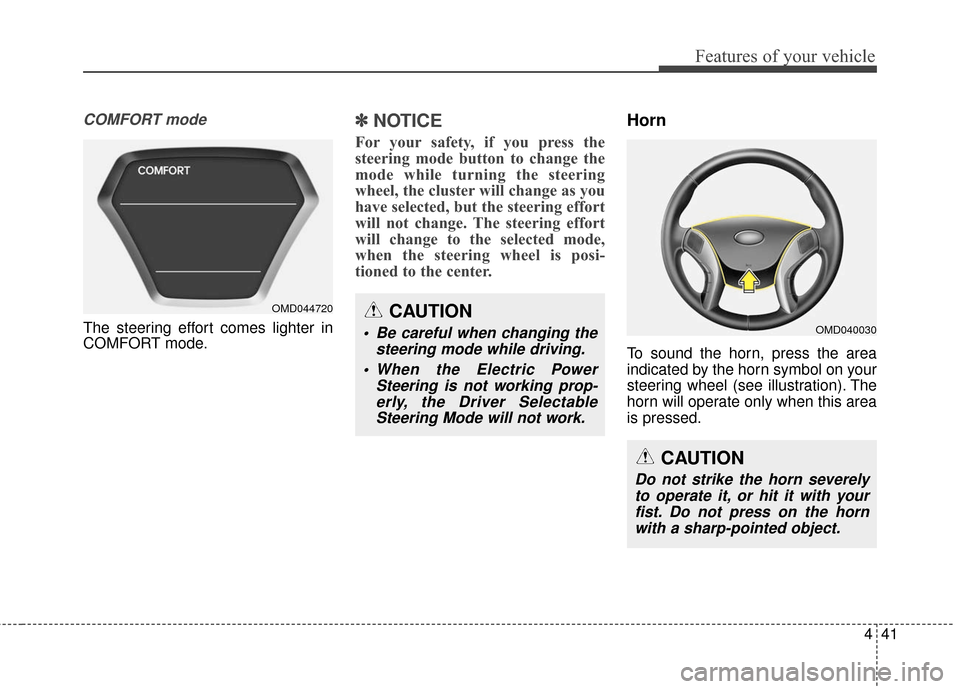
COMFORT mode
The steering effort comes lighter in
COMFORT mode.
✽ ✽NOTICE
For your safety, if you press the
steering mode button to change the
mode while turning the steering
wheel, the cluster will change as you
have selected, but the steering effort
will not change. The steering effort
will change to the selected mode,
when the steering wheel is posi-
tioned to the center.
Horn
To sound the horn, press the area
indicated by the horn symbol on your
steering wheel (see illustration). The
horn will operate only when this area
is pressed.
OMD044720CAUTION
Be careful when changing the
steering mode while driving.
When the Electric Power Steering is not working prop-erly, the Driver SelectableSteering Mode will not work.OMD040030
CAUTION
Do not strike the horn severelyto operate it, or hit it with yourfist. Do not press on the hornwith a sharp-pointed object.
Page 134 of 669

Features of your vehicle
48
4
This device complies with Part 15
of the FCC Rules.
Operation is subject to the following
two conditions:
1. This device may not cause harm-
ful interference, and
2. This device must accept any inter- ference received, including inter-
ference that may cause undesired
operation.Outside rearview mirror
Your vehicle is equipped with both
left-hand and right-hand outside
rearview mirrors.
WARNING
The transceiver has been tested
and complies with FCC and
Industry Canada rules. Changes
or modifications not expressly
approved by the party responsi-
ble for compliance could void
the user's authority to operate
the device.
WARNING - Rearview
mirrors
The right outside rearview mir- ror is convex. Objects seen in
the mirror are closer than they
appear.
Use your interior rearview mirror or turn your head and
look to determine the actual
distance of following vehicles
when changing lanes.
WARNING
Do not adjust or fold the outside
rearview mirrors while driving.
This may cause loss of vehicle
control resulting in an accident.
CAUTION
Do not scrape ice off the mir- ror face; this may damage thesurface of the glass.
If the mirror is jammed with ice, do not adjust the mirror byforce. Use an approved sprayde-icer (not radiator antifreeze)spray, or a sponge or soft clothwith very warm water, or movethe vehicle to a warm placeand allow the ice to melt.
Page 161 of 669
475
Features of your vehicle
To flash the high beam headlights,
pull the lever towards you, then
release the lever. The high beams
will remain ON as long as you hold
the lever towards you.
Turn signals and lane change sig-nals
To signal a turn, move the lever up
for a right turn or down for a left turn
to position (A). The lever will return to
the OFF position when the turn is
completed. To signal a lane change, move the
turn signal lever slightly and hold it in
position (B). The lever will return to
the OFF position when released.
OYFH041903N
OGD044904N
■Type A
■Type B
OYFH041907N
OGD044906N
■Type A
■Type B