Page 94 of 661

93
uuIndicators u
Continued
Instrument Panel
IndicatorNameOn/BlinkingExplanationMessage
Lane Keeping
Assist System
(LKAS ) Indicator
(Amber)
*
●Comes on for a few seconds
when you set the power mode to
ON, then goes off.
●Comes on if there is a problem
with the LKAS.
●Stays on constantly - Have your vehicle
checked by a dealer.
Lane Keeping
Assist System
( LKAS ) Indicator
(Green)
*
●Comes on when you press the
MAIN button.2Lane Keeping Assist System (LKAS)*
P. 507—
●Comes on when the LKAS is in
operation, or the LKAS button is
pressed, but the temperature
inside the front sensor camera is
too high. The LKAS cancels
automatically. The beeper sounds
simultaneously.●Use the climate control system to cool down
the camera.
●Goes off - The camera has been cooled
down and the system activates normally.
2 Front Sensor Camera* P. 489
●Comes on when the area around
the camera is blocked by dirt,
mud, etc. Stop your vehicle in a
safe place, and wipe it off with a
soft cloth.
●May come on when driving in
bad weather (rain, snow, fog,
etc.)
●Have your vehicle checked by a dealer if the
indicator and message come back on after
you cleaned the area around the camera.
* Not available on all models
16 PILOT-31TG76000.book 93 ページ 2015年6月15日 月曜日 午前11時30分
Page 97 of 661
96
uuIndicators u
Instrument Panel
IndicatorNameOn/BlinkingExplanationMessage
Collision
Mitigation Braking
System
TM
(CMBSTM)
Indicator*
●Comes on when the CMBSTM
system shuts itself off.●Stays on - The area around the camera is
blocked by dirt, mud, etc. Stop your vehicle in
a safe place, and wipe it off with a soft cloth.
2 Front Sensor Camera* P. 489
●When the radar sensor gets dirty, stop your
vehicle in a safe place, and wipe off dirt using
a soft cloth.
●Have your vehicle checked by a dealer if the
message does not disappear even after you
clean the sensor cover.
2Collision Mitigation Braking SystemTM
(CMBSTM)* P. 531
●Stays on - The temperature inside the
camera is too high. Use the climate control
system to cool down the camera. The system
activates when the temperature inside the
camera cools down.
2 Front Sensor Camera* P. 489
* Not available on all models
16 PILOT-31TG76000.book 96 ページ 2015年6月15日 月曜日 午前11時30分
Page 101 of 661
100
uuIndicators uMulti-Information Display (MID) Warning and Information Messages
Instrument Panel
MessageConditionExplanation
●Appears when the steering wheel is locked.●Move the steering wheel left and right while pressing
the ENGINE START/STOP button.
●Appears when the power mode is in ACCESSORY.
—
●Appears after the driver’s door is opened when the
power mode is in ACCESSORY.●Press the ENGINE START/STOP button twice with your
foot off the brake pedal to change the power mode to
VEHICLE OFF (LOCK).
●Appears when you close the door with the power mode
is in ON without the smart entry remote inside the
vehicle.●Disappears when you bring the smart entry remote back
inside the vehicle and close the door.
2 Smart Entry Remote Reminder P. 153
●Appears when the smart entry remote battery becomes
weak.●Replace the battery as soon as possible.
2Replacing the Button Battery P. 596
Canadian models
16 PILOT-31TG76000.book 100 ページ 2015年6月15日 月曜日 午前11時30分
Page 108 of 661
107
uuIndicators uMulti-Information Display (MID) Warning and Information Messages
Continued
Instrument Panel
MessageConditionExplanation
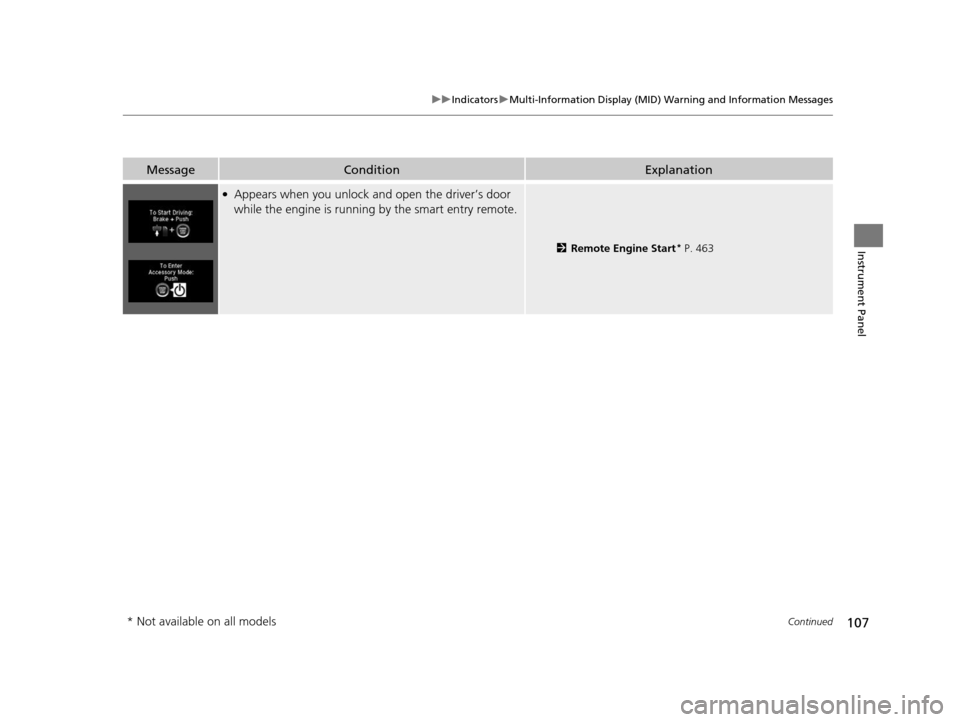
●Appears when you unlock an d open the driver’s door
while the engine is running by the smart entry remote.
2Remote Engine Start* P. 463
* Not available on all models
16 PILOT-31TG76000.book 107 ページ 2015年6月15日 月曜日 午前11時30分
Page 110 of 661
109
uuIndicators uMulti-Information Display (MID) Warning and Information Messages
Continued
Instrument Panel
MessageConditionExplanation
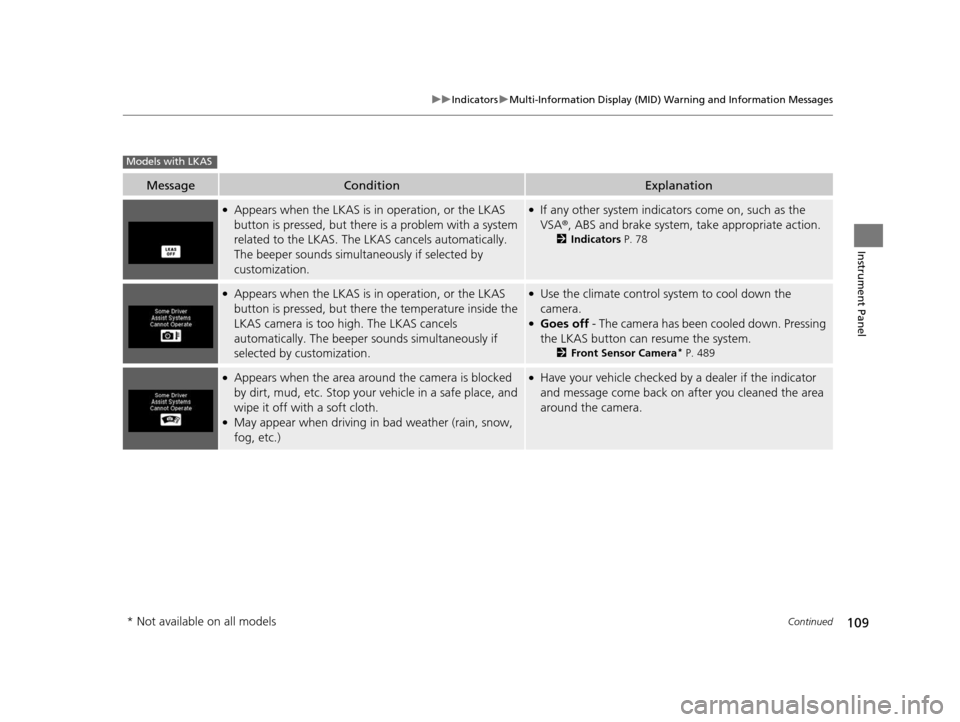
●Appears when the LKAS is in operation, or the LKAS
button is pressed, but there is a problem with a system
related to the LKAS. The LKAS cancels automatically.
The beeper sounds simultaneously if selected by
customization.●If any other system indicators come on, such as the
VSA ®, ABS and brake system, take appropriate action.
2Indicators P. 78
●Appears when the LKAS is in operation, or the LKAS
button is pressed, but there the temperature inside the
LKAS camera is too high. The LKAS cancels
automatically. The beeper sounds simultaneously if
selected by customization.●Use the climate control system to cool down the
camera.
●Goes off - The camera has been cooled down. Pressing
the LKAS button can resume the system.
2 Front Sensor Camera* P. 489
●Appears when the area around the camera is blocked
by dirt, mud, etc. Stop your vehicle in a safe place, and
wipe it off with a soft cloth.
●May appear when driving in bad weather (rain, snow,
fog, etc.)
●Have your vehicle checked by a dealer if the indicator
and message come back on after you cleaned the area
around the camera.
Models with LKAS
* Not available on all models
16 PILOT-31TG76000.book 109 ページ 2015年6月15日 月曜日 午前11時30分
Page 113 of 661
112
uuIndicators uMulti-Information Display (MID) Warning and Information Messages
Instrument Panel
MessageConditionExplanation
●Appears if there is a problem with the Auto high-beam
system.●Manually operate the headlight switch.●If you are driving with th e high-beam headlights when
this happens, the headlights are changed to low beams.
●Appears when the area around the camera on the
windshield is blocked by dirt, mud, etc.●Stop your vehicle in a safe pl ace, and wipe it off with a
soft cloth.
●If the message does not disappear after cleaning the
lens, have your vehicl e checked by a dealer.
Models with Auto high-beam system
16 PILOT-31TG76000.book 112 ページ 2015年6月15日 月曜日 午前11時30分
Page 120 of 661

119
Controls
This chapter explains how to operate the various controls necessary for driving.
Clock.................................................. 120
Locking and Unlocking the Doors ... 121
Key Types and Functions .................. 121
Locking/Unlocking the Doors from the Outside .......................................... 123
Low Smart Entry Remote Signal Strength ..... 130Locking/Unlocking the Doors from the Inside ............................................. 131
Childproof Door Locks ..................... 133
Auto Door Locking/Unlocking .......... 134
Opening and Closing the Tailgate ... 135
Security System ................................ 144
Immobilizer System .......................... 144
Security System Alarm ...................... 144
Opening and Closing the Windows.... 147
Opening and Closing the Moonroof*.. 149Panoramic Glass Roof*..................... 150
Operating the Switches Around the
Steering Wheel ............................... 151
ENGINE START/STOP Button............. 151
Turn Signals ..................................... 154
Light Switches.................................. 155
Fog Lights
*...................................... 158
Auto High-Beam System*................ 159
Daytime Running Lights ................... 162
Wipers and Washers ........................ 163
Brightness Control ........................... 166
Defogger/Heated Door Mirror
*........ 167
Driving Position Memory System*.... 168
Adjusting the Steering Wheel........... 170 Adjusting the Mirrors
....................... 171
Interior Rearview Mirror ................... 171
Power Door Mirrors ......................... 172
Adjusting the Seats .......................... 174
Adjusting the Seat Positions ............. 174
Rear Seats........................................ 183
Armrest ........................................... 186
Interior Lights/Interior Convenience Items ................................................ 188
Interior Lights .................................. 188
Interior Convenience Items .............. 191
Heating and Cooling
*....................... 205
Climate Control System*.................. 210
* Not available on all models
16 PILOT-31TG76000.book 119 ページ 2015年6月15日 月曜日 午前11時30分
Page 121 of 661

120
Controls
Clock
Adjusting the Clock
You can adjust the time manually in the audio/information screen, with the power
mode in ON.
1.Press and hold the MENU/CLOCK button
for two seconds.
2. Select Adjust Clock , then press .
3. Rotate to adjust the hours.
4. Press to switch to minute adjustment.
5. Rotate to adjust the minutes.
6. Press to switch to Set.
7. Press to complete clock adjustment.
1. Select , then select Settings.
2. Select Clock/Info , then Clock
Adjustment .
3. Adjust the dates, hours and minutes by
selecting / .
4. Select OK to set the time.
■Adjusting the Time
1Clock
These indications are used to show how to operate
the selector knob.
Rotate to select.
Press to enter.
To change the setting between 12h and 24h:
1. Press the MENU/CLOCK button.
2. Rotate to select Settings, then press .
3. Rotate to select Clock Format, then press .
4. Rotate to select 12h or 24h , then press .
You can also access to the clock adjustment mode by
pressing and holding the MENU/CLOCK button.
The clock is automatica lly updated through the
navigation system, so the ti me does not need to be
adjusted.
You can customize the clock display to show the 12
hour clock or 24 hour clock. 2 Customized Features P. 342
Models with color audio system
Models with color audio system
Models with color audio system
Models with Navigation System
Models with color audio system
Models with Display Audio
34
16 PILOT-31TG76000.book 120 ページ 2015年6月15日 月曜日 午前11時30分