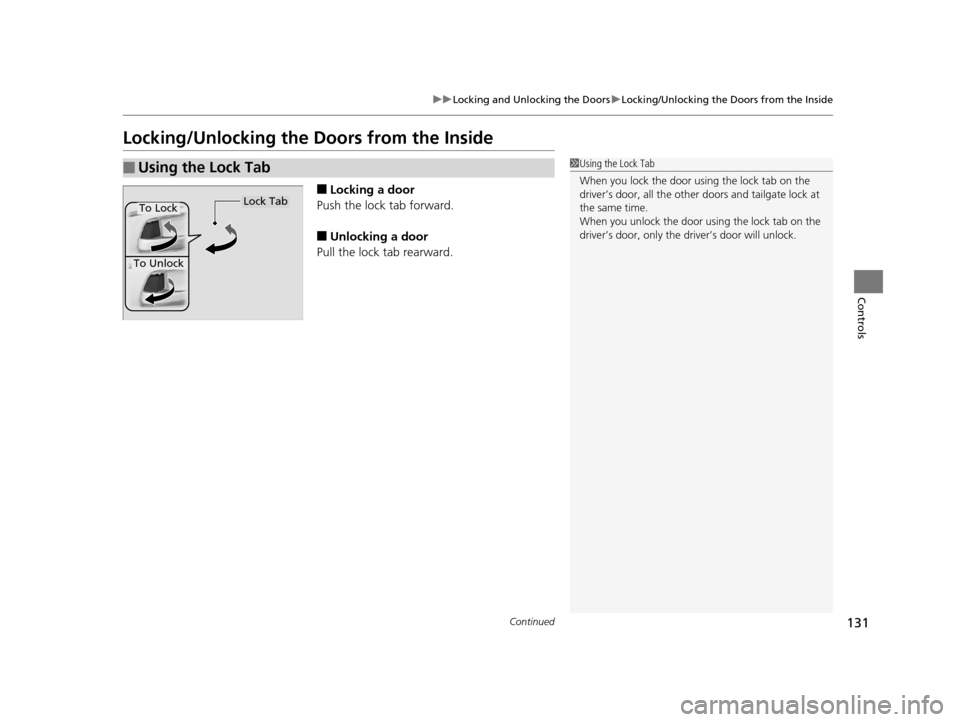
Page 126 of 661
Continued125
uuLocking and Unlocking the Doors uLocking/Unlocking the Doors from the Outside
Controls
■Locking the doors and tailgate (Walk
away auto lock)
When you walk away from the vehicle while
carrying the smart entry remote, the doors will
automatically lock.
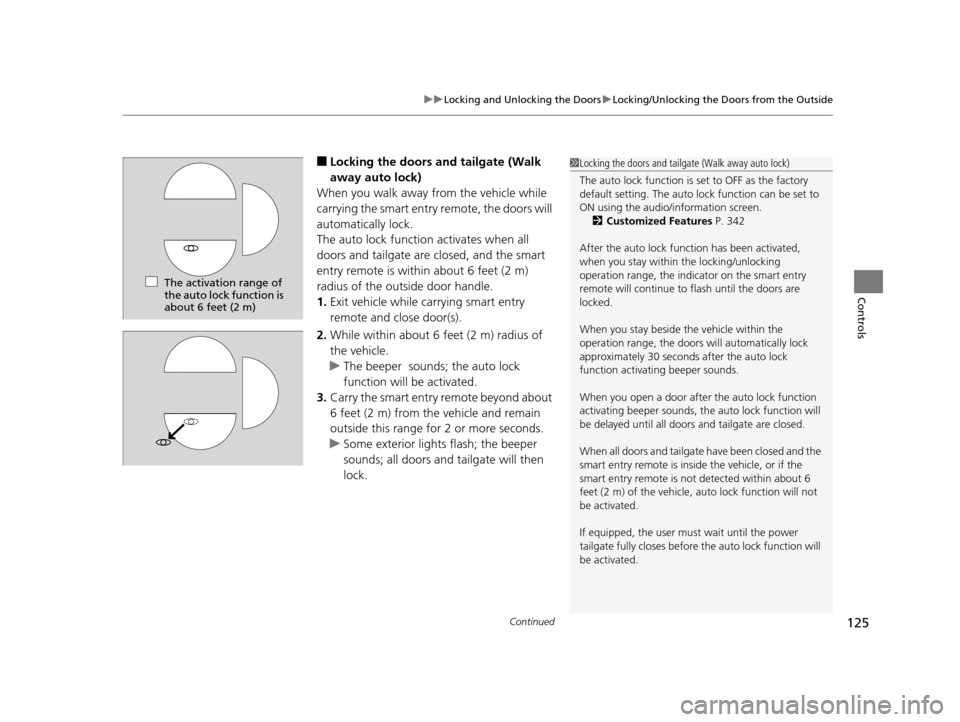
The auto lock function activates when all
doors and tailgate are closed, and the smart
entry remote is within about 6 feet (2 m)
radius of the outside door handle.
1. Exit vehicle while ca rrying smart entry
remote and close door(s).
2. While within about 6 feet (2 m) radius of
the vehicle.
u The beeper sounds ; the auto lock
function will be activated.
3. Carry the smart entry remote beyond about
6 feet (2 m) from the vehicle and remain
outside this range for 2 or more seconds.
u Some exterior lights flash; the beeper
sounds; all doors and tailgate will then
lock.1Locking the doors and tailgate (Walk away auto lock)
The auto lock function is set to OFF as the factory
default setting. The auto lo ck function can be set to
ON using the audio/information screen. 2 Customized Features P. 342
After the auto lock function has been activated,
when you stay within the locking/unlocking
operation range, the indicator on the smart entry
remote will continue to flash until the doors are
locked.
When you stay beside the vehicle within the
operation range, the doors wi ll automatically lock
approximately 30 seconds after the auto lock
function activating beeper sounds.
When you open a door after the auto lock function
activating beeper sounds, the auto lock function will
be delayed until all doors and tailgate are closed.
When all doors and tailgate have been closed and the
smart entry remote is inside the vehicle, or if the
smart entry remote is not detected within about 6
feet (2 m) of the vehicle, auto lock function will not
be activated.
If equipped, the user mu st wait until the power
tailgate fully closes before the auto lock function will
be activated.
The activation range of
the auto lock function is
about 6 feet (2 m)
16 PILOT-31TG76000.book 125 ページ 2015年6月15日 月曜日 午前11時30分
Page 127 of 661
uuLocking and Unlocking the Doors uLocking/Unlocking the Doors from the Outside
126
Controls
To temporarily deactivate the function:
1. Set the power mode to OFF.
2. Open the driver's door.
3. Using the master door lock switch, operate
the lock as follows:
Lock Unlock Lock Unlock.
u The beeper sounds and the function is
deactivated.
To restore the function:
• Set the power mode to ON.
• Lock the vehicle without using the auto lock
function
• Walk away at least more than about 6 feet
(2 m) away from the vehicle while carrying
the smart entry remote.1Locking the doors and tailgate (Walk away auto lock)
The auto lock function does not operate when any of
the following conditions are met.
•The smart entry remote is inside the vehicle.
•A door or the hood is not closed.
•The power mode is set to any mode other than
OFF.
•The smart entry remote is not located within a
radius of about 6 feet (2 m) from the vehicle when
you get out of the vehicle and close the doors.
The auto lock function will make the warning in the
following cases.
The warning buzzer will sound to make sure the walk
away auto lock is not activated.
•The auto lock func tion is deactivated.
Auto lock function operation stop beeper
After the auto lock function has been activated, the
auto lock operation stop beeper sounds for
approximately two seconds in the following cases.
•The smart entry remote is put inside the vehicle
through a window.
•You are located too close to the vehicle.•The smart entry remote is put inside the tailgate.
If the warning beeper sounds, check that you are
carrying the smart entry remote. Then, open/close a
door and confirm the auto lock activation beeper
sounds once.
16 PILOT-31TG76000.book 126 ページ 2015年6月15日 月曜日 午前11時30分
Page 128 of 661
Continued127
uuLocking and Unlocking the Doors uLocking/Unlocking the Doors from the Outside
Controls
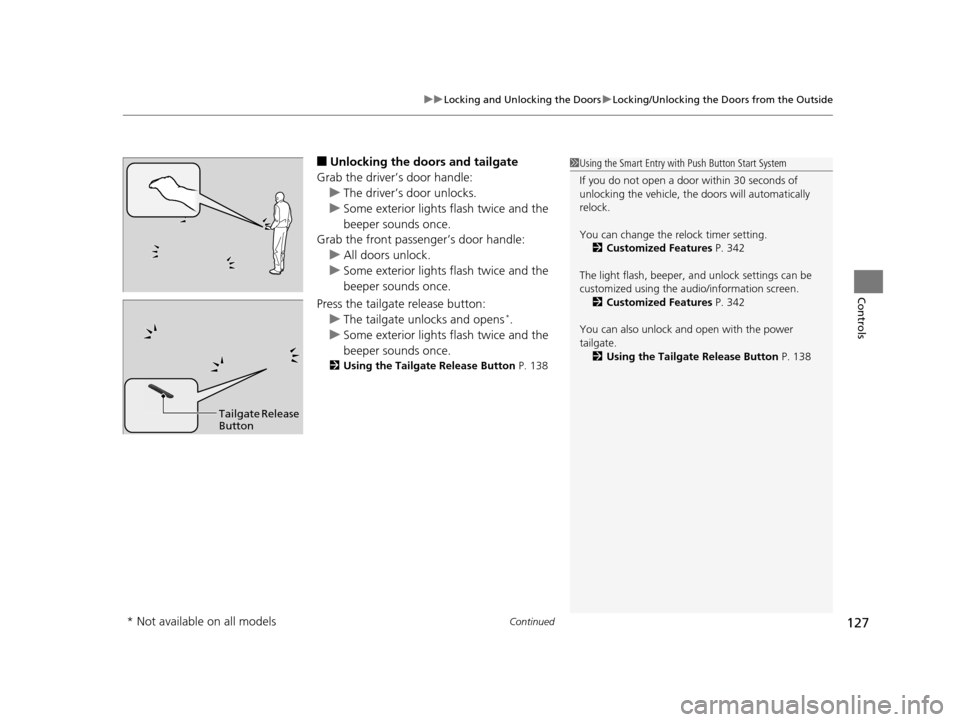
■Unlocking the doors and tailgate
Grab the driver’s door handle: u The driver’s door unlocks.
u Some exterior lights flash twice and the
beeper sounds once.
Grab the front passenger’s door handle:
u All doors unlock.
u Some exterior lights flash twice and the
beeper sounds once.
Press the tailgate release button: u The tailgate unlocks and opens
*.
u Some exterior lights flash twice and the
beeper sounds once.
2 Using the Tailgate Release Button P. 138
1Using the Smart Entry with Push Button Start System
If you do not open a door within 30 seconds of
unlocking the vehicle, th e doors will automatically
relock.
You can change the relock timer setting. 2 Customized Features P. 342
The light flash, beeper, a nd unlock settings can be
customized using the audio/information screen. 2 Customized Features P. 342
You can also unlock and open with the power
tailgate. 2 Using the Tailgate Release Button P. 138
Tailgate Release
Button
* Not available on all models
16 PILOT-31TG76000.book 127 ページ 2015年6月15日 月曜日 午前11時30分
Page 129 of 661
uuLocking and Unlocking the Doors uLocking/Unlocking the Doors from the Outside
128
Controls
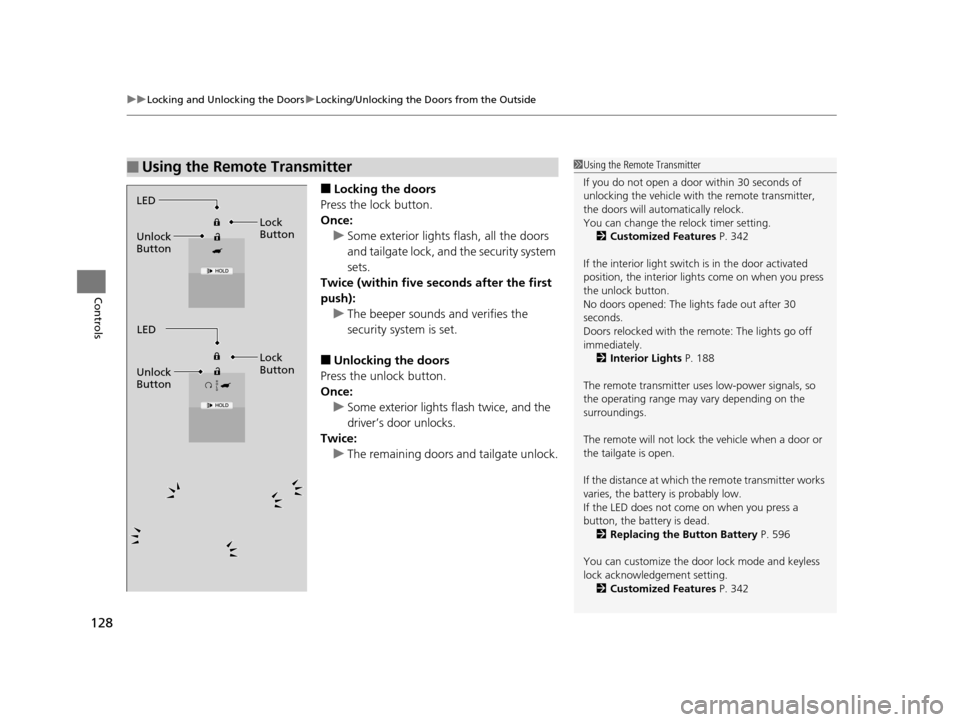
■Locking the doors
Press the lock button.
Once: u Some exterior lights flash, all the doors
and tailgate lock, and the security system
sets.
Twice (within five se conds after the first
push):
u The beeper sounds and verifies the
security system is set.
■Unlocking the doors
Press the unlock button.
Once: u Some exterior lights flash twice, and the
driver’s door unlocks.
Twice:
u The remaining doors and tailgate unlock.
■Using the Remote Transmitter1Using the Remote Transmitter
If you do not open a door within 30 seconds of
unlocking the vehicle with the remote transmitter,
the doors will automatically relock.
You can change the relock timer setting. 2 Customized Features P. 342
If the interior light switch is in the door activated
position, the interior light s come on when you press
the unlock button.
No doors opened: The li ghts fade out after 30
seconds.
Doors relocked with the remote: The lights go off
immediately. 2 Interior Lights P. 188
The remote transmitter us es low-power signals, so
the operating range may vary depending on the
surroundings.
The remote will not lock th e vehicle when a door or
the tailgate is open.
If the distance at which the remote transmitter works
varies, the batter y is probably low.
If the LED does not come on when you press a
button, the battery is dead. 2 Replacing the Button Battery P. 596
You can customize the door lock mode and keyless
lock acknowledge ment setting.
2 Customized Features P. 342
LED
Unlock
Button Lock
Button
LED
Unlock
Button Lock
Button
16 PILOT-31TG76000.book 128 ページ 2015年6月15日 月曜日 午前11時30分
Page 130 of 661
129
uuLocking and Unlocking the Doors uLocking/Unlocking the Doors from the Outside
Controls
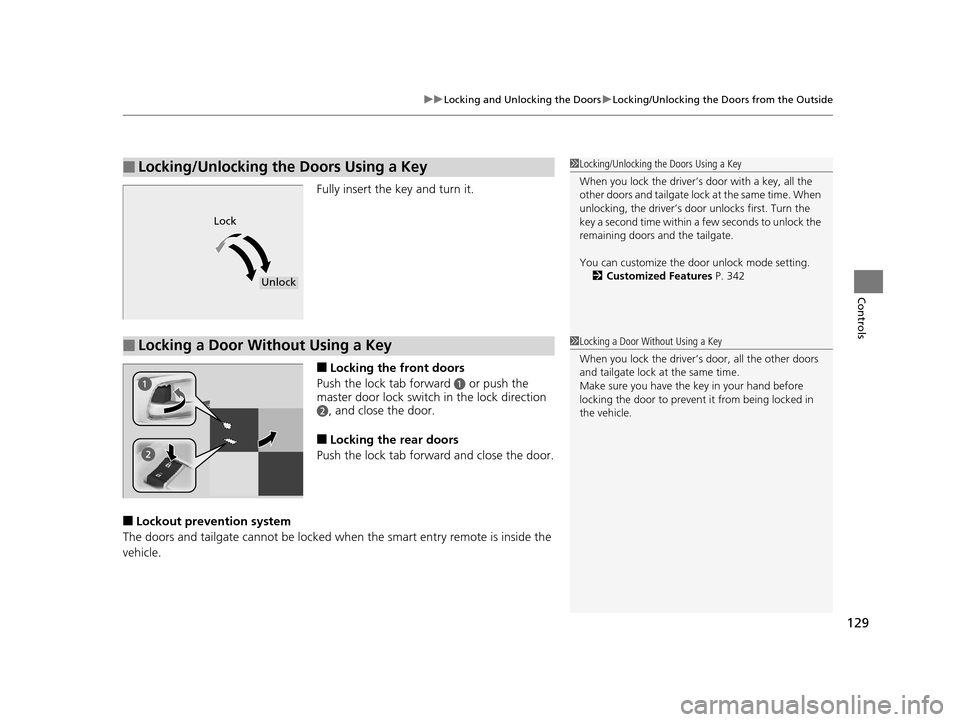
Fully insert the key and turn it.
■Locking the front doors
Push the lock tab forward
a or push the
master door lock switch in the lock direction
b, and close the door.
■Locking the rear doors
Push the lock tab forward and close the door.
■Lockout prevention system
The doors and tailgate cannot be locked wh en the smart entry remote is inside the
vehicle.
■Locking/Unlocking the Doors Using a Key1 Locking/Unlocking the Doors Using a Key
When you lock the driver’s door with a key, all the
other doors and tail g a t e l o c k a t t h e s a m e t i m e . W h e n
unlocking, the driver’s door unlocks first. Turn the
key a second time within a few seconds to unlock the
remaining doors a nd the tailgate.
You can customize the door unlock mode setting. 2 Customized Features P. 342
Lock
Unlock
■Locking a Door Without Using a Key1Locking a Door Without Using a Key
When you lock the driver’s door, all the other doors
and tailgate lock at the same time.
Make sure you have the key in your hand before
locking the door to prevent it from being locked in
the vehicle.
16 PILOT-31TG76000.book 129 ページ 2015年6月15日 月曜日 午前11時30分
Page 131 of 661
130
uuLocking and Unlocking the Doors uLow Smart Entry Remote Signal Strength
Controls
Low Smart Entry Remo te Signal Strength
The vehicle transmits radio waves to loca te the smart entry remote when locking/
unlocking the doors and tailgate, or to start the engine.
In the following cases, locking/unlocking the doors and tailgate, or starting the
engine may be inhibited or operation may be unstable:
• Strong radio waves are being tra nsmitted by nearby equipment.
• You are carrying the smart entry remote together with telecommunications
equipment, laptop computers, ce ll phones, or wireless devices.
• A metallic object is touching or covering the smart entry remote.1Low Smart Entry Remote Signal Strength
Communication between the smart entry remote and
the vehicle consumes the smart entry remote’s
battery.
The smart entry remote batte ry lasts about two years.
This changes by how often you use the remote.
The battery is consumed whenever the smart entry
remote is receivi ng strong radio wave s. Avoid placing
it near electrical appliances such as televisions and
personal computers.
16 PILOT-31TG76000.book 130 ページ 2015年6月15日 月曜日 午前11時30分
Page 132 of 661
131
uuLocking and Unlocking the Doors uLocking/Unlocking the Doors from the Inside
Continued
Controls
Locking/Unlocking the Doors from the Inside
■Locking a door
Push the lock tab forward.
■Unlocking a door
Pull the lock tab rearward.
■Using the Lock Tab1 Using the Lock Tab
When you lock the door using the lock tab on the
driver’s door, all the other d oors and tailgate lock at
the same time.
When you unlock the door using the lock tab on the
driver’s door, only the driv er’s door will unlock.
To Unlock
Lock TabTo Lock
16 PILOT-31TG76000.book 131 ページ 2015年6月15日 月曜日 午前11時30分
Page 133 of 661
uuLocking and Unlocking the Doors uLocking/Unlocking the Doors from the Inside
132
Controls
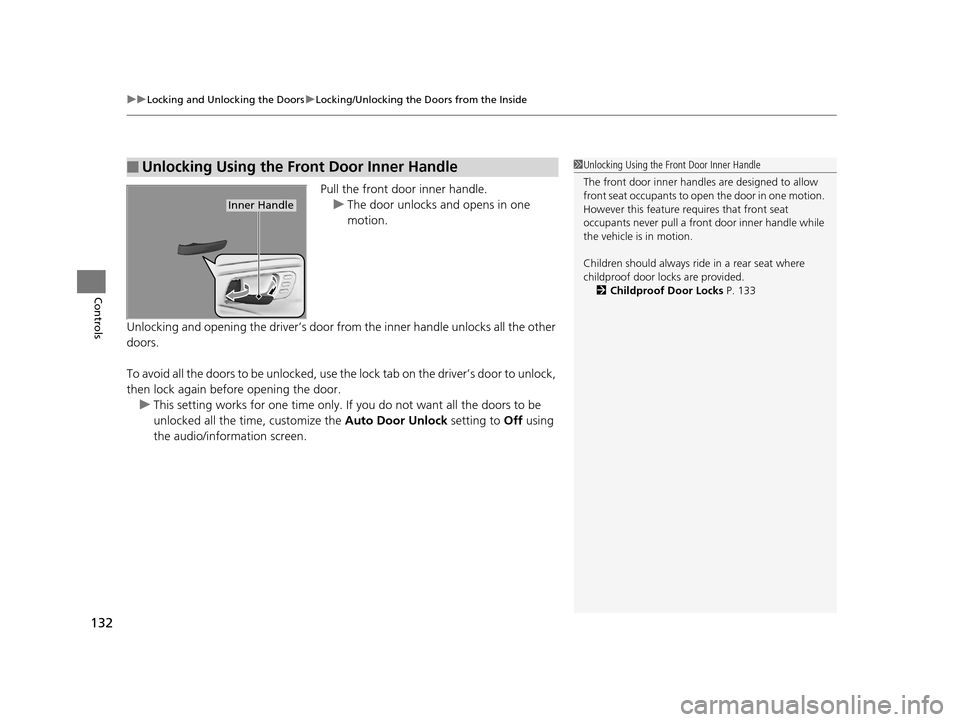
Pull the front door inner handle.
u The door unlocks and opens in one
motion.
Unlocking and opening the driver’s door from the inner handle unlocks all the other
doors.
To avoid all the doors to be unlocked, use the lock tab on the driver’s door to unlock,
then lock again before opening the door. u This setting works for one time only. If you do not want all the doors to be
unlocked all the time, customize the Auto Door Unlock setting to Off using
the audio/information screen.
■Unlocking Using the Front Door Inner Handle1 Unlocking Using the Front Door Inner Handle
The front door inne r handles are designed to allow
front seat occupants to open the door in one motion.
However this feature requires that front seat
occupants never pull a front door inner handle while
the vehicle is in motion.
Children should always ride in a rear seat where
childproof door locks are provided.
2 Childproof Door Locks P. 133
Inner Handle
16 PILOT-31TG76000.book 132 ページ 2015年6月15日 月曜日 午前11時30分