Page 192 of 661
191
uuInterior Lights/Interior Convenience Items uInterior Convenience Items
Continued
Controls
Interior Convenience Items
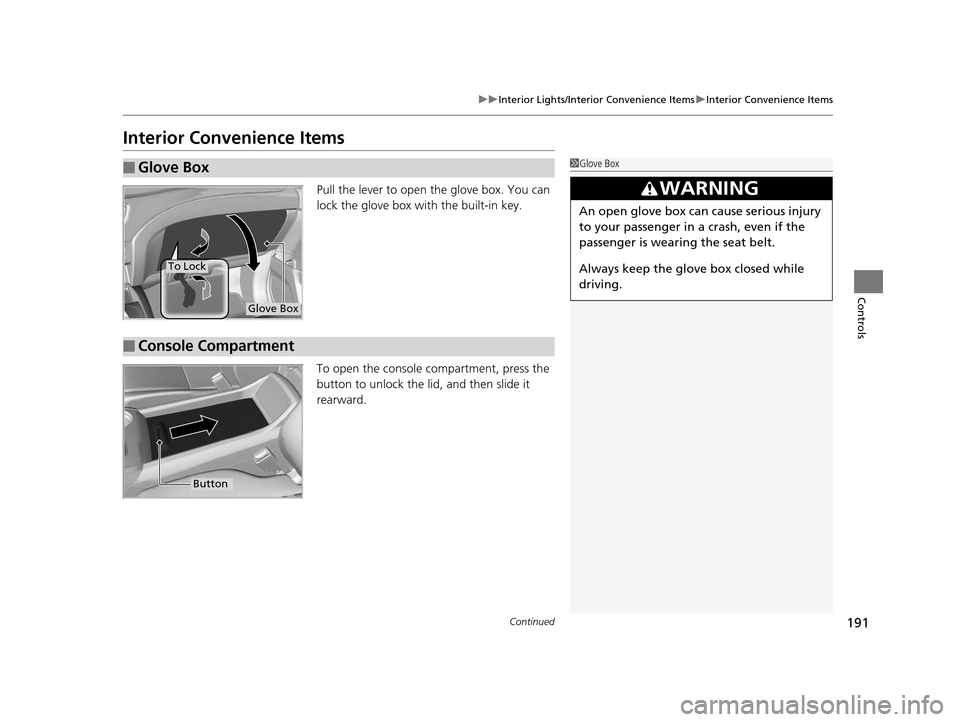
Pull the lever to open the glove box. You can
lock the glove box with the built-in key.
To open the console co mpartment, press the
button to unlock the lid, and then slide it
rearward.
■Glove Box1 Glove Box
3WARNING
An open glove box can cause serious injury
to your passenger in a crash, even if the
passenger is wearing the seat belt.
Always keep the glove box closed while
driving.
Glove Box
To Lock
■Console Compartment
Button
16 PILOT-31TG76000.book 191 ページ 2015年6月15日 月曜日 午前11時30分
Page 202 of 661
Continued201
uuInterior Lights/Interior Convenience Items uInterior Convenience Items
Controls
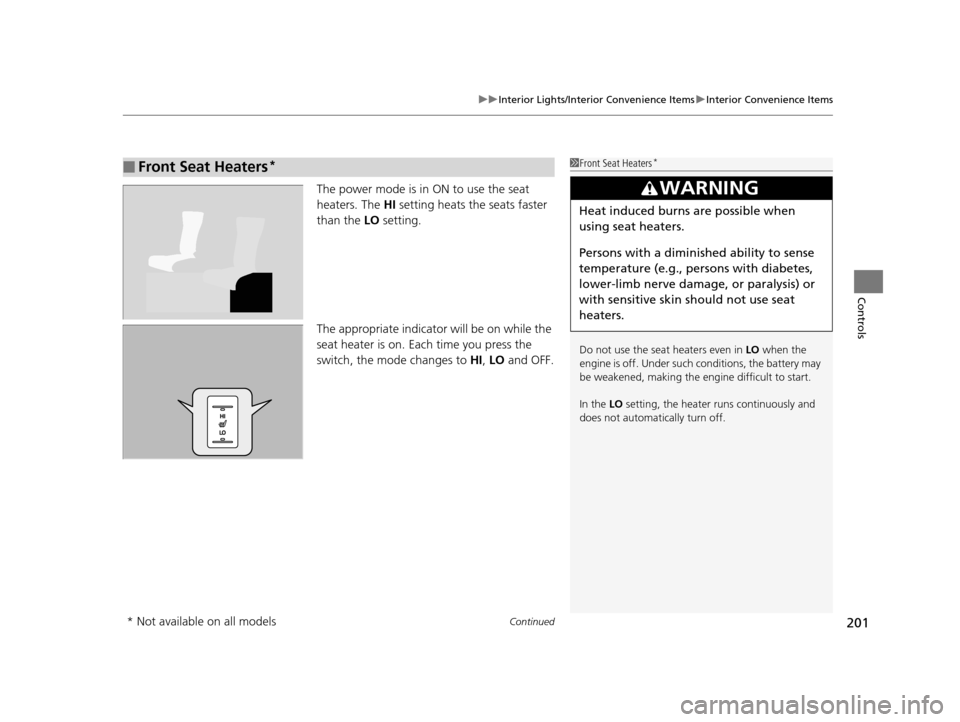
The power mode is in ON to use the seat
heaters. The HI setting heats the seats faster
than the LO setting.
The appropriate indicato r will be on while the
seat heater is on. Each time you press the
switch, the mode changes to HI, LO and OFF.
■Front Seat Heaters*1Front Seat Heaters*
Do not use the seat heaters even in LO when the
engine is off. Under such conditions, the battery may
be weakened, making the engine difficult to start.
In the LO setting, the heater runs continuously and
does not automatically turn off.
3WARNING
Heat induced burns are possible when
using seat heaters.
Persons with a diminished ability to sense
temperature (e.g., persons with diabetes,
lower-limb nerve damage, or paralysis) or
with sensitive skin should not use seat
heaters.
* Not available on all models
16 PILOT-31TG76000.book 201 ページ 2015年6月15日 月曜日 午前11時30分
Page 203 of 661
uuInterior Lights/Interior Convenience Items uInterior Convenience Items
202
Controls
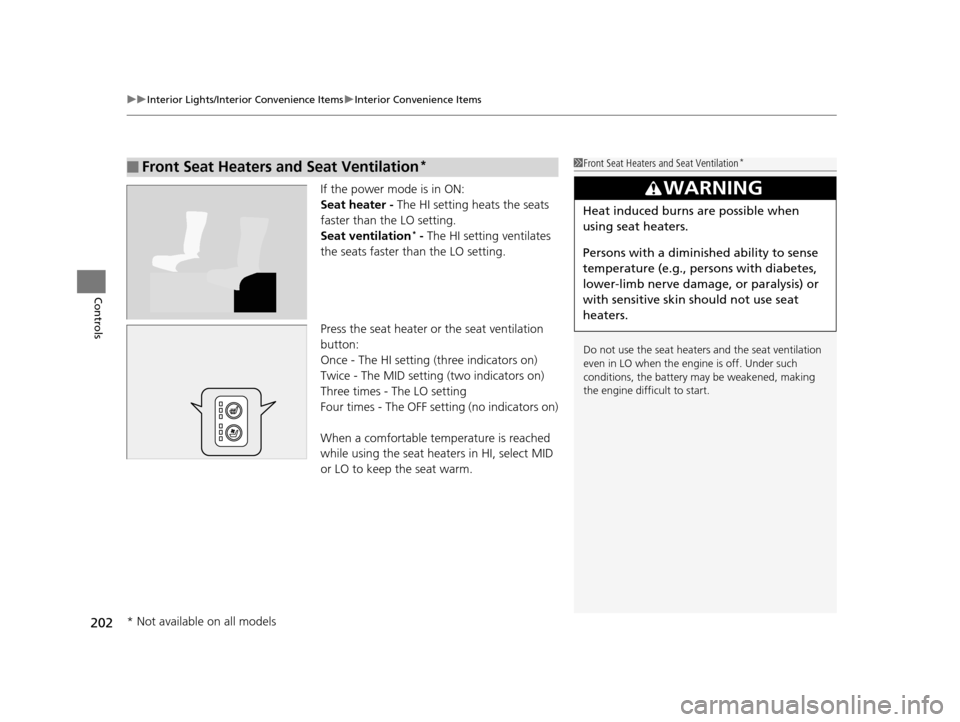
If the power mode is in ON:
Seat heater - The HI setting heats the seats
faster than the LO setting.
Seat ventilation
* - The HI setting ventilates
the seats faster than the LO setting.
Press the seat heater or the seat ventilation
button:
Once - The HI setting (three indicators on)
Twice - The MID setting (two indicators on)
Three times - The LO setting
Four times - The OFF setting (no indicators on)
When a comfortable temperature is reached
while using the seat heaters in HI, select MID
or LO to keep the seat warm.
■Front Seat Heaters and Seat Ventilation*1 Front Seat Heaters and Seat Ventilation*
Do not use the seat heater s and the seat ventilation
even in LO when the engine is off. Under such
conditions, the battery ma y be weakened, making
the engine difficult to start.
3WARNING
Heat induced burns are possible when
using seat heaters.
Persons with a diminished ability to sense
temperature (e.g., persons with diabetes,
lower-limb nerve damage, or paralysis) or
with sensitive skin should not use seat
heaters.
* Not available on all models
16 PILOT-31TG76000.book 202 ページ 2015年6月15日 月曜日 午前11時30分
Page 204 of 661
Continued203
uuInterior Lights/Interior Convenience Items uInterior Convenience Items
Controls
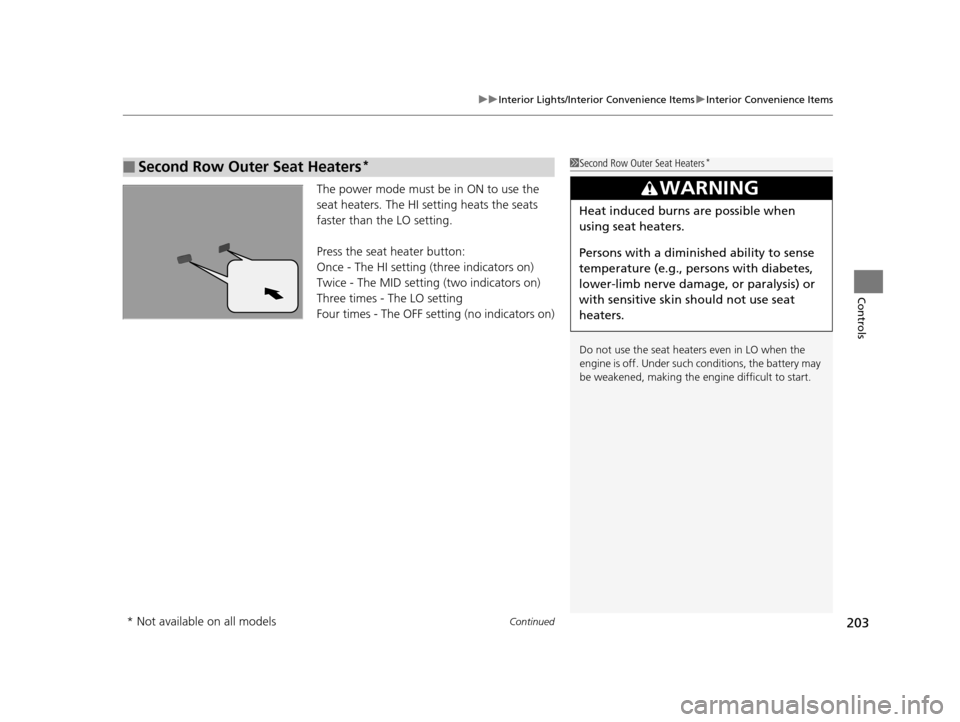
The power mode must be in ON to use the
seat heaters. The HI setting heats the seats
faster than the LO setting.
Press the seat heater button:
Once - The HI setting (three indicators on)
Twice - The MID setting (two indicators on)
Three times - The LO setting
Four times - The OFF setting (no indicators on)
■Second Row Outer Seat Heaters*1Second Row Outer Seat Heaters*
Do not use the seat heaters even in LO when the
engine is off. Under such conditions, the battery may
be weakened, making the engine difficult to start.
3WARNING
Heat induced burns are possible when
using seat heaters.
Persons with a diminished ability to sense
temperature (e.g., persons with diabetes,
lower-limb nerve damage, or paralysis) or
with sensitive skin should not use seat
heaters.
* Not available on all models
16 PILOT-31TG76000.book 203 ページ 2015年6月15日 月曜日 午前11時30分
Page 464 of 661
Continued463
uuWhen Driving uStarting the Engine
Driving
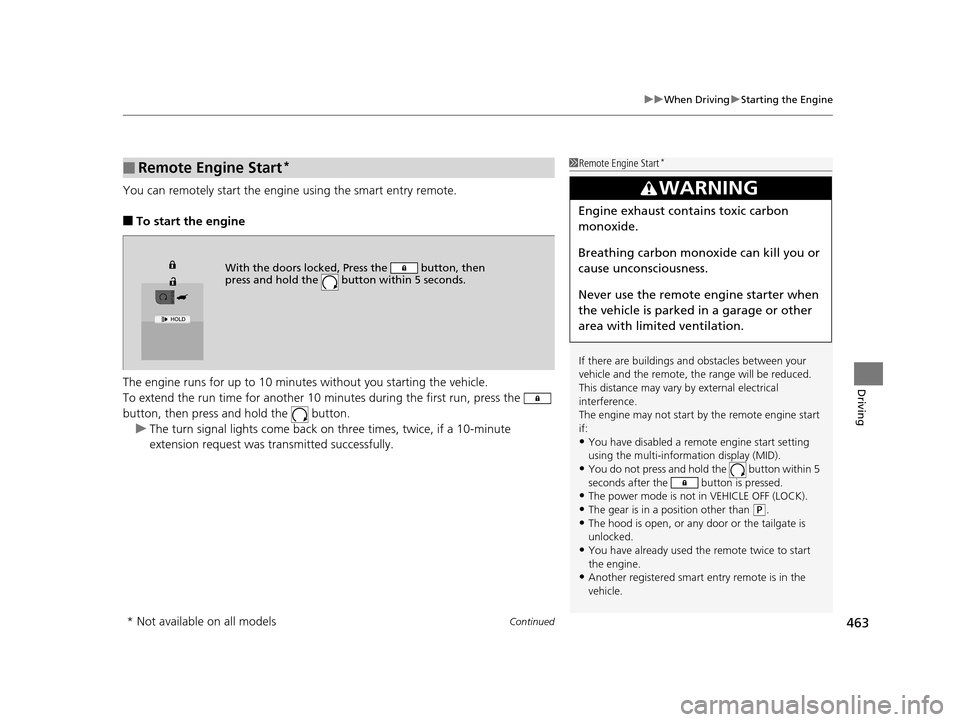
You can remotely start the engine using the smart entry remote.
■To start the engine
The engine runs for up to 10 minu tes without you starting the vehicle.
To extend the run time for another 10 mi nutes during the first run, press the
button, then press an d hold the button.
u The turn signal lights co me back on three times, twice, if a 10-minute
extension request was transmitted successfully.
■Remote Engine Start*1 Remote Engine Start*
If there are buildings an d obstacles between your
vehicle and the remote, th e range will be reduced.
This distance may vary by external electrical
interference.
The engine may not start by the remote engine start
if:
•You have disabled a remo te engine start setting
using the multi-information display (MID).
•You do not press and hold the button within 5
seconds after the button is pressed.
•The power mode is not in VEHICLE OFF (LOCK).•The gear is in a position other than ( P.
•The hood is open, or any door or the tailgate is
unlocked.
•You have already used the remote twice to start
the engine.
•Another registered smart entry remote is in the
vehicle.
3WARNING
Engine exhaust contains toxic carbon
monoxide.
Breathing carbon monoxide can kill you or
cause unconsciousness.
Never use the remote engine starter when
the vehicle is parked in a garage or other
area with limited ventilation.
With the doors locked, Press the button, then
press and hold the button within 5 seconds.
* Not available on all models
16 PILOT-31TG76000.book 463 ページ 2015年6月15日 月曜日 午前11時30分
Page 509 of 661
uuWhen Driving uLane Keeping Assist System (LKAS)*
508
Driving
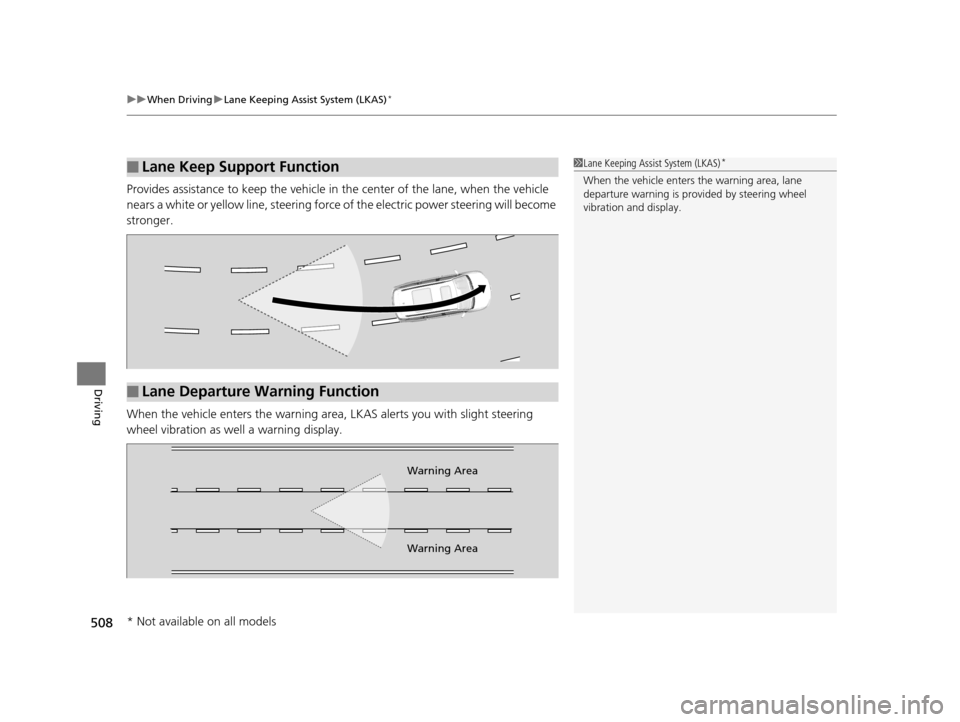
Provides assistance to keep the vehicle in the center of the lane, when the vehicle
nears a white or yellow line, steering force of the electric power steering will become
stronger.
When the vehicle enters th e warning area, LKAS alerts you with slight steering
wheel vibration as we ll a warning display.
■Lane Keep Support Function1Lane Keeping Assist System (LKAS)*
When the vehicle enters the warning area, lane
departure warning is prov ided by steering wheel
vibration and display.
■Lane Departure Warning Function
Warning Area
Warning Area
* Not available on all models
16 PILOT-31TG76000.book 508 ページ 2015年6月15日 月曜日 午前11時30分
Page 521 of 661
520
uuWhen Driving uLaneWatchTM*
Driving
LaneWatchTM*
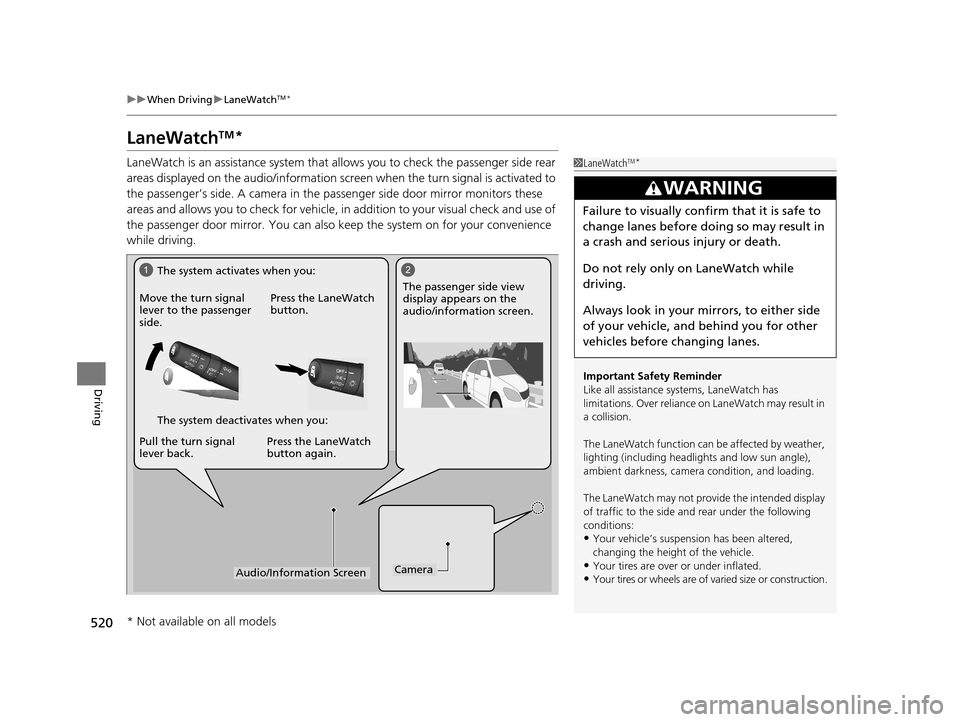
LaneWatch is an assistance system that allows you to check the passenger side rear
areas displayed on the audio/in formation screen when the turn signal is activated to
the passenger’s side. A camera in the passenger side door mirror monitors these
areas and allows you to check for vehicle, in addition to your visual check and use of
the passenger door mirror. You can also keep the system on for your convenience
while driving.1 LaneWatchTM*
Important Safety Reminder
Like all assistance systems, LaneWatch has
limitations. Over reliance on LaneWatch may result in
a collision.
The LaneWatch func tion can be affected by weather,
lighting (including headli ghts and low sun angle),
ambient darkness, camera condition, and loading.
The LaneWatch may not prov ide the intended display
of traffic to the side and rear under the following
conditions:
•Your vehicle’s suspension has been altered,
changing the height of the vehicle.
•Your tires are over or under inflated.
•Your tires or wheels are of varied size or construction.
3WARNING
Failure to visually confirm that it is safe to
change lanes before doing so may result in
a crash and serious injury or death.
Do not rely only on LaneWatch while
driving.
Always look in your mirrors, to either side
of your vehicle, and behind you for other
vehicles before changing lanes.
12
CameraAudio/Information Screen
Move the turn signal
lever to the passenger
side.
Press the LaneWatch
button.
Pull the turn signal
lever back. Press the LaneWatch
button again. The passenger side view
display appears on the
audio/information screen.
The system activates when you:
The system deactivates when you:
* Not available on all models
16 PILOT-31TG76000.book 520 ページ 2015年6月15日 月曜日 午前11時30分
Page 534 of 661

533
uuBraking uCollision Mitigation Braking SystemTM (CMBSTM)*
Continued
Driving
The system has three alert stages for a possible collis ion. However, depending on circumstances, the CMBSTM may not go through all of
the stages before initiating the last stage.
■Collision Alert Stages
Distance between vehicles
CMBSTM
The sensors detect a vehicleAudible & Visu al WARNINGSSteering WheelBraking
Stage
oneThere is a risk of a collision
with the vehicle ahead of
you.
When in Long, visual and
audible alerts come on at a
longer distance from a vehicle
ahead than in Normal setting,
and in Short, at a shorter
distance than in Normal.In case of an
oncoming vehicle
detected, rapid
vibration is
provided.
—
Stage
twoThe risk of a collision has
increased, time to respond
is reduced.
Visual and audible alerts.
—Lightly
applied
Stage three The CMBSTM determines
that a collision is
unavoidable.
—Forcefully applied
Your Vehicle Vehicle
Ahead
Normal
Short
Long
Your
Vehicle Vehicle
Ahead
Your
VehicleVehicle
Ahead
16 PILOT-31TG76000.book 533 ページ 2015年6月15日 月曜日 午前11時30分