2016 HONDA PILOT TPMS
[x] Cancel search: TPMSPage 527 of 661
526
uuWhen Driving uTire Pressure Monitoring System (TPMS) - Required Federal Explanation
Driving
Please note that the TPMS is not a substitute for proper tire
maintenance, and it is the driver ’s responsibility to maintain
correct tire pressure, even if un der-inflation has not reached the
level to trigger illumina tion of the TPMS low ti re pressure telltale.
Your vehicle has also been eq uipped with a TPMS malfunction
indicator to indicate when the sy stem is not operating properly.
The TPMS malfunction indicator is combined with the low tire
pressure telltale. When the system detects a malfunction, the
telltale will flash fo r approximately one minute and then remain
continuously illuminated. This sequence will continue upon
subsequent vehicle start-ups as long as the malfunction exists.
When the malfunction indicator is illuminated, the system may
not be able to detect or signal low tire pressure as intended.
TPMS malfunctions may occur for a variety of reasons, including
the installation of replacement or alternate tires or wheels on the
vehicle that prevent the TPMS from functioning properly.
Always check the TPMS malfunction telltale after replacing one or
more tires or wheels on your vehicle to ensure that the
replacement or alternate tires and wheels allow the TPMS to
continue to function properly.
16 PILOT-31TG76000.book 526 ページ 2015年6月15日 月曜日 午前11時30分
Page 586 of 661
585
Maintenance
Checking and Maintaining Tires
Checking Tires
To safely operate your vehicle, your tires must be of the proper type and size, in
good condition with adequate tread, and properly inflated.
■Inflation guidelines
Properly inflated tires provid e the best combination of hand ling, tread life, and comfort.
Refer to the driver’s doorjamb label or spec ification’s page for the specified pressure.
Underinflated tires wear unev enly, adversely affect handling and fuel economy, and
are more likely to fail from overheating.
Overinflated tires make your vehicle ride ha rshly, are more prone to road hazards,
and wear unevenly.
Every day before you drive, look at each of the tires. If one looks lower than the
others, check the pressure with a tire gauge.
At least once a month and before long trips , use a gauge to measure the pressure in
all tires, including the spare. Even tires in good condition can lose 1 to 2 psi (10 to
20 kPa, 0.1 to 0.2 kgf/cm
2) per month.
■Inspection guidelines
Every time you check inflation, also examine the tires and valve stems.
Look for:
• Bumps or bulges on the side or in the tr ead. Replace the tire if you find any cuts,
splits, or cracks in the side of the tire . Replace it if you see fabric or cord.
• Remove any foreign objects and inspect for air leaks.
• Uneven tread wear. Have a deal er check the wheel alignment.
• Excessive tread wear.
2 Wear Indicators P. 590
•Cracks or other damage around valve stem.
1Checking Tires
Measure the air pressure when tires are cold. This
means the vehicle has been parked for at least three
hours, or driven less than 1 mile (1.6 km). If
necessary, add or releas e air until the specified
pressure is reached.
If checked when hot, tire pressure can be as much as
4–6 psi (30–40 kPa, 0.3–0.4 kgf/cm
2) higher than if
checked when cold. 2 TPMS with Tire Fill Assist P. 523
Have a dealer check the tires if you feel a consistent
vibration while driving. Ne w tires and any that have
been removed and reinst alled should be properly
balanced.
3WARNING
Using tires that are excessively worn or
improperly inflated can cause a crash in
which you can be seriously hurt or killed.
Follow all instruction s in this owner’s
manual regarding tire inflation and
maintenance.
16 PILOT-31TG76000.book 585 ページ 2015年6月15日 月曜日 午前11時30分
Page 592 of 661
591
uuChecking and Maintaining Tires uTire and Wheel Replacement
Maintenance
Tire and Wheel Replacement
Replace your tires with radials of the sa me size, load range, speed rating, and
maximum cold tire pressure rating (as shown on the tire’s sidewall). Using tires of a
different size or construction can cause the ABS, VSA ® (vehicle stability assist), hill
start assist, and the all-wheel drive system (AWD) to work incorrectly.
It is best to replace all four tires at the same time. If that isn’t possible, replace the
front or rear tires in pairs.
If you replace a wheel, only use TPMS spec ified wheels approved for your vehicle.
Make sure that the wheel’s specificati ons match those of the original wheels.1Tire and Wheel Replacement
3WARNING
Installing improper tires on your vehicle can
affect handling and stability. This can cause
a crash in which you can be seriously hurt or
killed.
Always use the size and type of tires
recommended in this owner’s manual.
16 PILOT-31TG76000.book 591 ページ 2015年6月15日 月曜日 午前11時30分
Page 606 of 661

605
Handling the Unexpected
This chapter explains how to handle unexpected troubles.
ToolsTypes of Tools .................................. 606
If a Tire Goes Flat Changing a Flat Tire ......................... 607
Engine Does Not Start Checking the Engine ........................ 615
If the Smart Entry Remote Battery is Weak .......................................... 616
Emergency Engine Stop ................... 617
Shift Lever Does Not Move*............ 618
Jump Starting .................................... 619 Overheating
How to Handle Overheating............. 622
Indicator, Coming On/Blinking
If the Low Oil Pressure Indicator Comes On ............................................. 624
If the Charging System Indicator Comes
On ................................................. 624
If the Malfunction Indicator Lamp Comes On or Blinks ................................... 625
If the Brake System Indicator (Red) Comes On .................................................... 626
If the Electric Power Steering (EPS) System
Indicator Comes On ............................... 626
If the Low Tire Pressure/Tire Pressure Monitoring System (TPMS) Indicator Comes
On or Blinks........................................ 627
If the Transmission I ndicator Blinks along
with the Warning Message*.......... 627
Fuses
Fuse Locations ................................. 628
Inspecting and Changing Fuses ........ 632
Emergency Towing ........................... 633
When You Cannot Unlock the Fuel Fill Door.. 634
Refueling........................................... 635Refueling From a Portable Fuel Container .... 635
When You Cannot Open the Tailgate.. 636
* Not available on all models
16 PILOT-31TG76000.book 605 ページ 2015年6月15日 月曜日 午前11時30分
Page 615 of 661
uuIf a Tire Goes Flat uChanging a Flat Tire
614
Handling the Unexpected
If you replace a flat tire with the spare tire, the low tire pressure/TPMS indicator
comes on while you are driving. After driving for a few miles (kilometers), the
indicator will start blinking for a short time and then stay on. Tire Pressure
Monitor Problem appears on the multi-informat ion display (MID), but this is
normal.
If you replace the tire with a specified regular tire, the warning message on the MID
and the low tire pressure/TPMS indicator will go off after a few miles (kilometers).
■TPMS with Tire Fill Assist and the Spare Tire1 TPMS with Tire Fill Assist and the Spare Tire
The system cannot monitor th e pressure of the spare
tire. Manually check the spare tire pressure to be sure
that it is correct.
Use the TPMS specific whee ls. Each is equipped with
a tire pressure sensor mount ed inside the tire behind
the valve stem.
16 PILOT-31TG76000.book 614 ページ 2015年6月15日 月曜日 午前11時30分
Page 628 of 661

627
uuIndicator, Coming On/Blinking uIf the Low Tire Pressure/Tire Pressure Monitoring System (TPMS) Indicator Comes On or Blinks
Handling the Unexpected
If the Low Tire Pressure/T ire Pressure Monitoring
System (TPMS) Indicator Comes On or Blinks
■Reasons for the indicator to come on or blink
A tire pressure is significantly low. If there is a problem with the TPMS
with Tire Fill Assist or the compact spare tire
* is installed, the indicator
blinks for about one minute, and then stays on.
■What to do when th e indicator comes on
Stop your vehicle in a safe place. Ch eck the tire pressure and adjust the
pressure to the specified level. The spec ified tire pressure is on a label on
the driver side doorjamb.
■What to do when the indicator blinks
Have the tire inspected by a dealer as soon as possible. If the compact
spare tire
* causes the indicator to blink, ch ange the tire to a full-size tire.
The indicator goes off after driving for a few miles (kilometers).
If the Transmission Indicator Blinks along with the
Warning Message*
■Reasons for the indicator to blink
There is a problem with the transmission.
■What to do when the indicator blinks
• Immediately have your vehicle inspected by a dealer.
• Select
(N after starting the engine.
u Check if the
(N position in the instrume nt panel and the indicator
on the
(N button light/blink.
u The engine cannot be turned on unless the parking brake is set.
2 Starting the Engine P. 461
1If the Low Tire Pressure/Tire Pressure Monitoring System (TPMS)
Indicator Comes On or Blinks
NOTICE
Driving on an extremely unde rinflated tire can cause
it to overheat. An overheated tire can fail. Always
inflate your tires to the prescribed level.
TPMS with Tire Fill Assist provides visual and audible
assistance during tire pre ssure adjustment. With the
power mode in ON, while y ou adjust tire pressure up
or down, the system alerts you as follows:
Below recommended pressure: The beeper
sounds and exterior lights flash once every five
seconds.
At recommended pressure: The beeper sounds
and exterior lights flash ra pidly for ~ five seconds.
Above recommended pressure: The beeper
sounds and lights flash twice every three seconds.
1 If the Transmission Indicator Blinks along with the Warning
Message*
You may not be able to start the engine.
Make sure to set the pa rking brake when parking
your vehicle.
Call a professional towing service if you need to tow
your vehicle. 2 Emergency Towing P. 633
* Not available on all models
16 PILOT-31TG76000.book 627 ページ 2015年6月15日 月曜日 午前11時30分
Page 642 of 661
641
Information
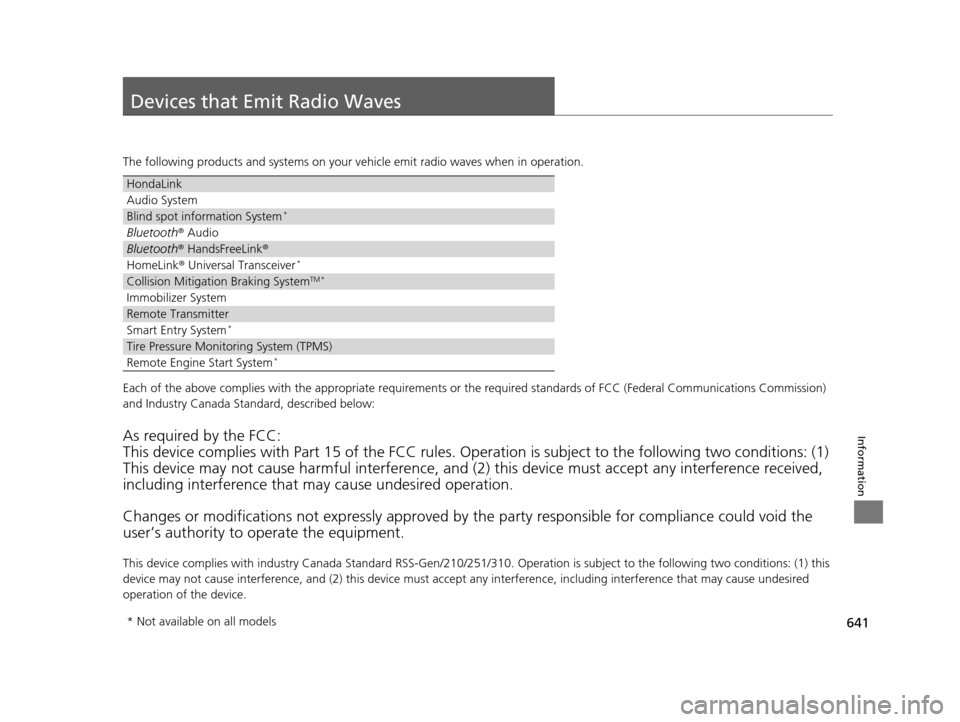
Devices that Emit Radio Waves
The following products and systems on your vehicle emit radio waves when in operation.
Each of the above complies with the appropriate requirements or the required standards of FCC (Federal Communications Commissio n)
and Industry Canada Standard, described below:
As required by the FCC:
This device complies with Part 15 of the FCC rules. Operation is subject to the following two conditions: (1)
This device may not cause harmful interference, and (2) this device must accept any interference received,
including interference that may cause undesired operation.
Changes or modifications not expres sly approved by the party responsible for compliance could void the
user’s authority to operate the equipment.
This device complies with industry Canada Standard RSS-Gen/210/ 251/310. Operation is subject to the following two conditions: (1) this
device may not cause interference, and (2) this device must ac cept any interference, including interference that may cause unde sired
operation of the device.
HondaLink
Audio System
Blind spot information System*
Bluetooth ® Audio
Bluetooth® HandsFreeLink ®
HomeLink® Universal Transceiver*
Collision Mitigati on Braking SystemTM *
Immobilizer System
Remote Transmitter
Smart Entry System*
Tire Pressure Monitoring System (TPMS)
Remote Engine Start System*
* Not available on all models
16 PILOT-31TG76000.book 641 ページ 2015年6月15日 月曜日 午前11時30分
Page 654 of 661

653
Index
H
Handling the Unexpected....................... 605
HandsFreeLink ® (HFL) ...................... 381, 406
Automatic Import of Cellular Phonebook and Call History ................................... 395, 419
Caller’s ID Information ............................ 393
Displaying Messages ............................... 433
HFL Buttons .................................... 381, 406
HFL Menus...................................... 383, 409
HFL Status Display ........................... 382, 408
In Case of Emergency ............................. 437
Limitations for Manual Operation.... 382, 408
Making a Call ................................. 400, 427
Options During a Call...................... 405, 430
Phone Setup ................................... 387, 414
Phonebook Phonetic Modification........... 423
Receiving a Call............................... 404, 430
Receiving a Text Message/E-mail ............. 431
Ring Tone ....................................... 393, 418
Selecting a Mail Account......................... 432
Speed Dial ...................................... 396, 420
To Clear the System ................................ 394
To Set Up a Text Message/E-mail Options ................................................. 417
Hazard Warning Button .............................. 4
Hazard Warning Indicator ......................... 86
HD Radio
TM............................................... 265
HDMITM Port ............................................. 315
Head Restraints ........................ 179, 180, 181
Headlights ................................................ 155
Auto High-Beam System ......................... 159 Automatic Operation ............................... 156
Dimming ......................................... 155, 162
Operating ................................................ 155
Heated Door Mirrors ................................ 167
Heated Steering Wheel ............................ 200
Heated Windshield Button ...................... 167
Heater (Steering Wheel) .......................... 200
Heaters (Seat) ........................... 201, 202, 203
Heating and Cooling System ................... 205
Cooling ................................................... 207
Defrosting the Windshield and
Windows ............................................... 208
Heating ................................................... 206
HFL (HandsFreeLink ®)....................... 381, 406
High Beam Indicator .................................. 86
Hill Start Assist System ............................. 466
HomeLink® Universal Transceiver ............ 378
HondaLink® ............................................... 296
I
Identification Numbers ............................ 640
Engine and Transmission ......................... 640
Vehicle Identification ............................... 640
Illumination Control ................................. 166
Button ..................................................... 166
Immobilizer System .................................. 144
Indicator .................................................... 87
Indicators .................................................... 78
Adaptive Cruise Control (ACC) .................. 92
All-wheel drive (AWD) ............................... 89 Anti-lock Brake System (ABS)..................... 83
Auto high-beam system ............................ 87
Auto Idle-stop ........................................... 90
Auto Idle-stop System ............................... 90
Blind spot information (BSI) ............... 94, 519
Brake System (Amber) ............................... 78
Brake System (Red) ............................ 78, 626
Charging System ............................... 79, 624
Collision Mitigati
on Braking System
TM
(CMBSTM) ........................................... 95, 96
CRUISE CONTROL ............................. 88, 487
CRUISE MAIN .................................... 88, 486
ECON Mode .............................................. 94
Electric Power Steering (EPS) System .. 86, 626
Fog Lights ................................................. 87
Gear Position............................................. 80
Hazard Warning ........................................ 86
High Beam ................................................ 86
Immobilizer System ................................... 87
Lane Keeping Assist System (LKAS) .... 93, 509
Lights On .................................................. 87
Low Fuel ................................................... 82
Low Oil Pressure ................................ 79, 624
Low Tire Pressure/TPMS ..................... 86, 627
M (sequential mode) I ndicator/Sequential
Mode Gear Selection ............................... 80
Malfunction Indicator Lamp............... 79, 625
Parking Brake and Brake System ........ 78, 626
Road Departure Mitigation (RDM) ............. 91
Seat Belt Reminder .............................. 38, 82
Security System Alarm ............................... 88
16 PILOT-31TG76000.book 653 ページ 2015年6月15日 月曜日 午前11時30分