Page 100 of 565
Continued99
uuGauges and Displays uMulti-Information Display*
Instrument Panel
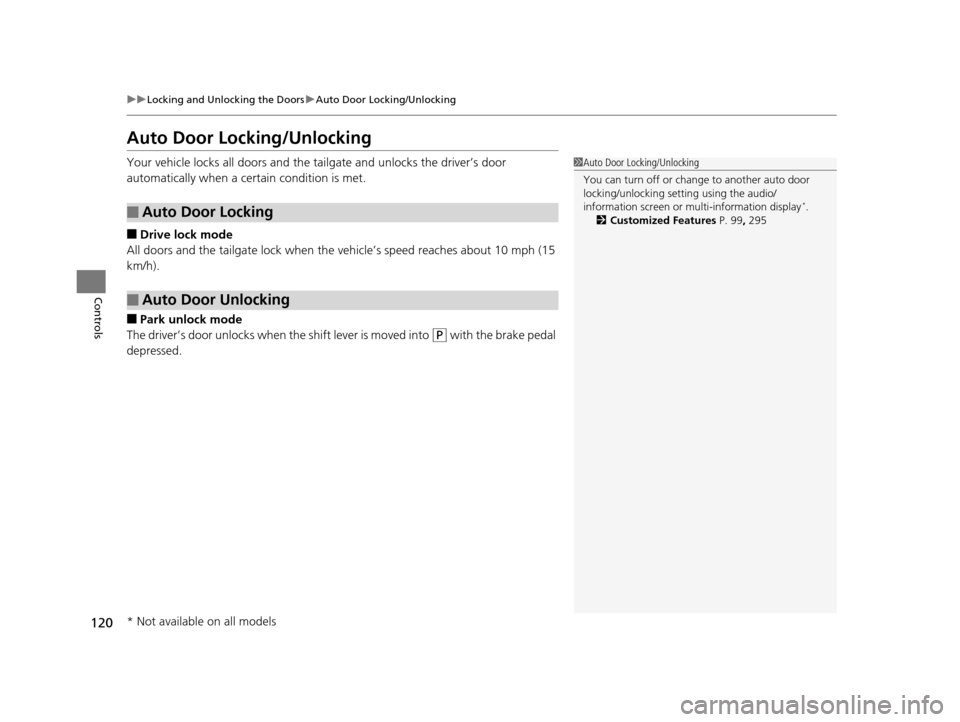
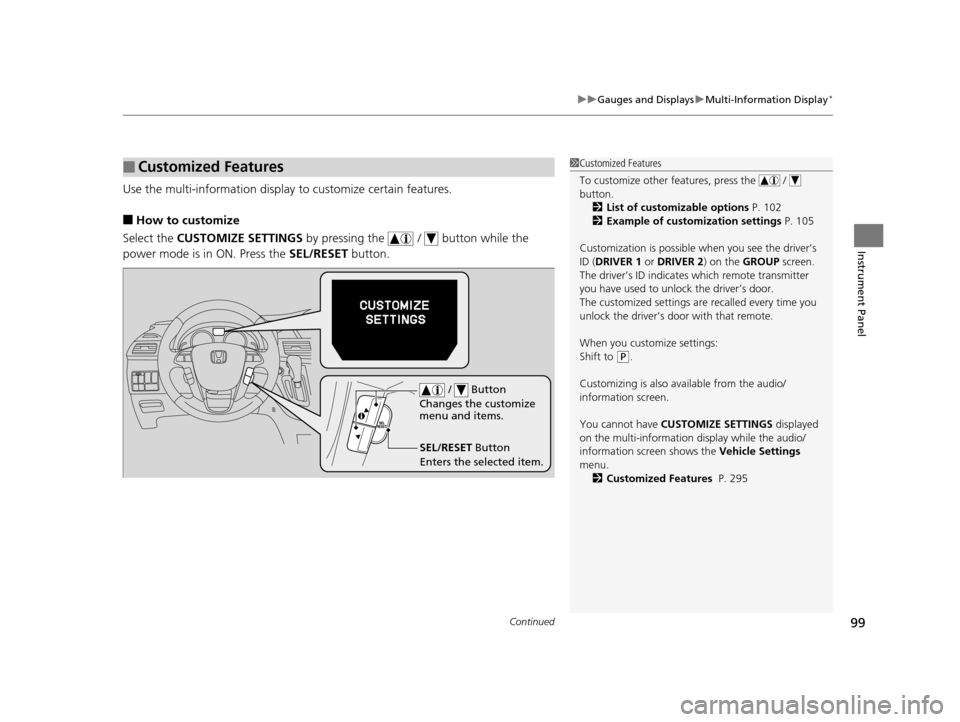
Use the multi-information display to customize certain features.
■How to customize
Select the CUSTOMIZE SETTINGS by pressing the / button while the
power mode is in ON. Press the SEL/RESET button.
■Customized Features1Customized Features
To customize other features, press the /
button.
2 List of customizable options P. 102
2 Example of customization settings P. 105
Customization is possible when you see the driver’s
ID ( DRIVER 1 or DRIVER 2) on the GROUP screen.
The driver’s ID indicates which remote transmitter
you have used to unlock the driver’s door.
The customized settings are recalled every time you
unlock the driver’s door with that remote.
When you customize settings:
Shift to
( P.
Customizing is also av ailable from the audio/
information screen.
You cannot have CUSTOMIZE SETTINGS displayed
on the multi-information display while the audio/
information screen shows the Vehicle Settings
menu. 2 Customized Features P. 295
SEL/RESET Button
Enters the selected item. / Button
Changes the customize
menu and items.
16 US ODYSSEY-31TK86500.book 99 ページ 2015年6月24日 水曜日 午後3時0分
Page 109 of 565

108
Controls
Clock
Adjusting the Clock
You can adjust the time in the clock display with the ignition switch is in ON (w *1.
■Using the Settings menu on the audio/information screen1.Press the SETTINGS button.
2. Rotate to select System Settings, then
press .
u Repeat the procedure to select Clock,
then Clock Adjustment .
2. Move or to select Clock.
Rotate to select Clock Adjustment,
then press .
3. Rotate to change hour, then press .
4. Rotate to change minute, then press .
*1: Models with the smart entry system have an ENGINE START/STOP button instead of an
ignition switch.
■Adjusting the Time
1 Adjusting the Clock
The clock is automatica lly updated through the
navigation system, so the ti me does not need to be
adjusted.
These indications are used to show how to operate
the selector knob.
Rotate to select.
Press to enter.
These indications are used to show how to operate
the interface dial.
Rotate to select.
Press to enter.
Move , , or to select secondary menu.
You can customize the clock display to show the 12
hour clock or 24 hour clock.
2 Customized Features P. 295
You can turn the clock display on and off. 2 Customized Features P. 295
Models with navigation system
Models with one display
Models with two displays
All models
Models without navigation system
Models with one display
Models with two displays
All models
16 US ODYSSEY-31TK86500.book 108 ページ 2015年6月24日 水曜日 午後3時0分
Page 121 of 565
120
uuLocking and Unlocking the Doors uAuto Door Locking/Unlocking
Controls
Auto Door Locking/Unlocking
Your vehicle locks all doors and the tailgate and unlocks the driver’s door
automatically when a certain condition is met.
■Drive lock mode
All doors and the tailgate lock when the vehicle’s speed reaches about 10 mph (15
km/h).
■Park unlock mode
The driver’s door unlocks when the shift lever is moved into
(P with the brake pedal
depressed.
■Auto Door Locking
■Auto Door Unlocking
1 Auto Door Locking/Unlocking
You can turn off or cha nge to another auto door
locking/unlocking sett ing using the audio/
information screen or mu lti-information display
*.
2 Customized Features P. 99, 295
* Not available on all models
16 US ODYSSEY-31TK86500.book 120 ページ 2015年6月24日 水曜日 午後3時0分
Page 143 of 565
142
Controls
Operating the Switches Around the Steering Wheel
Ignition Switch*
1Ignition Switch*
You cannot take the key out unless the shift lever is
in ( P.
If you open the driver's door when the key is in LOCK
(0 or ACCESSORY ( q, a warning buzzer will sound
to remind you to take the key out.
If the key won't turn from LOCK
( 0 to ACCESSORY (q, turn the key while moving the steering wheel left
and right. The steering wh eel will unlock, allowing
the key to turn.
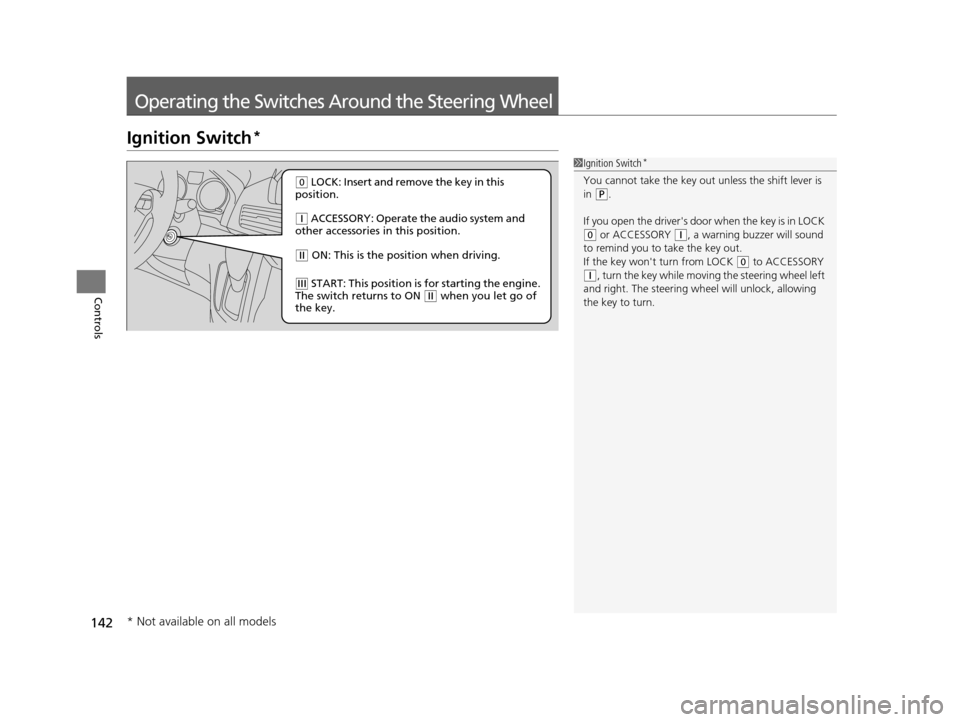
( 0 LOCK: Insert and remove the key in this
position.
( q ACCESSORY: Operate the audio system and
other accessories in this position.
( w ON: This is the position when driving.
(e START: This position is for starting the engine.
The switch returns to ON ( w when you let go of
the key.
* Not available on all models
16 US ODYSSEY-31TK86500.book 142 ページ 2015年6月24日 水曜日 午後3時0分
Page 144 of 565
143
uuOperating the Switches Around the Steering Wheel uENGINE START/STOP Button*
Continued
Controls
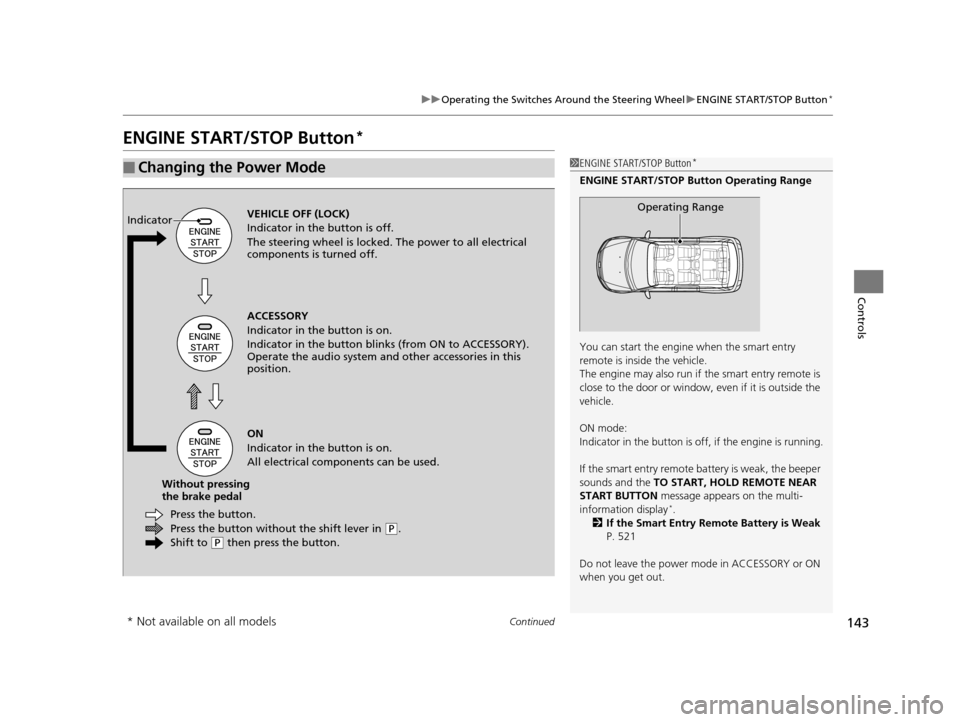
ENGINE START/STOP Button*
■Changing the Power Mode1ENGINE START/STOP Button*
ENGINE START/STOP Button Operating Range
You can start the engine when the smart entry
remote is inside the vehicle.
The engine may also run if the smart entry remote is
close to the door or window, ev en if it is outside the
vehicle.
ON mode:
Indicator in the button is of f, if the engine is running.
If the smart entry remote battery is weak, the beeper
sounds and the TO START, HOLD REMOTE NEAR
START BUTTON message appears on the multi-
information display
*.
2 If the Smart Entry Remote Battery is Weak
P. 521
Do not leave the power mode in ACCESSORY or ON
when you get out.
Operating RangeVEHICLE OFF (LOCK)
Indicator in th e button is off.
The steering wheel is locked. The power to all electrical
components is turned off.
Press the button withou t the shift lever in
(P.
Shift to
( P then press the button.
Press the button.
Without pressing
the brake pedal ACCESSORY
Indicator in the button is on.
Indicator in the bu
tton blinks (from ON to ACCESSORY).
Operate the audio system and other accessories in this
position.
ON
Indicator in the button is on.
All electrical components can be used.
Indicator
* Not available on all models
16 US ODYSSEY-31TK86500.book 143 ページ 2015年6月24日 水曜日 午後3時0分
Page 147 of 565
146
uuOperating the Switches Around the Steering Wheel uIgnition Switch and Power Mode Comparison
Controls
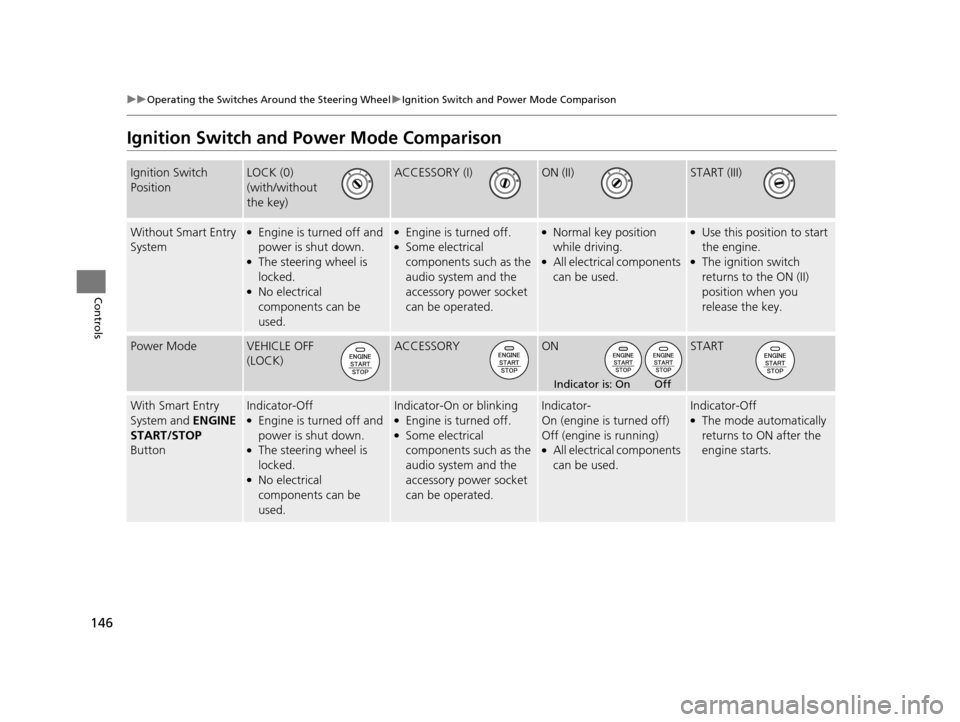
Ignition Switch and Power Mode Comparison
Ignition Switch
PositionLOCK (0)
(with/without
the key)ACCESSORY (I)ON (II)START (III)
Without Smart Entry
System●Engine is turned off and
power is shut down.
●The steering wheel is
locked.
●No electrical
components can be
used.
●Engine is turned off.●Some electrical
components such as the
audio system and the
accessory power socket
can be operated.
●Normal key position
while driving.
●All electrical components
can be used.
●Use this position to start
the engine.
●The ignition switch
returns to the ON (II)
position when you
release the key.
Power ModeVEHICLE OFF
(LOCK)ACCESSORYONSTART
With Smart Entry
System and ENGINE
START/STOP
ButtonIndicator-Off●Engine is turned off and
power is shut down.
●The steering wheel is
locked.
●No electrical
components can be
used.
Indicator-On or blinking●Engine is turned off.●Some electrical
components such as the
audio system and the
accessory power socket
can be operated.
Indicator-
On (engine is turned off)
Off (engine is running)
●All electrical components
can be used.
Indicator-Off●The mode automatically
returns to ON after the
engine starts.
Indicator is: On Off
16 US ODYSSEY-31TK86500.book 146 ページ 2015年6月24日 水曜日 午後3時0分
Page 156 of 565
155
uuOperating the Switches Around the Steering Wheel uDriving Position Memory System*
Continued
Controls
Driving Position Memory System*
You can store two driver’s seat and outside mirrors position with the driving position
memory system.
When you unlock and open the driver’s door with a remote, the seat and outside
mirrors adjust automatically to one of the two preset positions.
The multi-information display shows you which remote transmitter you used to
unlock the vehicle when you enter.
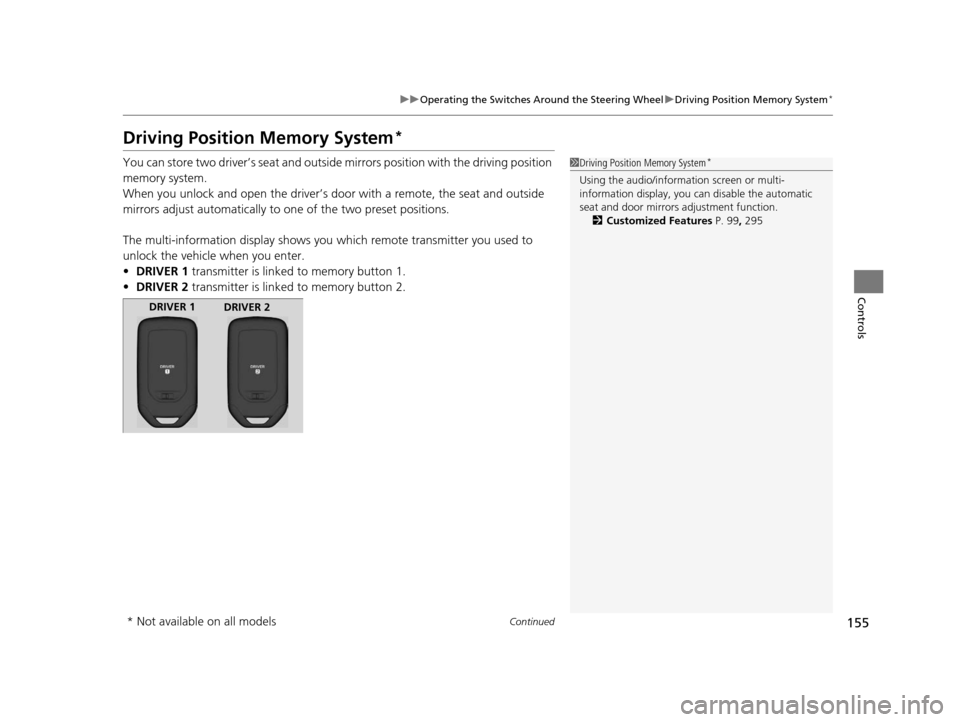
• DRIVER 1 transmitter is linked to memory button 1.
• DRIVER 2 transmitter is linked to memory button 2.1Driving Position Memory System*
Using the audio/information screen or multi-
information display, you can disable the automatic
seat and door mirrors adjustment function. 2 Customized Features P. 99, 295
DRIVER 1
DRIVER 2
* Not available on all models
16 US ODYSSEY-31TK86500.book 155 ページ 2015年6月24日 水曜日 午後3時0分
Page 206 of 565

205
Features
This chapter describes how to operate technology features.
Audio SystemAbout Your Audio System ................ 206
USB Port .......................................... 207
Auxiliary Input Jack .......................... 207
Audio System Theft Protection
*....... 208
Region Setting ................................. 209
Audio Remote Controls .................... 210
Audio System Basic Operation ........ 211
Audio/Information Screen ................ 212
Display Setup ................................... 217
Adjusting the Sound ........................ 216
Playing AM/FM Radio ....................... 218
Models with one display
Playing a CD .................................... 221
Playing an iPod ................................ 224
Playing Internet Radio ...................... 227
Playing a USB Flash Drive ................. 229
Playing Bluetooth ® Audio................. 232
Audio System Basic Operation ........ 234
Audio with Touch Screen ................. 235
Audio/Information Screen ................ 238
Display Setup ................................... 244
Adjusting the Sound ........................ 243
Playing AM/FM Radio ....................... 245
Playing SiriusXM ® Radio
*................. 249
Models with two displays
Playing a CD .................................... 252
Playing an iPod ................................ 255
Playing Internet Radio ...................... 259
Playing a USB Flash Drive ................. 262
Playing Bluetooth ® Audio ................ 265
Audio Error Messages ...................... 267
General Information on the Audio System ............................................. 272
Rear Entertainment System
*........... 276
Customized Features ........................ 295
HomeLink ® Universal Transceiver
*.. 325
Bluetooth® HandsFreeLink® ..... 327, 360
Compass
*.......................................... 392
* Not available on all models
16 US ODYSSEY-31TK86500.book 205 ページ 2015年6月24日 水曜日 午後3時0分