Page 311 of 609
310
uuCustomized Features u
Features
*1:Default SettingSetup
Group Customizable Features Descri
ption Selectable Settings
Audio
Settings
SoundAdjusts the settings of the audio speaker’s sound.
2Adjusting the Sound P. 197
-6 ~ C*1 ~ +6 (Bass ,
Treble and SUBW*), -9
~ C*1 ~ +9 (Fader and
Balance ), Off/Low /
Mid
*1/ High (SVC)
Source Select Popup
Selects whether the list of selectable audio
sources comes on when the AUDIO button is
pressed.
On /Off*1
Cover ArtTurns on and off the cover art display.On*1/Off
Connect Audio
Connects, disconnects or pairs a Bluetooth®
Audio device to HFL.—
Bluetooth Device List
Edits or deletes a Bluetooth® Audio device paired
to HFL.—
DefaultCancels/Resets all cust omized items in the Audio
Settings group as default.Yes/No
iPod, USB, or Pandora ®* mode
Bluetooth® Audio or Pandora ®* mode
Bluetooth® Audio or Pandora ®* mode
* Not available on all models
16 US ACCORD 4D (KA KC KL)-31T2A6300.book 310 ページ 2015年7月28日 火曜日 午後3時3分
Page 316 of 609
315
uuCustomized Features uDefaulting All the Settings
Features
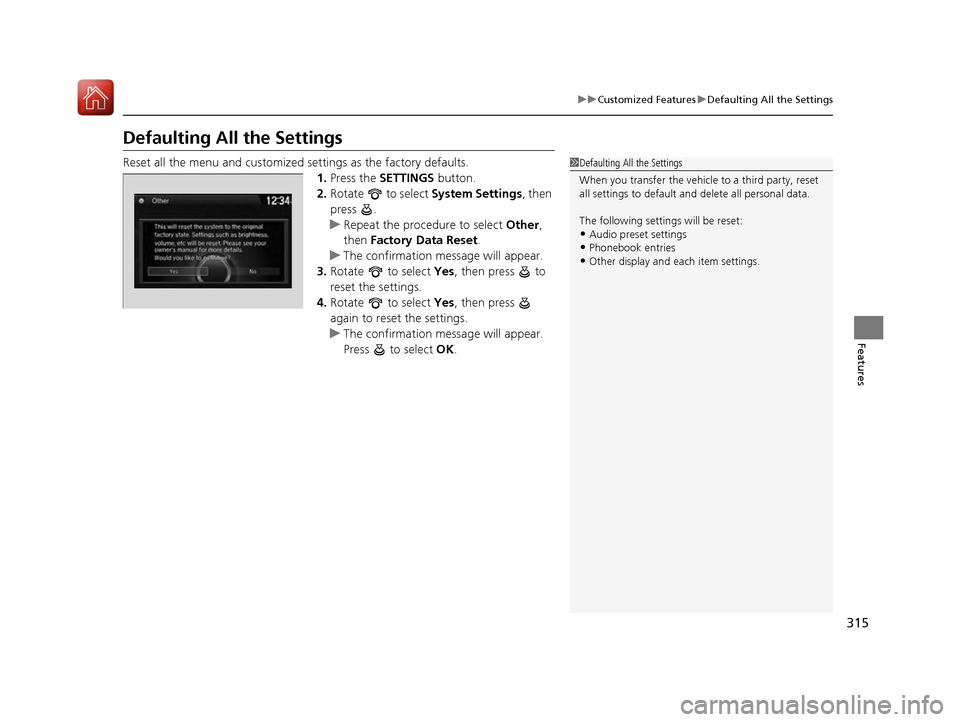
Defaulting All the Settings
Reset all the menu and customized settings as the factory defaults.
1.Press the SETTINGS button.
2. Rotate to select System Settings, then
press .
u Repeat the procedure to select Other,
then Factory Data Reset .
u The confirmation message will appear.
3. Rotate to select Yes, then press to
reset the settings.
4. Rotate to select Yes, then press
again to reset the settings.
u The confirmation message will appear.
Press to select OK.1Defaulting All the Settings
When you transfer the vehicle to a third party, reset
all settings to default a nd delete all personal data.
The following settings will be reset:
•Audio preset settings
•Phonebook entries
•Other display and ea ch item settings.
16 US ACCORD 4D (KA KC KL)-31T2A6300.book 315 ページ 2015年7月28日 火曜日 午後3時3分
Page 317 of 609
316
Features
Customized Features
Use the audio/information touch screen to customize certain features.
■How to customize
With the ignition switch in ON
(w*1, select Settings , then select a setting item.
*1:Models with the smart entry system have an ENGINE START/STOP button instead of an
ignition switch.
1 Customized Features
When you customize settings:
•Make sure that the vehicle is at a complete stop.
•Shift to (P.
•Set the parking brake.
To customize other features, select Settings.
2 List of customizable options P. 325
Automatic transmission/CVT models
Manual transmission models
Models with two displays
Audio/Information
Touch Screen
16 US ACCORD 4D (KA KC KL)-31T2A6300.book 316 ページ 2015年7月28日 火曜日 午後3時3分
Page 318 of 609
317
uuCustomized Features u
Continued
Features
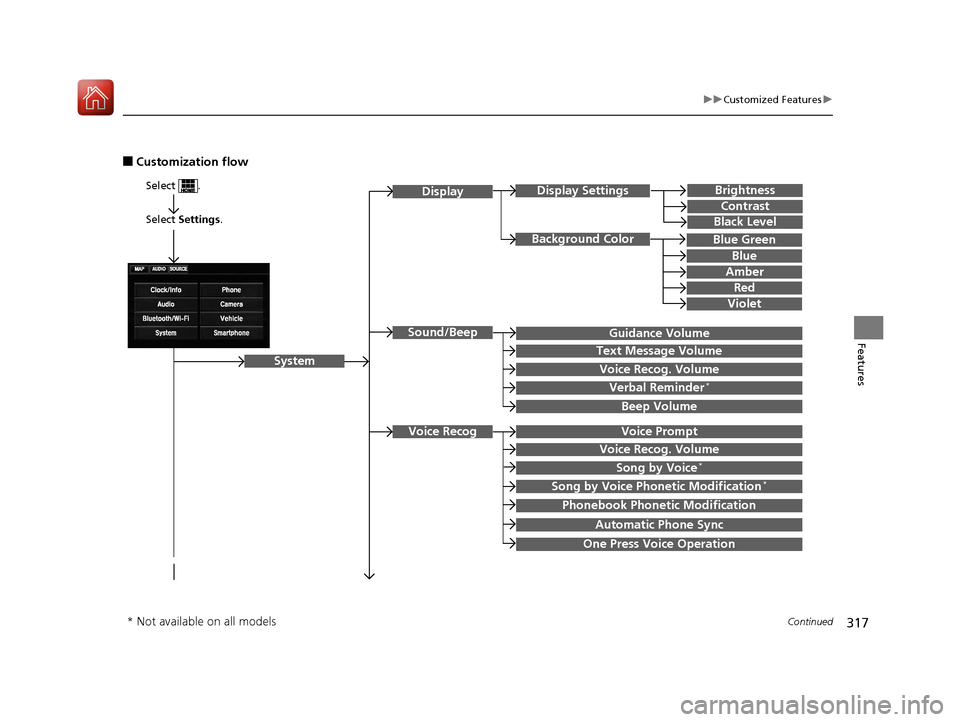
■Customization flow
Select Settings .
Brightness
Contrast
Black Level
Sound/Beep
System
DisplayDisplay Settings
Background Color
Guidance Volume
Text Message Volume
Select .
Voice RecogVoice Prompt
Blue
Amber
Red
Violet
Voice Recog. Volume
Beep Volume
Voice Recog. Volume
Song by Voice*
Song by Voice Phonetic Modification*
Phonebook Phonetic Modification
Automatic Phone Sync
One Press Voice Operation
Verbal Reminder*
Blue Green
* Not available on all models
16 US ACCORD 4D (KA KC KL)-31T2A6300.book 317 ページ 2015年7月28日 火曜日 午後3時3分
Page 319 of 609
318
uuCustomized Features u
Features
Language
Default
System
Others
Clock/Wallpaper Type
Clock Adjustment*
ClockClock
Wallpaper
Manual Time Zone*
Auto Daylight
Clock Display
Touch Panel Sensitivity
Clock Format
Auto Time Zone*
Detail Information
Factory Data Reset
Clock Reset
* Not available on all models
16 US ACCORD 4D (KA KC KL)-31T2A6300.book 318 ページ 2015年7月28日 火曜日 午後3時3分
Page 320 of 609
319
uuCustomized Features u
Continued
Features
Vehicle
Driver Assist
System Setup*Forward Collision Warning Distance*
ACC Forward Vehicle Detect Beep*
Road Departure Mitigation Setting*
Lane Keeping Assi st Suspend Beep*
Meter SetupLanguage Selection
Adjust Outside Temp Display
“Trip A” Reset Timing
“Trip B” Reset Timing
Fuel Efficiency Backlight
Keyless Start Guidance Screens*
Driving Position
Setup*Memory Position Link
TPMS Calibration
ACC Display Speed Unit*
* Not available on all models
16 US ACCORD 4D (KA KC KL)-31T2A6300.book 319 ページ 2015年7月28日 火曜日 午後3時3分
Page 323 of 609
322
uuCustomized Features u
Features
Clock/Wallpaper TypeClock
WallpaperClock Adjustment*
Clock Format
Auto Time Zone*
Manual Time Zone*
Auto Daylight
Clock Display
Clock Reset
OtherInfo Screen Preference
Default
Clock/Info
HondaLinkDiagnostic & Location Data
Clock
* Not available on all models
16 US ACCORD 4D (KA KC KL)-31T2A6300.book 322 ページ 2015年7月28日 火曜日 午後3時3分
Page 324 of 609
323
uuCustomized Features u
Continued
Features
Bluetooth Device List
Default
PhonePhone
Edit Speed Dial
Ring Tone
Automatic Phone Sync
HondaLink Assist
Text/EmailEnable Text/Email
Select Account
New Message Notification
Camera
Show with Turn SignalLaneWatch*
Display Time after Turn Signal Off
Reference Line
Default
Rear CameraFixed Guideline
Dynamic Guideline
Default
* Not available on all models
16 US ACCORD 4D (KA KC KL)-31T2A6300.book 323 ページ 2015年7月28日 火曜日 午後3時3分