2016 GMC YUKON instrument cluster
[x] Cancel search: instrument clusterPage 238 of 416

GMC Yukon/Yukon XL Owner Manual (GMNA-Localizing-U.S/Canada-
9159297) - 2016 - CRC - 10/12/15
Driving and Operating 237
Increasing Speed While Using
Cruise Control
If the cruise control system is
already activated:
.Press and hold the +RES button
until the vehicle accelerates to
the desired speed, then
release it.
. To increase vehicle speed in
small increments, briefly press
+RES. For each press, the
vehicle goes about 1.6 km/h
(1 mph) faster.
The speedometer reading can be
displayed in either English or metric
units. See Instrument Cluster 0134.
The increment value used depends
on the units displayed.
Reducing Speed While Using
Cruise Control
If the cruise control system is
already activated:
. Press and hold the SET– button
until the desired lower speed is
reached, then release it. .
To slow down in small
increments, briefly press SET–.
For each press, the vehicle goes
about 1.6 km/h (1 mph) slower.
The speedometer reading can be
displayed in either English or metric
units. See Instrument Cluster 0134.
The increment value used depends
on the units displayed.
Passing Another Vehicle While
Using Cruise Control
Use the accelerator pedal to
increase the vehicle speed. When
you take your foot off the pedal, the
vehicle will slow down to the
previous set cruise speed. While
pressing the accelerator pedal or
shortly following the release to
override cruise control, briefly
pressing the SET– button will result
in cruise control set to the current
vehicle speed.
Using Cruise Control on Hills
How well the cruise control works
on hills depends on the vehicle
speed, the load, and the steepness
of the hills. When going up steep
hills, pressing the accelerator pedal may be necessary to maintain
vehicle speed. When going
downhill, Cruise Grade Braking
helps maintain the driver selected
speed.
Cruise Grade Braking is enabled
when the vehicle is started and
cruise control is active. It is not
enabled in Range Selection Mode.
It assists in maintaining driver
selected speed when driving on
downhill grades by using the engine
and transmission to slow the
vehicle.
To disable and enable Cruise Grade
Braking for the current ignition key
cycle, press and hold the Tow/Haul
button for five seconds. A DIC
message displays. See
Transmission Messages
0161.
For other forms of Grade Braking,
see Automatic Transmission 0220
andTow/Haul Mode 0224.
Ending Cruise Control
There are four ways to end cruise
control:
. Step lightly on the brake pedal.
Page 240 of 416

GMC Yukon/Yukon XL Owner Manual (GMNA-Localizing-U.S/Canada-
9159297) - 2016 - CRC - 10/12/15
Driving and Operating 239
Warning (Continued)
.Visibility is low, such as in
fog, rain, or snow
conditions. ACC
performance is limited under
these conditions.
. On slippery roads where
fast changes in tire traction
can cause excessive
wheel slip.
5(On/Off) : Press to turn the
system on or off. The indicator turns
white on the instrument cluster
when ACC is turned on.
SET– (Set/Coast) : Press briefly to
set the speed and activate ACC.
If cruise control is already active,
use to decrease vehicle speed.
+RES (Resume/Accelerate) :
Press briefly to resume the previous
set speed or hold to accelerate.
If ACC is already active, use to
increase vehicle speed.
*(Cancel) : Press to disengage
ACC without erasing the selected
set speed.
3(Follow Distance Gap) : Press
to select a following gap time (or
distance) setting for ACC of Far,
Medium, or Near.
Setting Adaptive Cruise Control
If the cruise button is on when not in
use, the cruise on/off control could
get pressed and cruise control could
become active when not desired.
Keep the cruise control off when
cruise is not being used. Select the set speed desired for
cruise. This is the vehicle speed
when no vehicle is detected in
its path.
ACC will not set or resume at a
speed less than 25 km/h (16 mph).
To set ACC:
1. Press
5.
2. Get up to the desired speed.
3. Press and release SET– .
4. Remove foot from the accelerator.
After ACC is set, it may immediately
apply the brakes if a vehicle ahead
is detected closer than the selected
following gap.
The ACC indicator displays on the
Driver Information Center (DIC) in
the instrument cluster. When ACC is
active, the indicator turns green.
Page 241 of 416
GMC Yukon/Yukon XL Owner Manual (GMNA-Localizing-U.S/Canada-
9159297) - 2016 - CRC - 10/12/15
240 Driving and Operating
Be mindful of speed limits,
surrounding traffic speeds, and
weather conditions when selecting
the set speed.
Resuming a Set Speed
If the ACC is set at a desired speed
and then the brakes are applied,
ACC is disengaged without erasing
the set speed from memory.
To begin using ACC again, press
+RES on the steering wheel. The
vehicle returns to the previous set
speed.
Increasing Speed While ACC is at
a Set Speed
If ACC is already activated, do one
of the following:
.Use the accelerator to get to the
higher speed. Press SET– .
Release the button and the
accelerator pedal. The vehicle
will now cruise at the higher
speed.
When the accelerator pedal is
pressed, ACC will not brake
because it is overridden.
A warning message will appear on the Driver Information Center
(DIC). See
Cruise Control
Messages 0153.
. Press and hold +RES until the
desired set speed appears on
the display, then release it.
. To increase vehicle speed in
small increments, briefly press
+RES. For each press, the
vehicle goes to the next 1 km/h
(1 mph) faster mark on the
speedometer.
When it is determined that there is
no vehicle ahead or the vehicle
ahead is beyond the selected
following gap, then the vehicle
speed will increase to the set speed.
The speedometer reading can be
displayed in either English or metric
units. See Instrument Cluster 0134.
The increment value used depends
on the units displayed.
Reducing Speed While ACC is at a
Set Speed
If ACC is already activated, do one
of the following: .
Use the brake to get to the
desired lower speed. Press
SET– and release the
accelerator pedal. The vehicle
will now cruise at the lower
speed.
. Press and hold SET– until the
desired lower speed is reached,
then release it.
. To decrease the vehicle speed in
small increments, briefly press
SET−. For each press, the
vehicle speed goes to the next
1 km/h (1 mph) slower mark on
the speedometer.
The speedometer reading can be
displayed in either English or metric
units. See Instrument Cluster 0134.
The increment value used depends
on the units displayed.
Selecting the Follow Distance Gap
When a slower moving vehicle is
detected ahead within the selected
following gap, ACC will adjust the
vehicle's speed and attempt to
maintain the follow distance gap
selected.
Page 242 of 416
GMC Yukon/Yukon XL Owner Manual (GMNA-Localizing-U.S/Canada-
9159297) - 2016 - CRC - 10/12/15
Driving and Operating 241
Press3on the steering wheel to
adjust the following gap. When
pressed, the current gap setting
displays briefly on the instrument
cluster. Subsequent presses cycle
the
3button through three
settings: Far, Medium, or Near. The
gap setting will be maintained until it
is changed.
Since each gap setting corresponds
to a following time (Far, Medium,
or Near), the following distance will
vary based on vehicle speed. The
faster the vehicle speed, the further
back your vehicle will follow a
vehicle detected ahead. Consider
traffic and weather conditions when
selecting the following gap. The
range of selectable gaps may not be
appropriate for all drivers and
driving conditions.
Changing the gap setting
automatically changes the alert
timing sensitivity (Far, Medium,
or Near) for the Forward Collision
Alert (FCA) feature. See Forward
Collision Alert (FCA) System 0248. Alerting the Driver
If ACC is engaged, driver action
may be required when ACC cannot
apply sufficient braking because of
approaching a vehicle too rapidly.
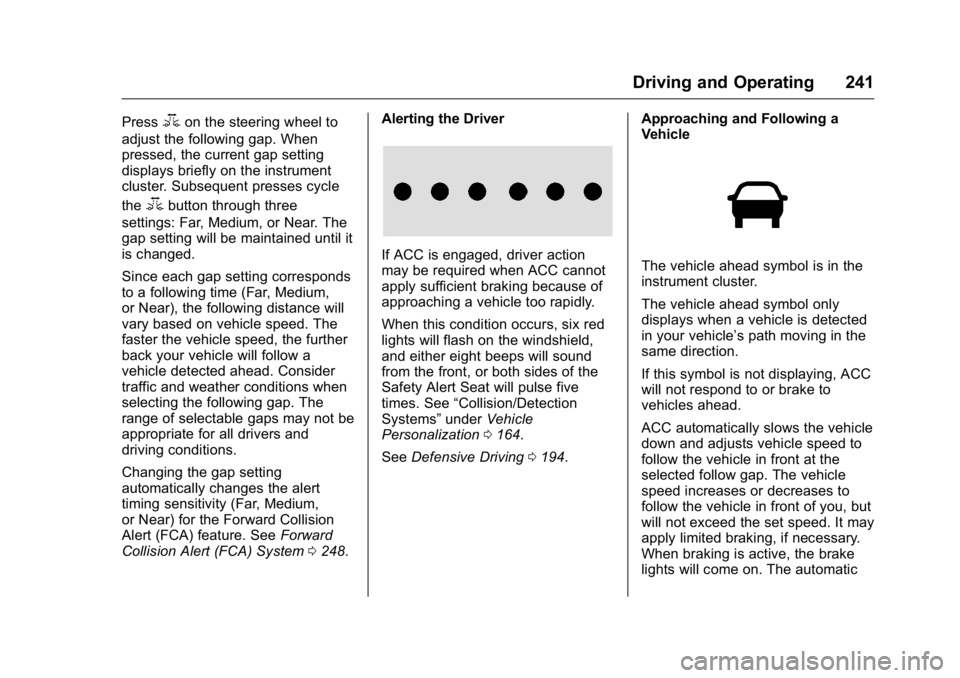
When this condition occurs, six red
lights will flash on the windshield,
and either eight beeps will sound
from the front, or both sides of the
Safety Alert Seat will pulse five
times. See
“Collision/Detection
Systems” underVehicle
Personalization 0164.
See Defensive Driving 0194. Approaching and Following a
VehicleThe vehicle ahead symbol is in the
instrument cluster.
The vehicle ahead symbol only
displays when a vehicle is detected
in your vehicle’s path moving in the
same direction.
If this symbol is not displaying, ACC
will not respond to or brake to
vehicles ahead.
ACC automatically slows the vehicle
down and adjusts vehicle speed to
follow the vehicle in front at the
selected follow gap. The vehicle
speed increases or decreases to
follow the vehicle in front of you, but
will not exceed the set speed. It may
apply limited braking, if necessary.
When braking is active, the brake
lights will come on. The automatic
Page 248 of 416

GMC Yukon/Yukon XL Owner Manual (GMNA-Localizing-U.S/Canada-
9159297) - 2016 - CRC - 10/12/15
Driving and Operating 247
The instrument cluster may have a
parking assist display with bars that
show“distance to object” and object
location information for RPA, and on
some vehicles, FPA. As the object
gets closer, more bars light up and
the bars change color from yellow to
amber to red.
When an object is first detected in
the rear, one beep will be heard
from the rear, or both sides of the
Safety Alert Seat will pulse two
times. When an object is very close
(<0.6 m (2 ft) in the vehicle rear,
or <0.3 m (1 ft) in the vehicle front),
a continuous beep will sound from
the front or rear depending on
object location, or both sides of the Safety Alert Seat will pulse five
times. Beeps for FPA are higher
pitched than for RPA.
Rear Cross Traffic Alert (RCTA)
If equipped, when the vehicle is
shifted into R (Reverse), RCTA
displays a red warning triangle with
a left or right pointing arrow on the
RVC screen to warn of traffic
coming from the left or right. This
system detects objects coming from
up to 20 m (65 ft) from the left or
right side of the vehicle. When an
object is detected, either three
beeps sound from the left or right or
three Safety Alert Seat pulses occur
on the left or right side, depending
on the direction of the detected
vehicle.
Use caution while backing up when
towing a trailer, as the RCTA
detection zones that extend out
from the back of the vehicle do not
move further back when a trailer is
towed.
Turning the Features On or Off
TheXbutton to the left of the
steering wheel is used to turn on or
off the Front and Rear Parking
Assist. The indicator light in the
button comes on when the features
are on and turns off when the
features have been disabled.
Front and Rear Parking Assist can
be turned off, on, or on with towbar
through vehicle personalization. See
“Parking Assist” underVehicle
Personalization 0164. If the parking
assist is turned off through vehicle
personalization, the parking assist
button will be disabled. To turn the
parking assist on again, select On in
the vehicle personalization menu.
The On with Towbar setting allows
for the parking assist to work
Page 262 of 416

GMC Yukon/Yukon XL Owner Manual (GMNA-Localizing-U.S/Canada-
9159297) - 2016 - CRC - 10/12/15
Driving and Operating 261
vehicle itself. Get acquainted with
the handling and braking of the rig
before setting out for the open road.
Before starting, check all trailer hitch
parts and attachments, safety
chains, electrical connectors, lamps,
tires, and mirrors. If the trailer has
electric brakes, start the
combination moving and then apply
the trailer brake controller by hand
to be sure the brakes work.
During the trip, check occasionally
to be sure that the load is secure
and the lamps and any trailer
brakes still work.
Following Distance
Stay at least twice as far behind the
vehicle ahead as you would when
driving the vehicle without a trailer.
This can help to avoid heavy
braking and sudden turns.
Passing
More passing distance is needed
when towing a trailer. The
combination will not accelerate as
quickly and is longer so it isnecessary to go much farther
beyond the passed vehicle before
returning to the lane.
Backing Up
Hold the bottom of the steering
wheel with one hand. To move the
trailer to the left, move that hand to
the left. To move the trailer to the
right, move your hand to the right.
Always back up slowly and,
if possible, have someone
guide you.
Making Turns
Caution
Making very sharp turns while
trailering could cause the trailer to
come in contact with the vehicle.
The vehicle could be damaged.
Avoid making very sharp turns
while trailering.
When turning with a trailer, make
wider turns than normal. Do this so
the trailer will not strike soft
shoulders, curbs, road signs, trees, or other objects. Avoid jerky or
sudden maneuvers. Signal well in
advance.
If the trailer turn signal bulbs burn
out, the arrows on the instrument
cluster will still flash for turns. It is
important to check occasionally to
be sure the trailer bulbs are still
working.
Driving on Grades
Reduce speed and shift to a lower
gear
before starting down a long or
steep downgrade. If the
transmission is not shifted down, the
brakes might get hot and no longer
work well.
Vehicles can tow in D (Drive). Shift
the transmission to a lower gear if
the transmission shifts too often
under heavy loads and/or hilly
conditions.
When towing, use the Tow/Haul
Mode to prevent damage to the
engine or transmission. See Tow/
Haul Mode 0224.
When towing at high altitude on
steep uphill grades, consider the
following: Engine coolant will boil at
Page 268 of 416

GMC Yukon/Yukon XL Owner Manual (GMNA-Localizing-U.S/Canada-
9159297) - 2016 - CRC - 10/12/15
Driving and Operating 267
Trailer Brakes
A loaded trailer that weighs more
than 900 kg (2,000 lb) needs to have
its own brake system that is
adequate for the weight of the
trailer. Be sure to read and follow
the instructions for the trailer brakes
so they are installed, adjusted, and
maintained properly.
Since the vehicle is equipped with
StabiliTrak, the trailer brakes cannot
tap into the vehicle's hydraulic
system.
Trailer Wiring Harness
The seven-pin trailer connector is
mounted in the bumper. This
connector can be plugged into a
seven-pin universal heavy-duty
trailer connector available through
your dealer.
The seven-wire harness contains
the following trailer circuits:
.Yellow: Left Stop/Turn Signal
. Green/Violet: Right Stop/Turn
Signal
. Brown: Taillamps .
White: Ground
. Light Green: Back-up Lamps
. Red/Green: Battery Feed
. Dark Blue: Trailer Brake
To help charge a remote
(non-vehicle) battery, press the Tow/
Haul Mode button at the end of the
shift lever. If the trailer is too light for
Tow/Haul Mode, turn on the
headlamps to help charge the
battery.
Electric Brake Control Wiring
Provisions
These wiring provisions are
included with the vehicle as part of
the trailer wiring package. These
provisions are for an electric brake
controller.
The harness should be installed by
your dealer or a qualified service
center.
Tow/Haul Mode
Pressing this button at the end of
the shift lever turns on and off the
Tow/Haul Mode.
This indicator light on the instrument
cluster comes on when the Tow/
Haul Mode is on.
Page 273 of 416

GMC Yukon/Yukon XL Owner Manual (GMNA-Localizing-U.S/Canada-
9159297) - 2016 - CRC - 10/12/15
272 Driving and Operating
If the CHECK TRAILER
WIRING message only
reappears when connecting the
trailer wiring harness to the
vehicle, the electrical fault is on
the trailer side.
SERVICE TRAILER BRAKE
SYSTEM: This message will display
when there is a problem with the
ITBC system. If this message
continues over multiple ignition
cycles, there is a problem with the
ITBC system. Have the vehicle
serviced.
If either the CHECK TRAILER
WIRING or SERVICE TRAILER
BRAKE SYSTEM message displays
while driving, the ITBC system may
not be fully functional or may not
function at all. When traffic
conditions allow, carefully pull the
vehicle over to the side of the road
and turn the ignition off. Check the
wiring connection to the trailer and
turn the ignition back on. If either of
these messages continues, either
the vehicle or trailer needs service. A GM dealer may be able to
diagnose and repair problems with
the trailer. However, any diagnosis
and repair of the trailer is not
covered under the vehicle warranty.
Contact your trailer dealer for
assistance with trailer repairs and
trailer warranty information.
Trailer Sway
Control (TSC)
Vehicles with StabiliTrak have a
TSC feature. Trailer sway is
unintended side-to-side motion of a
trailer while being towed. If the
vehicle is towing a trailer and the
TSC detects that sway is increasing,
the vehicle brakes are selectively
applied at each wheel, to help
reduce excessive trailer sway. If the
vehicle is equipped with the
Integrated Trailer Brake Control
(ITBC) system, and the trailer has
the electric actuated brake system,
StabiliTrak may also apply the trailer
brakes.
If TSC is enabled, the Traction
Control System (TCS)/StabiliTrak
warning light will flash on theinstrument cluster. Vehicle speed
must be reduced. If trailer sway
continues, StabiliTrak can reduce
engine torque to help slow the
vehicle. See
Traction Control/
Electronic Stability Control 0232.
{Warning
Even if the vehicle is equipped
with TSC, trailer sway could result
in loss of control and the vehicle
could crash. If excessive trailer
sway is detected, slow down to a
safe speed. Check the trailer and
vehicle to help correct possible
causes. These could include an
improperly or overloaded trailer,
unrestrained cargo, improper
trailer hitch configuration,
excessive vehicle-trailer speed,
or improperly inflated or incorrect
vehicle or trailer tires. See Towing
Equipment 0266 for trailer ratings
and hitch setup
recommendations.