Page 13 of 399
GMC Sierra Denali Owner Manual (GMNA-Localizing-U.S./Canada/Mexico-
9234761) - 2016 - crc - 7/24/15
12 In Brief
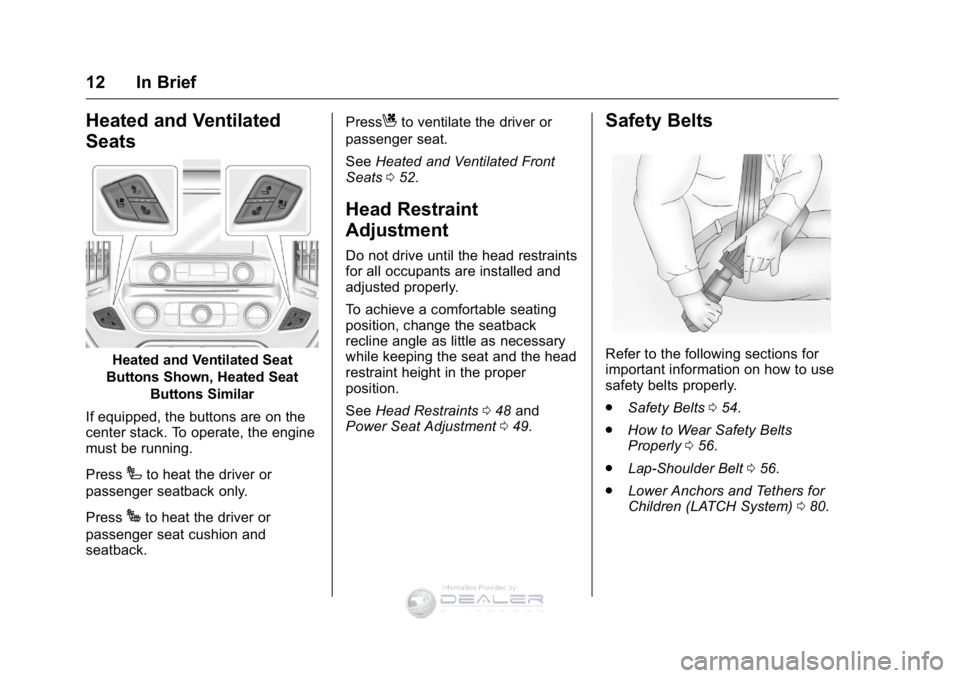
Heated and Ventilated
Seats
Heated and Ventilated Seat
Buttons Shown, Heated Seat Buttons Similar
If equipped, the buttons are on the
center stack. To operate, the engine
must be running.
Press
Ito heat the driver or
passenger seatback only.
Press
Jto heat the driver or
passenger seat cushion and
seatback. Press
Cto ventilate the driver or
passenger seat.
See Heated and Ventilated Front
Seats 052.
Head Restraint
Adjustment
Do not drive until the head restraints
for all occupants are installed and
adjusted properly.
To achieve a comfortable seating
position, change the seatback
recline angle as little as necessary
while keeping the seat and the head
restraint height in the proper
position.
See Head Restraints 048 and
Power Seat Adjustment 049.
Safety Belts
Refer to the following sections for
important information on how to use
safety belts properly.
.
Safety Belts 054.
. How to Wear Safety Belts
Properly 056.
. Lap-Shoulder Belt 056.
. Lower Anchors and Tethers for
Children (LATCH System) 080.
,QIRUPDWLRQ�3URYLGHG�E\�
Page 50 of 399
GMC Sierra Denali Owner Manual (GMNA-Localizing-U.S./Canada/Mexico-
9234761) - 2016 - crc - 7/24/15
Seats and Restraints 49
the head restraint rearward, grasp
the head restraint and pull forward
fully until the mechanism releases
and allows the head restraint to
return to the full rear position.
The front seat outboard head
restraints are not removable.
Rear Seats
The rear seat has adjustable
headrests in the outboard seating
positions.
The height of the headrest can be
adjusted. Pull the headrest up to
raise it. To lower the headrest, push
the headrest down.
If you are installing a child restraint
in the rear seat, see“Securing a
Child Restraint Designed for the
LATCH System” underLower
Anchors and Tethers for Children
(LATCH System) 080.
Front Seats
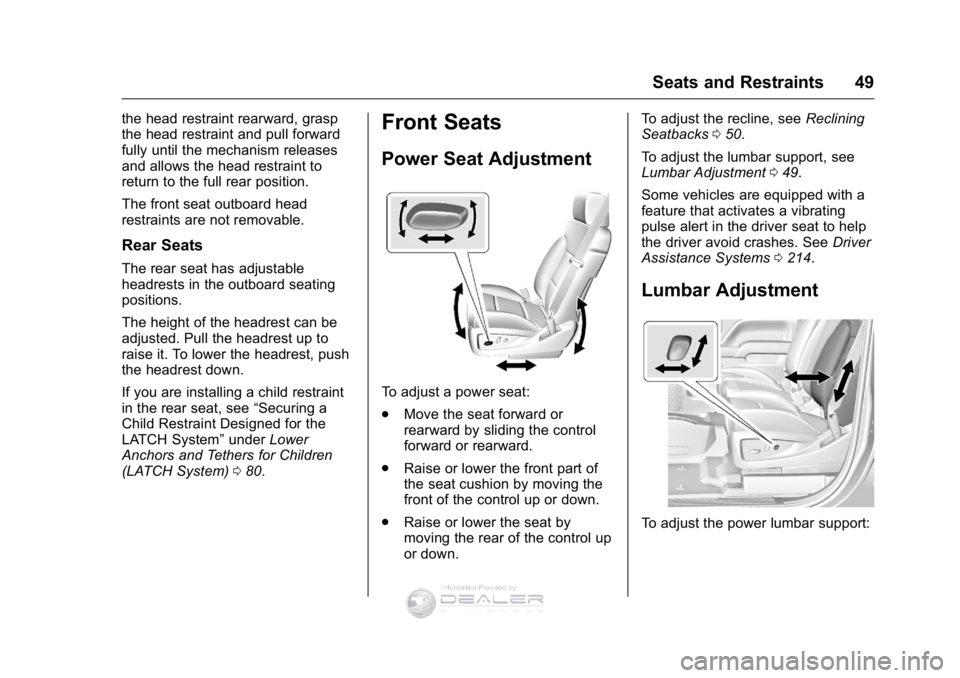
Power Seat Adjustment
To adjust a power seat:
.
Move the seat forward or
rearward by sliding the control
forward or rearward.
. Raise or lower the front part of
the seat cushion by moving the
front of the control up or down.
. Raise or lower the seat by
moving the rear of the control up
or down. To adjust the recline, see
Reclining
Seatbacks 050.
To adjust the lumbar support, see
Lumbar Adjustment 049.
Some vehicles are equipped with a
feature that activates a vibrating
pulse alert in the driver seat to help
the driver avoid crashes. See Driver
Assistance Systems 0214.
Lumbar Adjustment
To adjust the power lumbar support:
,QIRUPDWLRQ�3URYLGHG�E\�
Page 59 of 399

GMC Sierra Denali Owner Manual (GMNA-Localizing-U.S./Canada/Mexico-
9234761) - 2016 - crc - 7/24/15
58 Seats and Restraints
5. To make the lap part tight, pullup on the shoulder belt.
To unlatch the belt, push the button
on the buckle. The belt should
return to its stowed position.
Always stow the safety belt slowly.
If the safety belt webbing returns
quickly to the stowed position, the
retractor may lock and cannot be
pulled out. If this happens, pull the
safety belt straight out firmly to
unlock the webbing, and then
release it. If the webbing is still
locked in the retractor, see your
dealer.
Before a door is closed, be sure the
safety belt is out of the way. If a
door is slammed against a safety
belt, damage can occur to both the
safety belt and the vehicle.
Shoulder Belt Height Adjuster
The vehicle has a shoulder belt
height adjuster for the driver and
front outboard passenger.
Adjust the height so the shoulder
portion of the belt is on the shoulder
and not falling off of it. The belt
should be close to, but not
contacting, the neck. Improper
shoulder belt height adjustment could reduce the effectiveness of
the safety belt in a crash. See
How
to Wear Safety Belts Properly 056.
Push down on the release button to
move the height adjuster to the
desired position.
Move the adjuster up by pushing up
on the shoulder belt guide.
After the adjuster is set to the
desired position, try to move it down
without pushing the release button
to make sure it has locked into
position.
,QIRUPDWLRQ�3URYLGHG�E\�