2016 FORD SUPER DUTY instrument cluster
[x] Cancel search: instrument clusterPage 178 of 510
PRINCIPLE OF OPERATION
WARNINGS
Hill descent control cannot control
descent in all surface conditions and
circumstances, such as ice or
extremely steep grades. Hill descent
control is a driver assist system and cannot
substitute for good judgment by the driver.
Failure to do so may result in loss of vehicle
control, crash or serious injury. Hill descent control does not provide
hill hold at zero miles per hour (0
kilometers per hour). When stopped,
the parking brake must be applied or the
vehicle must be placed in P (Park) or it
may roll away. Hill descent control allows the driver to set
and maintain vehicle speed while
descending steep grades in various surface
conditions.
Hill descent control can maintain vehicle
speeds on downhill grades between 2 mph
(3 km/h) and 12 mph (20 km/h). Above 20
mph (32 km/h), the system remains
armed, but descent speed cannot be set
or maintained.
Hill descent control requires a cooling
down interval after a period of sustained
use. The amount of time that the feature
can remain active before cooling varies
with conditions. The system will provide a
warning in the message center and a chime
will sound when the system is about to
disengage for cooling. At this time,
manually apply the brakes as needed to
maintain descent speed. USING HILL DESCENT
CONTROL Press and release the hill
descent button located on the
instrument panel. A light in the
cluster will illuminate and a chime will
sound when this feature is activated.
To increase descent speed, press the
accelerator pedal until the desired speed
is reached. To decrease descent speed,
press the brake pedal until the desired
speed is reached.
Whether accelerating or decelerating, once
the desired descent speed is reached,
remove your feet from the pedals and the
chosen vehicle speed will be maintained.
Note: Noise from the ABS pump motor may
be observed during hill descent control
operation. This is a normal characteristic of
the ABS and should be no reason for
concern.
Hill descent modes
• At speeds below 20 mph (32 km/h):
When the Hill Descent Control switch
is pressed and Hill Descent Control is
active, the Hill Descent Control telltale
will flash.
• At speeds below 20 mph (32 km/h):
When the Hill Descent Control switch
is pressed and conditions are not
correct for hill descent activation, the
Hill Descent Control system will be
enabled, the Hill Descent Control
telltale will be solid and a message will
display in the information display.
• At speeds above 20 mph (32 km/h):
When the Hill Descent Control switch
is pressed, the Hill Descent Control
system will be enabled, the telltale in
the cluster will not be illuminated and
a message will be displayed in the
information display.
175
Super Duty (TFA) Canada/United States of America, enUSA, Second Printing Terrain Response
(If Equipped)E163957
Page 184 of 510
PRINCIPLE OF OPERATION
Cruise control lets you maintain a set
speed without keeping your foot on the
accelerator pedal. You can use cruise
control when your vehicle speed is greater
than 20 mph (30 km/h).
USING CRUISE CONTROL WARNINGS
Do not use cruise control in heavy
traffic, on winding roads or when the
road surface is slippery. This could
result in loss of vehicle control, serious
injury or death. When you are going downhill, your
vehicle speed may increase above
the set speed. The system will not
apply the brakes. Change down a gear to
assist the system in maintaining the set
speed. Failure to do so could result in loss
of vehicle control, serious injury or death. Note:
Cruise control will disengage if the
vehicle speed decreases more than 10 mph
(16 km/h) below your set speed while
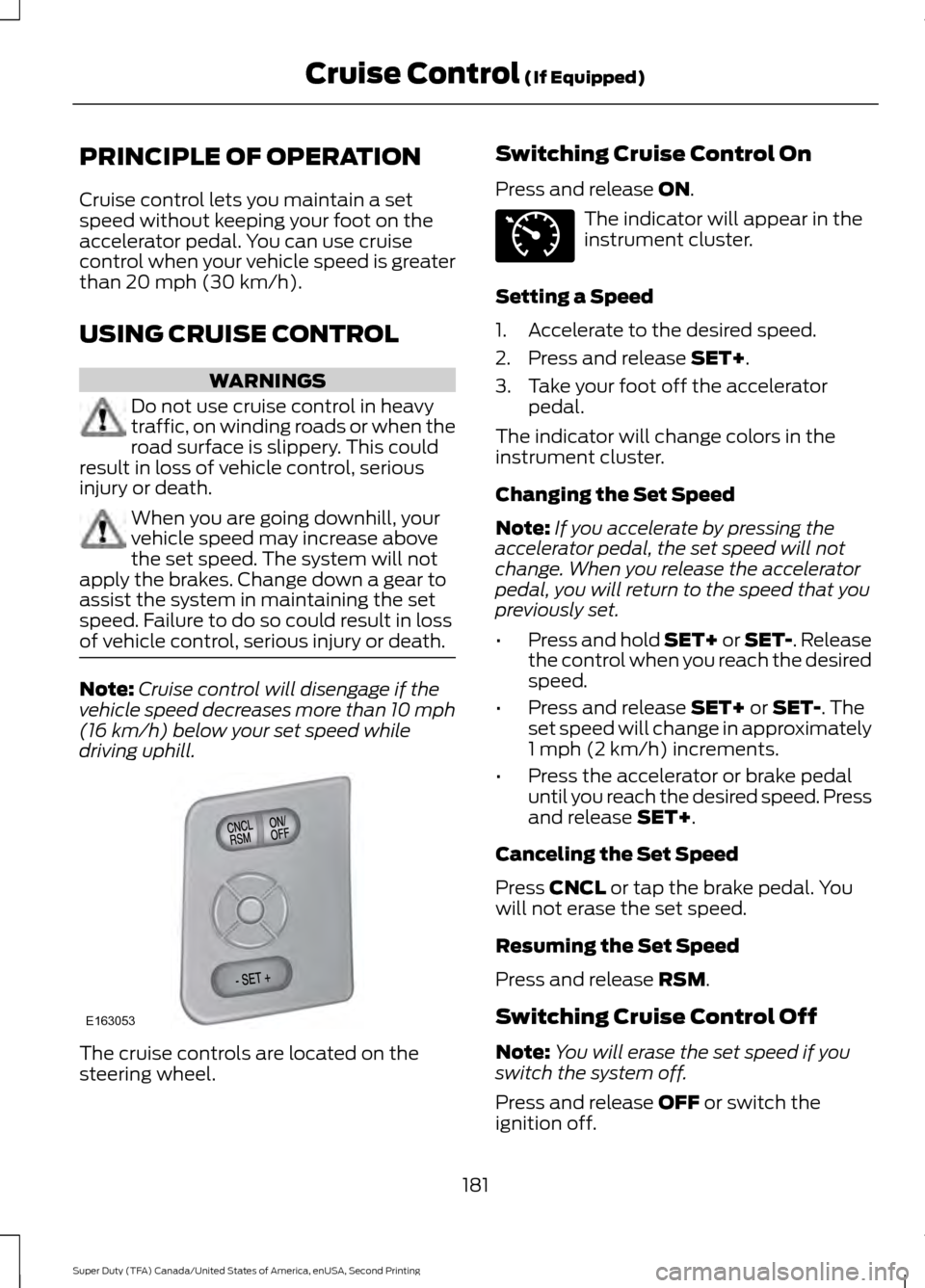
driving uphill. The cruise controls are located on the
steering wheel. Switching Cruise Control On
Press and release
ON. The indicator will appear in the
instrument cluster.
Setting a Speed
1. Accelerate to the desired speed.
2. Press and release
SET+.
3. Take your foot off the accelerator pedal.
The indicator will change colors in the
instrument cluster.
Changing the Set Speed
Note: If you accelerate by pressing the
accelerator pedal, the set speed will not
change. When you release the accelerator
pedal, you will return to the speed that you
previously set.
• Press and hold SET+ or SET-. Release
the control when you reach the desired
speed.
• Press and release
SET+ or SET-. The
set speed will change in approximately
1 mph (2 km/h) increments.
• Press the accelerator or brake pedal
until you reach the desired speed. Press
and release
SET+.
Canceling the Set Speed
Press
CNCL or tap the brake pedal. You
will not erase the set speed.
Resuming the Set Speed
Press and release
RSM.
Switching Cruise Control Off
Note: You will erase the set speed if you
switch the system off.
Press and release
OFF or switch the
ignition off.
181
Super Duty (TFA) Canada/United States of America, enUSA, Second Printing Cruise Control
(If Equipped)E163053 E71340
Page 232 of 510
Protected components
Fuse amp rating
Fuse or relay number
Driver lumbar motor
7.5A
7
Driver seat switch
Power mirror switch
10A
8
Auxiliary switch relay #3
10A
9
Customer access feed
10A
10
Run/accessory relay
Instrument cluster
10A
11
Interior lighting
15A
12
Lighted running board lamps
Right turn signals and brake lamps
15A
13
Left turn signals and brake lamps
15A
14
Backup lamps, Trailer tow backup relay
15A
15
High-mounted stop lamps
Reverse signal interior mirror
Right low beam headlamp
10A
16
Left low beam headlamp
10A
17
Brake shift interlock
10A
18
Keypad illumination
Passive anti-theft transceiver
Powertrain control module
Amplifier
20A
19
Subwoofer
Power door locks
20A
20
Brake on/off switch
10A
21
Horn
20A
22
Not used (spare)
15A
23
Diagnostic connector
15A
24
Electronic finish panel
Power fold mirror relay
Remote keyless entry
Steering wheel control module
Not used (spare)
15A
25
229
Super Duty (TFA) Canada/United States of America, enUSA, Second Printing Fuses
Page 243 of 510
At this time, you may notice your engine
coolant temperature gauge needle move
toward the H and the POWER REDUCED
TO LOWER TEMP message may appear
in the information display.
You may notice a reduction in the vehicle
’s
speed caused by reduced engine power.
In order to manage the engine fluid
temperatures, your vehicle may enter this
mode if certain high-temperature and
high-load conditions take place. The
amount of speed reduction will depend on
the vehicle loading, towing, grade, ambient
temperature, and other factors. If this
occurs, there is no need to pull off the road.
The vehicle can continue to be driven while
this message is active.
The air conditioning may turn on and off
during severe operating conditions to
protect the engine from overheating. When
the engine coolant temperature decreases
to a more normal operating temperature,
the air conditioning will turn on once again.
If the engine coolant temperature gauge
moves fully into the red (hot) area, or if the
coolant temperature warning or service
engine soon messages appear in your
information display:
1. Stop your vehicle as soon as safely possible and shift the transmission into
park (P).
2. Leave the engine running until the coolant temperature gauge needle
moves away from the H range. After
several minutes, if this does not
happen, follow the remaining steps.
3. Switch the engine off and wait for it to
cool before checking the coolant level.
4. If the coolant level is normal, you may restart your engine and continue on. 5. If the coolant is low, add coolant,
restart the engine and take your vehicle
to an authorized dealer. See Adding
engine coolant in this chapter for more
information. Refer to fail-safe cooling
for additional information.
AUTOMATIC TRANSMISSION
FLUID CHECK
Have an authorized dealer check and
change the transmission fluid and filter at
the correct service interval. See
Scheduled Maintenance (page 456).
Do not use supplemental transmission
fluid additives, treatments or cleaning
agents. The use of these materials may
affect transmission operation and result
in damage to internal transmission
components.
Checking Automatic Transmission
Fluid
For scheduled intervals of the fluid checks
and changes, See
Scheduled
Maintenance (page 456). Your
transmission does not consume fluid.
However, the fluid level should be checked
if the transmission is not working properly,
i.e., if the transmission slips or shifts slowly
or if you notice some sign of fluid leakage.
Automatic transmission fluid expands
when warmed. To obtain an accurate fluid
check, drive the vehicle until it is at normal
operating temperature (approximately
19 mi (30 km)
). Verify that the
transmission fluid temperature gauge,
located on the instrument cluster, is within
normal range.
1. Drive the vehicle
19 mi (30 km)until it
reaches normal operating temperature.
2. Park the vehicle on a level surface and
engage the parking brake.
240
Super Duty (TFA) Canada/United States of America, enUSA, Second Printing Maintenance
Page 262 of 510
CLEANING THE INTERIOR
WARNINGS
Do not use cleaning solvents, bleach
or dye on the vehicle
’s safety belts,
as these actions may weaken the
belt webbing. On vehicles equipped with
seat-mounted airbags, do not use
chemical solvents or strong
detergents. Such products could
contaminate the side airbag system and
affect performance of the side airbag in a
collision. For fabric, carpets, cloth seats, safety belts
and seats equipped with side airbags:
•
Remove dust and loose dirt with a
vacuum cleaner.
• Remove light stains and soil with
Motorcraft Professional Strength
Carpet & Upholstery Cleaner.
• If grease or tar is present on the
material, spot-clean the area first with
Motorcraft Spot and Stain Remover. In
Canada, use Motorcraft Multi-Purpose
Cleaner.
• If a ring forms on the fabric after spot
cleaning, clean the entire area
immediately (but do not oversaturate)
or the ring will set.
• Do not use household cleaning
products or glass cleaners, which can
stain and discolor the fabric and affect
the flame retardant abilities of the seat
materials. CLEANING THE INSTRUMENT
PANEL AND INSTRUMENT
CLUSTER LENS WARNING
Do not use chemical solvents or
strong detergents when cleaning the
steering wheel or instrument panel
to avoid contamination of the airbag
system. Note:
Follow the same procedure as
cleaning leather seats for cleaning leather
instrument panels and leather interior trim
surfaces. See Cleaning Leather Seats
(page 260).
Clean the instrument panel and cluster
lens with a clean, damp and soft cloth,
then use a clean, dry and soft cloth to dry
these areas.
• Avoid cleaners or polishes that increase
the gloss of the upper portion of the
instrument panel. The dull finish in this
area helps protect you from
undesirable windshield reflection.
• Do not use any household cleaning
products or glass cleaners as these
may damage the finish of the
instrument panel, interior trim and
cluster lens.
• Wash or wipe your hands clean if you
have been in contact with certain
products such as insect repellent and
suntan lotion to avoid possible damage
to the interior painted surfaces.
• Do not allow air fresheners and hand
sanitizers to spill onto interior surfaces.
If a spill occurs, wipe off immediately.
Your warranty may not cover these
damages.
If a staining liquid like coffee or juice has
been spilled on the instrument panel or on
interior trim surfaces:
259
Super Duty (TFA) Canada/United States of America, enUSA, Second Printing Vehicle Care
Page 501 of 510
Capacities and Specifications - 6.2L
V8...................................................................307
Specifications..................................................... 308
Capacities and Specifications - 6.8L Triton-30V - V10..........................................311
Specifications....................................................... 312
Capacities and Specifications................303
Car Wash See: Cleaning the Exterior.............................. 256
Center Console...............................................137 Removable Front Cupholders........................ 137
Changing a Bulb...........................................249 Replacing Brake/Tail/Turn/Reverse Lamp
Bulbs................................................................... 251
Replacing Cargo Lamp and Central High Mounted Brake Lamp Bulbs...................... 251
Replacing Fog Lamp Bulbs............................ 250
Replacing Front Clearance and Identification Lamp Bulbs......................... 250
Replacing Front Park and Direction Indicator Lamp Bulbs.................................. 250
Replacing Headlamp Bulbs........................... 250
Replacing the License Plate Lamp Bulb.................................................................... 252
Changing a Fuse
............................................231
Fuses........................................................................\
231
Changing a Road Wheel
...........................290
Dissimilar Spare Wheel and Tire Assembly
Information..................................................... 290
Location of the Spare Tire and Tools..........291
Removing the Spare Tire (With Spare Tire Carrier Only).................................................... 292
Tire Change Procedure.................................... 293
Changing the 12V Battery.........................245 Battery Management System (If
Equipped) ........................................................ 246
Changing the Engine Air Filter................254
Changing the Wiper Blades
.....................247
Checking MyKey System Status...............52
Checking the Wiper Blades
......................247
Child Restraint and Seatbelt Maintenance.................................................35
Child Restraint Positioning
.........................26
Child Safety.......................................................15
General Information............................................. 15
Child Safety Locks..........................................27 Cleaning Leather Seats.............................260
With King Ranch Edition................................. 260
Without King Ranch Edition.......................... 260
Cleaning Products.......................................256
Cleaning the Alloy Wheels........................261
Cleaning the Engine....................................258
Cleaning the Exterior
..................................256
Exterior Chrome Parts...................................... 257
Exterior Plastic Parts......................................... 257
Stripes or Graphics............................................ 257
Underbody............................................................ 257
Cleaning the Instrument Panel and Instrument Cluster Lens........................259
Cleaning the Interior...................................259
Cleaning the Windows and Wiper Blades...........................................................258
Clearing All MyKeys.......................................52
Climate.............................................................431 Climate Control Voice Commands.............434
Climate Control
............................................109
Climate Controlled Seats..........................123 Cooled Seats........................................................ 124
Heated Seats........................................................ 123
Coolant Check See: Engine Coolant Check............................ 236
Crash Sensors and Airbag Indicator.......44
Creating a MyKey.............................................51 Programming/Changing Configurable
Settings................................................................ 51
Cruise Control
.................................................66
Principle of Operation........................................ 181
Cruise control See: Using Cruise Control................................. 181
Customer Assistance..................................216
D
Data Recording
..................................................9
Event Data Recording........................................... 9
Service Data Recording........................................ 9
Daytime Running Lamps.............................72
Digital Radio..................................................323 HD Radio Reception and Station
Troubleshooting............................................ 324
Direction Indicators
........................................73
Lane Change.......................................................... 73
498
Super Duty (TFA) Canada/United States of America, enUSA, Second Printing Index
Page 504 of 510
Hints on Controlling the Interior
Climate............................................................111
Cooling the Interior Quickly.............................. 113
General Hints.......................................................... 111
Heating the Interior Quickly............................. 112
Recommended Settings for Cooling ...........113
Recommended Settings for Heating............112
Side Window Defogging in Cold Weather.............................................................. 113
Hints on Driving With Anti-Lock Brakes.............................................................167
Hood Lock See: Opening and Closing the Hood...........232
I
Ignition Switch...............................................138
In California (U.S. Only)..............................217
Information Display Control
......................66
Type 1........................................................................\
66
Type 2........................................................................\
67
Information Displays
....................................88
General Information........................................... 88
Information....................................................422 911 Assist............................................................... 428
Alerts....................................................................... 427
Calendar............................................................... 428
Sirius Travel Link................................................ 426
SYNC Services (If Equipped, United States Only).................................................................. 422
Vehicle Health Report (If Equipped, US Only)................................................................. 430Information Messages
.................................99
4WD........................................................................\
108
AdvanceTrac ™..................................................... 99
Alarm........................................................................\
99
Diesel Messages................................................. 100
Doors and Locks................................................. 103
Drivetrain............................................................... 103
Engine..................................................................... 104
Fuel........................................................................\
.. 104
Key........................................................................\
... 104
Maintenance........................................................ 105
MyKey®.................................................................. 105
Off Road................................................................ 106
Park Aid.................................................................. 106
Park Brake............................................................. 106
Tire Pressure Monitoring System.................. 107
Trailer....................................................................... 107
Installing Child Restraints
............................16
Child Seats............................................................... 16
Tether Strap Attachment.................................. 22
Tether Strap Attachment (Rear SuperCab Only)..................................................................... 23
Using Cinch Tongue Lap and Shoulder Belts (All Front Center, Super Cab and Crew
Cab Rear Center Positions).......................... 19
Using Lap and Shoulder Belts.......................... 17
Using Lower Anchors and Tethers for CHildren (LATCH)............................................. 21
Using Tether Straps.............................................. 21
Instrument Cluster
.........................................81
Instrument Lighting Dimmer......................72
Interior Lamps
..................................................73
Front Map Lamps (If equipped)..................... 73
Rear Dome and Map Lamps............................ 74
Interior Mirror
....................................................78
Auto-Dimming Mirror.......................................... 78
Introduction.........................................................7
J
Jump Starting the Vehicle
.........................213
Connecting the Jumper Cables..................... 213
Jump Starting....................................................... 214
Preparing Your Vehicle...................................... 213
Removing the Jumper Cables........................ 214
501
Super Duty (TFA) Canada/United States of America, enUSA, Second Printing Index