2016 FORD SUPER DUTY buttons
[x] Cancel search: buttonsPage 115 of 510
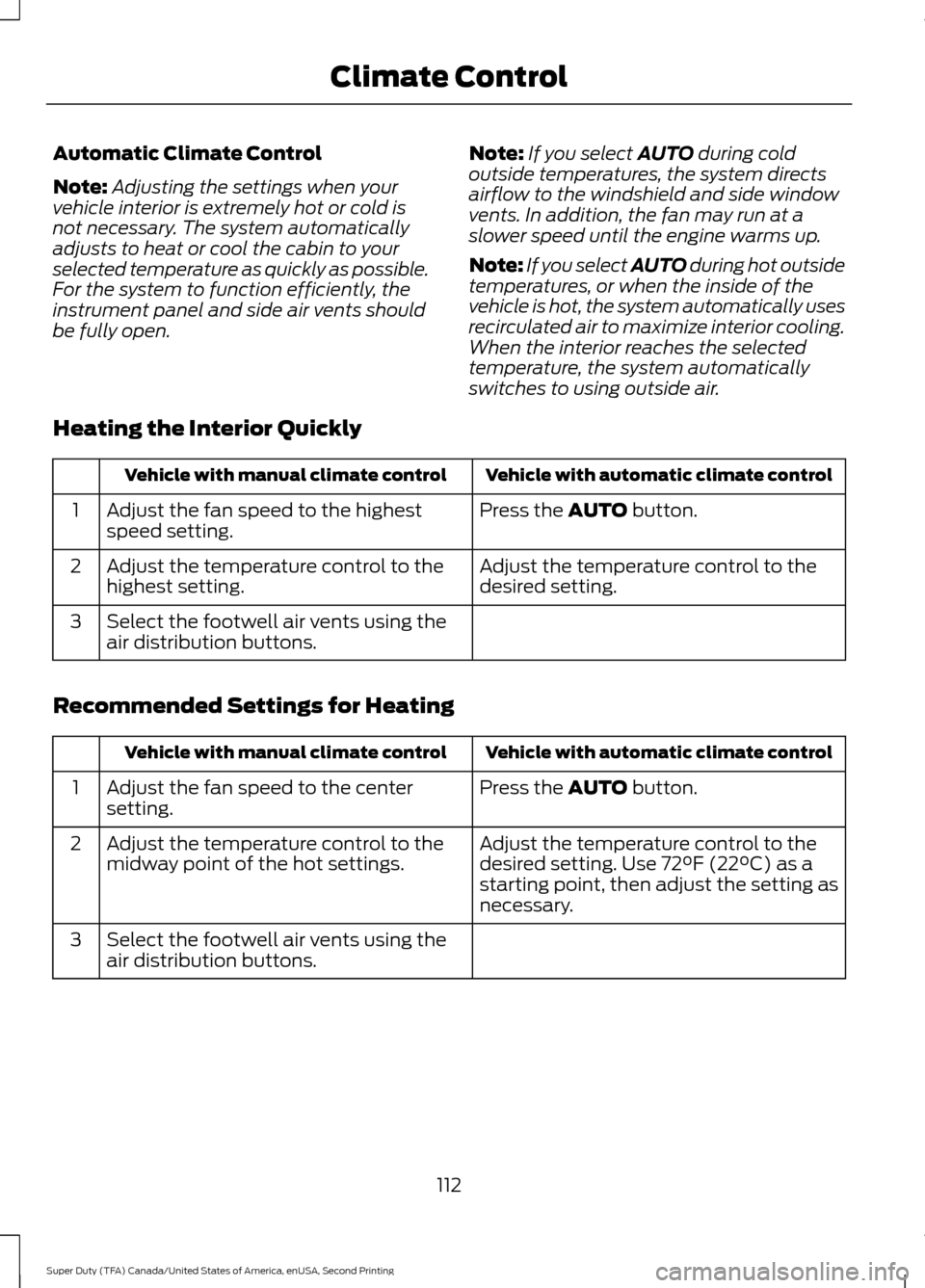
Automatic Climate Control
Note:
Adjusting the settings when your
vehicle interior is extremely hot or cold is
not necessary. The system automatically
adjusts to heat or cool the cabin to your
selected temperature as quickly as possible.
For the system to function efficiently, the
instrument panel and side air vents should
be fully open. Note:
If you select AUTO during cold
outside temperatures, the system directs
airflow to the windshield and side window
vents. In addition, the fan may run at a
slower speed until the engine warms up.
Note: If you select AUTO during hot outside
temperatures, or when the inside of the
vehicle is hot, the system automatically uses
recirculated air to maximize interior cooling.
When the interior reaches the selected
temperature, the system automatically
switches to using outside air.
Heating the Interior Quickly Vehicle with automatic climate control
Vehicle with manual climate control
Press the
AUTO button.
Adjust the fan speed to the highest
speed setting.
1
Adjust the temperature control to the
desired setting.
Adjust the temperature control to the
highest setting.
2
Select the footwell air vents using the
air distribution buttons.
3
Recommended Settings for Heating Vehicle with automatic climate control
Vehicle with manual climate control
Press the
AUTO button.
Adjust the fan speed to the center
setting.
1
Adjust the temperature control to the
desired setting. Use 72°F (22°C) as a
starting point, then adjust the setting as
necessary.
Adjust the temperature control to the
midway point of the hot settings.
2
Select the footwell air vents using the
air distribution buttons.
3
112
Super Duty (TFA) Canada/United States of America, enUSA, Second Printing Climate Control
Page 116 of 510
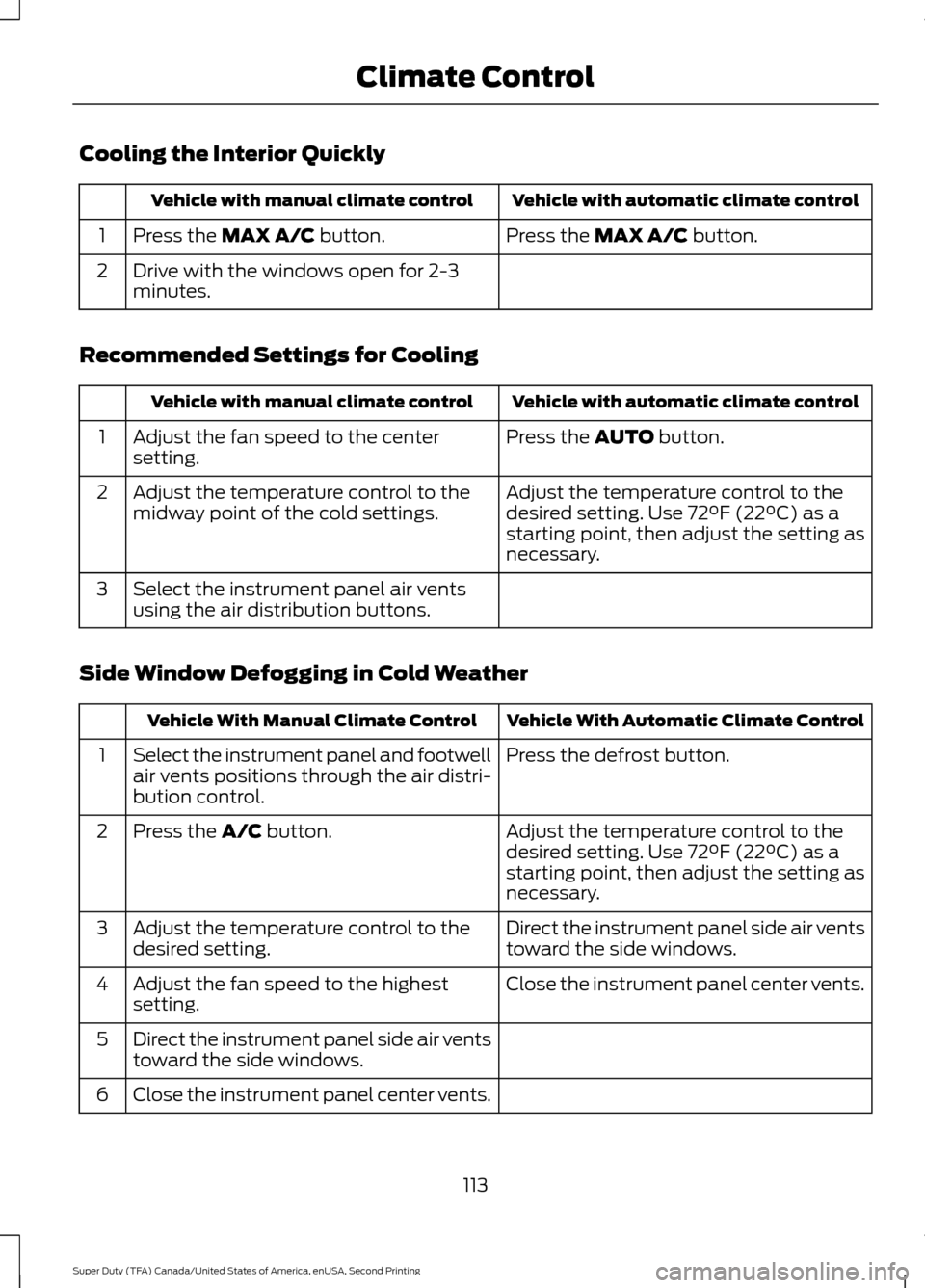
Cooling the Interior Quickly
Vehicle with automatic climate control
Vehicle with manual climate control
Press the MAX A/C button.
Press the MAX A/C button.
1
Drive with the windows open for 2-3
minutes.
2
Recommended Settings for Cooling Vehicle with automatic climate control
Vehicle with manual climate control
Press the
AUTO button.
Adjust the fan speed to the center
setting.
1
Adjust the temperature control to the
desired setting. Use 72°F (22°C) as a
starting point, then adjust the setting as
necessary.
Adjust the temperature control to the
midway point of the cold settings.
2
Select the instrument panel air vents
using the air distribution buttons.
3
Side Window Defogging in Cold Weather Vehicle With Automatic Climate Control
Vehicle With Manual Climate Control
Press the defrost button.
Select the instrument panel and footwell
air vents positions through the air distri-
bution control.
1
Adjust the temperature control to the
desired setting. Use 72°F (22°C) as a
starting point, then adjust the setting as
necessary.
Press the
A/C button.
2
Direct the instrument panel side air vents
toward the side windows.
Adjust the temperature control to the
desired setting.
3
Close the instrument panel center vents.
Adjust the fan speed to the highest
setting.
4
Direct the instrument panel side air vents
toward the side windows.
5
Close the instrument panel center vents.
6
113
Super Duty (TFA) Canada/United States of America, enUSA, Second Printing Climate Control
Page 119 of 510
WARNINGS
Install the head restraint properly to
help minimize the risk of neck injury
in the event of a crash.
Note:
Adjust the seat back to an upright
driving position before adjusting the head
restraint. Adjust the head restraint so that
the top of it is level with the top of your head
and as far forward as possible. Make sure
that you remain comfortable. If you are
extremely tall, adjust the head restraint to
its highest position.
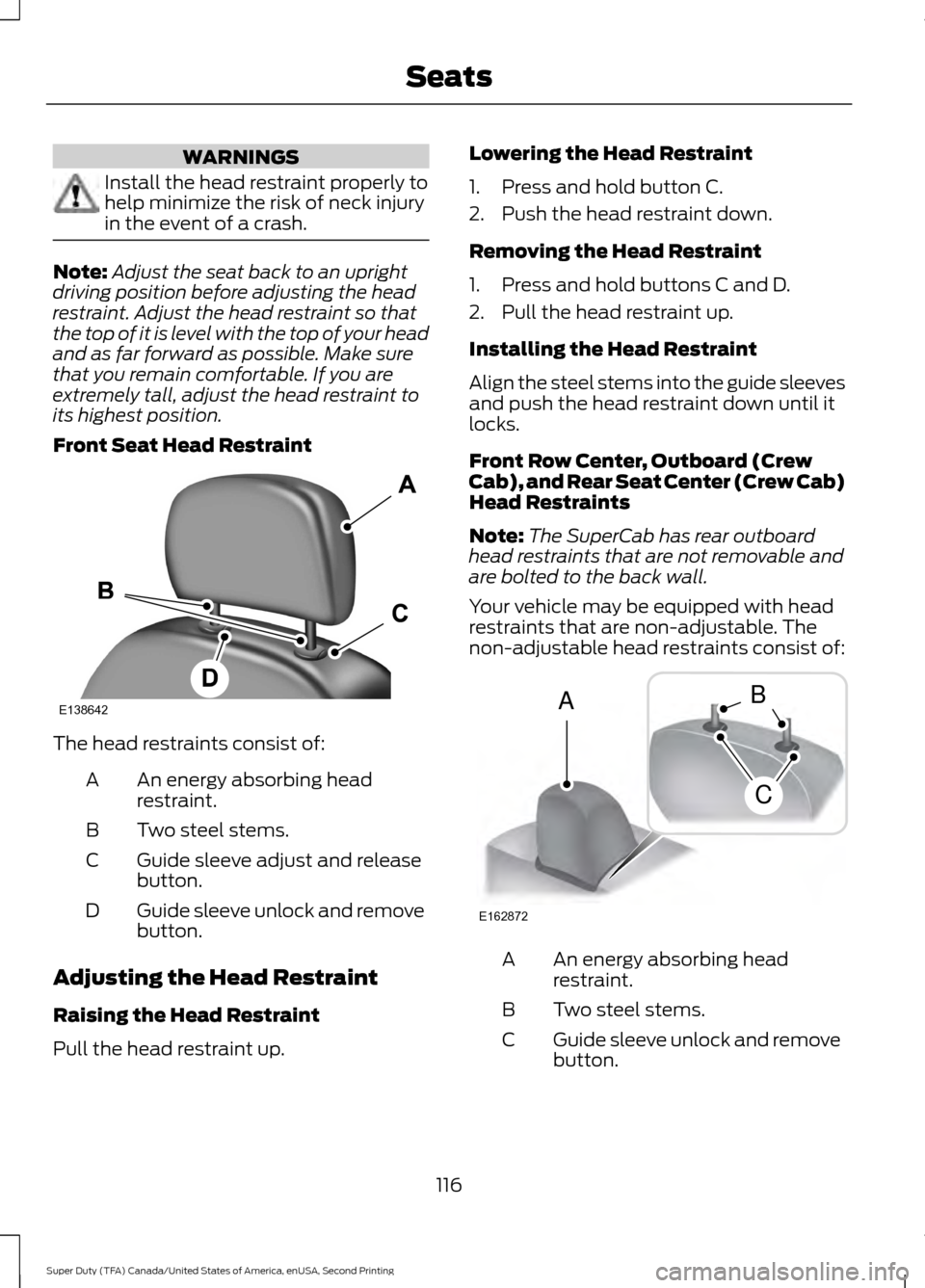
Front Seat Head Restraint The head restraints consist of:
An energy absorbing head
restraint.
A
Two steel stems.
B
Guide sleeve adjust and release
button.
C
Guide sleeve unlock and remove
button.
D
Adjusting the Head Restraint
Raising the Head Restraint
Pull the head restraint up. Lowering the Head Restraint
1. Press and hold button C.
2. Push the head restraint down.
Removing the Head Restraint
1. Press and hold buttons C and D.
2. Pull the head restraint up.
Installing the Head Restraint
Align the steel stems into the guide sleeves
and push the head restraint down until it
locks.
Front Row Center, Outboard (Crew
Cab), and Rear Seat Center (Crew Cab)
Head Restraints
Note:
The SuperCab has rear outboard
head restraints that are not removable and
are bolted to the back wall.
Your vehicle may be equipped with head
restraints that are non-adjustable. The
non-adjustable head restraints consist of: An energy absorbing head
restraint.
A
Two steel stems.
B
Guide sleeve unlock and remove
button.
C
116
Super Duty (TFA) Canada/United States of America, enUSA, Second Printing SeatsE138642 E162872
A
C
B
Page 120 of 510
Removing the Head Restraint
1. Press and hold buttons C.
2. Pull up the head restraint.
Installing the Head Restraint
Align the steel stems into the guide sleeves
and push the head restraint down until it
locks.
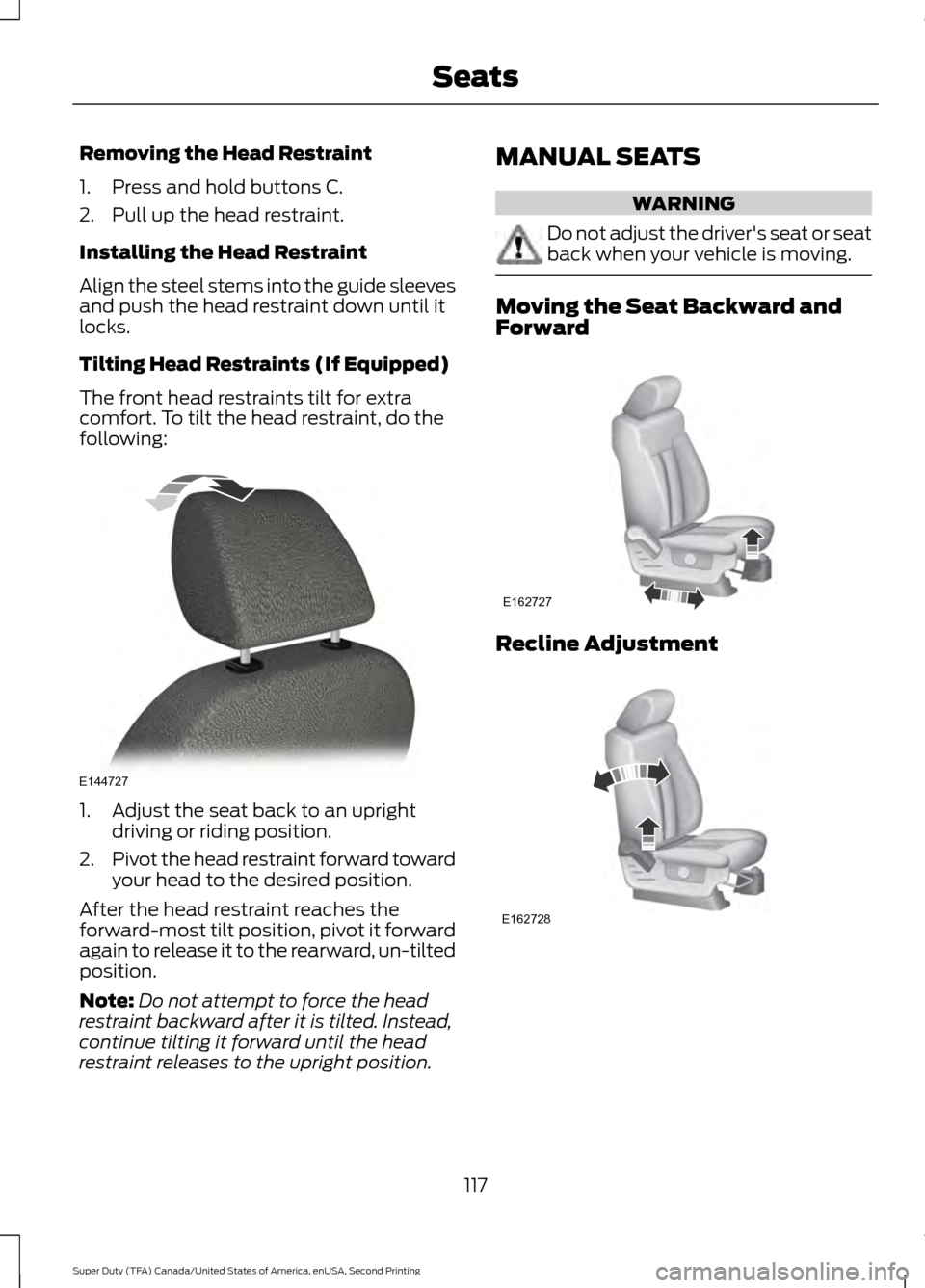
Tilting Head Restraints (If Equipped)
The front head restraints tilt for extra
comfort. To tilt the head restraint, do the
following:
1. Adjust the seat back to an upright
driving or riding position.
2. Pivot the head restraint forward toward
your head to the desired position.
After the head restraint reaches the
forward-most tilt position, pivot it forward
again to release it to the rearward, un-tilted
position.
Note: Do not attempt to force the head
restraint backward after it is tilted. Instead,
continue tilting it forward until the head
restraint releases to the upright position. MANUAL SEATS WARNING
Do not adjust the driver's seat or seat
back when your vehicle is moving.
Moving the Seat Backward and
Forward
Recline Adjustment
117
Super Duty (TFA) Canada/United States of America, enUSA, Second Printing SeatsE144727 E162727 E162728
Page 130 of 510
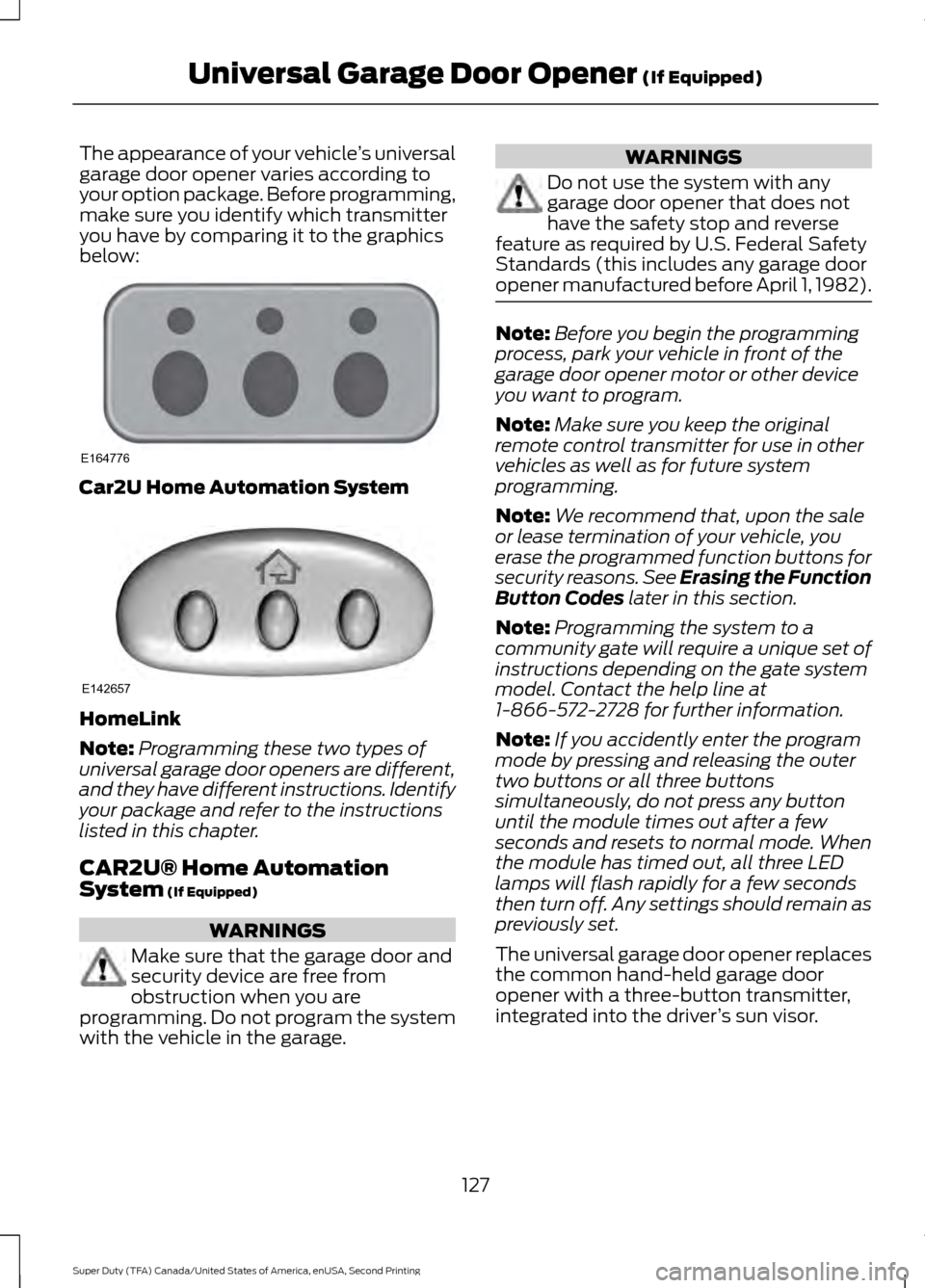
The appearance of your vehicle
’s universal
garage door opener varies according to
your option package. Before programming,
make sure you identify which transmitter
you have by comparing it to the graphics
below: Car2U Home Automation System
HomeLink
Note:
Programming these two types of
universal garage door openers are different,
and they have different instructions. Identify
your package and refer to the instructions
listed in this chapter.
CAR2U® Home Automation
System (If Equipped) WARNINGS
Make sure that the garage door and
security device are free from
obstruction when you are
programming. Do not program the system
with the vehicle in the garage. WARNINGS
Do not use the system with any
garage door opener that does not
have the safety stop and reverse
feature as required by U.S. Federal Safety
Standards (this includes any garage door
opener manufactured before April 1, 1982). Note:
Before you begin the programming
process, park your vehicle in front of the
garage door opener motor or other device
you want to program.
Note: Make sure you keep the original
remote control transmitter for use in other
vehicles as well as for future system
programming.
Note: We recommend that, upon the sale
or lease termination of your vehicle, you
erase the programmed function buttons for
security reasons. See Erasing the Function
Button Codes
later in this section.
Note: Programming the system to a
community gate will require a unique set of
instructions depending on the gate system
model. Contact the help line at
1-866-572-2728 for further information.
Note: If you accidently enter the program
mode by pressing and releasing the outer
two buttons or all three buttons
simultaneously, do not press any button
until the module times out after a few
seconds and resets to normal mode. When
the module has timed out, all three LED
lamps will flash rapidly for a few seconds
then turn off. Any settings should remain as
previously set.
The universal garage door opener replaces
the common hand-held garage door
opener with a three-button transmitter,
integrated into the driver ’s sun visor.
127
Super Duty (TFA) Canada/United States of America, enUSA, Second Printing Universal Garage Door Opener
(If Equipped)E164776 E142657
Page 131 of 510
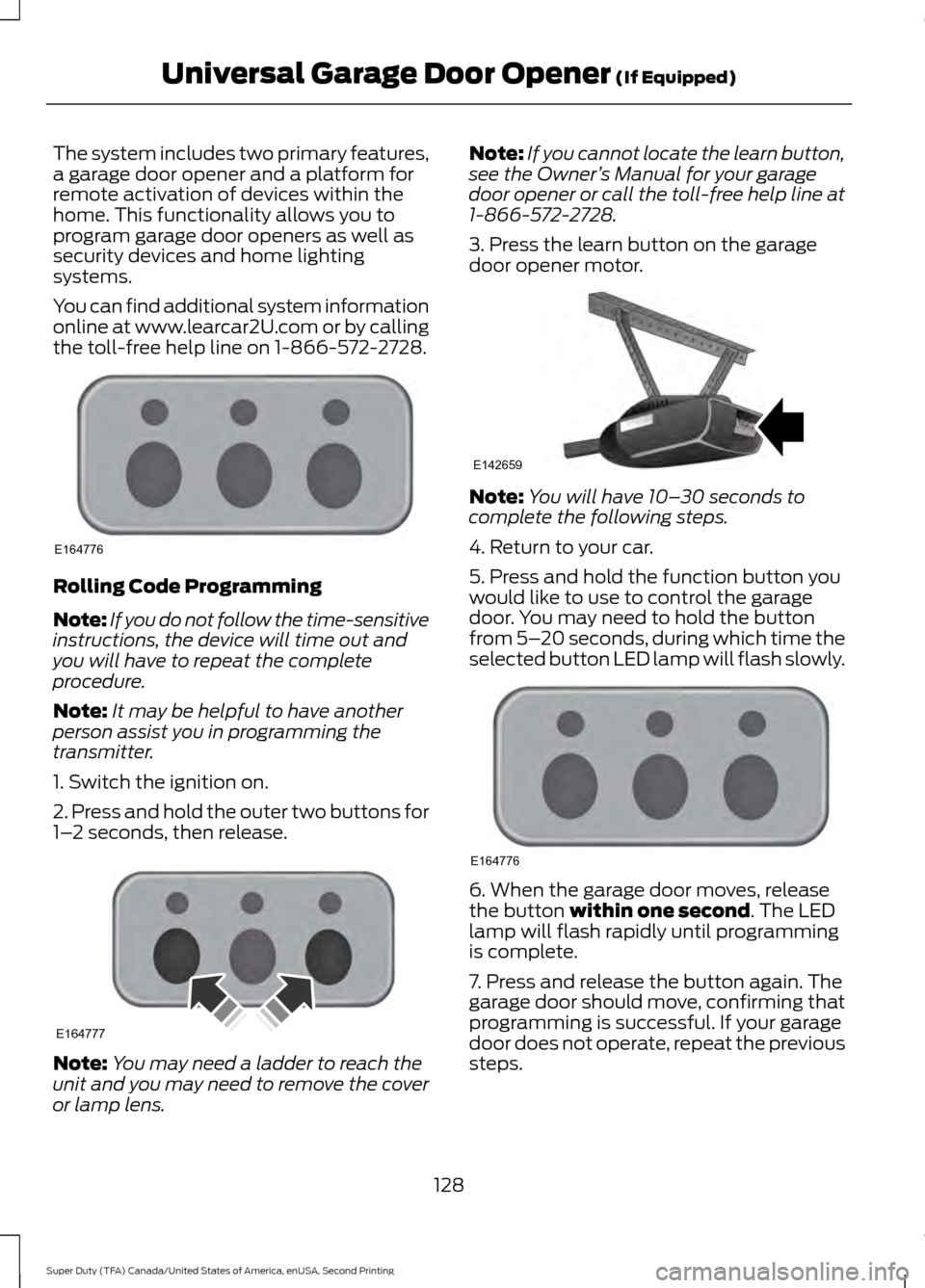
The system includes two primary features,
a garage door opener and a platform for
remote activation of devices within the
home. This functionality allows you to
program garage door openers as well as
security devices and home lighting
systems.
You can find additional system information
online at www.learcar2U.com or by calling
the toll-free help line on 1-866-572-2728.
Rolling Code Programming
Note:
If you do not follow the time-sensitive
instructions, the device will time out and
you will have to repeat the complete
procedure.
Note: It may be helpful to have another
person assist you in programming the
transmitter.
1. Switch the ignition on.
2. Press and hold the outer two buttons for
1– 2 seconds, then release. Note:
You may need a ladder to reach the
unit and you may need to remove the cover
or lamp lens. Note:
If you cannot locate the learn button,
see the Owner ’s Manual for your garage
door opener or call the toll-free help line at
1-866-572-2728.
3. Press the learn button on the garage
door opener motor. Note:
You will have 10– 30 seconds to
complete the following steps.
4. Return to your car.
5. Press and hold the function button you
would like to use to control the garage
door. You may need to hold the button
from 5– 20 seconds, during which time the
selected button LED lamp will flash slowly. 6. When the garage door moves, release
the button within one second. The LED
lamp will flash rapidly until programming
is complete.
7. Press and release the button again. The
garage door should move, confirming that
programming is successful. If your garage
door does not operate, repeat the previous
steps.
128
Super Duty (TFA) Canada/United States of America, enUSA, Second Printing Universal Garage Door Opener
(If Equipped)E164776 E164777 E142659 E164776
Page 132 of 510
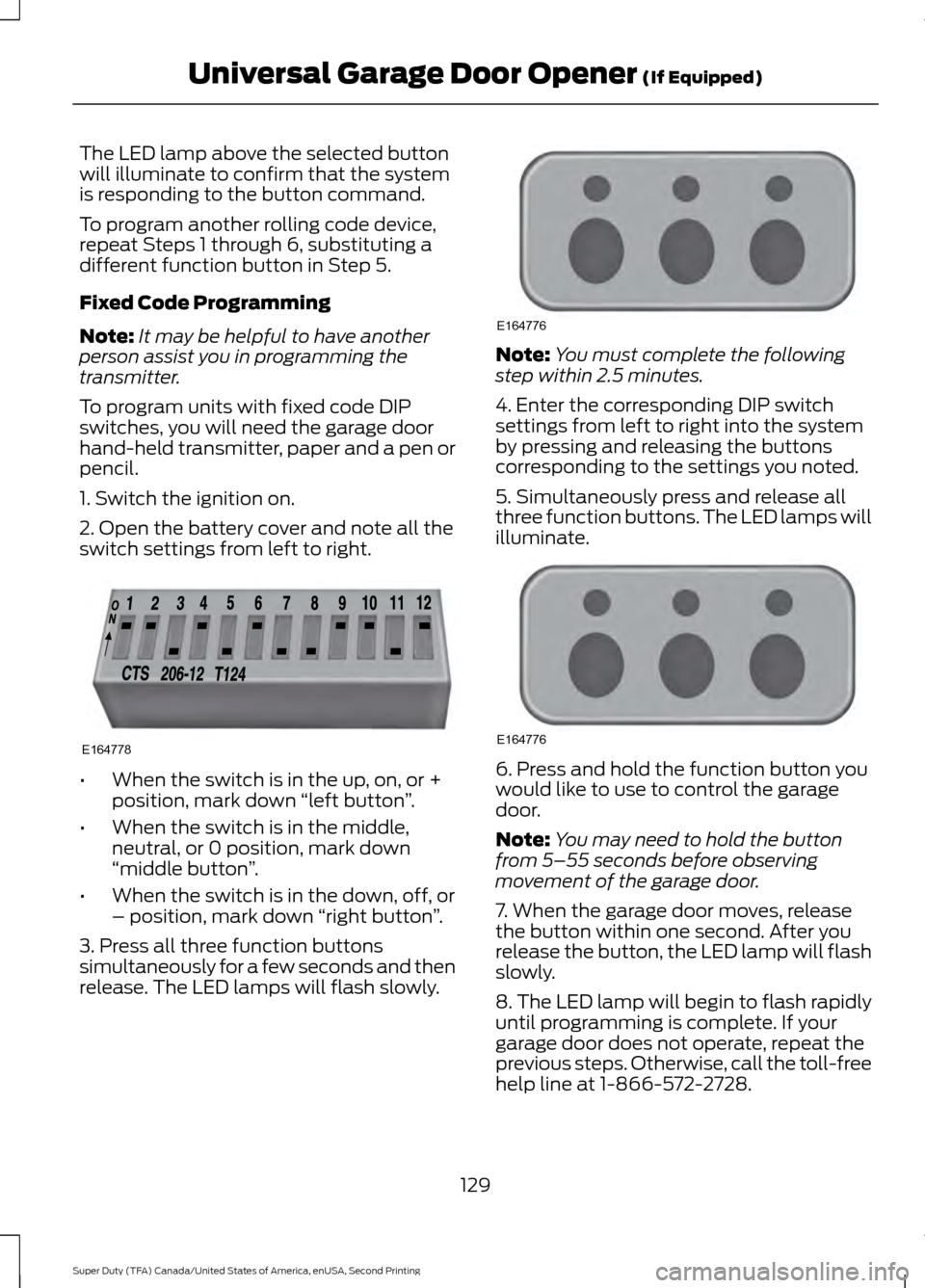
The LED lamp above the selected button
will illuminate to confirm that the system
is responding to the button command.
To program another rolling code device,
repeat Steps 1 through 6, substituting a
different function button in Step 5.
Fixed Code Programming
Note:
It may be helpful to have another
person assist you in programming the
transmitter.
To program units with fixed code DIP
switches, you will need the garage door
hand-held transmitter, paper and a pen or
pencil.
1. Switch the ignition on.
2. Open the battery cover and note all the
switch settings from left to right. •
When the switch is in the up, on, or +
position, mark down “left button ”.
• When the switch is in the middle,
neutral, or 0 position, mark down
“middle button ”.
• When the switch is in the down, off, or
– position, mark down “right button”.
3. Press all three function buttons
simultaneously for a few seconds and then
release. The LED lamps will flash slowly. Note:
You must complete the following
step within 2.5 minutes.
4. Enter the corresponding DIP switch
settings from left to right into the system
by pressing and releasing the buttons
corresponding to the settings you noted.
5. Simultaneously press and release all
three function buttons. The LED lamps will
illuminate. 6. Press and hold the function button you
would like to use to control the garage
door.
Note:
You may need to hold the button
from 5–55 seconds before observing
movement of the garage door.
7. When the garage door moves, release
the button within one second. After you
release the button, the LED lamp will flash
slowly.
8. The LED lamp will begin to flash rapidly
until programming is complete. If your
garage door does not operate, repeat the
previous steps. Otherwise, call the toll-free
help line at 1-866-572-2728.
129
Super Duty (TFA) Canada/United States of America, enUSA, Second Printing Universal Garage Door Opener (If Equipped)E164778 E164776 E164776
Page 133 of 510
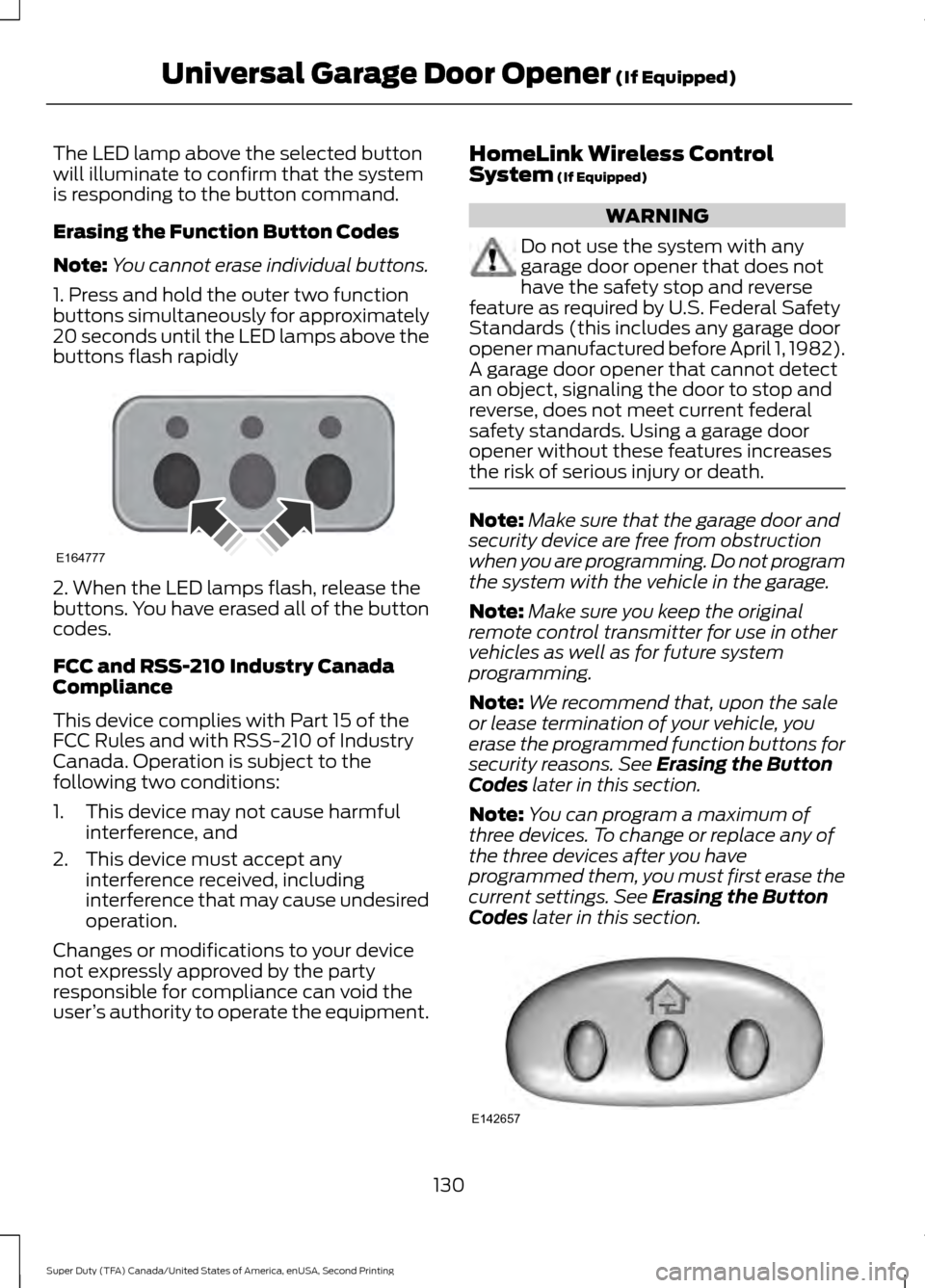
The LED lamp above the selected button
will illuminate to confirm that the system
is responding to the button command.
Erasing the Function Button Codes
Note:
You cannot erase individual buttons.
1. Press and hold the outer two function
buttons simultaneously for approximately
20 seconds until the LED lamps above the
buttons flash rapidly 2. When the LED lamps flash, release the
buttons. You have erased all of the button
codes.
FCC and RSS-210 Industry Canada
Compliance
This device complies with Part 15 of the
FCC Rules and with RSS-210 of Industry
Canada. Operation is subject to the
following two conditions:
1. This device may not cause harmful
interference, and
2. This device must accept any interference received, including
interference that may cause undesired
operation.
Changes or modifications to your device
not expressly approved by the party
responsible for compliance can void the
user ’s authority to operate the equipment. HomeLink Wireless Control
System (If Equipped) WARNING
Do not use the system with any
garage door opener that does not
have the safety stop and reverse
feature as required by U.S. Federal Safety
Standards (this includes any garage door
opener manufactured before April 1, 1982).
A garage door opener that cannot detect
an object, signaling the door to stop and
reverse, does not meet current federal
safety standards. Using a garage door
opener without these features increases
the risk of serious injury or death. Note:
Make sure that the garage door and
security device are free from obstruction
when you are programming. Do not program
the system with the vehicle in the garage.
Note: Make sure you keep the original
remote control transmitter for use in other
vehicles as well as for future system
programming.
Note: We recommend that, upon the sale
or lease termination of your vehicle, you
erase the programmed function buttons for
security reasons. See
Erasing the Button
Codes later in this section.
Note: You can program a maximum of
three devices. To change or replace any of
the three devices after you have
programmed them, you must first erase the
current settings. See
Erasing the Button
Codes later in this section. 130
Super Duty (TFA) Canada/United States of America, enUSA, Second Printing Universal Garage Door Opener
(If Equipped)E164777 E142657