2016 FORD FUSION (AMERICAS) stop start
[x] Cancel search: stop startPage 73 of 518

4. Within 10 seconds, place a second
programmed intelligent access key in
the backup slot and press the
START/STOP button.
5. Wait 5 seconds, and then press the START/STOP
button again.
6. Remove the intelligent access key.
7. Wait 5 seconds, then place the unprogrammed intelligent access key
in the backup slot and press the
START/STOP
button.
Programming is now complete. Verify the
remote control functions operate and your
vehicle starts with the new intelligent
access key.
If programming was not successful, wait
10 seconds and repeat Steps 1 through 7.
If you are still unsuccessful, take your
vehicle to your authorized dealer.
ANTI-THEFT ALARM
The system will warn you of an
unauthorized entry to your vehicle. It will
be triggered if any door, the luggage
compartment or the hood is opened
without using the key, remote control or
keyless entry keypad.
The direction indicators will flash and the
horn will sound if unauthorized entry is
attempted while the alarm is armed.
Take all remote controls to an authorized
dealer if there is any potential alarm
problem with your vehicle.
Arming the Alarm
The alarm is ready to arm when there is
not a key in your vehicle. Electronically lock
your vehicle to arm the alarm.
Disarming the Alarm
Disarm the alarm by any of the following
actions: •
Unlock the doors or luggage
compartment with the remote control
or keyless entry keypad.
• Switch your vehicle on or start your
vehicle.
• Use a key in the driver door to unlock
your vehicle, then switch your vehicle
on within 12 seconds.
Note: Pressing the panic button on the
remote control will stop the horn and signal
indicators, but will not disarm the system.
70
Fusion/Mondeo (CC7) Canada/United States of America, enUSA, First Printing Security
Page 88 of 518

GLOBAL OPENING AND
CLOSING
You can use the remote control to operate
the windows with the ignition off.
Note:
You can enable or disable this feature
in the information display or see an
authorized dealer. See (page 96).
Note: To operate this feature, accessory
delay must not be active.
Opening the Windows
You can only open the windows for a short
time after you unlock your vehicle with the
remote control. After you unlock your
vehicle, press and hold the remote control
unlock button to open the windows and
vent the moonroof. Release the button
once movement starts. Press the lock or
unlock button to stop movement.
Closing the Windows WARNING
When closing the windows and
moonroof, you should verify they are
free of obstructions and make sure
that children and pets are not in the
proximity of the window openings. To close the windows and moonroof, press
and hold the remote control lock button.
Release the button once movement starts.
Press the lock or unlock button to stop
movement.
EXTERIOR MIRRORS
Power Exterior Mirrors
WARNING
Do not adjust the mirrors when your
vehicle is moving. Left-hand mirror
A
Adjustment control
B
Right-hand mirror
C
To adjust a mirror:
1. Select the mirror you want to adjust. The control will illuminate.
2. Adjust the position of the mirror.
3. Press the mirror switch again.
Fold-Away Exterior Mirrors
Push the mirror toward the door window
glass. Make sure that you fully engage the
mirror in its support when returning it to its
original position.
Heated Exterior Mirrors
(If Equipped)
See Heated Windows and Mirrors (page
128
).
Memory Mirrors
(If Equipped)
You can save and recall the mirror
positions through the memory function.
See
Memory Function (page 134).
Auto-Dimming Feature
(If Equipped)
The driver exterior mirror automatically
dims when the interior auto-dimming
mirror turns on.
85
Fusion/Mondeo (CC7) Canada/United States of America, enUSA, First Printing Windows and MirrorsE144073
Page 93 of 518
Engine Coolant Temperature
Gauge
Shows the temperature of the engine
coolant. At normal operating temperature,
the needle will remain in the center section.
If the needle enters the red section, the
engine is overheating. Stop the engine,
switch the ignition off and determine the
cause once the engine has cooled down.
Note:
Do not restart the engine until the
cause of overheating has been resolved. WARNING
Never remove the coolant reservoir
cap while the engine is running or hot.
Fuel Gauge
Note:
The fuel gauge may vary slightly
when your vehicle is moving or on a gradient.
Switch the ignition on. The fuel gauge will
indicate approximately how much fuel is
left in the fuel tank. The arrow adjacent to
the fuel pump symbol indicates on which
side of your vehicle the fuel filler door is
located.
The needle should move toward F when
you refuel your vehicle. If the needle points
to E after adding fuel, this indicates your
vehicle needs service soon. After refueling some variability in needle
position is normal:
•
It may take a short time for the needle
to reach full after leaving the gas
station. This is normal and depends
upon the slope of pavement at the gas
station.
• The fuel amount dispensed into the
tank is a little less or more than the
gauge indicated. This is normal and
depends upon the slope of pavement
at the gas station.
• If the gas station nozzle shuts off
before the tank is full, try a different
gas pump nozzle.
• There is a small reserve left in the tank
when the fuel gauge reaches empty.
Low Fuel Reminder
A low fuel reminder triggers when the
distance to empty reaches about 50 miles
(80 km) to empty.
Variations:
Note: The low fuel reminder can appear at
different fuel gauge positions depending on
fuel economy conditions. This variation is
normal.
90
Fusion/Mondeo (CC7) Canada/United States of America, enUSA, First Printing Instrument Cluster
Page 95 of 518
Note:
Some warning indicators appear in
the information display and function the
same as a warning lamp but do not display
when you start your vehicle.
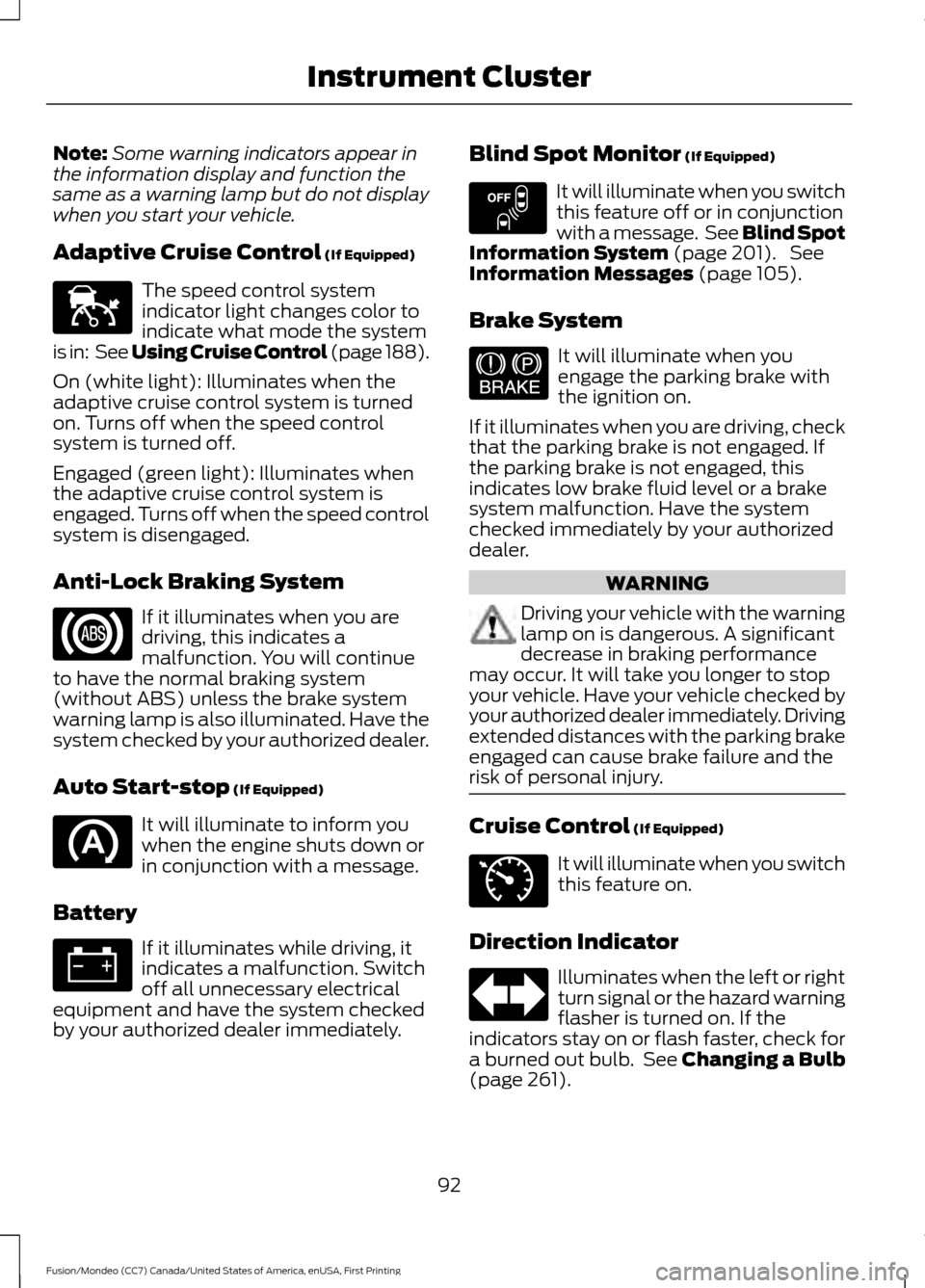
Adaptive Cruise Control (If Equipped) The speed control system
indicator light changes color to
indicate what mode the system
is in: See Using Cruise Control (page 188).
On (white light): Illuminates when the
adaptive cruise control system is turned
on. Turns off when the speed control
system is turned off.
Engaged (green light): Illuminates when
the adaptive cruise control system is
engaged. Turns off when the speed control
system is disengaged.
Anti-Lock Braking System If it illuminates when you are
driving, this indicates a
malfunction. You will continue
to have the normal braking system
(without ABS) unless the brake system
warning lamp is also illuminated. Have the
system checked by your authorized dealer.
Auto Start-stop
(If Equipped) It will illuminate to inform you
when the engine shuts down or
in conjunction with a message.
Battery If it illuminates while driving, it
indicates a malfunction. Switch
off all unnecessary electrical
equipment and have the system checked
by your authorized dealer immediately. Blind Spot Monitor
(If Equipped) It will illuminate when you switch
this feature off or in conjunction
with a message. See Blind Spot
Information System
(page 201). See
Information Messages (page 105).
Brake System It will illuminate when you
engage the parking brake with
the ignition on.
If it illuminates when you are driving, check
that the parking brake is not engaged. If
the parking brake is not engaged, this
indicates low brake fluid level or a brake
system malfunction. Have the system
checked immediately by your authorized
dealer. WARNING
Driving your vehicle with the warning
lamp on is dangerous. A significant
decrease in braking performance
may occur. It will take you longer to stop
your vehicle. Have your vehicle checked by
your authorized dealer immediately. Driving
extended distances with the parking brake
engaged can cause brake failure and the
risk of personal injury. Cruise Control
(If Equipped)
It will illuminate when you switch
this feature on.
Direction Indicator Illuminates when the left or right
turn signal or the hazard warning
flasher is turned on. If the
indicators stay on or flash faster, check for
a burned out bulb. See
Changing a Bulb
(page 261).
92
Fusion/Mondeo (CC7) Canada/United States of America, enUSA, First Printing Instrument ClusterE144524 E151262 E144522 E71340
Page 96 of 518
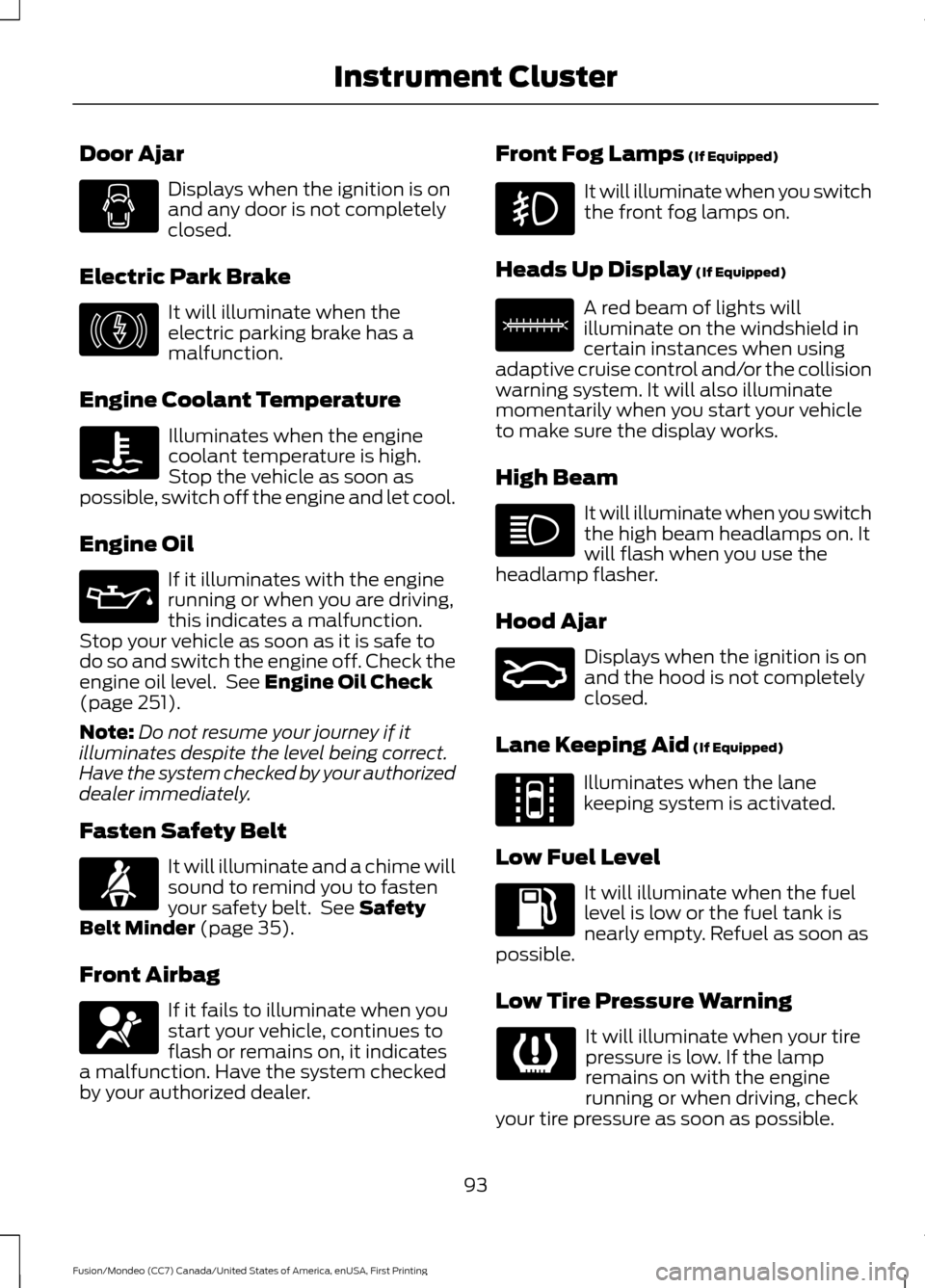
Door Ajar
Displays when the ignition is on
and any door is not completely
closed.
Electric Park Brake It will illuminate when the
electric parking brake has a
malfunction.
Engine Coolant Temperature Illuminates when the engine
coolant temperature is high.
Stop the vehicle as soon as
possible, switch off the engine and let cool.
Engine Oil If it illuminates with the engine
running or when you are driving,
this indicates a malfunction.
Stop your vehicle as soon as it is safe to
do so and switch the engine off. Check the
engine oil level. See Engine Oil Check
(page 251).
Note: Do not resume your journey if it
illuminates despite the level being correct.
Have the system checked by your authorized
dealer immediately.
Fasten Safety Belt It will illuminate and a chime will
sound to remind you to fasten
your safety belt. See
Safety
Belt Minder (page 35).
Front Airbag If it fails to illuminate when you
start your vehicle, continues to
flash or remains on, it indicates
a malfunction. Have the system checked
by your authorized dealer. Front Fog Lamps
(If Equipped) It will illuminate when you switch
the front fog lamps on.
Heads Up Display
(If Equipped) A red beam of lights will
illuminate on the windshield in
certain instances when using
adaptive cruise control and/or the collision
warning system. It will also illuminate
momentarily when you start your vehicle
to make sure the display works.
High Beam It will illuminate when you switch
the high beam headlamps on. It
will flash when you use the
headlamp flasher.
Hood Ajar Displays when the ignition is on
and the hood is not completely
closed.
Lane Keeping Aid
(If Equipped) Illuminates when the lane
keeping system is activated.
Low Fuel Level It will illuminate when the fuel
level is low or the fuel tank is
nearly empty. Refuel as soon as
possible.
Low Tire Pressure Warning It will illuminate when your tire
pressure is low. If the lamp
remains on with the engine
running or when driving, check
your tire pressure as soon as possible.
93
Fusion/Mondeo (CC7) Canada/United States of America, enUSA, First Printing Instrument Cluster E146190 E156133 E159324 E144813
Page 100 of 518
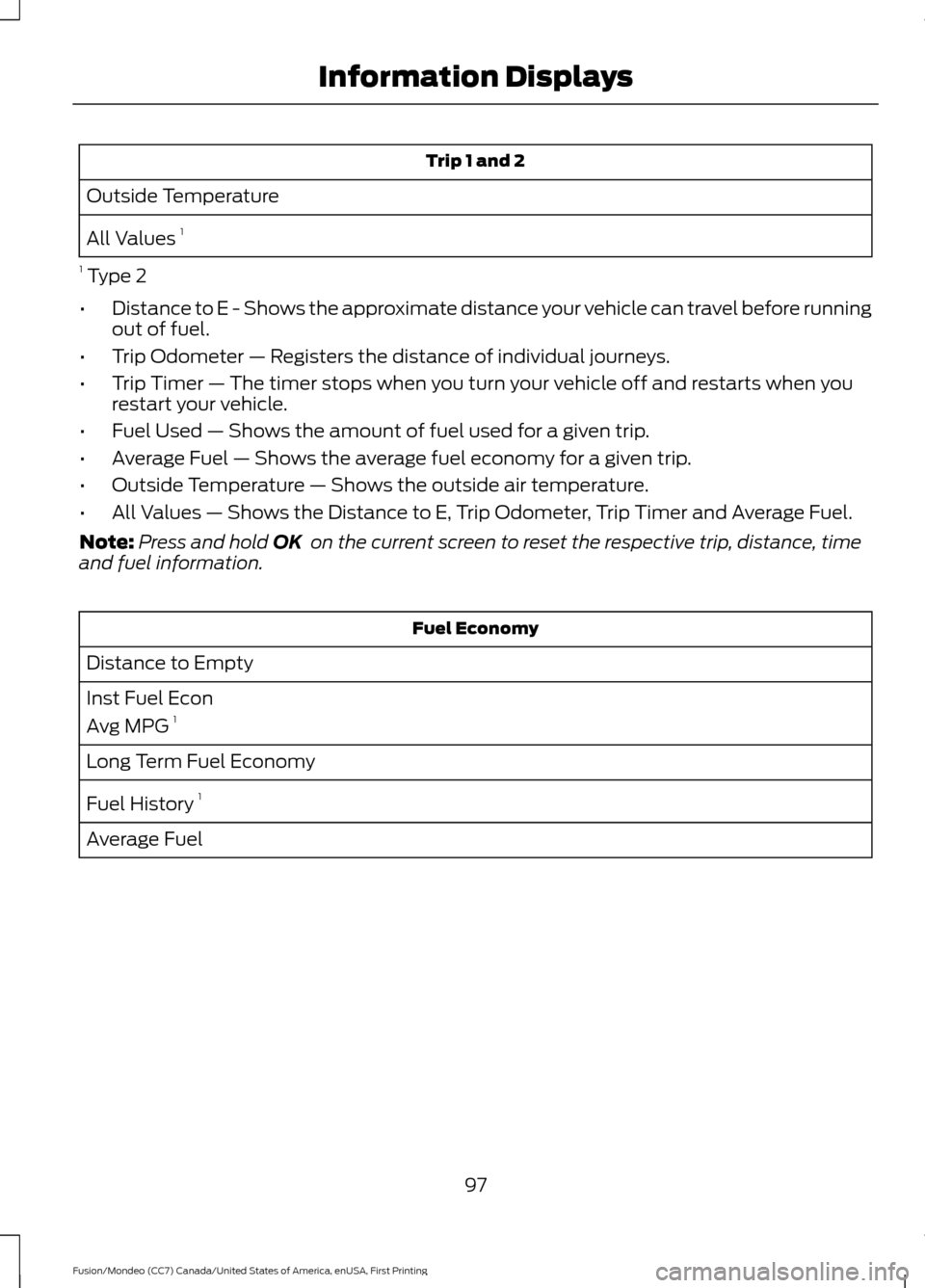
Trip 1 and 2
Outside Temperature
All Values 1
1 Type 2
• Distance to E - Shows the approximate distance your vehicle can travel before running
out of fuel.
• Trip Odometer — Registers the distance of individual journeys.
• Trip Timer — The timer stops when you turn your vehicle off and restarts when you
restart your vehicle.
• Fuel Used — Shows the amount of fuel used for a given trip.
• Average Fuel — Shows the average fuel economy for a given trip.
• Outside Temperature — Shows the outside air temperature.
• All Values — Shows the Distance to E, Trip Odometer, Trip Timer and Average Fuel.
Note: Press and hold OK on the current screen to reset the respective trip, distance, time
and fuel information. Fuel Economy
Distance to Empty
Inst Fuel Econ
Avg MPG 1
Long Term Fuel Economy
Fuel History 1
Average Fuel
97
Fusion/Mondeo (CC7) Canada/United States of America, enUSA, First Printing Information Displays
Page 101 of 518

Fuel Economy
All Values 1
Auto StartStop
1 Type 2
• Distance to Empty - Shows the approximate distance your vehicle can travel before
running out of fuel.
• Inst Fuel Economy - Shows a visual graph of your instantaneous fuel economy along
with your Avg MPG since the function was last reset.
• Long Term Fuel Economy - Shows your long term fuel economy.
• Fuel History - Shows a bar chart of your fuel history.
• Average Fuel — Shows the average fuel economy for a given trip.
• All Values — Shows all fuel economy values (DTE, Inst Fuel Econ, Avg Fuel).
• Auto StartStop - Available Auto Start-Stop messaging will provide details about what
is happening with your system. See Information Messages (page 105).
Note: You can reset your average fuel economy by pressing and holding the OK button on
the left hand steering wheel controls. Driver Assist
Traction Ctrl - check enabled or uncheck disabled
Blind Spot - check enabled or uncheck disabled 1
Cross Traffic - check enabled or uncheck disabled 1
Adaptive or Normal
Cruise Control 1
Driver Alert or Driver Alert Display
Driver Alert 1
Hill Start Assist - check enabled or uncheck disabled
Intelligent AWD 1
Alert, Aid or Both
Mode
Lane Keeping System 1
High, Normal or Low
Intensity
High, Normal or Low
Alert Sensitivity
Pre-Collision
Active Braking - check enabled or uncheck
disabled
98
Fusion/Mondeo (CC7) Canada/United States of America, enUSA, First Printing Information Displays
Page 105 of 518
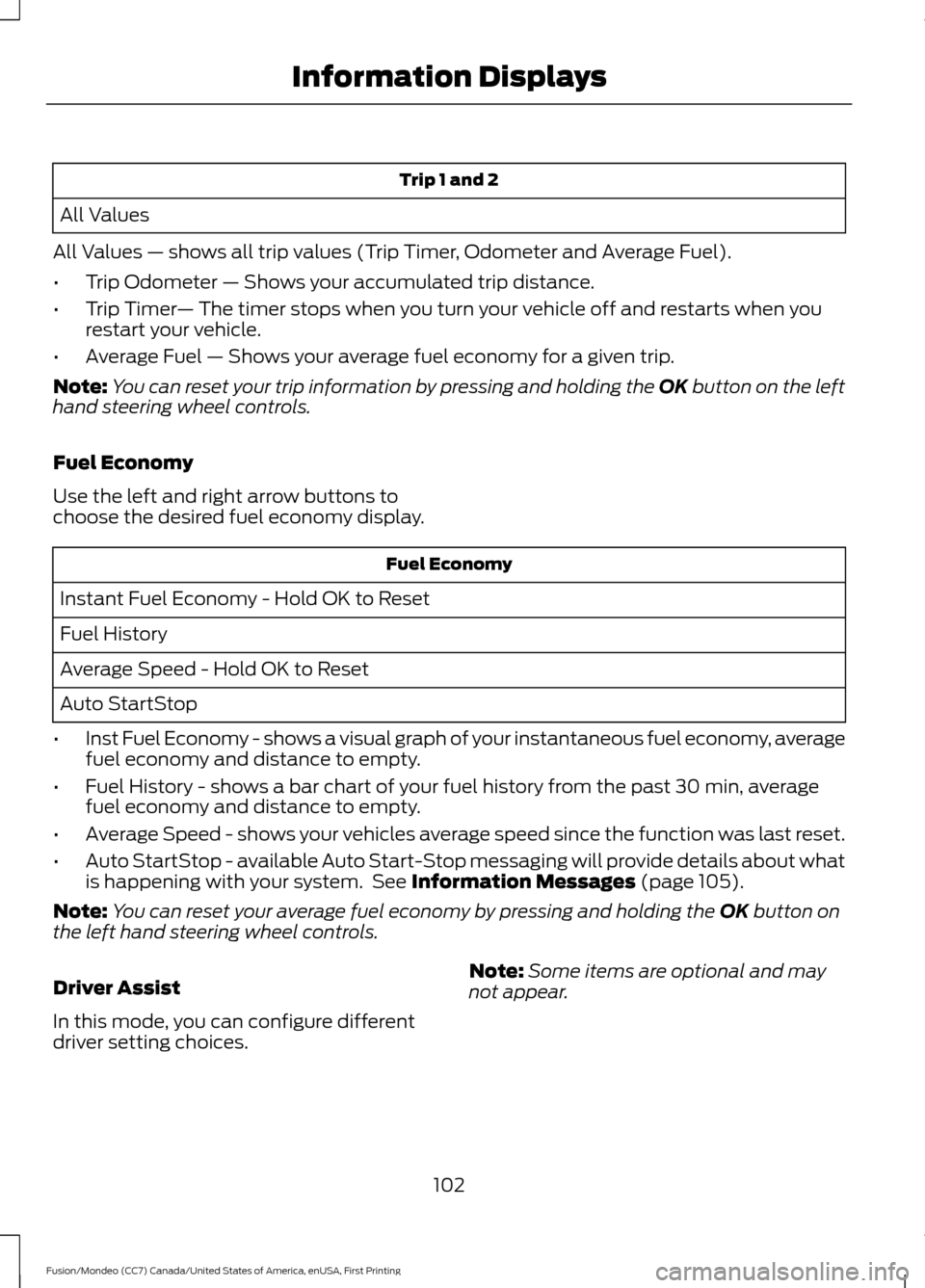
Trip 1 and 2
All Values
All Values — shows all trip values (Trip Timer, Odometer and Average Fuel).
• Trip Odometer — Shows your accumulated trip distance.
• Trip Timer — The timer stops when you turn your vehicle off and restarts when you
restart your vehicle.
• Average Fuel — Shows your average fuel economy for a given trip.
Note: You can reset your trip information by pressing and holding the OK button on the left
hand steering wheel controls.
Fuel Economy
Use the left and right arrow buttons to
choose the desired fuel economy display. Fuel Economy
Instant Fuel Economy - Hold OK to Reset
Fuel History
Average Speed - Hold OK to Reset
Auto StartStop
• Inst Fuel Economy - shows a visual graph of your instantaneous fuel economy, average
fuel economy and distance to empty.
• Fuel History - shows a bar chart of your fuel history from the past 30 min, average
fuel economy and distance to empty.
• Average Speed - shows your vehicles average speed since the function was last reset.
• Auto StartStop - available Auto Start-Stop messaging will provide details about what
is happening with your system. See Information Messages (page 105).
Note: You can reset your average fuel economy by pressing and holding the
OK button on
the left hand steering wheel controls.
Driver Assist
In this mode, you can configure different
driver setting choices. Note:
Some items are optional and may
not appear.
102
Fusion/Mondeo (CC7) Canada/United States of America, enUSA, First Printing Information Displays