2016 FORD FOCUS maintenance
[x] Cancel search: maintenancePage 223 of 385
FUEL FILTER
Your vehicle is equipped with a lifetime
fuel filter that is integrated with the fuel
tank. Regular maintenance or replacement
is not needed.
CHANGING THE 12V BATTERY
WARNINGS
Batteries normally produce explosive
gases which can cause personal
injury. Therefore, do not allow
flames, sparks or lighted substances to
come near the battery. When working near
the battery, always shield your face and
protect your eyes. Always provide correct
ventilation. When lifting a plastic-cased battery,
excessive pressure on the end walls
could cause acid to flow through the
vent caps, resulting in personal injury and
damage to the vehicle or battery. Lift the
battery with a battery carrier or with your
hands on opposite corners. Keep batteries out of reach of
children. Batteries contain sulfuric
acid. Avoid contact with skin, eyes or
clothing. Shield your eyes when working
near the battery to protect against possible
splashing of acid solution. In case of acid
contact with skin or eyes, flush
immediately with water for a minimum of
15 minutes and get prompt medical
attention. If acid is swallowed, call a
physician immediately. Battery posts, terminals and related
accessories contain lead and lead
compounds. Wash hands after
handling. Your vehicle has a Motorcraft®
maintenance-free battery which normally
does not require additional water during
its life of service. Note:
If your vehicle's battery has a cover
or shield, make sure it is reinstalled after the
battery has been cleaned or replaced.
Note: See an authorized dealer for low
voltage battery access, testing, or
replacement.
When a low voltage battery replacement
is necessary, see an authorized dealer to
replace the low voltage battery with a Ford
recommended replacement low voltage
battery that matches the electrical
requirements of the vehicle.
To ensure proper operation of the battery
management system (BMS), do not allow
a technician to connect any electrical
device ground connection directly to the
low voltage battery negative post. A
connection at the low voltage battery
negative post can cause inaccurate
measurements of the battery condition
and potential incorrect system operation.
Note: If a person adds electrical or
electronic accessories or components to the
vehicle, the accessories or components may
adversely affect the low voltage battery
performance and durability and may also
affect the performance of other electrical
systems in the vehicle.
For longer, trouble-free operation, keep the
top of the battery clean and dry. Also,
make certain the battery cables are always
tightly fastened to the battery terminals.
If you see any corrosion on the battery or
terminals, remove the cables from the
terminals and clean with a wire brush. You
can neutralize the acid with a solution of
baking soda and water.
When a battery replacement is required,
the battery should only be replaced with
a Ford recommended replacement battery
that matches the electrical requirements
of the vehicle.
220
Focus (CDH) Canada/United States of America, enUSA, First Printing Maintenance
Page 224 of 385
Because your vehicle
’s engine is
electronically-controlled by a computer,
some engine control settings are
maintained by power from the low voltage
battery. Some engine computer settings,
like the idle trim and fuel trim strategy,
optimize the driveability and performance
of the engine. Some other computer
settings, like the clock and radio station
presets, are also maintained in memory by
power from the low voltage battery. When
a technician disconnects and connects the
low voltage battery, these settings are
erased. Complete the following procedure
in order to restore the settings:
1. With the vehicle at a complete stop, set the parking brake.
2. Shift into park (P).
3. Switch off all accessories.
4. Fully press the brake pedal and start the vehicle.
5. Run the engine until it reaches normal operating temperature. While the
engine is warming up, complete the
following: Reset the clock. See Audio
System (page 278). Reset the power
windows bounce-back feature. See
Windows and Mirrors
(page 81).
Reset the radio station presets. See
Audio System
(page 278).
6. Allow the engine to idle for at least one
minute. If the engine turns off, press
the accelerator pedal to start the
engine.
7. While the engine is running, press the brake pedal and shift into neutral (N).
8. Allow the engine to run for at least one
minute by pressing on the accelerator
pedal.
9. Drive the vehicle at least 12 mi (20 km)
to completely relearn the idle and fuel
trim strategy. Note:
If you do not allow the engine to
relearn the idle and fuel trim strategy, the
idle quality of your vehicle may be adversely
affected until the engine computer
eventually relearns the idle trim and fuel
trim strategy.
Make sure that you dispose of old batteries
in an environmentally friendly way. Seek
advice from your local authority about
recycling old batteries.
CHECKING THE WIPER
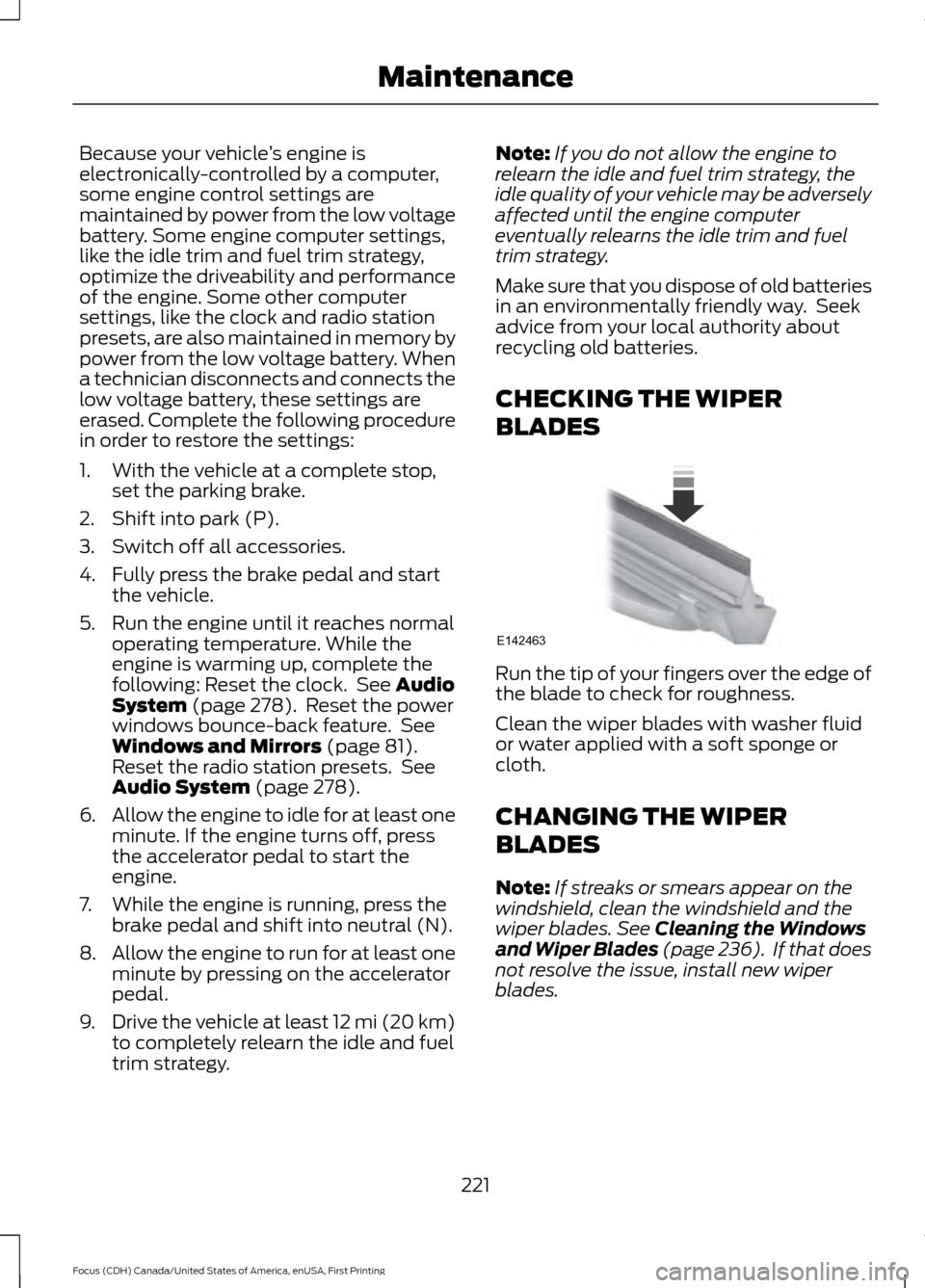
BLADES Run the tip of your fingers over the edge of
the blade to check for roughness.
Clean the wiper blades with washer fluid
or water applied with a soft sponge or
cloth.
CHANGING THE WIPER
BLADES
Note:
If streaks or smears appear on the
windshield, clean the windshield and the
wiper blades.
See Cleaning the Windows
and Wiper Blades (page 236). If that does
not resolve the issue, install new wiper
blades.
221
Focus (CDH) Canada/United States of America, enUSA, First Printing MaintenanceE142463
Page 225 of 385
Service Position
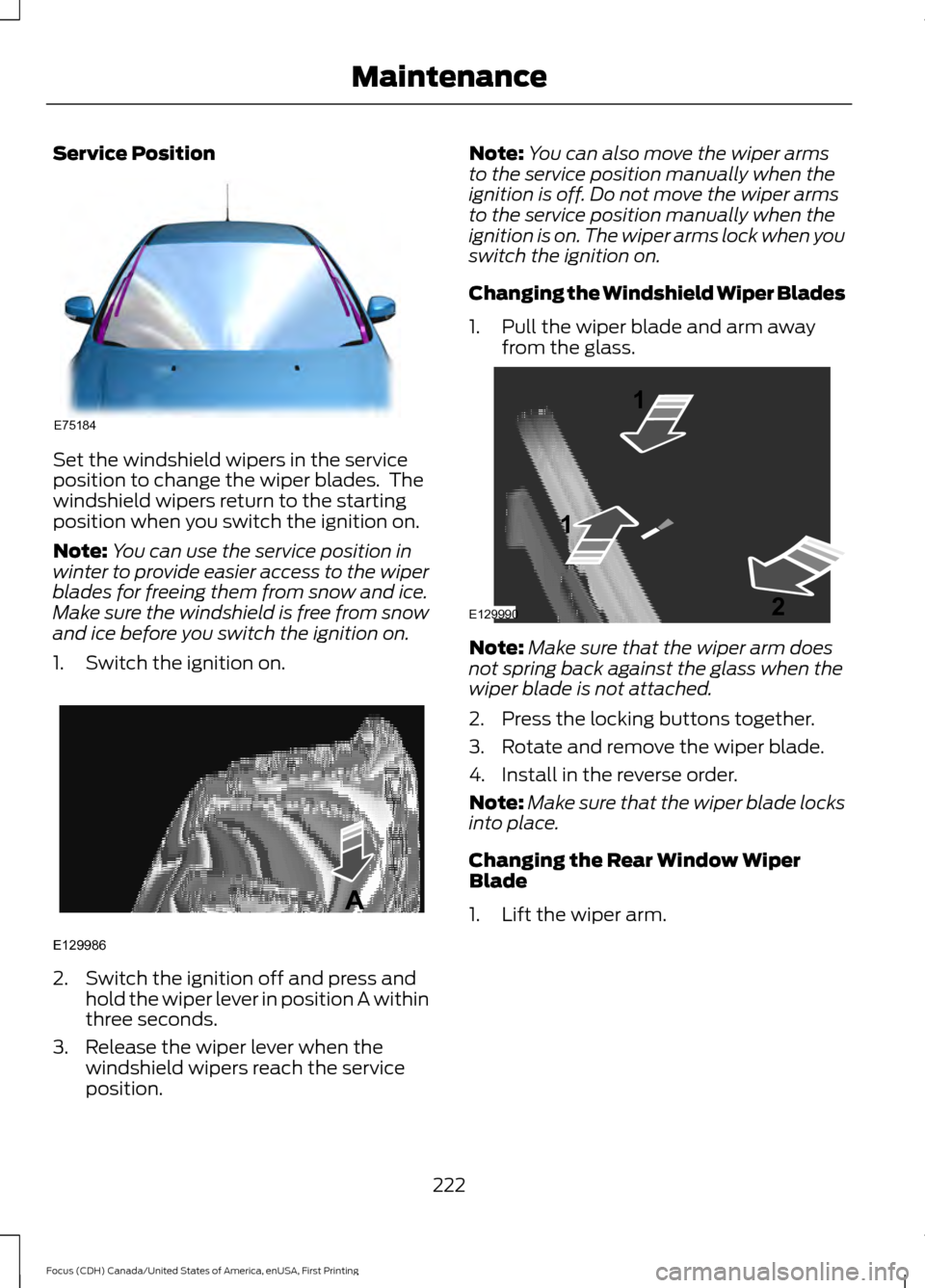
Set the windshield wipers in the service
position to change the wiper blades. The
windshield wipers return to the starting
position when you switch the ignition on.
Note:
You can use the service position in
winter to provide easier access to the wiper
blades for freeing them from snow and ice.
Make sure the windshield is free from snow
and ice before you switch the ignition on.
1. Switch the ignition on. 2. Switch the ignition off and press and
hold the wiper lever in position A within
three seconds.
3. Release the wiper lever when the windshield wipers reach the service
position. Note:
You can also move the wiper arms
to the service position manually when the
ignition is off. Do not move the wiper arms
to the service position manually when the
ignition is on. The wiper arms lock when you
switch the ignition on.
Changing the Windshield Wiper Blades
1. Pull the wiper blade and arm away from the glass. Note:
Make sure that the wiper arm does
not spring back against the glass when the
wiper blade is not attached.
2. Press the locking buttons together.
3. Rotate and remove the wiper blade.
4. Install in the reverse order.
Note: Make sure that the wiper blade locks
into place.
Changing the Rear Window Wiper
Blade
1. Lift the wiper arm.
222
Focus (CDH) Canada/United States of America, enUSA, First Printing MaintenanceE75184 E129986
A E129990
1
1 2
Page 226 of 385
Note:
Make sure that the wiper arm does
not spring back against the glass when the
wiper blade is not attached.
2. Slightly rotate the wiper blade.
3. Disengage the wiper blade from the wiper arm.
4. Remove the wiper blade.
5. Install in the reverse order.
Note: Make sure that the wiper blade locks
into place.
ADJUSTING THE HEADLAMPS
Vertical Aim Adjustment
If your vehicle has been involved in a crash,
have the aim of the headlamp beam
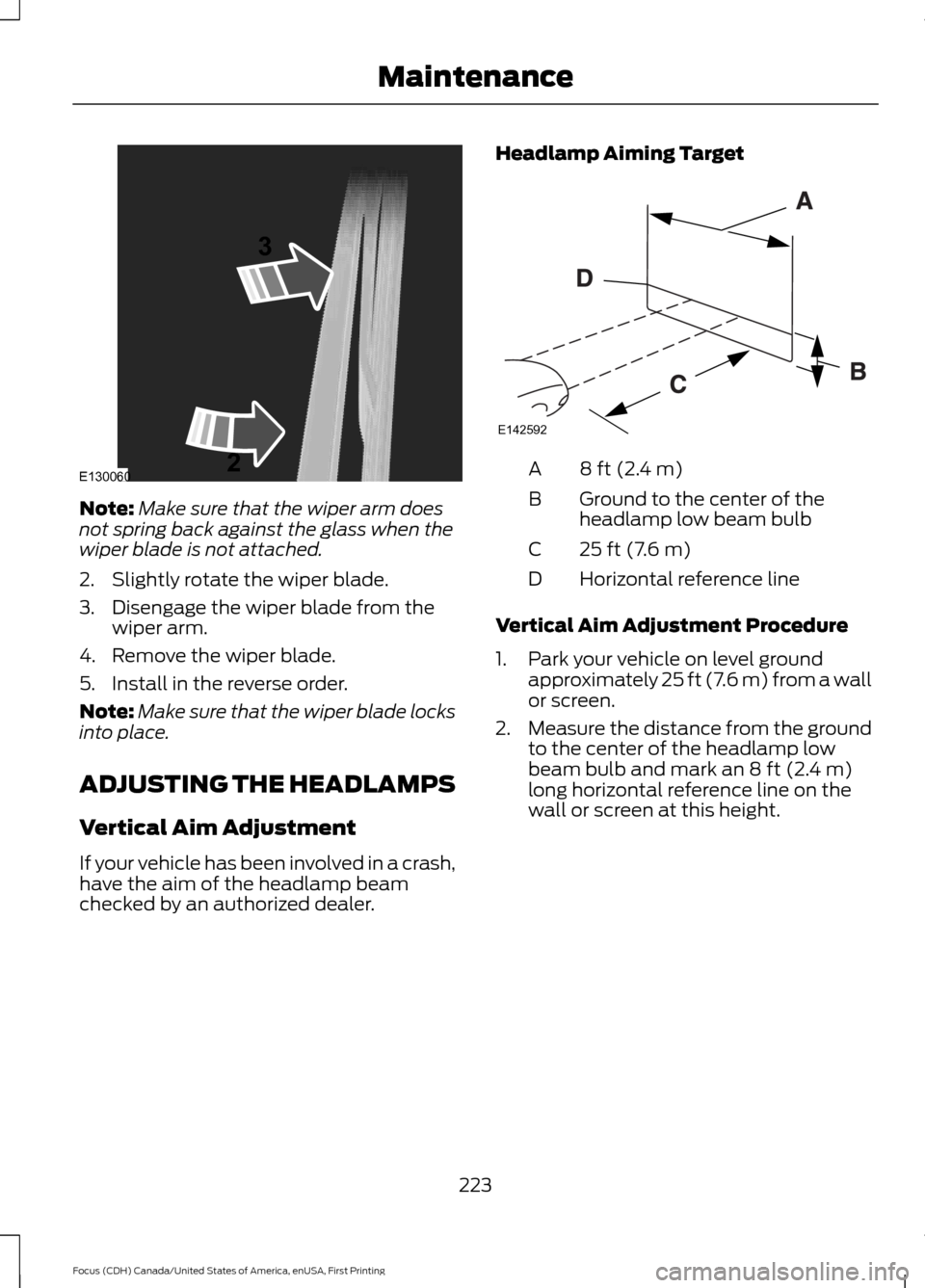
checked by an authorized dealer. Headlamp Aiming Target 8 ft (2.4 m)
A
Ground to the center of the
headlamp low beam bulb
B
25 ft (7.6 m)
C
Horizontal reference line
D
Vertical Aim Adjustment Procedure
1. Park your vehicle on level ground approximately 25 ft (7.6 m) from a wall
or screen.
2. Measure the distance from the ground
to the center of the headlamp low
beam bulb and mark an
8 ft (2.4 m)
long horizontal reference line on the
wall or screen at this height.
223
Focus (CDH) Canada/United States of America, enUSA, First Printing MaintenanceE130060
3
2 E142592
Page 227 of 385
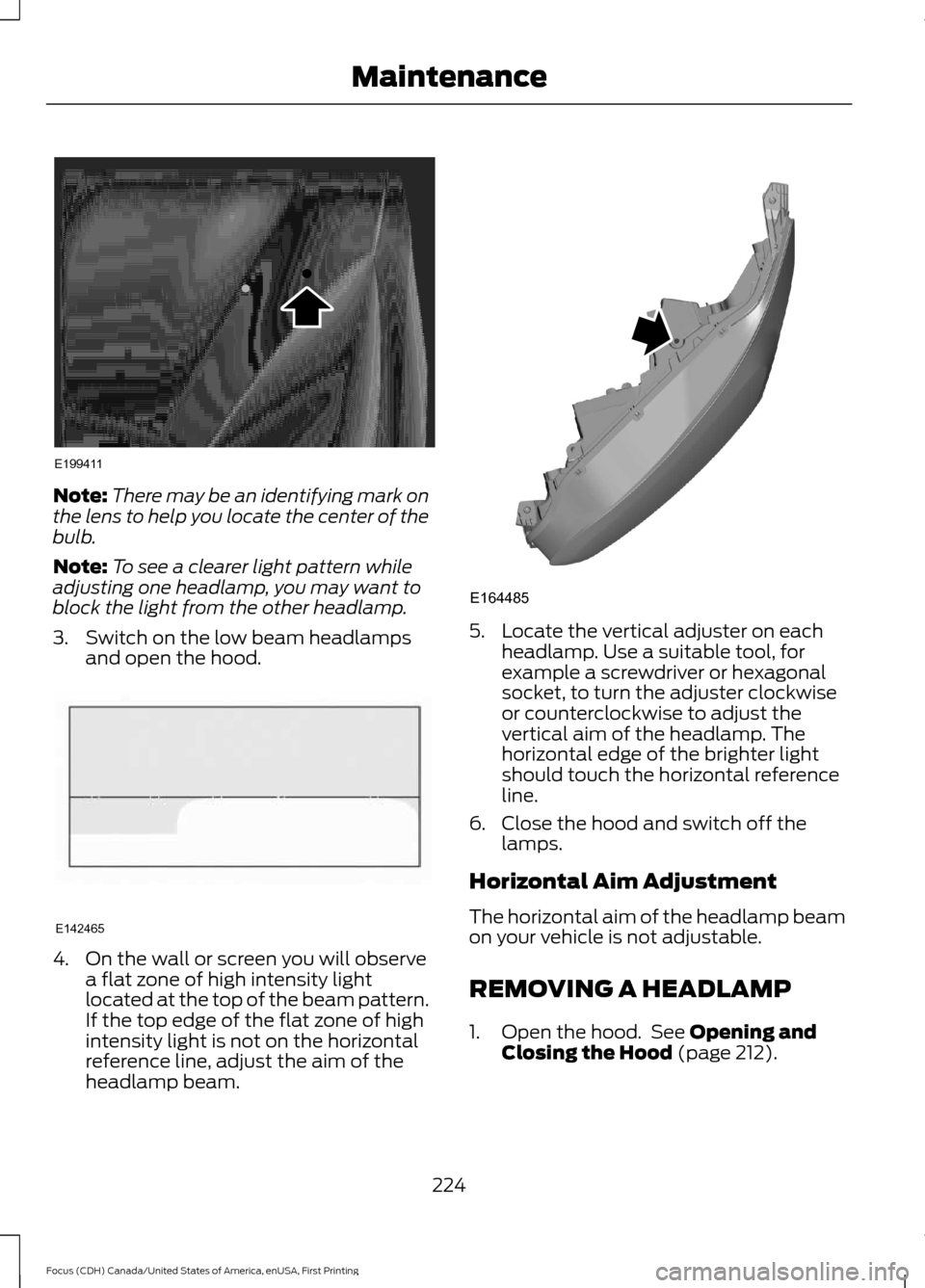
Note:
There may be an identifying mark on
the lens to help you locate the center of the
bulb.
Note: To see a clearer light pattern while
adjusting one headlamp, you may want to
block the light from the other headlamp.
3. Switch on the low beam headlamps and open the hood. 4. On the wall or screen you will observe
a flat zone of high intensity light
located at the top of the beam pattern.
If the top edge of the flat zone of high
intensity light is not on the horizontal
reference line, adjust the aim of the
headlamp beam. 5. Locate the vertical adjuster on each
headlamp. Use a suitable tool, for
example a screwdriver or hexagonal
socket, to turn the adjuster clockwise
or counterclockwise to adjust the
vertical aim of the headlamp. The
horizontal edge of the brighter light
should touch the horizontal reference
line.
6. Close the hood and switch off the lamps.
Horizontal Aim Adjustment
The horizontal aim of the headlamp beam
on your vehicle is not adjustable.
REMOVING A HEADLAMP
1. Open the hood. See Opening and
Closing the Hood (page 212).
224
Focus (CDH) Canada/United States of America, enUSA, First Printing MaintenanceE199411 E142465 E164485
Page 228 of 385
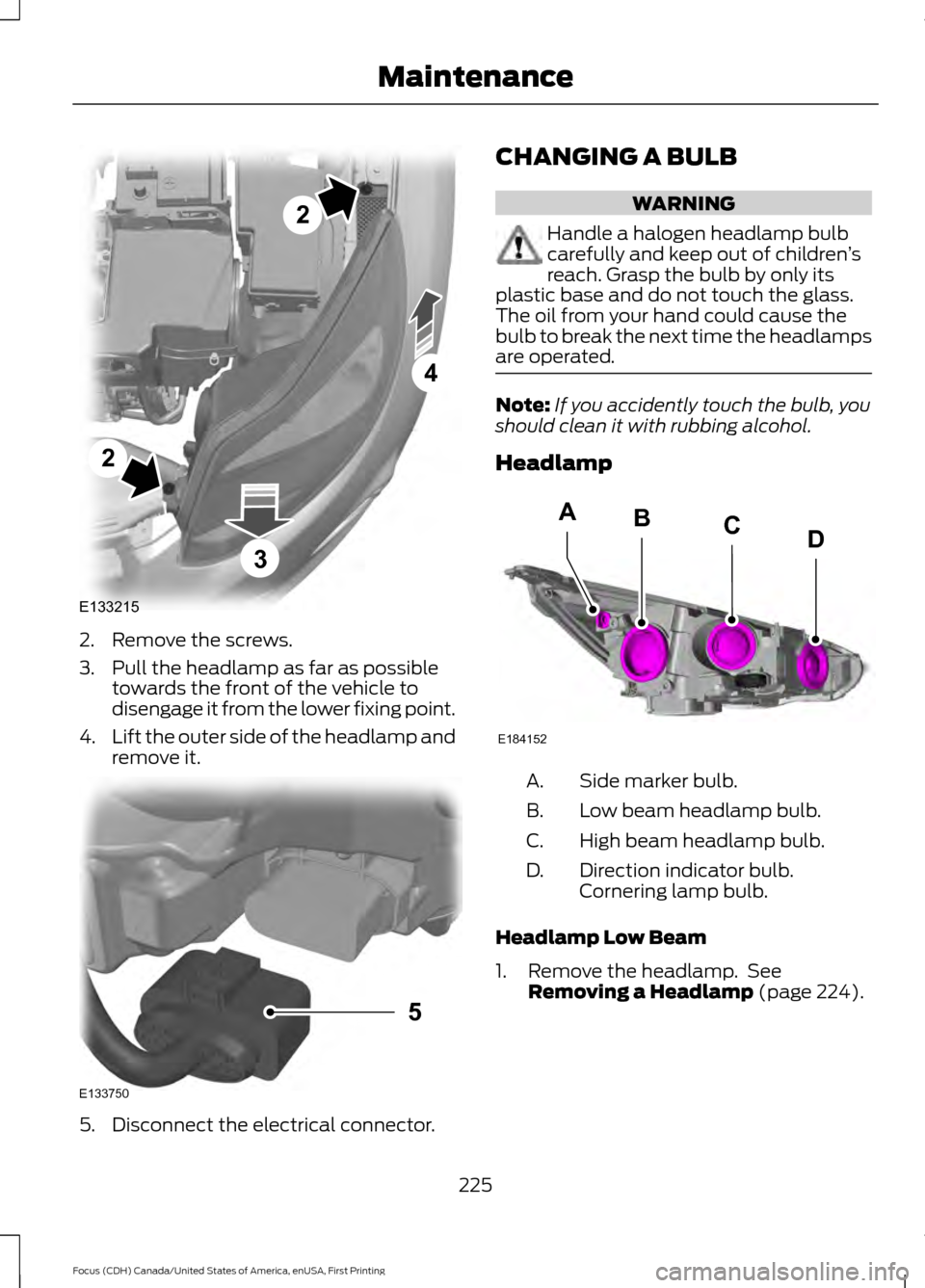
2. Remove the screws.
3. Pull the headlamp as far as possible
towards the front of the vehicle to
disengage it from the lower fixing point.
4. Lift the outer side of the headlamp and
remove it. 5. Disconnect the electrical connector. CHANGING A BULB WARNING
Handle a halogen headlamp bulb
carefully and keep out of children
’s
reach. Grasp the bulb by only its
plastic base and do not touch the glass.
The oil from your hand could cause the
bulb to break the next time the headlamps
are operated. Note:
If you accidently touch the bulb, you
should clean it with rubbing alcohol.
Headlamp Side marker bulb.
A.
Low beam headlamp bulb.
B.
High beam headlamp bulb.
C.
Direction indicator bulb.
Cornering lamp bulb.
D.
Headlamp Low Beam
1. Remove the headlamp. See Removing a Headlamp (page 224).
225
Focus (CDH) Canada/United States of America, enUSA, First Printing MaintenanceE133215
2
2
4
3 E133750
5 E184152
BACD
Page 229 of 385
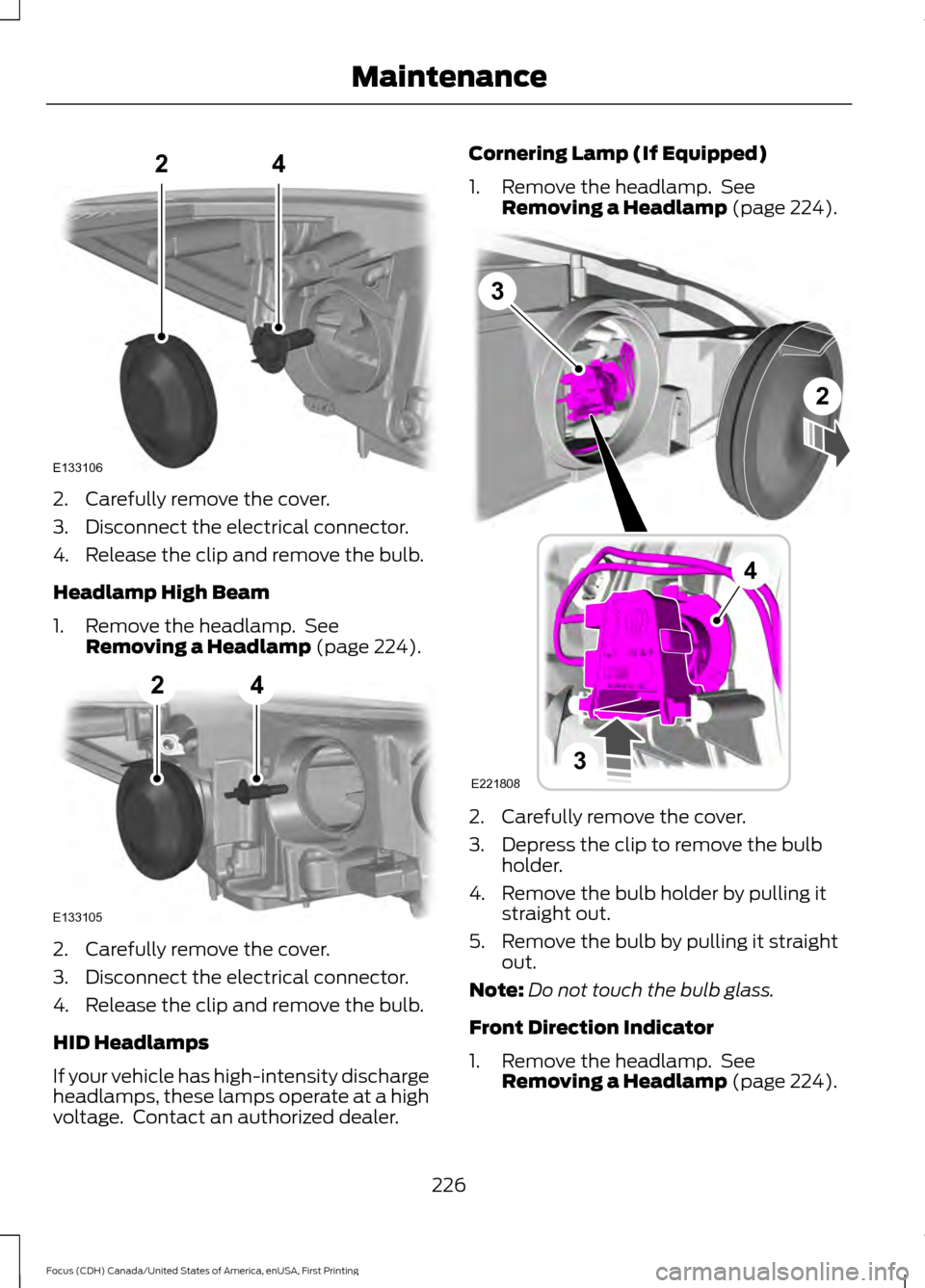
2. Carefully remove the cover.
3. Disconnect the electrical connector.
4. Release the clip and remove the bulb.
Headlamp High Beam
1. Remove the headlamp. See
Removing a Headlamp (page 224). 2. Carefully remove the cover.
3. Disconnect the electrical connector.
4. Release the clip and remove the bulb.
HID Headlamps
If your vehicle has high-intensity discharge
headlamps, these lamps operate at a high
voltage. Contact an authorized dealer. Cornering Lamp (If Equipped)
1. Remove the headlamp. See
Removing a Headlamp
(page 224). 2. Carefully remove the cover.
3. Depress the clip to remove the bulb
holder.
4. Remove the bulb holder by pulling it straight out.
5. Remove the bulb by pulling it straight out.
Note: Do not touch the bulb glass.
Front Direction Indicator
1. Remove the headlamp. See Removing a Headlamp
(page 224).
226
Focus (CDH) Canada/United States of America, enUSA, First Printing MaintenanceE133106
24 E133105
24 3
2
3
4
E221808
Page 230 of 385
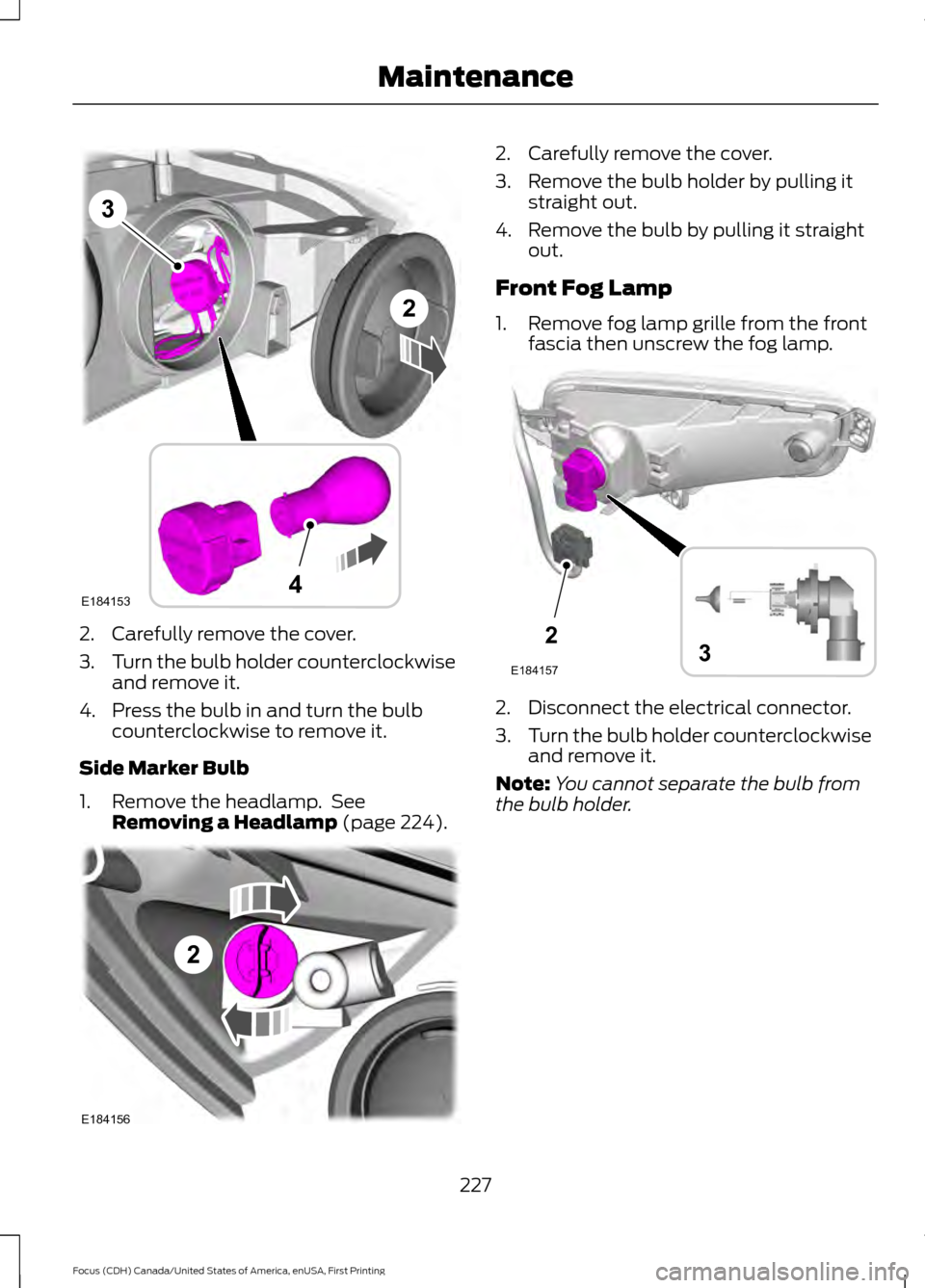
2. Carefully remove the cover.
3.
Turn the bulb holder counterclockwise
and remove it.
4. Press the bulb in and turn the bulb counterclockwise to remove it.
Side Marker Bulb
1. Remove the headlamp. See Removing a Headlamp (page 224). 2. Carefully remove the cover.
3. Remove the bulb holder by pulling it
straight out.
4. Remove the bulb by pulling it straight out.
Front Fog Lamp
1. Remove fog lamp grille from the front fascia then unscrew the fog lamp. 2. Disconnect the electrical connector.
3.
Turn the bulb holder counterclockwise
and remove it.
Note: You cannot separate the bulb from
the bulb holder.
227
Focus (CDH) Canada/United States of America, enUSA, First Printing MaintenanceE184153
3
4
2 2
E184156 2
E1841573