2016 FORD F150 bulb
[x] Cancel search: bulbPage 7 of 505

Pro Trailer Backup Assist™......................253
Trailer Sway Control...................................262
Recommended Towing Weights...........262
Essential Towing Checks
..........................269
Towing Points
................................................276
Transporting the Vehicle............................277
Towing the Vehicle on Four Wheels......278
Driving Hints
Breaking-In......................................................281
Economical Driving
......................................281
Driving Through Water
...............................282
Floor Mats
.......................................................282
Snowplowing................................................283
Roadside Emergencies
Roadside Assistance..................................286
Hazard Warning Flashers
..........................287
Fuel Shutoff
...................................................287
Jump Starting the Vehicle........................288
Post-Crash Alert System
..........................290
Customer Assistance
Getting the Services You Need................291
In California (U.S. Only)
.............................292
The Better Business Bureau (BBB) Auto Line Program (U.S. Only)
.....................293
Utilizing the Mediation/Arbitration Program (Canada Only).......................294
Getting Assistance Outside the U.S. and Canada........................................................294
Ordering Additional Owner's Literature....................................................295
Reporting Safety Defects (U.S. Only)............................................................296
Reporting Safety Defects (Canada Only)............................................................296
Fuses
Fuse Specification Chart..........................298
Changing a Fuse
..........................................306 Maintenance
General Information
...................................307
Opening and Closing the Hood..............307
Under Hood Overview - 2.7L EcoBoost™...............................................308
Under Hood Overview - 3.5L Ecoboost™...............................................309
Under Hood Overview - 3.5L....................310
Under Hood Overview - 5.0L.....................311
Engine Oil Dipstick........................................312
Engine Oil Check...........................................312
Engine Coolant Check.................................313
Automatic Transmission Fluid Check.............................................................317
Transfer Case Fluid Check.........................317
Brake Fluid Check.........................................318
Power Steering Fluid Check.....................318
Washer Fluid Check
.....................................318
Fuel Filter
.........................................................318
Changing the 12V Battery..........................318
Checking the Wiper Blades
.....................320
Changing the Wiper Blades
.....................320
Adjusting the Headlamps..........................321
Changing a Bulb...........................................322
Bulb Specification Chart...........................327
Changing the Engine Air Filter................329
Vehicle Care
General Information
...................................330
Cleaning Products
.......................................330
Cleaning the Exterior..................................330
Waxing..............................................................331
Cleaning the Engine
....................................332
Cleaning the Windows and Wiper Blades..........................................................332
Cleaning the Interior...................................333
Cleaning the Instrument Panel and Instrument Cluster Lens........................333
Cleaning Leather Seats.............................334
Repairing Minor Paint Damage...............335
4
F-150 (TFC) Canada/United States of America, enUSA, Edition date: 08/2015, First Printing Table of Contents
Page 107 of 505

Battery
If it illuminates while driving, it
indicates a malfunction. Switch
off all unnecessary electrical
equipment and have the system checked
by an authorized dealer immediately.
Blind Spot Monitor (If Equipped) It will illuminate when you switch
this feature off or in conjunction
with a message. See Blind Spot
Information System
(page 232).
Brake System It will illuminate when you
engage the parking brake with
the ignition on.
If it illuminates when you are driving, check
that you do not have the parking brake
engaged. If you do not have the parking
brake engaged, this indicates low brake
fluid level or a brake system malfunction.
Have the system checked immediately by
an authorized dealer. WARNING
Driving your vehicle with the warning
lamp on is dangerous. A significant
decrease in braking performance
may occur. It will take you longer to stop
your vehicle. Have your vehicle checked by
your authorized dealer immediately. Driving
extended distances with the parking brake
engaged can cause brake failure and the
risk of personal injury. Check 4X4
(If Equipped)
Illuminates with the message
CHECK 4X4 when a four-wheel
drive fault is present. See
Using
Four-Wheel Drive (page 188). Cruise Control
(If Equipped) Illuminates gray or green when
you switch this feature on. See
Using Cruise Control
(page
220).
Direction Indicator Illuminates when the left or right
turn signal or the hazard warning
flasher is turned on. If the
indicators stay on or flash faster, check for
a burned out bulb.
Door Ajar Displays when the ignition is on
and any door is not completely
closed.
Electronic Locking Differential Illuminates when using the
electronic locking differential.
Electric Park Brake It will illuminate or flash when
the electric parking brake has a
malfunction. See
Electric
Parking Brake (page 199).
Engine Coolant Temperature Illuminates when the engine
coolant temperature is high.
Stop the vehicle as soon as
possible, switch off the engine and let cool.
See
Engine Coolant Check (page 313).
104
F-150 (TFC) Canada/United States of America, enUSA, Edition date: 08/2015, First Printing Instrument Cluster E151262 E144522 E71340 E163170 E146190
Page 109 of 505

It will also illuminate momentarily when
you switch the ignition on to confirm the
lamp is functional. If it does not illuminate
when you switch the ignition on, or begins
to flash at any time, have the system
checked by your authorized dealer.
Parking Lamps
It will illuminate when you switch
the parking lamps on.
Powertrain Malfunction/Reduced
Power/Electronic Throttle Control Illuminates when the system has
detected a powertrain or an
all-wheel drive fault. Contact an
authorized dealer as soon as possible.
Service Engine Soon If the service engine soon
indicator light stays illuminated
after you start the engine, it
indicates that the On Board Diagnostics
system (OBD) has detected a malfunction
of your vehicle emissions control system.
Refer to On board diagnostics (OBD) in
the Fuel and Refueling chapter for more
information about having your vehicle
serviced. See Emission Control System
(page 179).
If the light is blinking, engine misfire is
occurring which could damage your
catalytic converter. Drive in a moderate
fashion (avoid heavy acceleration and
deceleration) and have your vehicle
serviced immediately. WARNING
Under engine misfire conditions,
excessive exhaust temperatures
could damage the catalytic
converter, the fuel system, interior floor
coverings or other vehicle components,
possibly causing a fire. Have an authorized
dealer service your vehicle immediately. When you first switch the ignition on,
before engine start, the service engine soon
indicator light illuminates to check the bulb
and to indicate whether your vehicle is
ready for inspection maintenance testing.
Normally, the service engine soon light will
stay on until you crank the engine, and then
turn itself off if no malfunctions are
present. However, if after 15 seconds the
service engine soon light blinks eight times,
it means that your vehicle is not ready for
inspection maintenance testing. See
Emission Control System
(page 179).
Sport Mode Illuminates when you switch the
sport mode on.
Traction and Stability Control Illuminates when the system is
active. If it remains illuminated
or does not illuminate when you
switch the ignition on, this indicates a
malfunction. During a malfunction the
system will switch off. Have the system
checked by an authorized dealer
immediately. See
Using Stability
Control (page 205).
Traction and Stability Control Off Illuminates when you switch the
system off. It will go out when
you switch the system back on
or when you switch the ignition off. See
Using Stability Control
(page 205).
106
F-150 (TFC) Canada/United States of America, enUSA, Edition date: 08/2015, First Printing Instrument Cluster E176099 E138639
Page 184 of 505

•
the fuel fill inlet may not have closed
properly. See Refueling (page 177).
• driving through deep water —the
electrical system may be wet.
You can correct these temporary
malfunctions by filling the fuel tank with
good quality fuel, properly closing the fuel
fill inlet or letting the electrical system dry
out. After three driving cycles without these
or any other temporary malfunctions
present, the service engine soon indicator
should stay off the next time you start the
engine. A driving cycle consists of a cold
engine startup followed by mixed
city/highway driving. No additional vehicle
service is required.
If the service engine soon indicator remains
on, have your vehicle serviced at the first
available opportunity. Although some
malfunctions detected by the OBD-II may
not have symptoms that are apparent,
continued driving with the service engine
soon indicator on can result in increased
emissions, lower fuel economy, reduced
engine and transmission smoothness, and
lead to more costly repairs.
Readiness for
Inspection/Maintenance (I/M)
Testing
Some state/provincial and local
governments may have
Inspection/Maintenance (I/M) programs
to inspect the emission control equipment
on your vehicle. Failure to pass this
inspection could prevent you from getting
a vehicle registration. If the service engine soon
indicator is on or the bulb does
not work, you may need to have
the vehicle serviced. See On-Board
Diagnostics (OBD-II). Your vehicle may not pass the I/M test if
the service engine soon indicator is on or
not working properly (bulb is burned out),
or if the OBD-II system has determined
that some of the emission control systems
have not been properly checked. In this
case, your vehicle is not ready for I/M
testing.
If the vehicle
’s engine or transmission has
just been serviced, or the battery has
recently run down or been replaced, the
OBD-II system may indicate that the
vehicle is not ready for I/M testing. To
determine if the vehicle is ready for I/M
testing, turn the ignition key to the on
position for 15 seconds without cranking
the engine. If the service engine soon
indicator blinks eight times, it means that
the vehicle is not ready for I/M testing; if
the service engine soon indicator stays on
solid, it means that the vehicle is ready for
I/M testing.
The OBD-II system monitors the emission
control system during normal driving. A
complete check may take several days. If
the vehicle is not ready for I/M testing, you
may need to perform the following driving
cycle consisting of mixed city and highway
driving:
Drive on an expressway or highway for a
steady 15 minutes, followed by 20 minutes
of stop-and-go driving with at least four
30-second idle periods.
Allow the vehicle to sit for at least eight
hours without starting the engine. Then,
start the engine and complete the above
driving cycle. The engine must warm up to
its normal operating temperature. Once
started, do not turn off the engine until the
above driving cycle is complete. If the
vehicle is still not ready for I/M testing, you
will have to repeat the above driving cycle.
181
F-150 (TFC) Canada/United States of America, enUSA, Edition date: 08/2015, First Printing Fuel and Refueling
Page 208 of 505
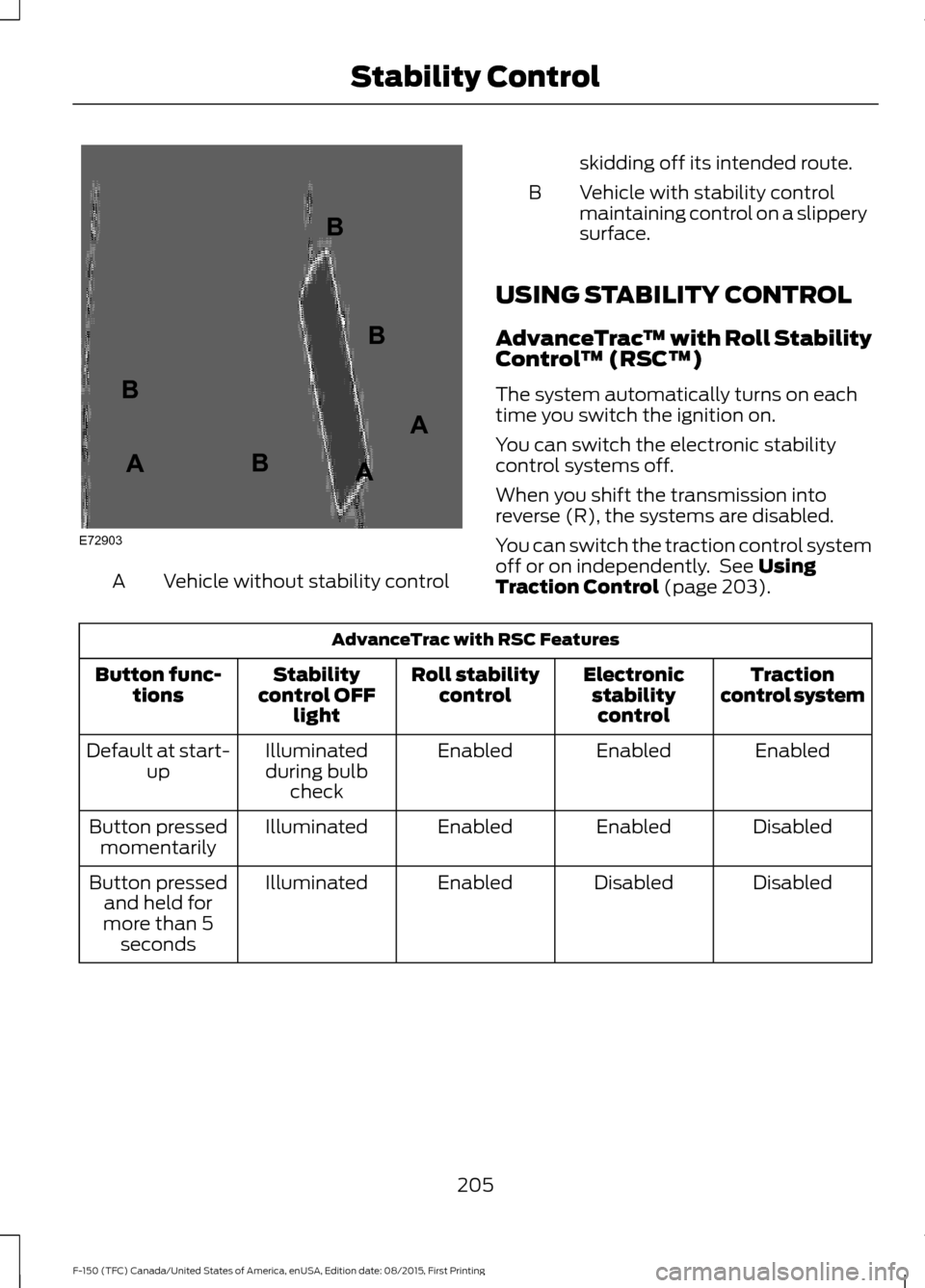
Vehicle without stability control
A skidding off its intended route.
Vehicle with stability control
maintaining control on a slippery
surface.
B
USING STABILITY CONTROL
AdvanceTrac ™ with Roll Stability
Control ™ (RSC™)
The system automatically turns on each
time you switch the ignition on.
You can switch the electronic stability
control systems off.
When you shift the transmission into
reverse (R), the systems are disabled.
You can switch the traction control system
off or on independently. See Using
Traction Control (page 203). AdvanceTrac with RSC Features
Traction
control system
Electronic
stabilitycontrol
Roll stability
control
Stability
control OFF light
Button func-
tions
Enabled
Enabled
Enabled
Illuminated
during bulb check
Default at start-
up
Disabled
Enabled
Enabled
Illuminated
Button pressed
momentarily
Disabled
Disabled
Enabled
Illuminated
Button pressed
and held for
more than 5 seconds
205
F-150 (TFC) Canada/United States of America, enUSA, Edition date: 08/2015, First Printing Stability ControlE72903A
AA
B
BB
B
Page 325 of 505
2. Measure the height from the center of
your headlamp (indicated by a 3.0
millimeter circle on the lens) to the
ground and mark an 8 foot (2.4 meter)
horizontal reference line on the vertical
wall or screen at this height (a piece of
masking tape works well).
Note: To see a clearer light pattern for
adjusting, you may want to block the light
from one headlamp while adjusting the
other.
3. Switch on the low beam headlamps to
illuminate the wall or screen and open
the hood. Cover one of the headlamps
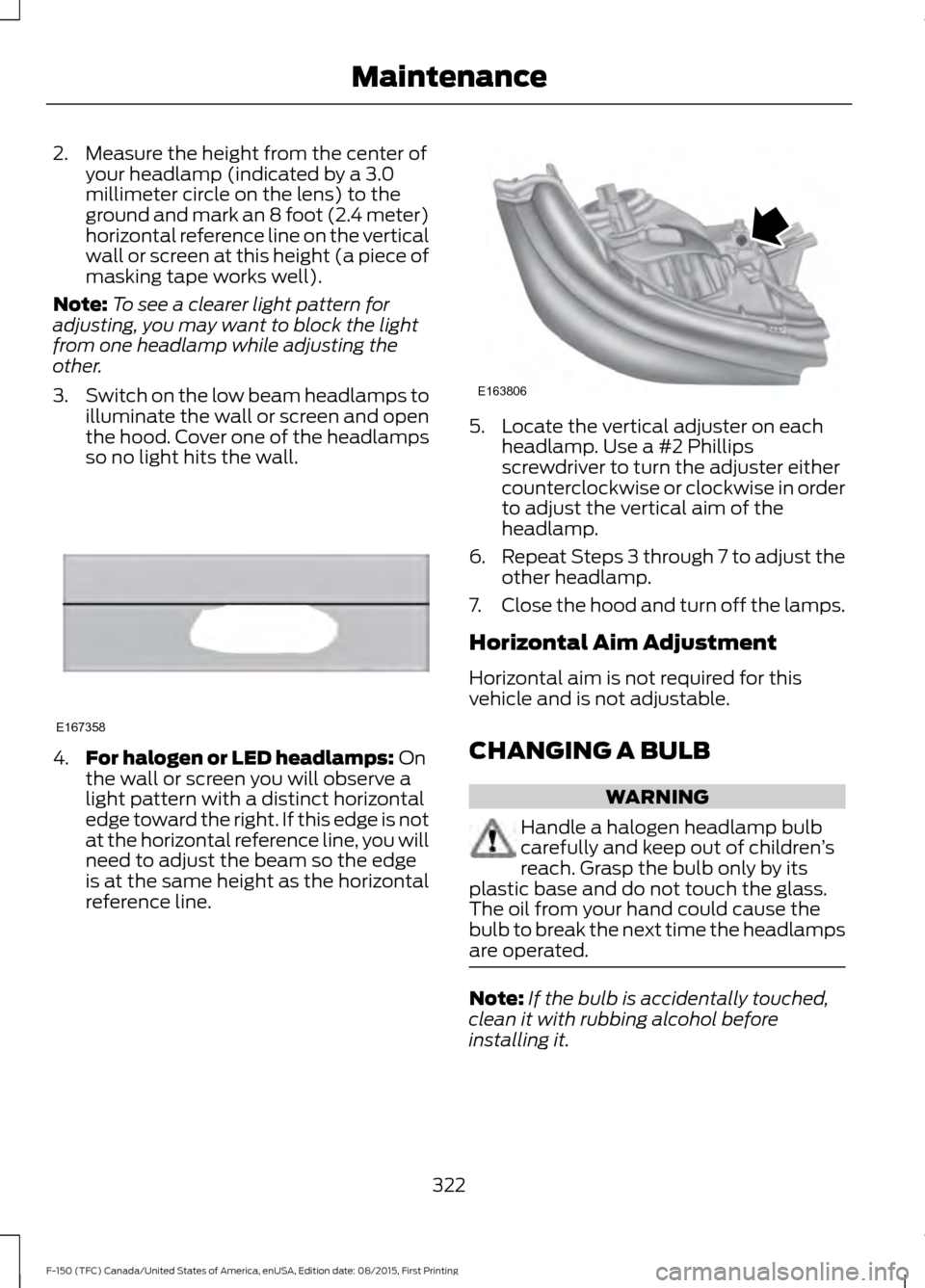
so no light hits the wall. 4.
For halogen or LED headlamps: On
the wall or screen you will observe a
light pattern with a distinct horizontal
edge toward the right. If this edge is not
at the horizontal reference line, you will
need to adjust the beam so the edge
is at the same height as the horizontal
reference line. 5. Locate the vertical adjuster on each
headlamp. Use a #2 Phillips
screwdriver to turn the adjuster either
counterclockwise or clockwise in order
to adjust the vertical aim of the
headlamp.
6. Repeat Steps 3 through 7 to adjust the
other headlamp.
7. Close the hood and turn off the lamps.
Horizontal Aim Adjustment
Horizontal aim is not required for this
vehicle and is not adjustable.
CHANGING A BULB WARNING
Handle a halogen headlamp bulb
carefully and keep out of children
’s
reach. Grasp the bulb only by its
plastic base and do not touch the glass.
The oil from your hand could cause the
bulb to break the next time the headlamps
are operated. Note:
If the bulb is accidentally touched,
clean it with rubbing alcohol before
installing it.
322
F-150 (TFC) Canada/United States of America, enUSA, Edition date: 08/2015, First Printing MaintenanceE167358 E163806
Page 326 of 505
Lamp Assembly Condensation
Exterior lamps are vented to
accommodate normal changes in pressure.
Condensation can be a natural by-product
of this design. When moist air enters the
lamp assembly through the vents, there is
a possibility that condensation can occur
when the temperature is cold. When
normal condensation occurs, a thin film of
mist can form on the interior of the lens.
The thin mist eventually clears and exits
through the vents during normal operation.
Clearing time may take as long as 48 hours
under dry weather conditions.
Examples of acceptable condensation are:
•
Presence of thin mist (no streaks, drip
marks or droplets).
• Fine mist covers less than 50% of the
lens.
Examples of unacceptable moisture
(usually caused by a lamp water leak) are:
• Water puddle inside the lamp.
• Large water droplets, drip marks or
streaks present on the interior of the
lens.
Take your vehicle to a dealer for service if
any of the above conditions of
unacceptable moisture are present.
Accessing the Halogen High Beam,
Low Beam and Direction Indicator
Bulbs
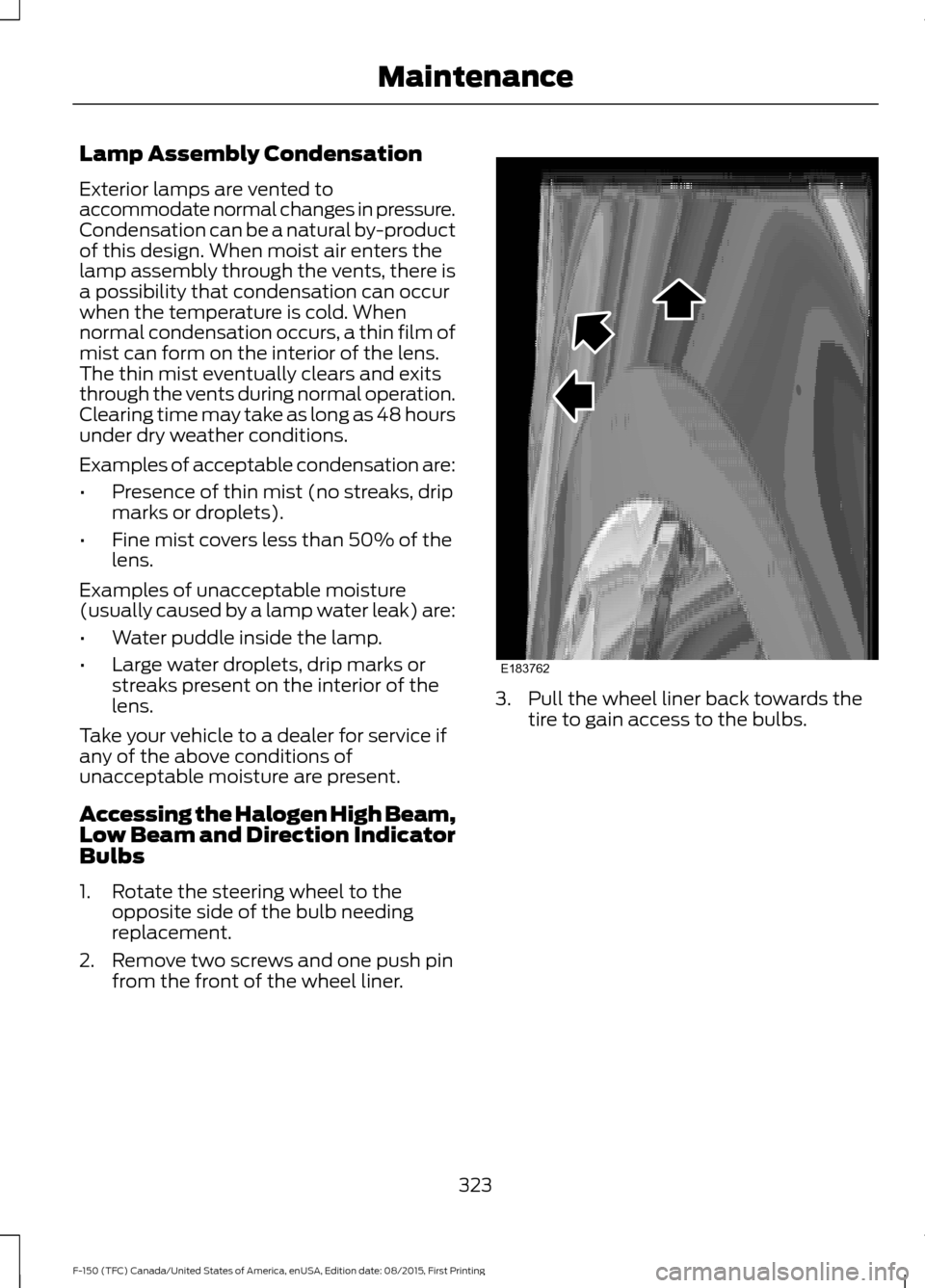
1. Rotate the steering wheel to the opposite side of the bulb needing
replacement.
2. Remove two screws and one push pin from the front of the wheel liner. 3. Pull the wheel liner back towards the
tire to gain access to the bulbs.
323
F-150 (TFC) Canada/United States of America, enUSA, Edition date: 08/2015, First Printing MaintenanceE183762
Page 327 of 505
Replacing the Halogen High Beam,
Low Beam and Direction Indicator
Bulbs
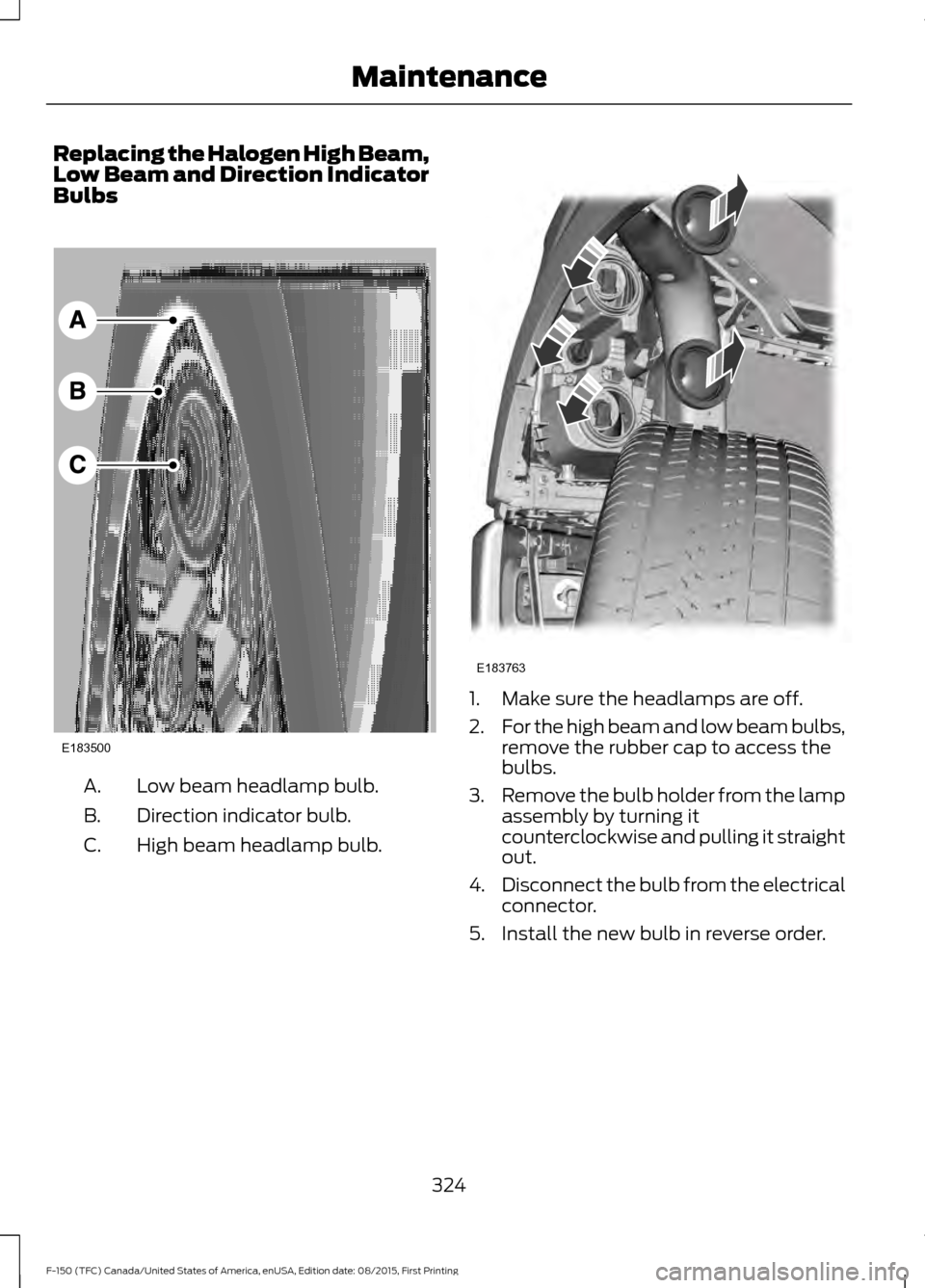
Low beam headlamp bulb.
A.
Direction indicator bulb.
B.
High beam headlamp bulb.
C. 1. Make sure the headlamps are off.
2.
For the high beam and low beam bulbs,
remove the rubber cap to access the
bulbs.
3. Remove the bulb holder from the lamp
assembly by turning it
counterclockwise and pulling it straight
out.
4. Disconnect the bulb from the electrical
connector.
5. Install the new bulb in reverse order.
324
F-150 (TFC) Canada/United States of America, enUSA, Edition date: 08/2015, First Printing MaintenanceE183500 E183763