2016 FORD EXPLORER USB port
[x] Cancel search: USB portPage 429 of 541

Wireless and Internet
Your system has a Wi-Fi feature that
creates a wireless network within your
vehicle, thereby allowing other devices
(such as personal computers or phones)
in your vehicle to speak to each other,
share files or play games. Using this Wi-Fi
feature, everyone in your vehicle can also
access the internet if you have a USB
mobile broadband connection inside your
vehicle, your phone supports personal area
networking or if you park outside a wireless
hotspot.
To make adjustments using the touchscreen, select: Action and Description
Menu Item
Press the settings icon.
Settings
Wireless & Internet
Then select from the following:
Wi-Fi Network (Client) Mode
Wi-Fi Settings
Turns the Wi-Fi feature on and off in your vehicle. Make sure
you switch it on for connectivity purposes.
Choose a Wireless Network
Allows you to use a previously stored wireless network. You
can categorize by alphabetical listing, priority and signal
strength. You can also choose to search for a network,
connect to a network, disconnect from a network, receive
more information, prioritize a network or delete a network.
Gateway (Access Point) Mode
Makes SYNC an access point for a phone or a computer when
turned on. This forms the local area network within your
vehicle for things, such as game playing, file transfer and
internet browsing. Press ? for more information.
Gateway (Access Point) Settings
Allows you to view and change settings for using SYNC as
the internet gateway.
Gateway (Access Point) Devices List
Allows you to view recent connections to your Wi-Fi system.
426
Explorer (TUB), enUSA, First Printing MyFord Touch
™
(If Equipped)
Page 444 of 541
To adjust the Sound Settings, select:
Menu Item
Options
Sound Settings
Then any of the following:
Bass
Midrange
Treble
Set Balance and Fade
Occupancy Mode
EQ Mode
Speed Compensated Volume
Note: Your vehicle may not have all these
sound settings.
CD Voice Commands If you are listening to a CD, press
the voice button on the steering
wheel controls. When prompted,
say any of the following commands. If you are not listening to a CD, press
the voice button and, after the tone,
say: Voice command
CD Player
When listening to a CD you can say
many commands. Following are a few
examples of what you can say. Voice command
Play
Pause
Next Track
Previous Track
Help
* This applies to WMA or MP3 files only.
SD Card Slot and USB Port
The SD card slot and USB port are located
in the Media Hub. See Media Hub (page
367).
SD Card
Note: Your SD card slot is spring-loaded.
To remove the SD card, press the card in
and the system ejects it. Do not attempt to
pull the card to remove it as this could cause
damage.
Note: The navigation system also uses this
card slot. See
Navigation (page 466).
441
Explorer (TUB), enUSA, First Printing MyFord Touch
™
(If Equipped)E142599
Page 445 of 541
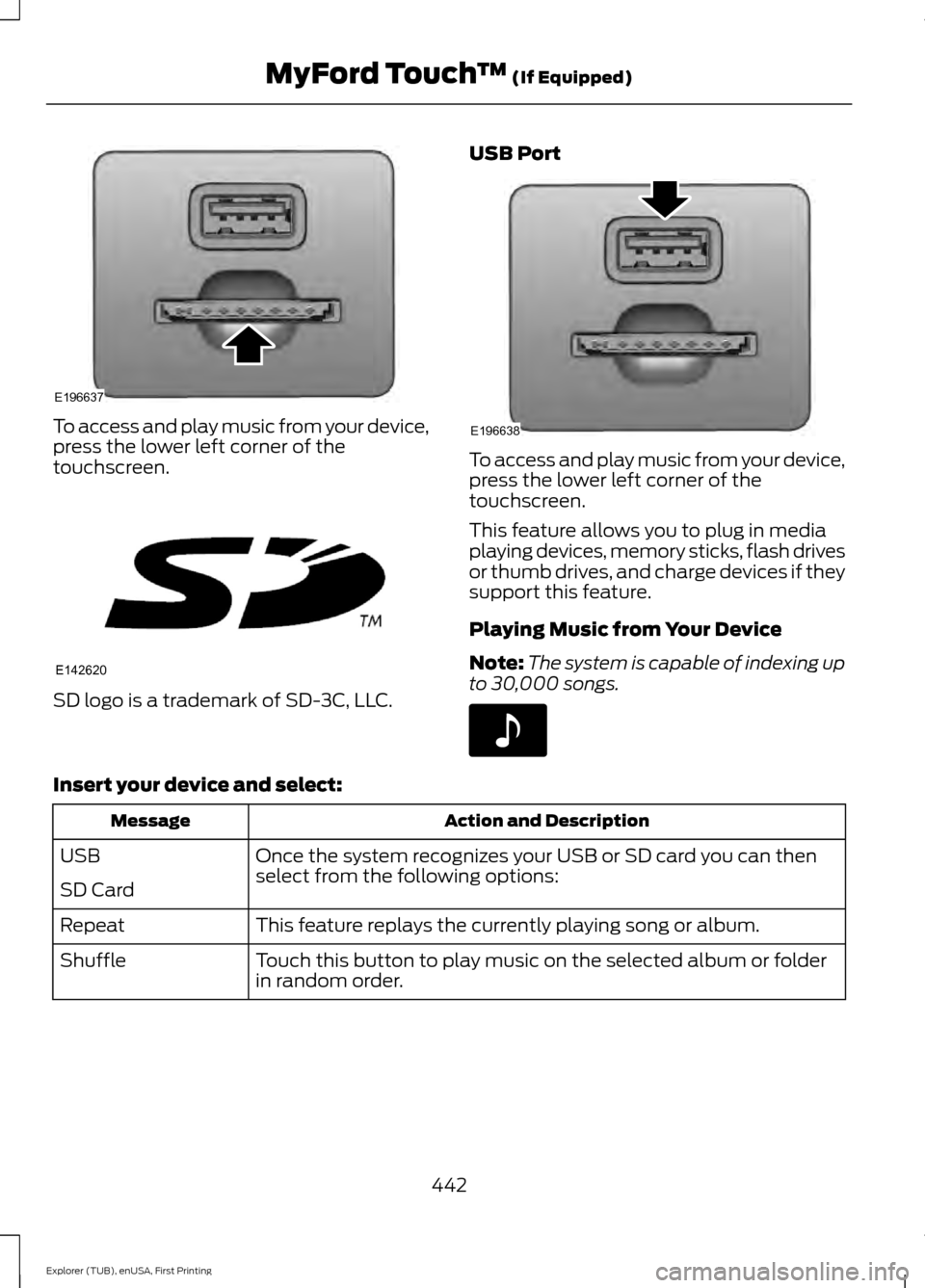
To access and play music from your device,
press the lower left corner of the
touchscreen.
SD logo is a trademark of SD-3C, LLC. USB Port To access and play music from your device,
press the lower left corner of the
touchscreen.
This feature allows you to plug in media
playing devices, memory sticks, flash drives
or thumb drives, and charge devices if they
support this feature.
Playing Music from Your Device
Note:
The system is capable of indexing up
to 30,000 songs. Insert your device and select:
Action and Description
Message
Once the system recognizes your USB or SD card you can then
select from the following options:
USB
SD Card
This feature replays the currently playing song or album.
Repeat
Touch this button to play music on the selected album or folder
in random order.
Shuffle
442
Explorer (TUB), enUSA, First Printing MyFord Touch
™ (If Equipped)E196637 E142620 E196638 E142611
Page 448 of 541
Supported Media Players, Formats
and Metadata Information
SYNC is capable of hosting nearly any
digital media player, including iPod,
Zune
™, plays from device players, and
most USB drives. Supported audio formats
include MP3, WMA, WAV and AAC.
It is also able to organize your indexed
media from your playing device by
metadata tags. Metadata tags, which are
descriptive software identifiers embedded
in the media files, provide information
about the file.
If your indexed media files contain no
information embedded in these metadata
tags, SYNC may classify the empty
metadata tags as unknown. Bluetooth Audio The system allows you to stream
audio over your vehicle's
speakers from your connected,
Bluetooth-enabled cell phone.
To access, press the lower left corner
on the touchscreen, then select: Message
BT Stereo
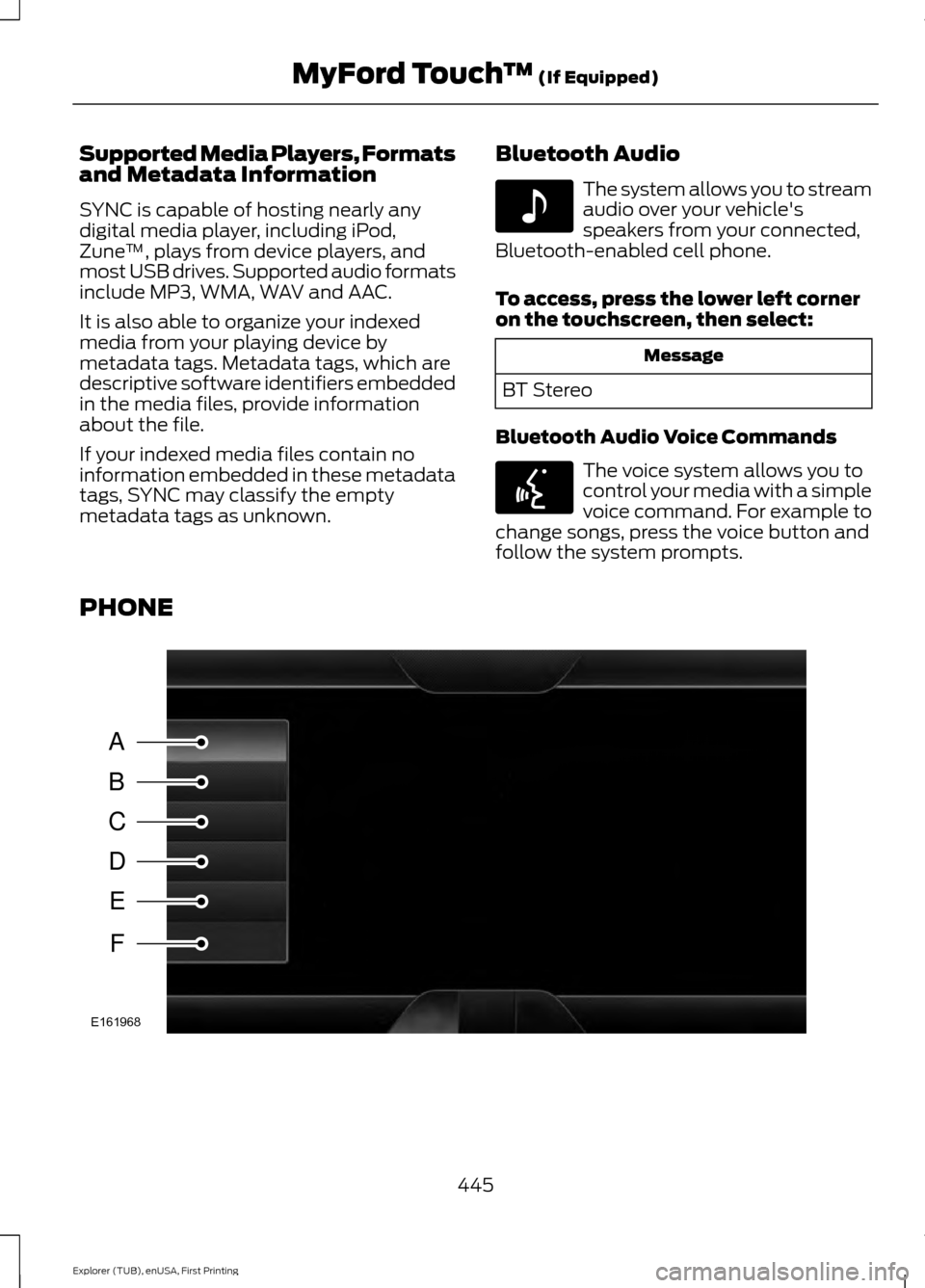
Bluetooth Audio Voice Commands The voice system allows you to
control your media with a simple
voice command. For example to
change songs, press the voice button and
follow the system prompts.
PHONE 445
Explorer (TUB), enUSA, First Printing MyFord Touch
™ (If Equipped)E142611 E142599 A
B
C
D
E
F
E161968
Page 481 of 541
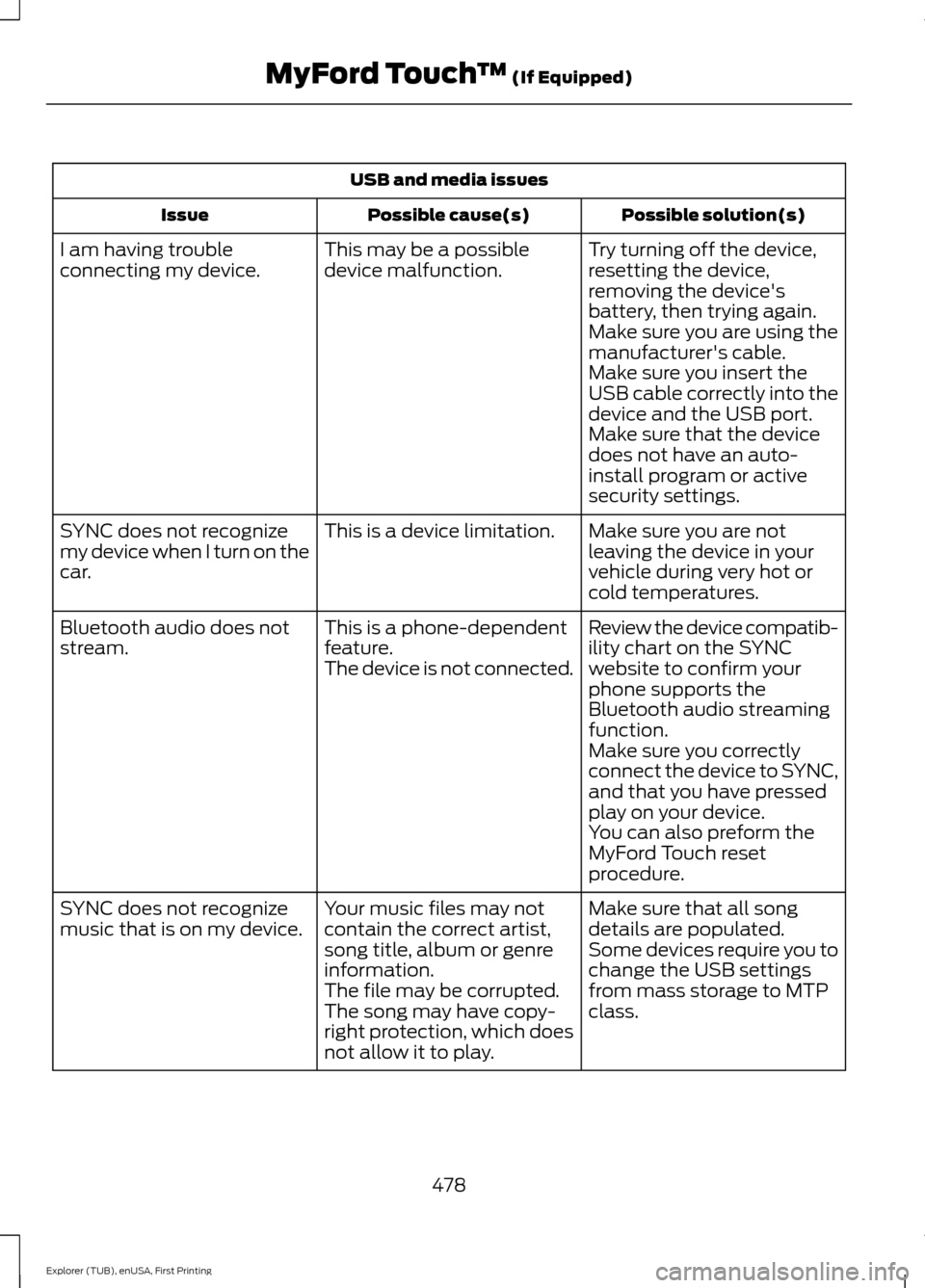
USB and media issues
Possible solution(s)
Possible cause(s)
Issue
Try turning off the device,
resetting the device,
removing the device's
battery, then trying again.
This may be a possible
device malfunction.
I am having trouble
connecting my device.
Make sure you are using the
manufacturer's cable.
Make sure you insert the
USB cable correctly into the
device and the USB port.
Make sure that the device
does not have an auto-
install program or active
security settings.
Make sure you are not
leaving the device in your
vehicle during very hot or
cold temperatures.
This is a device limitation.
SYNC does not recognize
my device when I turn on the
car.
Review the device compatib-
ility chart on the SYNC
website to confirm your
phone supports the
Bluetooth audio streaming
function.
This is a phone-dependent
feature.
The device is not connected.
Bluetooth audio does not
stream.
Make sure you correctly
connect the device to SYNC,
and that you have pressed
play on your device.
You can also preform the
MyFord Touch reset
procedure.
Make sure that all song
details are populated.
Your music files may not
contain the correct artist,
song title, album or genre
information.
SYNC does not recognize
music that is on my device.
Some devices require you to
change the USB settings
from mass storage to MTP
class.
The file may be corrupted.
The song may have copy-
right protection, which does
not allow it to play.
478
Explorer (TUB), enUSA, First Printing MyFord Touch
™ (If Equipped)
Page 533 of 541
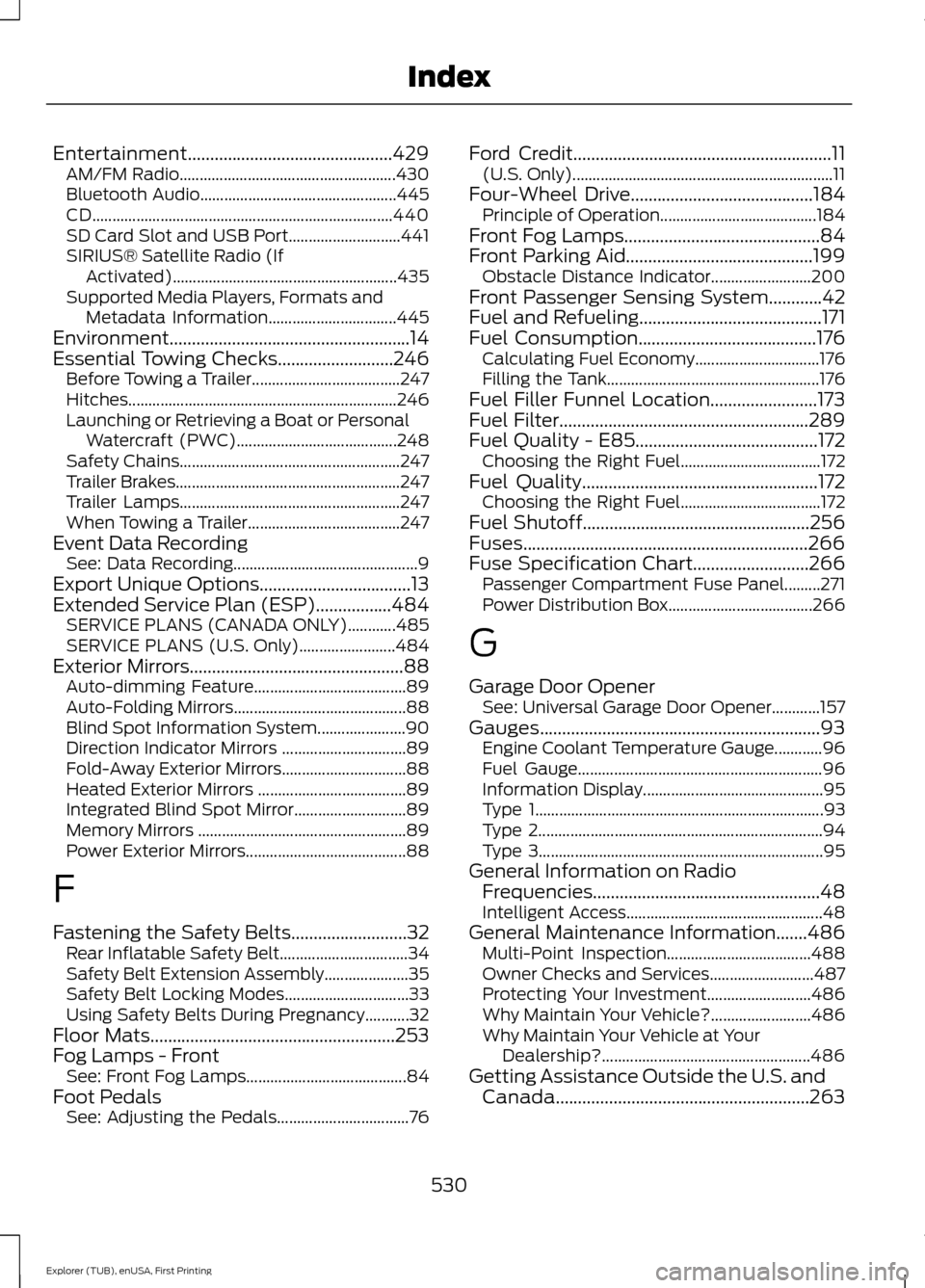
Entertainment..............................................429
AM/FM Radio...................................................... 430
Bluetooth Audio................................................. 445
CD........................................................................\
... 440
SD Card Slot and USB Port............................ 441
SIRIUS® Satellite Radio (If Activated)........................................................ 435
Supported Media Players, Formats and Metadata Information................................ 445
Environment......................................................14
Essential Towing Checks..........................246 Before Towing a Trailer..................................... 247
Hitches................................................................... 246
Launching or Retrieving a Boat or Personal Watercraft (PWC)........................................ 248
Safety Chains....................................................... 247
Trailer Brakes........................................................ 247
Trailer Lamps....................................................... 247
When Towing a Trailer...................................... 247
Event Data Recording See: Data Recording.............................................. 9
Export Unique Options..................................13
Extended Service Plan (ESP).................484 SERVICE PLANS (CANADA ONLY)............485
SERVICE PLANS (U.S. Only)........................ 484
Exterior Mirrors................................................88
Auto-dimming Feature...................................... 89
Auto-Folding Mirrors........................................... 88
Blind Spot Information System...................... 90
Direction Indicator Mirrors ............................... 89
Fold-Away Exterior Mirrors............................... 88
Heated Exterior Mirrors ..................................... 89
Integrated Blind Spot Mirror............................ 89
Memory Mirrors .................................................... 89
Power Exterior Mirrors........................................ 88
F
Fastening the Safety Belts..........................32 Rear Inflatable Safety Belt................................ 34
Safety Belt Extension Assembly..................... 35
Safety Belt Locking Modes............................... 33
Using Safety Belts During Pregnancy...........32
Floor Mats
.......................................................253
Fog Lamps - Front See: Front Fog Lamps........................................ 84
Foot Pedals See: Adjusting the Pedals................................. 76Ford Credit
..........................................................11
(U.S. Only)................................................................. 11
Four-Wheel Drive
.........................................184
Principle of Operation.......................................184
Front Fog Lamps............................................84
Front Parking Aid
..........................................199
Obstacle Distance Indicator......................... 200
Front Passenger Sensing System............42
Fuel and Refueling.........................................171
Fuel Consumption
........................................176
Calculating Fuel Economy............................... 176
Filling the Tank..................................................... 176
Fuel Filler Funnel Location........................173
Fuel Filter........................................................289
Fuel Quality - E85.........................................172 Choosing the Right Fuel................................... 172
Fuel Quality.....................................................172 Choosing the Right Fuel................................... 172
Fuel Shutoff...................................................256
Fuses................................................................266
Fuse Specification Chart..........................266 Passenger Compartment Fuse Panel.........271
Power Distribution Box.................................... 266
G
Garage Door Opener See: Universal Garage Door Opener............157
Gauges...............................................................93 Engine Coolant Temperature Gauge............96
Fuel Gauge............................................................. 96
Information Display............................................. 95
Type 1........................................................................\
93
Type 2....................................................................... 94
Type 3....................................................................... 95
General Information on Radio Frequencies...................................................48
Intelligent Access................................................. 48
General Maintenance Information
.......486
Multi-Point Inspection.................................... 488
Owner Checks and Services.......................... 487
Protecting Your Investment.......................... 486
Why Maintain Your Vehicle?......................... 486
Why Maintain Your Vehicle at Your Dealership?.................................................... 486
Getting Assistance Outside the U.S. and Canada.........................................................263
530
Explorer (TUB), enUSA, First Printing Index
Page 539 of 541

Tire Care...........................................................310
Glossary of Tire Terminology........................... 311
Information About Uniform Tire Quality Grading.............................................................. 310
Information Contained on the Tire Sidewall............................................................. 312
Temperature A B C.............................................. 311
Traction AA A B C............................................... 310
Treadwear............................................................. 310
Tire Pressure Monitoring System...........325 Changing Tires With a Tire Pressure
Monitoring System....................................... 326
Understanding Your Tire Pressure Monitoring System ...................................... 326
Tires See: Wheels and Tires..................................... 307
Towing a Trailer.............................................243 Load Placement................................................. 243
Towing the Vehicle on Four Wheels - 2.3L EcoBoost™
.......................................249
Emergency Towing............................................ 249
Recreational Towing......................................... 249
Towing the Vehicle on Four Wheels - 3.5L Duratec/3.5L Ecoboost™
...........250
Emergency Towing............................................ 250
Recreational Towing......................................... 250
Towing..............................................................243
Traction Control............................................192 Principle of Operation....................................... 192
Trailer Sway Control...................................244
Transmission Code Designation............340
Transmission.................................................180
Transmission See: Transmission.............................................. 180
Transporting the Vehicle
...........................248
U
Under Hood Overview - 2.3L EcoBoost™.................................................278
Under Hood Overview - 3.5L Duratec.........................................................279
Under Hood Overview - 3.5L Ecoboost™.................................................280
Universal Garage Door Opener................157 HomeLink Wireless Control System............157
USB Port..........................................................367 Using Adaptive Cruise Control.................214
Automatic Cancellation.................................... 217
Blocked Sensor.................................................... 218
Canceling the Set Speed................................. 216
Changing the Set Speed................................... 217
Detection Issues.................................................. 217
Following a Vehicle............................................ 215
Hilly Condition Usage......................................... 217
Overriding the System...................................... 216
Resuming the Set Speed.................................. 217
Setting the Adaptive Cruise Speed..............215
Setting the Gap Distance................................ 215
Switching Adaptive Cruise Control Off........................................................................\
217
Switching Adaptive Cruise Control On........................................................................\
214
Switching to Normal Cruise Control............219
System Not Available........................................ 218
Using Cruise Control....................................213 Switching Cruise Control Off.......................... 214
Switching Cruise Control On........................... 213
Using Four-Wheel Drive.............................184 Driving In Special Conditions With
Four-Wheel Drive (4WD)........................... 185
How Your Vehicle Differs From Other Vehicles............................................................. 185
Using Hill Descent Control........................196 Principle of operation....................................... 196
Using hill descent control............................... 196
Using MyKey With Remote Start Systems..........................................................58
Using Snow Chains.....................................324
Using Stability Control...............................194 AdvanceTrac® with Roll Stability Control ™
(RSC®).............................................................. 194
Using Summer Tires...................................323
Using SYNC™ With Your Media Player............................................................389
Accessing Your USB Song Library...............393
Bluetooth Devices and System Settings............................................................ 395
Connecting Your Digital Media Player to the USB Port.......................................................... 389
Media Menu Features...................................... 393
Media Voice Commands................................ 390
USB 2..................................................................... 395
Voice Commands for Audio Sources.........395
536
Explorer (TUB), enUSA, First Printing Index