2016 FORD EXPLORER battery
[x] Cancel search: batteryPage 69 of 541
Press and release the liftgate control
button.
Stopping the Liftgate Movement
You can stop the liftgate movement by
doing any of the following:
•
Pressing the liftgate control button.
• Pressing the liftgate button on the
remote control twice.
• Pressing the liftgate button on the
instrument panel.
• Activating the obstacle detection
feature.
• Moving your foot under and away from
the center rear bumper in a single-kick
motion. *
* This method only works for vehicles with
the hands-free liftgate feature.
Setting the Liftgate Open Height
1. Open the liftgate.
2. Stop the liftgate movement by pressing
the control button on the liftgate when
it reaches the desired height.
Note: Once the liftgate has stopped
moving, you can also manually move it to
the desired height. 3. Press and hold the liftgate control
button on the liftgate until you hear a
chime, indicating programming is
complete.
Note: You can only use the liftgate control
button to program the height.
Note: You cannot program the height if the
liftgate position is too low.
The new open liftgate height is recalled
when the power liftgate is opened. To
change the programmed height, repeat the
above procedure. Once you open the
power liftgate, you can manually move it
to a different height.
Note: The system recalls the new
programmed height until you reprogram it,
even if you disconnect the battery.
When operating the power liftgate after
you have programmed a lower height than
fully open, you can fully open the liftgate
by manually pushing it upward to the
maximum open position.
Obstacle Detection
When Closing
The system stops when it detects an
obstacle. Two short tones sound and the
system reverses to open. Once you remove
the obstacle, you can power close the
liftgate.
Note: Entering your vehicle while the
liftgate is closing can cause your vehicle to
bounce and activate obstacle detection. To
prevent this, let the power liftgate close
completely before you enter your vehicle.
Before driving off, check the instrument
cluster for a liftgate or door ajar message or
warning indicator. Failure to do this could
result in unintentionally leaving the liftgate
open while driving.
66
Explorer (TUB), enUSA, First Printing LocksE138636
Page 85 of 541
INSTRUMENT LIGHTING
DIMMER
Note:
You disable the manual dimmer
when you adjust the setting to Auto
Dimming in the information display. See
Information Displays (page 101).
Note: If you disconnect the battery or it
becomes discharged, the illuminated
components will switch to the maximum
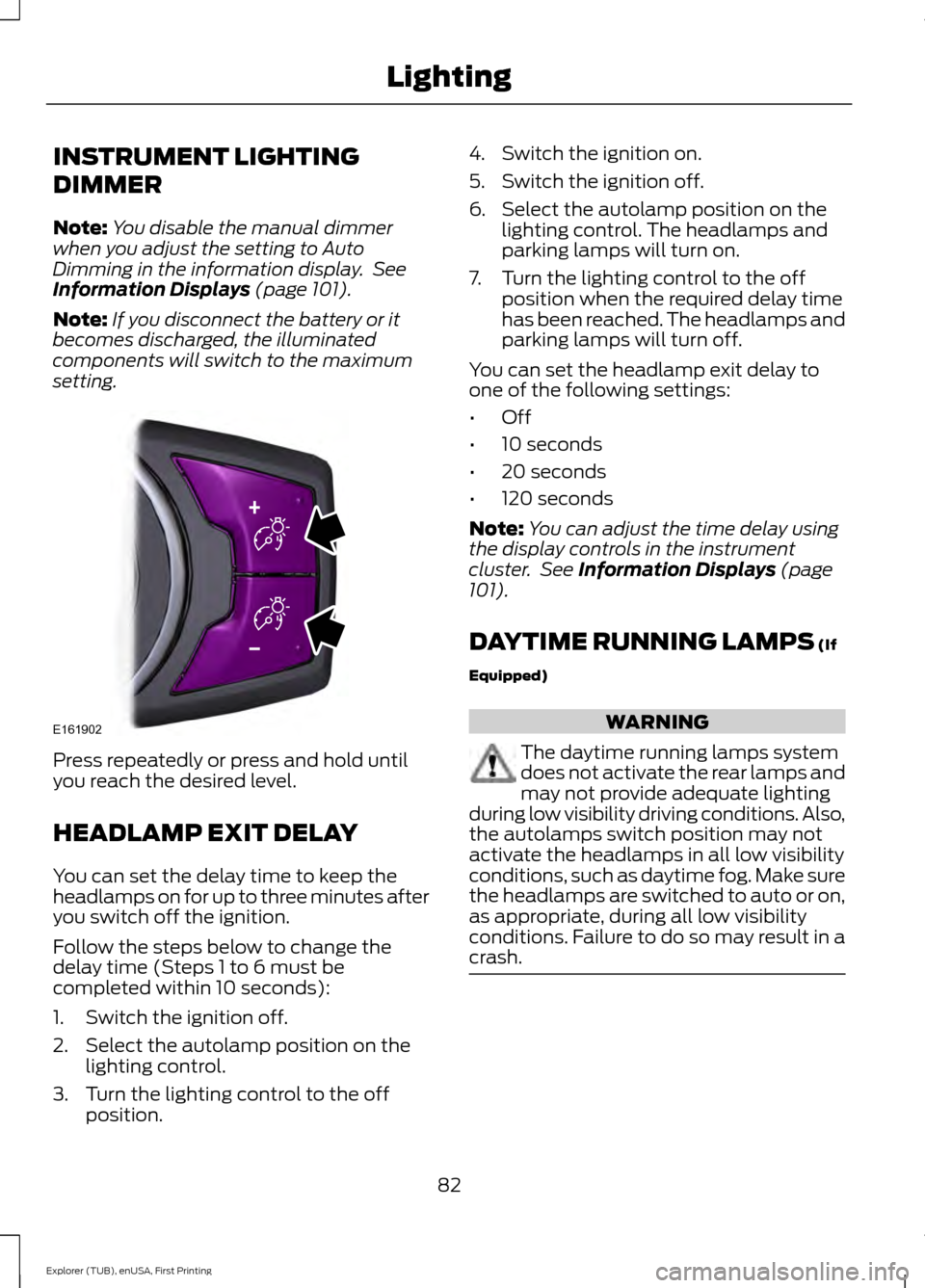
setting. Press repeatedly or press and hold until
you reach the desired level.
HEADLAMP EXIT DELAY
You can set the delay time to keep the
headlamps on for up to three minutes after
you switch off the ignition.
Follow the steps below to change the
delay time (Steps 1 to 6 must be
completed within 10 seconds):
1. Switch the ignition off.
2. Select the autolamp position on the
lighting control.
3. Turn the lighting control to the off position. 4. Switch the ignition on.
5. Switch the ignition off.
6. Select the autolamp position on the
lighting control. The headlamps and
parking lamps will turn on.
7. Turn the lighting control to the off position when the required delay time
has been reached. The headlamps and
parking lamps will turn off.
You can set the headlamp exit delay to
one of the following settings:
• Off
• 10 seconds
• 20 seconds
• 120 seconds
Note: You can adjust the time delay using
the display controls in the instrument
cluster. See
Information Displays (page
101).
DAYTIME RUNNING LAMPS
(If
Equipped) WARNING
The daytime running lamps system
does not activate the rear lamps and
may not provide adequate lighting
during low visibility driving conditions. Also,
the autolamps switch position may not
activate the headlamps in all low visibility
conditions, such as daytime fog. Make sure
the headlamps are switched to auto or on,
as appropriate, during all low visibility
conditions. Failure to do so may result in a
crash. 82
Explorer (TUB), enUSA, First Printing LightingE161902
Page 89 of 541
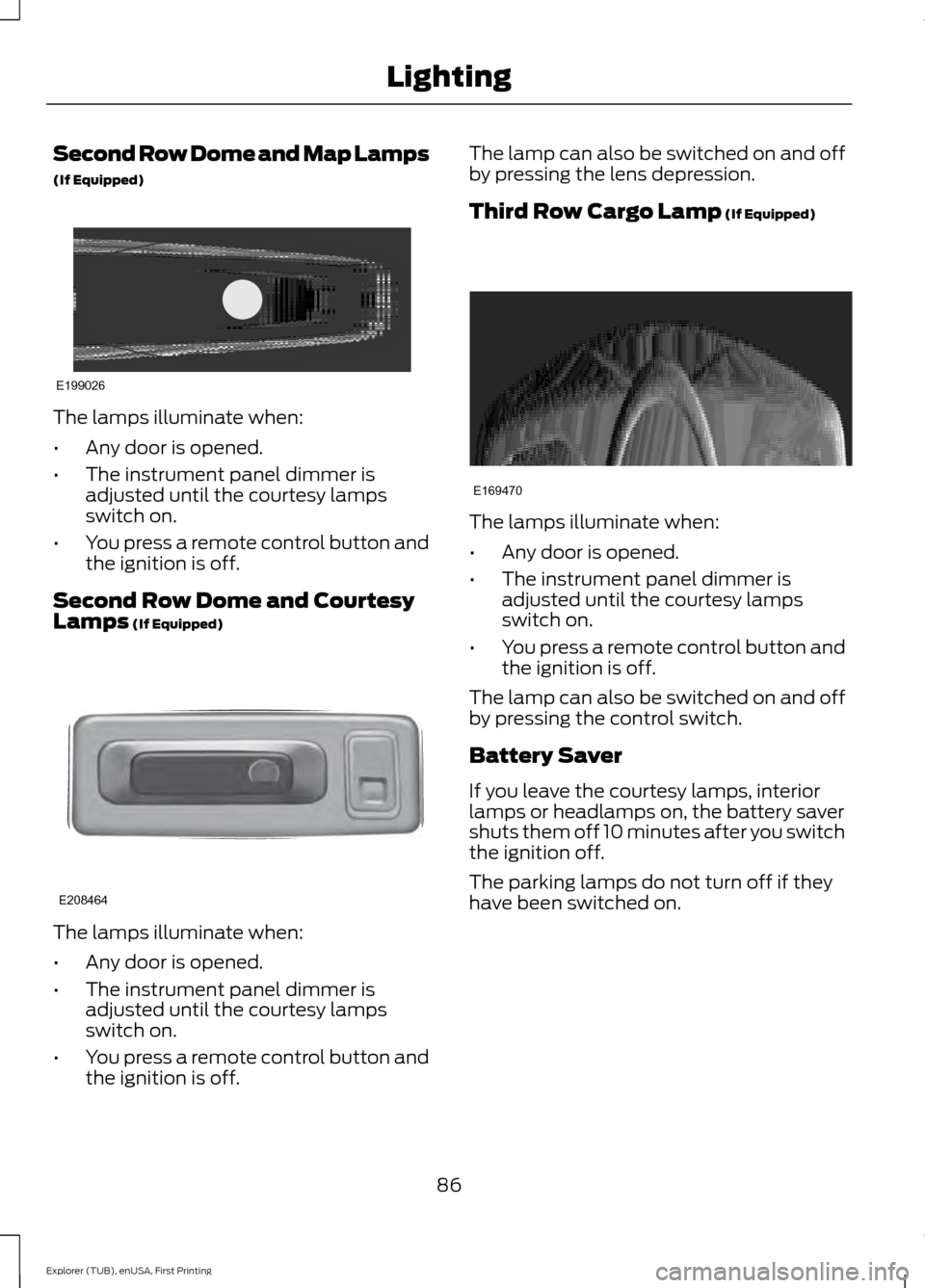
Second Row Dome and Map Lamps
(If Equipped)
The lamps illuminate when:
•
Any door is opened.
• The instrument panel dimmer is
adjusted until the courtesy lamps
switch on.
• You press a remote control button and
the ignition is off.
Second Row Dome and Courtesy
Lamps (If Equipped) The lamps illuminate when:
•
Any door is opened.
• The instrument panel dimmer is
adjusted until the courtesy lamps
switch on.
• You press a remote control button and
the ignition is off. The lamp can also be switched on and off
by pressing the lens depression.
Third Row Cargo Lamp
(If Equipped)
The lamps illuminate when:
•
Any door is opened.
• The instrument panel dimmer is
adjusted until the courtesy lamps
switch on.
• You press a remote control button and
the ignition is off.
The lamp can also be switched on and off
by pressing the control switch.
Battery Saver
If you leave the courtesy lamps, interior
lamps or headlamps on, the battery saver
shuts them off 10 minutes after you switch
the ignition off.
The parking lamps do not turn off if they
have been switched on.
86
Explorer (TUB), enUSA, First Printing LightingE199026 E208464 E169470
Page 100 of 541

On (white light): Illuminates when you
switch on the adaptive cruise control
system. Turns off when the speed control
system is turned off.
Engaged (green light): Illuminates when
you engage the adaptive cruise control
system. Turns off when you disengage the
speed control system.
Anti-Lock Braking System
If it illuminates when you are
driving, this indicates a
malfunction. You continue to
have the normal braking system (without
ABS) unless the brake system warning
lamp is also illuminated. Have the system
checked by an authorized dealer.
Automatic High Beam Control It will illuminate when this
feature is on. See Automatic
High Beam Control (page 83).
Battery If it illuminates while driving, it
indicates a malfunction. Switch
off all unnecessary electrical
equipment and have the system checked
by an authorized dealer immediately.
Blind Spot Monitor
(If Equipped) It illuminates when you switch
this feature off or in conjunction
with a message. See Blind Spot
Information System
(page 224).
Brake System It illuminates when you engage
the parking brake with the
ignition on. If it illuminates when you are driving, check
that the parking brake is not engaged. If
the parking brake is not engaged, this
indicates low brake fluid level or a brake
system malfunction. Have the system
checked immediately by an authorized
dealer. WARNING
Driving your vehicle with the warning
lamp on is dangerous. A significant
decrease in braking performance
may occur. It will take you longer to stop
your vehicle. Have your vehicle checked by
your authorized dealer immediately. Driving
extended distances with the parking brake
engaged can cause brake failure and the
risk of personal injury. Cruise Control
(If Equipped)
It illuminates when you switch
this feature on.
Direction Indicator Illuminates when you switch on
the left or right direction
indicator or the hazard warning
flasher. If the indicators stay on or flash
faster, check for a burned out bulb. See
Changing a Bulb
(page 293).
Door Ajar Displays when the ignition is on
and any door is not completely
closed.
Engine Coolant Temperature Illuminates when the engine
coolant temperature is high.
Stop the vehicle as soon as
possible, switch off the engine and let cool.
See
Engine Coolant Check (page 282).
97
Explorer (TUB), enUSA, First Printing Instrument Cluster E151262 E144522 E71340
Page 121 of 541

Battery and Charging System
Action
Message
The charging system needs servicing. If the warning stays on
or continues to come on, contact an authorized dealer as soon as possible.
Check Charging System
The battery management system detects an extended lowvoltage condition. Your vehicle will disable various features
to help preserve the battery. Turn off as many of the electrical loads as soon as possible to improve the system voltage.
Once the system voltage recovers, the disabled features will operate as normal.
Low Battery Features
Temporarily Turned Off
The battery management system determines that the batteryis at a low state of charge. Switch the ignition off as soon as
possible to protect the battery. This message clears once you
start the vehicle and the battery state of charge has recovered.
Turning off unnecessary electrical loads allows faster battery state-of-charge recovery.
Turn Power Off to Save
Battery
Blind Spot Information and Cross Traffic Alert System Action
Message
A fault with the system has occurred. Contact an authorizeddealer as soon as possible.
Blindspot System Fault
The system sensors are blocked. Contact an authorized dealeras soon as possible. See Blind Spot Information System
(page 224).
Blindspot Not Available
Sensor Blocked See Manual
The system detects a vehicle. See
Blind Spot Information
System (page 224).
Vehicle Coming From X
The blind spot information system and cross traffic alert
system sensors are blocked. See
Blind Spot Information
System (page 224).
Cross Traffic Not Avail-
able Sensor Blocked
A fault with the system has occurred. Contact an authorizeddealer as soon as possible.
Cross Traffic System
Fault
118
Explorer (TUB), enUSA, First Printing Information Displays
Page 125 of 541
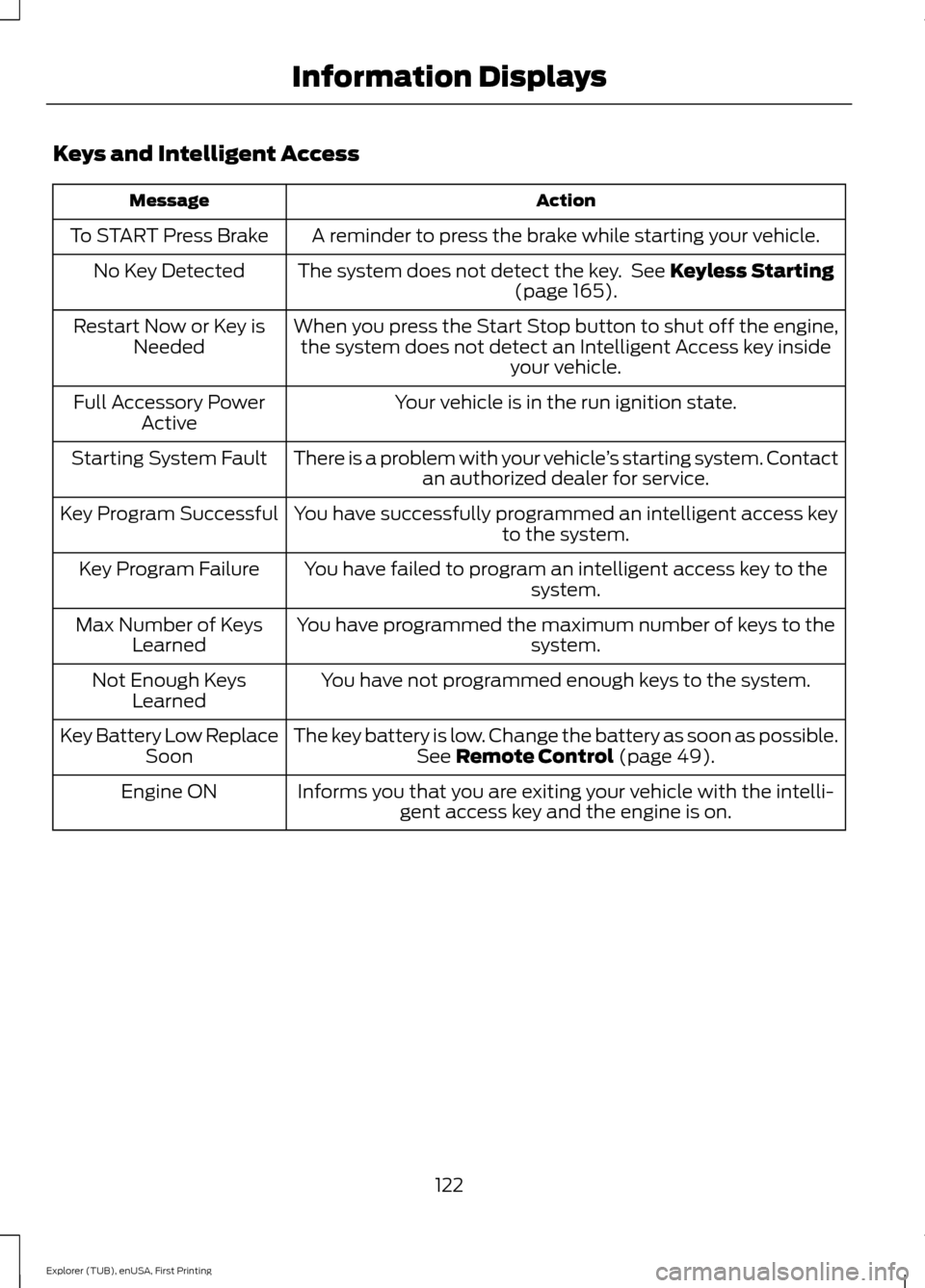
Keys and Intelligent Access
Action
Message
A reminder to press the brake while starting your vehicle.
To START Press Brake
The system does not detect the key. See Keyless Starting
(page 165).
No Key Detected
When you press the Start Stop button to shut off the engine,the system does not detect an Intelligent Access key inside your vehicle.
Restart Now or Key is
Needed
Your vehicle is in the run ignition state.
Full Accessory Power
Active
There is a problem with your vehicle ’s starting system. Contact
an authorized dealer for service.
Starting System Fault
You have successfully programmed an intelligent access keyto the system.
Key Program Successful
You have failed to program an intelligent access key to thesystem.
Key Program Failure
You have programmed the maximum number of keys to the system.
Max Number of Keys
Learned
You have not programmed enough keys to the system.
Not Enough Keys
Learned
The key battery is low. Change the battery as soon as possible.See
Remote Control (page 49).
Key Battery Low Replace
Soon
Informs you that you are exiting your vehicle with the intelli-gent access key and the engine is on.
Engine ON
122
Explorer (TUB), enUSA, First Printing Information Displays
Page 157 of 541
FOLD: Press to fold down the seatback.
C
RH / BOTH / LH: Press to select the normal, stow and fold modes to activate
the right-hand seat, the left-hand seat or both.
D
Note: The third row seat includes obstacle
detection that allows the seat to stop and
reverse direction if it hits an obstacle so that
the obstacle can be removed.
Note: Pressing a different button while the
power seat feature is already being
performed may cause the first selected seat
movement to be cancelled. Allow the first
seat movement to be completed before
pressing a button for another function.
Note: Make sure that there are no objects
such as books, purses or briefcases on the
load floor before unstowing the seat. Failure
to remove all objects from the top of the
load floor prior to unstowing it may cause
damage to the seat.
Note: In order to allow the seat to complete
the stowed position, do not place objects
under the seat before stowing. Remove all
objects from the seat and stowage tub.
Note: In the unlikely event that the third
row power seat stops prematurely or travels
to an unexpected position, press the FOLD
button (C) to reset the seat and return it to
a normal position.
These seats feature a power one-touch
operation that allows you fold and stow
the seats.
• The power fold seats work only when
the transmission is in park (P) and the
liftgate is open.
• If the ignition is off and the feature is
still running, the battery saver will turn
it off after 10 minutes. Press unlock on
the remote entry key transmitter to
reactivate the power seats or unlock it
with the keyless entry keypad. See
Remote Control (page 49). HEATED SEATS
(If Equipped)
Front Seats WARNING
People who are unable to feel pain
to their skin because of advanced
age, chronic illness, diabetes, spinal
cord injury, medication, alcohol use,
exhaustion or other physical conditions,
must exercise care when using the heated
seat. The heated seat may cause burns
even at low temperatures, especially if
used for long periods of time. Do not place
anything on the seat that insulates against
heat, such as a blanket or cushion. This
may cause the heated seat to overheat.
Do not puncture the seat with pins, needles
or other pointed objects. This may damage
the heating element which may cause the
heated seat to overheat. An overheated
seat may cause serious personal injury. Do not do the following:
•
Place heavy objects on the seat.
• Operate the heated seat if water or any
other liquid spills on the seat. Allow the
seat to dry thoroughly.
• Operate the heated seats unless the
engine is running. Doing so can cause
the battery to lose charge.
154
Explorer (TUB), enUSA, First Printing Seats
Page 158 of 541
Press the heated seat symbol to cycle
through the various heat settings and off.
More indicator lights indicate warmer
settings.
Rear Seats (If Equipped)
WARNING
Persons who are unable to feel pain
to the skin because of advanced age,
chronic illness, diabetes, spinal cord
injury, medication, alcohol use, exhaustion,
or other physical conditions, must exercise
care when using the seat heater. The seat
heater may cause burns even at low
temperatures, especially if used for long
periods of time. Do not place anything on
the seat that insulates against heat, such
as a blanket or cushion, because this may
cause the seat heater to overheat. Do not
puncture the seat with pins, needles, or
other pointed objects because this may
damage the heating element which may
cause the seat heater to overheat. An
overheated seat may cause serious
personal injury. Do not do the following:
•
Place heavy objects on the seat.
• Operate the seat heater if water or any
other liquid is spilled on the seat. Allow
the seat to dry thoroughly.
• Operate the heated seats unless the
engine is running. Doing so can cause
the battery to lose charge. The rear seat heat controls are located on
the rear of the center console.
Press the heated seat symbol to cycle
through the various heat settings and off.
More indicator lights indicate warmer
settings.
The heated seat module resets at every
ignition run cycle. While the ignition is on,
press the high or low heated seat switch
to enable heating mode. When activated,
they will turn off automatically when you
turn the engine off.
CLIMATE CONTROLLED SEATS
(If Equipped)
Heated Seats
155
Explorer (TUB), enUSA, First Printing SeatsE146322 E146322