2016 FORD EXPEDITION EL radio
[x] Cancel search: radioPage 342 of 421
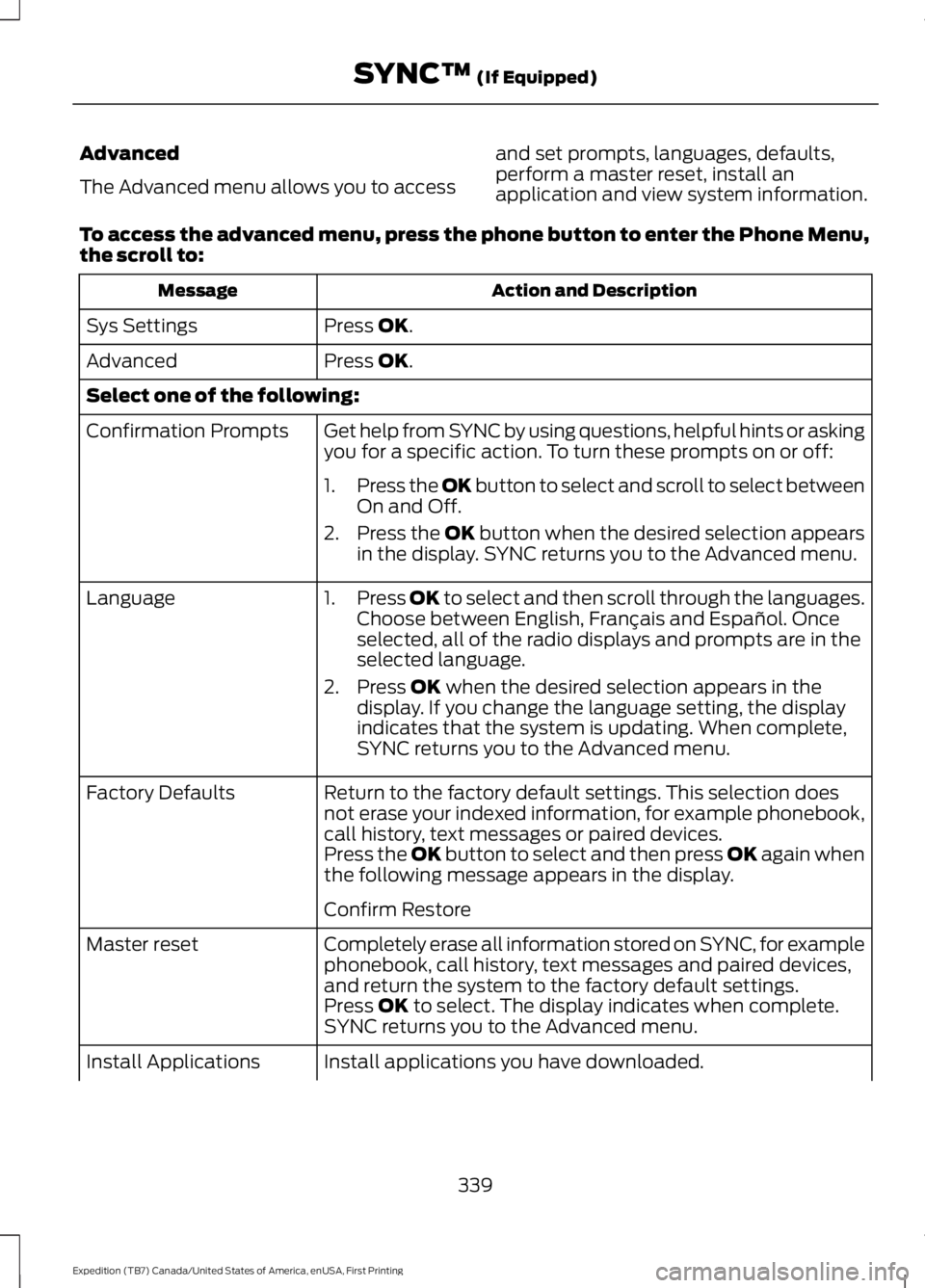
Advanced
The Advanced menu allows you to access
and set prompts, languages, defaults,perform a master reset, install anapplication and view system information.
To access the advanced menu, press the phone button to enter the Phone Menu,the scroll to:
Action and DescriptionMessage
Press OK.Sys Settings
Press OK.Advanced
Select one of the following:
Get help from SYNC by using questions, helpful hints or askingyou for a specific action. To turn these prompts on or off:Confirmation Prompts
1.Press the OK button to select and scroll to select betweenOn and Off.
2.Press the OK button when the desired selection appearsin the display. SYNC returns you to the Advanced menu.
1.Press OK to select and then scroll through the languages.Choose between English, Français and Español. Onceselected, all of the radio displays and prompts are in theselected language.
2. Press OK when the desired selection appears in thedisplay. If you change the language setting, the displayindicates that the system is updating. When complete,SYNC returns you to the Advanced menu.
Language
Return to the factory default settings. This selection doesnot erase your indexed information, for example phonebook,call history, text messages or paired devices.
Factory Defaults
Press the OK button to select and then press OK again whenthe following message appears in the display.
Confirm Restore
Completely erase all information stored on SYNC, for examplephonebook, call history, text messages and paired devices,and return the system to the factory default settings.
Master reset
Press OK to select. The display indicates when complete.SYNC returns you to the Advanced menu.
Install applications you have downloaded.Install Applications
339
Expedition (TB7) Canada/United States of America, enUSA, First Printing
SYNC™ (If Equipped)
Page 344 of 421
![FORD EXPEDITION EL 2016 Owners Manual If a crash deploys an airbag (excludingknee airbags and rear inflatable safetybelts [if equipped]) or activates the fuelpump shut-off, your SYNC-equippedvehicle may be able to contact emergencyservice](/manual-img/11/58754/w960_58754-343.png "FORD EXPEDITION EL 2016 Owners Manual If a crash deploys an airbag (excludingknee airbags and rear inflatable safetybelts [if equipped]) or activates the fuelpump shut-off, your SYNC-equippedvehicle may be able to contact emergencyservice")
If a crash deploys an airbag (excludingknee airbags and rear inflatable safetybelts [if equipped]) or activates the fuelpump shut-off, your SYNC-equippedvehicle may be able to contact emergencyservices by dialing 911 through a paired andconnected Bluetooth-enabled phone. Youcan learn more about the 911 Assistfeature, visit www.SYNCMyRide.com,
www.SYNCMyRide.ca orwww.syncmaroute.ca.
See Supplementary Restraints System(page 35). Important information aboutairbag deployment is in this chapter.
See Roadside Emergencies (page 223).Important information about the fuel pumpshut-off is in this chapter.
Switching 911 Assist On or Off
Press the phone button to enter the phone menu and scroll to:
Action and DescriptionMessage
Press the OK button to confirm and enter the 911 Assist menu.911 Assist
Press the OK button when the desired option appears in theradio display.On
Off
Off selections include:
Action and DescriptionMessage
Provides a display and voice reminder at phone connectionat vehicle start.Off with reminder:
Provides a display reminder only without a voice reminder atphone connection.Off without reminder:
To make sure that 911 Assist workscorrectly:
•SYNC must be powered and workingproperly at the time of the incident andthroughout feature activation and use.
•The 911 Assist feature must be set onbefore the incident.
•You must pair and connect aBluetooth-enabled and compatiblecell phone to SYNC.
•A connected Bluetooth-enabled phonemust have the ability to make andmaintain an outgoing call at the timeof the incident.
•A connected Bluetooth-enabled phonemust have adequate network coverage,battery power and signal strength.
•The vehicle must have battery powerand be located in the U.S., Canada orin a territory in which 911 is theemergency number.
341
Expedition (TB7) Canada/United States of America, enUSA, First Printing
SYNC™ (If Equipped)
Page 353 of 421
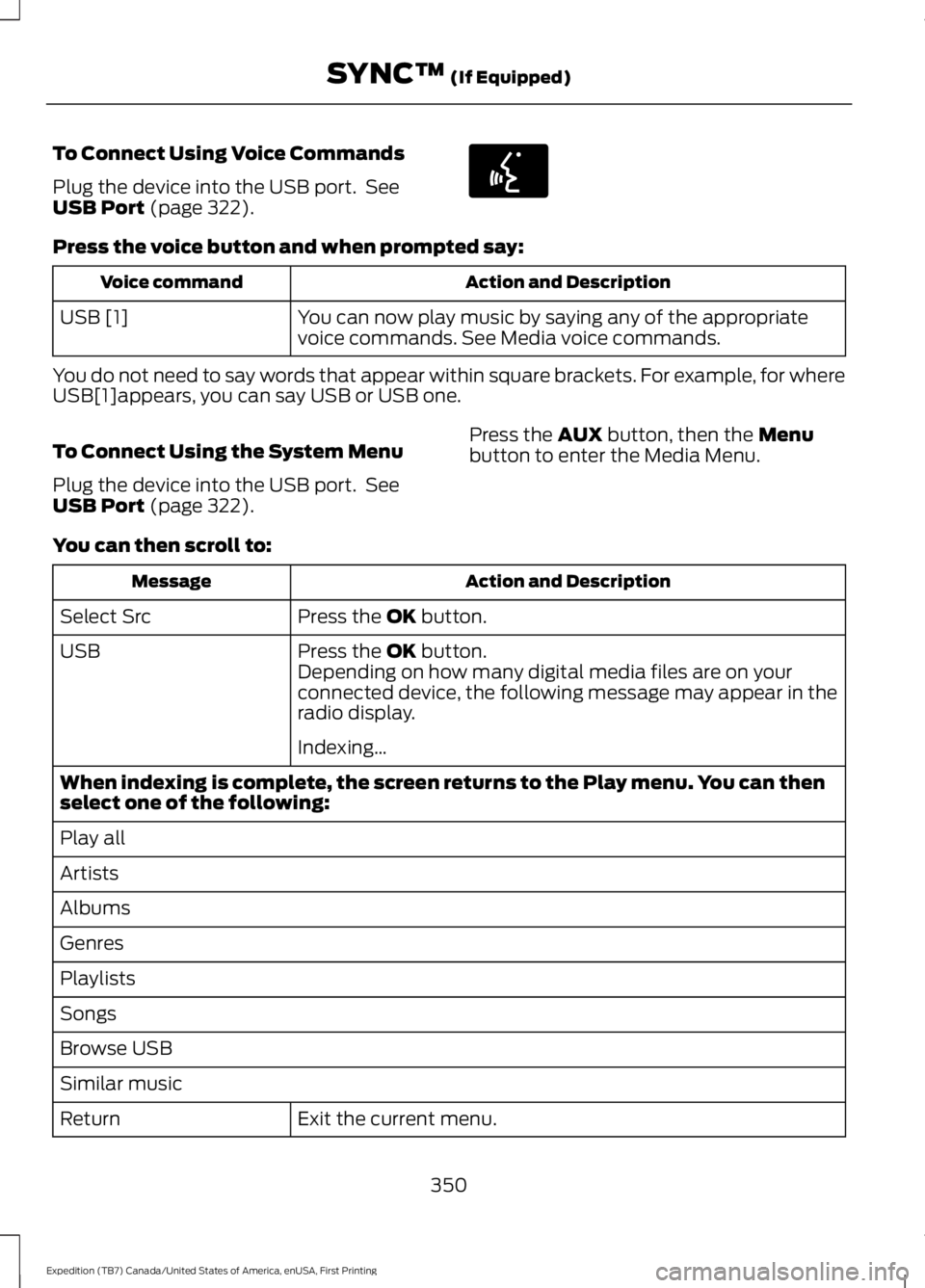
To Connect Using Voice Commands
Plug the device into the USB port. SeeUSB Port (page 322).
Press the voice button and when prompted say:
Action and DescriptionVoice command
You can now play music by saying any of the appropriatevoice commands. See Media voice commands.USB [1]
You do not need to say words that appear within square brackets. For example, for whereUSB[1]appears, you can say USB or USB one.
To Connect Using the System Menu
Plug the device into the USB port. SeeUSB Port (page 322).
Press the AUX button, then the Menubutton to enter the Media Menu.
You can then scroll to:
Action and DescriptionMessage
Press the OK button.Select Src
Press the OK button.USBDepending on how many digital media files are on yourconnected device, the following message may appear in theradio display.
Indexing…
When indexing is complete, the screen returns to the Play menu. You can thenselect one of the following:
Play all
Artists
Albums
Genres
Playlists
Songs
Browse USB
Similar music
Exit the current menu.Return
350
Expedition (TB7) Canada/United States of America, enUSA, First Printing
SYNC™ (If Equipped)E142599
Page 372 of 421
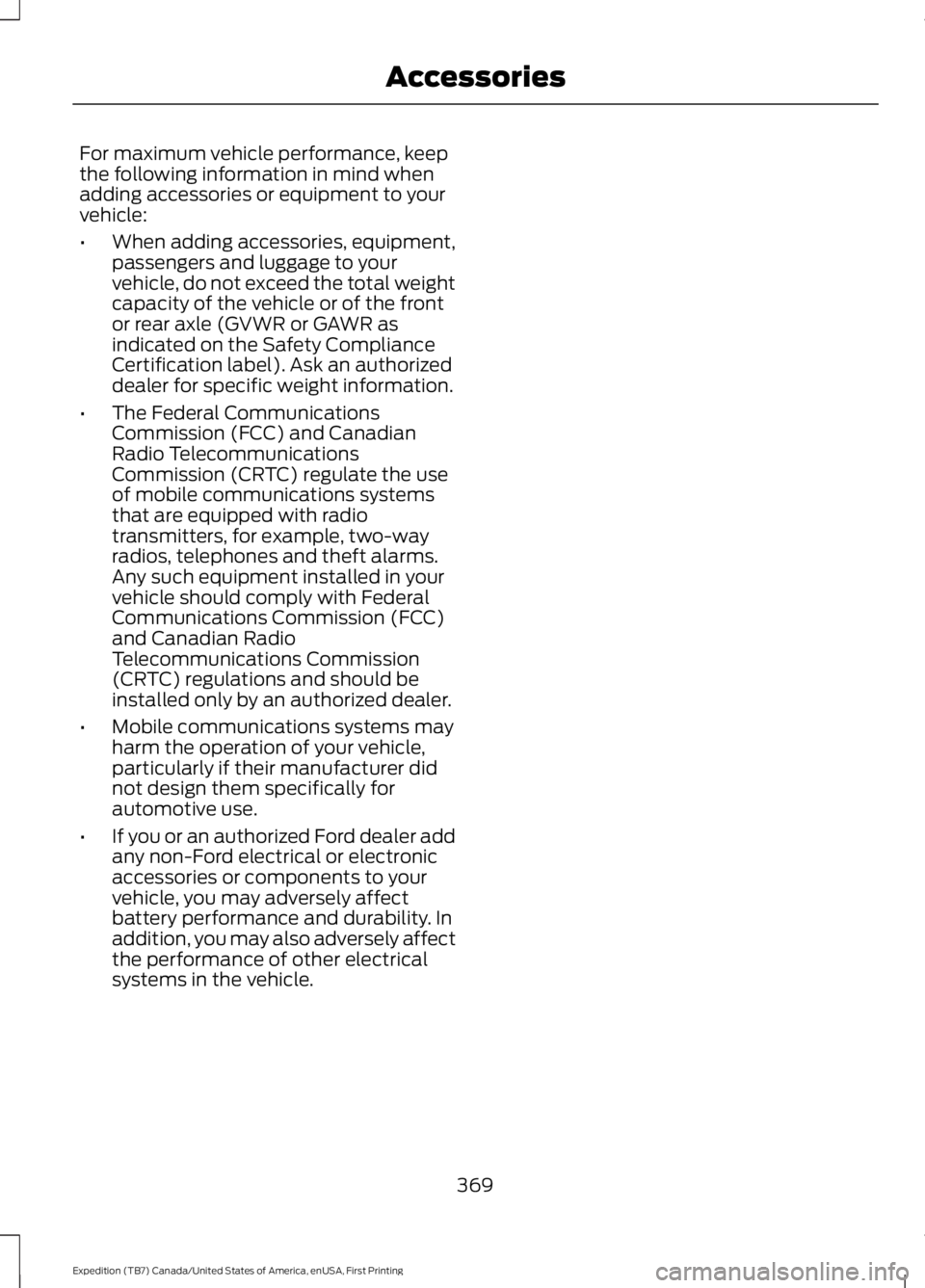
For maximum vehicle performance, keepthe following information in mind whenadding accessories or equipment to yourvehicle:
•When adding accessories, equipment,passengers and luggage to yourvehicle, do not exceed the total weightcapacity of the vehicle or of the frontor rear axle (GVWR or GAWR asindicated on the Safety ComplianceCertification label). Ask an authorizeddealer for specific weight information.
•The Federal CommunicationsCommission (FCC) and CanadianRadio TelecommunicationsCommission (CRTC) regulate the useof mobile communications systemsthat are equipped with radiotransmitters, for example, two-wayradios, telephones and theft alarms.Any such equipment installed in yourvehicle should comply with FederalCommunications Commission (FCC)and Canadian RadioTelecommunications Commission(CRTC) regulations and should beinstalled only by an authorized dealer.
•Mobile communications systems mayharm the operation of your vehicle,particularly if their manufacturer didnot design them specifically forautomotive use.
•If you or an authorized Ford dealer addany non-Ford electrical or electronicaccessories or components to yourvehicle, you may adversely affectbattery performance and durability. Inaddition, you may also adversely affectthe performance of other electricalsystems in the vehicle.
369
Expedition (TB7) Canada/United States of America, enUSA, First Printing
Accessories
Page 409 of 421
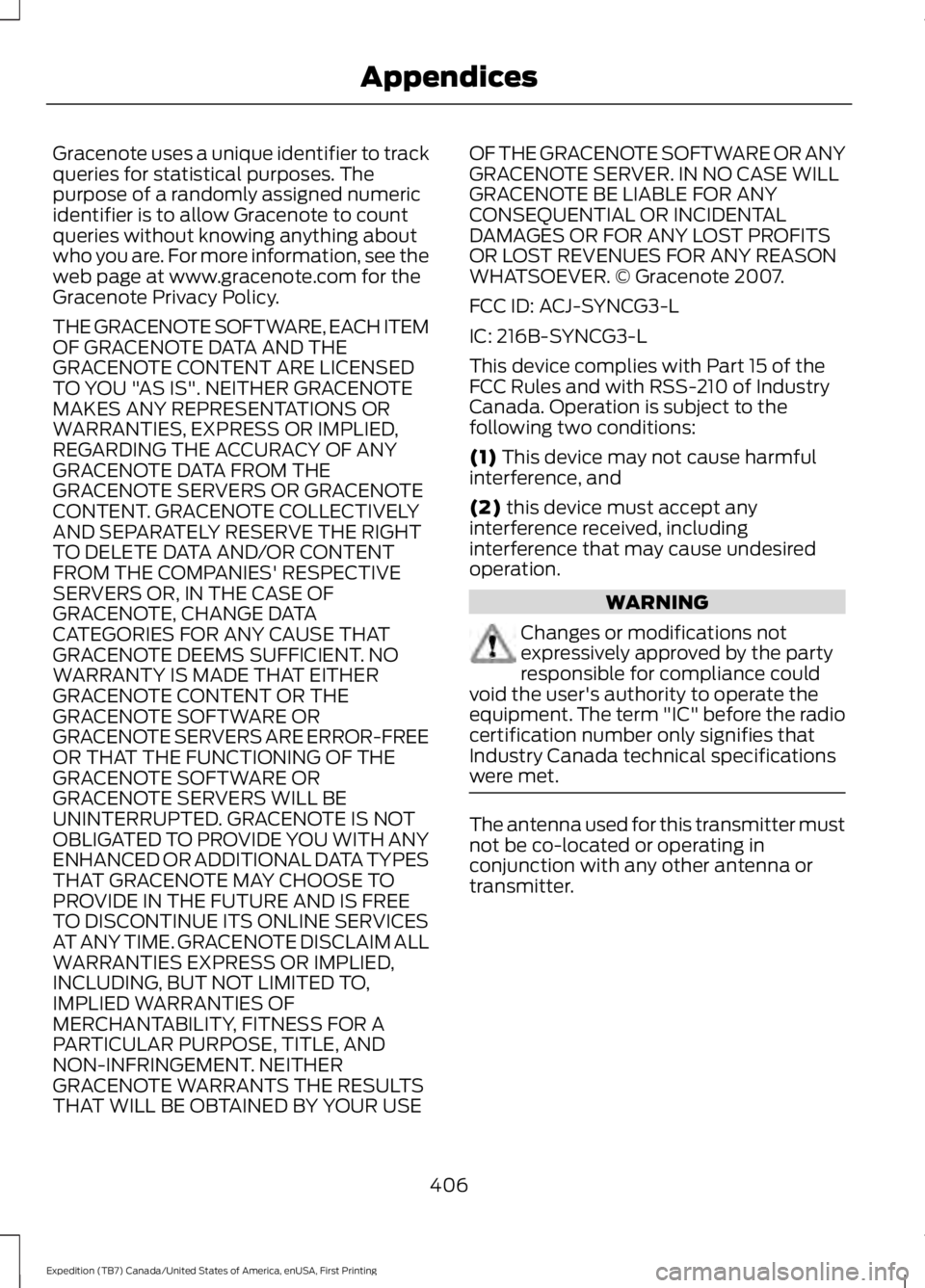
Gracenote uses a unique identifier to trackqueries for statistical purposes. Thepurpose of a randomly assigned numericidentifier is to allow Gracenote to countqueries without knowing anything aboutwho you are. For more information, see theweb page at www.gracenote.com for theGracenote Privacy Policy.
THE GRACENOTE SOFTWARE, EACH ITEMOF GRACENOTE DATA AND THEGRACENOTE CONTENT ARE LICENSEDTO YOU "AS IS". NEITHER GRACENOTEMAKES ANY REPRESENTATIONS ORWARRANTIES, EXPRESS OR IMPLIED,REGARDING THE ACCURACY OF ANYGRACENOTE DATA FROM THEGRACENOTE SERVERS OR GRACENOTECONTENT. GRACENOTE COLLECTIVELYAND SEPARATELY RESERVE THE RIGHTTO DELETE DATA AND/OR CONTENTFROM THE COMPANIES' RESPECTIVESERVERS OR, IN THE CASE OFGRACENOTE, CHANGE DATACATEGORIES FOR ANY CAUSE THATGRACENOTE DEEMS SUFFICIENT. NOWARRANTY IS MADE THAT EITHERGRACENOTE CONTENT OR THEGRACENOTE SOFTWARE ORGRACENOTE SERVERS ARE ERROR-FREEOR THAT THE FUNCTIONING OF THEGRACENOTE SOFTWARE ORGRACENOTE SERVERS WILL BEUNINTERRUPTED. GRACENOTE IS NOTOBLIGATED TO PROVIDE YOU WITH ANYENHANCED OR ADDITIONAL DATA TYPESTHAT GRACENOTE MAY CHOOSE TOPROVIDE IN THE FUTURE AND IS FREETO DISCONTINUE ITS ONLINE SERVICESAT ANY TIME. GRACENOTE DISCLAIM ALLWARRANTIES EXPRESS OR IMPLIED,INCLUDING, BUT NOT LIMITED TO,IMPLIED WARRANTIES OFMERCHANTABILITY, FITNESS FOR APARTICULAR PURPOSE, TITLE, ANDNON-INFRINGEMENT. NEITHERGRACENOTE WARRANTS THE RESULTSTHAT WILL BE OBTAINED BY YOUR USE
OF THE GRACENOTE SOFTWARE OR ANYGRACENOTE SERVER. IN NO CASE WILLGRACENOTE BE LIABLE FOR ANYCONSEQUENTIAL OR INCIDENTALDAMAGES OR FOR ANY LOST PROFITSOR LOST REVENUES FOR ANY REASONWHATSOEVER. © Gracenote 2007.
FCC ID: ACJ-SYNCG3-L
IC: 216B-SYNCG3-L
This device complies with Part 15 of theFCC Rules and with RSS-210 of IndustryCanada. Operation is subject to thefollowing two conditions:
(1) This device may not cause harmfulinterference, and
(2) this device must accept anyinterference received, includinginterference that may cause undesiredoperation.
WARNING
Changes or modifications notexpressively approved by the partyresponsible for compliance couldvoid the user's authority to operate theequipment. The term "IC" before the radiocertification number only signifies thatIndustry Canada technical specificationswere met.
The antenna used for this transmitter mustnot be co-located or operating inconjunction with any other antenna ortransmitter.
406
Expedition (TB7) Canada/United States of America, enUSA, First Printing
Appendices
Page 410 of 421
4
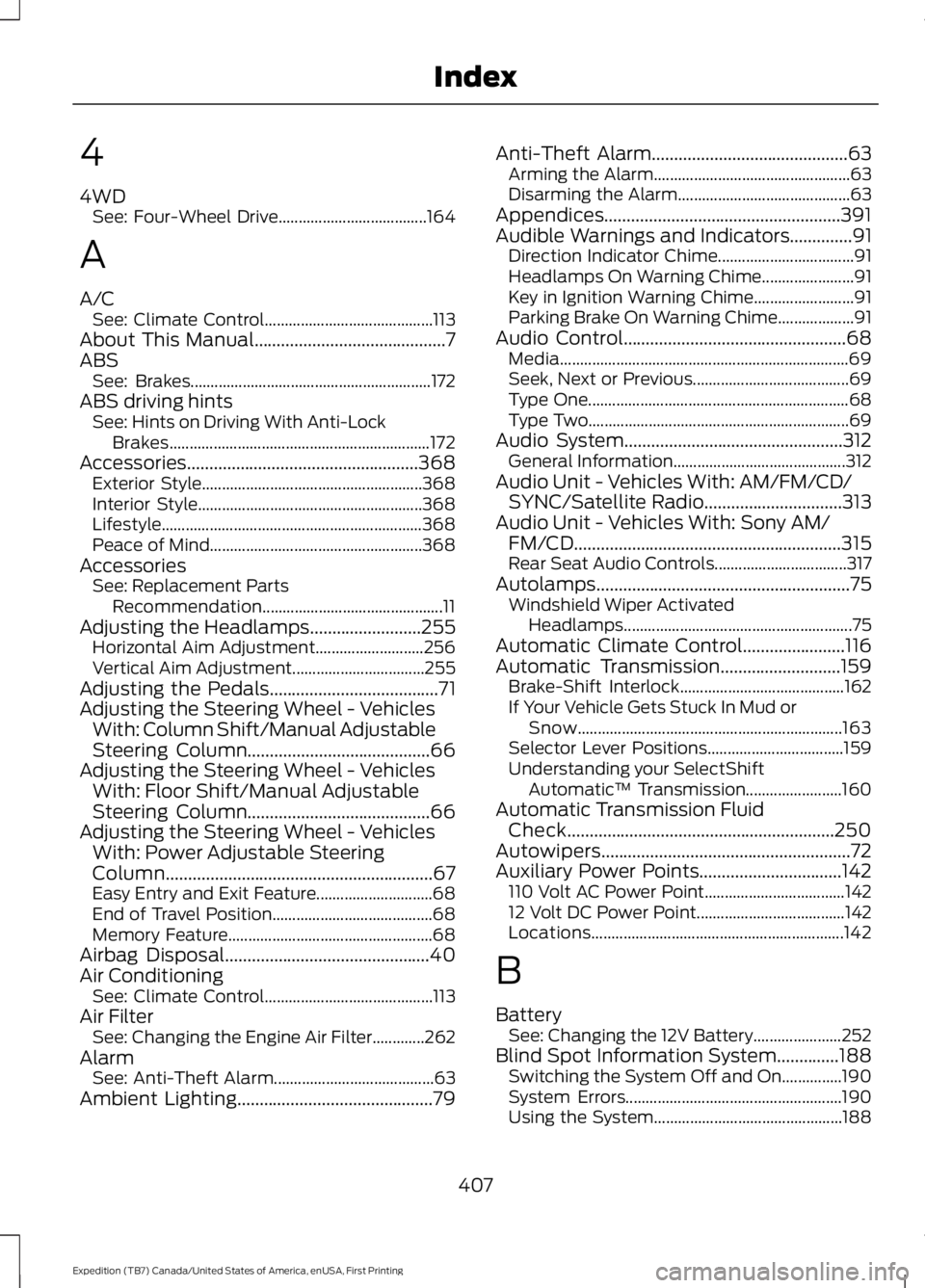
4WDSee: Four-Wheel Drive.....................................164
A
A/CSee: Climate Control..........................................113About This Manual...........................................7ABSSee: Brakes............................................................172ABS driving hintsSee: Hints on Driving With Anti-LockBrakes.................................................................172Accessories....................................................368Exterior Style.......................................................368Interior Style........................................................368Lifestyle.................................................................368Peace of Mind.....................................................368AccessoriesSee: Replacement PartsRecommendation.............................................11Adjusting the Headlamps.........................255Horizontal Aim Adjustment...........................256Vertical Aim Adjustment.................................255Adjusting the Pedals......................................71Adjusting the Steering Wheel - VehiclesWith: Column Shift/Manual AdjustableSteering Column.........................................66Adjusting the Steering Wheel - VehiclesWith: Floor Shift/Manual AdjustableSteering Column.........................................66Adjusting the Steering Wheel - VehiclesWith: Power Adjustable SteeringColumn............................................................67Easy Entry and Exit Feature.............................68End of Travel Position........................................68Memory Feature...................................................68Airbag Disposal..............................................40Air ConditioningSee: Climate Control..........................................113Air FilterSee: Changing the Engine Air Filter.............262AlarmSee: Anti-Theft Alarm........................................63Ambient Lighting............................................79
Anti-Theft Alarm............................................63Arming the Alarm.................................................63Disarming the Alarm...........................................63Appendices.....................................................391Audible Warnings and Indicators..............91Direction Indicator Chime..................................91Headlamps On Warning Chime.......................91Key in Ignition Warning Chime.........................91Parking Brake On Warning Chime...................91Audio Control..................................................68Media........................................................................69Seek, Next or Previous.......................................69Type One.................................................................68Type Two.................................................................69Audio System.................................................312General Information...........................................312Audio Unit - Vehicles With: AM/FM/CD/SYNC/Satellite Radio...............................313Audio Unit - Vehicles With: Sony AM/FM/CD............................................................315Rear Seat Audio Controls.................................317Autolamps.........................................................75Windshield Wiper ActivatedHeadlamps.........................................................75Automatic Climate Control.......................116Automatic Transmission...........................159Brake-Shift Interlock.........................................162If Your Vehicle Gets Stuck In Mud orSnow..................................................................163Selector Lever Positions..................................159Understanding your SelectShiftAutomatic™ Transmission........................160Automatic Transmission FluidCheck............................................................250Autowipers........................................................72Auxiliary Power Points................................142110 Volt AC Power Point...................................14212 Volt DC Power Point.....................................142Locations...............................................................142
B
BatterySee: Changing the 12V Battery......................252Blind Spot Information System..............188Switching the System Off and On...............190System Errors......................................................190Using the System...............................................188
407
Expedition (TB7) Canada/United States of America, enUSA, First Printing
Index
Page 412 of 421
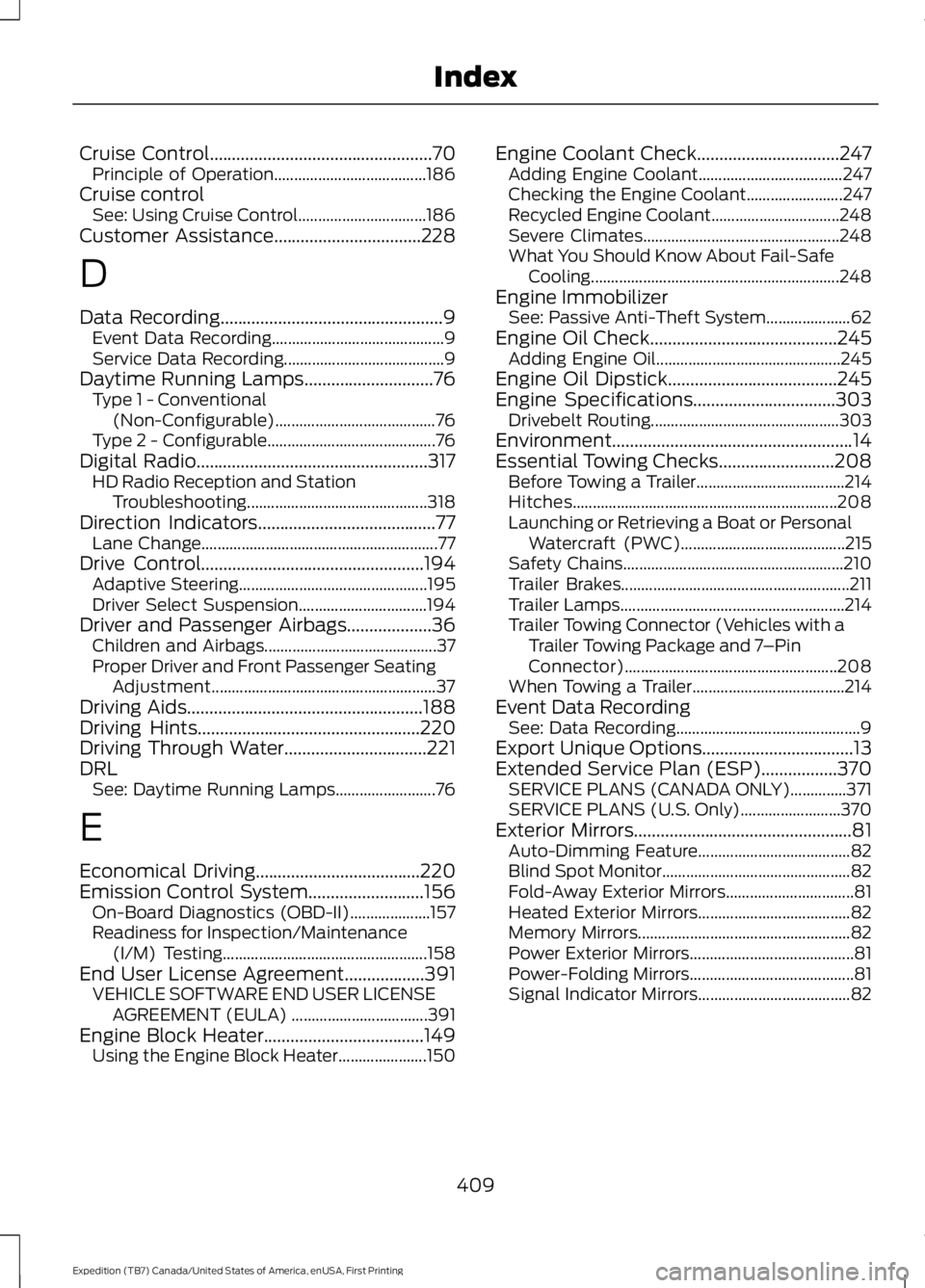
Cruise Control..................................................70Principle of Operation......................................186Cruise controlSee: Using Cruise Control................................186Customer Assistance.................................228
D
Data Recording..................................................9Event Data Recording...........................................9Service Data Recording........................................9Daytime Running Lamps.............................76Type 1 - Conventional(Non-Configurable)........................................76Type 2 - Configurable..........................................76Digital Radio....................................................317HD Radio Reception and StationTroubleshooting.............................................318Direction Indicators........................................77Lane Change...........................................................77Drive Control..................................................194Adaptive Steering...............................................195Driver Select Suspension................................194Driver and Passenger Airbags...................36Children and Airbags...........................................37Proper Driver and Front Passenger SeatingAdjustment........................................................37Driving Aids.....................................................188Driving Hints..................................................220Driving Through Water................................221DRLSee: Daytime Running Lamps.........................76
E
Economical Driving.....................................220Emission Control System..........................156On-Board Diagnostics (OBD-II)....................157Readiness for Inspection/Maintenance(I/M) Testing...................................................158End User License Agreement..................391VEHICLE SOFTWARE END USER LICENSEAGREEMENT (EULA) ..................................391Engine Block Heater....................................149Using the Engine Block Heater......................150
Engine Coolant Check................................247Adding Engine Coolant....................................247Checking the Engine Coolant........................247Recycled Engine Coolant................................248Severe Climates.................................................248What You Should Know About Fail-SafeCooling..............................................................248Engine ImmobilizerSee: Passive Anti-Theft System.....................62Engine Oil Check..........................................245Adding Engine Oil..............................................245Engine Oil Dipstick......................................245Engine Specifications................................303Drivebelt Routing...............................................303Environment......................................................14Essential Towing Checks..........................208Before Towing a Trailer.....................................214Hitches..................................................................208Launching or Retrieving a Boat or PersonalWatercraft (PWC).........................................215Safety Chains.......................................................210Trailer Brakes.........................................................211Trailer Lamps........................................................214Trailer Towing Connector (Vehicles with aTrailer Towing Package and 7–PinConnector).....................................................208When Towing a Trailer......................................214Event Data RecordingSee: Data Recording..............................................9Export Unique Options..................................13Extended Service Plan (ESP).................370SERVICE PLANS (CANADA ONLY)..............371SERVICE PLANS (U.S. Only).........................370Exterior Mirrors.................................................81Auto-Dimming Feature......................................82Blind Spot Monitor...............................................82Fold-Away Exterior Mirrors................................81Heated Exterior Mirrors......................................82Memory Mirrors.....................................................82Power Exterior Mirrors.........................................81Power-Folding Mirrors.........................................81Signal Indicator Mirrors......................................82
409
Expedition (TB7) Canada/United States of America, enUSA, First Printing
Index
Page 413 of 421
F
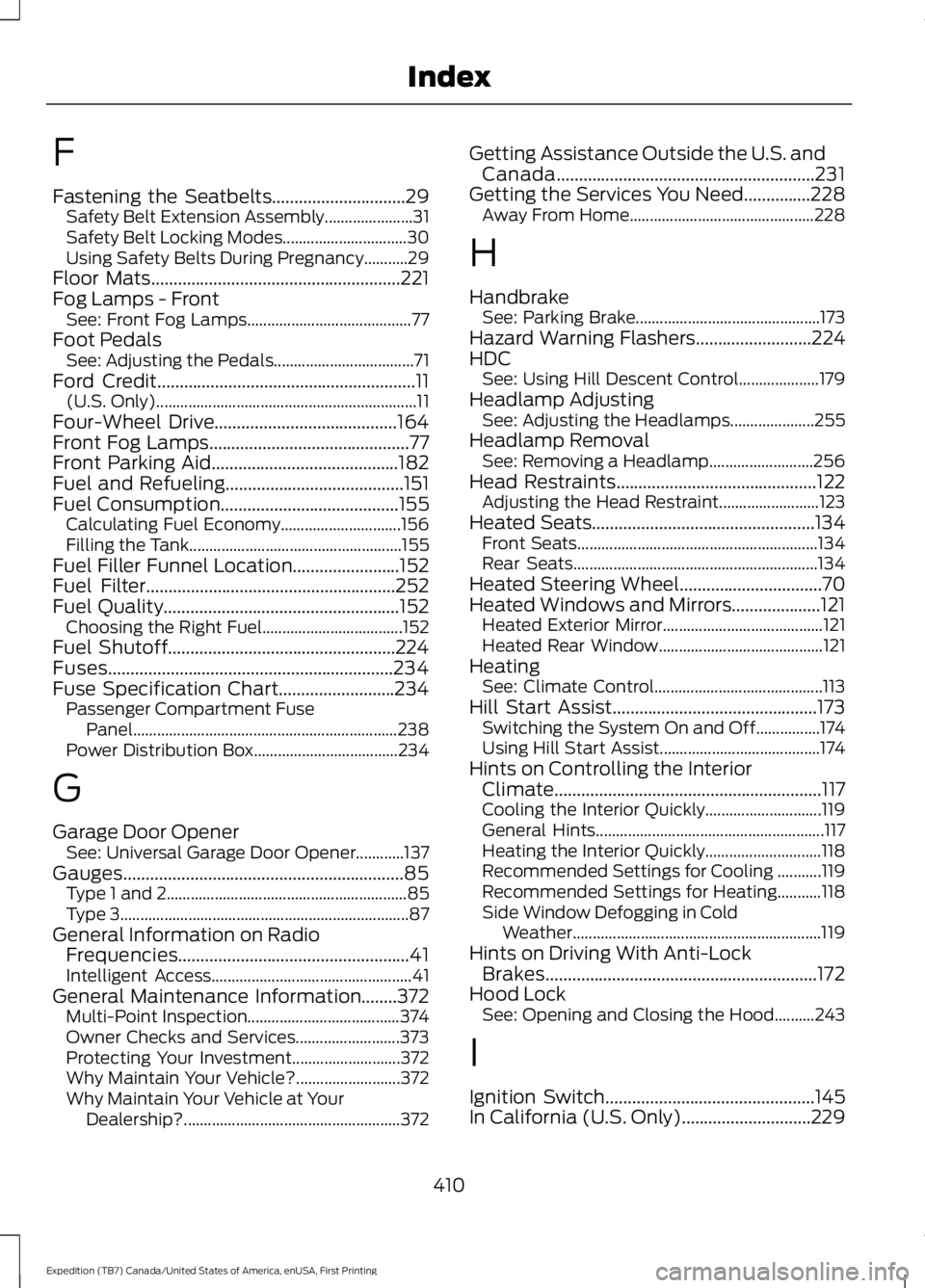
Fastening the Seatbelts..............................29Safety Belt Extension Assembly......................31Safety Belt Locking Modes...............................30Using Safety Belts During Pregnancy...........29Floor Mats........................................................221Fog Lamps - FrontSee: Front Fog Lamps.........................................77Foot PedalsSee: Adjusting the Pedals...................................71Ford Credit..........................................................11(U.S. Only).................................................................11Four-Wheel Drive.........................................164Front Fog Lamps.............................................77Front Parking Aid..........................................182Fuel and Refueling........................................151Fuel Consumption........................................155Calculating Fuel Economy..............................156Filling the Tank.....................................................155Fuel Filler Funnel Location........................152Fuel Filter........................................................252Fuel Quality.....................................................152Choosing the Right Fuel...................................152Fuel Shutoff...................................................224Fuses................................................................234Fuse Specification Chart..........................234Passenger Compartment FusePanel..................................................................238Power Distribution Box....................................234
G
Garage Door OpenerSee: Universal Garage Door Opener............137Gauges...............................................................85Type 1 and 2............................................................85Type 3........................................................................87General Information on RadioFrequencies....................................................41Intelligent Access..................................................41General Maintenance Information........372Multi-Point Inspection......................................374Owner Checks and Services..........................373Protecting Your Investment...........................372Why Maintain Your Vehicle?..........................372Why Maintain Your Vehicle at YourDealership?......................................................372
Getting Assistance Outside the U.S. andCanada..........................................................231Getting the Services You Need...............228Away From Home..............................................228
H
HandbrakeSee: Parking Brake..............................................173Hazard Warning Flashers..........................224HDCSee: Using Hill Descent Control....................179Headlamp AdjustingSee: Adjusting the Headlamps.....................255Headlamp RemovalSee: Removing a Headlamp..........................256Head Restraints.............................................122Adjusting the Head Restraint.........................123Heated Seats..................................................134Front Seats............................................................134Rear Seats.............................................................134Heated Steering Wheel................................70Heated Windows and Mirrors....................121Heated Exterior Mirror........................................121Heated Rear Window.........................................121HeatingSee: Climate Control..........................................113Hill Start Assist..............................................173Switching the System On and Off................174Using Hill Start Assist........................................174Hints on Controlling the InteriorClimate............................................................117Cooling the Interior Quickly.............................119General Hints.........................................................117Heating the Interior Quickly.............................118Recommended Settings for Cooling ...........119Recommended Settings for Heating...........118Side Window Defogging in ColdWeather..............................................................119Hints on Driving With Anti-LockBrakes.............................................................172Hood LockSee: Opening and Closing the Hood..........243
I
Ignition Switch...............................................145In California (U.S. Only).............................229
410
Expedition (TB7) Canada/United States of America, enUSA, First Printing
Index