2016 FORD EXPEDITION EL instrument cluster
[x] Cancel search: instrument clusterPage 189 of 421
PRINCIPLE OF OPERATION
Cruise control lets you maintain a setspeed without keeping your foot on theaccelerator pedal. You can use cruisecontrol when your vehicle speed is greaterthan 20 mph (30 km/h).
USING CRUISE CONTROL
WARNINGS
Do not use cruise control on windingroads, in heavy traffic or when theroad surface is slippery. This couldresult in loss of vehicle control, seriousinjury or death.
When you are going downhill, yourvehicle speed may increase abovethe set speed. The system will notapply the brakes but a warning displays.Failure to follow this warning could resultin serious personal injury or death.
Note:Cruise control will disengage if thevehicle speed decreases more than 10 mph(16 km/h) below the set speed while drivinguphill.
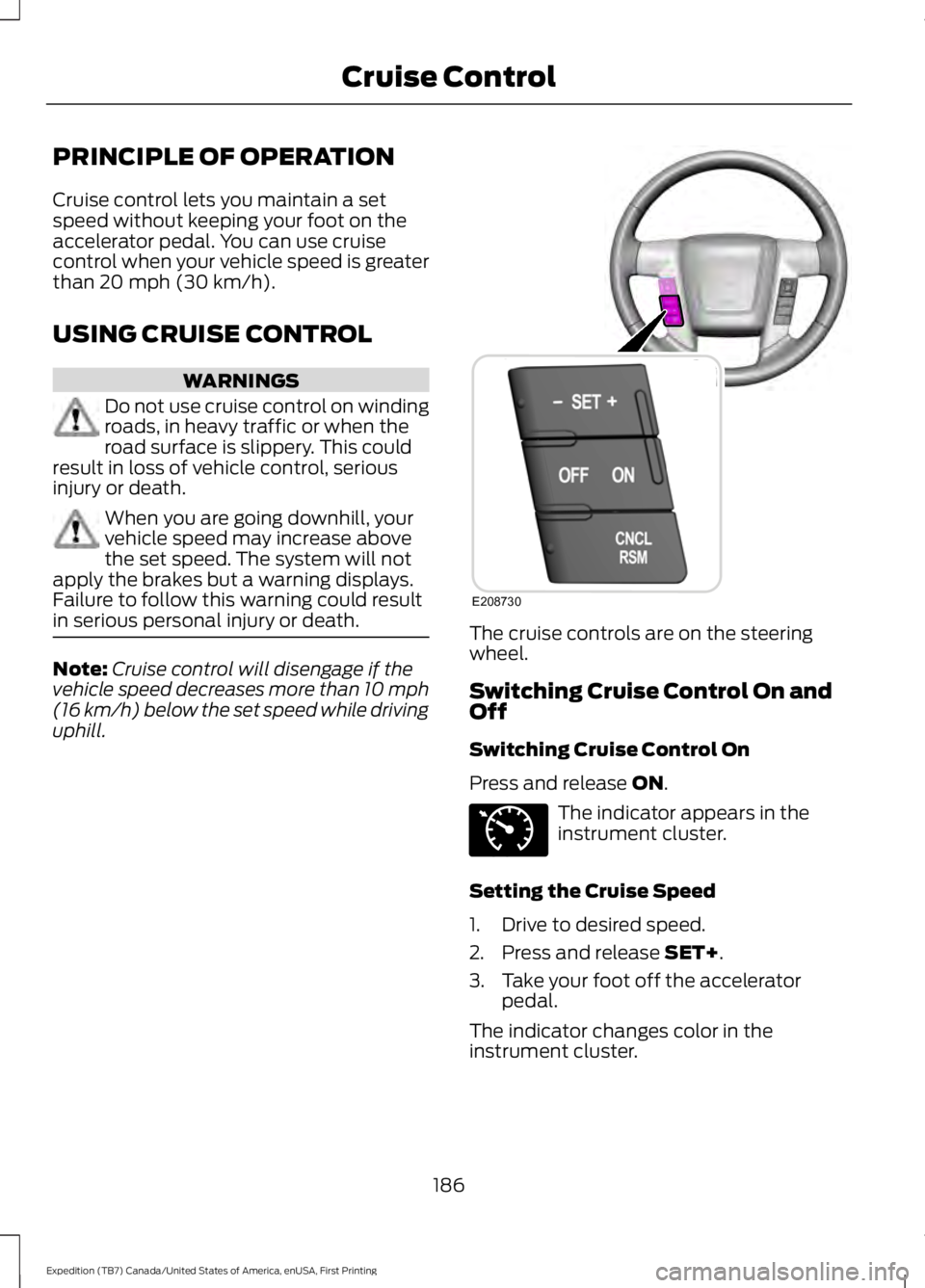
The cruise controls are on the steeringwheel.
Switching Cruise Control On andOff
Switching Cruise Control On
Press and release ON.
The indicator appears in theinstrument cluster.
Setting the Cruise Speed
1. Drive to desired speed.
2. Press and release SET+.
3. Take your foot off the acceleratorpedal.
The indicator changes color in theinstrument cluster.
186
Expedition (TB7) Canada/United States of America, enUSA, First Printing
Cruise ControlE208730 E71340
Page 221 of 421
Note:If completed successfully, theinformation display shows NEUTRAL TOWLEAVE IN N or NEUTRAL TOW ENABLEDLEAVE TRANSMISSION IN NEUTRAL.This indicates that your vehicle is safe totow with all wheels on the ground.
Note:If you do not see the message in thedisplay, you must perform the procedureagain from the beginning.
Note:You may hear an audible noise as thetransfer case shifts into its neutral position.This is normal.
6. Leave the transmission in position Nand turn the ignition as far as it will gotoward the off position (it will not turnfully off when the transmission is inposition N). If your vehicle has anignition key, you must leave the key inthe ignition while towing. To lock andunlock your vehicle, use the keylessentry keypad or extra set of keys. If yourvehicle has intelligent access, press theengine START/STOP button oncewithout pressing the brake pedal. Youdo not need to leave your keys in thevehicle. You can lock and unlock yourvehicle as you normally do.
7. Release the brake pedal.
WARNINGS
Do not disconnect the battery duringrecreational towing. Doing so willprevent the transfer case fromshifting properly and may cause the vehicleto roll even if the transmission is in P(Park).
Shifting the transfer case to itsneutral position for recreationaltowing may cause the vehicle to beable to roll even if the transmission is in P(Park). The driver or others could beinjured. Make sure the foot brake isdepressed and the vehicle is in a secureand safe position while the transfer caseis being shifted to its neutral position.
WARNINGS
Failing to put the transfer case in itsneutral position will damage vehiclecomponents.
Note:You can check four-wheel-downtowing status at any time by opening thedriver's door or turning the ignition to theaccessory or on position and verifying theNEUTRAL TOW ENABLED messagedisplays in the cluster.
Exiting Four-wheel-down Towing
To exit four-wheel-down towing and returnthe transfer case to its 2H position:
1.With your vehicle still properly securedto the tow vehicle, put the ignition inthe on position, but do not start theengine. If your vehicle has an ignitionkey, turn the key to on. If your vehiclehas intelligent access, press the engineSTART/STOP button twice withoutpressing the brake pedal.
2. Press and hold the brake pedal.
3.Shift the transmission out of N and intoany gear.
4. Release the brake pedal.
Note:If completed successfully, theinstrument cluster displays 4X2, andNEUTRAL TOW DISABLED.
Note:If the indicator light and message donot display, you must perform the procedureagain from the beginning.
Note:You may hear an audible noise as thetransfer case shifts out of its neutralposition. This is normal.
Note:If SHIFT DELAY PULL FORWARDdisplays in the instrument cluster, transfercase gear tooth blockage is present. See theinstructions after this section.
5. Apply the parking brake, and thendisconnect the vehicle from the towvehicle.
218
Expedition (TB7) Canada/United States of America, enUSA, First Printing
Towing
Page 222 of 421
6. Release the parking brake, start theengine, and shift the transmission toposition D to make sure the transfercase is out of position N.
7. If the transfer case does notsuccessfully shift out of position N, setthe parking brake until you can haveyour vehicle serviced.
Resolving the SHIFT DELAY PULLFORWARD Message
If the instrument cluster displays SHIFTDELAY PULL FORWARD perform thefollowing:
1. Press and hold the brake pedal.
2. Put the transmission into position N,and then start the engine.
3. With the engine running, shift thetransmission to position D and let thevehicle roll forward, up to 3 feet (1meter). You may hear an audible noiseas the transfer case shifts out of itsneutral position. This is normal.
4. Make sure the instrument clusterdisplays NEUTRAL TOW DISABLED.
219
Expedition (TB7) Canada/United States of America, enUSA, First Printing
Towing
Page 249 of 421
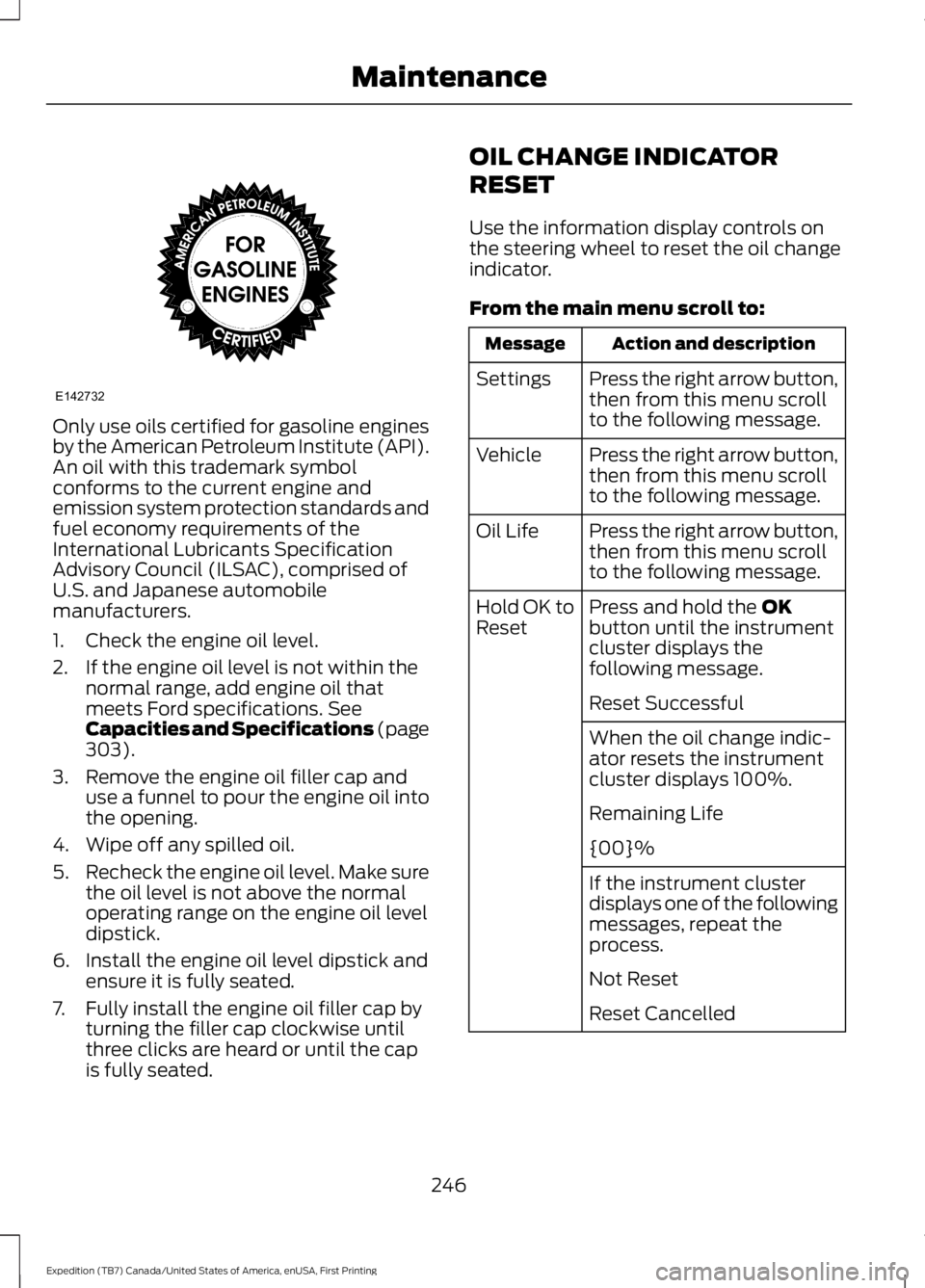
Only use oils certified for gasoline enginesby the American Petroleum Institute (API).An oil with this trademark symbolconforms to the current engine andemission system protection standards andfuel economy requirements of theInternational Lubricants SpecificationAdvisory Council (ILSAC), comprised ofU.S. and Japanese automobilemanufacturers.
1. Check the engine oil level.
2. If the engine oil level is not within thenormal range, add engine oil thatmeets Ford specifications. SeeCapacities and Specifications (page303).
3. Remove the engine oil filler cap anduse a funnel to pour the engine oil intothe opening.
4. Wipe off any spilled oil.
5.Recheck the engine oil level. Make surethe oil level is not above the normaloperating range on the engine oil leveldipstick.
6. Install the engine oil level dipstick andensure it is fully seated.
7. Fully install the engine oil filler cap byturning the filler cap clockwise untilthree clicks are heard or until the capis fully seated.
OIL CHANGE INDICATOR
RESET
Use the information display controls onthe steering wheel to reset the oil changeindicator.
From the main menu scroll to:
Action and descriptionMessage
Press the right arrow button,then from this menu scrollto the following message.
Settings
Press the right arrow button,then from this menu scrollto the following message.
Vehicle
Press the right arrow button,then from this menu scrollto the following message.
Oil Life
Press and hold the OKbutton until the instrumentcluster displays thefollowing message.
Hold OK toReset
Reset Successful
When the oil change indic-ator resets the instrumentcluster displays 100%.
Remaining Life
{00}%
If the instrument clusterdisplays one of the followingmessages, repeat theprocess.
Not Reset
Reset Cancelled
246
Expedition (TB7) Canada/United States of America, enUSA, First Printing
MaintenanceE142732
Page 270 of 421
CLEANING THE INSTRUMENT
PANEL AND INSTRUMENT
CLUSTER LENS
WARNING
Do not use chemical solvents orstrong detergents when cleaning thesteering wheel or instrument panelto avoid contamination of the airbagsystem.
Note:Follow the same procedure ascleaning leather seats for cleaning leatherinstrument panels and leather interior trimsurfaces. See Cleaning Leather Seats(page 267).
Clean the instrument panel and clusterlens with a clean, damp and soft cloth,then use a clean, dry and soft cloth to drythese areas.
•Avoid cleaners or polishes that increasethe gloss of the upper portion of theinstrument panel. The dull finish in thisarea helps protect you fromundesirable windshield reflection.
•Do not use any household cleaningproducts or glass cleaners as thesemay damage the finish of theinstrument panel, interior trim andcluster lens.
•Wash or wipe your hands clean if youhave been in contact with certainproducts such as insect repellent andsuntan lotion to avoid possible damageto the interior painted surfaces.
•Do not allow air fresheners and handsanitizers to spill onto interior surfaces.If a spill occurs, wipe off immediately.Your warranty may not cover thesedamages.
If a staining liquid like coffee or juice hasbeen spilled on the instrument panel or oninterior trim surfaces:
1. Wipe up spilled liquid using a clean,soft cloth as quickly as possible.
2. Use Motorcraft Premium Leather andVinyl Cleaner or a commerciallyavailable leather cleaning product forautomotive interiors. Test any cleaneror stain remover on an inconspicuousarea.
3. Alternatively, wipe the surface with aclean, soft cloth and a mild soap andwater solution. Dry the area with aclean, soft cloth.
4. If necessary, apply more soap andwater solution or cleaning product toa clean, soft cloth and press it onto thesoiled area. Allow this to set at roomtemperature for 30 minutes.
5. Remove the soaked cloth, then with aclean, damp cloth, use a rubbingmotion for 60 seconds on the soiledarea.
6. Dry the area with a clean, soft cloth.
CLEANING LEATHER SEATS (If
Equipped)
Without King Ranch Edition
Note:Follow the same procedure ascleaning leather seats for cleaning leatherinstrument panels and leather interior trimsurfaces.
For routine cleaning, wipe the surface witha soft, damp cloth and a mild soap andwater solution. Dry the area with a clean,soft cloth.
For cleaning and removing spots and stainssuch as dye transfer, use MotorcraftPremium Leather and Vinyl Cleaner or acommercially available leather cleaningproduct for automotive interiors.
Note:Test any cleaner or stain remover onan inconspicuous area.
267
Expedition (TB7) Canada/United States of America, enUSA, First Printing
Vehicle Care
Page 411 of 421

Bonnet LockSee: Opening and Closing the Hood..........243Booster Seats..................................................23Types of Booster Seats......................................24Brake Fluid Check.........................................251Brakes................................................................172General Information...........................................172Breaking-In.....................................................220Bulb Specification Chart..........................260
C
California Proposition 65..............................11Capacities and Specifications - 3.5LEcoboost™.................................................307Specifications.....................................................308Capacities and Specifications................303Car WashSee: Cleaning the Exterior..............................264Center Console..............................................144Changing a Bulb...........................................257Central High-mounted Brake LampBulb....................................................................259Fog Lamp Bulb...................................................258Front Direction Indicator Bulb.......................258Headlamp Bulb...................................................257LED Central High-mounted Brake LampBulb....................................................................259LED Direction Indicator and Side MarkerBulbs..................................................................258LED Headlamp Bulb..........................................257LED Rear Lamp, Brake Lamp, Rear DirectionIndicator and Reverse LampBulbs..................................................................259License Plate Lamp Bulb...............................260Rear Lamp, Brake Lamp, Rear DirectionIndicator and Reverse LampBulbs..................................................................259Side Direction Indicator Bulb........................260Side Marker Bulb...............................................258Changing a Fuse...........................................242Fuses.......................................................................242Changing a Road Wheel...........................296Dissimilar Spare Wheel and Tire AssemblyInformation.....................................................296Location of the Spare Tire and Tools.........297Tire Change Procedure....................................298
Changing the 12V Battery.........................252Battery Management System.......................254Changing the Engine Air Filter.................262Changing the Wiper Blades.....................255Checking MyKey System Status..............49Checking the Wiper Blades.....................254Childminder Mirror.........................................82Child Restraint and SeatbeltMaintenance.................................................34Child Restraint Positioning.........................25Child Safety.......................................................15General Information.............................................15Child Safety Locks.........................................26Cleaning Leather Seats..............................267With King Ranch Edition.................................268Without King Ranch Edition...........................267Cleaning Products.......................................264Cleaning the Alloy Wheels.......................269Cleaning the Engine....................................265Cleaning the Exterior..................................264Exterior Chrome Parts.....................................264Exterior Plastic Parts........................................265Stripes or Graphics............................................265Underbody...........................................................265Cleaning the Instrument Panel andInstrument Cluster Lens.........................267Cleaning the Interior...................................266Cleaning the Windows and WiperBlades...........................................................266Clearing All MyKeys.......................................48Climate Control..............................................113Climate Controlled Seats..........................135Cooled Seats........................................................135Coolant CheckSee: Engine Coolant Check............................247Crash Sensors and Airbag Indicator........39Creating a MyKey............................................47Programming/Changing ConfigurableSettings...............................................................47Cross Traffic Alert........................................190False Alerts...........................................................193Switching the System Off and On...............193System Errors.......................................................193System Lights, Messages and AudibleAlerts..................................................................192System Limitations............................................192Using the System...............................................190
408
Expedition (TB7) Canada/United States of America, enUSA, First Printing
Index
Page 414 of 421
Information Display Control.......................70Information Displays.....................................92General Information............................................92Information Messages................................1034WD Messages.....................................................112AdvanceTrac™ / Traction ControlMessages..........................................................104Alarm Messages.................................................104Battery and Charging SystemMessages..........................................................104Blind Spot Information SystemMessages..........................................................105Brake System Messages..................................105Door Messages....................................................105Engine Messages................................................106Fuel Messages.....................................................106Keys and Intelligent AccessMessages.........................................................106Maintenance Messages....................................107MyKey™ Messages............................................108Off Road Messages...........................................108Park Aid Messages.............................................109Power Steering Messages...............................109Remote Start Messages...................................110Suspension System Messages.......................110Tire Messages.......................................................110Trailer Messages..................................................110Transmission Messages.....................................111Installing Child Restraints............................16Child Seats...............................................................16Combining Safety Belt and LATCH LowerAnchors for Attaching Child SafetySeats....................................................................20Using Lap and Shoulder Belts .........................17Using Lower Anchors and Tethers forCHildren (LATCH)............................................19Using Tether Straps.............................................20Instrument Cluster........................................85Instrument Lighting Dimmer......................76Interior Lamps.................................................78Front Row Map and Dome Lamps.................78Front Row Map Lamps.......................................78Rear Cargo Lamp..................................................79Second Row Map Lamps..................................78Interior Mirror...................................................82Auto-Dimming Mirror..........................................82Introduction.........................................................7
J
Jump Starting the Vehicle........................225Connecting the Jumper Cables....................225Jump Starting......................................................226Preparing Your Vehicle.....................................225Removing the Jumper Cables.......................226
K
Keyless Entry....................................................59SECURICODE™ KEYLESS ENTRYKEYPAD..............................................................59Unlocking and Locking the Doors...................61Keyless Starting............................................145Ignition Modes.....................................................146Keys and Remote Controls..........................41Principle of Operation.........................................41
L
Lighting Control...............................................74Headlamp Flasher................................................75High Beams.............................................................74Lighting...............................................................74General Information............................................74Limited Slip Differential...............................171Load CarriersSee: Roof Racks and Load Carriers..............197Load Carrying.................................................196Load Limit.......................................................198Special Loading Instructions for Owners ofPick-up Trucks and Utility-typeVehicles............................................................204Vehicle Loading - with and without aTrailer.................................................................198
411
Expedition (TB7) Canada/United States of America, enUSA, First Printing
Index