2016 FORD EXPEDITION EL lock
[x] Cancel search: lockPage 30 of 421
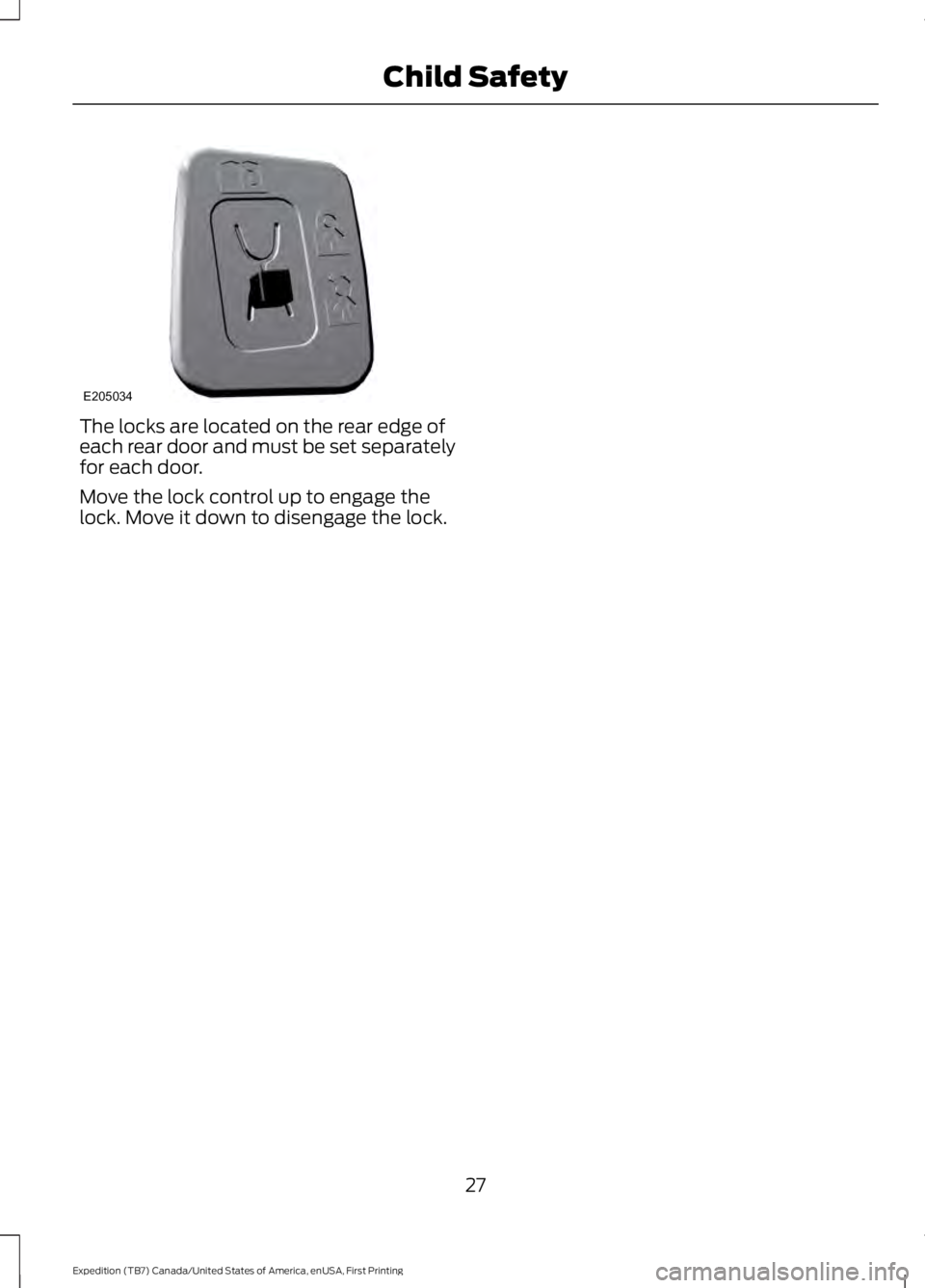
The locks are located on the rear edge ofeach rear door and must be set separatelyfor each door.
Move the lock control up to engage thelock. Move it down to disengage the lock.
27
Expedition (TB7) Canada/United States of America, enUSA, First Printing
Child SafetyE205034
Page 31 of 421

PRINCIPLE OF OPERATION
WARNINGS
Always drive and ride with yourseatback upright and the lap beltsnug and low across the hips.
To reduce the risk of injury, makesure children sit where they can beproperly restrained.
Never let a passenger hold a child onhis or her lap while the vehicle ismoving. The passenger cannotprotect the child from injury in a crash,which may result in serious injury or death.
All occupants of the vehicle,including the driver, should alwaysproperly wear their safety belts, evenwhen an airbag supplemental restraintsystem is provided. Failure to properly wearyour safety belt could seriously increasethe risk of injury or death.
It is extremely dangerous to ride in acargo area, inside or outside of avehicle. In a crash, people riding inthese areas are more likely to be seriouslyinjured or killed. Do not allow people to ridein any area of your vehicle that is notequipped with seats and safety belts. Besure everyone in your vehicle is in a seatand using a safety belt properly.
In a rollover crash, an unbeltedperson is significantly more likely todie than a person wearing a safetybelt.
Each seating position in your vehiclehas a specific safety belt assemblywhich is made up of one buckle andone tongue that are designed to be usedas a pair. 1) Use the shoulder belt on theoutside shoulder only. Never wear theshoulder belt under the arm. 2) Neverswing the safety belt around your neck overthe inside shoulder. 3) Never use a singlebelt for more than one person.
WARNINGS
When possible, all children 12 yearsold and under should be properlyrestrained in a rear seating position.Failure to follow this could seriouslyincrease the risk of injury or death.
Safety belts and seats can becomehot in a vehicle that has been closedup in sunny weather; they could burna small child. Check seat covers andbuckles before you place a child anywherenear them.
Front and rear seat occupants,including pregnant women, shouldwear safety belts for optimumprotection in an accident.
All seating positions in this vehicle havelap and shoulder safety belts. Alloccupants of the vehicle should alwaysproperly wear their safety belts, even whenan airbag supplemental restraint systemis provided.
The safety belt system consists of:
•Lap and shoulder safety belts.
•Shoulder safety belt with automaticlocking mode, (except driver safetybelt).
•Height adjuster at the front outboardseating positions.
•Safety belt pretensioner at the frontoutboard seating positions.
•Safety belt warning light and chime.
•Crash sensors and monitoring systemwith readiness indicator.
28
Expedition (TB7) Canada/United States of America, enUSA, First Printing
Seatbelts
Page 33 of 421
Pregnant women should always wear theirsafety belt. The lap belt portion of acombination lap and shoulder belt shouldbe positioned low across the hips belowthe belly and worn as tight as comfort willallow. The shoulder belt should bepositioned to cross the middle of theshoulder and the center of the chest.
Safety Belt Locking Modes
WARNINGS
After any vehicle crash, the safetybelt system at all passenger seatingpositions must be checked by anauthorized dealer to verify that theautomatic locking retractor feature forchild seats is still functioning properly. Inaddition, all safety belts should be checkedfor proper function.
The belt and retractor assemblymust be replaced if the safety beltassembly automatic locking retractorfeature or any other safety belt function isnot operating properly when checked byan authorized dealer. Failure to replace thebelt and retractor assembly could increasethe risk of injury in crashes.
All safety restraints in the vehicle arecombination lap and shoulder belts. Thedriver safety belt has the first type oflocking mode. The front outboardpassenger and rear seat safety belts haveboth types of locking modes described asfollows:
Vehicle Sensitive Mode
This is the normal retractor mode, whichallows free shoulder belt lengthadjustment to your movements andlocking in response to vehicle movement.For example, if the driver brakes suddenlyor turns a corner sharply, or the vehiclereceives an impact of about 5 mph(8 km/h) or more, the combination safetybelts will lock to help reduce forwardmovement of the driver and passengers.
In addition, the retractor is designed to lockif the webbing is pulled out too quickly. Ifthis occurs, let the belt retract slightly andpull webbing out again in a slow andcontrolled manner.
Automatic Locking Mode
In this mode, the shoulder belt isautomatically pre-locked. The belt will stillretract to remove any slack in the shoulderbelt. The automatic locking mode is notavailable on the driver safety belt.
When to Use the Automatic LockingMode
This mode should be used any time a childsafety seat, except a booster, is installedin passenger front or rear seating positions.Children 12 years old and under should beproperly restrained in a rear seatingposition whenever possible. See ChildSafety (page 15).
30
Expedition (TB7) Canada/United States of America, enUSA, First Printing
Seatbelts
Page 34 of 421
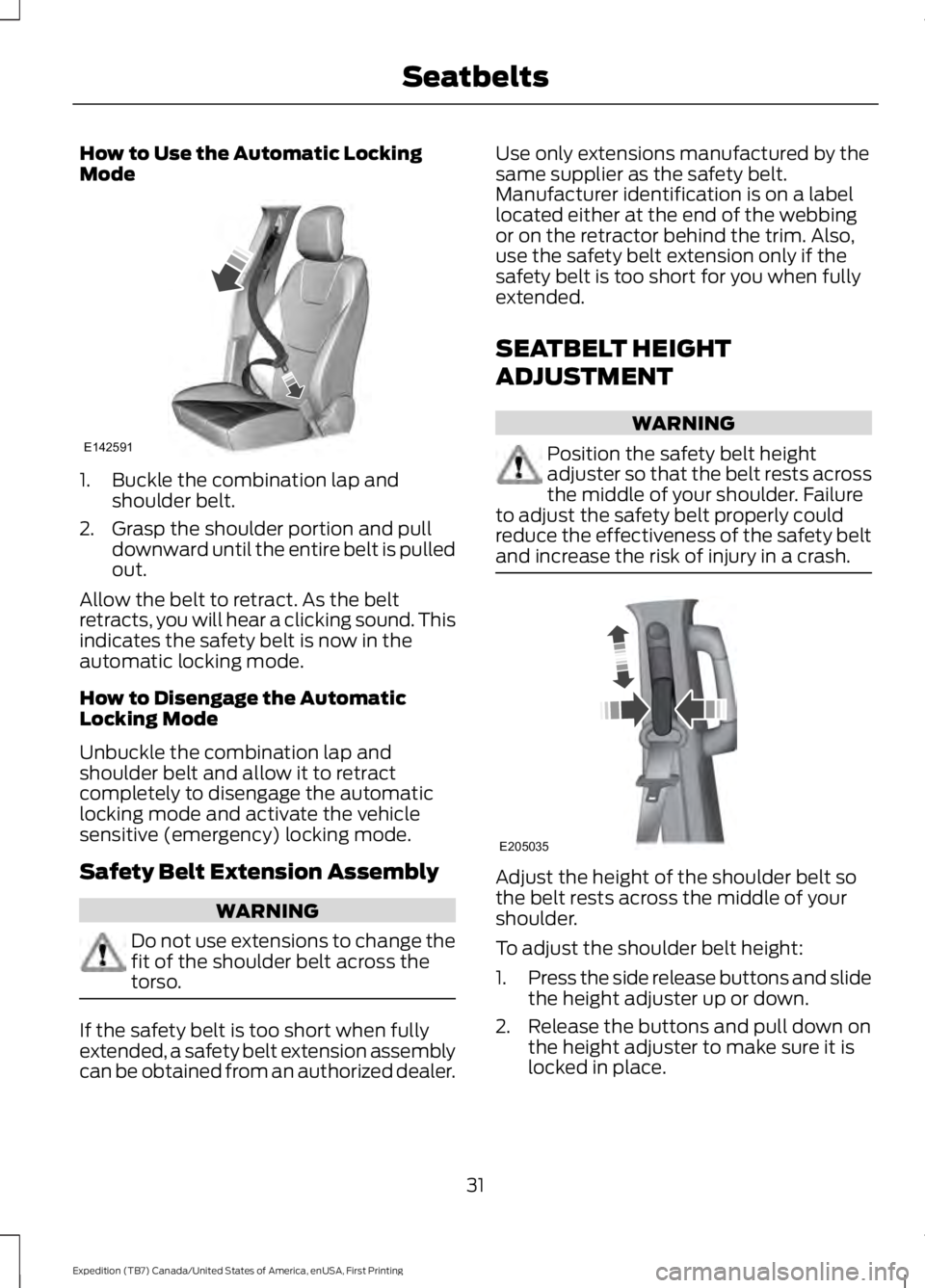
How to Use the Automatic LockingMode
1. Buckle the combination lap andshoulder belt.
2. Grasp the shoulder portion and pulldownward until the entire belt is pulledout.
Allow the belt to retract. As the beltretracts, you will hear a clicking sound. Thisindicates the safety belt is now in theautomatic locking mode.
How to Disengage the AutomaticLocking Mode
Unbuckle the combination lap andshoulder belt and allow it to retractcompletely to disengage the automaticlocking mode and activate the vehiclesensitive (emergency) locking mode.
Safety Belt Extension Assembly
WARNING
Do not use extensions to change thefit of the shoulder belt across thetorso.
If the safety belt is too short when fullyextended, a safety belt extension assemblycan be obtained from an authorized dealer.
Use only extensions manufactured by thesame supplier as the safety belt.Manufacturer identification is on a labellocated either at the end of the webbingor on the retractor behind the trim. Also,use the safety belt extension only if thesafety belt is too short for you when fullyextended.
SEATBELT HEIGHT
ADJUSTMENT
WARNING
Position the safety belt heightadjuster so that the belt rests acrossthe middle of your shoulder. Failureto adjust the safety belt properly couldreduce the effectiveness of the safety beltand increase the risk of injury in a crash.
Adjust the height of the shoulder belt sothe belt rests across the middle of yourshoulder.
To adjust the shoulder belt height:
1.Press the side release buttons and slidethe height adjuster up or down.
2. Release the buttons and pull down onthe height adjuster to make sure it islocked in place.
31
Expedition (TB7) Canada/United States of America, enUSA, First Printing
SeatbeltsE142591 E205035
Page 44 of 421
PRINCIPLE OF OPERATION
The remote control allows you to:
•Remotely lock or unlock the vehicledoors.
•Unlock the doors without actively usinga key or remote control (intelligentaccess only).
•Remotely open the power liftgate (ifequipped).
•Remotely start or stop the engine anduser pre-set features (if equipped).
•Arm and disarm the anti-theft system.
•Activate the panic alarm.
GENERAL INFORMATION ON
RADIO FREQUENCIES
This device complies with Part 15 of theFCC Rules and with Industry Canadalicense-exempt RSS standard(s).Operation is subject to the following twoconditions: (1) This device may not causeharmful interference, and (2) This devicemust accept any interference received,including interference that may causeundesired operation.
Note:Changes or modifications notexpressively approved by the partyresponsible for compliance could void theuser's authority to operate the equipment.The term IC before the radio certificationnumber only signifies that Industry Canadatechnical specifications were met.
The typical operating range for yourtransmitter is approximately 33 feet (10meters). Vehicles with the remote startfeature will have a greater range. One ofthe following could cause a decrease inoperating range:
•Weather conditions.
•Nearby radio towers.
•Structures around the vehicle.
•Other vehicles parked next to yourvehicle.
The radio frequency used by your remotecontrol can also be used by other radiotransmitters, for example amateur radios,medical equipment, wireless headphones,wireless remote controls, cell phones,battery chargers and alarm systems. If thefrequencies are jammed, you will not beable to use your remote control. You canlock and unlock the doors with the key.
Note:Make sure to lock your vehicle beforeleaving it unattended.
Note:If you are in range, the remote controlwill operate if you press any buttonunintentionally.
Intelligent Access (If Equipped)
The system uses a radio frequency signalto communicate with your vehicle andauthorize your vehicle to unlock when oneof the following conditions are met:
•You press any button on the keylessentry keypad within 3 ft (1 m) proximityof an intelligent access key.
•You press the luggage compartmentbutton.
•You press a button on the transmitter.
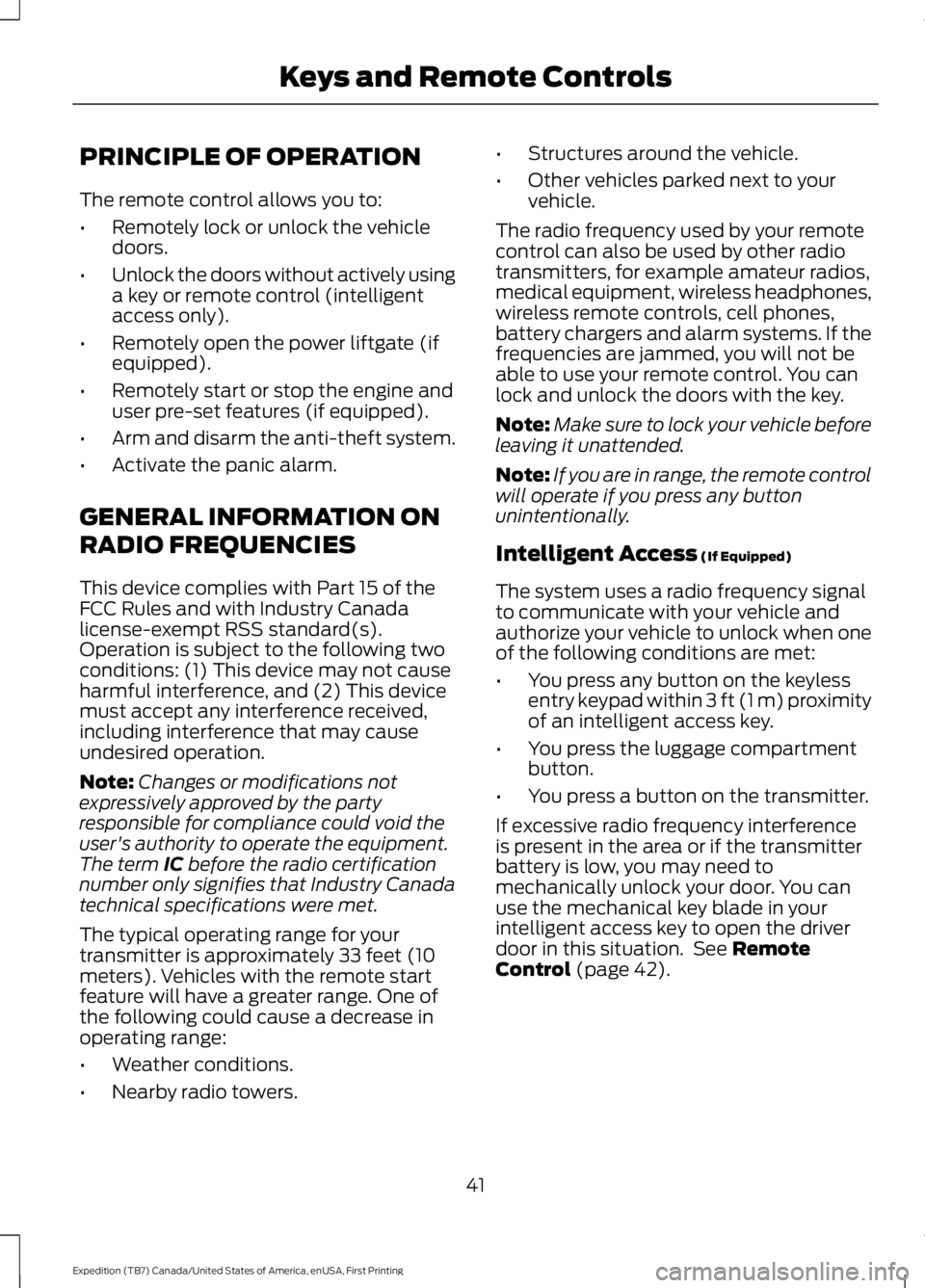
If excessive radio frequency interferenceis present in the area or if the transmitterbattery is low, you may need tomechanically unlock your door. You canuse the mechanical key blade in yourintelligent access key to open the driverdoor in this situation. See RemoteControl (page 42).
41
Expedition (TB7) Canada/United States of America, enUSA, First Printing
Keys and Remote Controls
Page 45 of 421
REMOTE CONTROL
Integrated Keyhead Transmitter (If
Equipped)
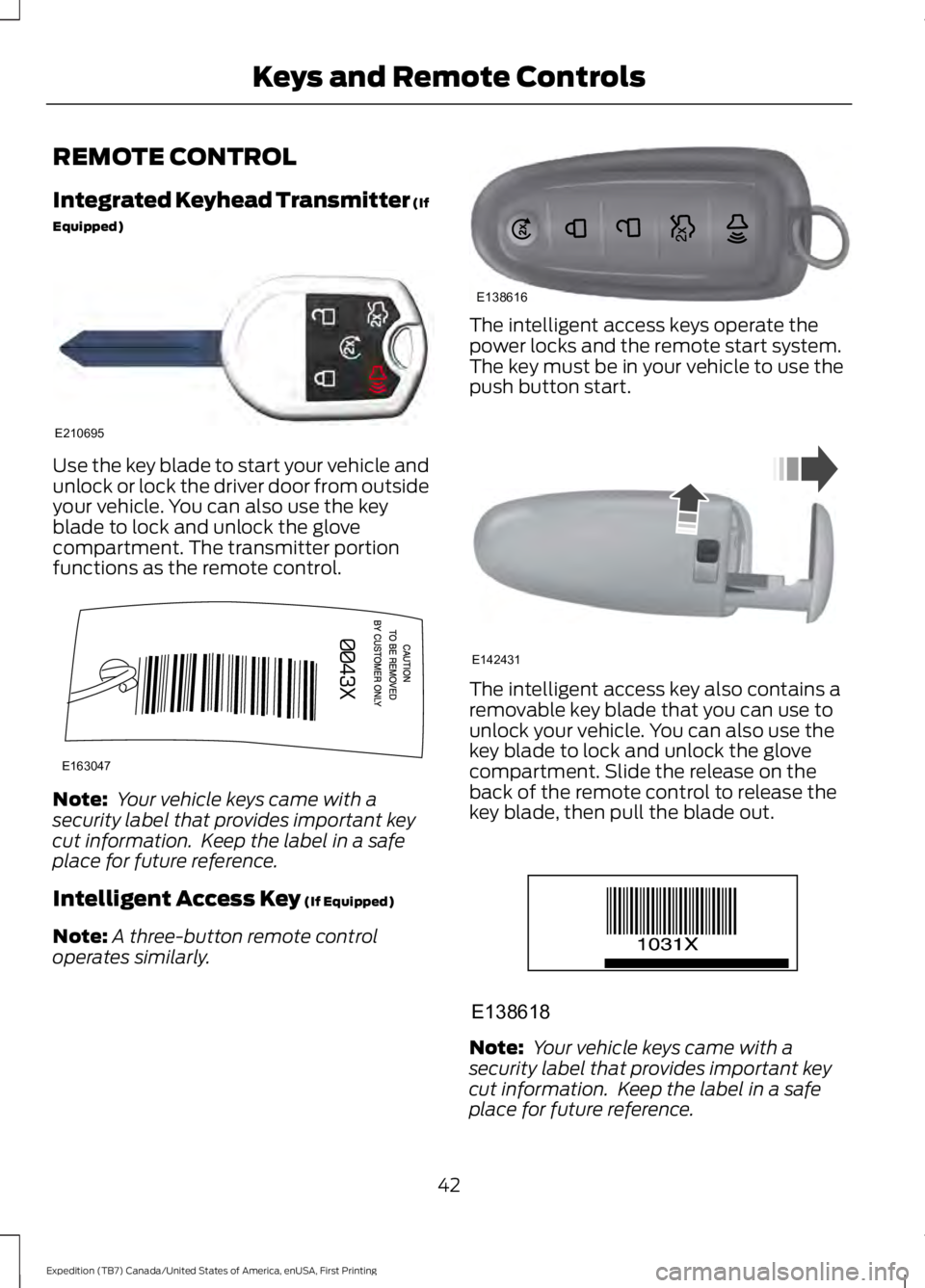
Use the key blade to start your vehicle andunlock or lock the driver door from outsideyour vehicle. You can also use the keyblade to lock and unlock the glovecompartment. The transmitter portionfunctions as the remote control.
Note: Your vehicle keys came with asecurity label that provides important keycut information. Keep the label in a safeplace for future reference.
Intelligent Access Key (If Equipped)
Note:A three-button remote controloperates similarly.
The intelligent access keys operate thepower locks and the remote start system.The key must be in your vehicle to use thepush button start.
The intelligent access key also contains aremovable key blade that you can use tounlock your vehicle. You can also use thekey blade to lock and unlock the glovecompartment. Slide the release on theback of the remote control to release thekey blade, then pull the blade out.
Note: Your vehicle keys came with asecurity label that provides important keycut information. Keep the label in a safeplace for future reference.
42
Expedition (TB7) Canada/United States of America, enUSA, First Printing
Keys and Remote ControlsE210695 E163047 E138616 E142431 E138618
Page 48 of 421
To start your vehicle remotely:
1. Press the lock button to lock all thedoors.
2. Press the remote start button twice.The exterior lamps flash twice.
The horn sounds if the system fails to start,unless quiet start is on. Quiet start runs theblower fan at a slower speed to reducenoise. You can switch this feature on or offin the information display. See GeneralInformation (page 92).
Note:If you remote start your vehicle withan integrated keyhead transmitter, you mustswitch the ignition on before driving yourvehicle. If you remote start your vehicle withan intelligent access transmitter, you mustpress the push button ignition switch on theinstrument panel once while applying thebrake pedal before driving your vehicle.
The power windows do not work duringremote start and the radio does not turnon automatically.
The parking lamps remain on and thevehicle runs for 5, 10 or 15 minutes,depending on the setting.
Extending the Engine Running Time
To extend the engine running time durationof your vehicle during remote start, repeatsteps 1 and 2 while the engine is running.If the duration is set to 10 minutes, theduration extends by another 10 minutes.For example, if your vehicle had beenrunning from the first remote start for 5minutes, your vehicle continues to run nowfor a total of 20 minutes. You can extendthe remote start up to a maximum of 35minutes.
Wait at least five seconds before remotestarting after the engine stops running.
Turning Your Vehicle Off After RemoteStarting
Press the button once. Theparking lamps turn off.
You may have to be closer to your vehicleto remotely switch off your vehicle afterremote starting. This is due to the addednoise of your running vehicle.
You can switch this feature on or off in theinformation display. See GeneralInformation (page 92).
Memory Feature (If Equipped)
You can use the remote control to recallmemory settings for the driver seat, powermirrors, power steering column and poweradjustable foot pedals. Press the unlockbutton on the remote control or unlockyour vehicle with the intelligent access keyto recall the memory positions. You canprogram the remote control or intelligentaccess key to recall memory positions. SeeMemory Function (page 126).
REPLACING A LOST KEY OR
REMOTE CONTROL
Replacement keys or remote controls canbe purchased from an authorized dealer.Authorized dealers can program remotecontrols for your vehicle. See PassiveAnti-Theft System (page 62).
45
Expedition (TB7) Canada/United States of America, enUSA, First Printing
Keys and Remote ControlsE138625
Page 56 of 421
LOCKING AND UNLOCKING
You can use the power door lock controlor the remote control to lock and unlockyour vehicle.
Power Door Locks
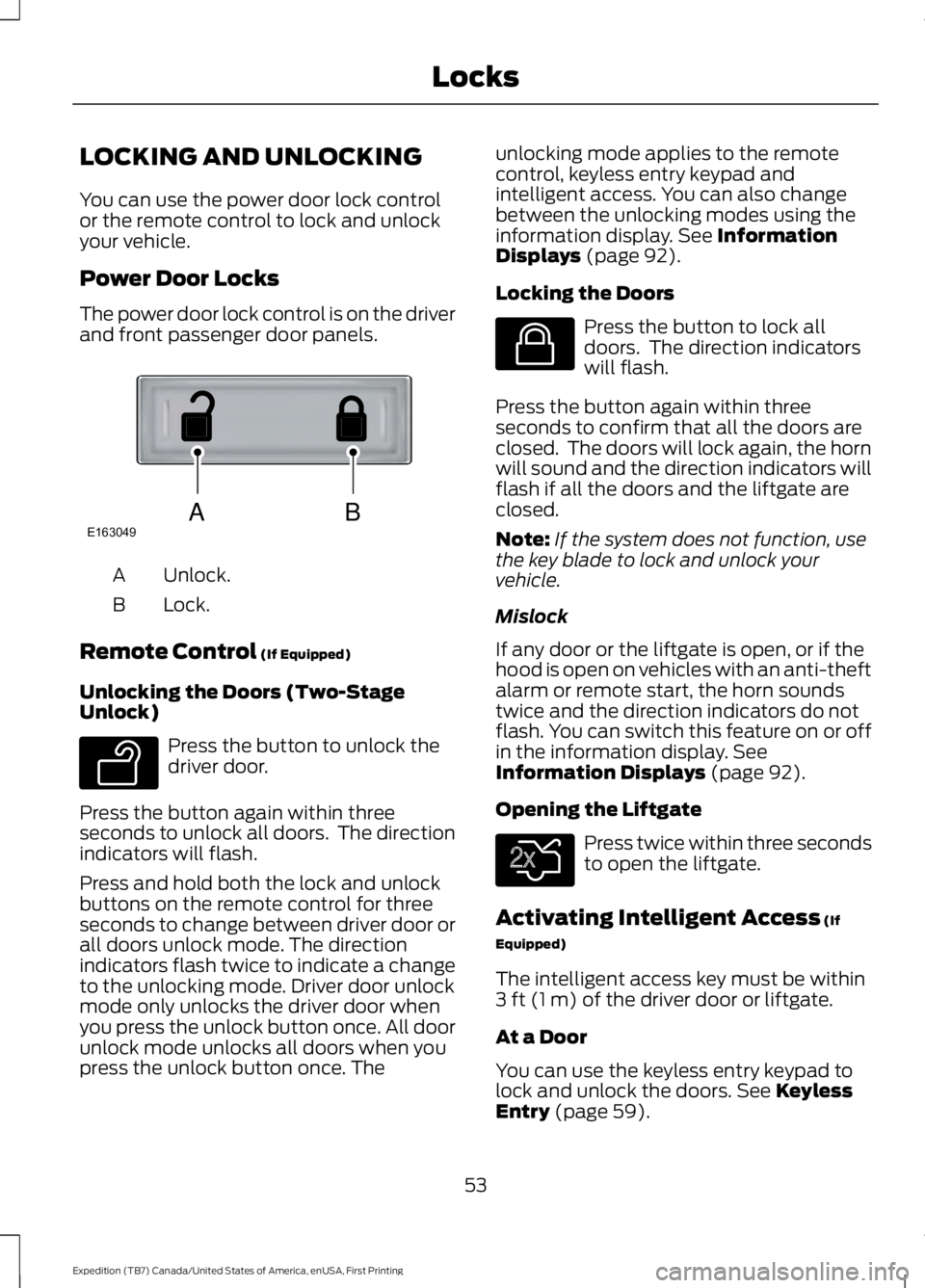
The power door lock control is on the driverand front passenger door panels.
Unlock.A
Lock.B
Remote Control (If Equipped)
Unlocking the Doors (Two-StageUnlock)
Press the button to unlock thedriver door.
Press the button again within threeseconds to unlock all doors. The directionindicators will flash.
Press and hold both the lock and unlockbuttons on the remote control for threeseconds to change between driver door orall doors unlock mode. The directionindicators flash twice to indicate a changeto the unlocking mode. Driver door unlockmode only unlocks the driver door whenyou press the unlock button once. All doorunlock mode unlocks all doors when youpress the unlock button once. The
unlocking mode applies to the remotecontrol, keyless entry keypad andintelligent access. You can also changebetween the unlocking modes using theinformation display. See InformationDisplays (page 92).
Locking the Doors
Press the button to lock alldoors. The direction indicatorswill flash.
Press the button again within threeseconds to confirm that all the doors areclosed. The doors will lock again, the hornwill sound and the direction indicators willflash if all the doors and the liftgate areclosed.
Note:If the system does not function, usethe key blade to lock and unlock yourvehicle.
Mislock
If any door or the liftgate is open, or if thehood is open on vehicles with an anti-theftalarm or remote start, the horn soundstwice and the direction indicators do notflash. You can switch this feature on or offin the information display. SeeInformation Displays (page 92).
Opening the Liftgate
Press twice within three secondsto open the liftgate.
Activating Intelligent Access (If
Equipped)
The intelligent access key must be within3 ft (1 m) of the driver door or liftgate.
At a Door
You can use the keyless entry keypad tolock and unlock the doors. See KeylessEntry (page 59).
53
Expedition (TB7) Canada/United States of America, enUSA, First Printing
LocksABE163049 E138629 E138623 E138630