2016 FORD C MAX ENERGI phone
[x] Cancel search: phonePage 343 of 395

Voice command issues
Possible solution(s)Possible cause(s)Issue
Make sure you are saying thecontacts exactly as they arelisted. For example, if yousave a contact as JoeWilson, say "Call JoeWilson".
The system may not bereading the name the sameway you are saying it.Contacts in your phonebookmay be very short andsimilar, or they may containspecial characters.Using the SYNC phonemenu, open the phonebookand scroll to the nameSYNC is having troubleunderstanding. SYNC willread the name to you, givingyou some idea of thepronunciation SYNC isexpecting.
Your phonebook contactsmay be in CAPS.
The system works better ifyou list full names, such as"Joe Wilson" rather than"Joe".Do not use special charac-ters, such as 123 or ICE, asthe system does not recog-nize them.If a contact is in CAPS, youhave to spell it. JAKErequires you to say "Call J-A-K-E".
AppLink issues
Possible solution(s)Possible cause(s)Issue
Ensure you have a compat-ible smartphone; an Androidwith OS 2.3 or higher or aniPhone 3GS or newer withiOS 5.0 or higher. Addition-ally, ensure your phone is
An AppLink capable phoneis not connected to SYNC.AppLink Mobile Applica-tions: When I select "FindNew Apps," SYNC does notfind any applications.
paired and connected to
340
C-MAX (CCG) Canada/United States of America, enUSA, First Printing
SYNC™
Page 344 of 395

AppLink issues
Possible solution(s)Possible cause(s)Issue
SYNC in order to findAppLink-capable apps onyour device. iPhone usersmust also connect toSYNC's USB port with anApple USB cable.
Ensure you have down-loaded and installed thelatest version of the appfrom your phone's app store.Ensure the app is running onyour phone. Some apps
AppLink-enabled apps arenot installed and running onyour mobile device.
My phone is connected, butI still cannot find any apps.
require you to register orlogin on the app on thephone before using themwith AppLink. Also, somemay have a "Ford SYNC"setting, so check the app'ssettings menu on the phone.
Closing and restarting appsmay help SYNC find theapplication if you cannotdiscover it inside the vehicle.On an Android device, ifapps have an "Exit' or 'Quit'
Sometime apps do notproperly close and re-opentheir connection to SYNC,over ignition cycles, forexample.
My phone is connected, myapp(s) are running, but I stillcannot find any apps.
option, select that thenrestart the app. If the appdoes not have that option,you can also manually"Force Close" the app bygoing to the phone's settingsmenu, selecting 'Apps.' thenfinding the particular appand choosing 'Force stop.'Don't forget to restart theapp afterwards, then select"Find New Apps" on SYNC.
341
C-MAX (CCG) Canada/United States of America, enUSA, First Printing
SYNC™
Page 345 of 395
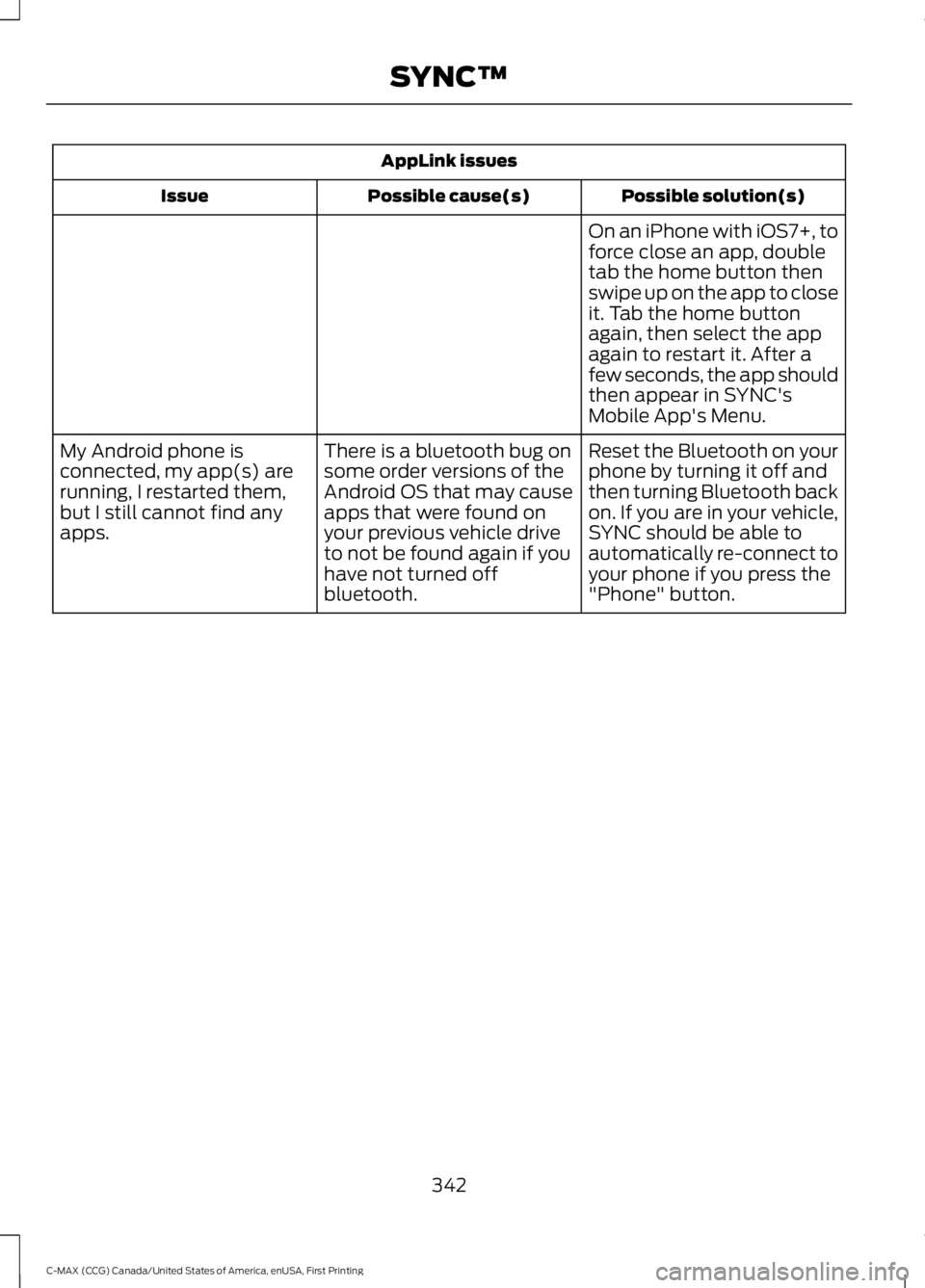
AppLink issues
Possible solution(s)Possible cause(s)Issue
On an iPhone with iOS7+, toforce close an app, doubletab the home button thenswipe up on the app to closeit. Tab the home buttonagain, then select the appagain to restart it. After afew seconds, the app shouldthen appear in SYNC'sMobile App's Menu.
Reset the Bluetooth on yourphone by turning it off andthen turning Bluetooth backon. If you are in your vehicle,SYNC should be able toautomatically re-connect toyour phone if you press the"Phone" button.
There is a bluetooth bug onsome order versions of theAndroid OS that may causeapps that were found onyour previous vehicle driveto not be found again if youhave not turned offbluetooth.
My Android phone isconnected, my app(s) arerunning, I restarted them,but I still cannot find anyapps.
342
C-MAX (CCG) Canada/United States of America, enUSA, First Printing
SYNC™
Page 346 of 395

AppLink issues
Possible solution(s)Possible cause(s)Issue
Unplug the USB cable fromthe phone, wait a moment,and plug the USB cableback in to the phone. After afew seconds, the app shouldappear in SYNC's MobileApps Menu. If not, "ForceClose" the application andrestart it.
The USB connection toSYNC may need to be reset.My iPhone phone isconnected, my app isrunning, I restarted the appbut I still cannot find it onSYNC.
Try increasing the Bluetoothvolume of the device byusing the device's volumecontrol buttons which aremost often found on theside of the device.
The bluetooth volume onthe phone may be low.I have an Android phone. Ifound and started my mediaapp on SYNC, but there is nosound or the sound is verylow.
Force close or uninstall theapps you do not want SYNCto find. If the app has a "FordSYNC" setting, disable thatsetting in the app's settingsmenu on the phone.
Some Android devices havea limited number ofbluetooth ports apps canuse to connect. If you havemore AppLink apps on yourphone than the number ofavailble Bluetooth ports, youwill not see all of your appslisted in SYNC's mobile appsmenu.
I can only see some of theAppLink apps running on myphone listed in SYNC'sMobile Apps Menu.
343
C-MAX (CCG) Canada/United States of America, enUSA, First Printing
SYNC™
Page 348 of 395

Footnote
*Ford Licensed Accessory. The accessorymanufacturer designs, develops andtherefore warrants Ford LicensedAccessories, and does not design or testthese accessories to Ford MotorCompany engineering requirements.Contact an authorized Ford dealer for themanufacturer's limited warranty details,and request a copy of the Ford LicensedAccessories product limited warrantyfrom the accessory manufacturer.
For maximum vehicle performance, keepthe following information in mind whenadding accessories or equipment to yourvehicle:
•When adding accessories, equipment,passengers and luggage to yourvehicle, do not exceed the total weightcapacity of the vehicle or of the frontor rear axle (GVWR or GAWR asindicated on the Safety ComplianceCertification label). Ask an authorizeddealer for specific weight information.
•The Federal CommunicationsCommission (FCC) and CanadianRadio TelecommunicationsCommission (CRTC) regulate the useof mobile communications systemsthat are equipped with radiotransmitters, for example, two-wayradios, telephones and theft alarms.Any such equipment installed in yourvehicle should comply with FederalCommunications Commission (FCC)and Canadian RadioTelecommunications Commission(CRTC) regulations and should beinstalled only by an authorized dealer.
•Mobile communications systems mayharm the operation of your vehicle,particularly if their manufacturer didnot design them specifically forautomotive use.
•If you or an authorized Ford dealer addany non-Ford electrical or electronicaccessories or components to yourvehicle, you may adversely affectbattery performance and durability. Inaddition, you may also adversely affectthe performance of other electricalsystems in the vehicle.
345
C-MAX (CCG) Canada/United States of America, enUSA, First Printing
Accessories
Page 381 of 395
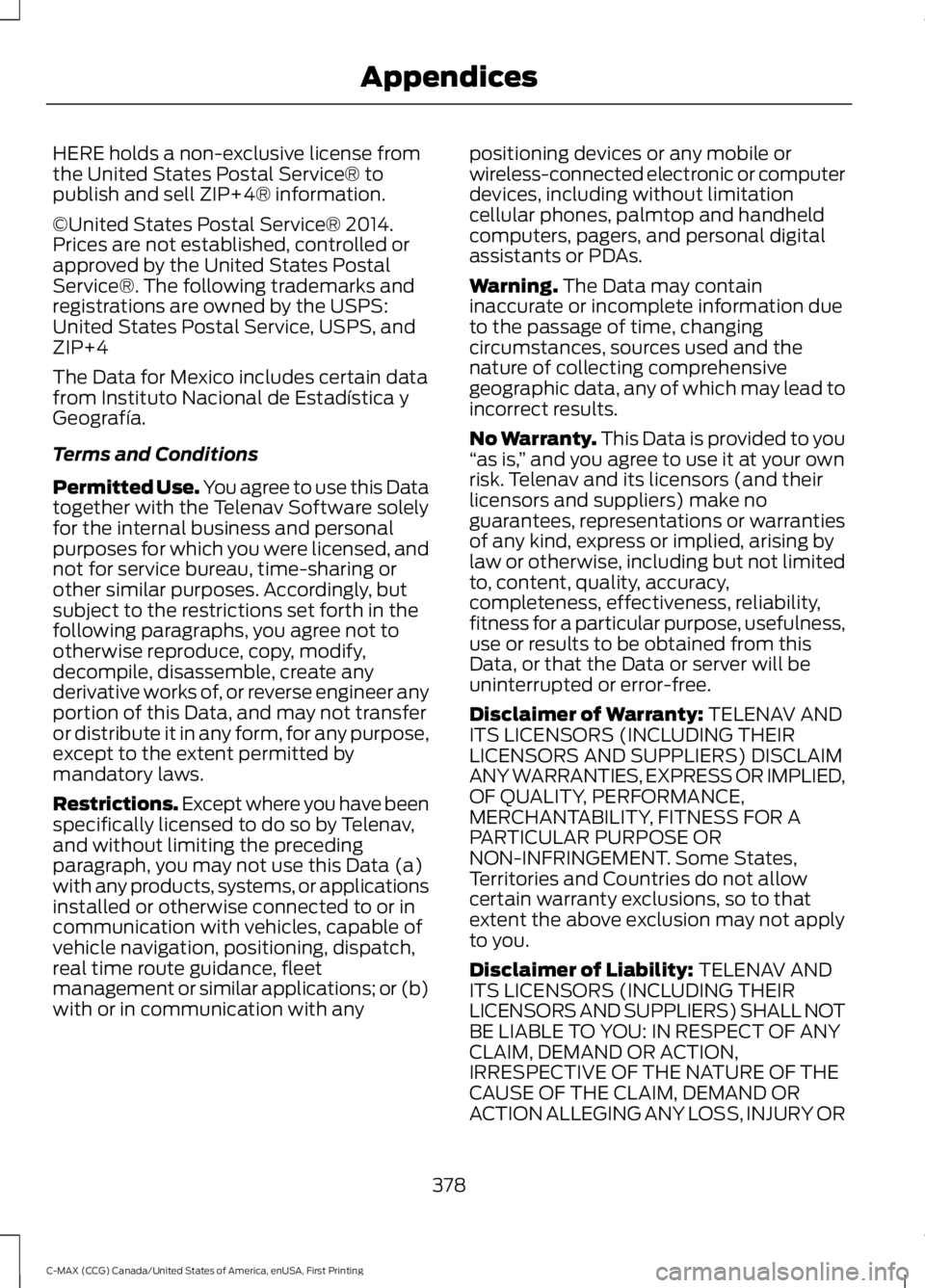
HERE holds a non-exclusive license fromthe United States Postal Service® topublish and sell ZIP+4® information.
©United States Postal Service® 2014.Prices are not established, controlled orapproved by the United States PostalService®. The following trademarks andregistrations are owned by the USPS:United States Postal Service, USPS, andZIP+4
The Data for Mexico includes certain datafrom Instituto Nacional de Estadística yGeografía.
Terms and Conditions
Permitted Use. You agree to use this Datatogether with the Telenav Software solelyfor the internal business and personalpurposes for which you were licensed, andnot for service bureau, time-sharing orother similar purposes. Accordingly, butsubject to the restrictions set forth in thefollowing paragraphs, you agree not tootherwise reproduce, copy, modify,decompile, disassemble, create anyderivative works of, or reverse engineer anyportion of this Data, and may not transferor distribute it in any form, for any purpose,except to the extent permitted bymandatory laws.
Restrictions. Except where you have beenspecifically licensed to do so by Telenav,and without limiting the precedingparagraph, you may not use this Data (a)with any products, systems, or applicationsinstalled or otherwise connected to or incommunication with vehicles, capable ofvehicle navigation, positioning, dispatch,real time route guidance, fleetmanagement or similar applications; or (b)with or in communication with any
positioning devices or any mobile orwireless-connected electronic or computerdevices, including without limitationcellular phones, palmtop and handheldcomputers, pagers, and personal digitalassistants or PDAs.
Warning. The Data may containinaccurate or incomplete information dueto the passage of time, changingcircumstances, sources used and thenature of collecting comprehensivegeographic data, any of which may lead toincorrect results.
No Warranty. This Data is provided to you“as is,” and you agree to use it at your ownrisk. Telenav and its licensors (and theirlicensors and suppliers) make noguarantees, representations or warrantiesof any kind, express or implied, arising bylaw or otherwise, including but not limitedto, content, quality, accuracy,completeness, effectiveness, reliability,fitness for a particular purpose, usefulness,use or results to be obtained from thisData, or that the Data or server will beuninterrupted or error-free.
Disclaimer of Warranty: TELENAV ANDITS LICENSORS (INCLUDING THEIRLICENSORS AND SUPPLIERS) DISCLAIMANY WARRANTIES, EXPRESS OR IMPLIED,OF QUALITY, PERFORMANCE,MERCHANTABILITY, FITNESS FOR APARTICULAR PURPOSE ORNON-INFRINGEMENT. Some States,Territories and Countries do not allowcertain warranty exclusions, so to thatextent the above exclusion may not applyto you.
Disclaimer of Liability: TELENAV ANDITS LICENSORS (INCLUDING THEIRLICENSORS AND SUPPLIERS) SHALL NOTBE LIABLE TO YOU: IN RESPECT OF ANYCLAIM, DEMAND OR ACTION,IRRESPECTIVE OF THE NATURE OF THECAUSE OF THE CLAIM, DEMAND ORACTION ALLEGING ANY LOSS, INJURY OR
378
C-MAX (CCG) Canada/United States of America, enUSA, First Printing
Appendices
Page 394 of 395
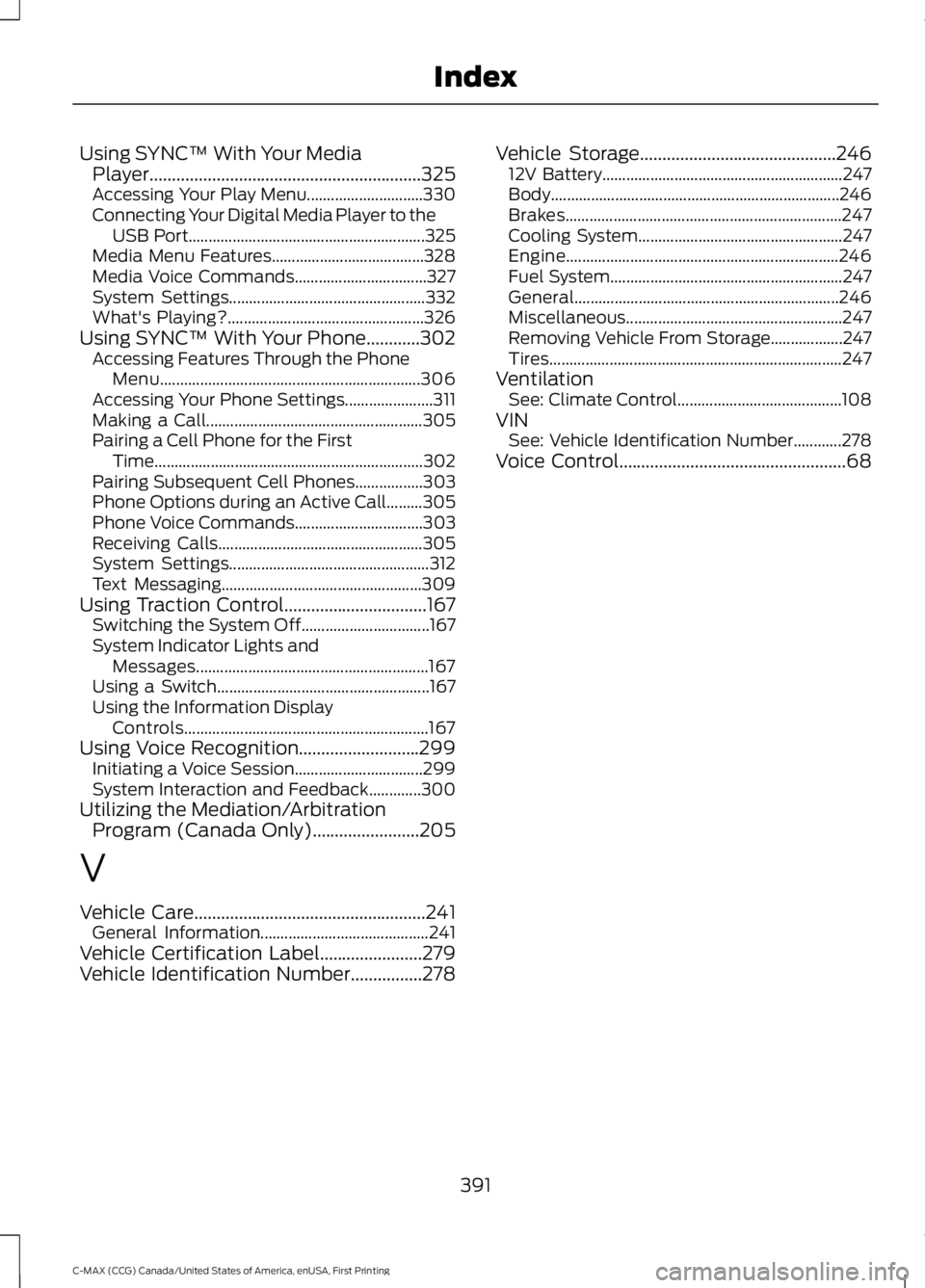
Using SYNC™ With Your MediaPlayer.............................................................325Accessing Your Play Menu.............................330Connecting Your Digital Media Player to theUSB Port...........................................................325Media Menu Features......................................328Media Voice Commands.................................327System Settings.................................................332What's Playing?.................................................326Using SYNC™ With Your Phone............302Accessing Features Through the PhoneMenu.................................................................306Accessing Your Phone Settings......................311Making a Call......................................................305Pairing a Cell Phone for the FirstTime...................................................................302Pairing Subsequent Cell Phones.................303Phone Options during an Active Call.........305Phone Voice Commands................................303Receiving Calls...................................................305System Settings..................................................312Text Messaging..................................................309Using Traction Control................................167Switching the System Off................................167System Indicator Lights andMessages..........................................................167Using a Switch.....................................................167Using the Information DisplayControls.............................................................167Using Voice Recognition...........................299Initiating a Voice Session................................299System Interaction and Feedback.............300Utilizing the Mediation/ArbitrationProgram (Canada Only)........................205
V
Vehicle Care....................................................241General Information..........................................241Vehicle Certification Label.......................279Vehicle Identification Number................278
Vehicle Storage............................................24612V Battery............................................................247Body........................................................................246Brakes.....................................................................247Cooling System...................................................247Engine....................................................................246Fuel System..........................................................247General..................................................................246Miscellaneous......................................................247Removing Vehicle From Storage..................247Tires.........................................................................247VentilationSee: Climate Control.........................................108VINSee: Vehicle Identification Number............278Voice Control...................................................68
391
C-MAX (CCG) Canada/United States of America, enUSA, First Printing
Index