Page 29 of 587

�BLIND SPOT MONITORING (BSM) — IF
EQUIPPED ............................82
▫ Rear Cross Path (RCP) ..................88
▫ Mode Of Operation .....................90
▫ Blind Spot Monitoring Fault Warnings .......91
▫ General Information ....................92
� EXTERIOR LIGHTS ......................92
▫ Headlights ...........................92
▫ Automatic Lighting — If Equipped .........93
▫
Daytime Running Lights (DRL) — If Equipped . .94
▫ Front Fog Lights — If Equipped ...........94
▫ Parking Lights ........................95
▫ Headlight Delay .......................95 ▫
High Beams ..........................95
▫ Turn Signals .........................96
� INTERIOR LIGHTS ......................96
▫ Front Courtesy Light ....................96
▫ Rear Dome Light — If Equipped ...........100
▫ Cargo Area Lights .....................101
▫ Instrument Panel Dimmer And Ambient Light
Control ........................... .101
� WIPERS AND WASHERS .................102
▫ Front Wiper Operation .................102
▫ Rain Sensor — If Equipped ..............104
▫ Rear Window Wiper/Washer .............106
▫ Windshield Wiper De-Icer — If Equipped . . . .107
4
GETTING TO KNOW YOUR VEHICLE 27
Page 34 of 587
Key Fob Operation
Unlocking Doors And Liftgate
The driver ’s door may be unlocked by inserting the
vehicle key into the exterior driver’s door lock cylinder.
To unlock all the doors, push the interior power door
UNLOCK button on the door panel.
Push and release the UNLOCK button on the RKE
transmitter once to unlock the driver’s door or twice
within five seconds to unlock all doors and the liftgate.
The turn signal lights will flash to acknowledge the
unlock signal. The illuminated entry system will also
turn on.
1st Press Of Key Fob Unlocks
This feature lets you program the system to unlock either
the driver’s door or all doors on the first push of the
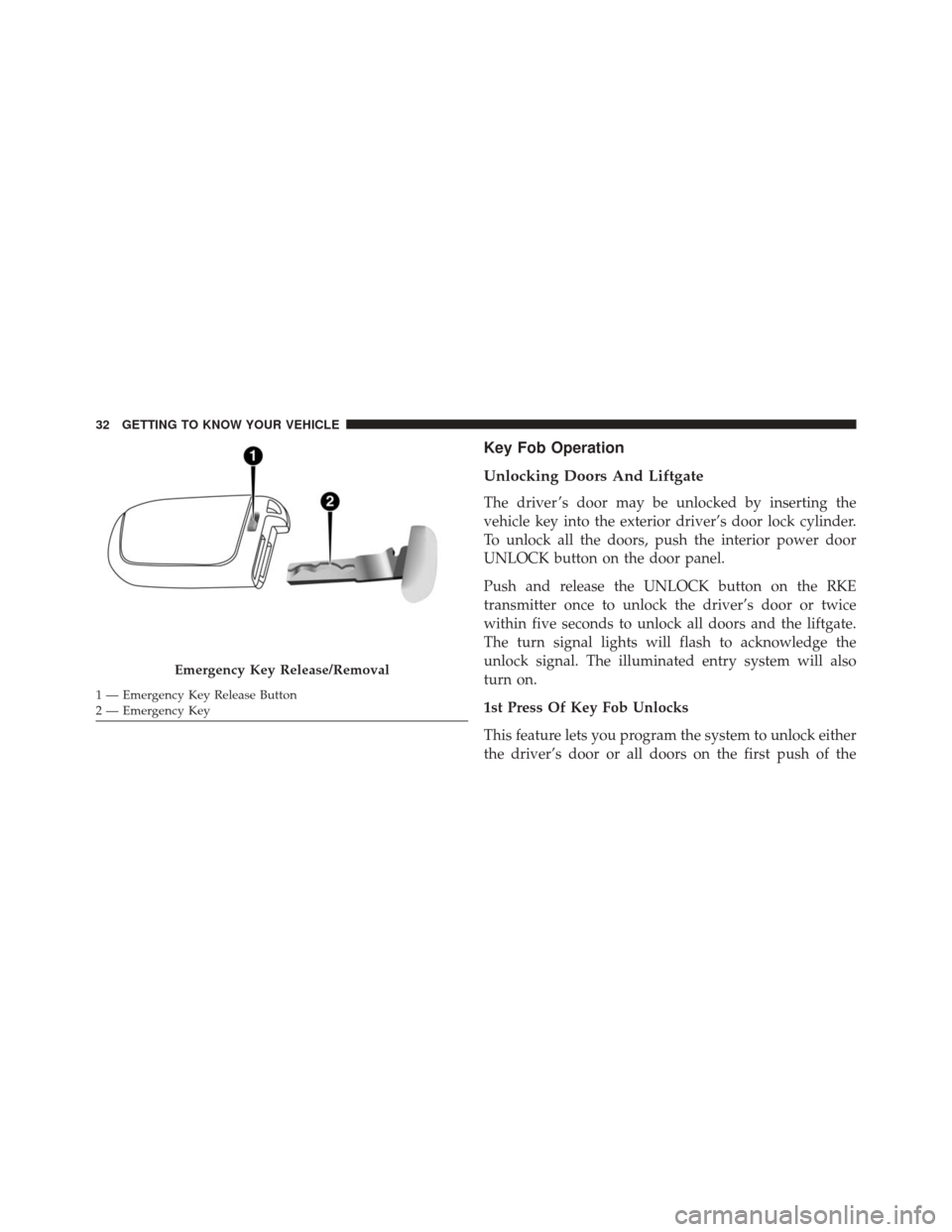
Emergency Key Release/Removal
1 — Emergency Key Release Button
2 — Emergency Key 32 GETTING TO KNOW YOUR VEHICLE
Page 35 of 587
UNLOCK button on the RKE transmitter. To change the
current setting, refer to “Uconnect Settings” in “Multime-
dia” for further information.
NOTE:If the vehicle is equipped with Passive Entry,
refer to “Keyless Enter-N-Go” in “Getting To Know Your
Vehicle” for further information.
Locking Doors And Liftgate
The doors may be locked by inserting the vehicle key into
the exterior driver’s door lock cylinder.
Push and release the LOCK button on the RKE transmit-
ter to lock all doors and liftgate. The turn signal lights
will flash and the horn will chirp to acknowledge the
signal. Settings in the radio can change to lights only,
chirp only, or both.
If the vehicle is equipped with Passive Entry, refer to
“Keyless Enter-N-Go” in “Getting To Know Your Ve-
hicle” for further information. Key Fob With Remote Control And Integrated Vehicle
Key
If one or more doors are open, or the liftgate is open, the
doors will lock. This is signaled by a quick flash of the
turn signals.
Vehicles With Keyless Enter-N-Go
If one or more doors are open, or the liftgate is open, the
doors will lock. The doors will unlock again only if the
key is inside the passenger compartment.
NOTE:
•
The current setting can be changed within the Elec-
tronic Vehicle Information Center (EVIC) menu or in
the Uconnect Settings so that the system will allow/
inhibit the ability to lock the doors when one or more
of them are open.
4
GETTING TO KNOW YOUR VEHICLE 33
Page 47 of 587
•Ignition in OFF position for Keyless Enter-N-Go ve-
hicle
• Fuel level meets minimum requirement
WARNING!
•Do not start or run an engine in a closed garage or
confined area. Exhaust gas contains Carbon Mon-
oxide (CO) which is odorless and colorless. Carbon
Monoxide is poisonous and can cause serious in-
jury or death when inhaled.
• Keep Remote Keyless Entry (RKE) transmitters
away from children. Operation of the Remote Start
System, windows, door locks or other controls
could cause serious injury or death.
To Enter Remote Start Mode
Push and release the REMOTE START button
on the RKE transmitter twice within five sec-
onds. The vehicle doors will lock, the turn
signals will flash, and the horn will chirp twice.
Then, the engine will start, and the vehicle will remain in
the Remote Start mode for a 15-minute cycle.
NOTE:
• If an engine fault is present or fuel level is low, the
vehicle will start and then shut down in 10 seconds.
• The park lamps will turn on and remain on during
Remote Start mode.
• For security, power window operation is disabled
when the vehicle is in the Remote Start mode.
4
GETTING TO KNOW YOUR VEHICLE 45
Page 51 of 587
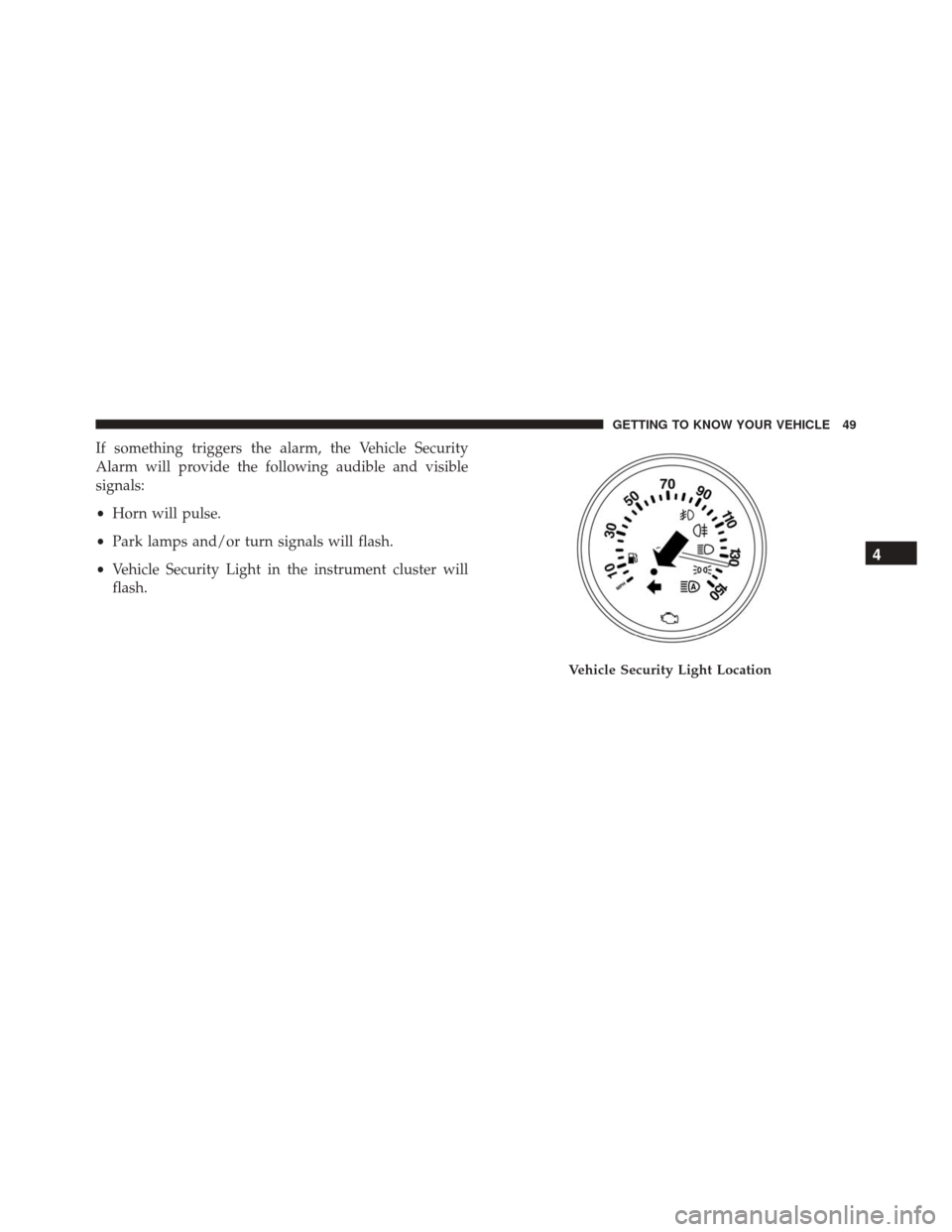
If something triggers the alarm, the Vehicle Security
Alarm will provide the following audible and visible
signals:
•Horn will pulse.
• Park lamps and/or turn signals will flash.
• Vehicle Security Light in the instrument cluster will
flash.
Vehicle Security Light Location
4
GETTING TO KNOW YOUR VEHICLE 49
Page 90 of 587
WARNING!
The Blind Spot Monitoring system is only an aid to
help detect objects in the blind spot zones. The BSM
(Continued)
WARNING!(Continued)
system is not designed to detect pedestrians, bicy-
clists, or animals. Even if your vehicle is equipped
with the BSM system, always check your vehicles
mirrors, glance over your shoulder, and use your turn
signal before changing lanes. Failure to do so can
result in serious injury or death.
Rear Cross Path (RCP)
The Rear Cross Path (RCP) feature is intended to aid the
driver when backing out of parking spaces where their
vision of oncoming vehicles may be blocked. Proceed
slowly and cautiously out of the parking space until the
rear end of the vehicle is exposed. The RCP system will
then have a clear view of the cross traffic and if an
oncoming vehicle is detected, alert the driver.
Opposing Traffic
88 GETTING TO KNOW YOUR VEHICLE
Page 92 of 587
Mode Of Operation
Three selectable modes of operation are available in the
Uconnect System. Refer to “Uconnect Settings” in “Mul-
timedia” for further information.
Blind Spot Alert Lights Only
When operating in Blind Spot Alert mode, the BSM
system will provide a visual alert in the appropriate side
view mirror based on a detected object. However, when
the system is operating in Rear Cross Path (RCP) mode,
the system will respond with both visual and audible
alerts when a detected object is present. Whenever an
audible alert is requested, the radio is muted.
Blind Spot Alert Lights/Chime
When operating in Blind Spot Alert Lights/Chime mode,
the BSM system will provide a visual alert in the appro-
priate side view mirror based on a detected object. If the
turn signal is then activated, and it corresponds to analert present on that side of the vehicle, an audible chime
will also be sounded. Whenever a turn signal and de-
tected object are present on the same side at the same
time, both the visual and audible alerts will be issued. In
addition to the audible alert, the radio (if on) will also be
muted.
NOTE:
Whenever an audible alert is requested by the
BSM system, the radio is also muted.
When the system is in RCP, the system will respond with
both visual and audible alerts when a detected object is
present. Whenever an audible alert is requested, the radio
is also muted. Turn/hazard signal status is ignored; the
RCP state always requests the chime.
Blind Spot Alert Off
When the BSM system is turned off, there will be no
visual or audible alerts from either the BSM or RCP
systems.
90 GETTING TO KNOW YOUR VEHICLE
Page 96 of 587
The timing of the headlights is adjustable between 0, 30,
60 and 90 seconds. Refer to “Uconnect Settings” in
“Multimedia” for further information.
NOTE:The engine must be running before the headlights
will come on in the automatic mode.
Daytime Running Lights (DRL) — If Equipped
The Daytime Running Lights (DRLs) will turn on when
the engine is started and remain on unless the headlights
are turned on or the engine is shut off.
The DRLs will be disabled during turn signal operation
and resume operation when the turn signal operation has
ended.
Front Fog Lights — If Equipped
The front fog light switch is built into the headlight
switch.
To activate the front fog lights, turn on the parking
lights or the low beam headlights and push the
headlight switch. To turn off the front fog lights, push the
headlight switch a second time or turn off the headlight
switch.
An indicator light in the instrument cluster illuminates
when the fog lights are turned on.
NOTE:
• The fog lights will operate with the low beam head-
lights or parking lights on. Selecting the high beam
headlights will turn off the fog lights.
• The fog lights also function as cornering lights. There-
fore there will be times when only one light is on.
94 GETTING TO KNOW YOUR VEHICLE