Page 162 of 476
▫Values Displayed ..................... .193
▫ Personal Settings (Customer-Programmable
Features) ........................... .194
� CYBERSECURITY ...................... .208
� UCONNECT SETTINGS ..................210
▫ Buttons On The Faceplate ................210
▫ Buttons On The Touchscreen ..............210
▫ Customer Programmable Features — Uconnect
6.5N Settings .........................211
� UCONNECT RADIOS ...................226
� iPod/USB/MEDIA PLAYER CONTROL ......226
� STEERING WHEEL AUDIO CONTROLS ......227
▫ Radio Operation ..................... .228
▫ Player Operation ..................... .228�
CD/DVD DISC MAINTENANCE ...........228
� RADIO OPERATION AND MOBILE PHONES . .229
� CLIMATE CONTROLS ...................229
▫ Manual Climate Control System ...........229
▫ Automatic Dual Zone Climate Control System
(If Equipped) ........................ .235
� UCONNECT VOICE RECOGNITION QUICK
TIPS ............................... .248
▫ Introducing Uconnect ...................248
▫ Get Started ......................... .250
▫ Basic Voice Commands ..................251
▫ Radio ............................. .252
▫ Media ............................. .254
▫ Phone ............................. .256
160 UNDERSTANDING YOUR INSTRUMENT PANEL
Page 164 of 476
INSTRUMENT PANEL FEATURES
1 — Side Vent7 — Fixed Upper Air Vent13 — Climate Controls
2 — Steering Wheel Audio Control — Lo-
cated On Back Side Of Steering Wheel 8 — Passenger Advanced Front Air Bag 14 — USB Port/SD Card/AUX Socket
3 — Multifunction Lever – Light Control 9 — Upper Glove Compartment 15 — Uconnect Audio System
4—
Instrument Cluster And Warning Lights10 — Storage Compartment 16 — Ignition Switch
5—Windshield Wiper, Washer, Trip Computer11 — Lower Glove Compartment 17 —Driver Advanced Front Air Bag / Horn6 — Central Air Vents 12 — Upper Switch Bank18 — Electronic Speed Control Located On
Steering Wheel
162 UNDERSTANDING YOUR INSTRUMENT PANEL
Page 211 of 476
The risk of unauthorized and unlawful access to your
vehicle systems may still exist, even if the most recent
version of vehicle software (such as Uconnect software) is
installed.
WARNING!
•It is not possible to know or to predict all of the
possible outcomes if your vehicle’s systems are
breached. It may be possible that vehicle systems,
including safety related systems, could be im-
paired or a loss of vehicle control could occur that
may result in an accident involving serious injury
or death.
• ONLY insert media (e.g., USB, SD card, or CD) into
your vehicle if it came from a trusted source. Media
of unknown origin could possibly contain mali-
cious software, and if installed in your vehicle, it
(Continued)
WARNING! (Continued)
may increase the possibility for vehicle systems to
be breached.
• As always, if you experience unusual vehicle be-
havior, take your vehicle to your nearest authorized
dealer immediately.
NOTE:
• FCA or your dealer may contact you directly regarding
software updates.
• To help further improve vehicle security and minimize
the potential risk of a security breach, vehicle owners
should:
• Routinely check www.driveuconnect.com/software-
update to learn about available Uconnect software
updates.
• Only connect and use trusted media devices (e.g.
personal mobile phones, USBs, CDs).
4
UNDERSTANDING YOUR INSTRUMENT PANEL 209
Page 228 of 476
Clear Personal Data
After pressing the “Clear Personal Data Settings” button
on the touchscreen the following settings will be avail-
able:
•Clear Personal Data
When this feature is selected it will remove personal data
including Bluetooth devices and presets. To Clear Per-
sonal Data press the “Yes” or “No” button on the
touchscreen.
UCONNECT RADIOS
For detailed information about your Uconnect radio,
refer to your Uconnect Supplement Manual.
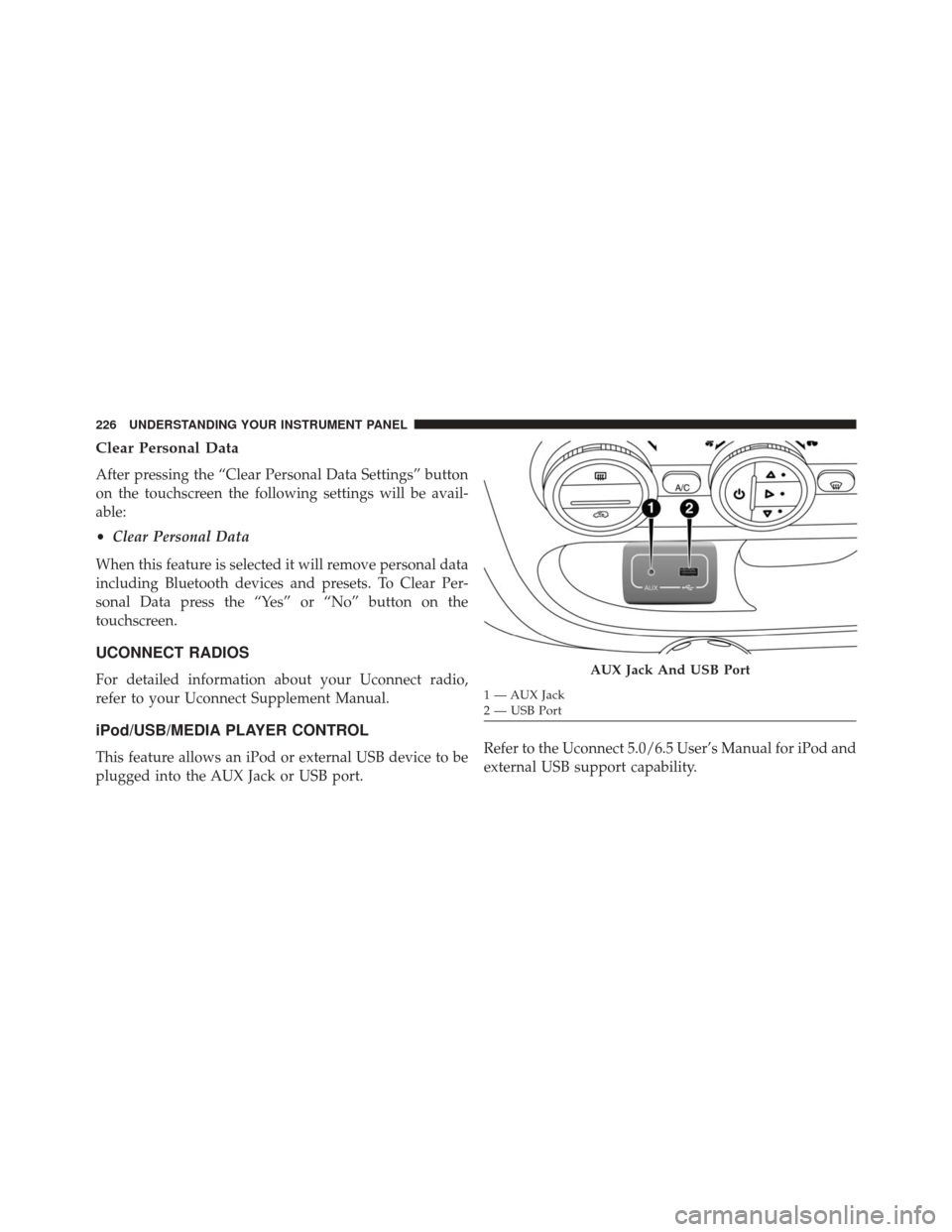
iPod/USB/MEDIA PLAYER CONTROL
This feature allows an iPod or external USB device to be
plugged into the AUX Jack or USB port. Refer to the Uconnect 5.0/6.5 User’s Manual for iPod and
external USB support capability.
AUX Jack And USB Port
1 — AUX Jack
2 — USB Port
226 UNDERSTANDING YOUR INSTRUMENT PANEL
Page 251 of 476
Key Features:
•5.0-inch Color Touchscreen Display with AM/FM/
USB/Bluetooth
• Bluetooth with integrated voice control
• GPS navigation (if equipped)
Uconnect 6.5AN
4
UNDERSTANDING YOUR INSTRUMENT PANEL 249
Page 252 of 476
Key Features:
•6.5-inch Color Touchscreen Display with AM/FM/
USB/SD Card/Bluetooth
• Bluetooth with integrated voice control
• GPS navigation (if equipped)
Get Started
All you need to control your Uconnect system with your
voice are the buttons on your steering wheel.
1. Visit UconnectPhone.com to check mobile device and
feature compatibility and to find phone pairing
instructions.
2. Reduce background noise. Wind and passenger con- versations are examples of noise that may impact
recognition. 3. Speak clearly at a normal pace and volume while
facing straight ahead. The microphone is positioned
on the rearview mirror and aimed at the driver.
4. Each time you give a Voice Command, you must first push either the VR or Phone button, wait until after
the beep, then say your Voice Command.
5. You can interrupt the help message or system prompts by pushing the VR or Phone button and saying a Voice
Command from current category.
250 UNDERSTANDING YOUR INSTRUMENT PANEL
Page 256 of 476
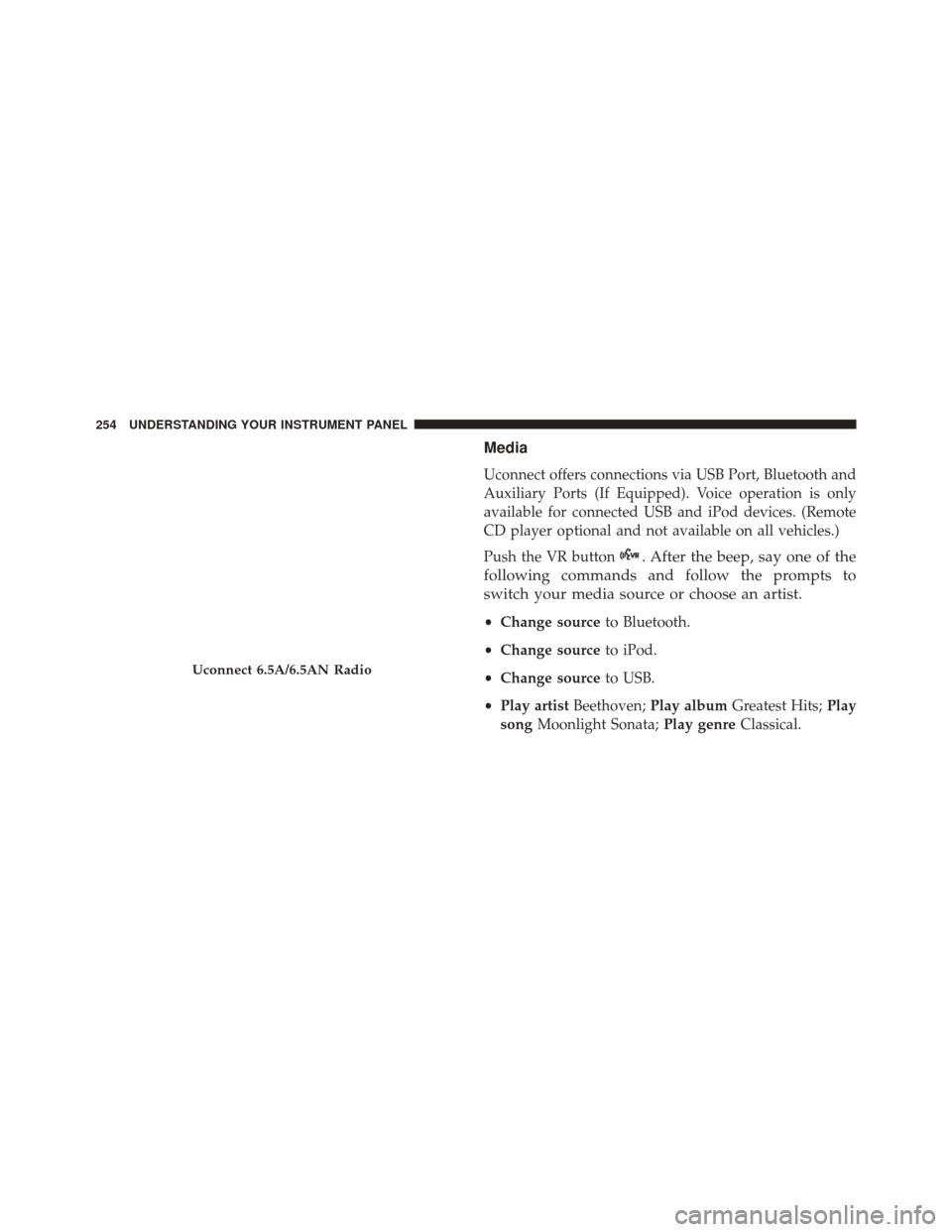
Media
Uconnect offers connections via USB Port, Bluetooth and
Auxiliary Ports (If Equipped). Voice operation is only
available for connected USB and iPod devices. (Remote
CD player optional and not available on all vehicles.)
Push the VR button
. After the beep, say one of the
following commands and follow the prompts to
switch your media source or choose an artist.
• Change source to Bluetooth.
• Change source to iPod.
• Change source to USB.
• Play artist Beethoven; Play album Greatest Hits; Play
song Moonlight Sonata; Play genreClassical.
Uconnect 6.5A/6.5AN Radio
254 UNDERSTANDING YOUR INSTRUMENT PANEL
Page 257 of 476
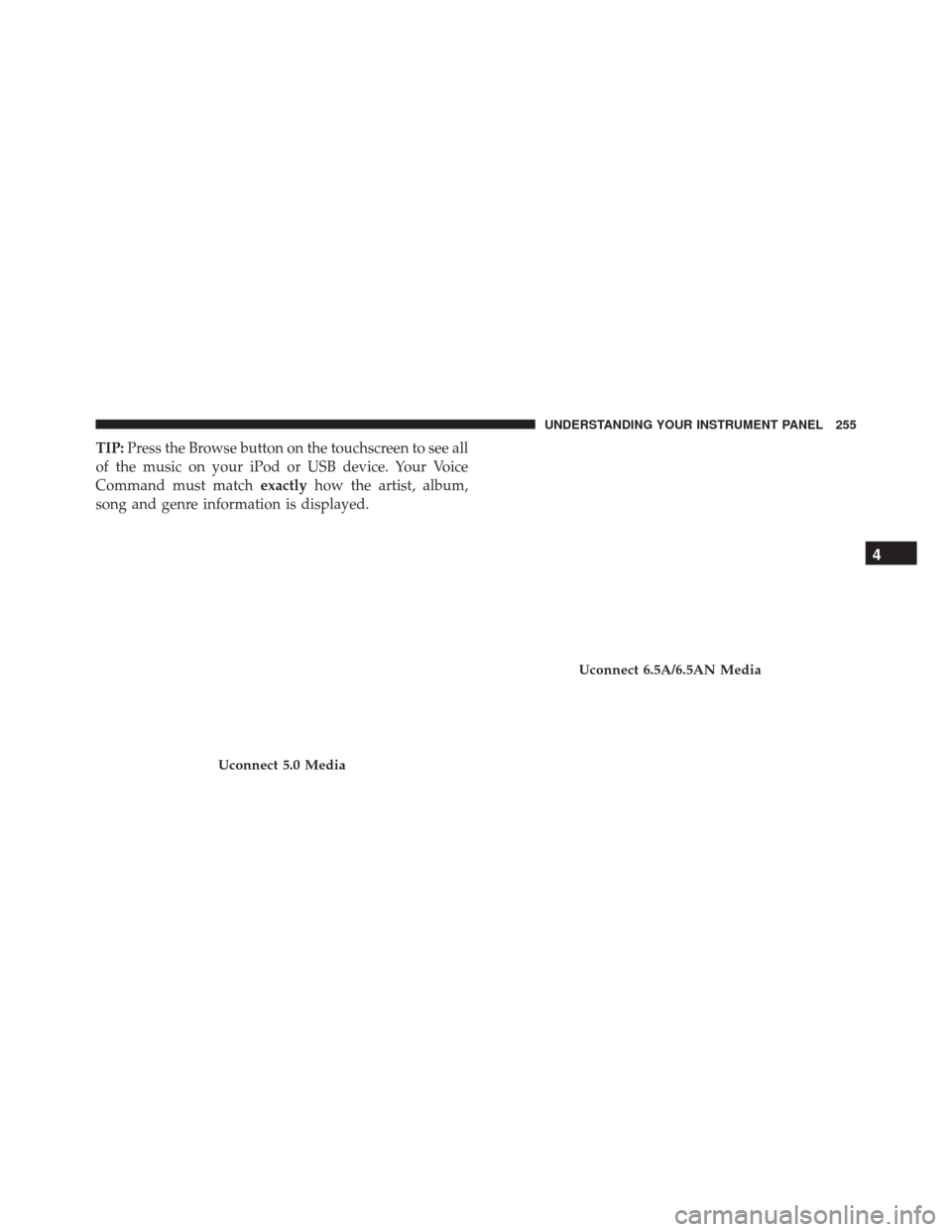
TIP:Press the Browse button on the touchscreen to see all
of the music on your iPod or USB device. Your Voice
Command must match exactlyhow the artist, album,
song and genre information is displayed.
Uconnect 5.0 Media
Uconnect 6.5A/6.5AN Media
4
UNDERSTANDING YOUR INSTRUMENT PANEL 255