Page 156 of 432
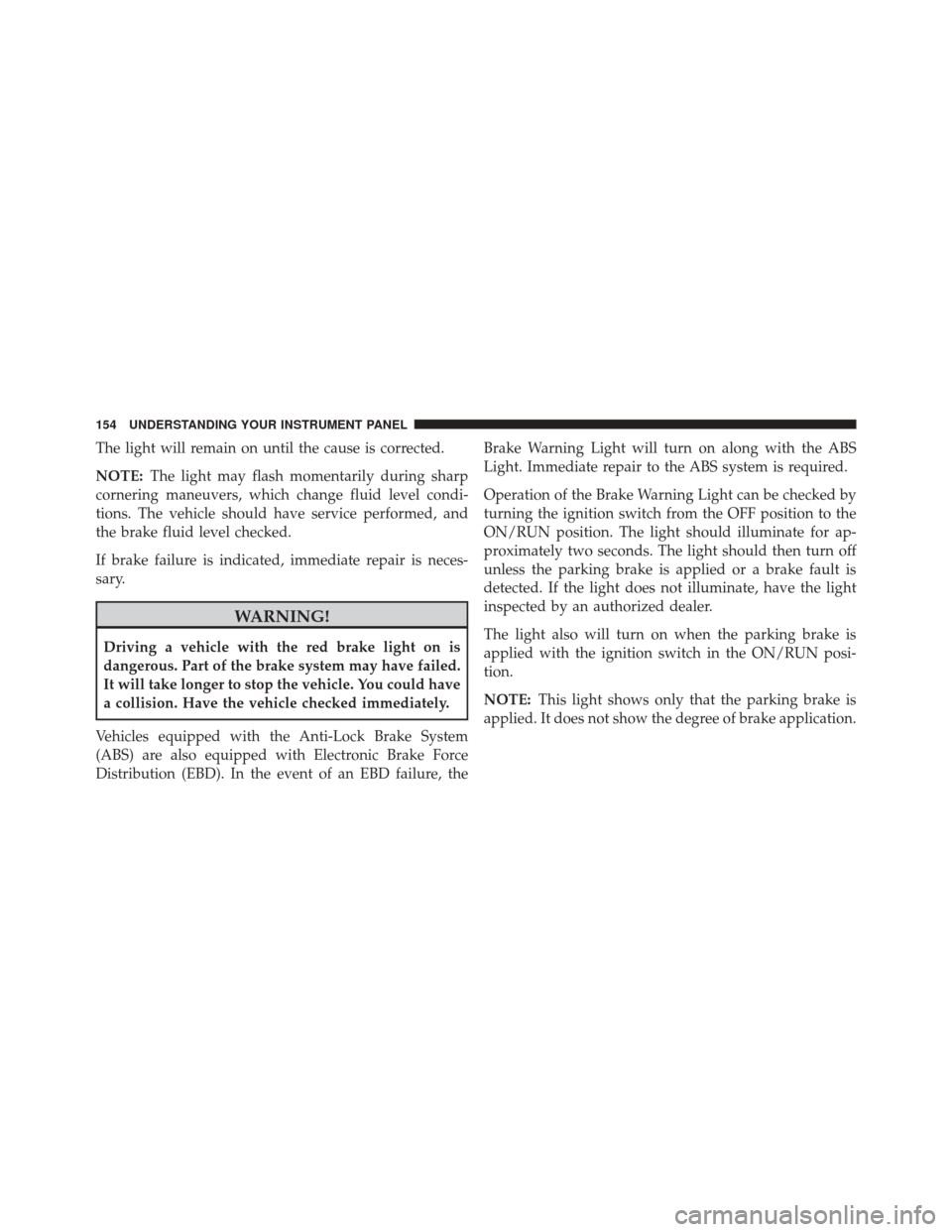
The light will remain on until the cause is corrected.
NOTE:The light may flash momentarily during sharp
cornering maneuvers, which change fluid level condi-
tions. The vehicle should have service performed, and
the brake fluid level checked.
If brake failure is indicated, immediate repair is neces-
sary.
WARNING!
Driving a vehicle with the red brake light on is
dangerous. Part of the brake system may have failed.
It will take longer to stop the vehicle. You could have
a collision. Have the vehicle checked immediately.
Vehicles equipped with the Anti-Lock Brake System
(ABS) are also equipped with Electronic Brake Force
Distribution (EBD). In the event of an EBD failure, the Brake Warning Light will turn on along with the ABS
Light. Immediate repair to the ABS system is required.
Operation of the Brake Warning Light can be checked by
turning the ignition switch from the OFF position to the
ON/RUN position. The light should illuminate for ap-
proximately two seconds. The light should then turn off
unless the parking brake is applied or a brake fault is
detected. If the light does not illuminate, have the light
inspected by an authorized dealer.
The light also will turn on when the parking brake is
applied with the ignition switch in the ON/RUN posi-
tion.
NOTE:
This light shows only that the parking brake is
applied. It does not show the degree of brake application.
154 UNDERSTANDING YOUR INSTRUMENT PANEL
Page 172 of 432
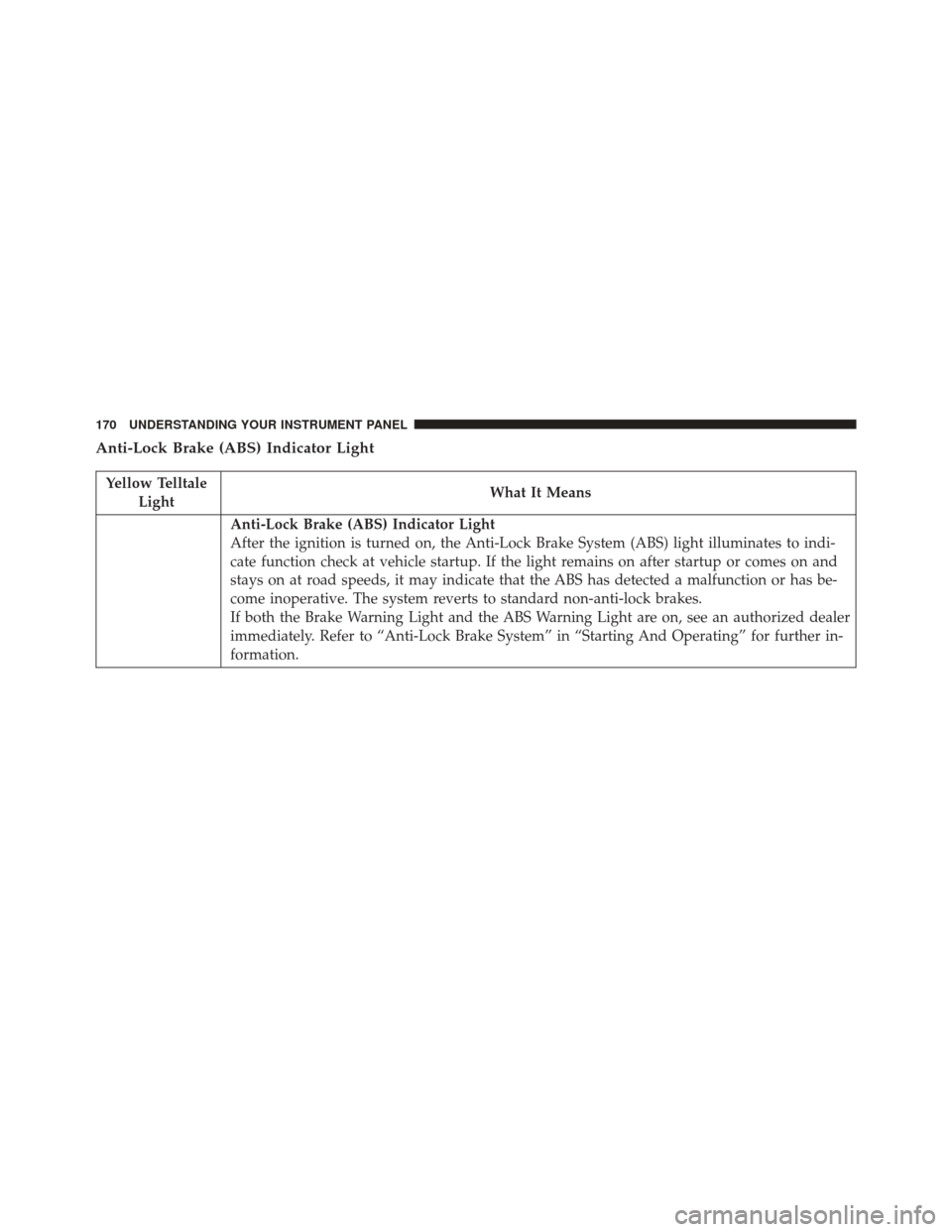
Anti-Lock Brake (ABS) Indicator Light
Yellow TelltaleLight What It Means
Anti-Lock Brake (ABS) Indicator Light
After the ignition is turned on, the Anti-Lock Brake System (ABS) light illuminates to indi-
cate function check at vehicle startup. If the light remains on after startup or comes on and
stays on at road speeds, it may indicate that the ABS has detected a malfunction or has be-
come inoperative. The system reverts to standard non-anti-lock brakes.
If both the Brake Warning Light and the ABS Warning Light are on, see an authorized dealer
immediately. Refer to “Anti-Lock Brake System” in “Starting And Operating” for further in-
formation.
170 UNDERSTANDING YOUR INSTRUMENT PANEL
Page 202 of 432

Clock & Date
After pressing the “Clock & Date” button on the touch-
screen the following settings will be available:
•Set Time and Format
When in this display, you may set the time and format
manually. Press the “Set Time and Format” button then
choose from a 12 hour or 24 hour format. Press the
corresponding arrow above and below the current time
to adjust, then select “AM” or “PM.”
• Show Time Status
When in this display, you may turn on or shut off the
digital clock in the status bar. To change the Show Time
Status setting press the “Show Time Status” button on the
touchscreen and select from “ON” or “OFF.” •
Set Date
When in this display, you may set the date manually.
Press the “Set Date” button on the touchscreen then press
the corresponding arrows above and below the current
date to adjust.
• Sync Time — If Equipped
When in this display, you may sync the time with GPS.
Press the “Sync Time” button on the touchscreen and
select from “ON” or “OFF.”
Safety/Assistance
After pressing the “Safety/Assistance” button on the
touchscreen the following setting will be available:
• Hill Start Assist
When this feature is selected, the Hill Start Assist (HSA)
system is active. Refer to “Electronic Brake Control
System” in “Starting And Operating” for system function
200 UNDERSTANDING YOUR INSTRUMENT PANEL
Page 227 of 432
STARTING AND OPERATING
CONTENTS
�STARTING PROCEDURES ................229
▫ Manual Transmission — If Equipped .......229
▫ Automatic Transmission — If Equipped .....229
▫ Normal Starting ...................... .229
▫ Cold Weather Operation ................230
▫ Extended Park Starting ..................230
▫ If Engine Fails To Start .................231
▫ After Starting ....................... .232
▫ Turbocharger “Cool Down” ..............232
� MANUAL TRANSMISSION — IF EQUIPPED . .232 ▫
Five-Speed Manual Transmission ...........232
▫ Recommended Shift Speeds ..............234
▫ Downshifting ....................... .234
� AUTOMATIC TRANSMISSION — IF
EQUIPPED .......................... .235
▫ Key Ignition Park Interlock ...............236
▫ Brake/Transmission Shift Interlock System . . .236
▫ Six-Speed Automatic Transmission .........237
▫ Gear Ranges ........................ .238
� AUTOSTICK ......................... .243
5
Page 228 of 432

▫Operation .......................... .243
� DRIVING ON SLIPPERY SURFACES .........245
▫ Acceleration ........................ .245
▫ Traction ........................... .245
� DRIVING THROUGH WATER .............246
▫ Flowing/Rising Water ..................246
▫ Shallow Standing Water .................246
� POWER STEERING .....................248
� PARKING BRAKE ..................... .249
� SPORT MODE ........................ .251
▫ Manual Transmission — If Equipped ........251
▫ Automatic Transmission — If Equipped ......252
� BRAKE SYSTEM ...................... .253�
ELECTRONIC BRAKE CONTROL SYSTEM . . . .254
▫ Four-Wheel Anti-Lock Brake System (ABS) . . .254
▫ Brake Assist System (BAS) ...............255
▫ Traction Control System (TCS) ............256
▫ Hill Start Assist (HSA) .................256
▫ Electronic Stability Control (ESC) ..........257
▫ ESC Activation/Malfunction Indicator Light And
ESC OFF Indicator Light ................261
� TIRE SAFETY INFORMATION .............263
▫ Tire Markings ....................... .263
▫ Tire Identification Number (TIN) ...........266
▫ Tire Terminology And Definitions ..........268
▫ Tire Loading And Tire Pressure ...........269
226 STARTING AND OPERATING
Page 231 of 432

STARTING PROCEDURES
Before starting your vehicle, adjust your seat, adjust both
inside and outside mirrors, and fasten your seat belts.
WARNING!
•Never leave children alone in a vehicle, or with
access to an unlocked vehicle.
• Allowing children to be in a vehicle unattended is
dangerous for a number of reasons. A child or
others could be seriously or fatally injured. Chil-
dren should be warned not to touch the parking
brake, brake pedal or the transmission gear selec-
tor.
• Do not leave the Key Fob in or near the vehicle (or
in a location accessible to children). A child could
operate power windows, other controls, or move
the vehicle.
Manual Transmission — If Equipped
Apply the parking brake, place the gear selector in
NEUTRAL, and press the clutch pedal before starting the
vehicle. This vehicle is equipped with a clutch interlock-
ing ignition system. It will not start unless the clutch
pedal is pressed to the floor.
Automatic Transmission — If Equipped
The gear selector must be in the PARK or NEUTRAL
position before you can start the engine. Press the brake
pedal before shifting to any driving gear.
NOTE: You must press the brake pedal before shifting
out of PARK.
Normal Starting
NOTE: Normal starting of either a cold or a warm
engine is obtained without pumping or pressing the
accelerator pedal.
5
STARTING AND OPERATING 229
Page 234 of 432
After Starting
The idle speed will automatically decrease as the engine
warms up.
Turbocharger “Cool Down”
This vehicle is equipped with an after-run pump to cool
the turbocharger after the engine is shut off. Depending
on the type of driving and the amount of cargo, the pump
will run for up to 10 minutes after the engine has been
shut off to circulate coolant through the turbocharger.
Although the pump is rubber-mounted for quiet opera-
tion, it is normal to hear it running during this time.
MANUAL TRANSMISSION — IF EQUIPPED
Five-Speed Manual Transmission
WARNING!
You or others could be injured if you leave the
vehicle unattended without having the parking
brake fully applied. The parking brake should al-
ways be applied when the driver is not in the vehicle,
especially on an incline.
232 STARTING AND OPERATING
Page 236 of 432
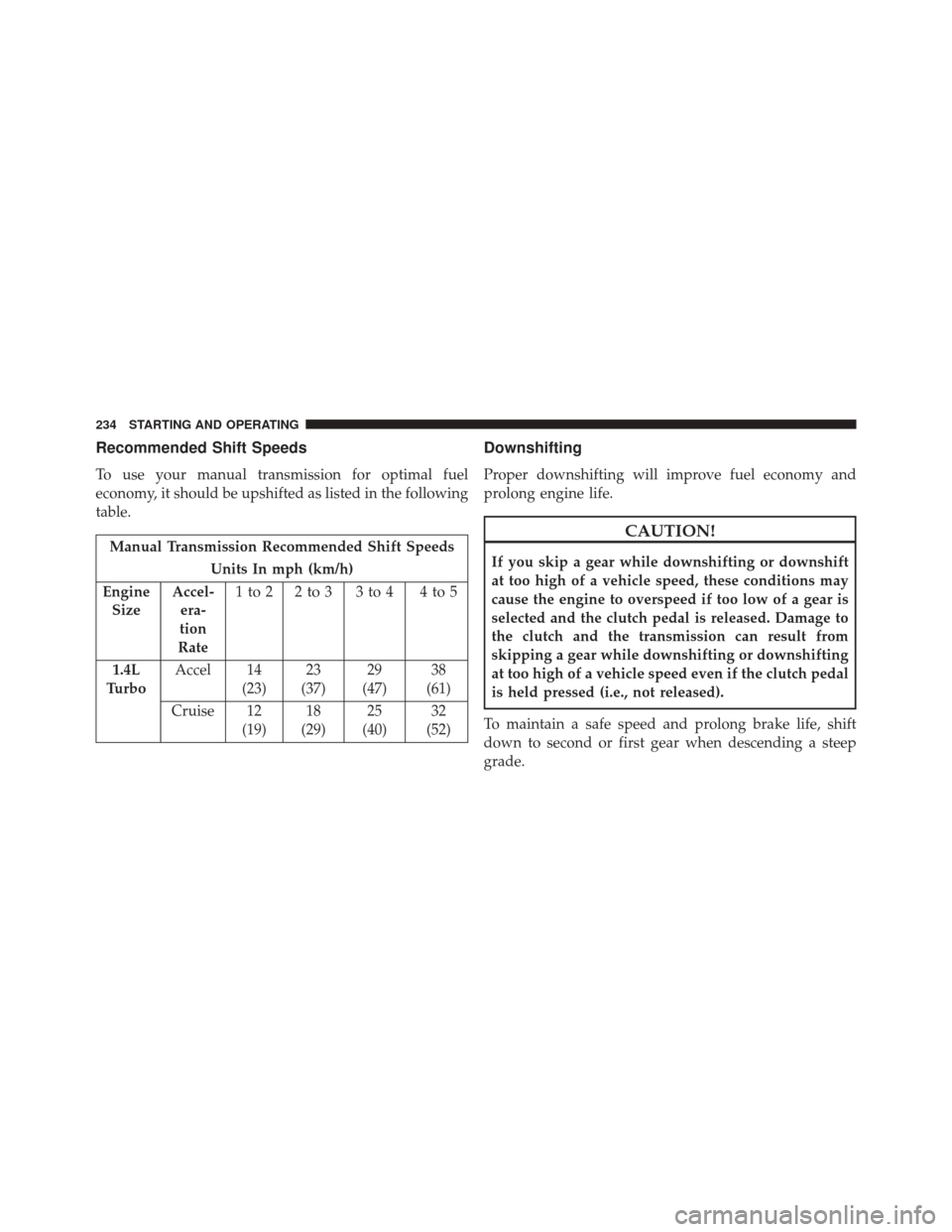
Recommended Shift Speeds
To use your manual transmission for optimal fuel
economy, it should be upshifted as listed in the following
table.
Manual Transmission Recommended Shift SpeedsUnits In mph (km/h)
Engine Size Accel-
era-
tion
Rate 1to2 2to3 3to4 4to5
1.4L
Turbo Accel 14
(23)23
(37) 29
(47) 38
(61)
Cruise 12 (19)18
(29) 25
(40) 32
(52)
Downshifting
Proper downshifting will improve fuel economy and
prolong engine life.
CAUTION!
If you skip a gear while downshifting or downshift
at too high of a vehicle speed, these conditions may
cause the engine to overspeed if too low of a gear is
selected and the clutch pedal is released. Damage to
the clutch and the transmission can result from
skipping a gear while downshifting or downshifting
at too high of a vehicle speed even if the clutch pedal
is held pressed (i.e., not released).
To maintain a safe speed and prolong brake life, shift
down to second or first gear when descending a steep
grade.
234 STARTING AND OPERATING